Last Updated: · ATZ CRM Editorial Team · Recruitment Tips · 12 min read
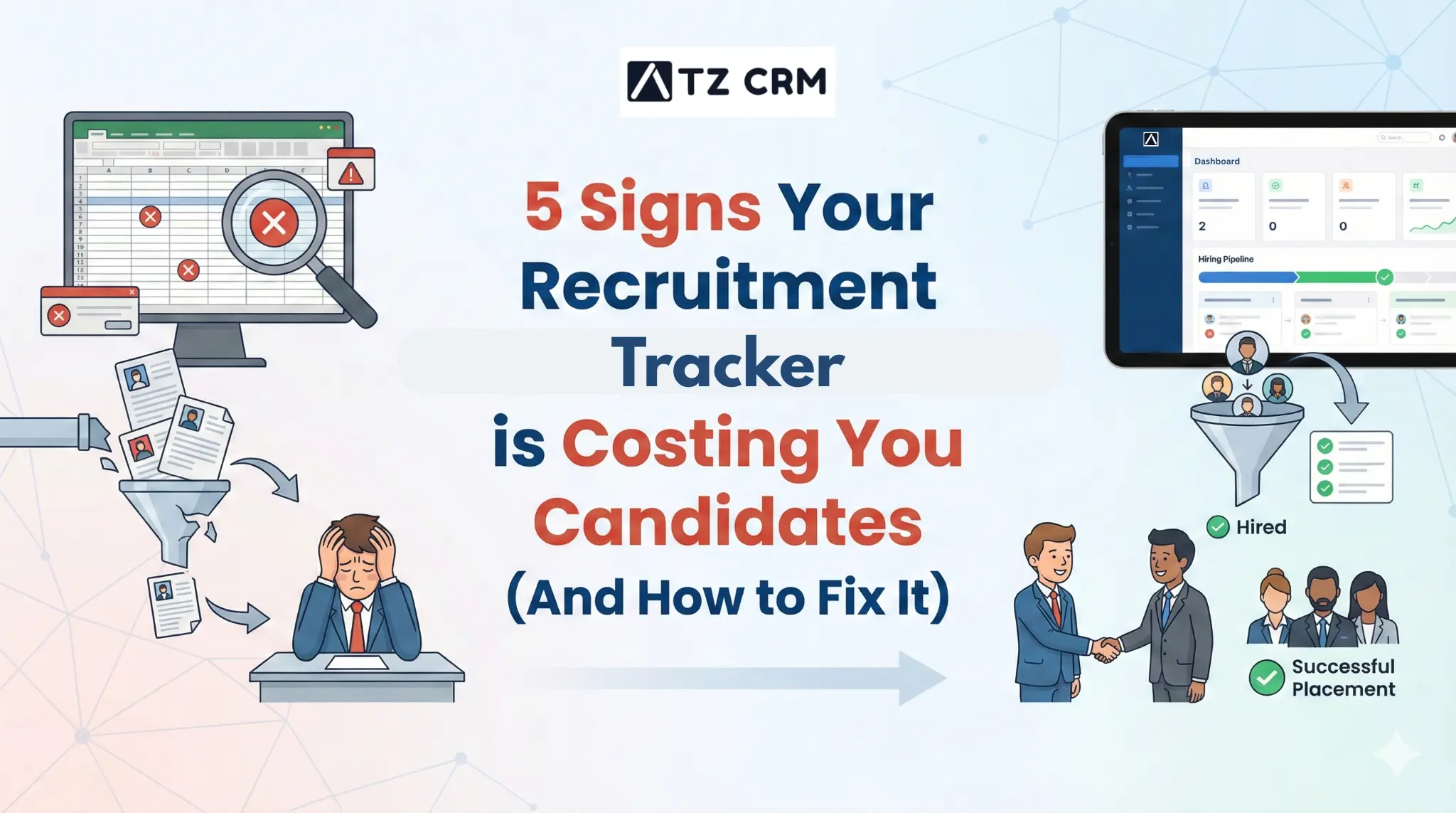
5 Signs Your Recruitment Tracker is Costing You Candidates (And How to Fix It)
Is your recruitment tracker slowing you down? Discover 5 signs your current system is costing you candidates and how to fix it with a modern ATS+CRM like ATZ CRM.
Quick Answer: 5 Signs Your Recruitment Tracker Is Broken (And How to Fix It)
Your recruitment tracker is broken if: candidates fall through without follow-up, you can’t instantly answer “how many people are at interview stage for this role?”, data is duplicated across spreadsheets, team members use it inconsistently, or you can’t report on source of hire. The fix: migrate to a dedicated ATS with mandatory field requirements and pipeline visibility built in.
Picture this: You’ve finally found the “Purple Squirrel”- that perfect candidate with the exact mix of skills, experience, and salary expectations. You send an email, log it in your spreadsheet, and move on to the next task. Two weeks later, you realize you never heard back. Why? Because your email landed in spam, you forgot to follow up, and a competitor hired them yesterday.
Ouch.
If this scenario sounds painfully familiar, you aren’t alone.
Here’s a question for you: Is your recruitment tracker working for you, or are you working for it?
If you spend more time color-coding cells in Excel than talking to humans, you might need a change. As the old recruiter joke goes: “Why did the recruiter bring a shovel to work? To dig their candidates out of the ‘Black Hole’ in their tracking system!”
In this guide, we’re going to break down exactly what a modern recruitment tracker is, identify the five screaming signs that yours is broken, and give you a blueprint to fix it for good.
Introduction
Before we diagnose the problem, let’s get back to basics. What exactly is a recruitment tracker?
At its simplest level, a recruitment tracker is the central nervous system of your hiring process. Whether it’s a manual spreadsheet (we’ve all been there) or a sophisticated software platform, its job is to monitor a candidate’s journey through the hiring lifecycle.
How a Recruitment Tracker Works
A functional tracker manages the four key stages of recruitment:
- Sourcing: Capturing candidate data from job boards or LinkedIn.
- Screening: Filtering resumes based on qualifications.
- Interviewing: Scheduling calls and collecting feedback.
- Onboarding: Transitioning a “candidate” into an “employee.”
Ideally, this system tracks critical metrics like Time-to-Hire and Source Quality. However, many agencies are still relying on tools that were built for the year 2010, not the high-velocity market of today.
While a spreadsheet might work for a “team of one,” it inevitably breaks as you scale. Managing relationships in static rows and columns is like trying to drive a car by looking only at the rearview mirror; you can see where you’ve been, but you can’t see the crash coming ahead.
If you are wondering if it’s time to upgrade, switch to ATZ CRM. But first, let’s look at the red flags appearing in your daily work.
Sign #1: You Spend More Time Entering Data Than Talking to Humans
The Red Flag:
You find yourself having a “dual monitor stare-down.” On the left screen is a LinkedIn profile; on the right is your recruitment tracker. You spend the next five minutes manually typing a name, copying an email address, downloading a PDF resume, and re-uploading it.
The Hidden Cost:
This is called “Data Drudgery.” Research suggests that administrative tasks can consume up to 60-70% of a recruiter’s week. That many hours a week are not spent selling, negotiating, or closing. If you are billing $200k a year, that manual data entry is costing your agency $120k in lost productivity.
The Fix:
Upgrade to an All-in-One ATS + CRM. You need to move away from static files to a synchronized ecosystem. This is where the power of an ATS (Applicant Tracking System), combined with a CRM (Candidate Relationship Management), comes into play.
Modern tools like ATZ CRM don’t just store data; they act as an engine.
- One-Click Sourcing: Imagine using a Chrome Extension that sits on top of LinkedIn. With one click, it scrapes the profile, finds the email address, parses the resume, and adds the candidate to your pipeline.
- Automatic Logging: No more manual notes. The system automatically logs every email sent and received.
By automating the “boring stuff,” you free up your brain for the human stuff. If you are a small team worried about costs, you might want to Discover free ATS for small businesses to see how accessible these tools have become.
Sign #2: Your “Time-to-Hire” is Lagging (Even With a Full Pipeline)
The Red Flag:
You have plenty of applicants, but they sit in the “Applied” stage for days because reviewing resumes takes too long. By the time you call them, they’ve already accepted another offer.
The Hidden Cost:
Recruiters live by the “10-Day Rule.” Top talent is often off the market within 10 days. If your recruitment tracker makes you click 15 times just to schedule an interview, you are physically preventing your agency from moving at market speed.
The Fix:
Leverage AI & LLMs for Speed. The solution isn’t to work faster; it’s to use smarter tools. Artificial Intelligence (AI) and Large Language Models (LLMs) have revolutionized how we process data.
- Resume Parsing: Instead of reading every line, an AI-enabled recruitment tracker can extract key skills and summarize a resume in seconds.
- AI Assistants: Tools like ATZ CRM integrate the Best AI & ChatGPT Prompts for Recruiters directly into the workflow. You can ask the system, “Draft a rejection email that is polite but firm,” or “Summarize this candidate’s experience for the client,” and it’s done instantly.
This reduces administrative drag, ensuring that your recruitment tracker accelerates your process rather than acting as a speed bump.
Sign #3: You’re “Ghosting” Candidates by Accident
The Red Flag:
You wake up in a cold sweat, realizing you never sent a follow-up email to that promising candidate from three weeks ago. Or worse, you left 50 rejected candidates in limbo without a “Thanks, but no thanks.”
The Hidden Cost:
“Ghosting” is reputation suicide. Candidates talk, and they leave reviews on Glassdoor. A recruitment tracker that doesn’t remind you to communicate, or do it for you, destroys your employer brand.
- Fact: 65% of candidates say they rarely or never receive an update on their application. Don’t be that statistic.
The Fix:
Employ “Agentic Assistants” & Automation. You need to shift from a passive tracker (which waits for you to input data) to an active one (which works for you). This is often called Agentic AI, software that acts as an autonomous agent to perform tasks.
- Automated Sequences: A robust ATS+CRM allows you to set up “Keep Warm” sequences. If a candidate is in the “Screening” stage for more than 3 days, the system can automatically send an email: “Hey, just checking in. We are still reviewing applications!”
- Workflow Triggers: You can set triggers so that dragging a candidate to “Rejected” automatically fires off a personalized email after a set delay (so it doesn’t look robotic).
Suppose you are comparing tools to fix this. In that case, you might look at RecruiterFlow Alternatives or explore the Best Recruitment CRM Software for Recruitment to find a system that handles these “active” workflows efficiently.
Sign #4: You Reject Great Talent Because They Don’t Match “Keywords”
The Red Flag:
Your recruitment tracker filters out a stellar “Growth Marketer” because your search query was looking for a “Marketing Manager.”
The Hidden Cost:
This is the “Exact Match” Trap. Legacy trackers rely on “Boolean Search” (AND, OR, NOT logic). While powerful, it is rigid. It hires based on syntax, not potential. You end up rejecting great people simply because they used a different synonym for their job title.
The Fix:
Adopt Skill-First Hiring. Modern systems use Semantic Search. This means the software understands meaning, not just keywords. It knows that “Java” and “J2EE” are related, or that a “Client Success Manager” likely has “Account Management” skills.
- The Strategy: Integrate databases that understand competencies. Advanced trackers utilize frameworks like ESCO (European Skills, Competences, Qualifications and Occupations) or O*NET OnLine.
- How ATZ CRM Helps: By mapping these related skills, ATZ CRM widens your talent pool significantly. It looks at the context of a candidate’s career, not just the keywords in their PDF.
For a deeper dive into how top-tier systems handle this, check out our ranking of the Ultimate Recruit CRM Showdown: Best ATS Ranked.
Sign #5: Your Hires Lack Diversity (And You Don’t Know Why)
The Red Flag:
Your pipeline looks homogeneous. Everyone went to the same three universities or has the same background. You suspect unconscious bias, but your spreadsheet can’t tell you where it’s happening.
The Hidden Cost:
Beyond the moral imperative, the lack of diversity stifles innovation. Plus, there are legal risks (EEO compliance). If your recruitment tracker is just a digital filing cabinet, it cannot flag biased language in your job descriptions or highlight sourcing gaps.
The Fix:
Compliance & Bias-Checked AI You need a system that audits your sourcing patterns.
- Blind Hiring: Some modern trackers allow you to anonymize profiles during the initial review, hiding names and photos to focus purely on skills.
- Diverse Sourcing: Use your tracker to post to niche job boards automatically.
See our guide on 15 Free Job Posting Sites USA-Based Recruiters Can Use to Look for Diverse Talent.
Tools like ATZ CRM can help track EEO data securely, ensuring you stay compliant while building a stronger, more diverse team. If you are currently using a legacy giant, you might want to look at the best Bullhorn Alternatives that prioritize these modern compliance features.
Blueprint for Building a Modern Tracker for Today

Okay, so you’ve realized your current recruitment tracker is stuck in the past. You don’t need to wait for 2030 to fix it. Here is your actionable blueprint to build a modern machine right now.
Phase 1: The Platform Audit
Stop using disparate tools. If you use one tool for email, another for storing resumes, and a third for client notes, you are creating data silos.
- Action: Consolidate into a robust ATS + CRM. This is especially critical if you do both retained and contingent recruiting, as you need a system flexible enough to handle both deep executive research and high-volume staffing.
Phase 2: The AI Integration
Don’t fear AI; train it. Use a system that allows you to integrate AI into your daily writing and sorting tasks.
- Action: Set up “Agentic” workflows. Configure your tracker to automatically parse incoming resumes and score them against the job description before you even log in.
Phase 3: The Data Cleanse
Your new system is only as good as the data you feed it.
- Action: Before migrating, export your old data and “clean” it. Remove duplicates and archive candidates you haven’t spoken to in 5 years. Then, migrate this clean data into a system like ATZ CRM.
Phase 4: The Skill Mapping
Configure your tracker to value skills over titles immediately.
- Action: When setting up your new recruitment tracker, ensure you are using a skills taxonomy (like the ESCO model mentioned earlier). This ensures that when you search for “Project Management,” you find all relevant candidates, not just the ones with PMP certification.
Conclusion
A recruitment tracker shouldn’t just be a list of names; it should be your unfair competitive advantage. It should work while you sleep, surface the best talent instantly, and ensure no candidate is ever ghosted.
If you recognized any of the 5 signs above: manual data entry, slow hiring, ghosting, keyword bias, or lack of diversity, it’s time to retire the spreadsheet and the legacy software.
Ready to stop losing candidates? Don’t let your tools hold you back. Experience the power of a modern ATS + CRM that automates the busy work so you can focus on the people.
👉 Book a Demo Now and see how we can transform your hiring pipeline today.
Frequently Asked Questions (FAQs)
1. What is the difference between a recruitment tracker, an ATS, and a CRM? A recruitment tracker is a general term for any system that tracks candidates. An ATS (Applicant Tracking System) is designed for processing applications (reactive). A CRM (Candidate Relationship Management) is designed for nurturing relationships with passive talent (proactive). Modern tools like ATZ CRM combine both into one platform.
2. How long does it take to switch from a spreadsheet to a modern recruitment tracker? It is faster than you think. With modern “one-click” import features, you can upload your CSV files and have your database populated in minutes. The learning curve is usually short because modern UIs are designed to look like the consumer apps you use every day.
3. Will AI replace recruiters? No. AI replaces the admin work recruiters hate (scheduling, data entry, resume screening). This allows recruiters to spend more time on the human aspects of the job, like building relationships and understanding client needs.
4. Is a recruitment tracker necessary for a small agency? Absolutely. Even for a team of one, a tracker helps you organize candidates, automate follow-ups, and ensure legal compliance. Using a spreadsheet limits your ability to scale and makes you prone to data loss and errors.
5. How does a tracker help with “Executive Search”? Executive search requires high confidentiality and deep relationship mapping. A modern tracker allows you to mark profiles as private, map organizational charts, and track long-term touchpoints over years, which is impossible to do effectively in a simple spreadsheet.
📝 Blog Summary:
- The High Cost of “Data Drudgery”: If you are spending up to 3/5 of your week manually entering data instead of talking to candidates, you are losing thousands in billable hours.
- Speed is Everything: Top talent is often off the market in 10 days. Relying on legacy tools slows down your “Time-to-Hire,” causing you to miss out on the “Purple Squirrels.”
- Automation Stops “Ghosting”: Failing to follow up kills your employer brand. Modern “Agentic” tools automate communication, ensuring no candidate is left in limbo.
- Skills > Keywords: Old trackers rely on rigid Boolean searches that miss great talent. Modern systems use Semantic Search to find candidates based on actual skills and potential, not just specific job titles.
- The Solution is Integration: To fix these leaks, agencies must upgrade from static spreadsheets to a synchronized All-in-One ATS + CRM (like ATZ CRM) that leverages AI to source, screen, and schedule automatically.