EN
 DE
 ES
 FR
 NL
 PT
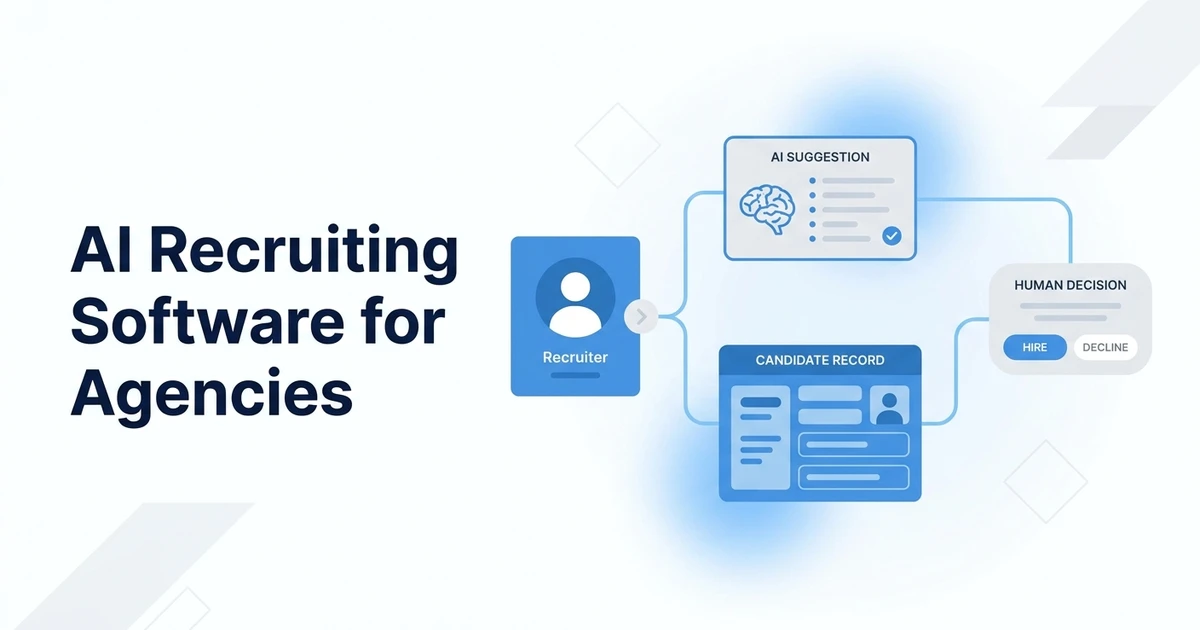


Quick Answer: AI recruiting software uses artificial intelligence to assist with tasks such as candidate sourcing, resume review, matching, communication, interview support, and reporting. Choose it by the workflow you need to improve, how it fits your ATS and CRM, and whether recruiters can inspect and correct recommendations before they affect a candidate.
What should AI recruiting software improve first?
An agency has three open roles, a growing candidate database, and recruiters who spend part of each day repeating searches, sorting profiles, drafting outreach, and updating records. An AI feature may help with one of those tasks. It will not automatically fix unclear job requirements, inconsistent recruiter judgment, or an incomplete candidate record.
Start with a specific bottleneck. For example, a sourcer may need help turning a hiring manager’s description into a repeatable search; a recruiter may need to find people already in the database who fit a new role; an operations lead may want interview notes summarized into the ATS. Each use case has different inputs, risks, and success measures.
Write down the current workflow before looking at vendors:
- Who performs the task and how often?
- What information do they use, and where does it come from?
- What does a useful result look like to the recruiter?
- What errors could inconvenience or disadvantage a candidate?
- Where must the output be reviewed and recorded?
- What evidence would justify keeping the feature?
A useful measure is tied to the work rather than a broad promise. For a search assistant, compare recruiter-approved relevant profiles per hour with the team’s current method. For a summary tool, check completeness and correction time. For outreach drafting, assess accuracy, tone, personalization, and recruiter editing effort. Keep hiring outcomes separate from activity metrics unless you have a sound way to evaluate the relationship.
LinkedIn’s 2025 Future of Recruiting report says 37% of surveyed talent acquisition professionals were experimenting with or integrating generative AI, and those respondents reported saving an average 20% of their workweek. LinkedIn’s 2025 report describes the survey and the scope of those findings. Treat this as a reported experience among respondents, not a guaranteed saving for your agency or proof that every AI task improves hiring.
What is AI recruiting software?
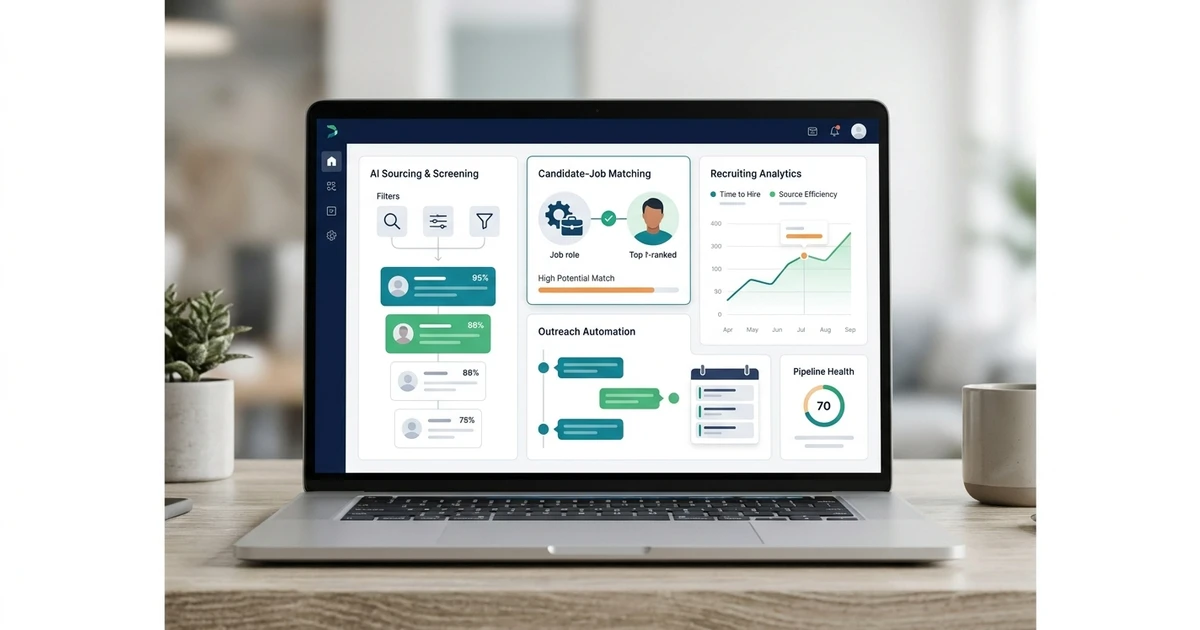
AI recruiting software is a product or feature that uses techniques such as machine learning, language models, recommendation systems, or automated rules to assist with recruiting work. A product can apply AI to one task or combine it with a broader ATS, candidate CRM, sourcing tool, or high-volume hiring system. “AI-powered” is not a precise description of what happens to a candidate record. For a broader list organized by task, compare these AI recruiting tools by use case.
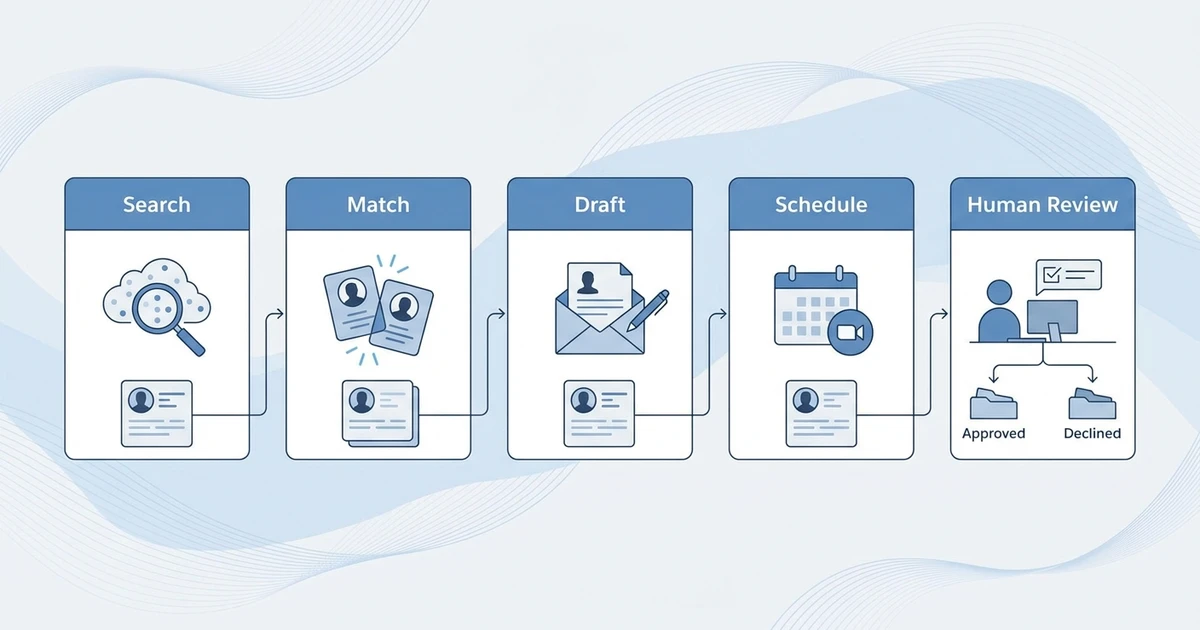
A useful way to understand a feature is to follow the whole path: input → model or rule → output → human action → system record. A matching tool may take a job description and candidate profiles as input, rank possible matches, and show reasons for each suggestion. An outreach assistant may use a role and candidate profile to draft a message, which a recruiter edits before sending. A conversational hiring tool may ask candidates structured questions and route responses to a recruiter or ATS.
Separate AI-enabled recruiting products into three broad forms:
- Recruiting platform with embedded AI: ATS or CRM workflows with AI features such as search, matching, summaries, or message assistance.
- Specialist AI application: A tool focused on a particular job, such as external sourcing, interview support, candidate communication, or writing.
- AI capability inside a broader enterprise suite: Talent acquisition features that may share data and administration with workforce planning, HR, or talent management products.
The same label can conceal very different levels of automation. One feature suggests candidates for a recruiter to inspect. Another can send communications or progress workflow steps after configuration. Ask what the software does by default, what it can do when connected to other systems, and which actions require approval. Confirm whether an “AI recommendation” is generated from your own records, a vendor data source, or both.
Also ask where the durable record lives. If a tool produces a summary or recommendation but the recruiter must copy it manually into the ATS, the integration is incomplete for everyday use. If a vendor synchronizes a score or candidate status, find out how updates, corrections, and deletions travel between systems.
Which recruiting tasks can AI software support?
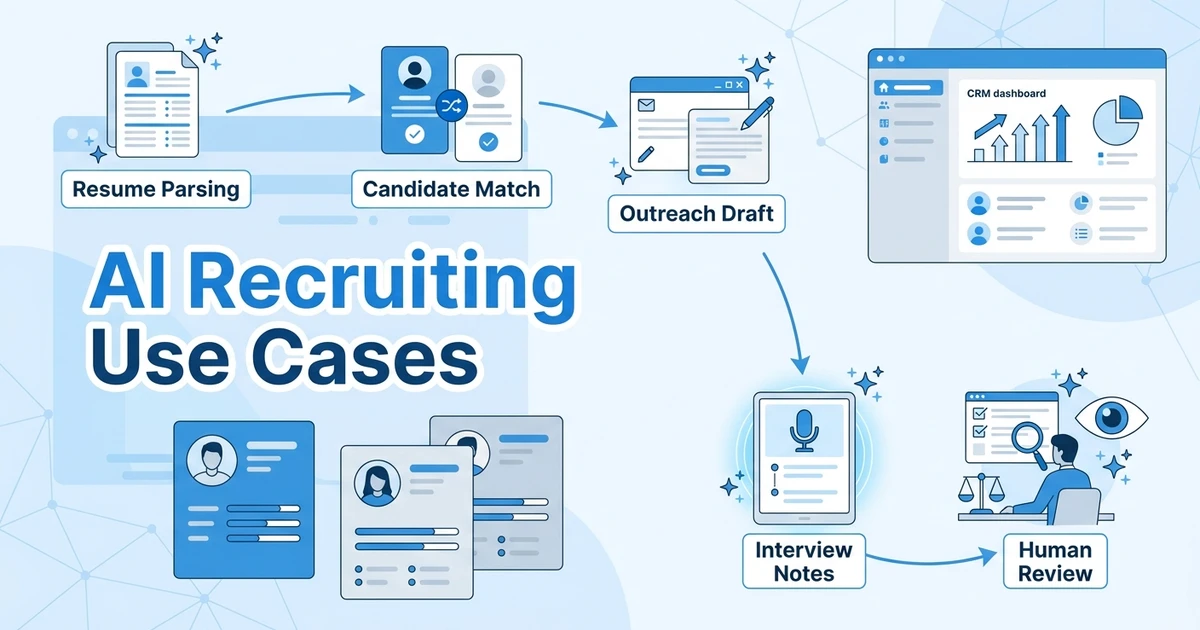
AI can assist at multiple points in an agency workflow. Assess the task, the evidence available to the model, and the person responsible for checking its output.
| Recruiting task | Possible assistance | What a recruiter should verify |
|---|---|---|
| Search planning | Turn a role description into skills, titles, and search terms | Missing context, unrealistic requirements, and alternate job titles |
| Candidate sourcing | Find or recommend profiles from connected or licensed data sources | Source coverage, freshness, contact permissions, and relevance |
| Resume review | Extract structured details from a document | Parsing errors, ambiguous dates, and information not present in the resume |
| Candidate matching | Compare a profile with stated role criteria | Why the match is suggested and which required criteria are unmet |
| Applicant screening | Organize answers or flag records for review | Whether criteria are job-related, accessible, and consistently applied |
| Outreach drafting | Prepare a tailored message or follow-up | Factual accuracy, tone, personalization, and sending authorization |
| Candidate conversations | Answer common questions or collect structured responses | Escalation paths, accessibility, consent, and candidate correction options |
| Interview support | Coordinate availability or summarize notes | Speaker attribution, missing context, and human interpretation |
| Reporting | Summarize pipeline patterns or surface anomalies | Definitions, source data, sample size, and whether the result is descriptive or causal |
Search planning and sourcing
A language model can help translate a job description into search concepts, but the result is only as good as the role brief. If the brief says “strong communicator” without describing the work, an assistant may generate generic terms. If the required skills are copied from an old specification, it can reproduce outdated criteria more quickly.
For a sourcing tool, inspect the underlying candidate sources and the method used to find them. Ask whether profiles are public, licensed, imported from your ATS, or supplied through another data provider. A large profile count is not evidence that a tool covers your local market, has current contact details, or will produce relevant candidates for your roles. Test several searches with different seniority and geography and look at the results, not only the vendor’s demonstration query.
Parsing and matching
Resume parsing converts document information into fields. Matching compares those fields with job criteria or other representations of a candidate’s skills and experience. The feature can help narrow a large pool, but missing information, unusual career paths, different terminology, or poor document quality can affect results.
Ask for an explanation that a recruiter can use. Does the software show matched and missing criteria? Can a recruiter change the criteria? Can the team see whether a profile was ranked highly because of an actual qualification or because of a proxy such as a former employer or school? A score without reviewable reasons is difficult to use responsibly.
Screening, interview, and candidate communication
Screening features may collect answers, summarize information, or prioritize applications for review. Interview-support tools may transcribe or summarize conversations. A text-generation assistant may prepare an outreach note. Each can reduce typing, yet each can also introduce errors, omit context, or create a misleading impression of certainty.
Make the human checkpoint explicit. A recruiter should verify summaries before relying on them, review a candidate’s answer in context, and edit generated outreach for accuracy. If a candidate asks a question the system cannot answer, the product should route the conversation to a person rather than invent policy or job details. Define which interactions are automated, how a person can take over, and how the candidate can reach the team.
Workflow automation and reporting
AI features may be combined with rules that send reminders, move a record, or create a task. The automation may be rule-based rather than an AI decision, so ask the vendor to distinguish the two. Check how it handles missing data, duplicate profiles, withdrawn candidates, and changes in a job’s requirements.
Reporting tools can summarize volume, stage movement, or recruiter activity. A generated explanation should not be treated as a causal finding by itself. If the report says one source is “better,” inspect how the source was assigned, how many candidates are included, whether roles are comparable, and what outcome “better” means. Retain a path back to the underlying records so a manager can check the summary.
Which AI recruiting software models are available?
The right architecture depends on which part of the workflow needs help and where candidate data should live. Avoid buying two tools that create parallel versions of the same candidate history unless there is a clear ownership and synchronization plan.
| Software model | Typical role | May suit | Buying question |
|---|---|---|---|
| Agency ATS + CRM with AI | Candidate and client workflow, with AI search or matching features | Agencies that want AI inside daily recruiting records | Are client jobs, candidate activity, and AI outputs connected? |
| Sourcing and talent intelligence | Search, recommendations, market insight, or rediscovery | Teams with hard-to-find talent or large existing databases | Which sources are covered, and what data can be retained? |
| Conversational or high-volume automation | Candidate questions, application intake, screening steps, scheduling | Employers managing frequent, repeatable hiring activity | How does the candidate reach a human and correct information? |
| Interview or assessment support | Structured interview, scheduling, transcription, or assessment workflows | Teams with a defined, repeatable evaluation process | What is measured, and what remains a human judgment? |
| Writing and content assistance | Draft job descriptions, messages, or recruiter content | Teams with repetitive writing needs and clear editorial review | Can the tool avoid unsupported claims and sensitive data exposure? |
A single platform can cover several rows, but broad scope does not guarantee depth in every function. An agency that mainly needs candidate rediscovery may prefer a focused sourcing layer connected to its ATS. A high-volume employer may value mobile application and interview coordination. A small agency with a fragmented candidate database may gain more from better search and CRM discipline than from an additional standalone assistant.
Consider whether AI should be embedded where recruiters already work. An integrated feature can reduce context switching, but buyers should still test its quality and controls. A specialist can have a richer capability for one task, but it may add user accounts, permissions, contracts, integrations, and another place where activity must be recorded. Compare the end-to-end workflow, not isolated feature demos.
How do the leading AI recruiting software options compare?
The products below solve different problems. Some are broader recruiting platforms, others concentrate on sourcing or conversational workflows, and enterprise scope may exceed what a small agency needs. Treat each profile as a starting point for a role-specific demo. Capabilities, packaging, integrations, and regional availability can change, so confirm the current proposal and documentation for your account.
| Product | Main workflow to evaluate | Platform relationship | Best question for an agency |
|---|---|---|---|
| ATZ CRM | Agency recruiting records, sourcing, matching, and follow-up | Agency ATS and CRM with candidate sourcing and AI matching | How can the team apply AI matching within its candidate workflow? |
| Paradox | Candidate conversation and high-volume hiring steps | Conversational recruiting platform with ATS integrations | Can candidates complete the needed steps on their preferred channel and reach a person when needed? |
| Eightfold | Talent intelligence and talent acquisition | Broader talent platform spanning acquisition and talent management | Does the scope and data model fit your team, and what is required to deploy it? |
| SeekOut | Sourcing, applicant evaluation, and talent rediscovery | Specialist recruiting intelligence designed to work with an existing ATS | Which data sources and ATS connections are available for your workflow? |
| hireEZ | Sourcing and recruiting automation | Specialist sourcing layer; validate current integrations and packaging | Can your team verify source quality and move candidates into its system of record? |
| Greenhouse | Structured hiring platform with AI-assisted recruiting features | ATS with AI features across parts of hiring | Which AI capabilities are included in your plan and how are recruiter decisions recorded? |
| iCIMS | Talent acquisition suite with AI features | Enterprise talent acquisition platform | What implementation, integration, and administration are needed for your team size? |
| HireVue | Interview and assessment technology | Specialist hiring assessment and interview layer | What is evaluated, how is it validated for the intended use, and what alternatives are available? |
| Textio | Writing guidance for hiring and workplace language | Writing and language layer rather than a full agency ATS/CRM | Can it fit your content review workflow and approved data handling rules? |
ATZ CRM
ATZ CRM brings candidate sourcing and AI candidate matching into an agency ATS and CRM workflow. Recruiters can connect candidate and client activity, review a match, contact the candidate, and keep track of the next step in the recruiting process.
A practical demo can follow a candidate from search to match review and recruiter follow-up. This shows how AI assistance fits into the candidate and client relationships your team already manages.
Paradox
Paradox describes conversational hiring experiences for candidate application, screening, and scheduling, with a focus that includes high-volume hiring. Its product materials discuss chat- and text-based interactions and ATS integrations. That makes it a different comparison from a database-centered sourcing assistant: the core demo should follow the candidate’s conversation and show how its outcome reaches the hiring workflow.
Ask how the experience handles unanswered questions, language needs, candidate corrections, and handoff to a recruiter. Verify supported channels and integrations for your locations and existing systems. The vendor’s own case studies or performance claims should be treated as vendor-reported examples, not as an expected result for another employer.
Eightfold
Eightfold presents its Talent Intelligence platform as a broader set of talent acquisition, talent management, workforce exchange, and resource management capabilities. Its product pages describe AI-assisted talent discovery based on skills and candidate information. The scope may be relevant to large organizations seeking connected workforce applications, but can be more extensive than the needs of a small recruiting agency.
During evaluation, identify the modules that solve a live problem and ask what data preparation, configuration, security review, and internal ownership they require. If you are an agency evaluating it for client-side work, clarify who controls the data and which workflows are intended for external recruiting firms. Ask for demonstrations using a representative role and explainable criteria.
SeekOut
SeekOut describes products for talent sourcing, applicant evaluation, and rediscovery, and says its sourcing capabilities can work alongside an existing ATS. Its materials describe searches across external profiles and ATS records, plus AI-assisted search and recommendations. Confirm the data sources, integration behavior, and access available in your contract rather than assuming every advertised source is included.
A useful agency demo should start with a role that has been difficult to fill and a clear list of essential and preferred criteria. Review profiles that the tool recommends and rejects. Ask how recruiters can adjust the search, distinguish a missing data point from a missing qualification, and transfer a candidate into the system where the agency manages client submissions.
hireEZ
hireEZ has positioned its software around AI-assisted candidate sourcing and recruiting automation. Because product packaging, platform capabilities, and integrations may evolve, agencies should verify current official materials and the proposed edition before treating a specific function as included. Use the demo to trace sourcing results through outreach, recruiter review, and the ATS record.
Ask whether the product enriches or stores candidate contact information, which sources it uses, how frequently information is updated, and what legal or contractual terms apply to that data in your market. Confirm that recruiters can export records and preserve source details. A sourcing result is not automatically permission to contact someone or a guarantee that an email address is current.
Greenhouse
Greenhouse describes AI recruiting capabilities within its hiring platform, including assistance across parts of job setup and candidate review. The relevant comparison is whether those features support a structured process and fit the way your agency or client manages candidate evaluation. Check feature availability by plan and the latest product documentation.
Ask how an AI-assisted recommendation appears to a recruiter, what the user can change, and how a decision or override is recorded. If you already use another ATS or CRM, clarify whether the feature is useful only within the platform or can support your external candidate workflow. A structured hiring product may be a fit for employer teams whose process centers on their own requisitions; agency client management needs separate validation.
iCIMS
iCIMS describes AI capabilities within its talent acquisition products, including assistance with sourcing, matching, engagement, and recruiting workflows. Buyers should check which elements apply to the modules under consideration and how they are implemented in the proposed environment. A broad suite may provide useful integration options, but it can also require careful configuration and ownership.
For an agency, confirm whether the intended use supports multiple clients, candidate submissions, and your existing CRM or ATS relationships. For an employer, map the feature to a specific stage and ask which systems exchange information. Require a walkthrough of permissions, human review, correction, and reporting instead of relying on a high-level AI overview.
HireVue
HireVue focuses on hiring assessment and interview technology. Its materials describe AI use in certain product experiences, so buyers should examine the specific assessment or interview feature, the job-related constructs it is intended to evaluate, and how the output is used. Do not assume that every product or deployment uses the same model or process.
Ask for documentation about validation for the intended use, candidate accessibility and accommodations, the role of human evaluators, and available alternatives. Confirm which candidate data is collected, how long it is retained, and whether it is used to train or improve systems. Include people with recruiting, legal, accessibility, and security responsibilities in review where the use case warrants it.
Textio
Textio focuses on writing guidance for employment and workplace language. It can be evaluated as a support layer for job descriptions or recruiting communications, rather than as a replacement for an agency ATS or candidate database. Ask which content types and writing workflows are supported in the current product and how the tool handles your organization’s approved language and data.
A practical trial can compare a draft before and after guidance, then have recruiters review whether the changes preserve the real requirements of the role. Language suggestions should not be accepted mechanically: the team still needs to confirm accuracy, avoid misleading promises, and ensure that the description reflects the client’s actual opportunity.
What evidence should you ask vendors to show?
A polished demo often uses clean data and a simple role. A useful demo should show the situations that create work for your team: vague requirements, duplicate profiles, incomplete resumes, several recruiters touching the same record, and a candidate who needs a correction or human response.
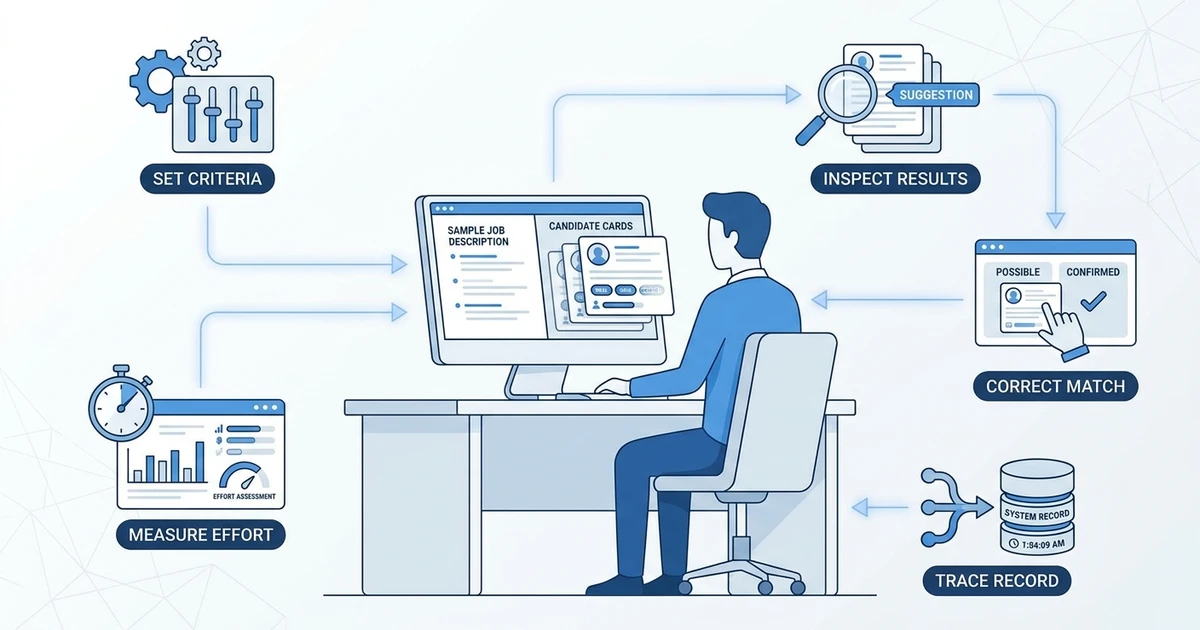
Use a repeatable evaluation script:
- Choose a representative role. Use a role with real requirements and known search challenges. Remove personal information from sample candidate records unless you have approved the use of live data.
- Set the criteria before seeing the output. Separate essentials from preferences and note what evidence would satisfy each criterion.
- Ask the system to perform one task. For example, generate search criteria, find likely profiles, summarize applications, or draft outreach.
- Inspect both strong and weak results. Ask why a candidate appears, why another does not, and what data was missing.
- Test correction and override. Change a criterion, fix a field, reject a recommendation, and see whether the system learns or preserves the recruiter’s control.
- Trace the result to the record. Verify the activity, source, recommendation, and recruiter action in the ATS or CRM.
- Review failure handling. Test a duplicate, an incomplete profile, a withdrawn applicant, and an unavailable integration.
- Record the time and edits. Compare the new workflow with your current process, including verification and cleanup time.
Define a small scorecard before the session. Score relevance, explainability, source coverage, correction effort, integration, accessibility, data controls, recruiter acceptance, and full cost. Weight the dimensions by importance to your workflow. If data protection is a non-negotiable requirement, do not allow a high score in convenience to compensate for a missing control.
Ask the vendor to distinguish product capability from a roadmap item, a partner integration, or a service delivered by its team. Request the plan name, documentation, and contractual language relevant to the proposed feature. If a vendor quotes an accuracy or time-saving measure, ask how it was calculated, for what users and roles, and whether it is independently verified. Keep the number out of your business case until you can test it against your own baseline.
If you want to evaluate an agency workflow that combines candidate records with AI-assisted search and matching, compare ATZ CRM’s AI candidate matching in a demo using your own criteria and recruiter review steps.
How should an agency introduce AI without losing recruiter control?
A limited pilot helps a team learn where a feature is useful before it becomes part of a routine. Select a process that is frequent enough to evaluate, narrow enough to supervise, and reversible if the results do not meet expectations. Candidate matching for one job family or drafting outreach for one recruiter can be more manageable than automating an entire funnel.
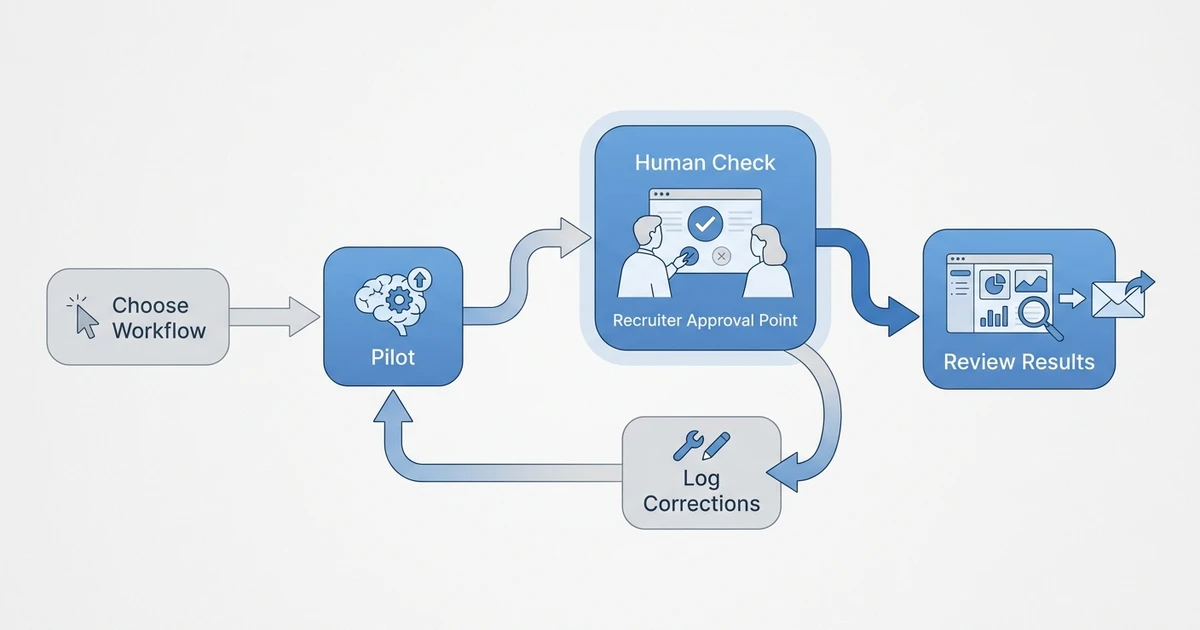
Set the baseline first. Record how the task is currently done, who does it, how long it takes, and what errors matter. Then agree on measures for the pilot. For a search assistant, these might include recruiter-accepted relevant profiles, false positives, overlooked strong profiles, review time, and candidate response. For generated summaries, evaluate whether critical facts are preserved and how much correction is needed. Do not count a task as faster if it simply moves more review work to another teammate.
Use a staged rollout:
- Limit the scope. Choose one workflow, user group, and data source.
- Prepare a test set. Include ordinary records and edge cases, with appropriate data permissions.
- Keep a human checkpoint. Define who reviews every recommendation or generated communication before it can influence a candidate.
- Log corrections. Capture why a recruiter changed a result, while avoiding unnecessary sensitive notes.
- Review performance on a schedule. Check errors and user feedback with people who understand the roles and data.
- Set stop conditions. Pause if the tool produces repeated material errors, cannot explain a result, or sends an unintended message.
- Expand only with evidence. Add roles or automation after the team understands the results and remaining risks.
A pilot needs an owner who can coordinate recruiters, operations, and the vendor. Recruiters should know what the tool is expected to do, what it must not do, and how to report an issue. Candidates should not be left in a process where no person can answer a question because a task was assigned to automation.
LinkedIn’s 2026 talent research reports that 93% of recruiters surveyed planned to increase AI use in 2026, and 59% said AI was already helping them discover candidates with skills they might not otherwise find. LinkedIn’s 2026 research reports these as survey findings. They indicate interest and reported experience among respondents, not proof that a particular product is accurate or appropriate for an agency’s process.
What privacy, accessibility, and fairness checks belong in an AI buying decision?
Recruiting data can include contact details, resumes, employment history, interview notes, and sensitive information. Before a vendor receives candidate information, understand what data is collected, where it is processed, who can access it, how long it is retained, and what happens when a candidate asks for correction or deletion. The answers may depend on your contract, product configuration, and the locations where you recruit.
Ask the vendor and your own privacy or security lead to clarify:
- Whether customer data is used to train or improve a shared model.
- Which subprocessors or connected services can access the information.
- How access is limited by role and how activity is logged.
- How long prompts, outputs, transcripts, and source records are retained.
- How data is deleted, exported, corrected, and separated between customers.
- Whether the model or feature can be disabled for particular data or users.
- What happens to candidate data when an integration is removed or a contract ends.
Fairness review begins with the decision being supported. Identify whether the AI summarizes, recommends, ranks, screens, or takes an action. Examine whether its inputs and criteria are relevant to the role. Check whether a recruiter can see the basis of an output and whether people can ask for an accommodation or alternative process. A vendor statement that a tool is “bias-free” is not a substitute for evidence about the specific feature, population, and use.
The U.S. Equal Employment Opportunity Commission’s 2023 annual performance report describes technical assistance on assessing adverse impact in software, algorithms, and AI used in employment selection. The EEOC report is a U.S. agency source about its work; it is not a blanket legal assessment of any product. Organizations should seek current jurisdiction-specific advice for their own deployment and responsibilities.
Accessibility deserves a hands-on test. Try the candidate-facing process with keyboard navigation, screen readers, mobile devices, clear instructions, and a route to request assistance. Confirm what happens when a candidate cannot use a particular interaction format. Ask whether interview or assessment features have alternatives and how those requests reach a person.
Build a review record that explains the use case, approved data, users, human checkpoint, test results, limitations, and incident contact. Keep it proportionate to the deployment, but specific enough that a new recruiter or administrator can understand how to challenge an output. Review it when the vendor changes the feature, data source, or model, and when the workflow expands to a new role or region.
Frequently Asked Questions
Does AI recruiting software replace an ATS?
Usually, AI tools support tasks inside an ATS or connect to one, while the ATS remains the place where a team manages jobs, records, and process stages. Some products combine more functions, so check where candidate data and activity history live and whether the systems stay synchronized.
Can AI recruiting software make hiring decisions?
A product may rank, screen, assess, or recommend candidates, but a buyer must define how those outputs can influence decisions. Ask what actions are automated, which decisions remain with a person, how candidates can request assistance, and what evidence supports the tool’s use in your context.
Is AI recruiting software useful for a small agency?
It can be useful if a repeated task creates enough friction to justify the tool and its review process. Compare setup, monthly cost, data controls, integration effort, and ongoing administration with the time and errors in the current workflow.
What should I test in an AI recruiting software demo?
Test a real workflow with representative, properly handled data. Inspect strong and weak recommendations, correction controls, data sources, candidate-facing steps, integration behavior, and how outputs are recorded for later review.
Is AI candidate scoring objective?
No score is automatically objective simply because software produced it. A score depends on the model, data, criteria, and configuration, so ask how it is generated, what evidence supports its relevance, and whether recruiters can inspect and challenge it.
How do I connect AI tools to candidate records?
Choose which system should own the candidate record and define which fields and activities the AI tool can read or write. Test updates, duplicates, corrections, and deletions in both directions, and confirm that recruiters can see the source and history of generated information.
Conclusion
AI recruiting software is most useful when it addresses a defined task and leaves recruiters able to inspect, correct, and explain what happens next. Compare products by the workflow they support, the data they use, the system where their output lands, and the review controls your team needs.
Start with one focused workflow and a clear review process. For agency teams looking to connect AI-assisted sourcing and matching with candidate and client activity, explore ATZ CRM’s AI recruiting software for agencies and see how the workflow can support your recruiters.