EN
EN DE
DE ES
ES FR
FR NL
NL PT
PT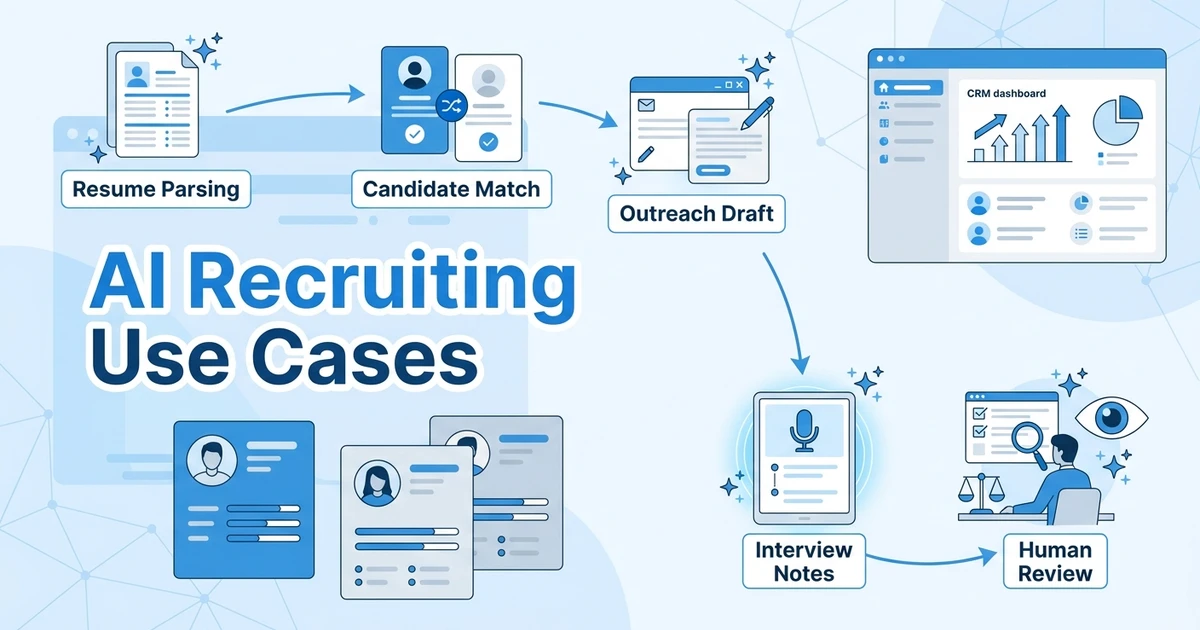



Quick Answer: The most useful AI recruiting use cases help recruiters read, match, draft, summarize, and prioritize faster while keeping human judgment in control. Start with resume parsing, candidate summaries, AI matching, outreach drafts, screening questions, interview notes, rediscovery, and reporting insights.
AI recruiting works best when it sits close to the actual recruiter workflow. A separate AI chat can help with one-off writing, but the bigger value appears when AI can use candidate, job, resume, client, note, and activity data inside the recruiting system.
SHRM’s 2025 Talent Trends research found that AI adoption in HR tasks rose to 43% in 2025 from 26% in 2024 SHRM 2025 Talent Trends research. LinkedIn’s Future of Recruiting coverage also points to AI as a way to elevate recruiters when it supports higher-value decisions rather than replacing relationship work LinkedIn Future of Recruiting report.
This guide is not a list of tools. For that, read the AI recruiting tools comparison. This article explains where AI actually fits inside recruiting work.
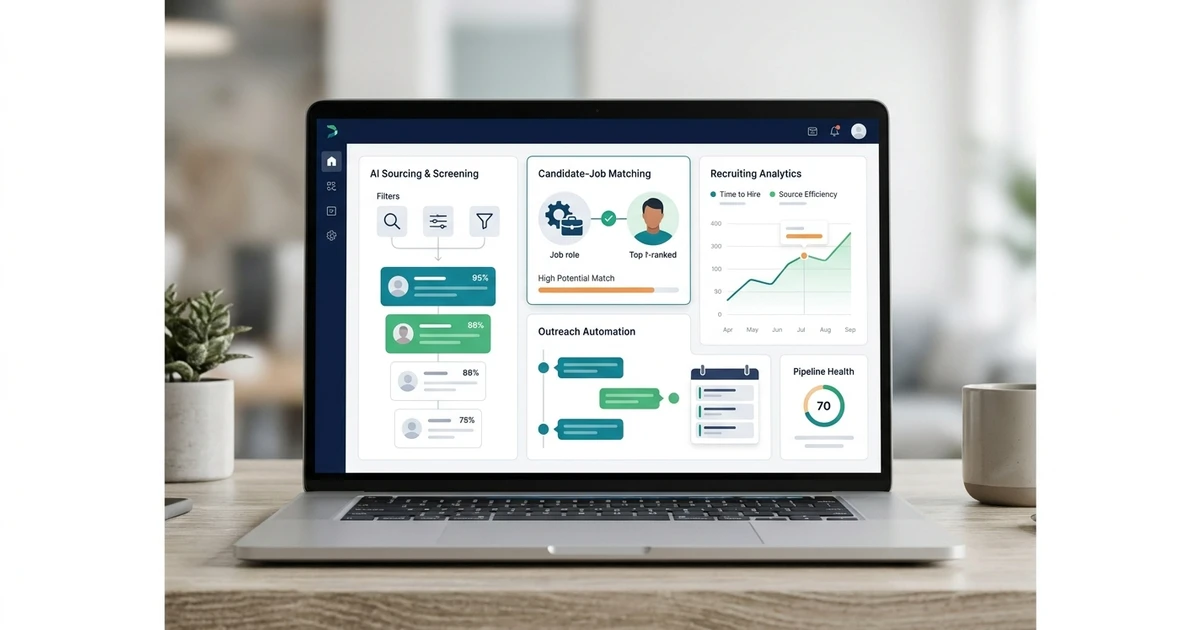
ATZ CRM already supports many of these use cases inside one ATS + CRM workspace, including AI candidate summaries, AI candidate matching, similar candidate search, resume parsing, AI sourcing support, content generation, reporting support, and workflow automation. As you review each use case below, think about whether the AI output can be saved back to the candidate, job, client, or activity record where recruiters actually work.
How to Judge AI Recruiting Use Cases
Before adding AI to a recruiting process, define the task clearly.
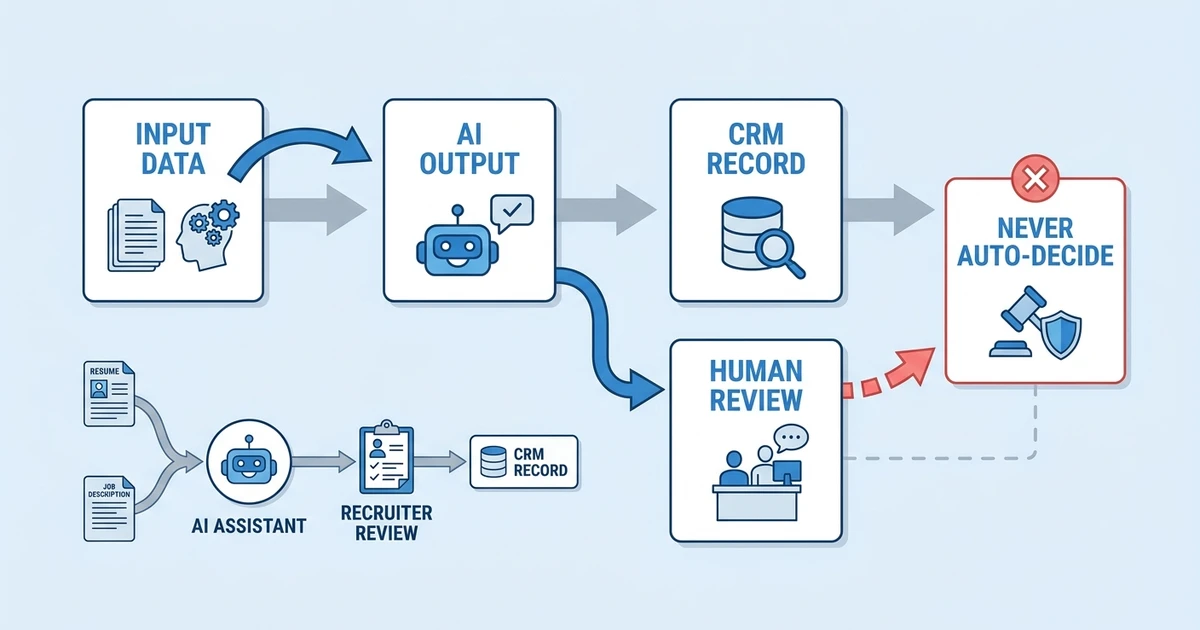
| Question | What to clarify |
|---|---|
| What input does AI need? | Resume, job description, notes, transcript, profile, email thread, or client requirement |
| What output should AI create? | Summary, score, draft, shortlist, question list, gap analysis, note, or report |
| Where should the output live? | Candidate profile, job record, custom field, note, sequence draft, or report |
| Who reviews the result? | Recruiter, sourcer, account manager, team lead, or operations owner |
| What should AI never decide alone? | Rejection, final fit, compensation, compliance-sensitive decisions, or client-facing claims |
The safest pattern is simple: AI prepares the first pass, and recruiters review it.
Resume Parsing and Profile Creation
Resume parsing is one of the most practical AI recruiting use cases because recruiters still receive resumes in inconsistent formats.
AI-assisted parsing can extract names, contact details, skills, experience, education, certifications, location, and work history into a candidate profile. That saves manual entry and makes the database easier to search later.
In ATZ CRM, cleaner candidate profiles improve later AI use cases such as AI candidate matching, similar candidate search, rediscovery, and reporting.
Best practice:
- Keep the original resume attached.
- Review parsed contact details.
- Standardize important fields.
- Treat parsed skills as extracted data until a recruiter validates them.
AI Candidate Summaries
Recruiters often need to understand a candidate quickly before deciding whether to call, shortlist, submit, or nurture them.
An AI candidate summary can turn a long resume into a concise profile overview. A useful summary includes current role, years of experience, key skills, industry background, location, notable achievements, and possible role fit.
Bad summary: “Experienced professional with strong skills.”
Better summary: “Senior payroll specialist with multi-state payroll experience, ADP exposure, and recent healthcare staffing background. Validate union payroll and compliance depth during screening.”
Use summaries for recruiter review, handoffs, client submission prep, and database rediscovery.
In ATZ CRM, AI candidate summaries are most useful because they stay connected to the candidate record. Recruiters can review the summary, compare it with resume evidence, and use it during shortlist review, client submission prep, or rediscovery without copying notes between disconnected tools.
AI Candidate-to-Job Matching
Candidate-to-job matching compares a candidate profile with a job requirement and surfaces fit signals.
This is one of the highest-value AI recruiting use cases because matching is a daily recruiter decision. Recruiters need to know what fits, what is missing, and what to validate next.
AI matching can evaluate:
- Required skills
- Similar job titles
- Seniority level
- Industry background
- Location and work model
- Certifications
- Resume evidence
- Gaps to validate
A score alone is not enough. The output should explain strengths, gaps, and evidence so the recruiter can make a real decision.
ATZ CRM’s AI candidate matching is built for that context. Recruiters can see fit signals inside the recruiting workflow, then validate the reasoning before moving a candidate forward.
Similar Candidate Search
Sometimes the fastest sourcing path starts with a known good candidate.
Similar candidate search helps recruiters find profiles that resemble a strong candidate already in the database. This is useful when a client likes one submitted candidate and asks for more profiles with the same pattern.
AI can compare skills, titles, industries, responsibilities, seniority, and profile context instead of relying only on exact keyword matches.
Use this when:
- A client asks for more candidates like one profile.
- A recruiter has one strong candidate but needs a shortlist.
- The role uses uncommon titles.
- Older database records use different wording for the same skills.
Candidate Rediscovery
Candidate rediscovery uses AI to surface people already in your CRM who may fit a new role.
This is different from sourcing on public platforms. Existing records may contain notes, preferences, submissions, feedback, placements, and relationship history. That context is valuable.
Rediscovery works best when candidate data is clean. Skills, tags, notes, resumes, source, and past activity all improve the quality of the match.
Want AI output to stay connected to candidate records instead of disappearing into separate chats? Explore ATZ CRM’s recruitment CRM to keep candidate, client, job, and activity context in one place.
Outreach Drafting
AI can help recruiters draft outreach, but it should not fake familiarity.
Good AI-assisted outreach uses real candidate context: relevant skills, current role, industry background, location, past interaction, job fit, and reason for reaching out.
Recruiters should review the message before sending, especially for passive candidates.
Use AI for:
- First-touch drafts
- No-response follow-ups
- Profile update requests
- Interview reminders
- Candidate reactivation
- Post-interview check-ins
- Future opportunity nurture
The message should sound like a recruiter, not a generic content generator.
Screening Question Generation
AI can turn a resume and job description into focused screening questions.
This helps recruiters move beyond generic calls. Instead of asking the same broad questions to every candidate, AI can identify gaps to validate.
Examples:
| Job requirement | AI-assisted screening question |
|---|---|
| Enterprise SaaS implementation | Which implementation projects did you own directly, and what systems were involved? |
| Healthcare credentialing | Which credentialing workflows have you managed, and at what volume? |
| Multi-state payroll | Which states have you processed payroll for, and what compliance issues came up most often? |
The recruiter should still decide which questions matter for the role.
Interview and Call Note Summaries
Recruiters lose a lot of time turning calls into usable notes.
AI can summarize screening calls, intake calls, client calls, and internal handoffs. The summary can capture candidate motivation, availability, compensation, concerns, deal blockers, next steps, and owner.
Useful formats:
- Key points
- Candidate fit
- Risks or gaps
- Compensation and availability
- Next action
- Follow-up owner
The summary should be saved to the CRM so another recruiter can understand the conversation later.
Candidate Submission Drafts
Client submissions usually need the same building blocks: candidate summary, relevant experience, role fit, compensation expectations, availability, location, and recruiter recommendation.
AI can prepare the first draft from candidate and job context. The recruiter or account manager should review the draft before it goes to the client.
This use case is especially helpful when submission quality varies across recruiters.
Keep the draft specific. Clients do not need a polished paragraph that says little. They need clear evidence that explains why the candidate fits the role.
Skill Gap Analysis
AI can compare a candidate against a role and identify what appears strong, what appears missing, and what needs recruiter validation.
Example output:
| Requirement | Evidence found | Gap to validate |
|---|---|---|
| React and TypeScript | Recent frontend role lists both | Confirm ownership depth |
| Enterprise accessibility | Limited resume evidence | Ask about WCAG and design systems |
| SaaS background | Clear SaaS product experience | Confirm domain similarity |
This helps recruiters prepare better calls and submit candidates with clearer context.
Recruiting Reporting Insights
AI can help managers understand recruiting reports faster.
For example, AI can summarize which sources produce qualified candidates, where candidates drop off, which roles take longer to fill, which clients delay feedback, and which sequences receive better replies.
The report should remain the source of truth. AI should help interpret patterns and suggest questions for the manager to investigate.
Pair this with reports and dashboards so recruiter activity connects to submissions, interviews, offers, placements, revenue, and client retention.
Workflow Automation With AI
AI becomes more useful when it is connected to workflow automation.
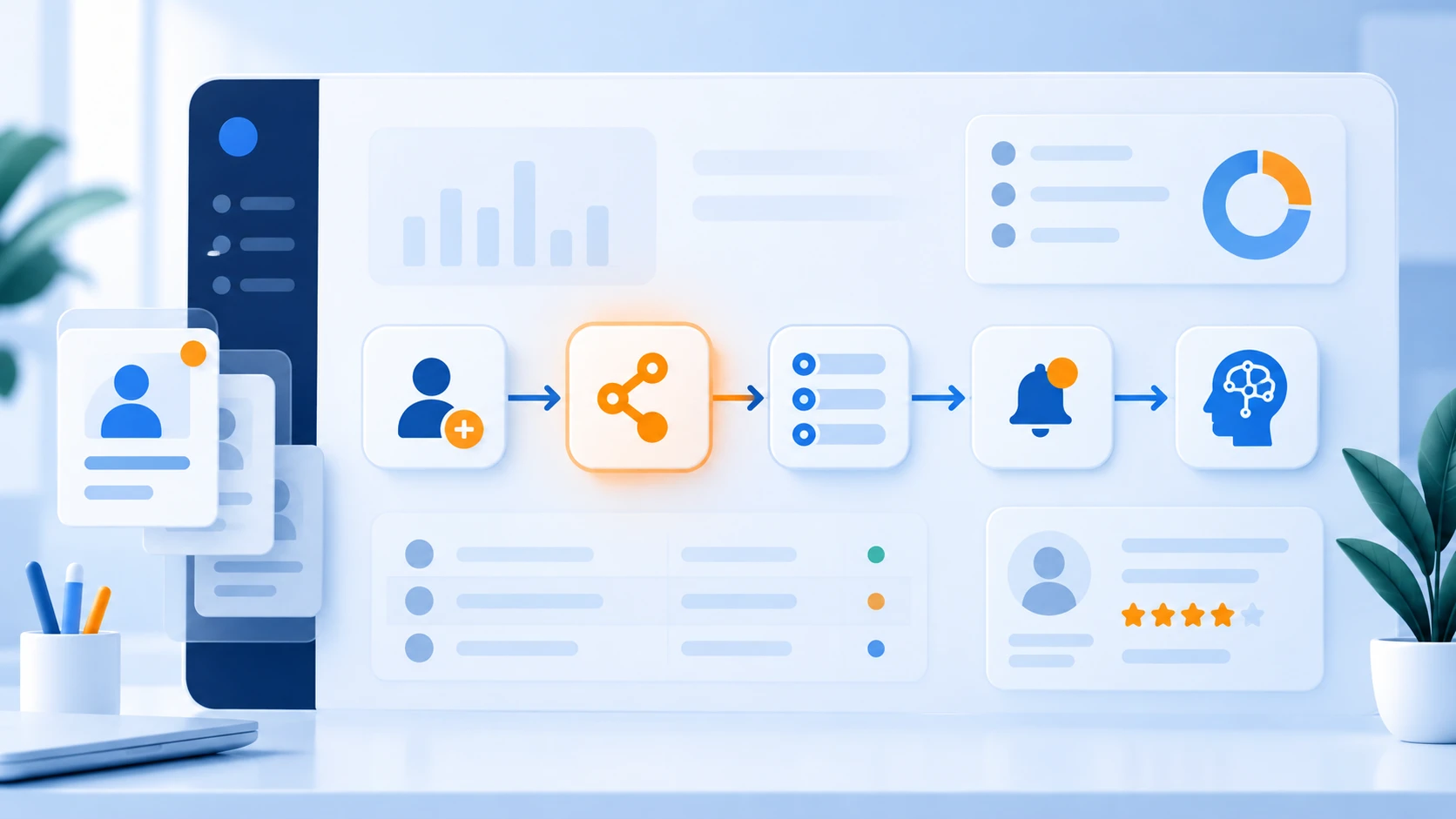
For example, when a candidate is assigned to a job, a workflow can ask AI for a first-pass fit review and save the result back into custom fields or notes. When a candidate reaches a stage, a workflow can draft the next message or create a recruiter task.
The best setup keeps AI output inspectable:
- Score
- Reasoning
- Evidence
- Gaps
- Suggested next action
- Recruiter review status
For implementation examples, read the recruitment workflow automation examples.
Where Recruiters Should Stay in Control
AI should not make every decision.
Recruiters should stay in control of:
- Candidate rejection
- Final shortlist decisions
- Compensation discussions
- Client-facing claims
- Compliance-sensitive judgments
- Offer conversations
- Sensitive candidate feedback
Automation can prepare, summarize, and suggest. Recruiters should decide.
Frequently Asked Questions
What are the most useful AI recruiting use cases?
The most useful AI recruiting use cases are resume parsing, candidate summaries, candidate-to-job matching, similar candidate search, candidate rediscovery, outreach drafting, screening questions, interview notes, submission drafts, and reporting insights.
Can AI help recruiters write better outreach?
Yes. AI can draft outreach using candidate context, job fit, location, skills, and prior activity. Recruiters should still review the message to avoid fake personalization, exaggerated claims, or tone that does not match the agency.
Can AI score candidates automatically?
AI can create a first-pass score when the criteria are clear and the output includes reasoning. Recruiters should inspect the evidence and decide whether the candidate should move forward.
How does ATZ CRM use AI in recruitment?
ATZ CRM supports AI candidate matching, similar candidate search, resume parsing, candidate summaries, AI sourcing support, content generation, reporting support, and workflow automation. These features work best when candidate and job data are kept clean.
What is the safest way to use AI in recruiting?
The safest way is to let AI prepare drafts, summaries, scores, and recommendations while recruiters review the output. Keep AI reasoning visible, save output in the CRM, and avoid letting AI make final or sensitive decisions alone.
Final Thoughts
AI recruiting should make recruiters faster, clearer, and more consistent. It should not hide judgment or create decisions nobody can explain.
Start with practical use cases: parse resumes, summarize candidates, match profiles, draft outreach, prepare screening questions, summarize calls, rediscover talent, and explain reports.
To connect these use cases to real recruiting data, explore ATZ CRM’s AI candidate matching and workflow automation.