EN
EN DE
DE ES
ES FR
FR NL
NL PT
PT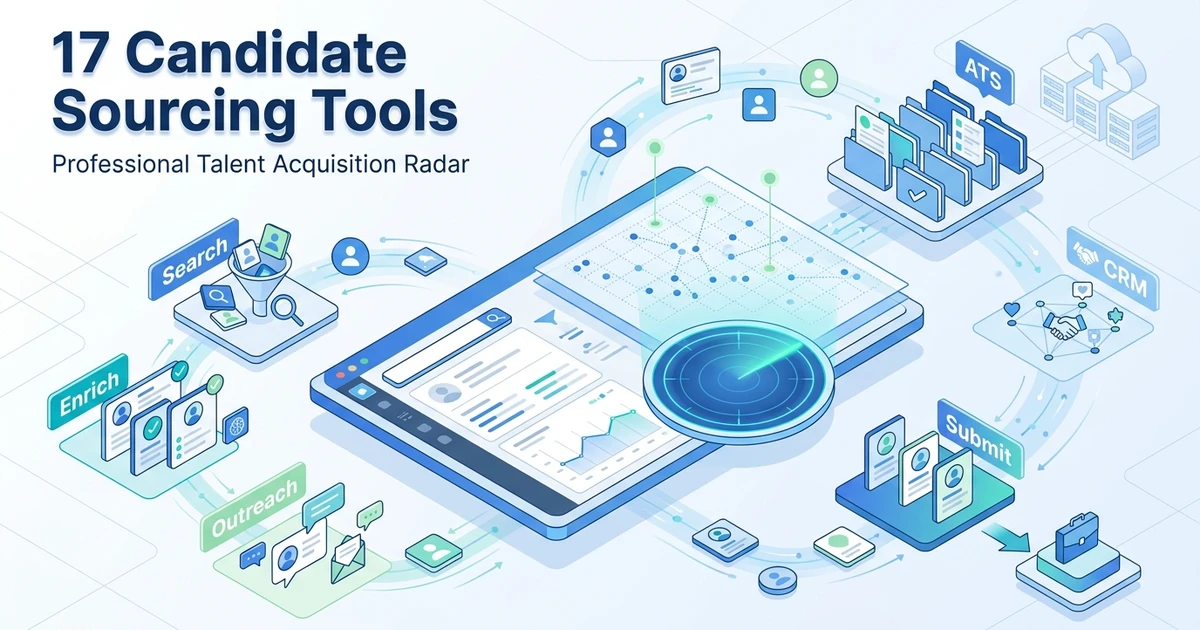





Quick Answer: Candidate sourcing tools help recruiters find, contact, and track people before they apply. Compare a specialist search or contact-data tool with a connected ATS/CRM by testing the same roles, records, outreach, and handoff. The better fit depends on where your team loses time or candidate context.
TL;DR:
- ATZ CRM - Connected agency ATS and CRM workflow; not a standalone global people database
- Unstop AI Sourcing Agent - Early-career and campus sourcing; primarily focused on candidates in India
- LinkedIn Recruiter - Professional-network search; check contract cost and ATS handoff
- hireEZ - Broad passive-talent discovery; verify coverage in your niche and contact-credit terms
- SeekOut - Technical and niche search; test relevance and integration with your records
- Gem - Long-term talent nurture; less useful if your agency only needs one-off contact lookup
- Loxo - Sourcing-led recruiting workflow; verify the depth of client and placement processes
Start with these seven different workflows, then use the full comparison below for specialist discovery, enrichment, and engagement tools. Check each vendor’s current plan and integration limits before buying.
The main decision is not simply which tool finds the most profiles. Check whether it gives your team usable candidate records, relevant contact details, and a clear path from outreach to client submission.
Candidate sourcing tools help your agency reach passive talent and build warmer pipelines. The real buying question is whether a tool only finds profiles or helps recruiters turn those profiles into conversations, submissions, and placements.
Compare these 18 options by workflow fit, strengths, limits, and pricing visibility. No single tool is the best fit for every agency, so use the criteria below to build your shortlist.
Test relevance, response, and candidate progression in your own workflow. A larger profile database alone does not tell you whether the tool fits your roles or preserves candidate context after handoff.
What candidate sourcing tools actually do
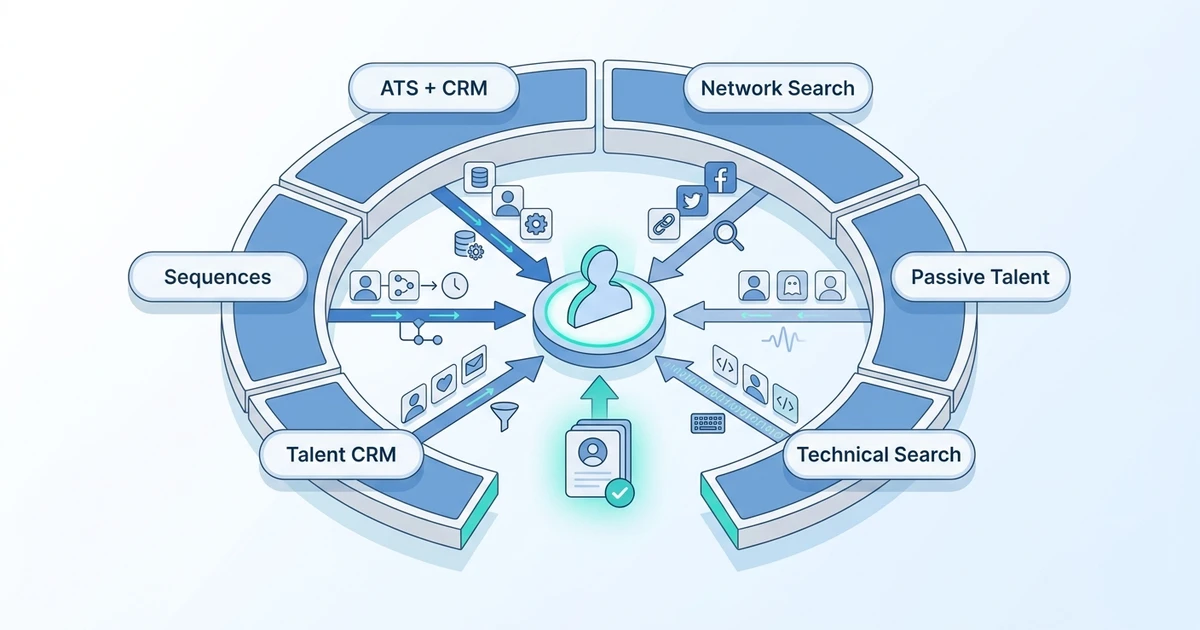
Candidate sourcing software helps recruiters find people who may not have applied to an open job yet. Some tools search professional networks and public profiles. Others enrich contact details, map talent markets, support outreach, or capture profiles into your recruiting database.
For agencies, the most useful tools usually support several jobs:
- Finding passive candidates by role, skill, location, seniority, or company.
- Capturing profiles from LinkedIn or public sources.
- Enriching candidate records with email, phone, company, and social data.
- Matching sourced candidates to live roles.
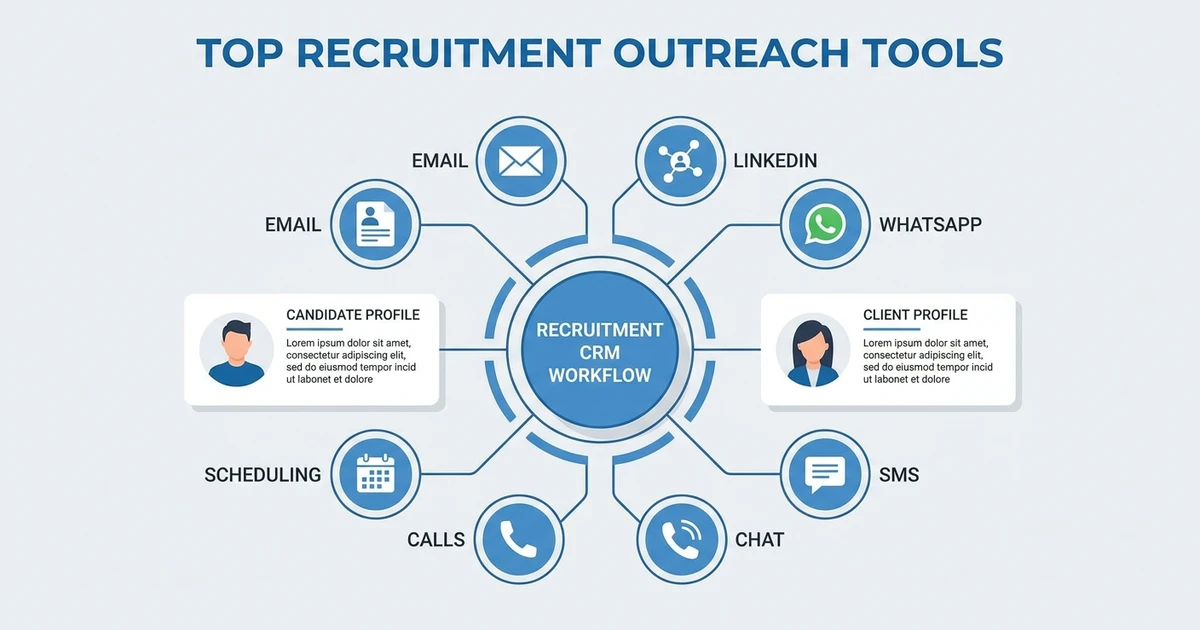
- Sending or supporting follow-up sequences.
- Moving activity back into the ATS, CRM, or recruiting database.
Judge sourcing tools by outcome, not database size alone. A large pool is helpful, but it does not create placements unless recruiters can move from search to outreach to submission.
How agencies should compare candidate sourcing software
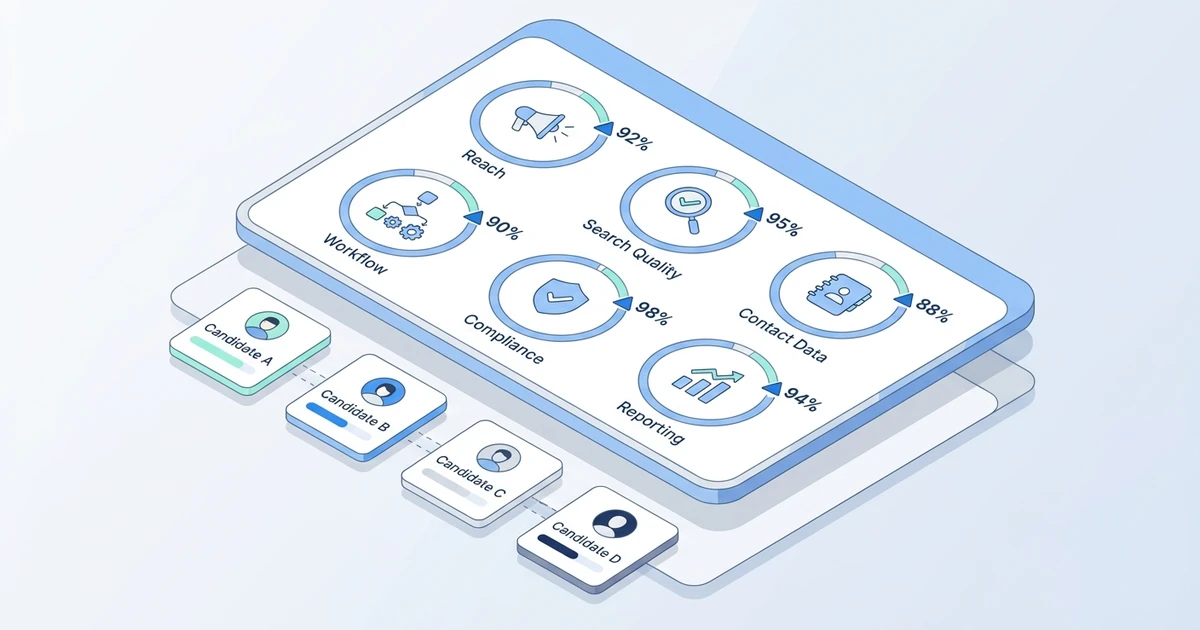
Start with workflow, not feature count. Ask where sourcing breaks today: discovery, contact data, outreach, follow-up, CRM visibility, duplication, or reporting.
Use these criteria:
- Candidate reach: Does the tool help you find candidates in the markets you actually recruit for?
- Search quality: Can recruiters search by skills, title, company, location, seniority, and Boolean terms?
- Contact enrichment: Does it provide useful email or phone data, and how are credits priced?
- Recruiter workflow: Can profiles move into your ATS or CRM without manual copying?
- Outreach support: Does it support email, LinkedIn workflow, sequences, reminders, or handoff to another tool?
- Data quality: Can it prevent duplicate records and preserve candidate history?
- Compliance controls: Does it help your team manage consent, opt-outs, and data handling?
- Reporting: Can managers see sourcing activity, response rates, pipeline movement, and placement impact?
Quick comparison of the top candidate sourcing tools
| # | Tool | Best fit to test | Main sourcing function | Outreach included? | ATS/CRM connection | Pricing visibility |
|---|---|---|---|---|---|---|
| 1 | ATZ CRM | Agencies needing connected sourcing | Profile capture plus ATS/CRM handoff | Yes | Native ATS plus CRM | Public ATZ pricing |
| 2 | Unstop AI Sourcing Agent | Agencies running early-career and campus mandates | AI sourcing from a large early-talent community | Yes | Export or integrations to verify | Custom quote |
| 3 | LinkedIn Recruiter | Professional network sourcing | LinkedIn search and messaging | Yes | Integrations vary | Contract based |
| 4 | hireEZ | Passive talent discovery | Broad profile search | Yes | Integrations vary | Solo plan from $494/month; enterprise quote |
| 5 | SeekOut | Technical and niche sourcing | Advanced people search | Yes | Integrations vary | Core from $149/month annually or $179 monthly; team plans quoted |
| 6 | Gem | Talent CRM nurture | Pipeline engagement | Yes | ATS integrations | Custom pricing for most teams; startup offer published |
| 7 | Loxo | Sourcing-led recruiting teams | Database plus recruiting workflow | Yes | Platform based | Core from $149/user/month billed annually; other plans quoted |
| 8 | Juicebox | Natural-language people search | AI people search | Limited by workflow | Export or integrations vary | Public and custom options |
| 9 | Fetcher | Lean teams needing help sourcing | Assisted candidate delivery | Yes | Integrations vary | Public self-serve and team plans; volume quote |
| 10 | Humanly | High-volume engagement | Conversational screening | Yes | ATS integrations | Request a current quote |
| 11 | ContactOut | Contact discovery | Email and phone lookup | Limited | Export and integrations vary | Public plans vary |
| 12 | AmazingHiring | Engineering roles | Technical profile aggregation | Limited | Integrations vary | Request a current quote |
| 13 | Findem | Talent intelligence | Attribute-based search | Yes | Enterprise integrations | Request a current quote |
| 14 | SourceWhale | Sourcing sequences | Recruiting outreach workflow | Yes | ATS integrations | Request a current quote |
| 15 | Apollo | Prospecting teams | Contact data and sequences | Yes | CRM integrations | Public plans vary |
| 16 | ZoomInfo | B2B intelligence | Company and contact data | Yes | CRM integrations | Request a current quote |
| 17 | Lusha | Lightweight enrichment | Contact lookup | Limited | CRM integrations | Public plans vary |
| 18 | SalesQL | LinkedIn-heavy profile capture | Browser-based enrichment | Limited | Export based | Public plans vary |
Want sourcing that flows into the rest of your recruiting desk? See how ATZ CRM connects candidate capture, AI matching, outreach, pipelines, and client submissions in one agency workflow.
18 top candidate sourcing tools for recruitment agencies
1. A connected sourcing workflow for recruitment agencies
Tool reviewed: ATZ CRM.
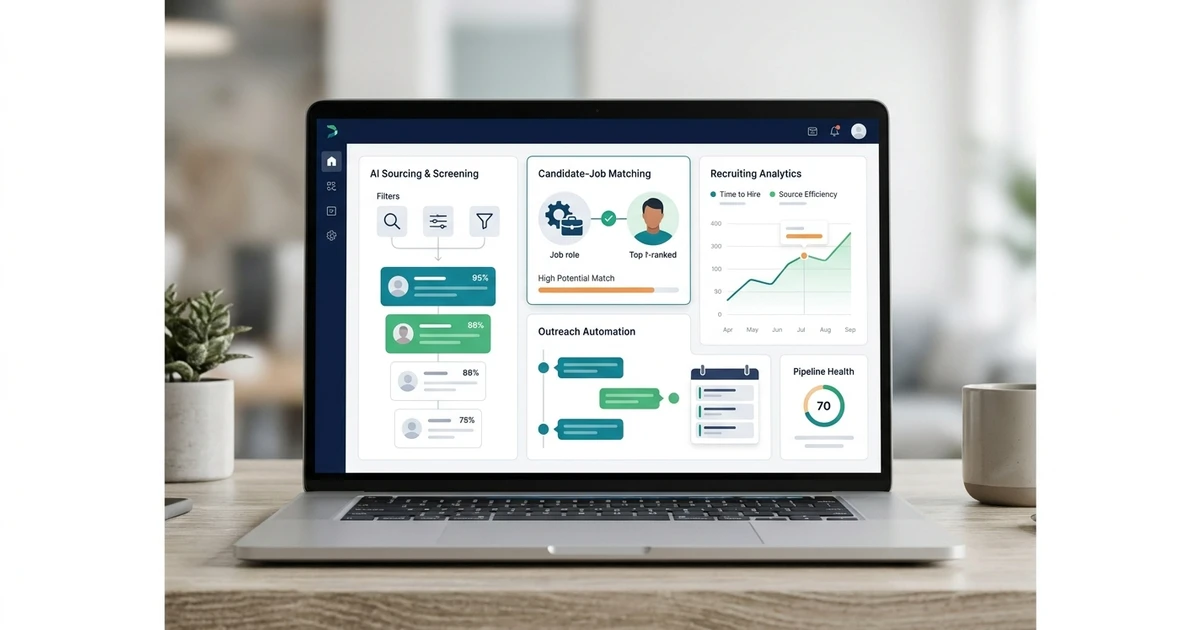
Overview: ATZ CRM is an ATS plus CRM for recruitment agencies that want sourcing connected to the rest of the desk. Recruiters can capture candidates, enrich records, match people to jobs, run outreach, manage client context, and keep the pipeline updated inside one workflow.
Pros:
- Connects sourcing to records, jobs, clients, notes, and submissions.
- Includes Chrome extension sourcing for profile capture.
- Supports AI candidate matching and outreach workflows.
- Useful for candidate and client-facing recruiting activity.
- ATZ CRM publishes per-user pricing; verify the tier and billing term in the current plan table.
Cons:
- Not a standalone global people database.
- Agencies with heavy payroll or VMS needs may need additional operational tools.
- Existing databases may need cleanup before migration.
Pricing: ATZ CRM publishes a free option and paid plans starting at $12/user/month on annual billing on its pricing page. Check which communication, automation, AI, portal, and support features the quoted tier includes.
2. An AI sourcing agent for early-career and campus hiring mandates
Tool reviewed: Unstop AI Sourcing Agent.
Overview: Unstop is an early-talent hiring platform with 30M+ students and freshers across 20,000+ colleges in India. Its AI Sourcing Agent lets recruiters set search criteria such as skills, domain, location, experience and education, and then surfaces matching candidates from Unstop’s community. That community includes candidates who have already competed in hackathons, quizzes and case competitions on the platform. Sourced candidates move directly into Unstop’s AI screening, assessment and interview agents, so the shortlist doesn’t have to be exported into a separate tool before evaluation starts.
Pros:
- Access to a large, active pool of students and freshers that general professional networks cover thinly.
- Competition and hackathon participation gives recruiters a performance signal beyond the resume.
- Sourcing hands off to AI screening, assessments, interviews and proctoring in one dashboard.
- Job postings and campus drives can run alongside proactive sourcing.
- A strong fit for agencies running high-volume fresher, intern or campus mandates for clients in India.
Cons:
- Built around early-career talent, so it is less suited to senior, executive or lateral searches.
- Candidate coverage is concentrated in India and less useful for global mandates.
- Agencies still need their own CRM for client management, submissions and placement revenue.
Pricing: Pricing is not publicly listed and is quoted based on hiring volume and the modules used. Ask whether sourcing is priced on its own or bundled with the screening, assessment and interview agents.
3. A professional-network sourcing option
Tool reviewed: LinkedIn Recruiter.
Overview: LinkedIn Recruiter is often the first sourcing tool agencies consider because many professional candidates maintain LinkedIn profiles. It helps recruiters search by professional signals and contact candidates through LinkedIn messaging workflows.
Pros:
- Familiar workflow for teams already sourcing on LinkedIn.
- Strong fit for passive professional sourcing.
- Useful filters for role, company, skills, location, and seniority.
- Messaging workflow is close to where many candidates already respond.
Cons:
- Can become expensive for larger sourcing teams.
- Candidate context may still need to move into your ATS or CRM.
- Response quality depends on relevance and recruiter discipline.
Pricing: Pricing is typically contract based and can vary by region, package, and seat count. Treat it as a sourcing investment that still needs ATS or CRM workflow support.
4. A broad outbound sourcing engine for passive talent
Tool reviewed: hireEZ.
Overview: hireEZ is built for outbound recruiting teams that need to search across many sources, build candidate lists, enrich profiles, and run sourcing campaigns. It is a strong fit when your agency handles hard-to-fill searches and needs more than one network.
Pros:
- Broad passive talent discovery.
- Useful search and filtering workflows.
- Campaign support helps teams move from search to outreach.
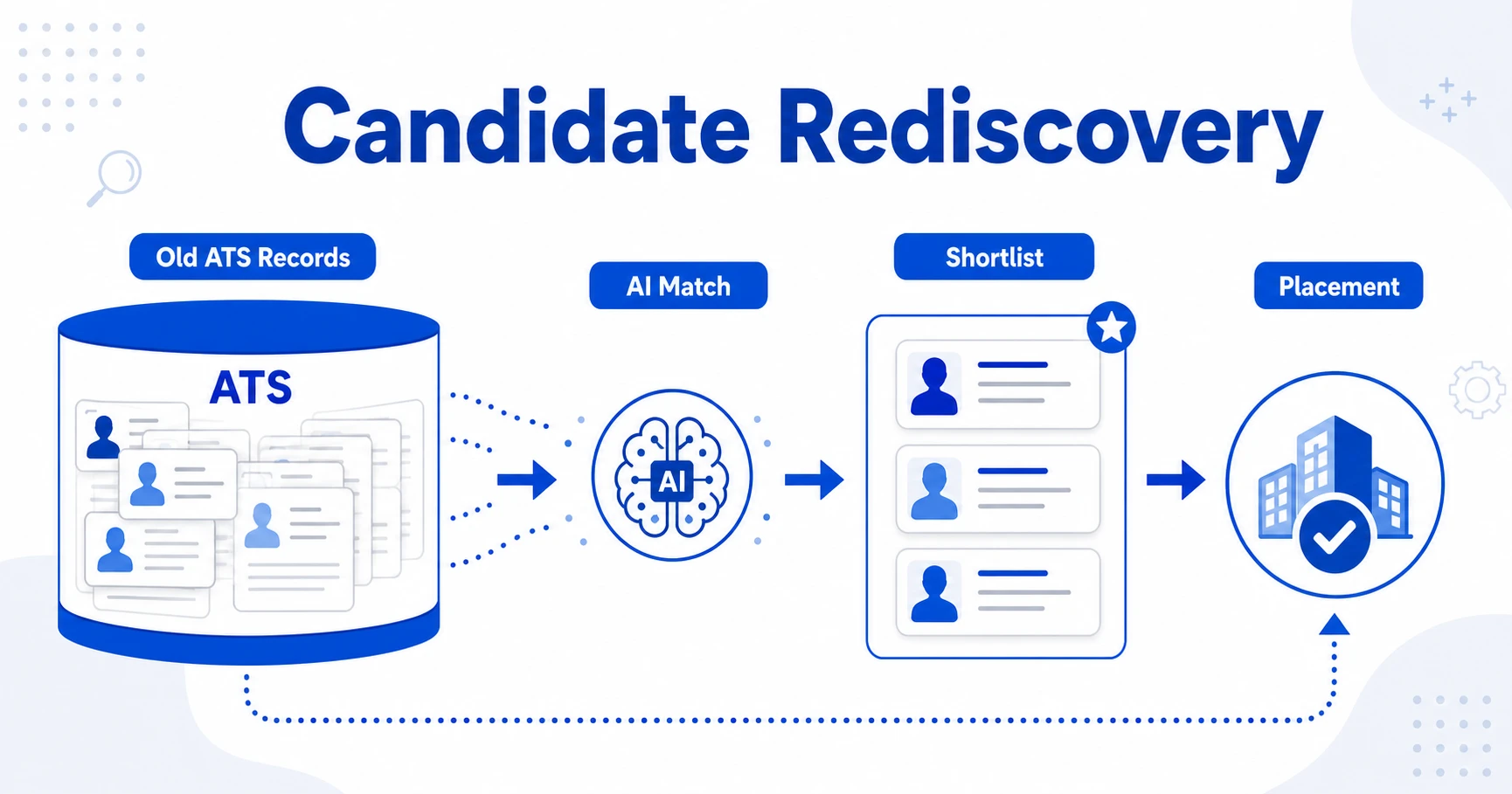
- Can support rediscovery when connected well to existing systems.
Cons:
- May overlap with existing outreach or CRM tools.
- Contact data and credits need careful cost review.
- Teams still need a clear handoff process.
Pricing: The published solo starting price and enterprise quote model are in the comparison table. Check included seats, contacts, and outreach limits before comparing it with another platform.
5. A search platform for niche and technical profiles
Tool reviewed: SeekOut.
Overview: SeekOut is known for advanced candidate search, talent intelligence, and specialist sourcing use cases. It can fit agencies that recruit technical, cleared, healthcare, engineering, or other skill-specific roles where normal keyword search misses good people.
Pros:
- Strong search depth for specialist roles.
- Useful for talent mapping and hard-to-fill roles.
- Can support diversity sourcing workflows.
- Enterprise features may suit structured sourcing teams.
Cons:
- May be too much for a small agency.
- The relevant team or integration plan may require a quote.
- Recruiters still need a placement workflow outside the search layer.
Pricing: SeekOut publishes a Recruit Core starting price and quotes its team plans, as shown in the comparison table. Ask whether your quote includes the data access, contacts, ATS integration, and implementation you need.
6. A recruiting CRM for nurture-heavy sourcing teams
Tool reviewed: Gem.
Overview: Gem is a talent CRM and sourcing workflow platform for teams that build and nurture candidate pipelines. It is useful when your sourcing process includes ongoing campaigns, nurture pools, outreach analytics, and coordination with an ATS.
Pros:
- Strong nurture and pipeline engagement workflows.
- Helpful analytics for sourcing and outreach performance.
- Good fit for structured talent acquisition teams.
- Useful when recruiting teams need long-running relationship campaigns.
Cons:
- More aligned with in-house TA than agency client workflows.
- May require another system for client CRM, submissions, and revenue reporting.
- The main platform routes require a quote, while the published startup offer has eligibility limits.
Pricing: Gem’s current pricing page uses custom pricing for its main platform routes and publishes a separate startup offer. Check eligibility, seats, and which ATS or sourcing functions are included in the quoted package.
7. A sourcing-led recruiting platform for agency teams
Tool reviewed: Loxo.
Overview: Loxo combines sourcing, recruiting CRM, outreach, and pipeline workflows. It can fit agencies that want a sourcing-first platform with recruiting operations close behind.
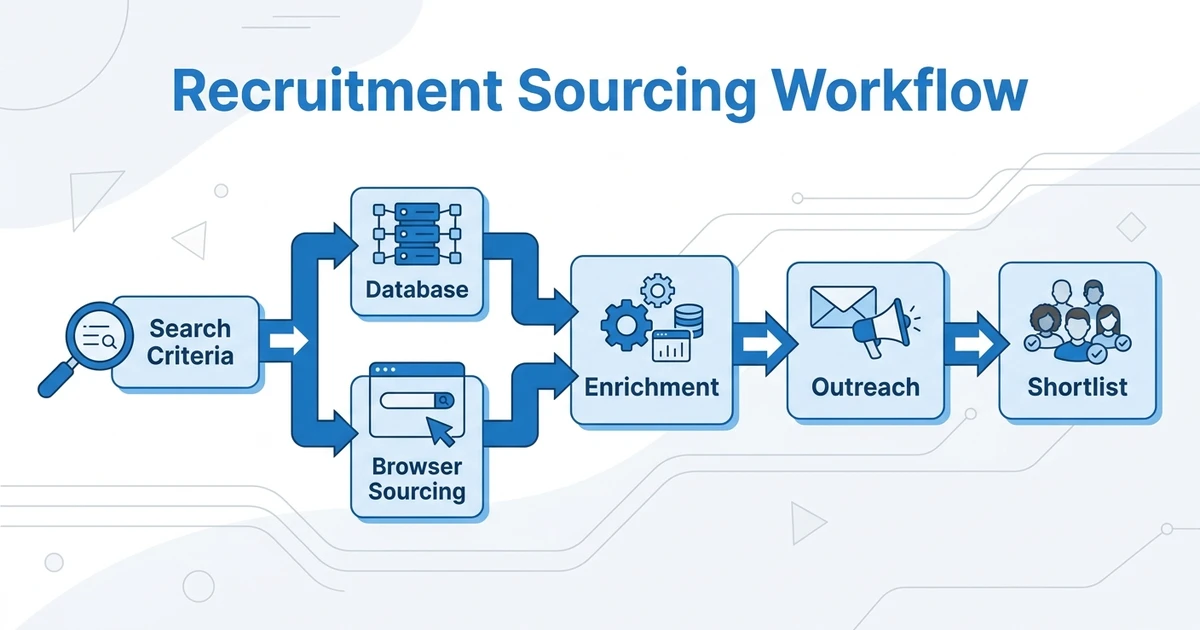
If you are weighing discovery depth against agency CRM coverage, the recruitment sourcing workflow guide can help you pressure-test the handoff.
Pros:
- Strong sourcing-led positioning.
- Combines database and workflow features.
- Useful for outbound-heavy recruiting desks.
- Can reduce the need for separate sourcing and outreach tools.
Cons:
- The published Core price does not include every sourcing capability shown in higher tiers.
- Some agencies may prefer a clearer ATS plus CRM model.
- Workflow depth should be checked against your submission and client process.
Pricing: The published Core starting price and higher-tier quote model are in the comparison table. Compare the exact data access and AI capabilities in the quoted tier.
8. A natural-language people search option
Tool reviewed: Juicebox.
Overview: Juicebox helps recruiters search for candidates using natural-language prompts and people data. It is a good fit when a sourcer wants to describe the target profile in plain English rather than build long Boolean strings.
Pros:
- Natural-language search reduces Boolean fatigue.
- Useful for fast candidate discovery.
- Strong fit for teams exploring AI sourcing workflows.
- Can help recruiters build target lists quickly.
Cons:
- Output still needs validation by a recruiter.
- Candidate handoff into ATS or CRM must be checked.
- May not replace outreach, CRM, or submissions.
Pricing: Public and custom options may vary by package and usage. Check seat limits, search volume, export rules, and enrichment costs.
9. A managed sourcing assistant for lean teams
Tool reviewed: Fetcher.
Overview: Fetcher combines candidate sourcing support with outreach workflows, making it useful for teams that want help building candidate lists without hiring more sourcers. It can suit smaller recruiting teams or agencies that need extra sourcing capacity.
Pros:
- Helpful for limited sourcing bandwidth.
- Combines candidate delivery with engagement workflows.
- Can reduce manual search time.
- Useful for repeatable role types.
Cons:
- May be less flexible for highly specialized search mandates.
- Requires clear calibration to avoid weak candidate matches.
- Still needs ATS or CRM tracking after outreach.
Pricing: Fetcher publishes self-serve and team plans, with volume pricing for larger companies and agencies. Confirm leads, seats, ATS integration, and sourcing support in the package you would buy.
10. A conversational option for high-volume engagement
Tool reviewed: Humanly.
Overview: Humanly focuses on conversational AI for candidate engagement and screening. It is not a pure sourcing database, but it can support teams that need to engage and qualify candidates at volume.
Pros:
- Useful for early candidate engagement.
- Reduces repetitive screening conversations.
- Good fit for high-volume workflows.
- Supports a more consistent candidate response process.
Cons:
- Not the first choice if your main need is passive profile discovery.
- Recruiters must keep human oversight in sensitive conversations.
- Agency CRM workflows may require another system.
Pricing: Request a current Humanly quote and confirm whether cost depends on seats, conversations, integrations, or hiring volume.
11. A contact-finding add-on for recruiter workflows
Tool reviewed: ContactOut.
Overview: ContactOut helps recruiters find email and phone details for candidate outreach. It is best treated as an enrichment layer rather than a full recruiting platform.
Pros:
- Useful for contact discovery.
- Browser workflows can support LinkedIn-heavy sourcing.
- Easy to understand for recruiters.
- Can sit alongside an existing ATS or CRM.
Cons:
- Does not replace relationship management.
- Credit usage can affect cost quickly.
- Data accuracy needs monitoring and compliance review.
Pricing: Public plan details can change by credits and package. Review usage limits carefully because enrichment costs can rise with team adoption.
12. A technical talent discovery tool for engineering roles
Tool reviewed: AmazingHiring.
Overview: AmazingHiring helps teams source technical candidates from public professional signals. It fits agencies that recruit engineers, developers, data specialists, and other roles where public technical profiles can reveal stronger fit than resumes alone.
Pros:
- Strong fit for engineering and technical roles.
- Useful for finding candidates beyond normal resume databases.
- Helps sourcers compare public professional signals.
- Can support hard-to-fill technical searches.
Cons:
- Less relevant for non-technical recruiting desks.
- May need another outreach or CRM tool.
- Pricing and package details are not always transparent.
Pricing: Request a current quote and ask about user seats, source coverage, export rules, and integration options.
13. A talent intelligence tool for market mapping
Tool reviewed: Findem.
Overview: Findem focuses on talent intelligence and attribute-based search. It is useful when a team needs to map the market, understand candidate populations, and build targeted pipelines.
Pros:
- Strong for talent mapping and structured search.
- Attribute-based search improves targeting.
- Useful for workforce and pipeline planning.
- Helps teams move beyond simple keyword matching.
Cons:
- May be too enterprise-oriented for small agencies.
- Requires clear sourcing strategy to get full value.
- Does not remove the need for CRM and submissions.
Pricing: Request a current quote and confirm implementation needs, data access, user seats, and integration scope.
14. A sourcing-to-sequence workflow for agencies
Tool reviewed: SourceWhale.
Overview: SourceWhale supports sourcing, sequencing, and recruiter productivity workflows. It can fit agencies that already source actively and need better follow-up structure across candidates.
Pros:
- Recruiting-specific outreach.
- Useful for sequence management and follow-up discipline.
- Can support sourcing productivity reporting.
- Good fit for outbound-heavy agency teams.
Cons:
- May overlap with existing email sequence tools.
- Requires clean integration with the system of record.
- Not a full ATS plus CRM replacement.
Pricing: Request a current quote and ask about seats, campaign limits, integrations, and analytics.
15. A sales-intelligence database recruiters may use carefully
Tool reviewed: Apollo.
Overview: Apollo is better known as a sales intelligence and outbound platform, but recruiters sometimes use it for contact discovery and outbound workflows. It can be useful for business development and certain candidate-sourcing scenarios.
Pros:
- Strong contact discovery and prospecting.
- Useful for agency business development and client prospecting.
- Email sequencing can support outbound campaigns.
- Public plan options make it easier to benchmark cost.
Cons:
- Not recruitment-native.
- Candidate consent, relevance, and compliance need careful handling.
- Requires another system for recruiting context.
Pricing: Public plans vary by package and usage. Review enrichment credits, email limits, and CRM integration needs before buying it for recruiting.
16. A B2B intelligence layer for client and candidate research
Tool reviewed: ZoomInfo.
Overview: ZoomInfo is a B2B data and intelligence platform. Recruiters may use it for company research, contact discovery, and client-side prospecting, while some teams also use it to support candidate sourcing.
Pros:
- Strong company and contact data.
- Useful for client prospecting.
- Can support targeted outreach workflows.
- Helpful for market mapping.
Cons:
- Not built primarily as recruitment software.
- Pricing can be a major investment.
- Candidate workflow still needs ATS or CRM support.
Pricing: Request a current quote and confirm data access, credits, user seats, intent data, and CRM integrations before adding it to your recruiting stack.
17. A lightweight enrichment layer for verified contact details
Tool reviewed: Lusha.
Overview: Lusha is a contact enrichment tool that can help recruiters find professional contact details. It works best as an add-on when your existing sourcing process finds good profiles but lacks reliable contact data.
Pros:
- Easy contact lookup.
- Useful for enrichment gaps.
- Can support recruiters and sales teams.
- Public plans make budgeting easier than fully custom tools.
Cons:
- Not a recruiting database.
- Does not manage submissions or jobs.
- Credit-based usage needs monitoring.
Pricing: Public plans vary by credit volume and package. Compare cost against expected monthly lookup volume.
18. A profile capture workflow for LinkedIn-heavy sourcing
Tool reviewed: SalesQL.
Overview: SalesQL is a browser-based profile capture and contact enrichment tool that recruiters may use during LinkedIn-heavy sourcing. It is useful when a recruiter wants to collect profiles and contact details quickly.
Pros:
- Useful browser workflow.
- Helps with contact enrichment.
- Easier to adopt than larger sourcing platforms.
- Can support small sourcing teams with focused needs.
Cons:
- Limited as a full recruiting platform.
- Export-heavy workflows can create messy data if unmanaged.
- Recruiters still need ATS, CRM, and compliance controls.
Pricing: Public plans may vary by credits and users. Check export limits, contact credits, and team controls before rollout.
A sourcing workflow to test before you buy
Imagine an agency filling a hard-to-find operations role. A sourcer finds a promising profile, checks whether the person already exists in the database, records the source and relevant skills, and sends a tailored message. When the person replies, a recruiter confirms interest and availability, links the candidate to the job, and prepares a client submission. If the client declines, the record and conversation history remain usable for the next opening.
Run that same exercise in every shortlisted tool. Time how long it takes to capture the profile, prevent a duplicate, record outreach, hand off to another recruiter, and report the eventual submission. Ask whether contact data requires credits, whether the integration syncs both ways, and how opt-outs are carried into the ATS. A large people database is less valuable when this handoff becomes manual work.
Standalone sourcing tool or connected ATS plus CRM?
A standalone sourcing tool makes sense when your agency already has a strong system of record and only needs better candidate discovery. For example, a technical search team might use a specialist sourcing platform while still keeping all jobs, notes, client records, and submissions inside the ATS plus CRM.
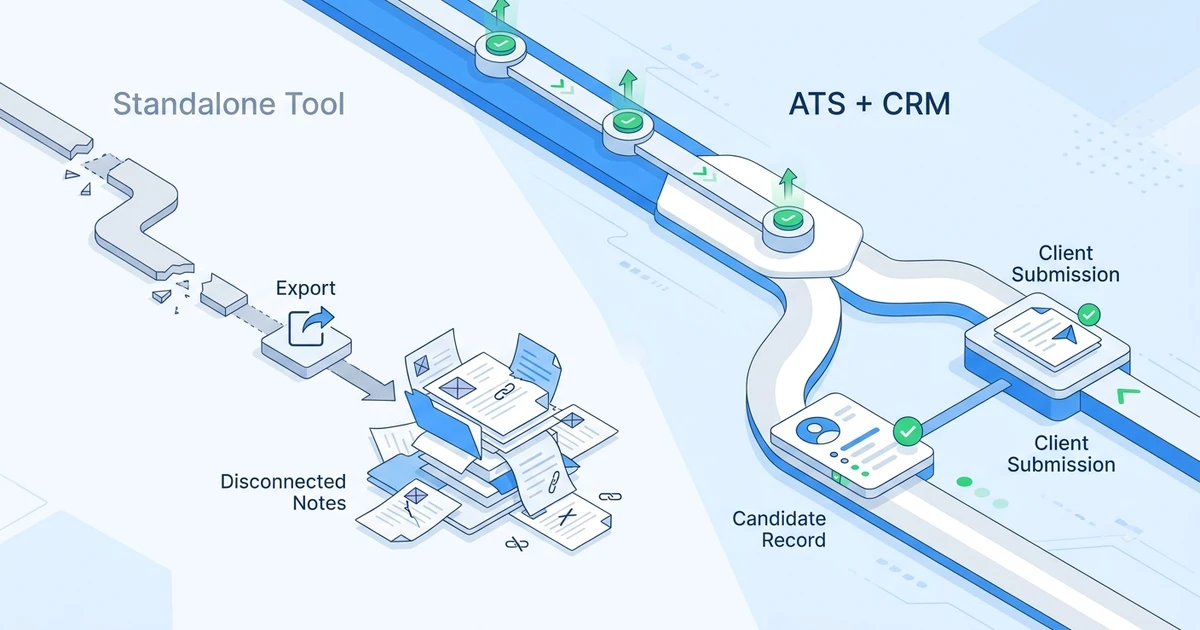
A connected ATS plus CRM makes more sense when sourcing is only one broken part of a larger workflow. If recruiters find candidates but then lose them during outreach, duplicate them during import, or forget to submit them to the right client, the fix is not only a bigger database.
Use standalone sourcing software when:
- Your ATS and CRM are already clean and trusted.
- Recruiters only need wider search coverage.
- Candidate handoff into your system is reliable.
- Your team has dedicated sourcers who can manage a separate workflow.
Use a connected ATS plus CRM when:
- Recruiters source, contact, submit, and place candidates from the same desk.
- Candidate history is scattered across tools.
- Managers need visibility into sourcing activity and placement outcomes.
- You want fewer exports, fewer duplicates, and clearer recruiter ownership.
In the pilot, record where candidates are lost: discovery, first contact, reply, ATS handoff, or client submission. That result tells you whether to buy more search coverage, better outreach, or a more reliable system of record.
Is ATZ CRM right for candidate sourcing?
ATZ CRM is worth testing if your agency needs candidate capture, outreach, matching, jobs, and client submissions in one recruiting workflow. Verify the exact feature and plan scope with a sample role.
It may not be the only tool you need if your agency wants a massive standalone people database for specialist research. In that case, a sourcing database can sit beside ATZ CRM. The key is making sure candidate context returns to the ATS plus CRM.
Ask the team to show what its matching automation actually produces and where a recruiter checks it. Keep relationship judgment with the people responsible for the placement.
Frequently Asked Questions
What are candidate sourcing tools?
Candidate sourcing tools help recruiters discover potential candidates before they apply. They may include profile search, contact enrichment, AI matching, talent mapping, browser extensions, outreach sequences, and ATS or CRM integrations.
The best tools reduce manual research while preserving recruiter judgment. They should help your team understand why a candidate fits, not just produce a long list of names.
What are the best candidate sourcing tools for recruitment agencies?
The shortlist depends on whether your agency needs profile discovery, enrichment, outreach, talent intelligence, or an ATS plus CRM workflow. Test whether sourced candidates can move into jobs, outreach, client submissions, and reporting with accurate records.
Standalone tools can still work for specialist teams if they do not become another disconnected database.
Do sourcing tools replace an ATS?
Most sourcing tools do not replace an ATS. They help you find or contact candidates, while an ATS manages jobs, applications, stages, notes, submissions, and hiring process visibility.
For agencies, an ATS plus CRM is often the better system of record because it connects candidate delivery with client management. Sourcing tools should feed that system, not compete with it.
Should agencies choose standalone sourcing software or an ATS plus CRM?
Choose standalone sourcing software if your only issue is candidate discovery. Choose an ATS plus CRM if sourcing problems are tied to duplicate records, weak follow-up, poor client visibility, or unclear pipeline ownership.
Many growing agencies use both, as long as candidate records, outreach history, and job context stay connected.
How much do candidate sourcing tools cost?
Costs vary by user seats, contact credits, database access, outreach volume, AI features, and contract terms. Some tools offer public plans, while enterprise sourcing platforms often use custom pricing.
When comparing cost, include the full stack. A cheap add-on can become expensive if you still need separate outreach, enrichment, CRM, reporting, and migration tools.
Conclusion
The best candidate sourcing tool is the one that fixes your real bottleneck. If your team cannot find enough relevant people, choose stronger search and enrichment. If your team finds people but loses them in handoff, choose a connected workflow.
For recruitment agencies, sourcing should not end at a profile. It should move into outreach, job matching, client submissions, and placement reporting.
Book a demo with ATZ CRM to compare your current sourcing stack against a connected ATS plus CRM workflow built for agency recruiters.