EN
EN DE
DE ES
ES FR
FR NL
NL PT
PT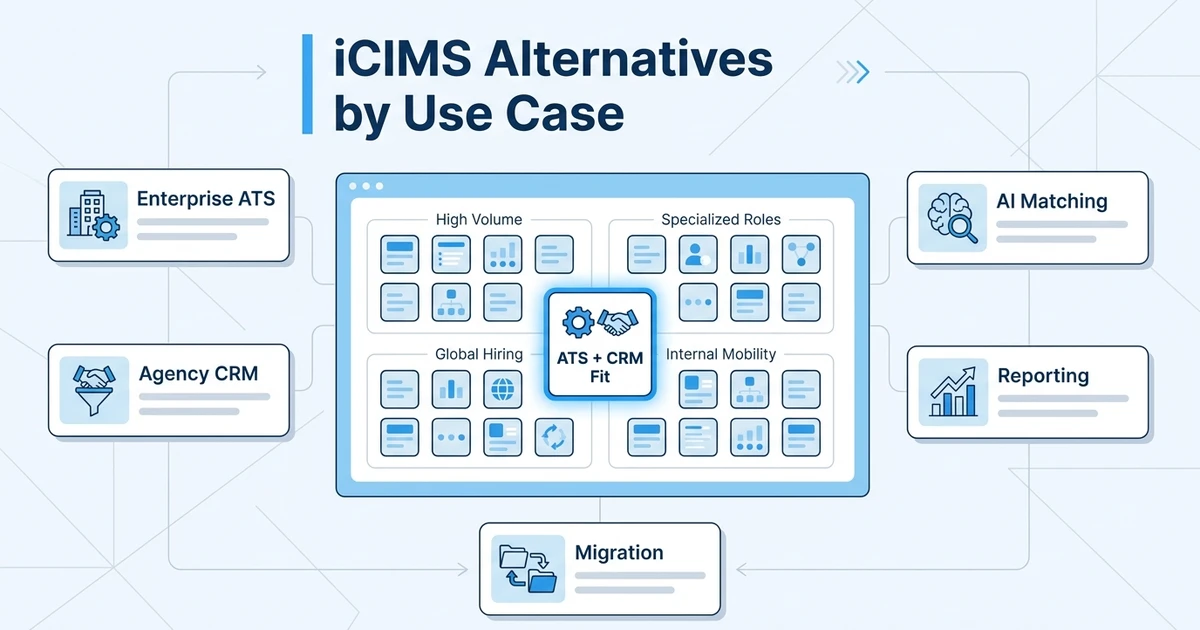



Quick Answer: The best iCIMS alternatives depend on whether your team needs enterprise talent acquisition control, faster recruiter adoption, or agency-ready ATS plus CRM workflows. This guide ranks options by use case so you can compare platform fit, pricing transparency, AI, automation, reporting, and migration risk without choosing from a generic feature list.
Start with the iCIMS alternatives decision guide to choose the correct operating model, then use this article to expand the vendor research.
If you are comparing iCIMS alternatives, you are probably not window shopping. You are trying to decide whether a heavy enterprise ATS still fits the way your recruiting team works.
For in-house enterprise teams, the answer may be yes. For recruitment agencies, staffing firms, and lean recruiting teams, the answer is often more complicated.
iCIMS is known for enterprise talent acquisition workflows. But many teams looking for recruiting software alternatives want faster setup, clearer pricing, better recruiter adoption, stronger CRM, or a platform that connects candidates, clients, jobs, outreach, and reporting in one place.
That is the lens for this guide. We are ranking tools by use case, not by who has the longest feature page.
Why teams compare iCIMS alternatives
Most teams start looking at iCIMS alternatives when the platform feels heavier than the work they need to do. That does not mean iCIMS is a poor system. It often means your recruiting model has changed.
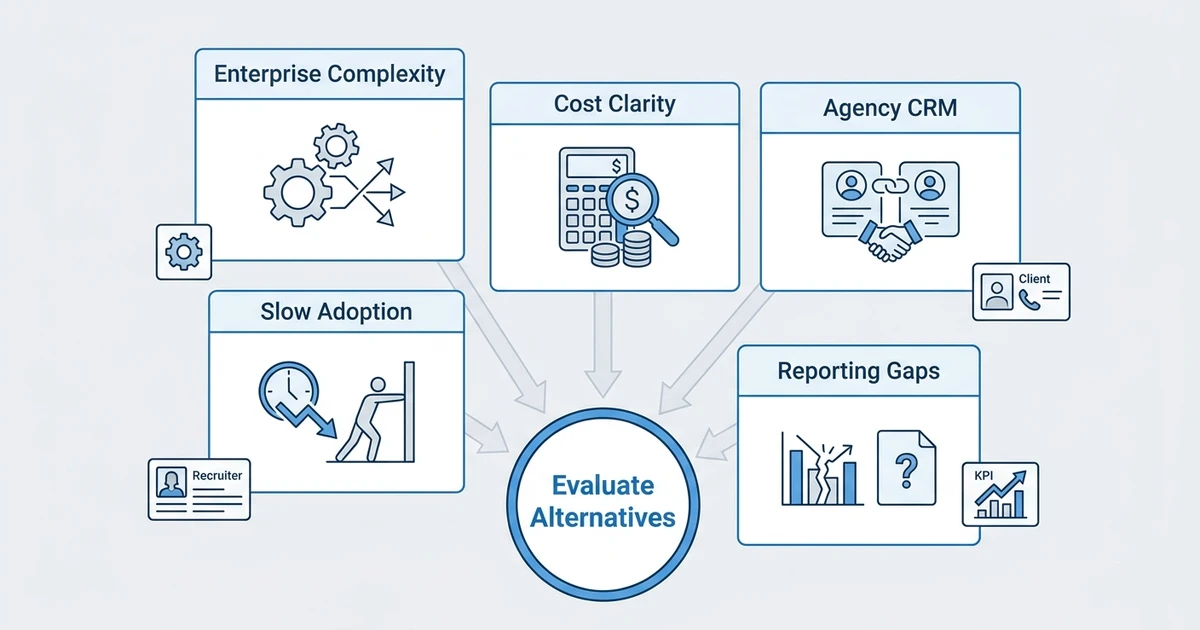
An enterprise TA team may need structured approvals, compliance, interview scorecards, and broad HR technology integrations. A recruitment agency needs something different: client CRM, job orders, candidate submissions, outreach, deal visibility, and placement reporting.
Recruiting pressure is not easing either. SHRM reports that AI adoption in HR tasks rose to 43% in 2025 from 26% in 2024 in its 2025 Talent Trends research. That does not mean you should buy any platform with an AI badge. It means your system should help recruiters act faster without creating messy data.
SHRM also reports that 51% of organizations face too few applicants, 50% struggle with losing talent to competitors, and 41% cite candidate ghosting in its State of Recruiting 2025 analysis. When the market is that tight, recruiter workflow matters.
The usual reasons teams compare platforms are practical:
- Recruiters spend too much time updating records.
- Managers cannot trust reports without manual cleanup.
- Pricing is hard to forecast.
- Implementation takes too long.
- The ATS does not support agency sales or client pipelines.
- AI features do not connect to actual hiring workflows.
- Candidate data is hard to search, segment, or reuse.
If those problems sound familiar, your shortlist should include both enterprise ATS alternatives and agency-ready ATS + CRM platforms.
How we evaluated the best iCIMS alternatives
The right shortlist depends on your workflow. A compliance-heavy enterprise team, an executive search firm, and a small staffing agency should not score recruiting software the same way.
For this ranking, we used criteria that matter after the demo ends:
- ATS depth: jobs, stages, applications, interviews, notes, and search.
- CRM depth: clients, contacts, deals, follow-ups, and revenue visibility.
- AI usefulness: matching, sourcing, messaging, scoring, and summaries.
- Recruiter adoption: how quickly a real recruiter can work inside the system.
- Reporting: activity, source performance, pipeline conversion, and revenue.
- Migration effort: data mapping, field cleanup, testing, and cutover support.
- Pricing visibility: whether you can estimate cost before a sales call.
- Agency fit: whether the platform supports client-side recruiting work.
LinkedIn reports that companies using AI-assisted messaging the most are 9% more likely to make a quality hire than those using it least in its Future of Recruiting 2025 research. That is useful, but only when messaging connects to accurate data, clean pipeline stages, and recruiter judgment.
Gartner says AI and cost pressure are two major forces shaping talent acquisition in 2026 in its talent acquisition trends note. That is why this guide weighs both automation and buying clarity.
Quick comparison of the top iCIMS alternatives
Use this table as a first filter. The detailed reviews below explain where each tool fits, where it does not, and what to verify before you commit.
| Rank | Tool | Best use case | Strongest area | Watch out for | Pricing transparency |
|---|---|---|---|---|---|
| 1 | ATZ CRM | Agency ATS plus CRM | Unified recruiting and client workflow | Not built as a broad HR suite | Public pricing |
| 2 | Greenhouse | Structured enterprise hiring | Interview process control | Agency CRM is not the center | Not publicly listed |
| 3 | Lever | Relationship-driven in-house recruiting | Talent relationship workflows | Agency sales workflows need review | Not publicly listed |
| 4 | Ashby | Fast-growing tech teams | Analytics and recruiting operations | May be more TA-focused than agency-focused | Not publicly listed |
| 5 | SmartRecruiters | Global enterprise TA | Marketplace and process scale | Can be heavy for small teams | Not publicly listed |
| 6 | Workable | SMB hiring teams | Fast setup and job posting | CRM depth is limited | Public plans available |
| 7 | Jobvite | Enterprise hiring operations | Campaign and TA workflow | Legacy complexity can appear | Not publicly listed |
| 8 | BambooHR | HR suite plus hiring basics | HRIS with lightweight ATS | Not agency-first | Public plans vary by package |
| 9 | JazzHR | Budget small-team ATS | Simple pipelines | Limited depth for agencies | Public plans available |
| 10 | Recruitee | Collaborative hiring | Hiring team collaboration | Agency CRM needs validation | Public plans available |
| 11 | Teamtailor | Employer brand-led hiring | Career pages and candidate experience | Less focused on client workflows | Not publicly listed |
| 12 | Pinpoint | Candidate experience and adoption | Usability | Agency revenue workflow needs review | Not publicly listed |
| 13 | Breezy HR | Simple visual hiring | Visual pipeline | Can be too light as teams scale | Public plans available |
| 14 | Zoho Recruit | Zoho ecosystem users | Affordable ATS and CRM suite fit | Setup can feel suite-dependent | Public plans available |
| 15 | Manatal | Affordable AI-assisted ATS | AI scoring and ease of use | Less enterprise depth | Public plans available |
| 16 | Recruiterflow | Agency automation | ATS + CRM and email workflows | Ecosystem depth varies | Public plans available |
| 17 | Loxo | Sourcing-heavy recruiting | Talent database and outreach | Pricing fit should be checked | Not publicly listed |
| 18 | Bullhorn | Enterprise staffing | Staffing ecosystem | Implementation and cost can be heavy | Not publicly listed |
| 19 | CEIPAL | Staffing workforce workflows | Staffing and workforce operations | Can feel dense for smaller teams | Public plans vary |
| 20 | Avature | Configurable enterprise TA | Enterprise CRM and workflow design | Requires serious admin ownership | Not publicly listed |
Top 20 iCIMS alternatives by use case
1. Best for agency ATS plus CRM
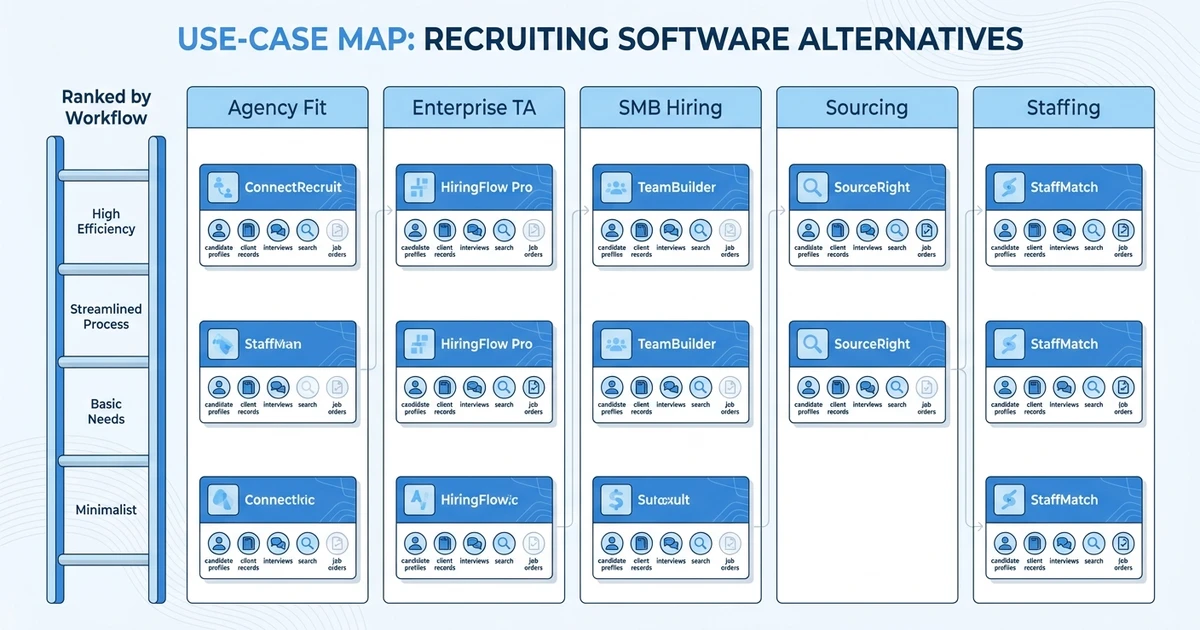
Tool reviewed: ATZ CRM.
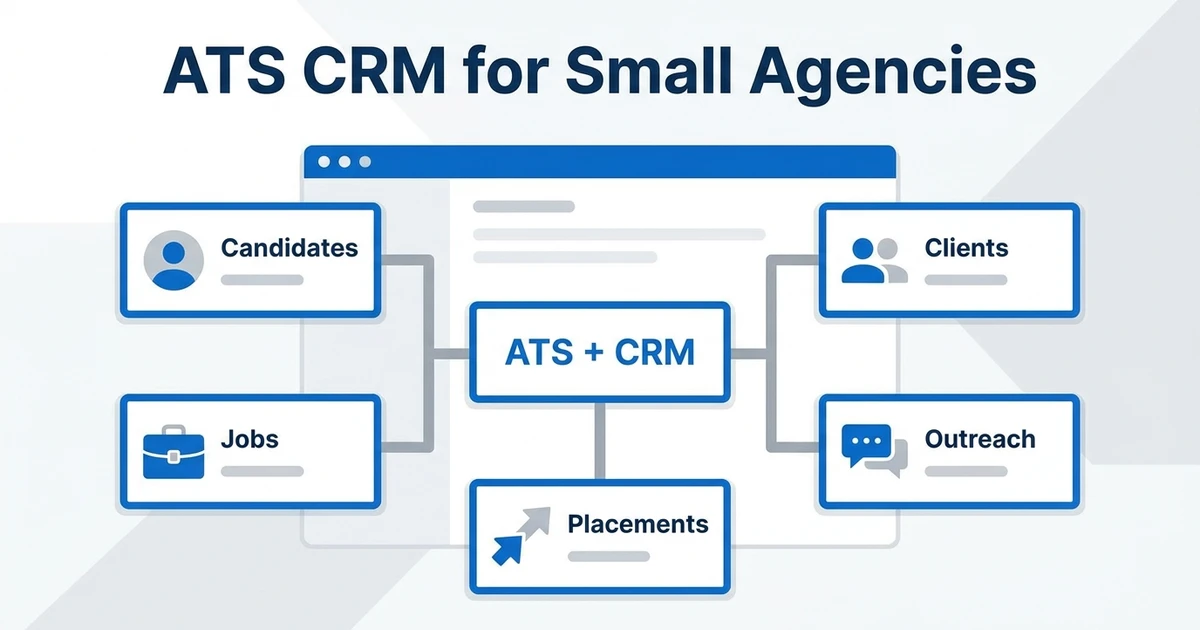
Overview: ATZ CRM is the best starting point for recruitment agencies and staffing teams that want candidate tracking, client CRM, AI matching, outreach, reporting, and migration support in one workspace. It is built for the reality of agency recruiting, where you manage candidates and clients at the same time.
The platform connects your applicant tracking system for recruiting workflows with recruitment CRM for client relationships. That matters when recruiters need to move from candidate search to client submission to follow-up without jumping across tools.
Pros:
- Unified ATS + CRM for agency and staffing workflows.
- AI matching, outreach automation, reporting, and client workflow support.
- Transparent pricing and an unlimited free trial.
- Strong fit for teams replacing a heavy ATS with a faster recruiter workspace.
Cons:
- Not the best fit if you need a full HRIS suite.
- Enterprise teams with highly specialized compliance workflows should map those needs first.
Pricing: ATZ CRM pricing starts at $12/user/month for Pro, with Business at $24/user/month and Enterprise at $60/user/month on annual billing. Annual billing saves 20%, and an unlimited free trial is available on the pricing for recruitment teams page.
Best fit: Recruitment agencies, staffing firms, executive search teams, and growing recruiting teams that want ATS + CRM without enterprise bloat.
2. Best for structured enterprise hiring
Tool reviewed: Greenhouse.
Overview: Greenhouse is a strong option for in-house teams that need structured interviews, scorecards, hiring team collaboration, and consistent process control. It is often shortlisted by larger companies that want a mature talent acquisition system.
For agencies, the gap is usually CRM and client workflow. If your recruiters need sales pipeline visibility, client follow-ups, candidate submissions, and placement reporting, compare Greenhouse against a platform built around agency work.
Pros:
- Strong structured hiring workflows.
- Useful for interview consistency and hiring team alignment.
- Mature enterprise ecosystem.
Cons:
- Not centered on recruitment agency CRM.
- Pricing and implementation can be harder to estimate early.
Pricing: Pricing is not publicly listed. Expect a custom quote based on company needs, package, and implementation scope.
Best fit: In-house enterprise TA teams that prioritize structured hiring over agency sales and client workflows.
3. Best for relationship-driven in-house recruiting
Tool reviewed: Lever.
Overview: Lever works well for in-house recruiting teams that want to manage candidate relationships alongside applicant tracking. It can fit companies that nurture talent pools and keep warm pipelines for future roles.
Agencies should test whether the CRM model supports client-side revenue workflows. Candidate relationships are only half the picture when your team also manages clients, job orders, submissions, and placements.
Pros:
- Strong candidate relationship orientation.
- Useful for proactive sourcing and pipeline nurturing.
- Good fit for internal recruiting collaboration.
Cons:
- Agency CRM and business development workflows need validation.
- Pricing is usually quote-led.
Pricing: Pricing is not publicly listed. Buyers generally need to request a quote.
Best fit: In-house recruiting teams that want candidate relationship management inside a structured recruiting system.
4. Best for fast-growing tech recruiting teams
Tool reviewed: Ashby.
Overview: Ashby is a modern recruiting platform often considered by startups and scaleups that want analytics, scheduling, pipeline management, and recruiting operations in one place. It is especially relevant when teams care about reporting discipline.
Recruitment agencies should look closely at CRM depth. Strong analytics are valuable, but only if the platform also supports client follow-up, candidate submissions, sales activity, and revenue reporting.
Pros:
- Strong recruiting analytics and operations focus.
- Modern interface and workflow design.
- Good fit for data-minded TA teams.
Cons:
- Built more for internal TA than agency delivery.
- Pricing may require a sales conversation.
Pricing: Pricing is not publicly listed. Confirm contract structure, implementation scope, and add-ons during evaluation.
Best fit: Scaling in-house recruiting teams that want stronger analytics and structured recruiting operations.
5. Best for global enterprise talent acquisition
Tool reviewed: SmartRecruiters.
Overview: SmartRecruiters fits larger companies that need global talent acquisition workflows, marketplace integrations, approvals, and multi-region recruiting operations. It is a serious enterprise ATS option.
The trade-off is weight. Smaller teams and agencies should test how quickly recruiters can move candidates, update clients, and get useful reporting without admin overhead.
Pros:
- Strong enterprise and global TA orientation.
- Broad marketplace and integration ecosystem.
- Useful for complex hiring operations.
Cons:
- Can be too heavy for smaller teams.
- Agency CRM is not the primary use case.
Pricing: Pricing is not publicly listed. Expect custom packaging.
Best fit: Global in-house hiring teams with complex process, approval, and integration requirements.
6. Best for SMB hiring teams that want fast setup
Tool reviewed: Workable.
Overview: Workable is often shortlisted by small and mid-sized companies that want a hiring system they can set up quickly. It is especially relevant when job posting, applicant tracking, and hiring team feedback are the main jobs to be done.
For agencies, the question is whether it can replace a real recruitment CRM. If your business depends on client relationships, submissions, and sales pipeline visibility, test that workflow before choosing.
Pros:
- Easy to understand for small hiring teams.
- Strong job posting and applicant tracking basics.
- Public plans make early budgeting easier.
Cons:
- CRM depth is limited for agency workflows.
- May require extra tools for sales and client management.
Pricing: Public plans are available, but confirm the package, seats, and add-ons that match your workflow before comparing total cost.
Best fit: SMB in-house hiring teams that want a quick ATS rollout.
7. Best for legacy enterprise hiring operations
Tool reviewed: Jobvite.
Overview: Jobvite is a familiar enterprise recruiting platform for teams that need campaign-style recruiting, talent acquisition workflows, and larger-company process coverage.
It can make sense for companies with established TA operations. Agencies should compare implementation effort, recruiter usability, and CRM fit before choosing it as a replacement for iCIMS.
Pros:
- Enterprise recruiting workflow coverage.
- Familiar name in talent acquisition.
- Can support larger hiring operations.
Cons:
- May feel heavy compared with newer tools.
- Agency sales workflows are not the core focus.
Pricing: Pricing is not publicly listed. Buyers should request a quote and confirm implementation scope.
Best fit: Established internal TA teams that want enterprise recruiting workflows.
8. Best HRIS plus lightweight ATS option
Tool reviewed: BambooHR.
Overview: BambooHR is best known as an HR suite with hiring functionality included. It can work for companies that want HR records and basic recruiting in one place.
It is not usually the right answer for recruitment agencies. Agencies need client CRM, job orders, candidate ownership, submissions, and placement reporting, which go beyond lightweight in-house hiring.
Pros:
- Useful HRIS foundation for smaller companies.
- Simple hiring workflows for internal teams.
- Familiar employee record management.
Cons:
- Not agency-first.
- Limited fit for staffing sales and delivery workflows.
Pricing: Pricing depends on package and company needs. Confirm the hiring module, seat model, and HR suite requirements before comparing.
Best fit: Small and mid-sized companies that want HR software with basic hiring.
9. Best budget ATS for small internal teams
Tool reviewed: JazzHR.
Overview: JazzHR is a budget-friendly ATS option for teams that need simple applicant tracking without enterprise complexity. It can be useful when your hiring process is straightforward.
The limitation is depth. If you need CRM, AI matching, agency reporting, and client communication, a lower-cost ATS may become expensive through extra tools and manual work.
Pros:
- Simple ATS basics.
- Public pricing makes evaluation easier.
- Good for lean internal hiring.
Cons:
- Limited CRM depth.
- Less suited to agency growth workflows.
Pricing: Public plans are available. Confirm whether the plan includes the workflows and users your team needs.
Best fit: Small in-house hiring teams that want budget applicant tracking.
10. Best collaborative hiring workspace
Tool reviewed: Recruitee.
Overview: Recruitee is designed for collaborative hiring, employer branding, and team participation in recruitment. It can fit companies that want hiring managers involved without overcomplicating the process.
Agencies should evaluate CRM and submission workflows. Collaboration is useful, but agency teams also need client accountability, candidate ownership, and revenue reporting.
Pros:
- Good hiring team collaboration.
- Useful career site and employer branding features.
- Public plans support early evaluation.
Cons:
- Agency CRM fit needs testing.
- May not cover full staffing operations.
Pricing: Public plans are available. Check plan limits, automation, and add-on needs.
Best fit: In-house teams that value collaborative hiring and employer brand workflows.
Book an ATZ CRM demo to compare your current ATS workflow against a unified ATS + CRM setup with AI matching, reporting, outreach, and migration support.
11. Best for employer brand-led recruiting
Tool reviewed: Teamtailor.
Overview: Teamtailor is a strong candidate experience and employer branding platform. It suits companies that want polished career pages and a modern candidate journey.
For agencies, that value is narrower. You should compare whether the platform can manage client relationships, candidate submissions, sales activity, and recruiting revenue.
Pros:
- Strong employer branding focus.
- Good candidate experience design.
- Useful for teams with career-site priorities.
Cons:
- Less focused on staffing or agency workflows.
- Pricing visibility may require a quote.
Pricing: Pricing is not publicly listed. Ask about package scope, career site needs, and user model.
Best fit: Employer brand-led in-house hiring teams.
12. Best for candidate experience and hiring team adoption
Tool reviewed: Pinpoint.
Overview: Pinpoint is often considered by teams that value usability, candidate experience, and a cleaner ATS feel. It can be attractive when your team wants hiring managers to participate without friction.
The agency question is broader. If you also need client CRM, candidate submissions, outreach, and deal reporting, usability has to extend beyond applicant tracking.
Pros:
- Clean candidate experience orientation.
- Strong usability story for hiring teams.
- Good fit for internal recruiting processes.
Cons:
- Agency CRM and revenue workflows need review.
- Pricing may not be visible before a demo.
Pricing: Pricing is not publicly listed. Confirm package structure and implementation needs.
Best fit: Internal hiring teams that want a polished ATS experience.
13. Best simple ATS for small businesses
Tool reviewed: Breezy HR.
Overview: Breezy HR is useful for small teams that want a visual pipeline and straightforward applicant tracking. It is a common option when the goal is simplicity.
Simplicity can become a limit when the team grows. If you need CRM, reporting, AI matching, submissions, and multi-client workflows, compare it with a platform built for agency operations.
Pros:
- Simple visual pipeline.
- Easy for small teams to understand.
- Public plans can help budget planning.
Cons:
- Can be too light for agencies.
- CRM and reporting depth may not scale far enough.
Pricing: Public plans are available. Review automation, candidate limits, and collaboration needs before selecting a tier.
Best fit: Small businesses that need a simple hiring pipeline.
14. Best for teams already using Zoho
Tool reviewed: Zoho Recruit.
Overview: Zoho Recruit is a practical choice for teams already using the Zoho ecosystem. It can combine ATS and CRM-style workflows at a lower price point.
The trade-off is setup and usability. Agencies should test whether recruiters can work quickly without too much configuration, suite navigation, or add-on dependency.
Pros:
- Budget-friendly for Zoho users.
- ATS and CRM concepts in one ecosystem.
- Public pricing supports early comparisons.
Cons:
- Interface can feel busy.
- Best fit may depend on commitment to the Zoho suite.
Pricing: Public plans are available. Compare the plan against automation, portals, and reporting needs.
Best fit: Budget-conscious teams already using Zoho tools.
15. Best affordable AI-assisted ATS
Tool reviewed: Manatal.
Overview: Manatal is a lightweight ATS with AI-assisted matching and a clean setup experience. It can work well for smaller teams that want AI support without buying an enterprise platform.
For agencies, the evaluation should focus on CRM, client workflows, and reporting. AI scoring is helpful only if it moves candidates through the full revenue workflow.
Pros:
- Affordable AI-assisted recruiting features.
- Simple onboarding.
- Public pricing supports quick budgeting.
Cons:
- Less enterprise depth.
- Agency CRM and workflow needs should be tested.
Pricing: Public plans are available. Verify candidate limits, automation, and support requirements.
Best fit: Small and mid-sized teams that want affordable AI-assisted applicant tracking.
16. Best agency automation alternative
Tool reviewed: Recruiterflow.
Overview: Recruiterflow is built for recruitment agencies and includes ATS, CRM, and automation workflows. It is relevant when your team wants email sequences and pipeline visibility.
Compare it with ATZ CRM if AI matching, pricing clarity, reporting, migration, and everyday recruiter adoption are central to the decision.
Pros:
- Agency-focused ATS + CRM.
- Useful email automation.
- Public plans help early evaluation.
Cons:
- AI depth and ecosystem fit should be compared.
- Teams should validate reporting needs carefully.
Pricing: Public plans are available. Confirm user model, automation limits, and implementation needs.
Best fit: Recruitment agencies that prioritize email automation and ATS + CRM workflows.
17. Best sourcing-heavy recruiting platform
Tool reviewed: Loxo.
Overview: Loxo is strong for teams that care about sourcing, talent data, and outreach. It can be useful when candidate discovery is the biggest bottleneck.
For staffing firms, sourcing is only one part of the operating model. You also need client CRM, submissions, reporting, and placement visibility.
Pros:
- Strong sourcing orientation.
- Useful talent search and outreach workflows.
- Good fit for proactive recruiting.
Cons:
- Pricing may require a sales conversation.
- Agency operating workflow needs a close demo.
Pricing: Pricing is not publicly listed. Ask about sourcing data, outreach, and user package details.
Best fit: Search firms and recruiting teams that depend heavily on sourcing.
18. Best enterprise staffing platform
Tool reviewed: Bullhorn.
Overview: Bullhorn is a major staffing platform for larger firms that need a broad ecosystem, partner integrations, and established staffing workflows.
The key question is size and complexity. If your team needs enterprise staffing infrastructure, it belongs on the shortlist. If you need faster recruiter adoption and transparent pricing, compare it carefully with ATZ CRM.
Pros:
- Deep staffing market presence.
- Broad ecosystem and integration options.
- Good fit for large staffing organizations.
Cons:
- Can be expensive and complex to implement.
- Smaller agencies may not need the full platform weight.
Pricing: Pricing is not publicly listed. Expect custom quotes and implementation planning.
Best fit: Large staffing firms with enterprise process and ecosystem needs.
19. Best staffing platform for workforce operations
Tool reviewed: CEIPAL.
Overview: CEIPAL can fit staffing teams that need applicant tracking, workforce workflows, and staffing-specific operating coverage. It is often evaluated by firms with compliance and workforce management needs.
Smaller agencies should test the day-to-day recruiter experience. A platform can cover many workflows and still feel too dense for the team using it.
Pros:
- Staffing and workforce workflow coverage.
- Relevant for compliance-heavy staffing use cases.
- Can support more than basic applicant tracking.
Cons:
- May feel complex for smaller teams.
- CRM and reporting workflows should be tested in detail.
Pricing: Public package details may vary. Confirm the exact plan, modules, and implementation scope.
Best fit: Staffing firms with workforce, compliance, and operational process needs.
20. Best for large enterprise CRM-style talent pools
Tool reviewed: Avature.
Overview: Avature is highly configurable and can support enterprise CRM-style talent acquisition workflows. It can make sense for large organizations that have the admin resources to design and maintain custom recruiting processes.
The same configurability can be too much for lean teams. Agencies should only consider this path if they truly need deep enterprise configuration.
Pros:
- Highly configurable enterprise recruiting workflows.
- Strong fit for sophisticated TA operations.
- Good talent CRM orientation.
Cons:
- Requires admin ownership and implementation planning.
- Not a quick replacement for smaller teams.
Pricing: Pricing is not publicly listed. Buyers should expect a custom quote and implementation scope.
Best fit: Large enterprises with complex talent CRM requirements.
How to choose an iCIMS alternative by workflow
Start with the workflow that creates the most friction. If recruiters waste time finding candidates, prioritize search, AI matching, and sourcing. If managers cannot see pipeline health, prioritize reporting and dashboard quality.
If you run an agency, do not stop at ATS features. You need to know how the platform handles clients, contacts, job orders, submissions, feedback, deals, and placement reporting.
Use this decision framework:
| Your workflow | Prioritize | Shortlist direction |
|---|---|---|
| Recruitment agency | ATS + CRM, client workflows, submissions | ATZ CRM, Recruiterflow, Loxo, Crelate |
| Staffing firm | Job orders, candidate pipelines, reporting | ATZ CRM, Bullhorn, CEIPAL |
| Enterprise TA | Compliance, approvals, integrations | Greenhouse, SmartRecruiters, iCIMS, Avature |
| Tech scaleup | Analytics, scheduling, recruiter operations | Ashby, Lever, Greenhouse |
| Small business | Setup speed, public pricing, simple pipelines | Workable, Breezy HR, JazzHR |
| Employer brand team | Career site and candidate experience | Teamtailor, Pinpoint, Recruitee |
Before signing, run a live workflow test. Take one open role, one client or hiring manager, one candidate shortlist, one outreach sequence, and one reporting view. If the demo cannot show that workflow clearly, the platform may not fix your real problem.
ATZ CRM is especially strong when your team wants one workspace for candidate delivery and client relationships. It also matters when you need zero-downtime data migration because active jobs cannot pause while your database moves.
Is ATZ CRM right for your team?
ATZ CRM is a strong fit if your team needs recruitment CRM depth, candidate pipelines, AI matching, outreach automation, client workflows, and recruitment reporting dashboards. It is built for teams that want recruiter speed without giving up pipeline control.
It is also a good fit if your current ATS feels too administrative. Recruiters should not need multiple tools to source, qualify, submit, follow up, and report.
ATZ CRM may not be the right fit if you need a broad HRIS, payroll system, or highly customized enterprise compliance stack. In that case, you should compare it against enterprise TA suites with a strict requirements matrix.
For many agencies, the choice is simpler. If your revenue depends on candidate delivery and client relationships, the platform should treat ATS and CRM as one workflow.
What to check before switching from an enterprise ATS
Switching systems is not only a software decision. It is a data and adoption decision.
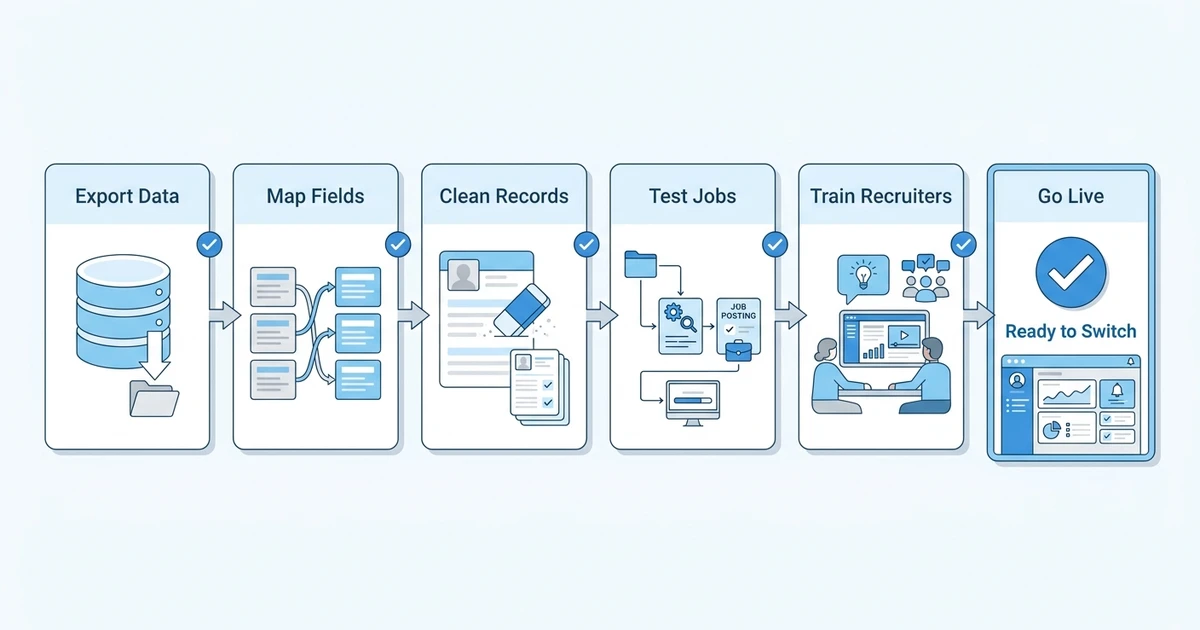
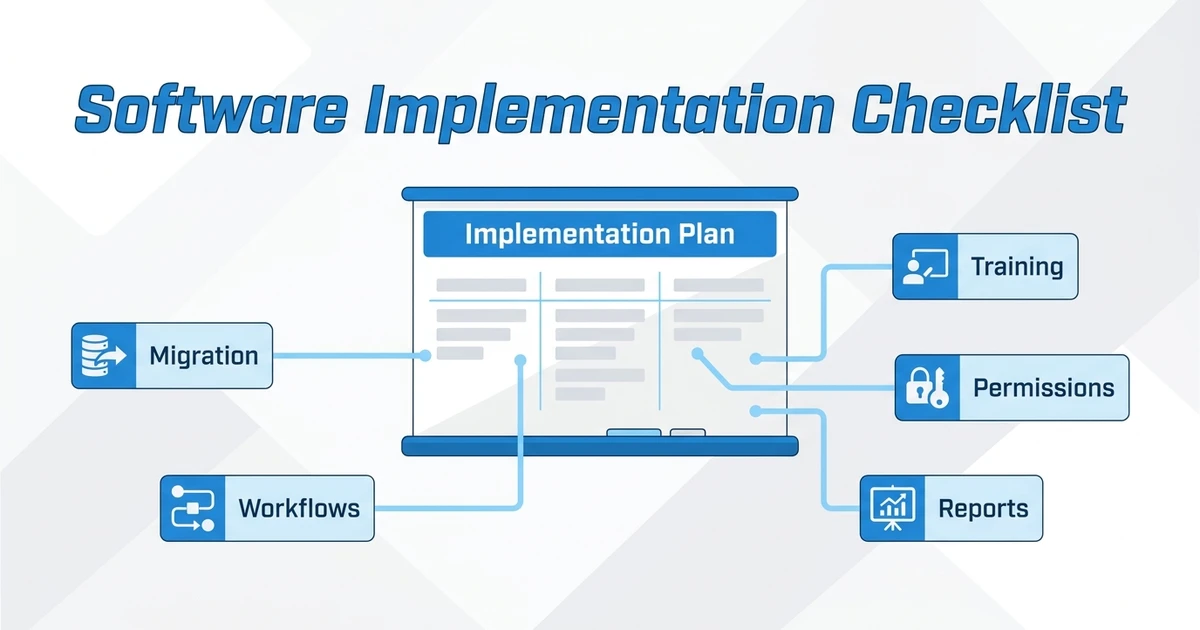
Use this checklist before replacing an enterprise ATS:
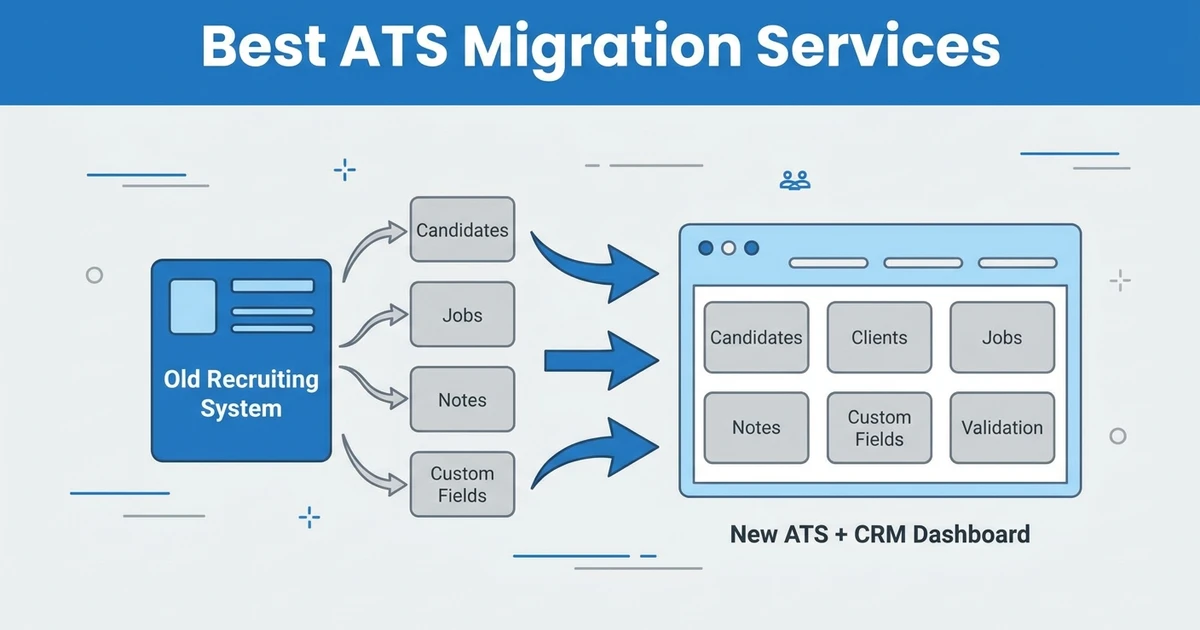
- Export a sample of candidate, contact, job, note, and activity data.
- Map fields into the new platform before full migration.
- Clean duplicate records and inactive tags.
- Test active jobs and live candidate stages.
- Rebuild key email templates and automations.
- Confirm reporting parity for recruiter, source, client, and job performance.
- Train recruiters on the daily workflow, not only admin settings.
- Run a pilot with a live role before full cutover.
For a deeper migration plan, use the ATS migration services checklist before you start vendor calls.
The best migration is boring in the right way. Recruiters should know where their work is, managers should know which reports changed, and candidates should not feel the transition.
Frequently Asked Questions
What are the best iCIMS alternatives for recruitment agencies?
The best iCIMS alternatives for agencies are platforms that include ATS, CRM, candidate matching, outreach, client workflows, reporting, and migration support. ATZ CRM is the strongest first shortlist option for agencies that want those workflows in one place.
Are iCIMS competitors cheaper?
Some iCIMS competitors publish entry-level pricing, while many enterprise platforms use custom quotes. Compare total cost, not only license price, because implementation, add-ons, admin time, and migration can change the real cost.
Should a staffing agency use an enterprise ATS?
A staffing agency should use an enterprise ATS only if it truly needs enterprise process depth. Many agencies are better served by an ATS + CRM system that supports clients, job orders, candidate submissions, recruiter activity, and placement reporting.
What is the biggest risk when switching from iCIMS?
The biggest risk is poor data mapping. Candidate history, notes, source fields, jobs, and activity records need careful migration, or recruiters will lose context after the switch.
Can ATZ CRM support both recruiting and client management?
Yes. ATZ CRM combines applicant tracking and customer relationship management, so recruiters can manage candidates, clients, jobs, outreach, and reporting from the same workspace.
Conclusion
The best iCIMS alternative is not the tool with the longest feature list. It is the platform that matches how your team actually recruits.
Enterprise TA teams may need structured hiring suites. Small businesses may need simple applicant tracking. Recruitment agencies need something more specific: ATS + CRM, candidate delivery, client follow-up, AI matching, reporting, and migration support.
If your team is replacing iCIMS because the workflow feels too heavy, start with ATZ CRM. Compare it against your live roles, client workflow, reporting needs, and migration plan. Then choose the system your recruiters will actually use.
See ATZ CRM pricing to compare transparent per-user plans before your next ATS replacement conversation.