EN
EN DE
DE ES
ES FR
FR NL
NL PT
PT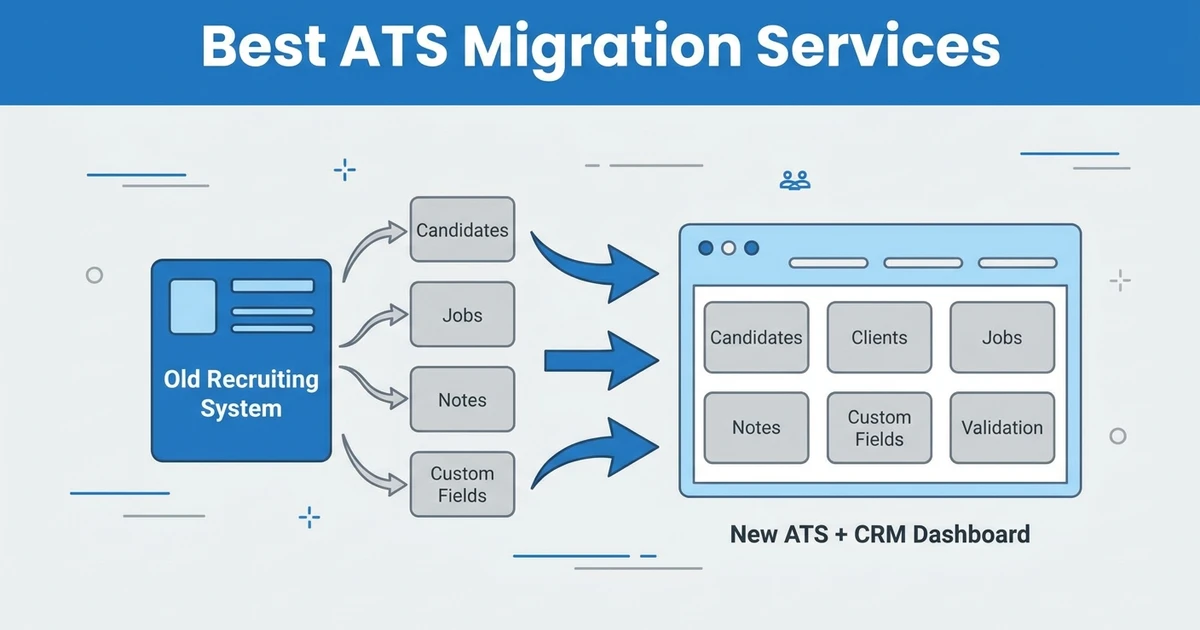





Quick Answer: The best ATS migration services help recruitment agencies move candidate records, client records, jobs, notes, activities, attachments, custom fields, and workflow history without breaking recruiter operations. Choose a migration partner based on data scope, validation process, destination platform fit, downtime risk, and post-migration adoption support.
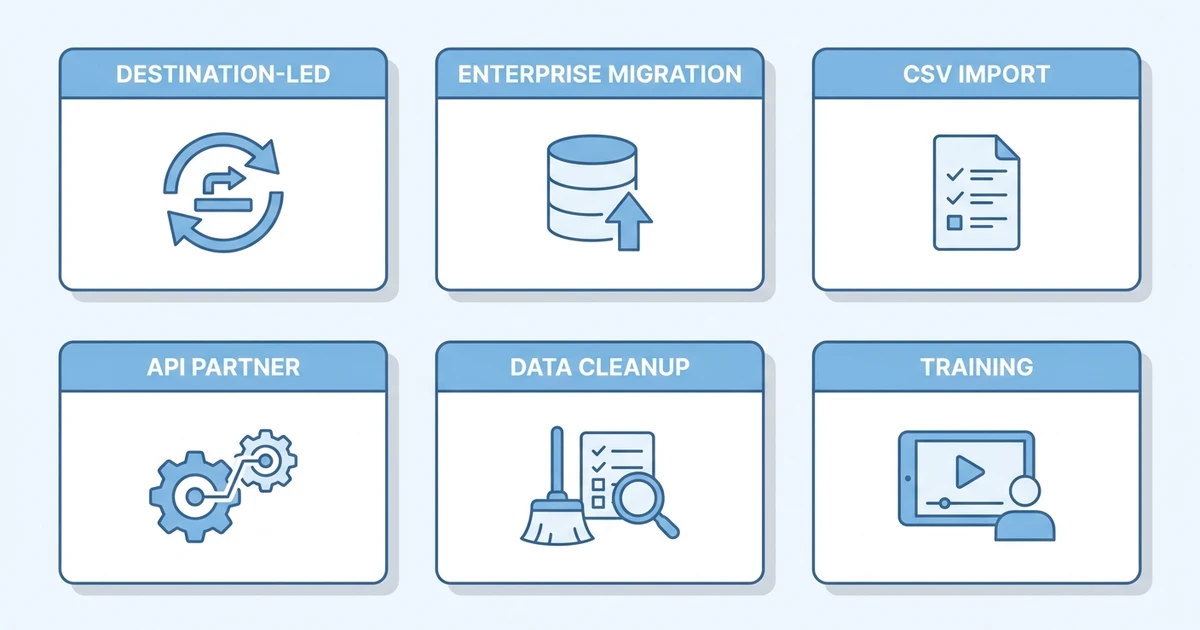
TL;DR: Best ATS migration support options
Migrating an Applicant Tracking System (ATS) is not just a file import. It is a controlled move from one recruiting operating system to another, with data quality, recruiter adoption, client continuity, and reporting trust all at stake.
Use this as a quick fit guide:
- ATZ CRM zero-downtime migration: best fit when your agency is switching into ATZ CRM and wants destination-led support.
- Bullhorn migration ecosystem: best fit for enterprise staffing firms standardizing around Bullhorn.
- ATZ CRM Recruit CRM migration support: useful for agencies moving from Recruit CRM to ATZ CRM.
- ATZ CRM Vincere migration support: useful for agencies moving staffing data from Vincere to ATZ CRM.
- CSV and spreadsheet import services: useful for smaller teams with simple, clean exports.
- Integration and API migration partner: useful when data lives across custom systems or needs API work.
- Candidate database cleanup service: useful when duplicates and stale records need fixing before import.
- Recruitment CRM data migration service: useful when client, contact, deal, and candidate data must move together.
- Sample migration and validation service: useful for teams that want proof before the full migration.
- Onboarding and workflow training service: useful when adoption risk matters as much as data transfer.
The main decision is whether you need a tool, a service, or a destination-led migration. If you are moving to a new ATS plus CRM, destination-led support is usually safer because the team importing the data also understands how the new workflow should run.
What are ATS migration services?
ATS migration services help recruitment agencies move data from an old ATS, CRM, spreadsheet, or legacy recruiting system into a new platform. They can include data export, cleanup, field mapping, import, validation, workflow setup, user training, and post-launch support.
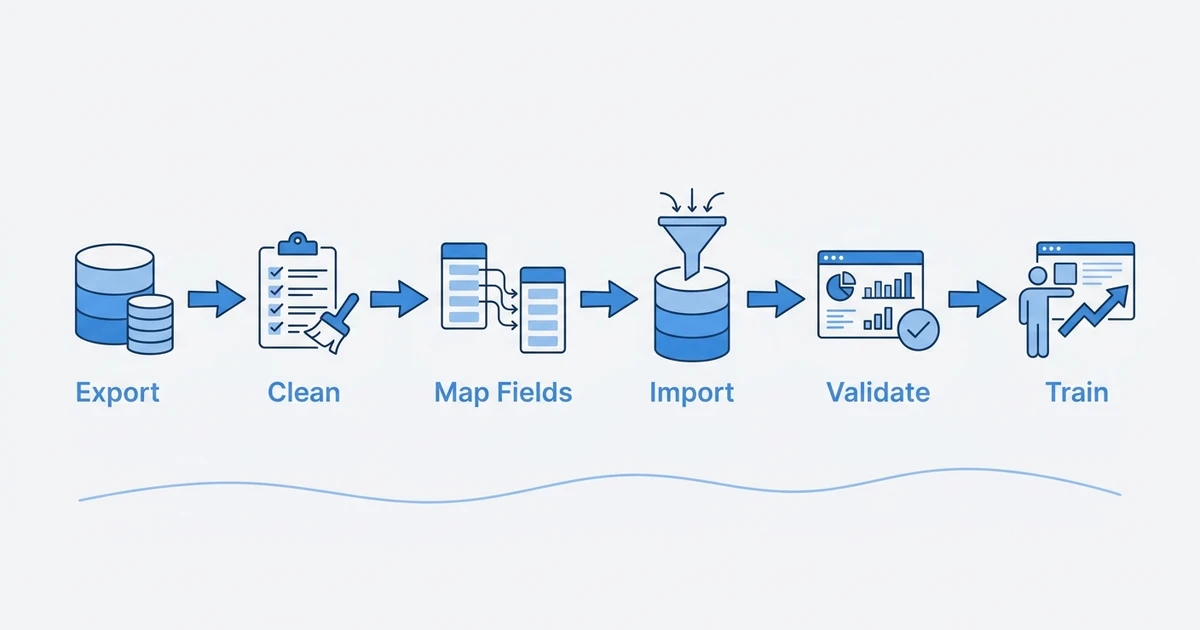
The service matters because recruiting data is messy. Candidate records may have duplicates. Client contacts may be attached to old companies. Jobs may use inconsistent stages. Notes may be hidden in activities. Attachments may not match the right record.
A simple import tool can move rows from one file to another. A real migration service helps your agency decide what should move, what should be cleaned, what should be archived, and how recruiters will work after launch.
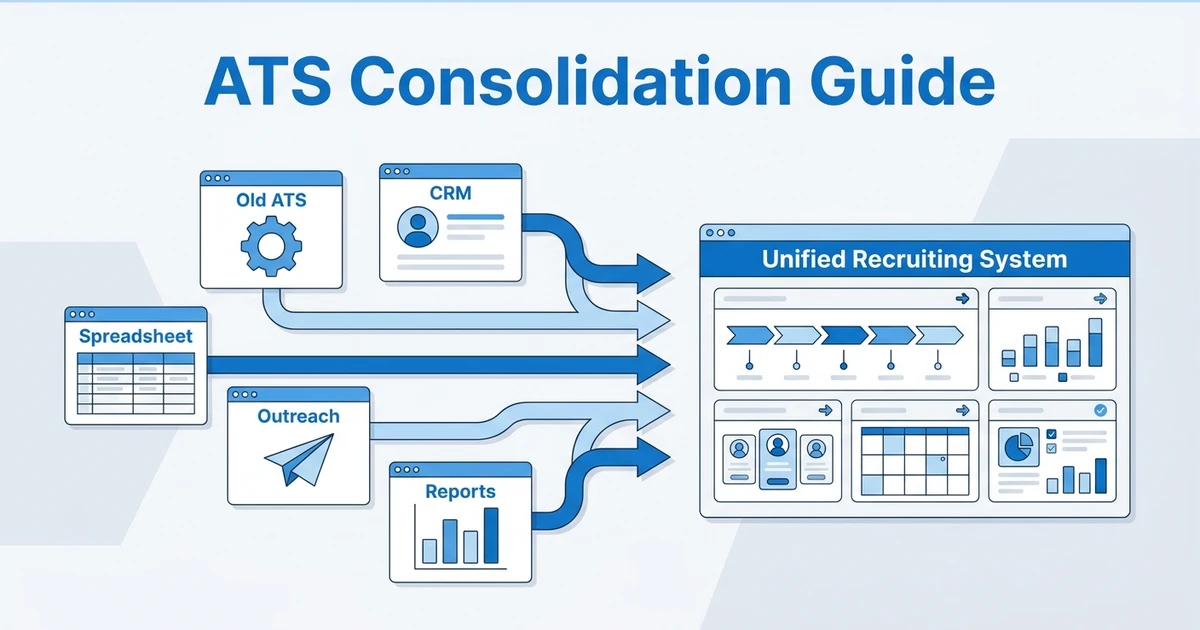
This distinction matters even more when agencies consolidate tools. Zylo’s 2026 SaaS Management Index focuses on cost volatility and visibility challenges in modern software environments according to Zylo. For agencies, migration should reduce software confusion, not carry the old mess into a new system.
Why recruitment agencies need migration support
Recruitment agencies need migration support because ATS data is operational data. It affects open jobs, active candidates, client relationships, ownership, follow-up history, compliance notes, reports, and recruiter trust.
If the migration is sloppy, recruiters go back to spreadsheets. They keep old exports on their desktop, rebuild lists, and stop trusting the new platform. That damages adoption before the system has a chance to prove itself.
Speed is also part of the business case. Deloitte found that 7 in 10 business leaders see being fast and nimble as their primary competitive strategy over the next three years according to its 2026 Global Human Capital Trends survey. A migration that drags on or creates downtime hurts exactly the speed your agency is trying to improve.
Good migration support also protects future automation. AI matching, workflow automation, and reporting work better when migrated data is clean, mapped, and usable.
Quick comparison: Best ATS migration services
| Rank | Service option | Best fit | Main migration value | Pricing note |
|---|---|---|---|---|
| 1 | ATZ CRM zero-downtime migration | Agencies moving to ATZ CRM | Destination-led ATS plus CRM migration | Included or scoped by project |
| 2 | Bullhorn migration ecosystem | Enterprise staffing firms | Large staffing platform migration support | Quote-based |
| 3 | ATZ CRM Recruit CRM migration support | Agencies switching from Recruit CRM | Platform-specific switch planning | Scoped by project |
| 4 | ATZ CRM Vincere migration support | Agencies switching from Vincere | Platform-specific staffing data migration | Scoped by project |
| 5 | CSV and spreadsheet import services | Small teams with simple data | Low-complexity imports | Low or included, depending on platform |
| 6 | API migration partner | Complex data environments | Custom migration and integrations | Quote-based |
| 7 | Candidate database cleanup service | Messy legacy databases | Deduplication and cleanup before import | Project-based |
| 8 | Recruitment CRM data migration service | Agencies moving sales and recruiting data | Candidate plus client relationship migration | Scoped by data complexity |
| 9 | Sample migration and validation service | Risk-averse teams | Test import and record validation | Included or project-based |
| 10 | Onboarding and workflow training service | Teams focused on adoption | Post-migration process setup | Included or package-based |
Best 10 migration services for recruitment agencies
1. Destination-led platform migration
Service model reviewed: ATZ CRM zero-downtime migration.
Overview: ATZ CRM’s zero-downtime data migration is best for recruitment agencies that want the migration service and the new ATS plus CRM destination handled together. It is especially useful when your agency wants to move away from spreadsheets, legacy ATS tools, or disconnected ATS and CRM workflows.
The advantage of destination-led migration is context. The team does not only move data into fields. It helps map data into the workflow recruiters will use after launch.
What it covers:
- Candidate, client, contact, and job data
- Notes, activities, tags, and custom fields
- Migration from spreadsheets and legacy systems
- Workflow setup in an ATS plus CRM destination
- Validation and launch planning
- Support for recruiter adoption after migration
Pros:
- Migration and destination platform are connected
- Strong fit for recruitment agency workflows
- Reduces handoff risk between vendors
- Supports ATS plus CRM consolidation
- Helps teams avoid avoidable downtime
Cons:
- Best fit when ATZ CRM is the destination platform
- Very complex legacy databases still need careful scoping
- Data cleanup before migration remains important
Pricing: Migration support is scoped around the project and destination plan. ATZ CRM platform pricing starts at $12/user/month on annual billing according to ATZ CRM pricing.
2. Enterprise staffing migration ecosystem
Service model reviewed: Bullhorn migration ecosystem.
Overview: Bullhorn migration support is best for enterprise staffing firms moving into or within the Bullhorn ecosystem. It can make sense for larger teams with complex staffing operations, multiple offices, integrations, and reporting needs.
The fit depends on agency size and operational complexity. Smaller agencies should review whether enterprise migration complexity matches their actual workflow needs.
What it covers:
- Enterprise staffing data migration
- Candidate and client records
- Job and placement data
- Integration planning
- Implementation support
- Reporting and workflow setup
Pros:
- Strong enterprise staffing ecosystem
- Useful for larger or multi-office firms
- Can support complex implementations
- Works well when the organization is already committed to the platform
Cons:
- Can feel heavy for smaller agencies
- Cost and timeline may require careful planning
- Migration scope depends on ecosystem and package
- Recruiter adoption may need structured change management
Pricing: Pricing is typically quote-based. Agencies should confirm implementation, migration, integrations, reporting, and support costs before committing.
3. Recruiting CRM switch support
Service model reviewed: ATZ CRM Recruit CRM migration support.
Overview: This service is best for agencies switching from Recruit CRM to ATZ CRM. It supports a platform-specific move where candidate records, client records, jobs, notes, ownership, and workflow details need to be reviewed before import.
Platform-specific migration matters because every system stores data differently. A field that looks simple in one platform may need mapping, cleanup, or restructuring in the destination system.
What it covers:
- Candidate and contact exports
- Company and client data mapping
- Jobs, notes, activities, and ownership review
- Field mapping into ATZ CRM
- Sample import and validation
- Recruiter workflow setup after migration
Pros:
- Designed around a real switch scenario
- Helps agencies avoid generic import mistakes
- Supports CRM and ATS data together
- Good fit for agencies that want a more connected workflow
Cons:
- Only relevant when switching to ATZ CRM
- Source data quality can affect scope
- Attachments and historical activity may need special review
Pricing: Pricing depends on data volume, complexity, and the ATZ CRM plan selected. Agencies should request a migration review before finalizing scope.
4. Staffing platform switch support
Service model reviewed: ATZ CRM Vincere migration support.
Overview: This service is best for agencies moving from Vincere to ATZ CRM and wanting to preserve staffing workflow context. The migration should account for candidates, companies, jobs, placements, notes, activities, tags, and reporting structure.
It is useful when the goal is not only to move data but also to simplify the operating model. A switch project should retire old complexity, not reproduce it field by field.
What it covers:
- Candidate and company records
- Job and placement-related data
- Notes, activities, and custom fields
- Stage and status mapping
- Data validation
- Workflow setup in ATZ CRM
Pros:
- Useful for agencies simplifying staffing operations
- Supports ATS plus CRM destination workflows
- Helps reduce risk around custom fields and status mapping
- Can include post-migration adoption planning
Cons:
- Requires source data review
- Not every old workflow should be recreated
- Complex reporting history may need separate scoping
Pricing: Pricing is scoped by data volume, field complexity, and the ATZ CRM destination plan. Agencies should confirm what historical data and attachments need to move.
5. CSV and spreadsheet import
Service model reviewed: CSV and spreadsheet import services.
Overview: CSV and spreadsheet import services are best for small agencies with simple data. If your old system is mostly candidate lists, client contacts, and basic notes, a structured import can be enough.
This model is risky when data includes complex relationships. If candidates connect to multiple jobs, notes, submissions, attachments, and owners, a self-serve import can lose important context.
What it covers:
- Candidate spreadsheets
- Contact and company lists
- Basic field mapping
- Tags and simple statuses
- Import templates
- Basic validation
Pros:
- Lower cost than complex migration projects
- Fast for simple datasets
- Useful for solo recruiters and small teams
- Helps teams leave spreadsheets behind
Cons:
- Limited support for relationships between records
- Manual cleanup is still required
- Attachments and activity history may not migrate well
- Easy to import bad data if no validation happens
Pricing: Pricing is often included with the destination platform or offered as a low-complexity setup service. Agencies should confirm record limits, field limits, and validation support.
6. Custom API migration
Service model reviewed: Integration and API migration partner.
Overview: API migration partners are best for agencies with complex systems, custom fields, integrations, data warehouses, or multiple sources of recruiting data. They can move data through APIs, transform records, and connect systems during the migration.
This model is powerful but should be used only when the complexity is real. A custom API project can be too much for a small agency that simply needs a clean ATS plus CRM import.
What it covers:
- API-based extraction and import
- Custom field transformation
- Multi-system data mapping
- Integration planning
- Error handling
- Technical validation
Pros:
- Handles complex environments
- Useful for custom systems
- Can preserve relationships between records
- Supports phased migration and integration work
Cons:
- Usually more expensive
- Requires technical scoping
- Timeline can expand if source systems are messy
- Not always needed for standard agency migrations
Pricing: Pricing is usually quote-based and depends on systems, APIs, record volume, field mapping, testing, and support. Agencies should request a clear scope before starting.
7. Candidate database cleanup
Service model reviewed: Candidate database cleanup service.
Overview: Candidate database cleanup is best when your old ATS has duplicates, stale records, inconsistent statuses, bad tags, missing owners, or unusable custom fields. It should happen before migration, not after launch.
Cleaning the database first makes the new platform easier to trust. Recruiters are more likely to adopt the system when they are not greeted by old clutter.
What it covers:
- Duplicate candidate detection
- Field cleanup
- Status and tag review
- Stale record identification
- Owner and source checks
- Import-ready data preparation
Pros:
- Improves migration quality
- Reduces clutter in the new system
- Helps AI matching and search work better
- Makes reporting more reliable after launch
Cons:
- Takes time before the migration starts
- Requires business rules from the agency
- Some historical data may need to be archived
- Cleanup decisions can be political inside teams
Pricing: Pricing is usually project-based and depends on record volume, data quality, and cleanup depth. Agencies should define what counts as stale, duplicate, incomplete, or archive-only data.
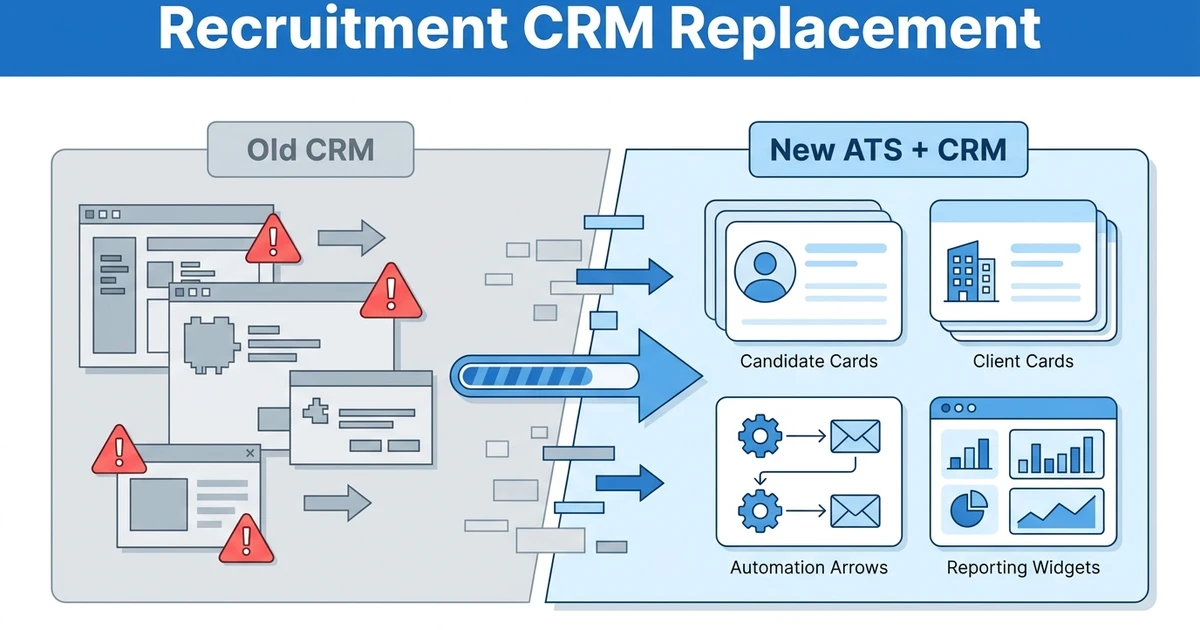
8. CRM plus ATS data migration
Service model reviewed: Recruitment CRM data migration service.
Overview: Recruitment CRM data migration is best when your agency needs to move both candidate data and client relationship data. This is common when the old setup has one ATS for candidates and another CRM or spreadsheet for companies, contacts, deals, and follow-ups.
This migration type matters because agency recruiting is a two-sided relationship business. Candidate data without client data does not give recruiters the full picture.
What it covers:
- Candidate and client records
- Company and contact relationships
- Deals, jobs, and pipeline stages
- Notes and follow-up history
- Custom CRM fields
- Ownership and activity mapping
Pros:
- Preserves client relationship context
- Supports sales and recruiting workflows together
- Helps agencies consolidate systems
- Improves reporting after migration
Cons:
- More complex than candidate-only imports
- Requires careful field mapping
- Old CRM data may need cleanup
- Some historical activity may be hard to preserve
Pricing: Pricing depends on data sources, record relationships, custom fields, and destination workflow design. Use ATZ CRM’s recruitment CRM data migration page to scope this type of move.
9. Sample migration and validation
Service model reviewed: Sample migration and validation service.
Overview: Sample migration is best for agencies that want proof before moving everything. It uses a smaller dataset to test field mapping, record relationships, attachments, notes, statuses, and reporting output.
This is one of the simplest ways to reduce migration risk. A sample import shows what will break before the full migration puts recruiter work at risk.
What it covers:
- Sample candidate and client records
- Field mapping test
- Record count validation
- Status and tag checks
- Attachment review
- User acceptance testing
Pros:
- Catches problems early
- Builds confidence with stakeholders
- Helps recruiters preview the new workflow
- Reduces full-migration surprises
Cons:
- Adds a step before full migration
- Sample data must be representative
- Agencies still need a full validation plan
- It does not replace final quality control
Pricing: Some vendors include sample migration in onboarding, while others scope it as part of the migration project. Confirm whether sample testing is included before signing.
A pilot is also useful for internal alignment. Recruiters can review sample records, managers can confirm reporting fields, and operations can check whether ownership, statuses, and notes make sense in the new workflow.
If the pilot exposes messy data, treat that as a win. It is better to find missing owners, broken statuses, or unusable notes during testing than after recruiters have already moved live work into the new platform.
10. Post-migration onboarding
Service model reviewed: Onboarding and workflow training service.
Overview: Post-migration adoption support is best for agencies that know data movement is only half the project. Recruiters need to understand where records live, how stages work, how to log activity, how to report issues, and how to trust the new system.
Without adoption support, a technically successful migration can still fail. The data may be in the new system, but recruiters may continue using old workarounds.
What it covers:
- Recruiter training
- Workflow setup
- Manager reporting review
- Role and permission guidance
- Post-launch issue tracking
- Adoption check-ins
Pros:
- Improves recruiter adoption
- Reduces shadow spreadsheets
- Helps managers enforce the new workflow
- Turns migration into an operating change, not just a data task
Cons:
- Requires team time
- Leaders must enforce process changes
- Training needs to match real agency workflows
- Adoption can slip if managers do not use reports
Pricing: Pricing may be included in onboarding or sold as an implementation package. Agencies should confirm training sessions, support channels, and post-launch review windows.
Compare your current setup with ATZ CRM’s zero-downtime migration workflow if your migration goal is fewer tools, cleaner data, and a recruiter-friendly ATS plus CRM.
Best migration services by agency scenario
Choose ATZ CRM zero-downtime migration if you want the migration partner and new ATS plus CRM destination aligned. This is the safest fit when your agency wants to consolidate data and workflow at the same time.
Choose enterprise ecosystem support if your agency is already committed to a large staffing platform and has complex branch, finance, integration, or reporting requirements. Budget time for governance and change management.
Choose CSV import if your data is simple. This works for small teams that mainly need to move candidates, contacts, and basic notes.
Choose an API migration partner if your data lives in multiple systems or requires custom transformation. This is best for complex environments, not ordinary spreadsheet-to-ATS moves.
Choose cleanup and sample migration services when data quality is the biggest risk. A clean, tested migration is better than a fast import that recruiters do not trust.
How to choose an ATS migration service
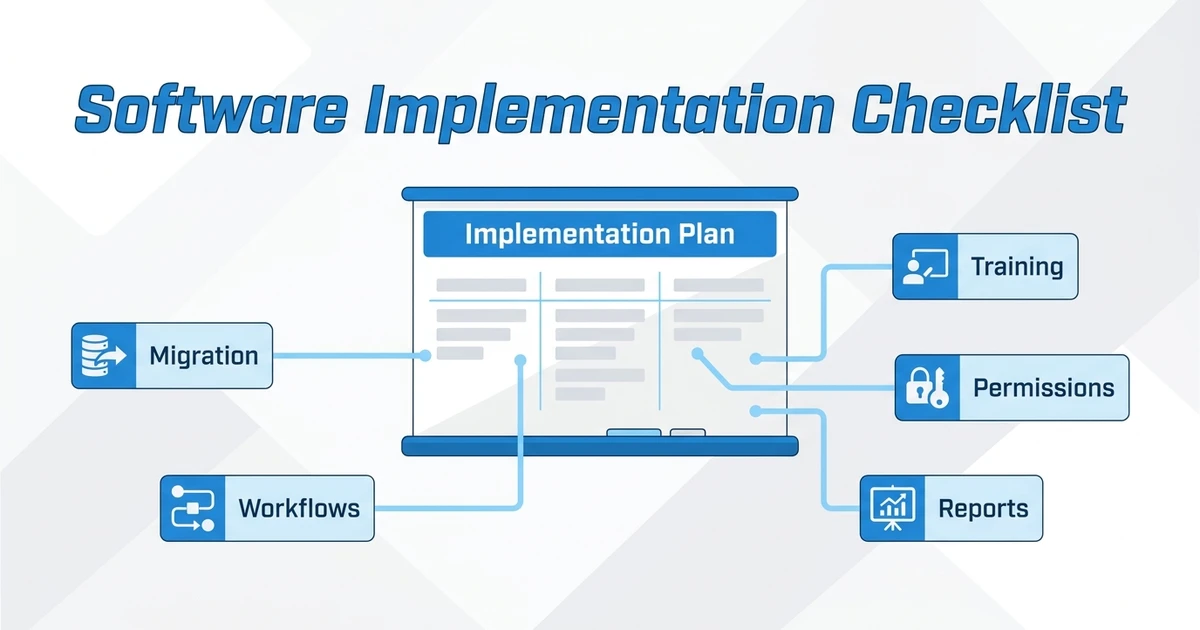
Start by listing every data type that matters: candidates, clients, contacts, jobs, notes, activities, attachments, submissions, tags, owners, custom fields, consent fields, and pipeline stages.
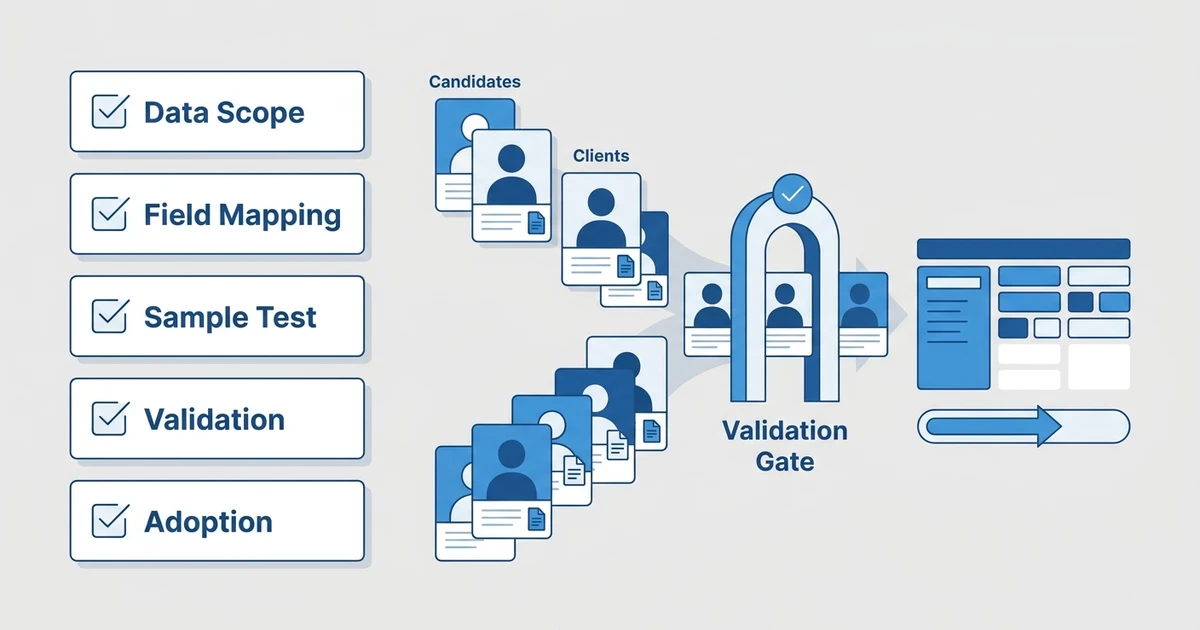
Then classify each field into keep, clean, archive, or drop. Do not migrate every historical field just because it exists. Old clutter can make a new platform feel broken on day one.
Use this checklist:
- Does the service understand recruitment agency workflows?
- Can it migrate both candidate and client data?
- Does it include field mapping and validation?
- Can it run a sample migration before the full move?
- Does it include post-migration training?
- Can it support reporting setup after migration?
- Does pricing account for data complexity, not just record count?
Use ATZ CRM’s data migration checklist for recruitment agencies before finalizing scope. The checklist helps you catch hidden data issues before they become launch problems.
Is ATZ CRM right for your ATS migration?
ATZ CRM is right for your migration if your agency wants recruitment ATS migration support and a modern ATS plus CRM destination in the same project.
It is especially useful if your current setup splits candidates, clients, jobs, outreach, reporting, and follow-up across several tools. A migration should not only move records. It should give recruiters a cleaner way to work after launch.
ATZ CRM may not be the right fit if your main migration need is a custom enterprise data warehouse project with no intent to switch recruiting platforms. In that case, an API migration partner or BI consultant may be more relevant.
If you are still deciding whether to consolidate platforms first, compare this article with the ATZ CRM guide to ATS consolidation platforms. That will help you separate platform selection from migration execution.
Frequently Asked Questions
What are the best ATS migration services?
The best ATS migration services include destination-led migration, enterprise migration support, platform-specific switch support, CSV import, API migration partners, candidate database cleanup, recruitment CRM migration, sample migration, and post-launch training. ATZ CRM is the best fit when you want migration support tied to a new ATS plus CRM platform.
What data should an ATS migration include?
An ATS migration should include candidates, clients, contacts, jobs, notes, activities, owners, tags, attachments, custom fields, consent fields, and pipeline stages where possible. The final scope should depend on what recruiters actually need after launch.
How long does ATS migration take?
The timeline depends on data volume, data quality, source system access, custom fields, attachments, integrations, and validation. A small spreadsheet import may be quick, while a complex ATS plus CRM migration needs mapping, sample testing, cleanup, and training.
Can ATZ CRM migrate data from another recruitment platform?
Yes. ATZ CRM supports data migration from recruitment platforms, spreadsheets, and legacy systems. The migration review should cover candidate data, client records, jobs, notes, activities, attachments, custom fields, and workflow setup.
How do agencies reduce migration risk?
Agencies reduce risk by cleaning data first, mapping fields carefully, running a sample migration, validating record counts, training recruiters, and setting a clear launch process. The biggest mistake is importing everything without deciding what should be kept, cleaned, archived, or dropped.
Conclusion
The best migration service is not the one that promises the fastest import. It is the one that helps your agency move the right data into the right workflow with the least disruption to recruiters, candidates, clients, and reporting.
For many recruitment agencies, destination-led migration is the safer choice. The team helping you move the data also understands how the new ATS plus CRM should work after launch.
Book a migration review with ATZ CRM to map your current ATS data, CRM records, jobs, notes, activities, and custom fields before you switch platforms.