EN
EN DE
DE ES
ES FR
FR NL
NL PT
PT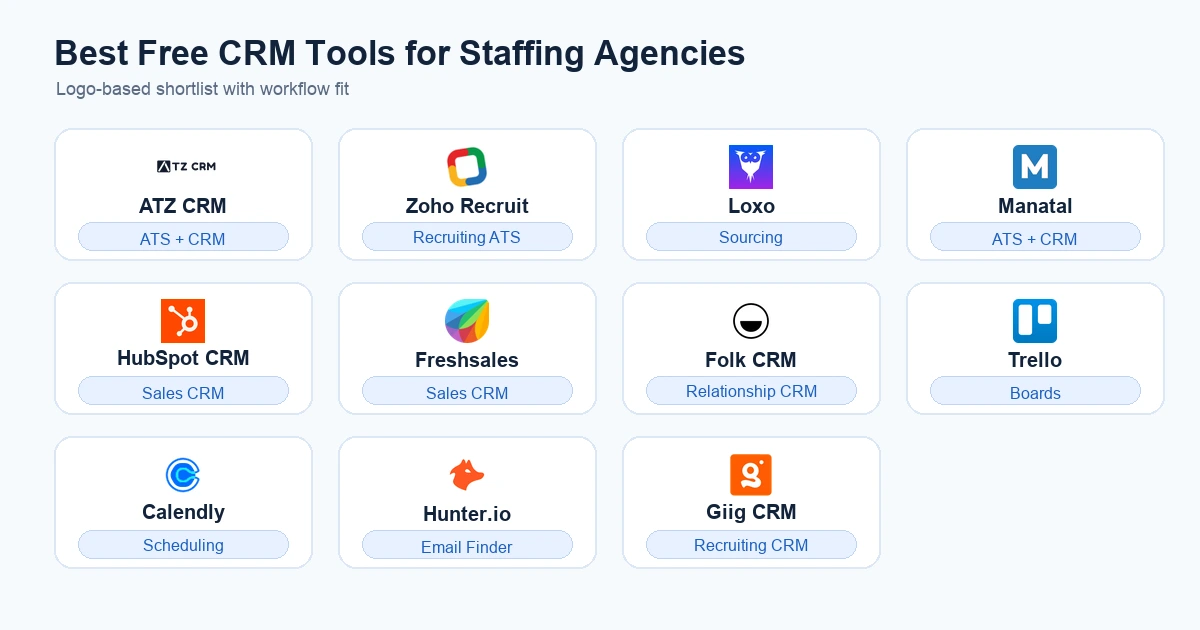



Quick Answer: The best free CRM for staffing agencies is the tool that can manage both client relationships and recruiting workflows, not just contacts. ATZ CRM is the strongest free-start option for agencies that need ATS, CRM, AI matching, job posting, outreach, and sales pipeline visibility in one workspace.
If you run a staffing agency, a free CRM is only useful if it helps you move faster on live jobs. A basic contact database may look fine on day one, but it will not help much when your team is tracking candidates, clients, job orders, submissions, interviews, follow-ups, and placement revenue.
That is why this guide compares free and free-start CRM options through an agency lens. The best options to evaluate are:
- ATZ CRM
- Zoho Recruit
- Loxo
- Manatal
- HubSpot CRM
- Freshsales
- Folk CRM
- Trello + Calendly + Hunter.io
- Giig CRM
What Is the Best Free CRM for Staffing Agencies?
The best free CRM for staffing agencies is not simply the CRM with the longest free-plan checklist. It is the tool that lets your agency manage client relationships and recruiting delivery without forcing your team into scattered notes, spreadsheets, and disconnected add-ons.
For a staffing agency, “CRM” has a wider meaning than it does for a normal sales team. You need client companies, hiring contacts, prospects, deals, job orders, candidate profiles, submissions, feedback, follow-up tasks, and revenue visibility connected.
Free can also mean different things. Some tools offer a free forever plan with strict user, contact, or feature limits. Some offer a free trial. Some offer an unlimited trial or free-start model that gives you time to build a real workflow before paying.
That difference matters. TechRadar’s 2026 free CRM review notes that free CRM plans often limit contacts, users, automation, analytics, or advanced features according to its free CRM software comparison. For staffing agencies, those limits can hit faster because every open job creates more candidates, notes, emails, and client activity.
The practical question is not “Which CRM is free?” The better question is: “Which free CRM can run an agency workflow long enough to prove itself?”
Quick Comparison: Best Free CRM Tools for Staffing Agencies
Use this table as a shortlist, not a final verdict. The right choice depends on whether you need a true recruitment workspace or a light contact and task system.
| Tool | Best fit | Free option type | Agency CRM fit | ATS depth | Main free-plan caveat |
|---|---|---|---|---|---|
| ATZ CRM | Staffing agencies that need ATS + CRM together | Free-start plan | Strong | Strong | Best evaluated around your real candidate, client, and job workflow |
| Zoho Recruit | Agencies already comfortable with the Zoho ecosystem | Free plan or trial depending on setup | Good | Good | Verify storage, portals, emails, and automation limits |
| Loxo | Search-focused teams that care about sourcing depth | Free or free-start option may vary | Good | Moderate to strong | Confirm what sourcing, outreach, and CRM features are included |
| Manatal | Small teams wanting affordable ATS + CRM basics | Free trial | Good | Good | Trial-based, so long-term use requires a paid plan |
| HubSpot CRM | Agencies wanting a clean sales CRM for business development | Free CRM plan | Moderate | Weak | Not built for candidate submissions or recruiting delivery |
| Freshsales | Small teams wanting a simple sales pipeline | Free CRM plan | Moderate | Weak | Recruiting workflows require manual setup and extra tools |
| Folk CRM | Relationship-led agencies managing networks and contacts | Free or trial-based entry may vary | Moderate | Weak | Useful for contacts, weaker for ATS and placement workflow |
| Trello + Calendly + Hunter.io | Solo recruiters assembling a free stack | Free tool stack | Light | Weak | Cheap to start, but data scatters quickly |
| Giig CRM | Agencies exploring recruiting CRM alternatives | Free or trial-based entry may vary | Moderate | Moderate | Verify CRM depth, reporting, migration, and support before committing |
The table shows the core trade-off. Generic CRMs can organize sales activity, but staffing agencies also need delivery visibility. A recruiting CRM should connect business development with candidate movement.
What Staffing Agencies Actually Need From a Free CRM
A staffing agency CRM should start with relationships, but it cannot stop there. You need to know which companies are prospects, which contacts own hiring decisions, which jobs are active, which candidates were submitted, and which follow-ups are due today.
At minimum, a free CRM for staffing agencies should support:
- Client and company records
- Contact history across email, calls, and meetings
- Sales pipeline or deal tracking
- Job order tracking
- Candidate profiles and pipeline stages
- Submission and feedback visibility
- Follow-up reminders and task ownership
- Email and calendar sync
- Search, filters, tags, or talent pools
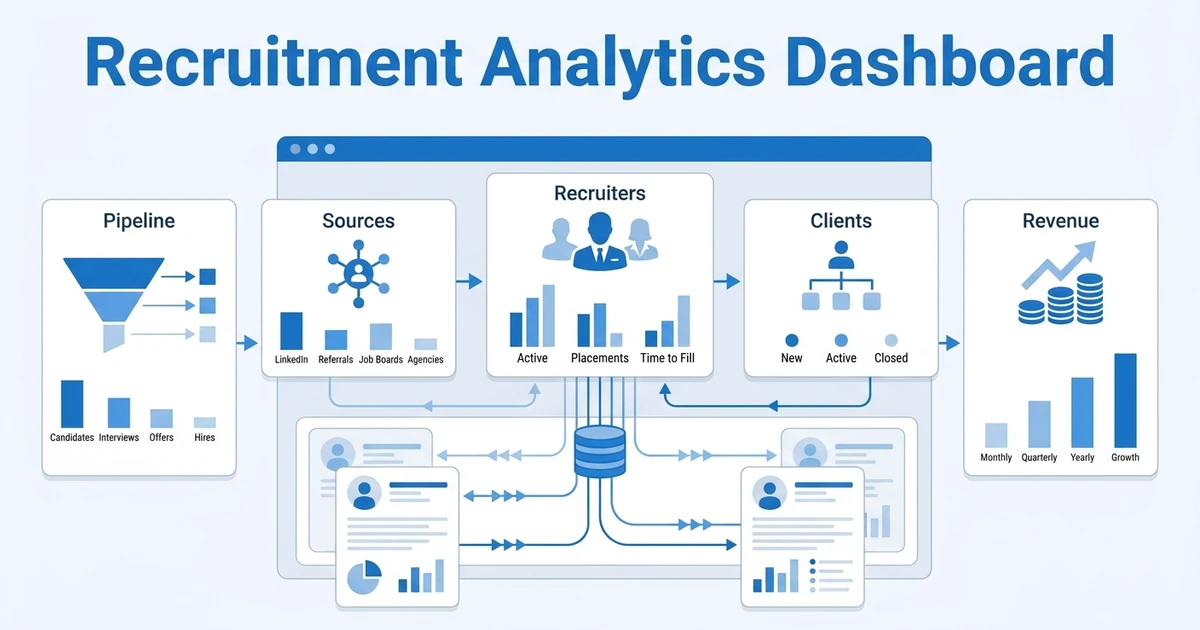
- Reporting for recruiter activity and placement movement
That is why a generic CRM can feel helpful for the first few weeks and then become frustrating. It may show your sales pipeline, but it will not show whether your recruiters have submitted enough qualified candidates for a live job. It may store hiring manager contacts, but it may not connect those contacts to roles, shortlists, interview stages, and placement outcomes.
The best free CRM for recruitment agencies should make the full workflow visible. Your business development work should not sit in one tool while candidate delivery sits somewhere else. The moment your team needs two systems and a spreadsheet to understand one job, your free CRM is creating hidden admin cost.
This is where recruitment CRM features become different from standard sales CRM features. Staffing agencies need client management, candidate communication, deal tracking, job context, and reporting in the same workflow.
Why Generic Free CRMs Break for Recruitment Agencies
Generic free CRMs usually break in quiet ways. They do not fail on the first day. They fail when a small agency starts adding more jobs, more candidates, more outreach, and more follow-up steps than the tool was designed to handle.
The Reddit threads you shared show the real pain. Small agencies often begin with a general CRM, a project board, a scheduling tool, an email finder, and manual notes. That can work for a founder-led desk, but the system starts to wobble when the agency needs call sync, document workflows, analytics, and shared visibility.
The most common failure points are:
- Manual data entry across candidates and clients
- Candidate notes stored outside the CRM
- No clean connection between job orders and submitted candidates
- No recruiting-specific metrics like time to placement or submissions per role
- No easy call logging or communication timeline
- No client feedback workflow
- No native way to manage documents, contracts, or placement records
- No practical reporting for recruiters, managers, and owners
This matters more now because recruiting teams are also adopting AI and automation faster. SHRM’s 2025 Talent Trends report says 43% of organizations use AI in HR tasks, up from 26% in 2024 according to its AI in HR research. If your CRM cannot centralize clean candidate and client data, AI features will have less useful context to work with.
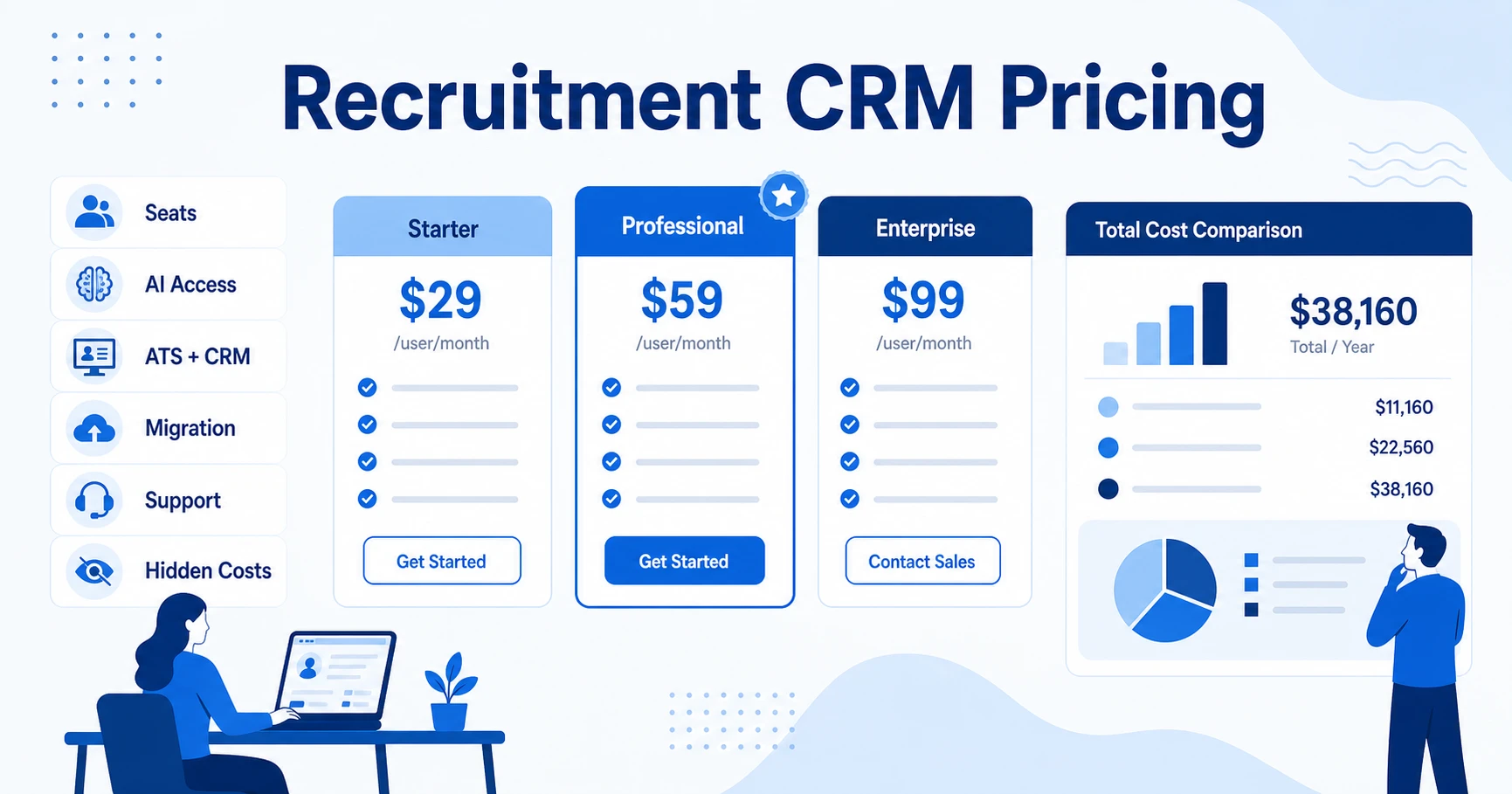
If your free CRM is already turning into spreadsheets, missed follow-ups, and scattered candidate notes, compare it with ATZ CRM pricing and free-start plans. You can see how candidate pipelines, client records, job postings, outreach, and reporting sit in one recruitment platform before your team builds another workaround.
Best Free CRM for Staffing Agencies: Tool-by-Tool Review
This section reviews each option through a staffing agency lens. The goal is not to crown every tool as “best.” The goal is to help you see what each tool does well, where the free option helps, and where your agency may outgrow it.
ATZ CRM
Best for: Staffing agencies that want ATS + CRM in one recruitment workspace
Free option type: Free-start plan for solo recruiters and small teams
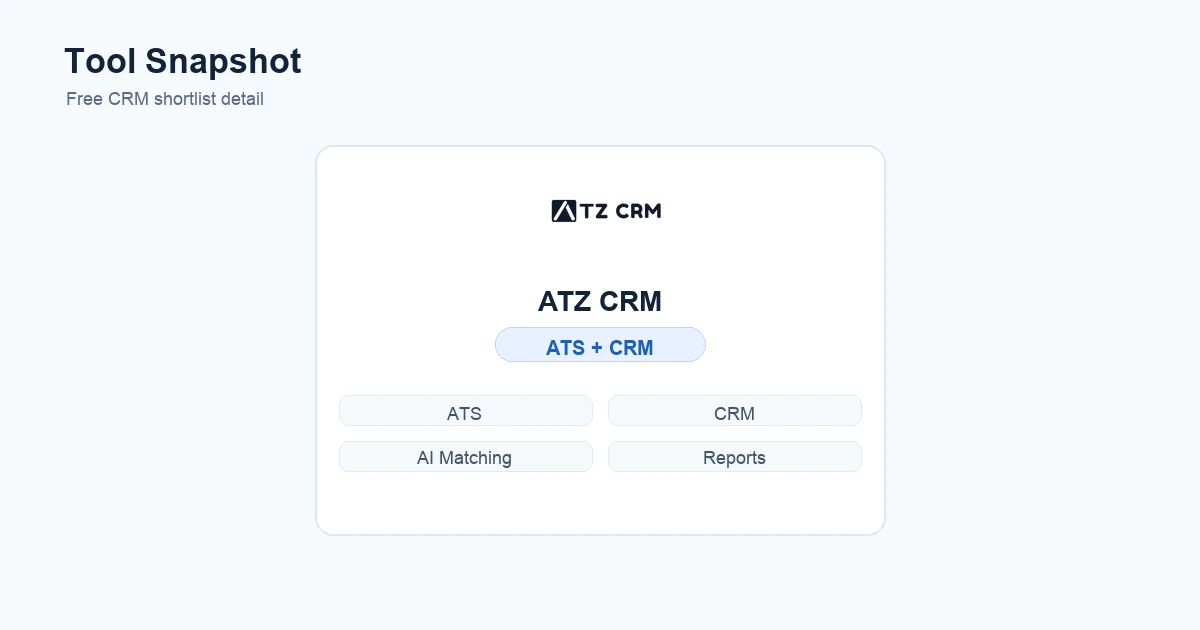
ATZ CRM is best for staffing agencies that want a free-start recruitment platform rather than a generic CRM. It combines Applicant Tracking System (ATS) workflows with client relationship management, so your team can manage candidates, companies, contacts, jobs, outreach, submissions, and reporting without stitching several tools together.
The free-start value is strongest for solo recruiters and small teams that need room to test a real workflow. ATZ CRM includes the candidate side and the client side: visual pipelines, AI matching, resume parsing, job board posting, email triggers, candidate outreach, sales pipeline, smart scheduling, and reporting. The Pro plan starts at $12 per user per month, and the pricing page explains the free-start path and plan structure on ATZ CRM pricing.
Who it is best for: ATZ CRM is a strong fit for solo recruiters, small recruitment agencies, and staffing teams that need one place to manage candidates and clients. It is especially useful when your current setup is a spreadsheet, a generic CRM, or a mixed stack.
Why it made the shortlist: It is built around the actual agency workflow. You are not only tracking sales prospects. You are also managing open jobs, candidate movement, outreach, submissions, client feedback, and reporting. That makes it more relevant for staffing agencies than a general CRM that needs heavy customization.
Key features for staffing agencies:
- ATS and CRM in one platform
- Candidate and client pipelines
- AI candidate matching and resume parsing
- Job board posting and candidate outreach
- Sales pipeline and follow-up tracking
- Email triggers, templates, and scheduling
- Reporting across candidates, clients, jobs, and team activity
What’s free: ATZ CRM is positioned around a free-start path for solo recruiters and small teams. The value is that you can test a real agency workflow before committing to a paid plan. Use the pricing page to confirm which features are active for your team and what you may need as your agency grows.
Pros:
- Designed for staffing and recruitment workflows
- Handles client-side CRM and candidate-side ATS together
- Useful for agencies moving away from spreadsheets
- Strong fit for teams that need job, candidate, and client visibility
- Clear upgrade path when the agency grows
Cons:
- More platform than you need if you only want a basic address book
- Teams should test their real workflow before deciding
- Agencies with heavy back-office needs should confirm the exact setup during demo
What works for staffing agencies is the connection between sales and delivery. A recruiter can manage client follow-ups, open jobs, candidate shortlists, outreach activity, and placement movement inside one platform.
The main caveat is fit. If you only want a lightweight address book, ATZ CRM may be more platform than you need. But if your team already feels the pain of generic CRM limits, the fit gets stronger because ATZ CRM is designed around staffing agency recruitment software rather than a general sales process.
Takeaway: ATZ CRM is the best overall free-start choice for staffing agencies that want ATS + CRM, not just contact management.
Best for Teams Already Using a Larger Business Suite
Zoho Recruit
Best for: Agencies that already use Zoho or want configurable ATS + CRM workflows
Free option type: Free plan or trial-based access depending on setup
Zoho Recruit is a sensible option for agencies that already use Zoho apps or want an ATS and CRM-style workflow inside a broader software ecosystem. If you are comparing it directly with ATZ CRM, use this side-by-side comparison before shortlisting. It can support candidate tracking, job publishing, candidate records, client relationships, and hiring pipelines, which makes it more relevant to agencies than a pure sales CRM.
Who it is best for: Zoho Recruit fits agencies that like configurable software and do not mind setting up fields, stages, templates, and automations. It can be useful for teams that already use Zoho products because the ecosystem familiarity reduces friction.
Why it made the shortlist: It is recruitment-specific enough to support agency operations better than a generic sales CRM. You can structure jobs, candidates, hiring stages, and client relationships in a way that maps more naturally to recruitment work.
Key features for staffing agencies:
- Candidate records and job tracking
- Applicant pipelines and hiring stages
- Resume parsing and candidate search
- Client and contact management
- Email templates and workflow automation options
- Career page and job posting capabilities
What’s free: Zoho Recruit lists a free edition with one active job per recruiter license, plus candidate management, email management, interview scheduling, and support on its official pricing page. Before committing, verify storage, active jobs, users, email, automation, portal access, and reporting limits directly inside the signup flow.
Pros:
- Recruitment-specific structure
- Strong ecosystem if you already use Zoho apps
- Configurable workflows
- Useful for agencies that want ATS and CRM basics together
Cons:
- Setup can feel heavy for small teams
- Some important features may sit behind paid plans
- Teams should watch storage, portal, email, and automation limits
- Support and customization experience can vary by plan
What works is the recruitment-specific structure. You are not forcing a standard sales CRM to pretend it understands candidates. That makes it easier to track applicant flow, role requirements, resumes, interviews, and client-facing work.
Where it can fall short is plan complexity. Staffing agencies should verify what is included in the free option, what is only available in trial or paid plans, and which features require upgrades. Pay close attention to storage, mass email, portals, automations, integrations, and reporting. Those are the areas where a small agency can feel boxed in after setup.
Takeaway: Zoho Recruit is a good option for agencies that value configurability and ecosystem depth. It is less attractive if you want a faster agency-specific workflow out of the box.
Best for Search-Led Recruiting Teams
Loxo
Best for: Search-led recruiting teams that care about sourcing and outreach
Free option type: Free or free-start access may vary by feature set
Loxo is often evaluated by search-focused recruiters because it brings sourcing, database search, outreach, and CRM-style workflows closer together. If Loxo is already on your shortlist, compare the positioning with ATZ CRM using this side-by-side comparison. For agencies that care heavily about building lists and finding passive candidates, this type of platform can feel more relevant than a standard free CRM.
Who it is best for: Loxo is most relevant for executive search, direct-hire recruiting, and sourcing-led agency teams. If your team spends a lot of time searching databases, building talent pools, and running outreach, it may feel more aligned with your day than a generic CRM.
Why it made the shortlist: Many free CRM lists focus on contact management. Loxo belongs here because staffing and recruiting agencies often need sourcing depth alongside relationship tracking. A CRM that helps you find and engage candidates can be more useful than one that only stores client contacts.
Key features for staffing agencies:
- Candidate database and search workflows
- Talent pool organization
- Outreach and engagement tools
- CRM-style contact and relationship tracking
- Pipeline visibility for search activity
- Useful structure for passive candidate recruiting
What’s free: Loxo lists a free forever plan with ATS, recruiting CRM, one user, unlimited jobs or projects, and Chrome extension importing on its official pricing page. Sourcing platforms often separate candidate database access, outreach volume, enrichment, automation, and reporting across different plan levels, so confirm what your team actually gets before building around it.
Pros:
- Strong fit for sourcing-led recruitment
- Better agency relevance than a generic sales CRM
- Useful for talent pools and passive candidate work
- Good match for search teams that need outreach structure
Cons:
- May be more sourcing-first than CRM-first
- Back-office staffing workflows may need other tools
- Free access may not include the depth your team expects
- Agencies should verify database, outreach, and reporting limits
What works for staffing agencies is the sourcing orientation. If your desk depends on proactive candidate discovery, talent pools, and outreach, a sourcing-led recruiting platform may help more than a generic contact manager.
Loxo may be a good fit for executive search or direct-hire teams that care more about sourcing depth than broad back-office coverage. It may be less ideal if your agency needs simple pricing, timesheets, invoicing, or a low-friction small-team CRM.
Takeaway: Loxo is worth evaluating if sourcing is the center of your agency workflow. Check the included sourcing, outreach, CRM, and reporting limits before building around it.
Best for Affordable ATS + CRM Basics
Manatal
Best for: Small and mid-sized teams wanting an affordable ATS + CRM setup
Free option type: Free trial
Manatal fits small and mid-sized teams that want a cleaner recruiting platform without enterprise complexity. If you are weighing it against ATZ CRM, start with this side-by-side comparison before the trial. It is usually considered for its ATS structure, candidate pipeline, AI-assisted matching, and straightforward setup.
Who it is best for: Manatal is a good fit for small agencies that want to move beyond spreadsheets and into a structured recruiting platform. It can work well for teams that need candidate pipelines, job tracking, search, and basic client-side context without a long implementation process.
Why it made the shortlist: It gives small teams a more recruitment-aware workflow than generic CRMs. Instead of forcing deals and contacts to represent jobs and candidates, you get recruiting stages that make more sense for day-to-day hiring.
Key features for staffing agencies:
- Candidate pipeline tracking
- Job and applicant management
- AI-assisted candidate recommendations
- Resume parsing and search
- Client and contact context
- Collaboration tools for hiring teams
What’s free: Manatal is primarily a trial-based option. Its official pricing page lists a 14-day free trial and says the Professional plan starts at $15 per user per month when billed annually. That makes it useful for a serious evaluation, but it is not the same as a free forever CRM.
Pros:
- Recruitment-specific workflow
- Cleaner fit than a generic sales CRM
- Good for small and mid-sized teams
- Useful AI-assisted matching and pipeline structure
Cons:
- Trial-based rather than a long-term free plan
- Agencies should verify email, automation, and integration limits
- May require a paid plan sooner than cost-sensitive teams expect
- Not ideal if you need a free tool indefinitely
What works for staffing agencies is the balance of hiring workflow and client-side CRM. A small team can manage jobs, candidates, pipeline stages, and client context more naturally than in a generic sales CRM.
The main caveat is the free model. Manatal is commonly evaluated through a trial, so it is not a free forever CRM. That is fine if you are ready to test seriously and choose quickly, but it may not satisfy agencies searching for a long-term free setup.
You should also verify email limits, automation depth, integrations, reporting, and client collaboration features before committing. A small agency can live with a simple setup, but only if it does not block the daily workflow around submissions, feedback, and follow-ups.
Takeaway: Manatal is a good trial-based option for smaller agencies that want recruiting structure and can move to a paid plan when the evaluation ends.
Best for Client Business Development
HubSpot CRM
Best for: Client business development and sales pipeline tracking
Free option type: Free CRM plan
HubSpot CRM is one of the best-known free CRM options for contact management, sales pipeline tracking, email logging, meeting scheduling, and basic business development. For a staffing agency owner building a client prospecting process, it can be useful.
Who it is best for: HubSpot CRM fits staffing agency founders who want to organize business development before they invest in a recruitment platform. If your immediate problem is managing target accounts, sales calls, follow-up tasks, and client proposals, it can help.
Why it made the shortlist: It is a polished free CRM for sales teams. Many new agencies need to build a client pipeline before they have enough delivery volume to justify deeper recruiting software. HubSpot can bring structure to that early sales motion.
Key features for staffing agencies:
- Contact and company records
- Deal pipeline tracking
- Email logging and meeting scheduling
- Task reminders and follow-up activity
- Basic sales reporting
- Useful client prospecting structure
What’s free: HubSpot’s free tools page says the free plan is $0 per month for up to two users and does not require a credit card on its official pricing page. The key is understanding that the free plan is built for general sales, not staffing agency delivery.
Pros:
- Clean and familiar CRM experience
- Strong for client prospecting
- Useful email and meeting tools
- Good starting point for sales pipeline discipline
Cons:
- Not built for candidate submissions or job orders
- Recruiting delivery requires another system
- Reporting is sales-oriented, not placement-oriented
- Growing agencies may quickly need paid features or integrations
Where it falls short is recruitment delivery. HubSpot is not built to manage candidates, applications, job orders, submissions, interview feedback, or placements as a native staffing workflow. Even before free-plan limits matter, an agency may need extra tools for ATS work.
HubSpot can work if you only want a free sales CRM for business development. It becomes less efficient when recruiters need to connect clients, candidates, jobs, and placements.
Takeaway: HubSpot is strong for client-side sales activity, but it is not enough as the main recruiting CRM for most staffing agencies.
Best for Simple Sales Pipelines
Freshsales
Best for: Small agencies that need simple sales CRM structure
Free option type: Free CRM plan
Freshsales is a clean CRM option for small sales teams that want contact management, pipeline tracking, and basic communication visibility. If you are comparing it with ATZ CRM for recruiting use cases, review this side-by-side comparison first. For a staffing agency, it can help organize prospects, client accounts, and sales conversations.
Who it is best for: Freshsales is best for a new or small agency that wants to professionalize client follow-up. If you mainly need a place to track companies, contacts, opportunities, and next steps, it can work as a simple first CRM.
Why it made the shortlist: It appears in many free CRM comparisons because it gives small teams a straightforward way to manage sales conversations. For staffing agencies, that can help with business development, especially before the agency has a large candidate database or delivery team.
Key features for staffing agencies:
- Contact and account records
- Sales pipeline tracking
- Call and email activity visibility
- Tasks and reminders
- Basic reporting
- Useful structure for client prospecting
What’s free: Freshsales lists a free plan for up to three users, plus a 21-day free trial and no credit card requirement on its official pricing page. The free tier can help a small team start managing client relationships, but it is not a recruitment CRM.
Pros:
- Simple CRM setup
- Useful for moving away from spreadsheets
- Good for client-side pipeline tracking
- Cleaner than building a manual sales tracker
Cons:
- Not an ATS
- Candidate pipelines need workarounds
- Recruiting reports are not native
- Automation and team limits can matter quickly
The weakness is the same as most generic CRMs. It does not understand candidate pipelines, job orders, resumes, submissions, or recruiter performance by default. You can create custom fields, but those workarounds need discipline.
For an agency, the real test is whether the free version can support your actual handoffs, not just your contact list.
Takeaway: Freshsales is good for early client pipeline structure, but weak as a full staffing agency CRM unless paired with an ATS.
Best for Relationship-Led Recruiting
Folk CRM
Best for: Relationship-led recruiters managing warm networks
Free option type: Free or trial-based entry may vary
Folk CRM can appeal to recruitment founders who care about relationship mapping, lists, contact enrichment, and lightweight outreach. It is not a traditional ATS, but it can be useful for network-heavy recruiting and business development.
Who it is best for: Folk CRM fits relationship-led agencies that win business and candidates through warm networks. If your agency relies on founder relationships, investor introductions, community lists, or niche talent networks, it can help you keep those contacts organized.
Why it made the shortlist: Many early recruitment agencies do not begin with a formal ATS. They begin with relationships. Folk gives those teams a cleaner way to manage contacts, lists, notes, and outreach than a spreadsheet.
Key features for staffing agencies:
- Contact and company organization
- Relationship notes and segmentation
- List building for prospects and candidates
- Lightweight outreach workflows
- Useful structure for warm business development
- Simple interface for small teams
What’s free: Folk’s official pricing page presents paid Standard, Premium, and Enterprise tiers with a try-for-free entry point. The important question is not only whether you can start for free. It is whether the entry-level setup gives you enough records, collaboration, enrichment, and export flexibility for your agency’s relationship data.
Pros:
- Strong for relationship tracking
- Useful for founder-led agencies
- Easier than a spreadsheet for contact lists
- Good for warm outreach and network organization
Cons:
- Not a traditional ATS
- Weak for job orders, submissions, and placements
- Reporting is not built around recruiter performance
- Requires extra structure for end-to-end recruiting
Where it can fall short is the operational layer. A staffing agency still needs live job tracking, candidate submission status, client feedback, interview movement, and placement reporting.
Before choosing Folk, check calling, email sync, document workflows, reporting, and export options. Also test whether your team can model both client and candidate journeys without awkward custom fields.
Takeaway: Folk is useful for relationship-heavy agencies, but it needs extra structure if you want to run end-to-end recruiting operations.
Best Free Stack for Solo Recruiters
Trello + Calendly + Hunter.io
Best for: Solo recruiters testing a niche before buying software
Free option type: Free tool stack with separate limits
Trello + Calendly + Hunter.io is not a CRM in the strict sense. It is a free or low-cost stack that solo recruiters sometimes use before they are ready for a recruiting platform.
Who it is best for: This stack fits a solo recruiter who is testing a market, running a few roles, or keeping overhead low before choosing a formal recruitment platform.
Why it made the shortlist: Your Reddit research showed this exact pattern: recruiters combine a project board, scheduling tool, email finder, and CRM-like notes to reduce spend. That behavior matters because many agencies do not buy software immediately. They assemble a free stack first.
Key features for staffing agencies:
- Trello can represent basic candidate or job stages
- Calendly can reduce scheduling friction
- Hunter.io can help with email discovery
- Simple enough for one recruiter to maintain
- Useful for very early-stage process testing
What’s free: Each tool has its own free or entry-level limits, so confirm the current details on the official pricing pages for Trello, Calendly, and Hunter.io. The catch is that the stack is free because it is not one system. You are trading software cost for manual coordination.
Pros:
- Very low cost to start
- Flexible for solo recruiters
- Easy to understand
- Useful before the agency has repeatable volume
Cons:
- Data gets scattered across tools
- No native recruiting CRM
- No unified reporting
- Hard to scale beyond one person
- Candidate, client, and job context can drift apart
The weakness is fragmentation. Candidate data sits in one place, scheduling in another, sourcing in another, and client notes somewhere else. Reporting becomes manual, and activity history gets incomplete.
This stack can be a good temporary bridge, but treat it that way. Once you have repeat jobs, multiple clients, and active candidate submissions, a real applicant tracking system for recruiters will save more time than a pile of free tools.
Takeaway: This is a good temporary setup for solo recruiters, but not a long-term CRM for staffing agencies that want repeatable operations.
Recruiting CRM Alternative to Validate Carefully
Giig CRM
Best for: Agencies comparing niche recruiting CRM alternatives
Free option type: Free or trial-based entry may vary
Giig CRM appears in search suggestions and can be worth checking if you are building a recruiting CRM shortlist. It is relevant because searchers looking for free recruiting CRM tools often compare niche recruitment platforms rather than only generic sales CRMs.
Who it is best for: Giig CRM may fit agencies that want a recruiting-focused tool and are still comparing newer or less obvious options. It is more relevant to this shortlist than a broad business CRM because the search intent is recruitment-specific.
Why it made the shortlist: Google search behavior shows people looking for this name alongside free staffing agency CRM queries. That does not automatically make it the best choice, but it does mean buyers may expect it to be addressed in a serious comparison.
Key features to verify for staffing agencies:
- Candidate and client record structure
- Job and pipeline management
- Outreach and communication tracking
- Reporting for recruiter activity
- Import, export, and migration options
- Support responsiveness for small teams
What’s free: Treat the free option as something to validate directly. Check whether the free or trial access includes enough workflow depth to test real jobs, candidates, contacts, and follow-ups.
Pros:
- Recruiting-specific positioning
- More relevant than a pure sales CRM
- May fit small agencies exploring niche tools
- Worth checking if it appears in your SERP research
Cons:
- Workflow depth needs validation
- Free-plan details may require direct checking
- Reporting and migration should be tested carefully
- Smaller teams should verify support quality before committing
The caveat is due diligence. Before choosing it, confirm the free option type, support availability, data migration, reporting depth, integrations, call and email logging, and whether it can handle both client CRM and candidate delivery.
It may fit a small agency that wants a niche recruiting tool and is comfortable validating features hands-on. It may be less attractive if you need clearer pricing, broader ATS depth, or a proven path from solo recruiter to growing team.
Takeaway: Giig CRM is a possible shortlist option, but verify workflow depth before treating it as your agency system of record.
Free CRM vs Free ATS vs Free Recruiting CRM
A free CRM, free ATS, and free recruiting CRM are not the same thing. The difference matters because staffing agencies sit between sales and delivery every day.
A CRM manages relationships. For your agency, that means client companies, hiring contacts, prospects, deals, follow-ups, and account history. It helps you win and retain business.
An Applicant Tracking System manages recruiting delivery. It tracks jobs, candidates, resumes, applications, interviews, submissions, offers, placements, and pipeline movement. It helps you fill roles.
A recruiting CRM connects those two sides. It helps you manage business development and candidate delivery in one workspace. That is the better fit for most staffing agencies because every placement depends on both a client relationship and a candidate workflow.
This is why a free recruitment CRM can be more valuable than a general free CRM. If the tool can connect candidates, clients, jobs, outreach, and reporting, your team has a clearer view of the whole desk. If it cannot, you may still need separate tools for delivery.
For a deeper market view, compare free recruitment software options and the recruitment CRM pricing checklist before you build your shortlist.
How To Choose a Free CRM for a Small Staffing Agency
The right free CRM should reduce admin without hiding the workflow your agency actually runs. Use the checklist below before you import your data.
- Check whether it supports candidates and clients. If the tool only handles companies and contacts, it may help sales but not recruiting delivery.
- Check job and pipeline limits. Your agency needs enough room for live roles, candidate stages, submissions, and follow-ups.
- Check email, calendar, and call sync. If recruiters still copy notes by hand, adoption will drop.
- Check reporting for placements and recruiter activity. Basic sales reports are not enough if you need source quality, submissions, interviews, and revenue movement.
- Check migration and export options. You should be able to leave cleanly if the tool stops fitting.
- Check what happens when the agency grows. A free plan that works for one recruiter may not work for a team.
The biggest red flag is a free CRM that looks generous but blocks the agency workflow. Watch for strict contact caps, limited pipelines, no automation, weak reporting, no shared inbox visibility, poor export options, or support that disappears unless you upgrade.
Also ask your team how the tool will behave during a busy week. Can recruiters see who was contacted? Can a manager see which jobs are stuck? Can a founder see where revenue is likely to come from? If not, the free plan may cost you time even if the invoice is zero.
Best Free CRM for Staffing Agencies in the US and UK
For US and UK staffing agencies, location is not the main issue. Workflow fit matters more than whether the CRM markets itself locally. Your agency needs clean email and calendar sync, responsive support, data privacy basics, recruiter-friendly reporting, and a setup that works across your actual client and candidate market.
US agencies often care about speed, volume, and source tracking. A CRM should help your team keep up with outreach, job postings, candidate movement, and client follow-up. If the platform cannot show recruiter activity and pipeline health, managers will end up rebuilding reports manually.
UK recruitment agencies often care heavily about relationship depth, repeat clients, compliance-conscious communication, and candidate ownership. A useful CRM should make it easy to track contact history, follow-ups, submissions, and client feedback without losing context between consultants.
ATZ CRM is available globally and built for recruitment agencies and staffing firms, including solo recruiters, small teams, mid-size agencies, and enterprise recruitment teams. The platform supports multi-language workflows and combines ATS, CRM, AI matching, outreach, reporting, and migration support in one system.
The practical takeaway is simple. Do not choose a CRM because it ranks for your country. Choose the one that can run your desk without forcing the team back into spreadsheets.
Is ATZ CRM Right for Your Staffing Agency?
ATZ CRM is a strong fit if your agency wants a free-start platform that covers both candidate delivery and client management. It is especially relevant if you are replacing spreadsheets, using a generic CRM that cannot handle recruiting workflow, or trying to connect business development with placements.
It is a good fit if you need:
- ATS + CRM in one workspace
- Candidate pipelines and client pipelines
- AI resume parsing and candidate matching
- Job board posting and candidate outreach
- Sales pipeline tracking
- Email triggers, templates, and scheduling
- Reporting across candidates, clients, jobs, and team activity
- A clear upgrade path from solo recruiter to growing agency
It may not be the first fit if you only need a basic address book, a project board, or a simple way to track a handful of contacts. In that case, a generic free CRM or free tool stack may be enough until your agency has more live roles and repeatable processes.
If you are actively comparing tools, use your real workflow as the test. Create a client, add a job, source candidates, submit a shortlist, chase feedback, schedule follow-ups, and check whether the reporting tells you what changed.
Before you commit to another free CRM, walk through ATZ CRM with your real agency workflow: open jobs, candidate submissions, client follow-ups, and reporting. Book a demo or review the free-start plan to see whether it fits your team.
Frequently Asked Questions
What is the best free CRM for staffing agencies?
The best free CRM for staffing agencies is the tool that can manage both client relationships and recruiting workflows. ATZ CRM is the strongest free-start choice if your agency needs ATS, CRM, AI matching, job posting, outreach, and sales pipeline visibility together.
Can a staffing agency use a generic free CRM?
Yes, a staffing agency can use a generic free CRM, especially at the founder-led stage. The risk is that generic CRMs usually do not manage job orders, candidate submissions, interview feedback, or placement reporting without workarounds.
What is the difference between a CRM and an ATS for staffing agencies?
A CRM manages relationships with clients, contacts, prospects, and opportunities. An ATS manages candidates, jobs, applications, interviews, and placements. A recruiting CRM connects both sides so your agency can manage sales and delivery together.
Is a free recruiting CRM enough for a small recruitment agency?
A free recruiting CRM can be enough if it supports your core workflow and gives you room to grow. It becomes risky when limits on users, records, automation, reporting, or exports force your team back into spreadsheets.
What free CRM features matter most for recruitment agencies?
The most important features are candidate and client records, custom pipelines, email and calendar sync, job order tracking, reminders, reporting, and easy data import. If the tool only stores contacts, it may not support staffing agency operations for long.
Which free CRM works for staffing agencies in the US or UK?
US and UK staffing agencies should choose based on workflow fit, support responsiveness, data privacy, email and calendar sync, job board workflows, and reporting. ATZ CRM is built globally for recruitment agencies that need both ATS and CRM in one workspace.
When should a staffing agency upgrade from a free CRM?
Upgrade when the free plan starts blocking daily work. Common triggers include adding recruiters, managing more active jobs, automating outreach, tracking more candidates, or reporting on placement revenue.
Choose a Free CRM That Can Grow With Your Agency
The cheapest CRM is not always the lowest-risk CRM. A free tool that keeps your team organized is valuable. A free tool that creates hidden admin, duplicate records, and missing follow-ups is expensive in a quieter way.
For staffing agencies, the best choice is usually the platform that connects clients, candidates, jobs, outreach, and reporting from the start. That is how you avoid rebuilding your process every time the agency grows.
If you want a free-start CRM built around recruitment work, ATZ CRM should be on your shortlist. Use ATZ CRM pricing and free-start plans to compare the workflow against your current setup, then test it with real clients, jobs, and candidate movement before you decide.