EN
EN DE
DE ES
ES FR
FR NL
NL PT
PT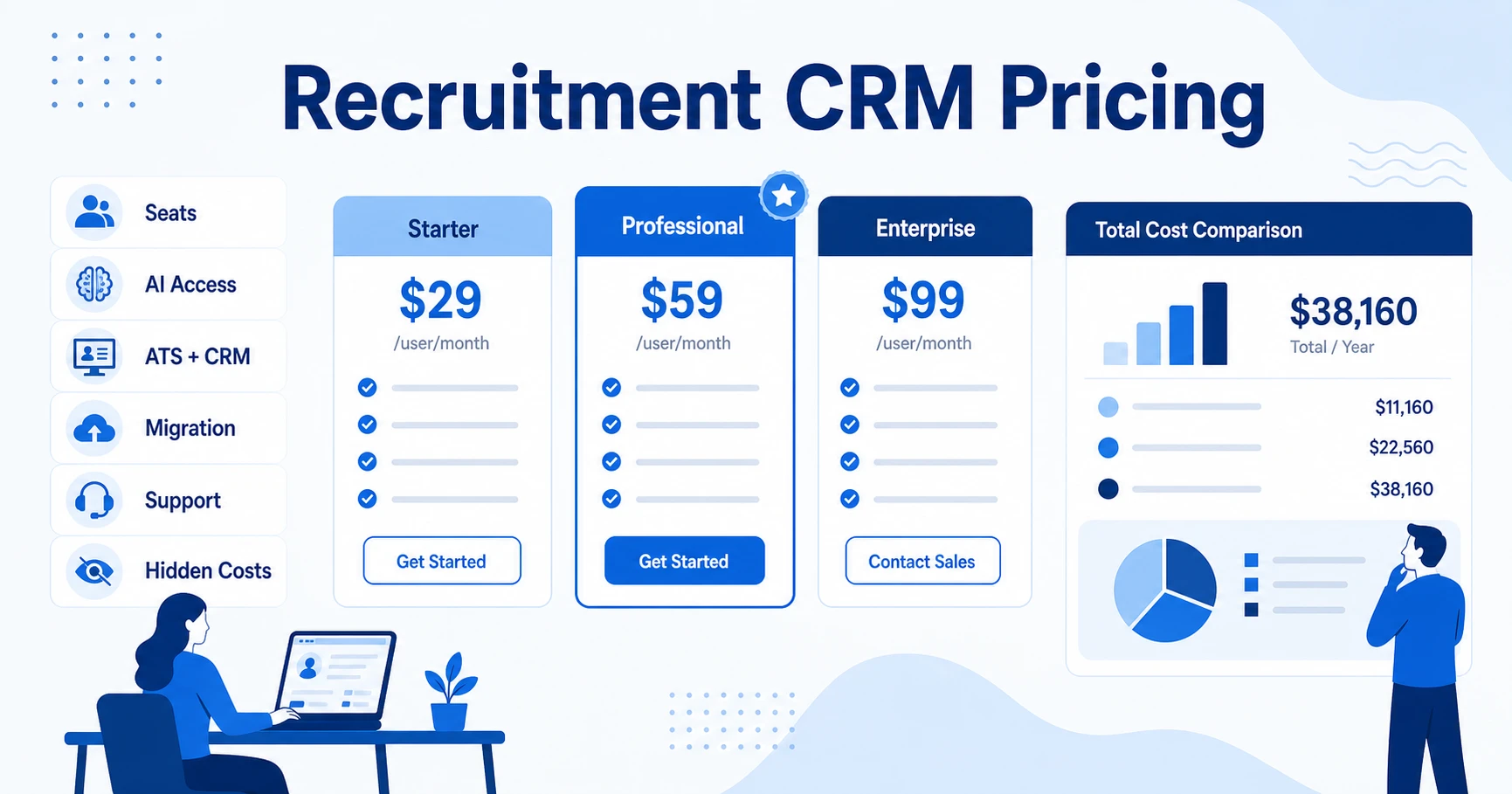



Quick Answer: Recruitment CRM pricing should be compared by total cost of ownership, not monthly user price alone. Agencies should check ATS + CRM coverage, AI features, automation, reporting, migration, support, and contract terms before buying.
Recruitment CRM pricing can look simple on a pricing page and still become confusing once your agency starts comparing features. A plan might advertise a low user price, then charge extra for AI, reporting, data enrichment, calling, texting, onboarding, or migration.
That is why the right question is not “What is the monthly price?” The better question is “What will this platform cost once my recruiters use it every day?”
What Does Recruitment CRM Pricing Usually Include?
Recruitment CRM pricing usually covers user seats, candidate and contact records, client management, deal or pipeline tracking, email workflows, reporting, and integrations. Some platforms include applicant tracking system workflows in the same plan. Others separate ATS and CRM features across tiers.
That difference matters for agencies. You are not only filling jobs. You are managing client relationships, candidate pipelines, sales activity, submissions, interviews, placements, and revenue. A generic CRM price does not tell you whether the tool can run recruiting work.
Applicant tracking systems can range from $0 to $125,000+ per year depending on scale, feature set, and pricing model according to SelectSoftware Reviews. That range is wide because vendors package seats, jobs, automation, implementation, and enterprise requirements differently.
Recruitment CRM Pricing Models Agencies Should Compare
Most agencies will see one of four pricing models: per-user monthly pricing, annual contracts, usage-based pricing, or custom enterprise pricing. Per-user pricing is easiest to compare, but it can still hide limits around AI, records, emails, or reporting.
Annual contracts can reduce the monthly equivalent, but they also reduce flexibility. Custom pricing may make sense for enterprise staffing teams, but smaller agencies should be careful when they cannot see the cost until late in the sales process.
| Pricing factor | What to check | Why agencies miss it |
|---|---|---|
| User seats | Monthly and annual per-user cost | Small teams scale faster than expected |
| AI features | Included, metered, or add-on | AI value disappears if every workflow costs extra |
| ATS + CRM coverage | One platform or separate modules | Agencies need both candidate and client workflows |
| Migration | Included or paid service | Data cleanup and import can become a hidden cost |
| Support | Live support, onboarding, and response times | Low-cost tools can become expensive if adoption stalls |
Software Advice notes that pricing models depend on software type, business size, features, user or applicant volume, vendor reliability, and required integrations in its applicant tracking pricing guide. Use that list as a reminder that price is never just the seat fee.
Hidden Costs That Make Recruiting Software More Expensive
Hidden costs usually show up after the demo. Common examples include onboarding, data migration, extra storage, advanced reporting, automation, API access, texting, calling, job board posting, AI sourcing credits, and support upgrades.
Crozdesk notes that ATS pricing varies by vendor strategy and capabilities, with some tools free and some costing as much as $400 per month on an annual plan in its 2026 pricing guide. That variation is exactly why agencies should compare what is included before they compare the headline number.
Ask these questions before you buy:
- Does the plan include both candidate ATS and client CRM workflows?
- Are AI matching, AI sourcing, and automation included or metered?
- Is migration included, supported, or billed separately?
- Are reporting dashboards available on the plan your team can afford?
- What happens to cost when you add recruiters, contacts, jobs, or outreach volume?
Compare ATZ CRM’s published Pro, Business, and Enterprise plans on the pricing page before you sit through another custom-pricing demo.
Feature Access: What Should Be Included in the Price?
A recruitment CRM should include more than contact storage. At minimum, agencies should expect candidate pipelines, client records, follow-up tracking, email workflows, reporting, job management, and searchable data.
For staffing and recruitment agencies, the real value comes from connected workflows. Your applicant tracking system should connect to your CRM, and your CRM should connect to revenue activity. Otherwise, your recruiters spend time updating systems instead of moving candidates and clients forward.
AI should also be evaluated by workflow, not by label. Ask whether AI can help with candidate matching, sourcing, content, meeting notes, application scoring, and recruiter productivity. If AI is only available in a top-tier package or credit bundle, include that in your total cost.
How ATZ CRM Keeps Pricing Clear for Agencies
ATZ CRM publishes pricing so agencies can evaluate fit before a sales call. Pro starts at $12/user/month, Business starts at $24/user/month, and Enterprise starts at $60/user/month on annual billing through the ATZ CRM pricing page.
The value is not only the price. The platform combines recruitment CRM for recruiters, ATS workflows, AI candidate matching, AI sourcing, workflow automation, reporting, and support in one operating system.
Business plan buyers get deeper workflows such as calling, recording, SMS texting, automated email sequences, reporting, custom roles, open API access, and unlimited candidate, contact, and deal storage. Enterprise adds LinkedIn and WhatsApp messaging, enrichment credits, AI sourcing credits, portals, custom integrations, white-label options, and calling or texting credits.
That makes the pricing conversation more practical. Instead of asking whether a tool is cheap, you can ask whether it replaces enough disconnected systems and manual work to justify the subscription.
Recruitment CRM Pricing Checklist Before You Buy
Use this checklist before you commit:
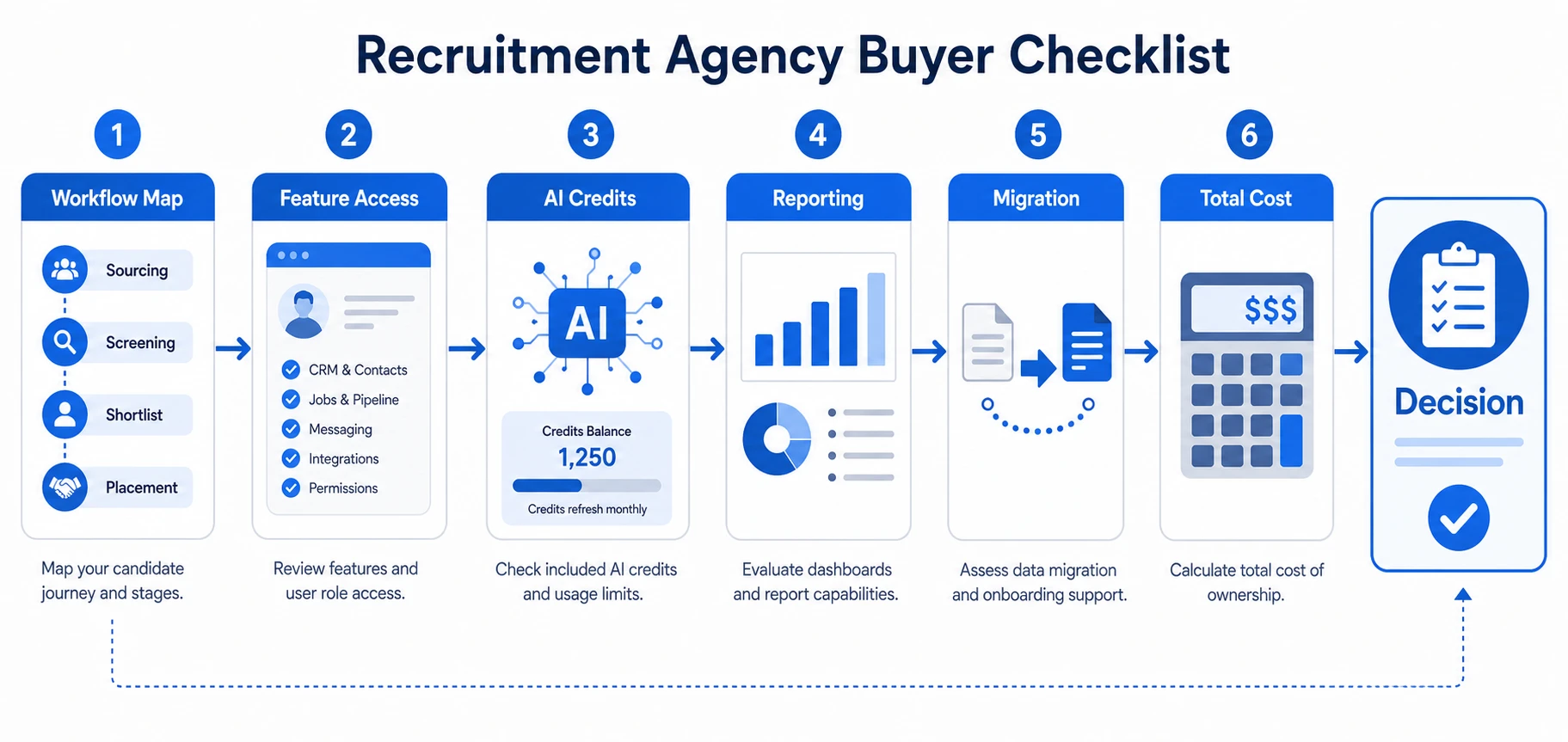
- Map the full recruiter workflow from client intake to placement.
- Confirm whether ATS and CRM features are included in the same plan.
- Ask which AI features are included and which use credits.
- Review reporting access, including reports and dashboards for pipeline and revenue visibility.
- Confirm migration support, especially if you need zero-downtime data migration.
- Calculate total cost after seats, add-ons, support, and implementation.
- Test the workflow with real recruiter tasks before signing.
SHRM’s buyer guidance for applicant tracking systems focuses on pricing models, upfront costs, subscription costs, and hidden fees in its 2026 pricing and features resource. That same discipline applies to recruitment CRM buying.
The best platform is the one that gives your recruiters the workflows they need without forcing your agency to bolt together tools after purchase. If you want to test the full workflow first, start a free trial and compare it against your current process.
Frequently Asked Questions
How much does recruitment CRM pricing usually cost?
Recruitment CRM pricing varies by seats, features, AI access, data storage, support, and implementation. Some tools publish monthly user pricing, while others use custom contracts that require a demo.
What should agencies compare beyond the monthly user price?
Compare ATS functionality, CRM workflows, AI features, reporting, migration, job posting, support, texting, calling, and automation. The cheapest plan can become expensive if daily recruiter workflows require add-ons.
Is recruitment CRM pricing different from ATS pricing?
Yes. ATS pricing often focuses on jobs, applicants, and hiring workflows, while recruitment CRM pricing should also cover clients, contacts, deals, candidate nurturing, and business development activity.
Should small agencies choose the cheapest recruitment CRM?
Not automatically. Small agencies should choose the platform that gives them the workflows they need now without forcing a painful migration later. Cheap software becomes expensive when recruiters stop using it or managers cannot see performance.
Does ATZ CRM publish pricing?
Yes. ATZ CRM publishes pricing for Pro, Business, and Enterprise plans, and agencies can start an unlimited free trial without a credit card. That makes it easier to compare value before booking a demo.
Final Takeaway
Recruitment CRM pricing is not just a seat cost. It is the cost of your agency’s daily operating system: candidate data, client relationships, recruiter activity, reporting, AI, migration, and support.
Book a 20-minute ATZ CRM demo to compare your current recruitment CRM cost against a unified ATS + CRM workflow with transparent pricing.