EN
EN DE
DE ES
ES FR
FR NL
NL PT
PT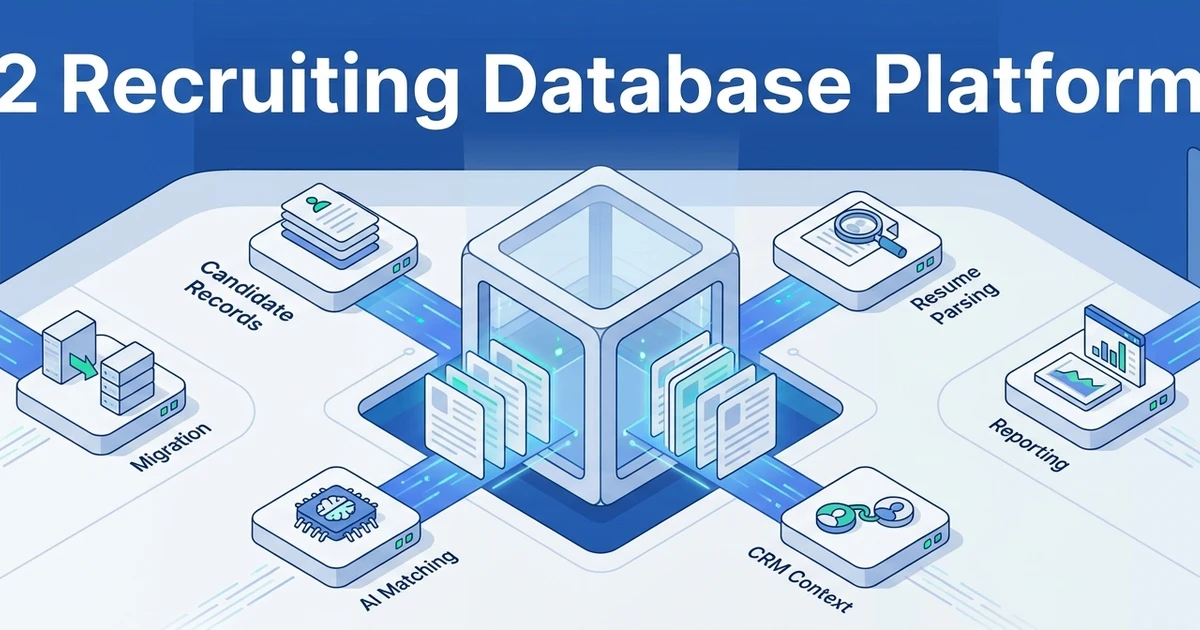



Quick Answer: The best recruiting database software gives agencies a searchable candidate database, duplicate control, resume parsing, candidate rediscovery, outreach history, client context, and reporting in one workflow. If your team is losing candidates inside spreadsheets or old ATS records, choose software that connects the database to live jobs, CRM activity, and placement revenue.
TL;DR:
- ATZ CRM - Best overall for agencies that want candidate database, ATS, CRM, AI matching, outreach, and submissions together
- Bullhorn - Best for enterprise staffing firms with complex data and operations
- iSmartRecruit - Best for configurable recruitment database workflows
- Loxo - Best for sourcing-led agencies that need database plus outreach
- Vincere - Best for global staffing teams with operational workflows
- JobAdder - Best for multi-desk agencies that want familiar ATS plus CRM records
- Recruiterflow - Best for automation-focused agency teams
- Crelate - Best for relationship-heavy recruiting firms
- Zoho Recruit - Best for budget-conscious teams in the Zoho ecosystem
- Manatal - Best for small AI-assisted teams
- PCRecruiter - Best for search firms with mature database needs
- TrackerRMS - Best for staffing CRM teams
The right recruiting database should help recruiters reuse past work. If candidate records are hard to search, full of duplicates, or separated from live jobs, the database becomes storage instead of a revenue engine.
Recruiting database software is often the quiet difference between a fast agency and a tired one. When your database is searchable, clean, and tied to live jobs, recruiters can reuse past work instead of rebuilding every shortlist from scratch.
This guide compares 12 options for agencies that need candidate records, search, CRM context, migration support, and practical pricing clarity.
The wrong database choice creates hidden costs. Recruiters waste time searching poor records, managers cannot see database value, and candidates get contacted without enough context.
SHRM reports that 51% of organizations face too few applicants, 50% struggle with losing talent to competitors, and 41% cite candidate ghosting in its State of Recruiting analysis. A healthy recruitment database helps your agency respond by rediscovering known people faster.
What to check before choosing a recruitment database platform
Before you compare demos, check whether your current database problem is storage, search, quality, workflow, or adoption. Those are different problems.
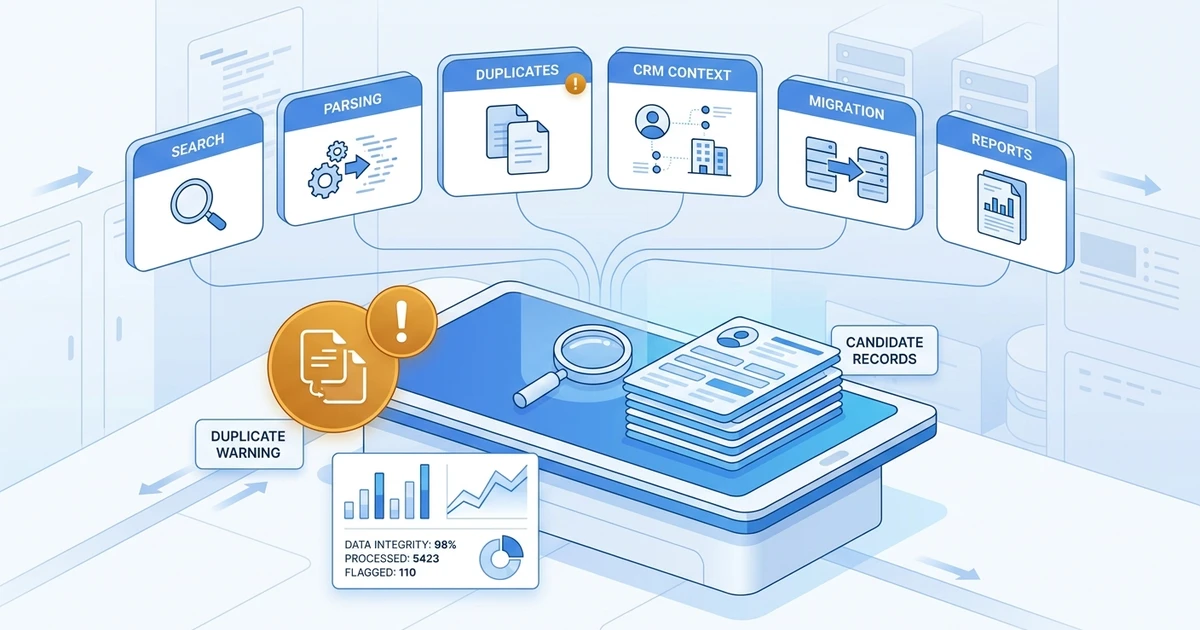
A system can store thousands of resumes and still fail recruiters if records are duplicated, outdated, poorly tagged, or disconnected from client activity. The database has to support daily placement work.
Use this checklist before shortlisting vendors:
- Search quality: Can recruiters search by skills, title, location, availability, notes, resume content, tags, and previous job activity?
- Resume parsing: Can the system turn resumes into structured fields without heavy manual cleanup?
- Duplicate control: Can it prevent repeated candidate records from breaking ownership and history?
- CRM context: Can recruiters see clients, contacts, job orders, submissions, and relationship notes?
- Candidate rediscovery: Can old records surface when a new role opens?
- Communication history: Are emails, calls, messages, and follow-ups visible on the candidate record?
- Migration support: Can old spreadsheets, ATS exports, and client records move safely?
- Reporting: Can leaders see database activity, source quality, placements, and recruiter productivity?
SHRM found that AI adoption in HR tasks rose to 43% in 2025 from 26% in 2024 in its Talent Trends research. That matters because recruiters now expect databases to do more than store data. They expect matching, search assistance, summaries, automation, and cleaner follow-up.
Quick comparison of recruiting database platforms
| Rank | Tool | Best fit | Database strength | CRM included? | Migration support | Pricing visibility |
|---|---|---|---|---|---|---|
| 1 | ATZ CRM | Growing agencies | Candidate database tied to ATS and CRM | Yes | Yes | Public ATZ pricing |
| 2 | Bullhorn | Enterprise staffing firms | Large staffing database | Yes | Partner ecosystem | Custom pricing |
| 3 | iSmartRecruit | Configurable agency teams | Candidate database plus ATS workflow | Yes | Import support | Public and custom options |
| 4 | Loxo | Sourcing-led agencies | Sourcing database plus workflow | Yes | Varies | Not publicly listed |
| 5 | Vincere | Global staffing teams | Staffing operations database | Yes | Yes | Custom pricing |
| 6 | JobAdder | Multi-desk agencies | Familiar ATS plus CRM records | Yes | Yes | Not publicly listed |
| 7 | Recruiterflow | Automation-focused agencies | Candidate records plus sequences | Yes | Yes | Public plans available |
| 8 | Crelate | Relationship-heavy agencies | CRM-led candidate database | Yes | Yes | Public entry point |
| 9 | Zoho Recruit | Budget-conscious teams | ATS database inside Zoho ecosystem | Yes | Import tools | Public plans available |
| 10 | Manatal | Small AI-assisted teams | Candidate profiles with AI scoring | Partial | Import support | Public plans available |
| 11 | PCRecruiter | Search firms | Mature recruitment database | Yes | Yes | Not publicly listed |
| 12 | TrackerRMS | Staffing CRM teams | CRM plus ATS records | Yes | Yes | Not publicly listed |
12 best recruitment database platforms for agencies
1. A connected candidate database for growing agencies
Tool reviewed: ATZ CRM.
Overview: ATZ CRM gives recruitment agencies a candidate database inside a connected ATS plus CRM. Recruiters can manage candidate records, client context, jobs, submissions, outreach history, AI matching, and reporting without turning the database into a separate admin system.
This is the strongest fit when your agency wants a database that helps recruiters act. A record should not just store a resume. It should tell your team who the candidate is, what they match, who contacted them, and where they sit in the client pipeline.
Pros:
- Connects candidate database workflows with ATS and CRM activity.
- Supports candidate and client import for migration projects.
- Includes AI candidate matching to surface talent for live roles.
- Helps recruiters connect outreach, submissions, notes, jobs, and client context.
- Public ATZ pricing starts at $12/user/month on annual billing.
Cons:
- Agencies with extremely specialized back-office staffing requirements may need additional tools.
- Messy historical data still needs cleanup before import.
- Teams that only want a standalone sourcing database may prefer a sourcing-first tool.
Pricing: ATZ CRM pricing is public. Plans start at $12/user/month on annual billing, with Business and Enterprise plans adding deeper automation, communication, reporting, AI, and support capabilities.
2. A large-enterprise staffing database
Tool reviewed: Bullhorn.
Overview: Bullhorn is a long-established staffing platform for larger agencies and enterprise staffing firms. Its database strength comes from broad staffing workflows, ecosystem depth, and years of market adoption.
It is best for agencies with complex operations, many recruiters, and dedicated admin or implementation support.
Pros:
- Strong fit for enterprise staffing environments.
- Deep ecosystem and partner network.
- Supports complex candidate, client, and operational workflows.
- Familiar to many experienced staffing professionals.
Cons:
- Can feel heavy for smaller agencies.
- Implementation and admin needs may be significant.
- Pricing visibility is limited without a sales process.
Pricing: Pricing is usually custom or sales-led. Ask about implementation, integrations, modules, users, support, and any add-ons needed for your database workflow.
3. A configurable recruitment database for agency teams
Tool reviewed: iSmartRecruit.
Overview: iSmartRecruit is a recruitment software platform with ATS, recruitment CRM, candidate database, resume parsing, workflow automation, and collaboration features. It can fit agencies that want a configurable recruiting database without committing to a heavier enterprise staffing suite.
It is worth shortlisting when your team wants candidate records, jobs, clients, communication, and hiring activity in one operating system, but still wants flexibility around fields and workflow setup.
Pros:
- Supports candidate database, ATS, CRM, and collaboration workflows.
- Useful for agencies that want configurable recruitment records.
- Includes resume parsing and workflow automation capabilities.
- Can support teams that need structured candidate and client data.
Cons:
- Configuration choices need careful setup before rollout.
- Agencies should compare reporting, AI, and automation depth against their growth plan.
- Pricing can depend on edition, users, and selected capabilities.
Pricing: Public pricing information is available for some plans, with custom options for larger or more complex teams. Confirm users, modules, data migration, support, and automation needs before comparing total cost.
4. A sourcing-first recruiting database
Tool reviewed: Loxo.
Overview: Loxo is a recruiting platform with a sourcing-heavy angle. It can work well for agencies that want candidate discovery, database search, outreach, and CRM workflow in the same environment.
It is most useful when your agency treats sourcing as the center of the recruiting process.
Pros:
- Strong sourcing and database positioning.
- Useful for outbound recruiting workflows.
- Combines database, outreach, and recruiting pipeline features.
- Can reduce dependence on separate sourcing tools.
Cons:
- Pricing visibility may be limited.
- Agencies should compare CRM depth and reporting against their workflow.
- Some teams may prefer a clearer split between sourcing database and ATS plus CRM.
Pricing: Pricing is commonly sales-led or not publicly listed in a simple plan table. Ask about seats, database access, AI, outreach, and migration.
5. A staffing database for global operations
Tool reviewed: Vincere.
Overview: Vincere is built for recruitment and staffing firms that need a wider operating system across front-office and operational workflows. It can fit multi-office teams that want candidate records connected to staffing activity.
Its value is strongest when the database sits inside a broader staffing process rather than a simple ATS.
Pros:
- Strong fit for staffing firms with broader operations.
- Supports candidate, client, job, and placement workflows.
- Useful for teams with process complexity.
- Good option for agencies that want staffing-specific structure.
Cons:
- May be more complex than a smaller agency needs.
- Pricing often requires a sales conversation.
- Teams should check how easily recruiters adopt daily database workflows.
Pricing: Pricing is generally custom or quote based. Confirm implementation costs, user tiers, modules, integrations, and support.
6. A familiar agency database for multi-desk teams
Tool reviewed: JobAdder.
Overview: JobAdder is an ATS plus CRM option for recruitment agencies and in-house teams. Agencies may choose it for familiar workflows around jobs, candidates, clients, notes, and pipeline activity.
It can fit multi-desk teams that want a known recruiting database platform with agency workflow coverage.
Pros:
- Familiar recruiting database structure.
- Supports agency ATS and CRM workflows.
- Useful for candidate records, client records, and job activity.
- Can fit teams moving from spreadsheets or older tools.
Cons:
- Pricing visibility is limited.
- Agencies should compare automation and AI features carefully.
- Reporting depth should be tested during demo.
Pricing: Pricing is typically not publicly listed in a full self-serve way. Ask for seat, module, migration, and support details.
7. A database with strong automation for agency follow-up
Tool reviewed: Recruiterflow.
Overview: Recruiterflow is an agency recruiting platform with ATS, CRM, and automation capabilities. It fits teams that want database records connected to email sequences, recruiter tasks, and pipeline follow-up.
It is strongest when the agency’s problem is not only finding records, but consistently moving them through the next step.
Pros:
- Agency-focused database and pipeline workflows.
- Strong automation angle for follow-up.
- Useful email and activity tracking.
- Public plans make early comparison easier.
Cons:
- Smaller ecosystem than some enterprise platforms.
- Agencies should check reporting and AI depth against their needs.
- Total cost depends on users, package, and feature requirements.
Pricing: Public plan information is available, but agencies should verify current details before buying. Compare automation, CRM, and support needs by plan.
8. A relationship database for recruitment agencies
Tool reviewed: Crelate.
Overview: Crelate is a recruiting CRM and ATS option with a relationship-oriented database. It can fit agencies that care about contacts, conversations, long-running candidate relationships, and business development.
This makes it relevant for teams where the database is as much about relationships as resume storage.
Pros:
- Strong relationship-management orientation.
- Useful for candidate and client records.
- Fits agencies that need CRM context around recruiting.
- Public entry-level pricing signals may be available.
Cons:
- Teams should compare usability and automation depth.
- Advanced needs may require higher tiers or add-ons.
- Reporting and workflow fit should be tested in live scenarios.
Pricing: Public entry points may be available, but exact pricing depends on plan, users, and required modules. Confirm current pricing during vendor review.
9. A budget-friendly database inside a wider business suite
Tool reviewed: Zoho Recruit.
Overview: Zoho Recruit is an ATS and recruiting database option inside the broader Zoho ecosystem. It is appealing for cost-conscious teams that already use Zoho products or want an affordable starting point.
It can work for smaller teams, but agencies should check whether the database supports their day-to-day speed, CRM needs, and recruiter adoption.
Pros:
- Budget-friendly compared with many agency platforms.
- Fits teams already using Zoho.
- Supports candidate records, jobs, resumes, and basic workflows.
- Public plans make price comparison easier.
Cons:
- Interface and setup can feel busy.
- AI and automation depth should be compared carefully.
- Agencies outside the Zoho ecosystem may not get the same value.
Pricing: Public plans are available and vary by edition and billing term. Confirm the features included for parsing, portals, automation, and database limits.
10. An affordable AI-assisted recruiting database
Tool reviewed: Manatal.
Overview: Manatal is a recruiting platform that combines candidate database workflows with AI-assisted matching and scoring. It can fit smaller agencies that want a modern interface and a lower-cost entry point.
It works best when your agency needs a practical ATS database and light CRM support, rather than deep staffing operations.
Pros:
- Affordable entry point for many smaller teams.
- AI-assisted candidate matching and scoring.
- Modern interface.
- Public plan information supports early budgeting.
Cons:
- CRM depth may not match agency-heavy systems.
- Larger staffing teams may need more operational features.
- Support and customization should be tested before rollout.
Pricing: Public plans are available and vary by package. Confirm current limits for users, jobs, candidates, enrichment, and AI features.
11. A long-standing recruiting database for search firms
Tool reviewed: PCRecruiter.
Overview: PCRecruiter is a long-standing recruiting database and CRM platform used by recruiting and executive search teams. It fits firms that want mature database workflows, search, notes, activities, and relationship tracking.
It is especially relevant for search firms that care about structured records and historical candidate relationships.
Pros:
- Mature recruitment database workflows.
- Useful for search and relationship tracking.
- Supports candidate, client, company, and activity records.
- Strong fit for firms that value historical data.
Cons:
- Interface expectations should be checked by modern teams.
- Pricing details may require a sales conversation.
- Teams may need setup support to avoid overcomplication.
Pricing: Pricing is not always publicly listed in a simple way. Ask about seats, database size, implementation, hosting, support, and integrations.
12. A staffing CRM database with operational workflow support
Tool reviewed: TrackerRMS.
Overview: TrackerRMS combines recruitment CRM, ATS, and staffing workflow capabilities. It can fit agencies that want candidate and client records tied to business development, jobs, placements, and reporting.
It is useful when the agency wants the database to support both recruiting and sales activity.
Pros:
- ATS plus CRM workflow coverage.
- Useful for candidate, client, and placement tracking.
- Can support staffing and recruitment operations.
- Reporting and sales workflow coverage may fit agency leaders.
Cons:
- Pricing visibility may be limited.
- Teams should test workflow complexity during demo.
- Smaller agencies may not need the full feature set.
Pricing: Pricing is commonly sales-led. Confirm seats, modules, integrations, implementation, and reporting needs before shortlisting.
Recruiting database software vs a generic ATS database
A generic ATS database stores applicants tied to open jobs. That is useful, but agencies need more. Your team also needs passive candidates, silver-medalist candidates, old placements, client contacts, sales notes, availability, submissions, and communication history.
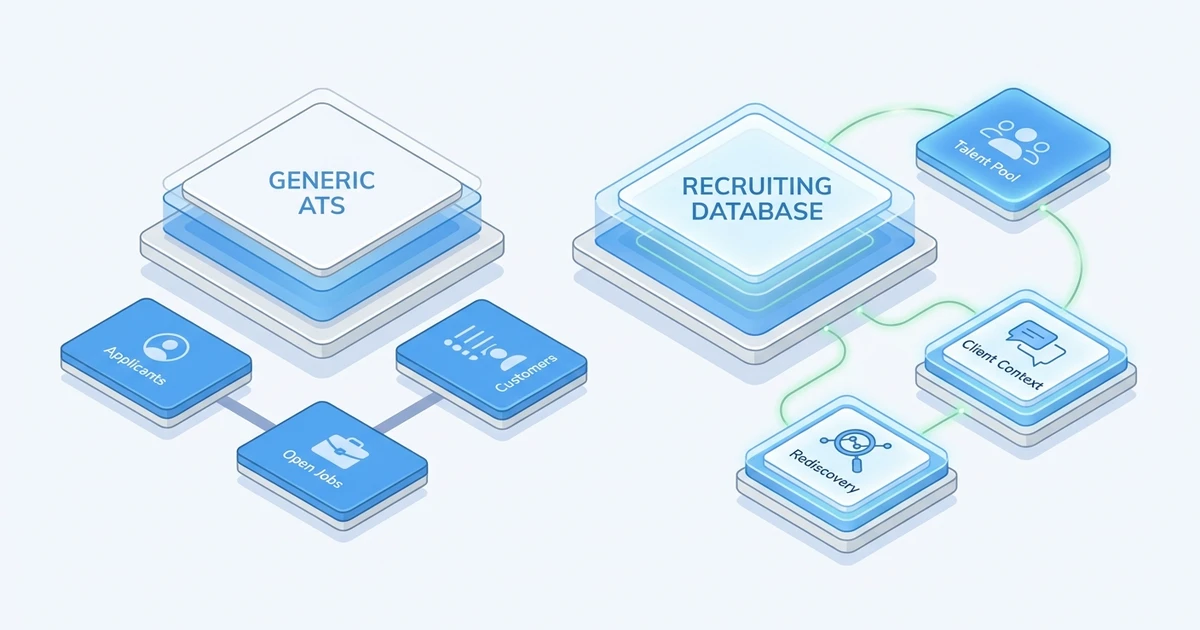
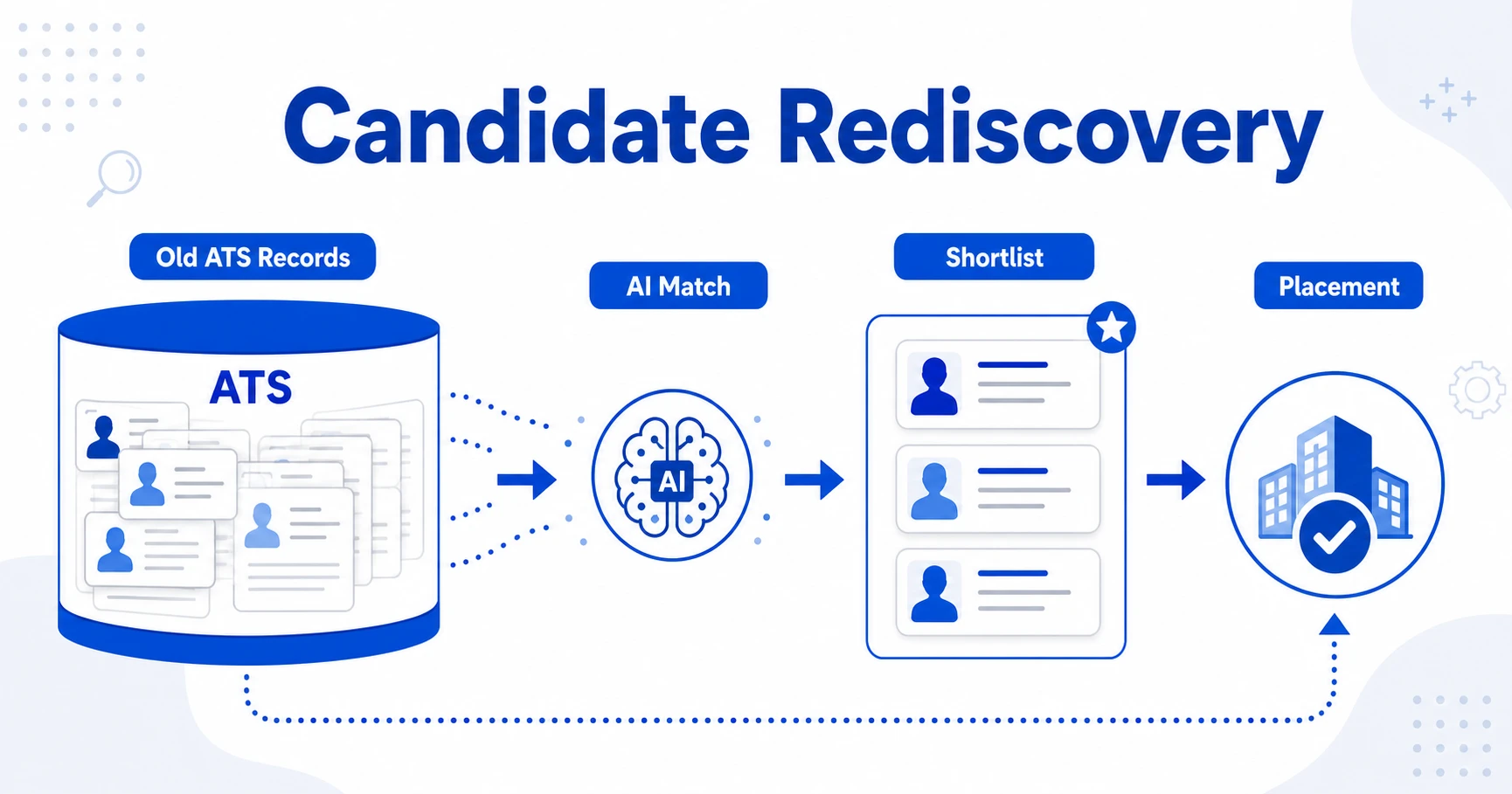
The difference shows up when a new role lands on your desk. A weak database forces recruiters to start from zero. A strong database helps them search existing records, surface matches, review past conversations, and contact the right people faster.
For agencies, database quality affects revenue. A candidate you sourced last year may be perfect for today’s client. A contractor who finished an assignment may be ready for redeployment. A past applicant may become a warm lead if the record is clean and searchable.
LinkedIn reports that companies whose recruiters use AI-assisted messaging most are 9% more likely to make a quality hire than those using it least in its Future of Recruiting research. That is easier to act on when your database already knows candidate history, fit, and relationship context.
How to migrate and clean your candidate database
Migration is where many agencies discover how messy their database really is. The software matters, but the cleanup plan matters too.
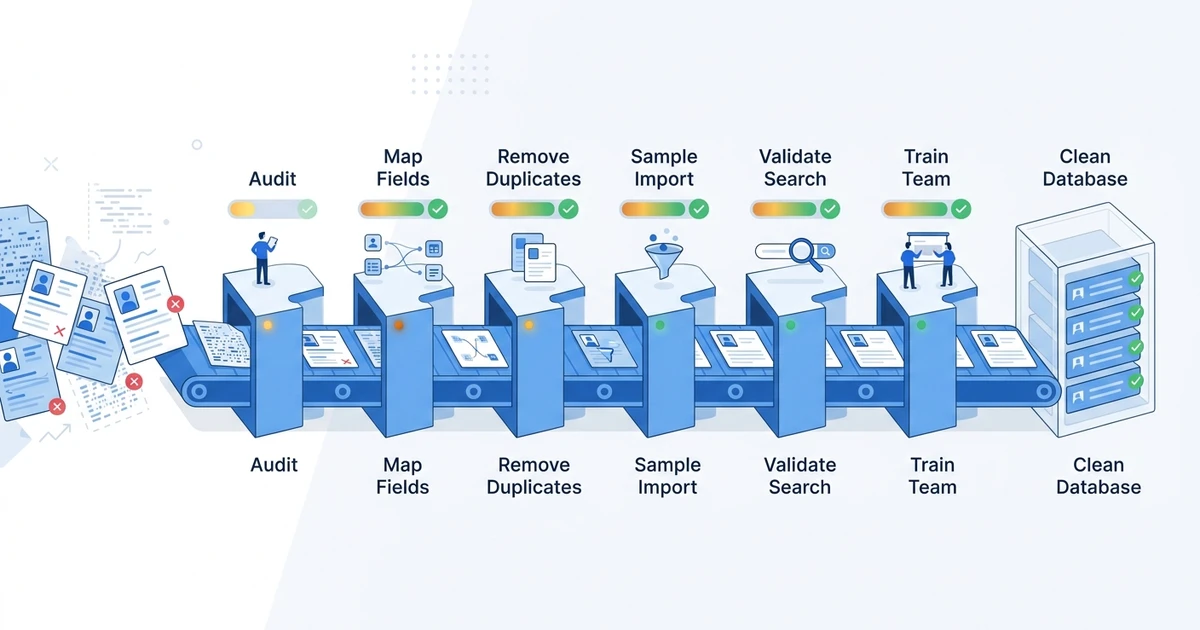
Use this process before switching systems:
- Audit your source files, ATS exports, spreadsheets, email history, notes, and client records.
- Decide which fields must survive migration, including skills, location, consent, ownership, stages, resumes, and notes.
- Remove obvious duplicates and stale records before import.
- Run a sample migration and test search results with real recruiter queries.
- Validate candidate ownership, client links, job history, and communication records.
- Train recruiters on naming, tagging, search, and record hygiene rules.
ATZ CRM supports zero-downtime data migration for agencies moving from old systems. That helps protect recruiter continuity while your team shifts to a cleaner database.
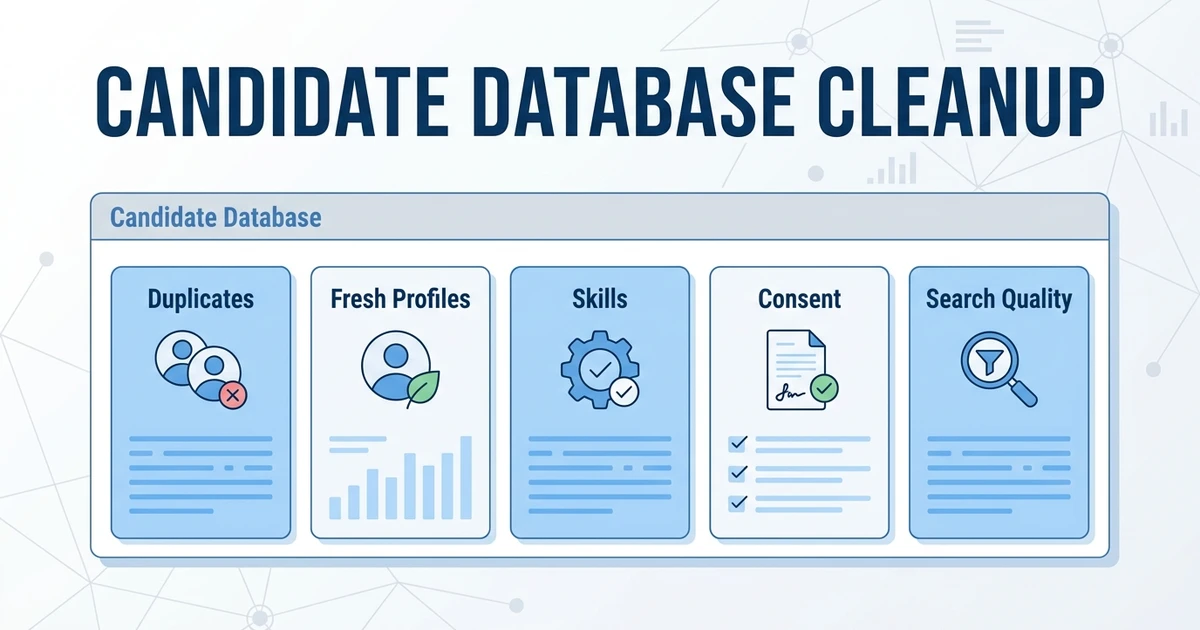
If your current records are messy, start with candidate database cleanup before the final move. Cleanup gives your new platform a fair chance and improves candidate rediscovery after launch.
Is ATZ CRM right for your recruiting database?
ATZ CRM is a strong fit if your agency wants the database to support real placement work. It connects candidate records with jobs, clients, outreach, AI matching, submissions, reporting, and migration support.
It is especially useful when your current system has become a passive archive. Recruiters should not have to remember every good candidate manually. The platform should help surface matches, track conversations, and keep the team aligned.
ATZ CRM may not be the right sole tool if your agency needs a large external people database as the main sourcing layer. In that case, use a sourcing database alongside ATZ CRM, then keep ATZ CRM as the system of record.
Gartner says high-volume recruiting going AI-first is one of the trends shaping talent acquisition in 2026 in its talent acquisition trends report. For agencies, the practical move is to make the database searchable, matchable, and connected to recruiter action.
See how ATZ CRM turns your candidate database into an active recruiting asset with AI matching, rediscovery, CRM context, outreach history, and migration support by exploring candidate database software.
Frequently Asked Questions
What is a recruitment database platform?
A recruitment database platform stores candidate profiles, resumes, skills, tags, notes, communication history, and job activity. For agencies, it should also connect candidates to clients, submissions, follow-ups, and placements.
A good database is searchable and actionable. It helps recruiters find the right person again when a new role opens.
What is the best recruiting database software for agencies?
The best option depends on your agency size, workflow, data quality, and budget. ATZ CRM is a strong fit when you want candidate records connected to ATS, CRM, AI matching, outreach, submissions, reporting, and migration support.
Enterprise staffing firms may need a heavier operational platform. Smaller teams may prefer a lighter system with faster adoption.
How is a recruitment database different from an ATS?
An ATS tracks candidates through jobs and hiring stages. A recruiting database keeps a broader talent pool searchable across current and future roles.
Agencies usually need both capabilities. Past candidates, sourced profiles, old placements, and client notes all affect how fast your team can deliver.
How much does recruitment database software cost?
Pricing depends on users, database size, automation, AI features, support, integrations, and migration. Some platforms publish per-user pricing, while many staffing systems use custom quotes.
Compare the full cost of ownership. A cheap database may not be cheap if you still need separate sourcing, outreach, CRM, reporting, and migration tools.
How do agencies migrate an old candidate database?
Start with a database audit, then map fields, clean duplicates, run a sample import, and test search with real recruiter workflows. Do not move everything blindly.
The goal is not only to transfer data. The goal is to make the new database easier to trust, search, and act on.
Conclusion
Your recruiting database should make old work useful again. If recruiters cannot search it, trust it, or connect it to jobs and clients, it becomes storage instead of an asset.
Choose the tool that fits your agency’s real workflow: sourcing, search, CRM, migration, outreach, reporting, and placement activity.
Compare ATZ CRM’s transparent pricing with the cost of maintaining separate ATS, CRM, sourcing, database, and outreach tools.