EN
EN DE
DE ES
ES FR
FR NL
NL PT
PT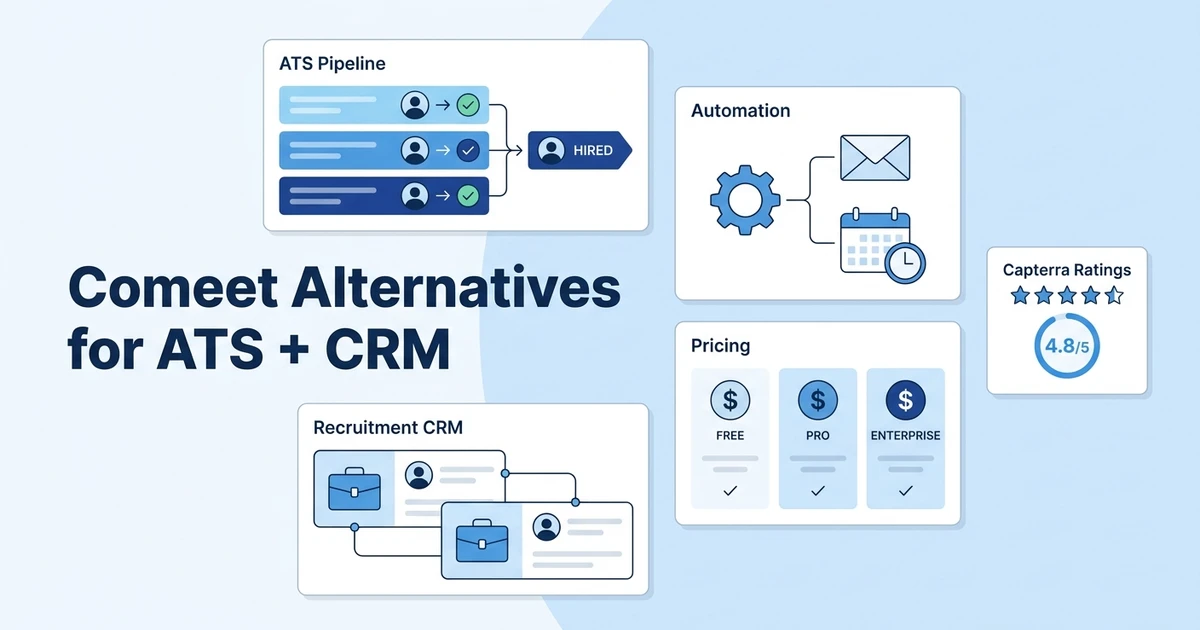



Quick Answer: Workflow Fit The best recruiting platform for teams switching from a collaborative ATS is one that combines applicant tracking, recruitment CRM, outreach automation, reporting, and migration support. ATZ CRM is the strongest first choice when your team manages both candidates and clients from the same recruiting workflow.
Planning to switch from a collaborative ATS, but unsure which platform fits your workflow best? If you are comparing Comeet alternatives, you are probably checking pricing, trial access, CRM depth, automation, ratings, and agency fit.
In this blog, we have listed the 9 best Comeet alternatives for recruiting teams that need more than applicant tracking.
Why Do Recruiting Teams Need an Alternative?
Comeet, now positioned under Spark Hire Recruit, can work when your team needs structured hiring collaboration, interview feedback, task reminders, and hiring-manager involvement.
Recruitment agencies usually need a wider operating system. You are managing clients, contacts, job orders, submissions, fees, invoices, sales pipeline, candidate marketing, and recruiter performance.
That is why many teams start to compare Comeet with tools that include a stronger recruitment CRM. If candidate activity and client follow-up live in different places, recruiters lose context right when speed matters.
The better question is not simply “Which ATS has more features?” It is: which platform helps your team place candidates, manage client relationships, and report on revenue?
Benefits of Choosing the Right Recruiting Platform
The right recruiting platform should make your workflow easier to run, not just easier to describe in a demo.
Better candidate and client experience: A shared ATS and CRM helps your team see the full relationship history before every call, submission, or follow-up.
Faster shortlisting and follow-up: AI and automation now matter in daily recruiting work. SHRM found that 89% of HR professionals using AI for recruiting say it saves time or increases efficiency in its 2025 AI in HR research.
Cleaner candidate, contact, and job data: A single workspace keeps recruiters from chasing old notes, duplicate profiles, and missing activity.
Streamlined team communication: Teams move faster when notes, emails, tasks, interview updates, and client feedback sit against the same record.
Automated outreach and scheduling: SHRM also reports that 36% of HR professionals using AI for recruiting say it helps reduce recruiting, interviewing, or hiring costs in the same research.
Reporting that connects activity with outcomes: LinkedIn data shows companies whose recruiters use AI-Assisted Messaging the most are 9% more likely to make a quality hire in its Future of Recruiting report.
Buyer’s Guide: How Should You Choose the Right Platform?
Start with workflow, then compare features. If you begin with feature lists alone, every platform starts to look similar.
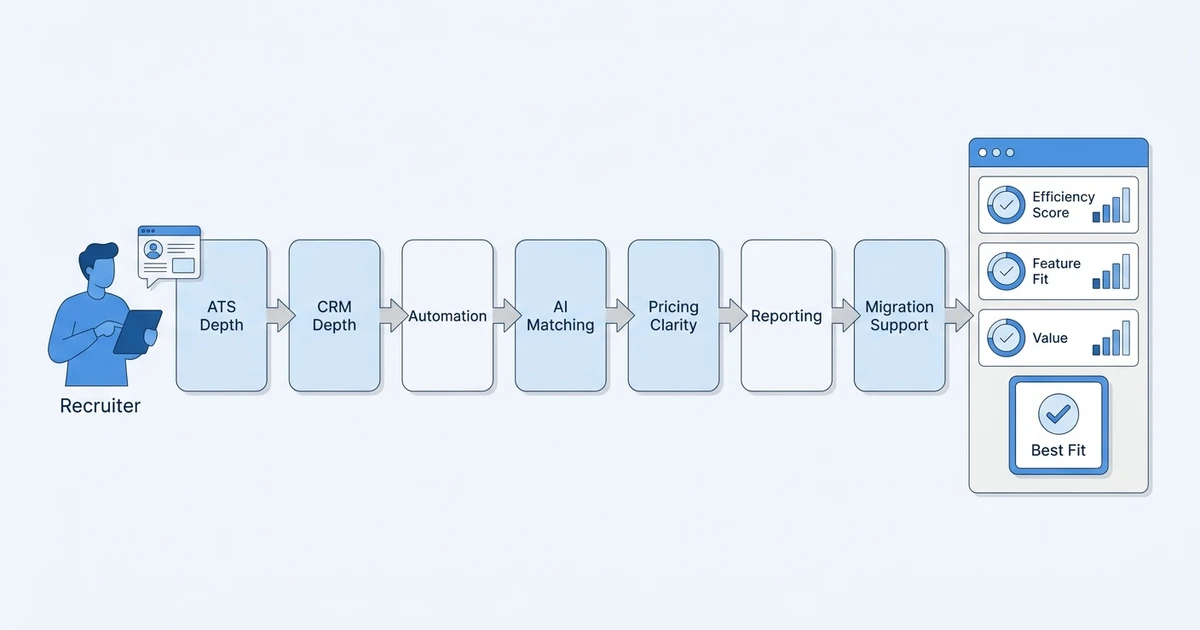
Use this checklist before you book demos:
- ATS depth: Look for pipeline stages, resume parsing, job posting, search, candidate ownership, interview scheduling, and submission tracking.
- CRM depth: Check whether the platform manages clients, contacts, deals, sales pipeline, invoices, notes, and client follow-ups.
- Automation: Review email sequences, triggers, reminders, scheduling, Zapier, API access, and task automation.
- AI: Ask whether AI helps with matching, sourcing, screening assistance, notes, summaries, and content generation.
- Pricing and trial clarity: Compare users, jobs, storage limits, add-ons, implementation, support, and migration.
- Reporting: Look for time-to-fill, source performance, recruiter productivity, pipeline conversion, and placement revenue.
- Migration and support: Ask how your candidates, contacts, jobs, notes, custom fields, and activity history will move.
Buyer tip: Use ATZ CRM’s applicant tracking software guide to check pipeline stages, resume parsing, job posting, search, and workflow basics against your actual recruiting process.
See the workflow before you switch: Book a focused ATZ CRM demo to see how candidate pipelines, client CRM, AI matching, and automated outreach work together in one recruiting workspace.
Top 9 Options for Recruiting Teams
The list below keeps the focus practical: ratings, pricing, trial access, best fit, capabilities, and trade-offs.
1. ATZ CRM
ATZ CRM is the best fit for recruitment agencies and staffing teams that need ATS plus CRM in one platform. It is built around candidate delivery, client relationships, AI matching, outreach, reporting, and agency workflows.
Capterra rating: 5.0/5.
Pricing: public per-user plans. Free trial: unlimited, with no credit card required.
Best for: recruiting agencies, staffing firms, and small to mid-size teams that need candidates, clients, jobs, deals, and communication in one place.
Key capabilities:
- Applicant tracking system built for recruiters
- Recruitment CRM for client and candidate relationships
- AI candidate matching, AI sourcing, resume parsing, and job posting
- Email sequences, reports, invoicing, and migration support
Best-fit note: choose ATZ CRM if your team manages candidates and clients in the same workflow and wants pricing clarity before a sales call.
Also, check - ATS vs CRM: What’s the Better Choice?
2. Bullhorn
Bullhorn is built for staffing and recruitment firms that need a mature ATS and CRM with enterprise process support.
Capterra rating: 4.0/5.
Pricing: Bullhorn’s small-agency pricing page lists plans from $99/user/month; Capterra says a free trial is not available.
Best for: enterprise staffing firms and larger recruitment teams.
Key capabilities: ATS, CRM, sales workflows, reporting, integrations, and staffing operations support.
Trade-off: strong scale, but smaller teams may find the setup, cost, and process weight harder to justify.
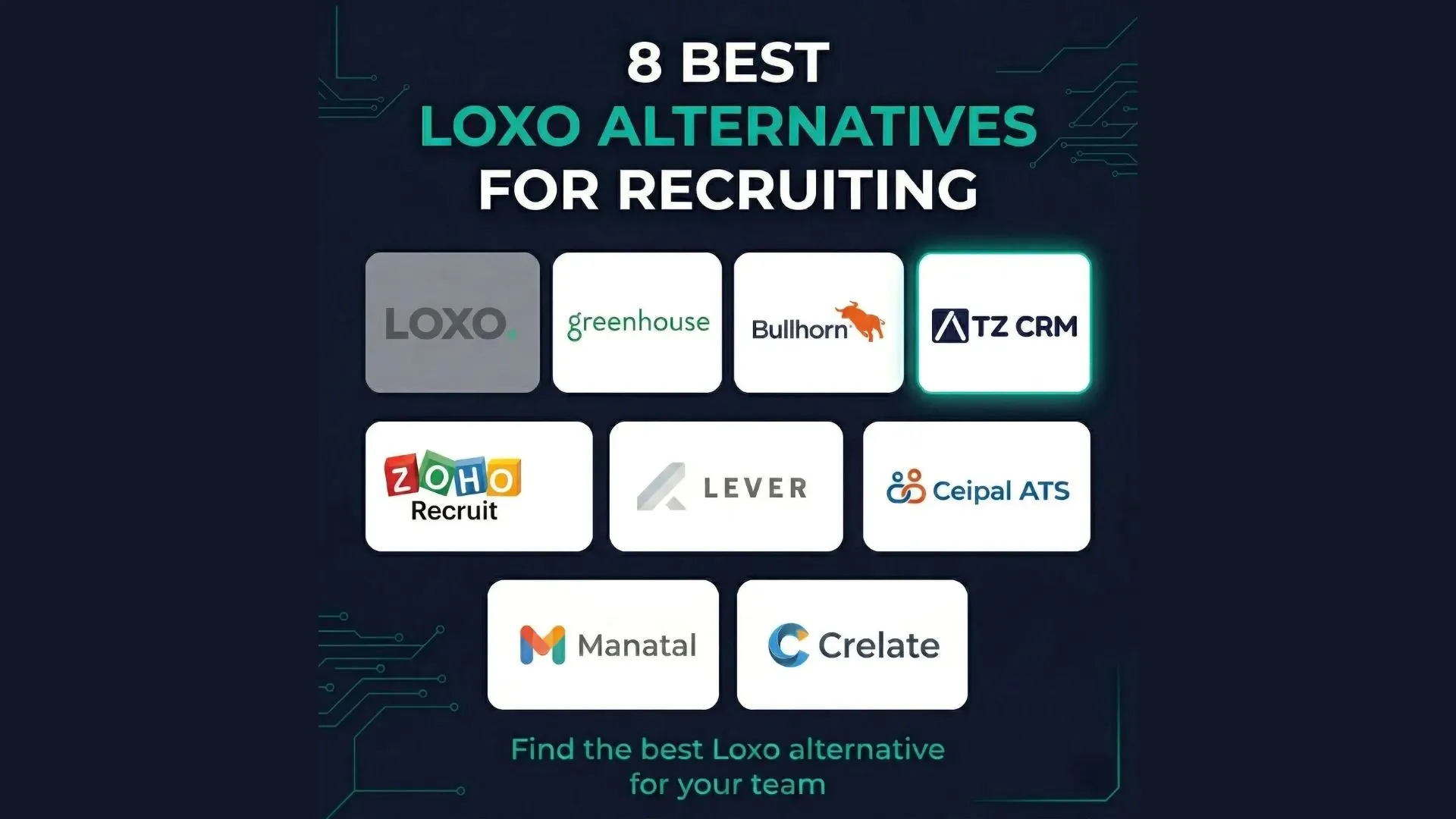
3. Loxo
Loxo is a strong option for sourcing-led recruiters who want talent search, outreach, and CRM-style workflows together.
Capterra rating: 4.6/5.
Pricing: Loxo’s pricing page lists plans from $169/user/month and says a free trial is available.
Best for: sourcing-heavy recruiting teams and executive search workflows.
Key capabilities: talent search, ATS, recruiting CRM, outreach, AI matching, contact data, and sales CRM features.
Trade-off: it can feel more sourcing-first than agency-operations-first, so check client delivery, reporting, and account management fit during demo.
4. Vincere
Vincere, listed on Capterra as Access Vincere Evo, fits established staffing firms that need front-office recruiting, client engagement, and operational tracking.
Capterra rating: 4.8/5.
Pricing: Vincere’s pricing page lists CRM and ATS from £69/user/month; Capterra says a free trial is not available.
Best for: staffing firms that need CRM, ATS, analytics, and operational visibility.
Key capabilities: ATS, CRM, client engagement, candidate tracking, analytics, and staffing operations support.
Trade-off: the feature depth can be useful, but implementation and configuration may feel heavier for smaller teams.
5. JobAdder
JobAdder is a familiar option for agencies that want job posting, candidate tracking, and a recruiter-friendly database.
Capterra rating: 4.4/5.
Pricing: JobAdder’s pricing page uses custom pricing; Capterra says a free trial is not available.
Best for: agencies that want job-ad distribution and familiar candidate management workflows.
Key capabilities: ATS, CRM-style recruitment management, job posting, candidate tracking, partner add-ons, and workflow notes.
Trade-off: evaluate CRM depth carefully if your agency needs sales pipeline, revenue tracking, and client follow-up in the same workflow.
6. Manatal
Manatal is a budget-conscious option for teams that want a lighter ATS with AI support, enrichment, job posting, and recruitment CRM capabilities.
Capterra rating: 4.6/5.
Pricing: Manatal’s pricing page lists plans from $15/user/month annually and includes a free trial.
Best for: small teams that want affordable ATS workflows and basic AI support.
Key capabilities: applicant tracking, job posting, AI recommendations, enrichment, candidate communication, reporting, and recruitment CRM features.
Trade-off: it is attractive on price, but compare CRM depth, agency reporting, and automation limits before switching.
7. Workable
Workable is a strong fit for SMB in-house hiring teams that need job distribution, applicant tracking, interviews, and hiring collaboration.
Capterra rating: 4.4/5.
Pricing: Workable’s pricing page offers a 15-day free trial; Capterra lists starting pricing at $299/month.
Best for: internal HR teams and SMB hiring teams that need a complete hiring platform.
Key capabilities: job posting, applicant tracking, interview kits, hiring collaboration, AI screening, sourcing, reporting, and integrations.
Trade-off: if your team needs client CRM, submissions, placements, invoices, and recruitment revenue tracking, compare agency-specific tools first.
8. Greenhouse
Greenhouse is best for structured enterprise hiring where interview consistency, scorecards, workflows, and hiring-team collaboration matter most.
Capterra rating: 4.5/5.
Pricing: Greenhouse’s pricing page says pricing is customized; Capterra says a free trial is not available.
Best for: structured enterprise hiring and cross-department recruiting teams.
Key capabilities: applicant tracking, interview workflows, collaboration, job board integrations, hiring analytics, and process controls.
Trade-off: it can be overbuilt if your main need is agency CRM, client relationship tracking, and placement workflow management.
9. Zoho Recruit
Zoho Recruit is a practical option if your team already uses the Zoho ecosystem and wants recruiting workflows connected to a broader business suite.
Capterra rating: 4.5/5.
Pricing: Zoho Recruit’s pricing page includes a 15-day free trial; Capterra lists starting pricing at $30/user/month.
Best for: teams that already use Zoho tools and want a cost-conscious recruiting system.
Key capabilities: applicant tracking, CRM-style records, candidate management, automation, career site, and integrations.
Trade-off: it can be a good value pick, but your team should test usability, support, and customization before committing.
Quick Comparison Table
| Tool | Best fit | Pricing / trial | Main trade-off |
|---|---|---|---|
| ATZ CRM | Agencies needing ATS plus CRM | Public pricing and unlimited trial | Newer review base than older vendors |
| Bullhorn | Enterprise staffing firms | Public page and no free trial on Capterra | Heavier setup for smaller teams |
| Loxo | Sourcing-led recruiters | Public pricing page and free trial | Sourcing-first fit may not suit all agencies |
| Vincere | Established staffing teams | Public pricing page and no free trial on Capterra | Configuration can be heavier |
| JobAdder | Job-ad focused agencies | Custom pricing, no free trial on Capterra | CRM depth needs checking |
| Manatal | Budget-conscious teams | Public pricing page and free trial | Less agency depth than specialist systems |
| Workable | SMB in-house hiring | Public pricing page and free trial | Not built around agency revenue workflows |
| Greenhouse | Structured enterprise hiring | Custom pricing, no free trial on Capterra | Can be too internal-TA focused |
| Zoho Recruit | Zoho ecosystem teams | Public pricing page and free trial | Best when your team already uses Zoho |
Frequently Asked Questions
Which option is best for recruitment agencies?
ATZ CRM is the strongest choice for recruitment agencies that need ATS and CRM in one platform. It combines candidate pipelines, client CRM, AI matching, outreach automation, reporting, and transparent pricing.
Which options include ATS and CRM together?
Several tools in this list offer both ATS and CRM capabilities, including ATZ CRM, Bullhorn, Loxo, Vincere, JobAdder, Manatal, and Zoho Recruit. The right choice depends on whether you need agency client management, enterprise staffing workflows, sourcing depth, or budget-friendly hiring operations.
Does a collaborative ATS replace recruitment CRM?
Not always. A collaborative ATS can help with hiring-manager feedback, interviews, and internal hiring steps, but agencies also need client relationships, sales pipeline tracking, submissions, placement revenue, and candidate marketing.
How should you compare pricing before switching?
Compare the full cost of users, jobs, add-ons, implementation, migration, and support. A lower starting price is not always cheaper if CRM, automation, reporting, or API access requires higher plans.
Should a staffing agency choose an ATS, CRM, or both?
Most staffing agencies need both because candidate delivery and client relationship management happen together. A unified ATS and CRM keeps jobs, candidates, contacts, submissions, notes, and follow-ups in one workspace.
Conclusion
The best choice depends on what your team needs most: enterprise staffing depth, structured internal hiring, sourcing power, or a budget-friendly ATS.
If you are comparing Comeet alternatives because your team needs candidate pipelines and client relationships in the same place, ATZ CRM should be first on your shortlist. It fits agencies that need ATS, CRM, AI matching, outreach automation, reporting, and migration support without enterprise bloat.
Why Is ATZ CRM Ideal for Recruiting Teams Switching From a Collaborative ATS?
ATZ CRM is built for recruitment agencies and staffing firms, not only internal talent acquisition teams. That matters because your workflow does not end when a candidate applies. You still need to manage client conversations, submissions, deals, feedback, invoicing, and placement outcomes.
The platform combines an applicant tracking system, recruitment CRM, AI candidate matching, AI sourcing, email sequences, reporting, and client pipeline management. Your team can also plan a cleaner switch without pausing live searches while records move.
Pricing is transparent, the trial is open-ended, and the workflow is designed for recruiters who need to move quickly. If you want to compare before committing, review Pro at $12/user/month, Business at $24/user/month, and Enterprise at $60/user/month on ATZ CRM’s pricing before you book a demo.