EN
 DE
 ES
 FR
 NL
 PT
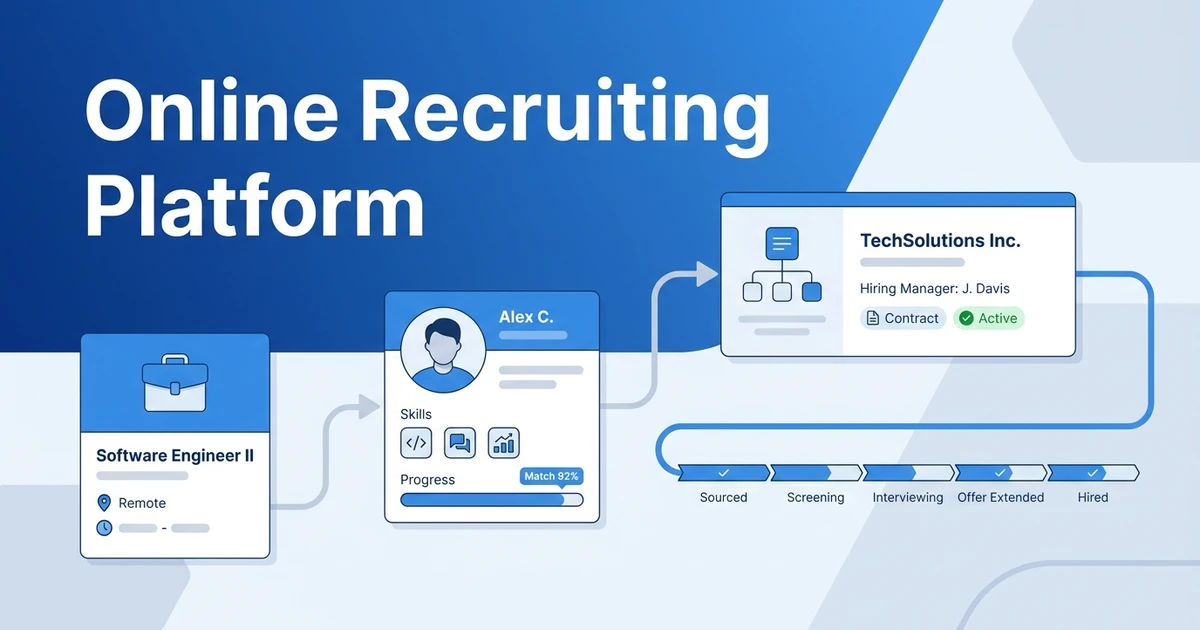


Quick Answer: An online recruiting platform helps you find candidates, manage jobs and applicants, organize communication, and track progress in one connected workspace. For an agency, the right choice depends on whether it supports both candidate delivery and client relationships, fits your placement model, and works with the tools your team still needs.
What work should an online recruiting platform take off your desk?
A recruiting platform is not valuable because it has the longest feature list. It is valuable when it helps your team move information from one recruiting step to the next without losing the context behind it.
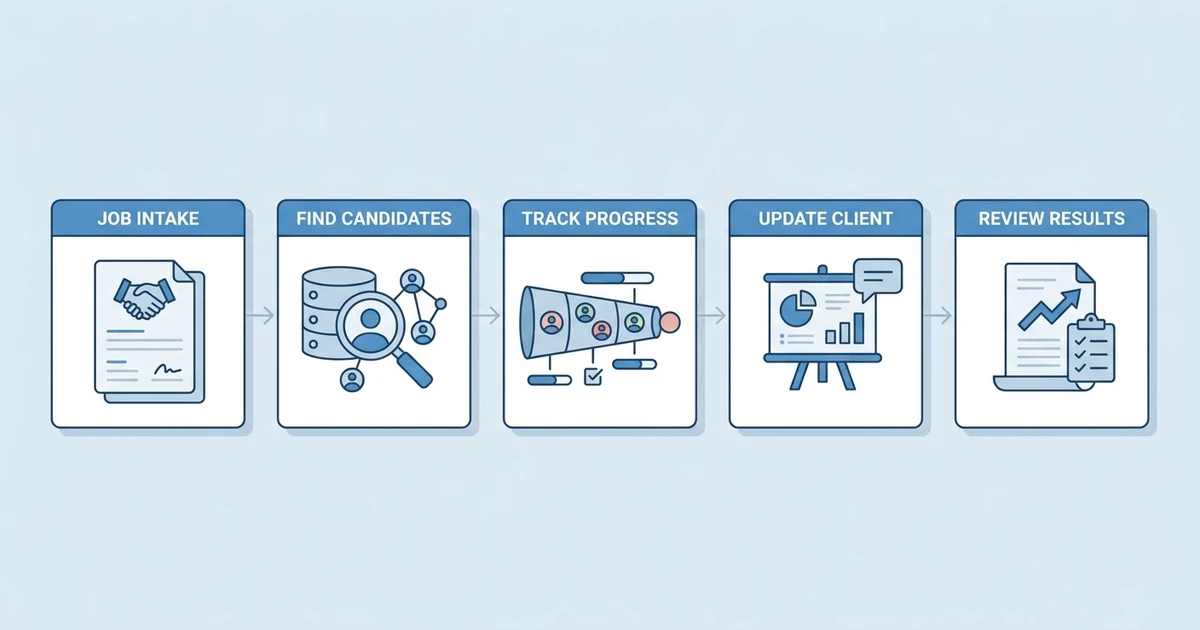
Think about a common agency workflow. A client describes a role, a recruiter turns the request into a search, candidates are sourced and assessed, a shortlist is submitted, interviews are arranged, feedback comes back, and the placement is followed through. Each handoff creates a chance to lose a note, repeat an email, forget a next step, or report the wrong status.
Before looking at software, write down the recurring work your team wants to improve:
- Capturing a job order and agreeing on requirements.
- Finding candidates in your database or sourcing channels.
- Tracking candidates against multiple client jobs.
- Keeping client and candidate communication connected to records.
- Coordinating interviews, submissions, feedback, and follow-up.
- Reporting on pipeline movement, source quality, and placements.
Use the list to identify the biggest friction point. If candidates are already available but the team loses track of client feedback, a sourcing add-on will not fix the core issue. If roles are hard to fill because your team cannot discover new candidates, a platform with only inbound applicant tracking may not be enough.
A good evaluation starts with the outcome, not the product category. Define what should happen faster, more consistently, or with less duplicate entry. Then test whether the platform can support that workflow with your actual data and team responsibilities.
What is an online recruiting platform?
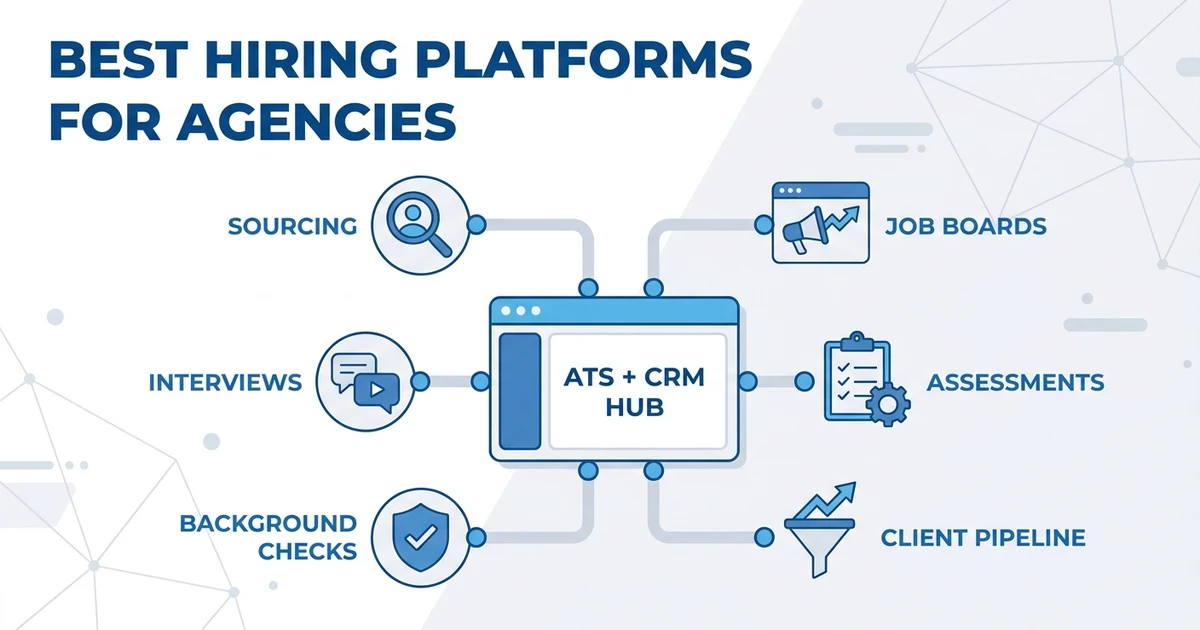
An online recruiting platform is cloud-based software that helps a recruiting team carry out some or most of its work through a browser or connected application. The term is broad. One vendor may use it to describe an ATS, another may include CRM, sourcing, job distribution, or AI features, and a third may sell a specialized layer that connects to your existing system. For a list of adjacent options and categories, see hiring platforms for recruitment agencies.
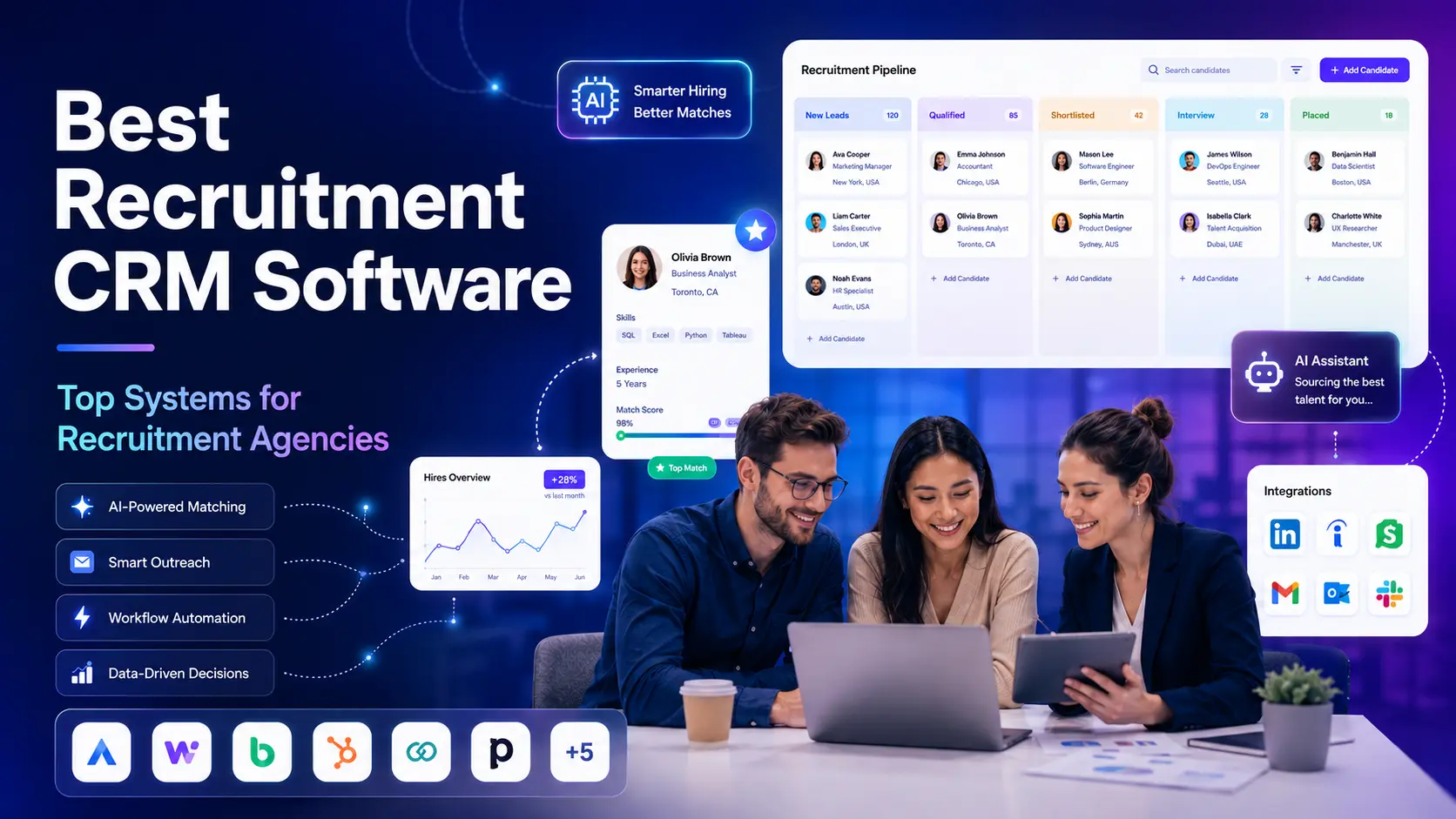
An applicant tracking system (ATS) organizes job applications, candidate profiles, hiring stages, interviews, and hiring team activity. A recruitment CRM supports ongoing candidate relationships and, for agencies, client contacts, business development, job orders, and account follow-up. Sourcing platforms help find talent. Job boards help publicize roles or connect with active candidates. An online recruiting platform may combine several of these functions, but the name alone does not prove that it covers them.
This is why feature labels need a workflow test. “Candidate management” could mean a searchable profile list, or it could include a full process with ownership, communication history, submissions, and next steps. “AI matching” could rank candidates already in your database, suggest external profiles, or do both. Ask the vendor to demonstrate the exact task you care about.
Agencies should also separate a system of record from the tools that support it. Your system of record is the place where the team trusts candidate, client, job, activity, and outcome data to live. A specialist tool can be useful, but if recruiters must copy updates into several systems, the stack may create more administration than it removes.
Which parts of recruiting can one platform cover?
Most recruiting platforms can be evaluated against a set of workflow layers. Your team may need every layer, or only a few. The important question is how well each capability connects to the next.
| Workflow layer | What the team needs to do | Questions to ask |
|---|---|---|
| Job intake | Capture requirements, hiring criteria, client context, and ownership | Can job details be structured and updated without losing earlier notes? |
| Candidate discovery | Search existing records or bring in candidates from outside | What sources can recruiters search, and what data can be retained? |
| Applicant tracking | Store resumes, applications, stages, and interview activity | Can recruiters see why a person moved or stalled? |
| Candidate CRM | Maintain long-term candidate relationships and re-engagement | Can the system segment people and preserve preferences and communication history? |
| Client CRM | Track organizations, contacts, opportunities, job orders, and follow-up | Are client activity and candidate delivery connected to the same job or placement? |
| Outreach | Send relevant email or other messages and record replies | Does the system preserve history and stop follow-ups when the person responds or opts out? |
| Scheduling | Coordinate recruiter, candidate, interviewer, and client availability | Does a scheduled meeting update the candidate and job record? |
| Automation | Trigger reminders or repeatable actions based on workflow events | Can a human review or override actions that affect a candidate? |
| Reporting | Understand pipeline, channel, recruiter, and business outcomes | Can the team define metrics consistently and trace the underlying records? |
| Integrations | Connect job boards, email, calendars, assessments, and other systems | What syncs in each direction, and what happens when a connection fails? |
An all-in-one system can reduce handoffs when its core functions match your operation. It can also leave gaps if you have specialist requirements, such as payroll processing, background screening, high-volume assessments, or a regional job board that the platform does not support.
A modular stack can be sensible when each product has a clear role and a reliable handoff. For example, a sourcing tool may find profiles while the ATS owns candidate history. The risk appears when the same field is updated in two places or when a recruiter has to check several dashboards to understand what happened.
Ask vendors to show the movement of one candidate through your process. Start with a source, create or import a record, associate the person with a job, send a message, record a response, change a stage, share a profile with a client, and produce a report. That sequence exposes integration gaps that a feature slide may not show.
Which recruiting platform types fit different teams?
The right platform depends on how your team hires, who owns each step, and which workflows repeat most often. A product designed for a corporate talent acquisition team may not map neatly to an agency with several clients and simultaneous job orders.
| Team model | Likely platform priority | Common trade-off |
|---|---|---|
| Solo recruiter | Low administration, candidate database, email/calendar connection, affordable access | Advanced reporting and multi-user controls may be limited or unnecessary |
| Small or midsize agency | ATS and CRM together, client and candidate workflows, searchable database, team visibility | A broad suite may still require specialist tools for payroll or niche sourcing |
| Contract staffing agency | Job orders, assignment stages, availability, timesheets, compliance handoffs | Back-office depth varies widely between platforms |
| Executive search firm | Relationship history, confidential searches, long-term talent mapping, client collaboration | High-volume application features may be less important than research and discretion |
| In-house recruiting team | Requisition approvals, hiring manager feedback, structured interviews, career site | Business development and client CRM may not matter to the team |
| High-volume hiring team | Application capture, screening, candidate communication, scheduling, event workflow | Complex configurations can be hard to maintain across many sites or roles |
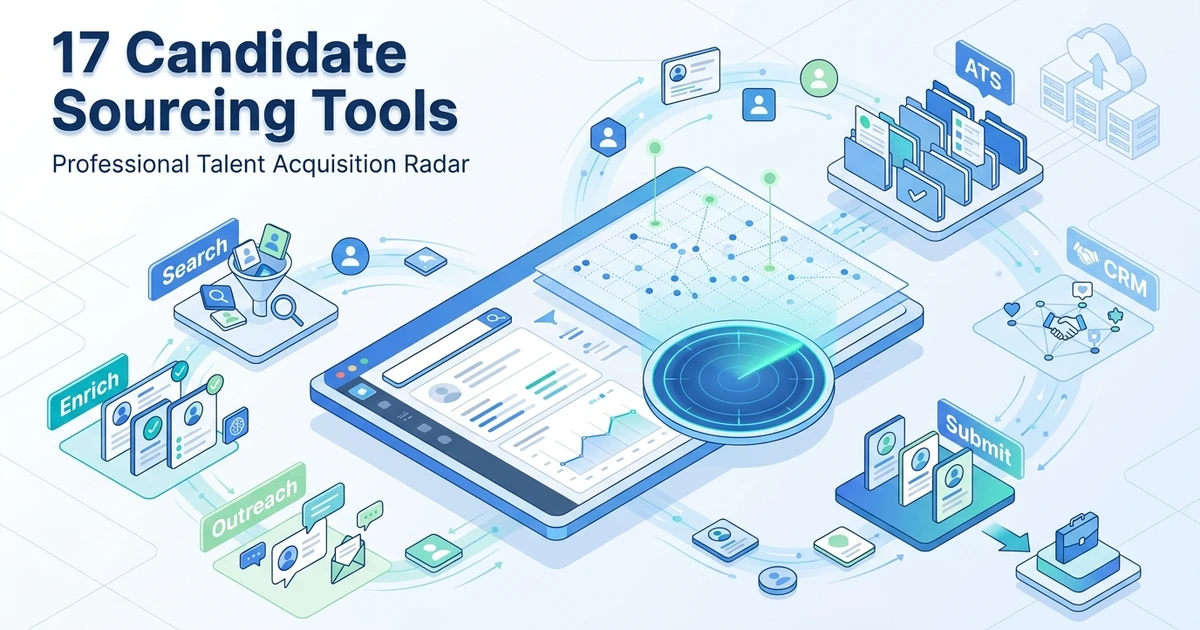
| Sourcing-led team | Search coverage, talent intelligence, profile capture, outreach controls | A sourcing product may not track candidates through interview and offer stages |
For a recruitment agency, the deciding question is often whether the platform connects the client side and candidate side of the desk. A candidate is not just an applicant. They may be relevant to several jobs over time, while a client contact may be connected to multiple openings and placements. If your software handles these as isolated lists, you may lose useful relationship context.
That connection affects ordinary work. A recruiter may receive a new job order from a client contact who already has a conversation history with the account manager. The job then needs candidates from an existing database, perhaps including people who were submitted for a different position. If the platform cannot connect those relationships, staff may create another contact record, copy a note into a separate system, or miss that the candidate already spoke with the client.
During a demo, follow the full chain. Create a job from a client relationship, search candidates, record why someone fits, prepare a submission, capture client feedback, and decide who owns the next step. Ask whether the same information can be viewed from the client record, job record, and candidate record without entering it three times. The answer reveals whether the software models agency work or only stores separate objects.
For an in-house team, test the handoff between the recruiter and hiring manager instead. Can the manager see the candidate information needed to make a decision without seeing confidential notes? Can the recruiter find feedback later? Does the system show which stage is waiting on the hiring team? These details can matter more than an additional sourcing feature.
When a point solution is the better choice
An integrated platform is not automatically the right answer. A specialist product may be preferable when your team has one narrow, high-impact need that its existing system handles poorly. Examples include a dedicated background-screening workflow, a regional job advertising channel, a technical assessment platform, or a high-volume conversational application process.
Before adding that product, identify the record that should remain authoritative. Decide which system stores candidate status, which stores the screening result, who can see it, and how the outcome returns to the recruiting workflow. If the data cannot move back cleanly, calculate the manual handoff cost and confirm that the specialist benefit is worth it.
The decision can also change by role type. A high-volume campaign may justify a separate event or assessment layer, while a confidential executive search may need tighter access controls and fewer external touchpoints. A platform decision should preserve those differences rather than flatten every search into one template.
What can reasonably stay outside the platform?
Not every business application belongs inside recruiting software. Payroll, finance, HRIS, document signatures, video meetings, and office productivity tools may remain separate when they serve other teams or require specialist controls. The recruiting platform still needs a reliable way to connect the relevant outcome, such as a signed agreement or scheduled interview, to the correct record.
The boundary should be intentional. Write down which system owns each record and which system only displays or transmits it. If the boundary is unclear, a recruiter may make a change in one system and assume it updated elsewhere. A vendor should be able to describe the integration behavior, sync direction, timing, error alerts, and limitations for the connection you depend on.
For an in-house team, evaluate the hiring manager experience as carefully as the recruiter workspace. A system can have strong recruiter features but still struggle if managers cannot review candidates, submit feedback, or complete approvals without repeated reminders.
If you recruit internationally, check language support, time zones, regional data practices, job board coverage, and contract requirements for the markets where you operate. A product’s global marketing page does not establish that every feature or integration works in every country.
How do online recruiting platforms compare?
Compare products by the workflow they are built to support, not by a single overall score. The options below represent different product approaches. Their feature sets and commercial terms change, so confirm current details for your country, team size, and plan.
| Platform | Potential fit | What to validate in a demo |
|---|---|---|
| ATZ CRM | Recruitment agencies connecting candidate delivery and client relationships | Candidate sourcing, matching, job board workflows, client records, reporting, and recruiter follow-up |
| Workable | Teams seeking recruiting and HR workflows with sourcing and hiring tools | Whether HR features are needed, plan and AI-credit costs, agency-specific client handling, and data handoffs |
| Zoho Recruit | Teams that want a configurable ATS with recruitment automation and access to a broader app ecosystem | Staffing-agency workflow fit, AI feature availability by plan, setup effort, and which integrations require configuration |
| Greenhouse | Teams prioritizing structured hiring workflows and hiring-team collaboration | Agency CRM requirements, sourcing depth, implementation needs, and total cost at your hiring scale |
| iCIMS | Larger or complex organizations comparing a talent acquisition suite | Which modules are needed, implementation and administration effort, pricing, and the workflows included in the proposal |
ATZ CRM
ATZ CRM combines an applicant tracking system and recruitment CRM for recruitment agencies and staffing firms. Its product pages describe candidate and client records, pipelines, job board integrations, AI-assisted matching, and outreach workflows. That combination gives agency teams a connected place to manage client requirements, candidate progress, and follow-up.
During a demo, walk through a real client-to-candidate handoff: open a job, find or add a candidate, review the match, record communication, and track the next step. Ask the team to show how reporting and connected tools support that workflow, then compare the full process with your agency’s day-to-day requirements.
Workable
Workable presents itself as recruiting and HR software, with applicant tracking, candidate sourcing, career-page, job distribution, and AI-related features described on its product pages. Its public pricing information describes plans and add-ons, including credit-based access for some AI Agent actions. That can make it relevant to teams that want hiring and some HR administration under one vendor.
For an agency, ask how well the product handles client accounts, job orders, submissions, and ongoing candidate relationships. If the buyer is an employer hiring for its own team, those agency-specific CRM needs may not apply. Compare only the modules your team will use, and include add-ons and AI credits in the cost model.
Zoho Recruit
Zoho Recruit describes ATS capabilities for staffing agencies and corporate HR teams, with candidate tracking, resume tools, workflow automation, and AI features documented on its product pages. It also connects with other products in the Zoho ecosystem, which may appeal to teams already using that suite.
The flexibility of an ecosystem can be useful, but it can also mean more configuration. Ask which features are available in your proposed edition, how the staffing workflow differs from the corporate workflow, and what information passes between connected tools. Have the vendor demonstrate candidate submissions and client communication if those are core to your agency.
Greenhouse
Greenhouse positions its recruiting product around structured hiring and collaboration. Its AI materials describe features across areas such as job setup, candidate review, interview support, and reporting. This may be relevant to teams that want a consistent hiring process with defined evaluation steps.
Agency buyers should check whether the system supports their client-facing workflow or whether they would need a separate CRM. Corporate talent teams should test requisition approvals, interviewer participation, candidate communication, integrations, and reporting. Ask for details about implementation, administration, and plan availability for the exact capabilities you want.
iCIMS
iCIMS describes a broader talent acquisition platform, including AI features for sourcing, matching, engagement, and recruiting coordination. It can be a candidate for larger or more complex organizations comparing a suite approach across the hiring journey.
Suite products require careful scope control. Ask which modules are included in the commercial proposal, how the team will administer them, and what data connects across the candidate experience. A long feature catalog is not proof that every capability is included or suitable for your team’s process.
How to compare the operating model, not just the feature list
For each shortlisted platform, describe one job your team fills often and one job that regularly causes trouble. Have the vendor walk through both. A product may handle the common workflow cleanly but require a workaround for a specialized placement type. That is not necessarily a reason to reject it, but you should understand the size and owner of the workaround.
Compare who does each action. In an agency, recruiters, sourcers, account managers, operations staff, and clients may all need different views. In an internal talent team, hiring managers and interviewers need a simple way to participate without changing the underlying workflow. Ask which roles can edit candidate data, who can export it, and whether access can be scoped by team, client, or search.
Then assess adaptability. Can you change stages and required fields without a paid implementation project? Can you set up different processes for contract and permanent hiring? Can an administrator update a template without breaking other teams? Flexibility is useful when it supports a real difference in process. Excessive configuration can create a system that only its original builder understands.
Write down your non-negotiable capabilities, preferences, and acceptable workarounds separately. A must-have is a workflow that cannot operate without the feature. A preference makes the experience better but can be substituted. A workaround is acceptable only if its owner, effort, and failure risk are understood. This makes procurement discussions more objective and reduces pressure to buy every module a vendor demonstrates.
The demo should include a person who will perform the daily work, not only the software buyer. Ask a recruiter to use the test account without coaching. Note where they hesitate, which labels they do not understand, and which action they cannot find. Adoption risk often appears in these small moments before it becomes a rollout problem.
What the comparison cannot decide for you
A feature list cannot tell you whether recruiters will adopt the software or whether its workflows match the way your team serves clients. You need to test the system with actual records, realistic permissions, and the people who will use it every day.
A shortlist should include a clear reason for each product. Remove options that do not support your operating model, cannot meet data or integration requirements, or require a cost structure outside your budget. Then evaluate the remaining products against the same workflow and questions.
LinkedIn’s 2026 talent research reported that 66% of surveyed recruiters said finding qualified talent had become harder. LinkedIn’s research summary identifies the survey fieldwork and population. That pressure can make better workflow visibility valuable, but it does not mean software alone can solve sourcing or hiring difficulty.
SHRM’s 2025 Talent Trends report found that 69% of surveyed organizations were still struggling to fill full-time roles, while 51% reported too few applicants. SHRM’s report and methodology explain how the results were collected. Use those findings as labor-market context, not as a platform performance guarantee.
What should a recruiting platform trial prove?
A useful trial answers the questions that matter for your daily work. Avoid testing only the onboarding tutorial or importing a clean sample database. Use a real job with appropriate access controls, and define what a successful workflow looks like before the trial begins.
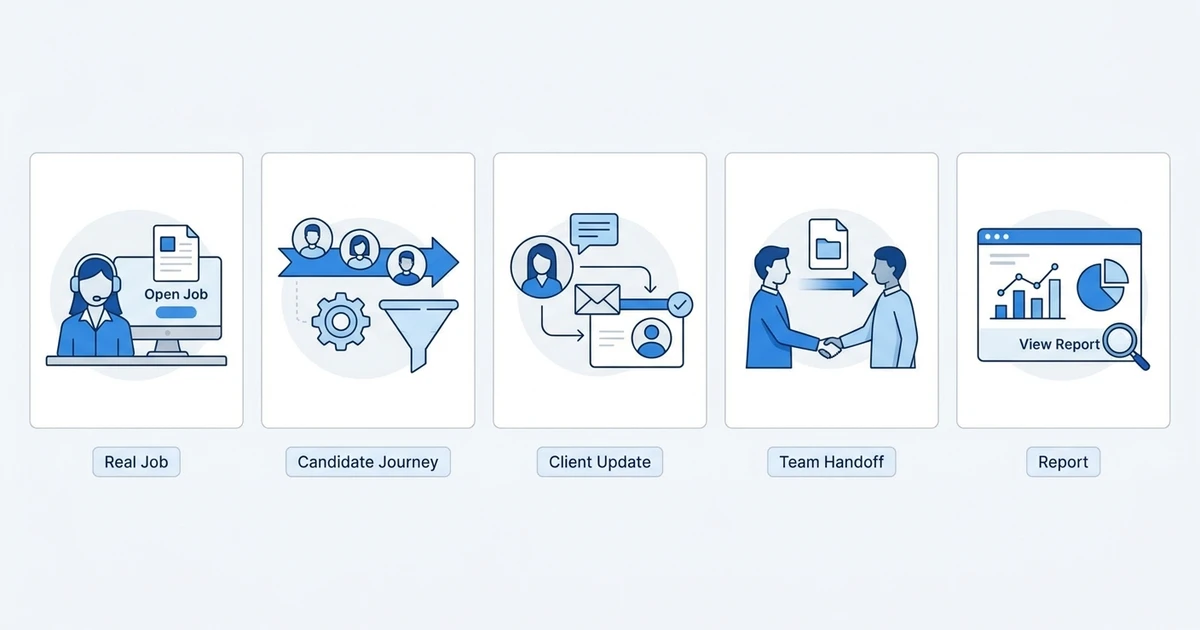
Try this evaluation path:
- Create or import a job. Check whether you can capture requirements, client context, team ownership, and a clear approval path.
- Bring in candidates. Test an application, a sourced profile, and a known candidate from your database. Check how duplicates are handled.
- Search and shortlist. Use the criteria your team actually searches by. Confirm whether results can be reviewed and whether the basis for an AI recommendation is visible.
- Run a candidate communication. Send or record an appropriate message, then confirm the reply and next action appear on the candidate and job record.
- Move the process. Change a stage, schedule an interview, record feedback, and submit a candidate to the client if that is part of your workflow.
- Review the client view. Check what a client or hiring manager can see, change, or comment on, and whether permissions can be tailored.
- Build a report. Try to answer a real question, such as which source produced candidates who reached interview stage.
- Export a record. Confirm that you can retrieve candidate data, notes, attachments, and activity in a form you can use.
Watch for workarounds. If the recruiter has to open another app to understand the latest candidate status, note that. If the team must maintain a second spreadsheet for client activity or reporting, ask whether the setup can be changed or whether the gap is permanent.
Use a shared scorecard for every vendor
After each trial session, have the people who participated score the same categories. Keep the scale simple and ask for a short reason beside each score. Suggested categories include workflow fit, ease of daily use, candidate and client context, search quality, reporting, integrations, administration, support, data portability, and total cost.
The scorecard is not a substitute for judgment. It helps surface differences in what each person experienced. A recruiter may value fast candidate search, while an operations lead may focus on clean data export and permissions. Keep those differences visible instead of averaging them away.
Ask evaluators to separate observed behavior from vendor promises. “The report showed a source-to-interview path during the trial” is an observation. “The vendor said a custom report can be added later” is a commitment to verify in writing. Record both, but do not treat them as equivalent evidence.
At the end of the trial, decide what would disqualify the platform. Examples include missing data export, a required integration that does not work, a workflow that depends on duplicate entry, or a pricing model that cannot fit the expected volume. Pre-agreeing on disqualifiers helps the team avoid excusing a serious gap because it has already spent time evaluating the product.
Also test the support experience before a contract. Ask how a recruiter would get help during a live search, whether administrators can access training, and which questions are handled by customer support versus a paid professional services team. The answer should match your team’s implementation capacity.
Do not use sensitive candidate information in a trial unless the provider’s terms, permissions, and your organization’s policies allow it. Use test records where needed. Ask what happens to data after the trial ends, who can access it, and how the team can delete or export it.
Explore how ATZ CRM’s applicant tracking system and recruitment CRM bring candidate and client workflows together for agency recruiting.
How do you estimate the full cost of a recruiting platform?
The monthly subscription is only one part of the cost. The right comparison includes how many people need access, which features they need, what volume they process, and the amount of work required to implement and maintain the system.
Build a cost worksheet with these categories:
- Seats and roles: Count recruiters, administrators, managers, and occasional reviewers. Ask how read-only or client access is priced.
- Usage: Check limits for active jobs, candidate records, emails, AI credits, enrichment, texting, storage, and reporting.
- Modules: Identify the features that require an add-on or higher plan.
- Advertising: Separate software cost from media spend, job board subscriptions, and paid promotion.
- Implementation: Include setup, configuration, training, data cleanup, and migration.
- Integrations: Check whether a connector is included, billed separately, or requires custom work.
- Support: Confirm support channels, response expectations, onboarding, and ongoing assistance.
- Renewal and exit: Review contract length, price changes, cancellation, data export, and deletion terms.
Make the comparison across the period you expect to use the system. A lower starting price may not remain lower if you need paid add-ons, extra integrations, or manual work to connect the workflows. A higher price may be justified if the software replaces several subscriptions and reduces administration, but you should estimate that reduction using your own process rather than relying on a vendor’s general claim.
For a fair estimate, include the time needed to keep the platform accurate. A tool that requires constant duplicate entry carries an operating cost even if the license is inexpensive. Ask the recruiter who will own configuration, remove duplicate records, maintain fields, and respond when an integration stops working.
Compare a realistic hiring scenario
Do not model cost using the vendor’s smallest plan if it excludes the features your process requires. Use a representative team configuration, including the people who need client access, reporting, administration, and occasional review. Add the workflow features, integration fees, and usage charges you expect to use.
Create a low, expected, and busy-period scenario. For each one, record the assumed seat count, role volume, advertising spend, AI or enrichment use, and support needs. If the vendor cannot explain how the bill changes when volume rises, ask for a written example before purchasing.
Then compare the direct costs with the current stack. Include subscriptions your team might retire, but do not count savings until you know that the replacement covers the same work. If an old application remains necessary for reporting or payroll, keep it in the model. This gives the team a more credible view of the investment than a simple per-user comparison.
Finally, assess the cost of leaving. Confirm export formats, retrieval of email and activity history, termination windows, deletion procedures, and any fees for migration assistance. Portability is part of the purchase decision because the team should be able to change systems if its needs change.
Ask the vendor to distinguish recurring fees from one-time work in its proposal. Clarify whether configuration, training, data mapping, and integration setup are included, and what happens if your requirements change after launch. Keep the assumptions in the worksheet so the team can compare proposals on the same basis.
Use the total cost worksheet in your comparison. Record assumptions beside each amount, such as seats, usage, contract duration, and required modules. That makes it easier to revisit the calculation if hiring volume changes.
How can you move from separate recruiting tools to one platform?
Replacing software is a workflow change, not only a data import. A migration can preserve records but still fail if recruiters do not know where to record a client conversation, who owns the next action, or which system now holds the current candidate status.
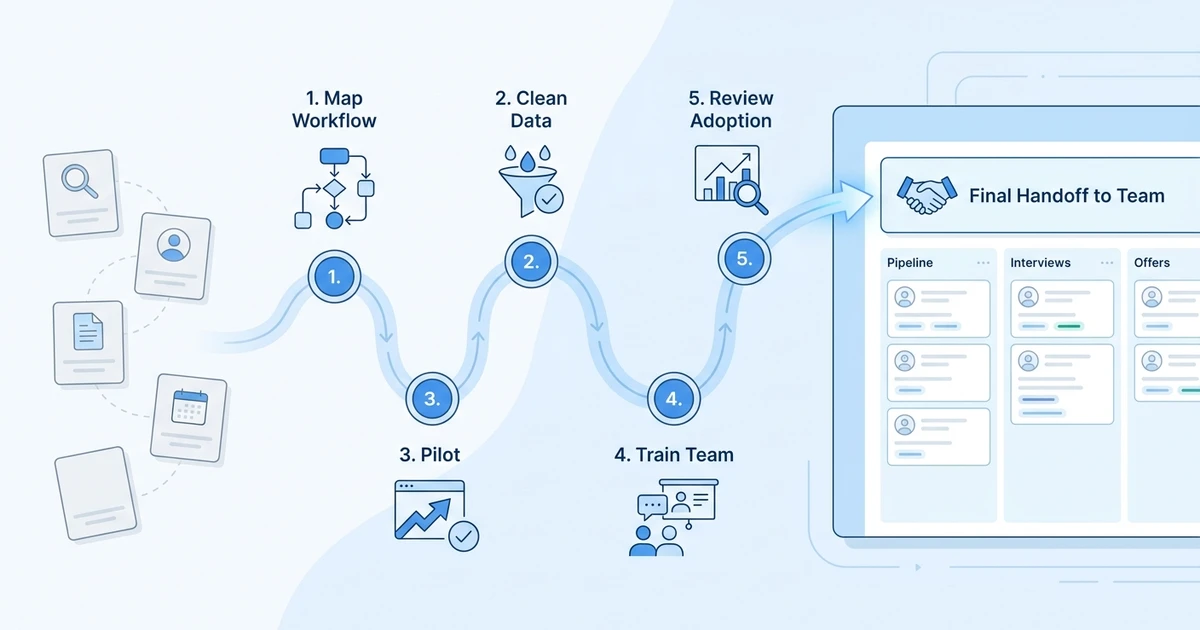
Start with a map of the existing process. List the tools, records, handoffs, and reports used from job intake through placement. Identify duplicated fields, stale spreadsheets, personal inbox dependencies, and processes that only one person understands. Decide what should be retired, what needs to remain, and what information must move.
Then plan in stages:
- Assign system ownership. Define where candidate, client, job, and activity records should live after the transition.
- Clean high-value data first. Resolve duplicates, remove obsolete records where appropriate, standardize essential fields, and preserve useful history.
- Choose a pilot workflow. Test a representative role or team before moving every process at once.
- Set permissions and conventions. Define record ownership, access, naming, required fields, and stage meanings.
- Train around real tasks. Show how to add a candidate, record outreach, update a client, and find a report.
- Measure adoption and accuracy. Check whether the team uses the new workflow and whether key records remain complete.
- Keep an exit plan. Maintain a verified export and document integration dependencies before ending the old contract.
A platform rollout should make work clearer for recruiters. If the new system adds fields without explaining how the team will use them, records become inconsistent. If it changes a familiar process, show why the change matters and provide a simple way to ask for help.
Migration is also a chance to decide which old habits should not move. Do not recreate every spreadsheet tab or status just because it exists. Keep what supports a real decision, remove what no one uses, and document the reason for changes so the team can trust the new setup.
Prepare the data before a migration
Start by identifying which records the team will need on day one. Candidate name, contact details, resume, skills, location, source, current status, owner, and communication history may matter, but the exact fields depend on your process. For client records, preserve organization details, key contacts, job orders, and relevant activity. Avoid treating every historical field as equally valuable.
Check for duplicates before import. The same person may appear with a personal email, work email, different name spelling, or a second record from a job board. Define how the new platform identifies duplicates and how recruiters should resolve possible matches. A merge rule that is too aggressive can combine different people. A rule that is too loose can leave the database fragmented.
Agree on field definitions. If one recruiter uses “screened” to mean a phone conversation and another uses it to mean resume review, a migrated pipeline will not support useful reporting. Document what each stage means and what information must exist before a candidate moves forward. Keep the list short enough that recruiters will follow it.
Before moving the full database, import a sample that includes typical records and known edge cases. Check whether resumes, notes, attachments, source fields, and linked job history appear as expected. Ask the recruiters who know those records to review the result. A technically successful import can still lose context that matters during a live search.
Plan for adoption after launch
The first weeks after launch should include a clear owner for questions, configuration changes, and data problems. Recruiters need to know where to log an issue and which requests require an administrator. If every person invents a workaround, the team may recreate the same fragmentation inside the new platform.
Build short instructions around daily actions rather than a tour of every menu. Show how to find a candidate, associate them with a job, record a conversation, request feedback, and close a task. Give managers a separate guide for the decisions they need to make. This keeps training relevant to each person’s work.
Review workflow quality with the team. Are candidate records searchable? Do client updates have an owner? Are stages being used consistently? Do recruiters trust the source reports? The aim is to identify friction while it is still easy to correct. Avoid measuring adoption only by logins, because a person can sign in without completing useful work.
Keep the old system available for a defined transition period if the contract and data policy allow it. Set a date to stop creating new records there, explain which system owns current activity, and retain a safe export. This reduces uncertainty while preventing the two platforms from becoming competing sources of truth.
The rollout is complete when the new workflow is clear enough that the team can work without constant help, not simply when the data import finishes. Include time for questions, adjustments, and a review of reporting definitions. That investment helps the platform reflect how the agency works rather than forcing every team to adapt to a default setup.
A trial should include a handoff that crosses roles. Ask one recruiter to open a job, another to review a candidate, and a manager to see the status without requesting a private spreadsheet. This exposes permission and ownership questions that a single-user demo can miss. Confirm whether a colleague can understand the candidate’s latest status, previous contact, and next action without reconstructing the story from several tabs.
Check the platform’s boundaries
Write down which tasks the platform should own and which remain in specialist applications. For example, you may keep a separate background-check provider, assessment tool, payroll system, or media-buying platform. Identify the event that moves information between each system and which product is authoritative when details conflict. If a recruiter edits a phone number in one tool, determine whether the update reaches the others or creates competing copies.
Ask about operational limits as well as feature availability. A product may support a workflow but restrict the number of automation rules, reporting fields, admin users, or integrations in a particular plan. Confirm those limits using the actual proposal. Also ask how the vendor handles maintenance, product changes, support requests, and access for temporary or contract recruiters. These details affect daily operations even though they rarely appear in a feature checklist.
Decide what success looks like before rollout
Choose a small group of measures that reflect the problem you want to solve. If the current issue is duplicate entry, compare the number of handoffs that require retyping information. If it is lost client context, review whether job updates and candidate submissions are visible to the right people. If it is inconsistent reporting, check whether the team uses stage definitions consistently and whether managers can explain the resulting numbers.
Set a review date with recruiters who use the system, not just the project lead. Ask what became easier, which workarounds appeared, and whether a key task now takes longer. Keep the original baseline and the assumptions used for the comparison. A platform evaluation is more useful when the team can point to a concrete workflow change than when it relies on a general impression that the product feels modern.
Frequently Asked Questions
What is an online recruiting platform?
An online recruiting platform is cloud software for organizing recruiting work, which can include sourcing, applicant tracking, communication, hiring stages, and reporting. The scope varies by product, so compare workflows rather than relying on the category name.
How do I choose an online recruiting platform for an agency?
Map the agency’s candidate and client processes, then test both in the same product. Check integrations, data export, reporting, plan limits, pricing, support, and recruiter adoption using a real job and candidate journey.
Is an online recruiting platform the same as an ATS?
No. An ATS focuses on applicants, jobs, and hiring stages. An online recruiting platform may include an ATS or may cover additional activities such as sourcing, candidate CRM, client CRM, outreach, and analytics.
Can an online recruiting platform include both ATS and CRM?
Yes. Some products combine candidate tracking with relationship management for candidates and clients. Confirm whether job orders, client follow-up, candidate submissions, and communication history are connected in a way that fits your team.
What should a recruiting platform trial prove?
A trial should show whether your team can run a real workflow from job intake to candidate communication, client update, and reporting. It should also answer questions about permissions, integrations, data export, support, and total cost.
Conclusion
The best platform is the one your team can use to keep recruiting context and next steps together. Match the product to your hiring model, test a real workflow, and include implementation and ongoing administration in the buying decision.
If your agency wants candidate and client work connected in one recruiting workflow, explore ATZ CRM’s pricing and plans and see how its ATS and CRM capabilities map to your team’s process.