EN
EN DE
DE ES
ES FR
FR NL
NL PT
PT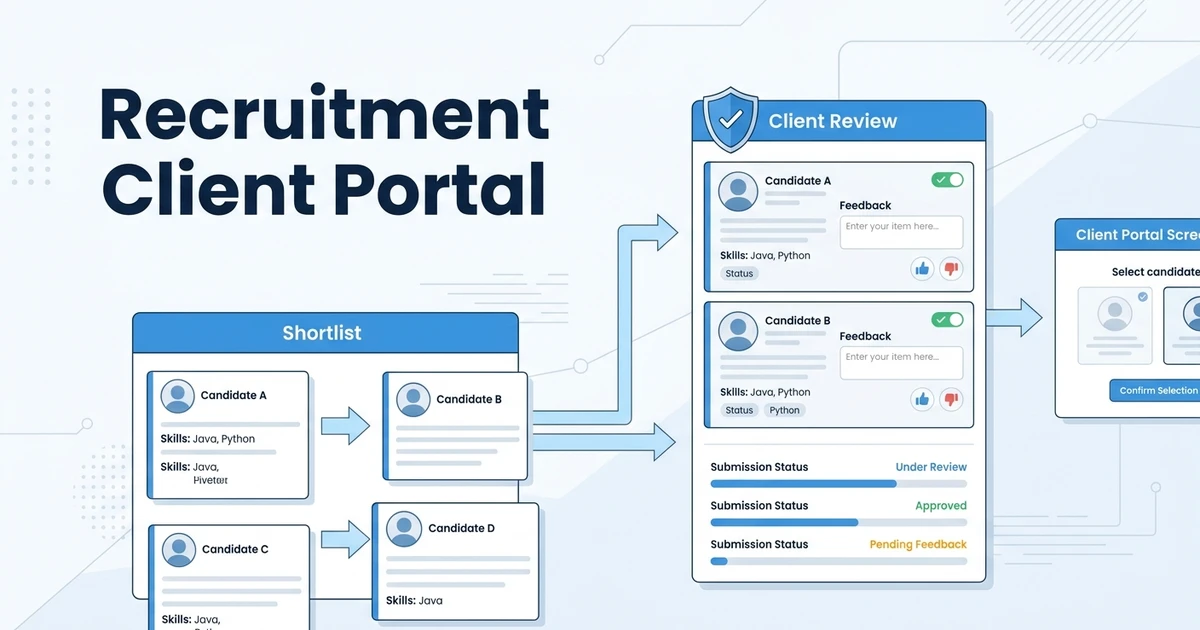
Quick Answer: A recruitment client portal is a secure workspace where hiring managers review candidate shortlists, leave feedback, and track submissions without email chains. For agencies, it speeds up candidate presentation, keeps client decisions visible, and connects shortlist activity back to the ATS and CRM.
If your team still sends candidate submissions as email attachments, every shortlist becomes harder to manage than it should be. CV versions split across threads, hiring managers reply in different formats, and recruiters spend too much time chasing decisions.
A client-facing portal fixes that workflow. It gives your clients one secure place to review candidates while your team keeps submission history, feedback, and next steps tied to the right job, client, and candidate record.
Why Email-Based Candidate Submissions Slow Agencies Down
Email looks simple until you send the third version of a shortlist to four hiring managers. One client replies to the wrong thread, one downloads an outdated CV, and one asks for feedback from a colleague who was never copied.
That creates operational drag. Your recruiters spend time asking for status updates instead of moving candidates forward, and your client experience starts to feel manual even when your search work is strong.
CV Versions Get Lost Across Threads
Recruiters often update CVs after screening calls, salary checks, or formatting changes. When those versions live in email attachments, there is no single source of truth.
A client may review the wrong version and reject a candidate based on missing context. That is not just admin friction. It can cost you interviews.
Client Feedback Arrives Late or in Inconsistent Formats
One hiring manager replies with a sentence. Another uses comments in a PDF. A third waits until the next weekly call.
That makes feedback hard to compare across candidates. It also makes your team slower at adjusting the shortlist, improving future submissions, or spotting a mismatch in the role brief.
Recruiters Lose Visibility After the Shortlist Is Sent
Once a shortlist leaves the inbox, your team often has no clean way to see whether the client opened it, reviewed it, or shared it internally. You only know what the client tells you.
For high-touch staffing, retained search, and executive search, that lack of visibility is expensive. Speed matters, but so does knowing where each candidate stands.
What Is a Recruitment Client Portal?
A recruitment client portal is a secure, client-facing workspace where hiring managers can review submitted candidates, compare profiles, leave structured feedback, and request next steps. It sits between your delivery team and the client decision process.
The best portals do more than host files. They connect candidate submissions to the records inside your ATS and CRM so every comment, rejection, interview request, and shortlist update stays trackable.
A client portal is not the same thing as a candidate portal. A secure candidate portal helps candidates manage their own data and interactions, while a client portal helps hiring managers review people your agency has already shortlisted.
A candidate submission portal is narrower. It usually focuses on packaging and sending candidate profiles. A full recruitment agency client portal should also support client feedback, permissions, submission status, and reporting.
When Does a Recruitment Agency Need a Client Portal?
You do not need a portal because it sounds modern. You need one when your submission process has become too important to run through inboxes and spreadsheets.
Most agencies reach that point when they manage multiple clients, repeat roles, executive searches, or hiring managers who need to review candidates quickly and consistently.
Use this checklist:
- Multiple hiring managers review the same shortlist.
- Candidate CVs need notes, scorecards, cover sheets, or summaries.
- Clients regularly delay accept or reject feedback.
- Your team handles executive search, retained search, or high-touch staffing.
- You need submission reporting by role, client, and recruiter.
If two or more of those are true, a client portal is no longer a nice-to-have. It becomes part of your delivery system.
Client Portal vs Candidate Submission Portal vs ATS
Different tools solve different parts of the submission problem. The mistake is assuming that sending a better-looking CV is the same as managing the client review workflow.
Use this table to separate the options:
| Workflow | What it handles | Who uses it | Best fit | Limitation |
|---|---|---|---|---|
| Email attachments | CV delivery and ad hoc replies | Recruiters and clients | Very small agencies with low submission volume | Feedback gets scattered and hard to report |
| Standalone candidate submission portal | Candidate profile sharing and branded shortlists | Recruiters and hiring managers | Agencies that only need a presentation layer | Data can sit outside the ATS and CRM |
| Client-facing recruitment portal | Secure review, feedback, and submission tracking | Clients, hiring managers, recruiters | Agencies that need faster shortlist decisions | Works best when connected to source records |
| Unified ATS and CRM with portal | Candidate records, client relationships, submissions, and reporting | Full agency team and clients | Agencies that want one operating workflow | Requires the team to keep pipeline data clean |
A standalone candidate submission portal may look polished, but it can create a second system to update. That is fine for some teams, but it becomes a problem when recruiters need live status, client notes, and placement reporting in one place.
For most growing agencies, the stronger choice is a portal connected to the ATS and CRM. That way, the client-facing experience and the internal recruiter workflow use the same underlying data.
The Best Client Portal Workflow for Candidate Submissions
A good portal does not replace recruiter judgment. It removes manual handoffs around candidate presentation so your consultants can focus on search quality, client advice, and closing.
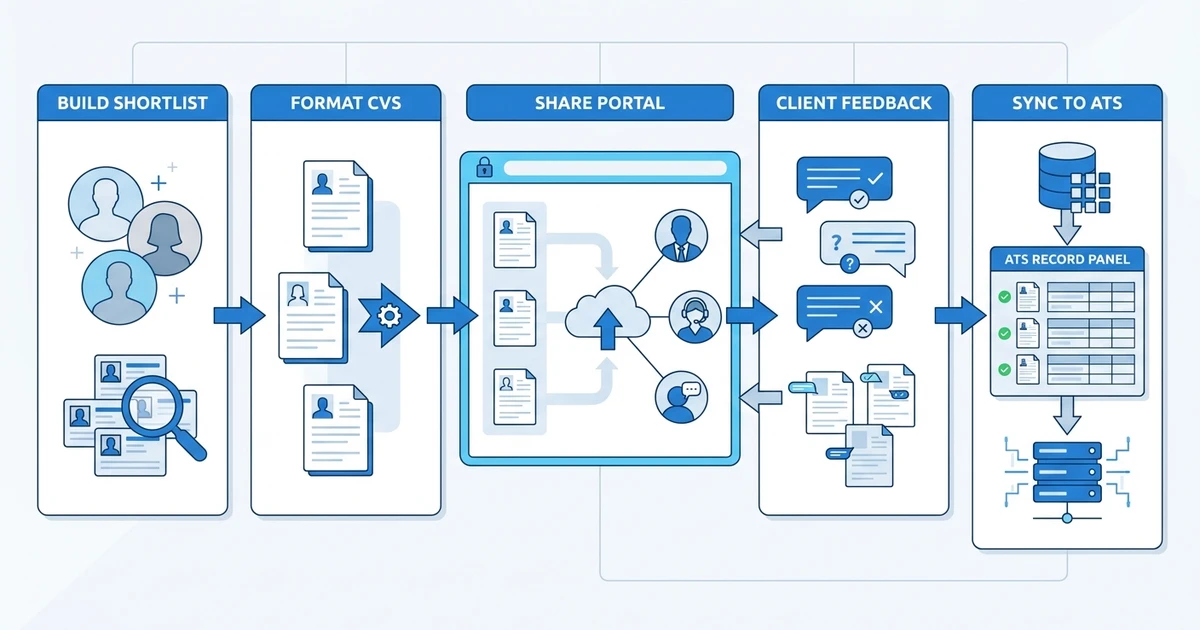
The workflow should feel simple to the client and structured for your team.
- Build a shortlist from the candidate pipeline or hotlist.
- Format CVs and candidate summaries.
- Share a secure portal link with the client.
- Capture comments, ratings, rejections, and interview requests.
- Sync feedback to the candidate and job record.
- Report submission-to-interview and submission-to-placement metrics.
This is where portals are especially useful for executive search and specialist staffing. AESC’s guide to choosing an executive search firm emphasizes the importance of collaboration and the client assignment context in high-value search work in its 2025 global guide.
The same principle applies to agency delivery. Clients do not just want names. They want a clear recommendation, supporting context, and a simple way to respond.
Features to Look for in Recruitment Portal Software
The right recruitment portal software should support the full submission workflow, not just file sharing. Start with security, then look at presentation, feedback, and ATS sync.
These are the features that matter most:
- Secure client access and role-based permissions.
- Branded candidate presentation.
- CV formatting and candidate summaries.
- Feedback capture and submission status tracking.
- ATS and CRM sync across candidates, jobs, clients, and placements.
- GDPR-aware data handling.
Security matters because candidate data is sensitive. A portal should let your agency control who sees which shortlist, which documents are visible, and how feedback is stored.
Presentation matters because the shortlist represents your agency’s quality. Clean candidate summaries, structured notes, and professional CV formatting help clients make faster decisions with better context.
Reporting matters because delivery leaders need to see where submissions stall. Bullhorn’s 2026 GRID report surveyed nearly 2,300 recruitment professionals and found that 56% reported revenue growth, compared with 40% the prior year in its 2026 industry trends report. Faster, clearer workflows are part of that performance story.
How ATZ CRM Supports Client-Facing Candidate Submissions
ATZ CRM connects the client-facing shortlist experience to the rest of your recruitment workflow. Your team can use candidate hotlists to curate profiles, format resumes professionally, and share submissions through secure portal workflows without losing the ATS and CRM context.
That matters because submissions are not isolated events. Every client comment, rejection, interview request, and follow-up should improve the record your team uses next time.
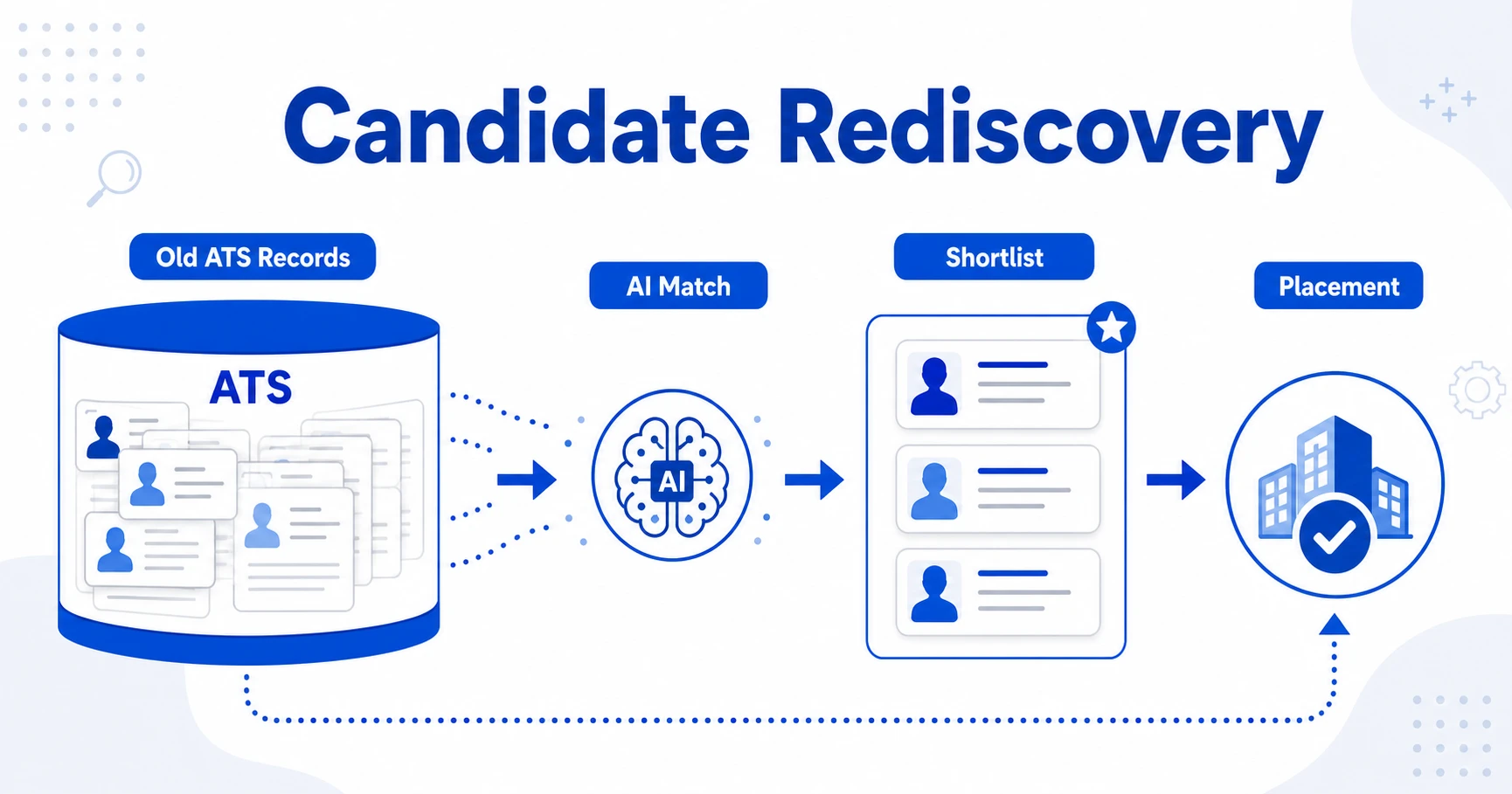
ATZ CRM also supports AI candidate submission workflows that help package candidate information faster. Instead of rebuilding the same submission notes from scratch, recruiters can prepare cleaner client-ready summaries from the candidate record.
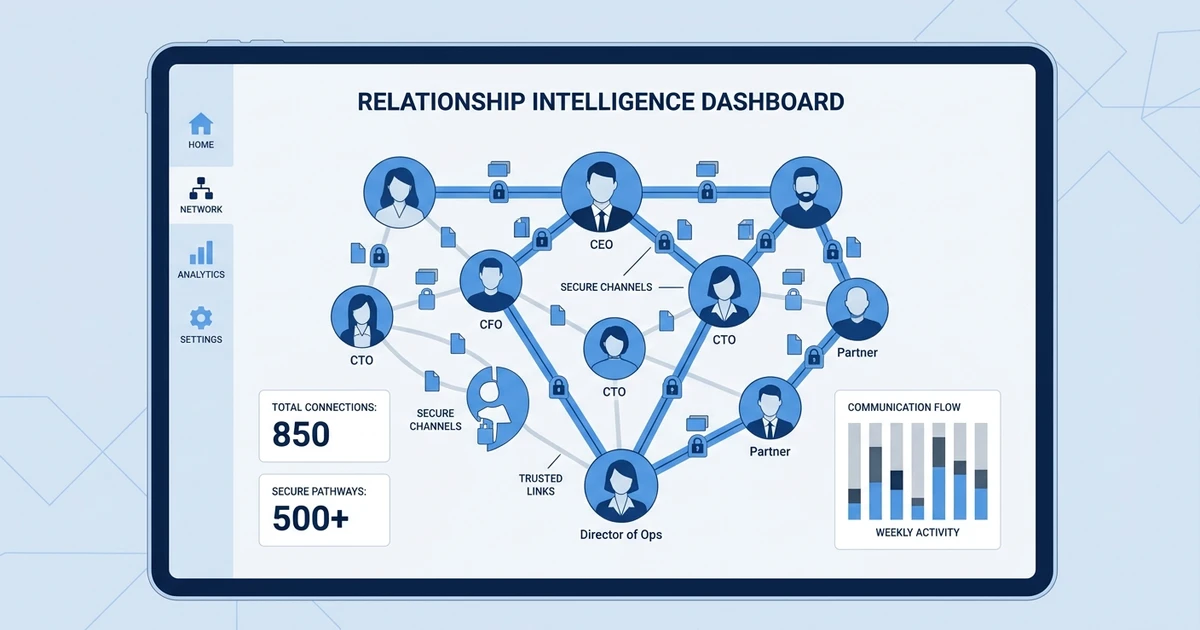
For executive and retained search teams, this connects naturally with executive search workflows. Your team can present curated shortlists while still tracking the deeper relationship context behind each candidate.
Bullhorn also reported that top-performing staffing firms are four times more likely to use AI, linking AI use to faster placements, productivity, and revenue growth in its 2026 GRID press release. The point is not to remove recruiters from the process. It is to remove repetitive formatting and handoff work.
Want to replace email-based submissions with secure portals, AI-assisted candidate packages, and connected client feedback? Explore ATZ CRM’s secure candidate portals and see how your team can move shortlists through review faster.
Frequently Asked Questions
What is a recruitment client portal?
This type of portal is a secure online space where clients review candidate shortlists, CVs, notes, and status updates. It replaces scattered email threads with a trackable review workflow inside or connected to your recruitment system.
Is a client portal different from a candidate portal?
Yes. A client portal is built for hiring managers and clients who review submitted candidates. A candidate portal is built for candidates who update their profile, upload documents, or track their own application progress.
Do small recruitment agencies need a client portal?
Small agencies need a client portal when email submissions start causing delays, lost feedback, or duplicate follow-ups. If several clients review shortlists every week, a portal can make your process look more professional without adding admin.
How does a candidate submission portal improve client feedback?
A candidate submission portal gives clients one place to approve, reject, comment on, or request interviews for each candidate. That keeps feedback structured and makes it easier for recruiters to see what is stuck.
Should a client portal be part of the ATS or a separate tool?
For most agencies, the portal works best when it is part of the ATS and CRM workflow. A separate portal can share candidates, but it often creates another place where notes, feedback, and submission history can drift away from the source record.
Conclusion: Replace Email Chaos with a Trackable Submission Workflow
Candidate submissions are too important to manage through scattered threads. A portal gives your clients a cleaner review experience and gives your recruiters the visibility they need to move faster.
If your agency is scaling beyond manual shortlist sharing, ATZ CRM gives you portals, CV formatting, AI-assisted submissions, and connected ATS+CRM history in one workflow. Start with the executive search software guide if you want to see how client-facing presentation fits into a broader search platform.