EN
EN DE
DE ES
ES FR
FR NL
NL PT
PT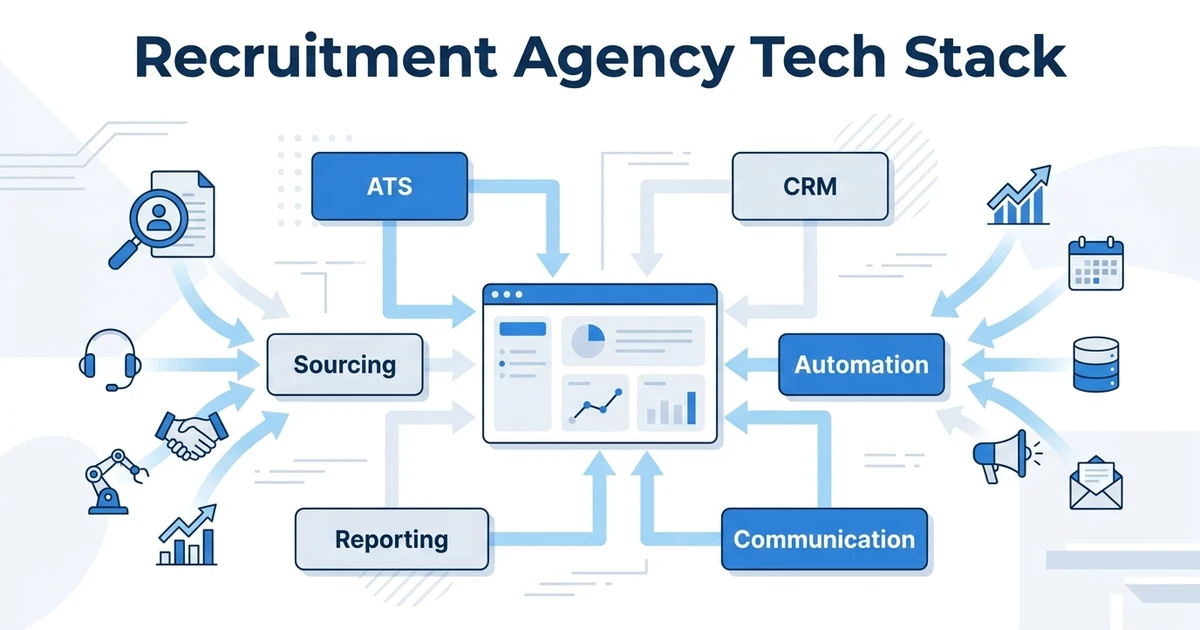



Quick Answer: The top recruiting stack tools for agencies include ATZ CRM, LinkedIn Recruiter, Indeed, Zapier, Calendly, Google Workspace, Microsoft Teams, DocuSign, Checkr, and Looker Studio. ATZ CRM should sit at the core when your agency wants ATS, CRM, sourcing, automation, communication, and reporting connected instead of scattered across disconnected tools.
TL;DR: Quick Summary
The best agency recruiting software stack is not a pile of unrelated tools. It is a core recruiting system surrounded by specialist tools that solve specific jobs.
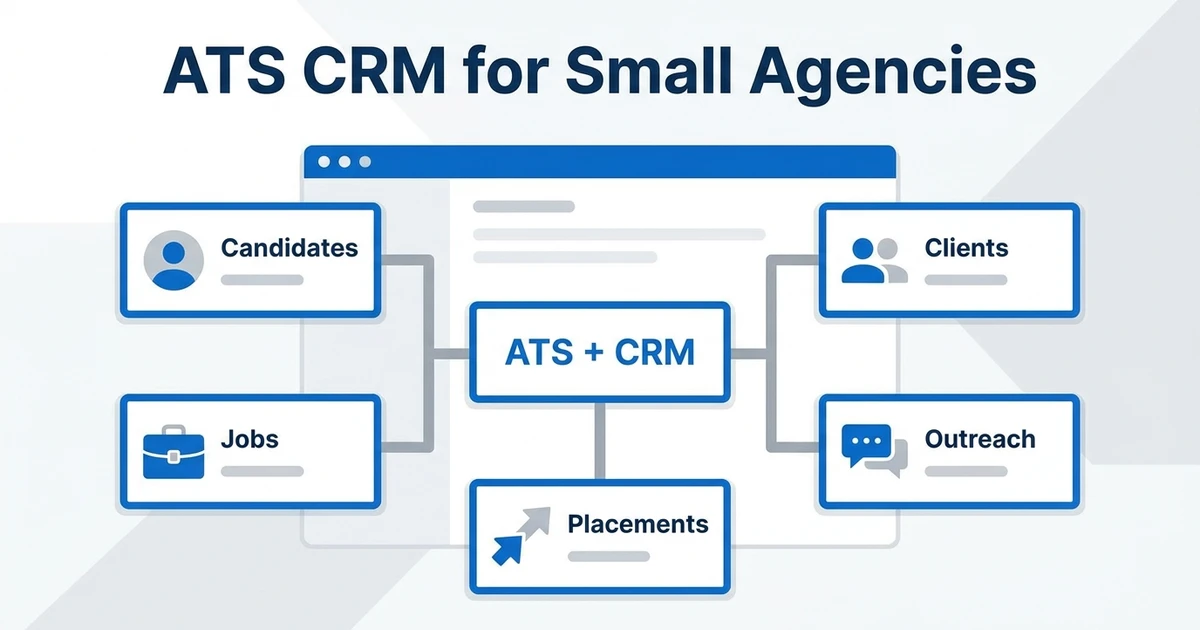
For most agencies, that core should be an ATS + CRM. It should own candidates, clients, jobs, communication history, workflow automation, and reporting. Point tools can support sourcing, calendars, signatures, checks, and dashboards, but they should not become separate systems of record.
Here is the short version:
- Best core ATS + CRM: ATZ CRM
- Best sourcing network: LinkedIn Recruiter
- Best job distribution layer: Indeed
- Best workflow connector: Zapier
- Best scheduling tool: Calendly
- Best business workspace: Google Workspace
- Best team communication layer: Microsoft Teams
- Best document signing tool: DocuSign
- Best background check tool: Checkr
- Best lightweight reporting layer: Looker Studio
What is a recruitment agency tech stack?
This is the set of tools your team uses to source candidates, manage jobs, build client relationships, schedule interviews, automate follow-ups, report performance, and close placements.
That stack usually includes an Applicant Tracking System (ATS), a CRM, sourcing tools, communication apps, automation connectors, job boards, reporting dashboards, and admin tools. The problem is not having many tools. The problem is when each tool becomes a separate place where recruiters must work.
Tool sprawl is expensive. Zylo reports that organizations spend an average of $55.7M annually on SaaS and maintain an average portfolio of 305 applications according to its SaaS Management Index. Agencies may run smaller stacks, but the same pattern applies: too many overlapping tools quietly reduce control.
Why recruitment agencies need a connected tech stack
Agency recruiting is relationship-heavy. You are not just tracking applicants. You are managing candidates, clients, hiring managers, submissions, follow-ups, feedback, revenue, and repeat business.
A disconnected stack slows that down. Recruiters copy profiles into the ATS, track client notes in a CRM, send reminders from inboxes, schedule interviews in a calendar, and rebuild reports in spreadsheets.
That is exactly why the core stack matters. SHRM found that 51% of organizations using AI in HR use it for recruiting according to its Talent Trends research. AI is useful only when it sits near the data recruiters already use.
Quick comparison: Top 10 recruiting tech tools
| Rank | Tool | Best fit | Stack layer | Consolidation note |
|---|---|---|---|---|
| 1 | ATZ CRM | Core ATS + CRM for agencies | Candidate, client, automation, reporting | Best core platform for reducing duplicate work |
| 2 | LinkedIn Recruiter | Professional sourcing | Candidate sourcing | Strong sourcing layer, but keep records in your ATS |
| 3 | Indeed | Job posting and applicant flow | Job distribution | Useful for reach, but applicant data should flow into the ATS |
| 4 | Zapier | Workflow connections | Automation | Useful for edge workflows that sit outside the core platform |
| 5 | Calendly | Interview coordination | Scheduling | Works best when meeting context returns to the candidate record |
| 6 | Google Workspace | Email, docs, calendar, storage | Productivity | Good business layer, not a recruitment database |
| 7 | Microsoft Teams | Internal and client collaboration | Communication | Useful for team coordination and meeting workflows |
| 8 | DocuSign | Offer and agreement signatures | Documents | Keep signed documents connected to client and candidate records |
| 9 | Checkr | Background checks | Screening admin | Useful specialist layer for regulated hiring workflows |
| 10 | Looker Studio | Lightweight reporting dashboards | Analytics | Helpful only when the underlying recruiting data is clean |
Top 10 recruiting tech tools for agencies
1. ATZ CRM
Best fit: Recruitment agencies that want ATS, CRM, sourcing, automation, reporting, and communication connected in one core platform.
Key features:
- Applicant Tracking System for recruitment agencies
- recruitment CRM for client relationships
- AI candidate matching and similar candidate search
- Automated outreach sequences and workflow automation
- Reports, dashboards, and recruiter performance visibility
Pros:
- Combines candidate and client workflows
- Built for recruitment agency operations
- Transparent pricing and migration support
- Useful AI features live inside the recruiter workflow
Cons:
- Agencies with complex payroll funding or back-office finance needs may still need specialist tools
- Teams must clean old data before migration to get the best result
Expert verdict: ATZ CRM should be the core of the stack when you want fewer disconnected tools around the daily placement workflow. It is the strongest fit for agencies that want a cleaner operating layer instead of separate ATS, CRM, outreach, and reporting workarounds.
2. LinkedIn Recruiter
Best fit: Agencies that need professional sourcing and talent discovery.
Key features:
- Candidate search and filtering
- Talent pool discovery
- InMail outreach
- Saved searches and projects
- Recruiter collaboration features
Pros:
- Strong candidate discovery network
- Useful for passive candidate sourcing
- Familiar to most recruiters
Cons:
- It should not be your system of record
- Candidate notes and follow-ups can become disconnected if they stay outside the ATS
Expert verdict: LinkedIn Recruiter is a powerful sourcing layer, but it works best when sourced candidates move into a central ATS + CRM quickly.
3. Indeed
Best fit: Agencies that need job visibility and applicant flow.
Key features:
- Job posting
- Candidate applications
- Sponsored job visibility
- Employer branding surfaces
- Applicant management basics
Pros:
- Large candidate reach
- Useful for active job seekers
- Simple for high-volume applicant flow
Cons:
- Applicant volume can create screening noise
- Candidate data must be organized inside your ATS
Expert verdict: Indeed can support reach, but agencies still need a central recruiting system to screen, manage, and report on applicants.
4. Zapier
Best fit: Agencies that need to connect edge workflows across tools.
Key features:
- No-code automation
- App-to-app triggers
- Task routing
- Notifications
- Lightweight data movement
Pros:
- Useful for quick workflow fixes
- Connects many common business apps
- Helps bridge gaps between specialist tools
Cons:
- Too many automations can become hard to govern
- It should not replace native recruiting workflow automation
Expert verdict: Zapier is best at the edge of the stack. Use it for specialist workflows, not as the main engine for candidate and client operations.
5. Calendly
Best fit: Agencies that want to reduce scheduling back-and-forth.
Key features:
- Booking links
- Calendar availability
- Meeting reminders
- Interview coordination
- Team scheduling options
Pros:
- Reduces manual scheduling
- Easy for candidates and clients
- Useful for high-volume interview coordination
Cons:
- Calendar events alone do not create recruiting context
- Interview status must still be reflected in the ATS
Expert verdict: Calendly is valuable when scheduling is a bottleneck. Keep interview notes, stage movement, and follow-ups inside your recruiting platform.
6. Google Workspace
Best fit: Agencies that need business email, calendar, docs, and storage.
Key features:
- Gmail
- Google Calendar
- Google Drive
- Docs and Sheets
- Collaboration controls
Pros:
- Familiar business productivity suite
- Easy document collaboration
- Strong email and calendar foundation
Cons:
- Sheets often become shadow recruiting databases
- It does not replace ATS or CRM workflows
Expert verdict: Google Workspace is a strong business layer. Keep it out of core recruiting data ownership unless you want reporting and adoption problems later.
7. Microsoft Teams
Best fit: Agencies that need internal collaboration and meeting workflows.
Key features:
- Team channels
- Video meetings
- File collaboration
- Client calls
- Internal notifications
Pros:
- Strong for team communication
- Useful for client and internal meetings
- Familiar to enterprise clients
Cons:
- Conversation history can get separated from client and candidate records
- Recruiters still need structured pipeline tracking elsewhere
Expert verdict: Microsoft Teams is useful for communication, but it should support the recruiting workflow rather than become the place where recruiting context disappears.
8. DocuSign
Best fit: Agencies that need digital signatures for agreements, offers, or onboarding documents.
Key features:
- E-signatures
- Document routing
- Templates
- Audit trails
- Signed document storage
Pros:
- Useful for client agreements and offer workflows
- Reduces admin delay
- Helps standardize document execution
Cons:
- Signed documents need to be attached to the right record
- It does not manage the recruiting relationship itself
Expert verdict: DocuSign is a useful document layer. Pair it with a CRM that keeps signed agreements connected to companies, contacts, jobs, and placements.
9. Checkr
Best fit: Agencies that need background checks as part of hiring workflows.
Key features:
- Background screening
- Compliance-oriented workflows
- Candidate check status
- Screening packages
- Reporting and review tools
Pros:
- Useful for regulated hiring processes
- Helps standardize screening steps
- Can reduce manual admin
Cons:
- It is a specialist tool, not a recruiting platform
- Screening status must still connect to the candidate workflow
Expert verdict: Checkr belongs at the specialist layer. Keep background checks connected to the candidate record so recruiters do not lose visibility after submission.
10. Looker Studio
Best fit: Agencies that want lightweight dashboards on top of clean data.
Key features:
- Dashboard building
- Data visualization
- Report sharing
- Source performance views
- KPI monitoring
Pros:
- Flexible visual reporting
- Useful for leadership dashboards
- Can combine data from multiple sources
Cons:
- Bad source data creates bad dashboards
- Agencies still need clean ATS and CRM inputs
Expert verdict: Looker Studio is helpful when your data foundation is already clean. Start with reliable recruitment reports and dashboards before adding reporting layers.
Best recruiting stack tools by use case
For core recruiting operations, start with ATZ CRM. It should own the candidate, client, job, communication, automation, and reporting workflow.
For sourcing, use LinkedIn Recruiter and Indeed as acquisition layers. Move useful candidate data into the ATS quickly so recruiters do not work from disconnected lists.
For scheduling and communication, Calendly, Google Workspace, and Microsoft Teams can sit around the core stack. They help coordination, but they should not become shadow databases.
For admin and specialist workflows, DocuSign and Checkr make sense when signatures or screening are part of your process.
For reporting, Looker Studio is useful only if your underlying recruiting data is already clean. Otherwise, fix the ATS + CRM foundation first.
How to choose tools without creating recruiting tool sprawl
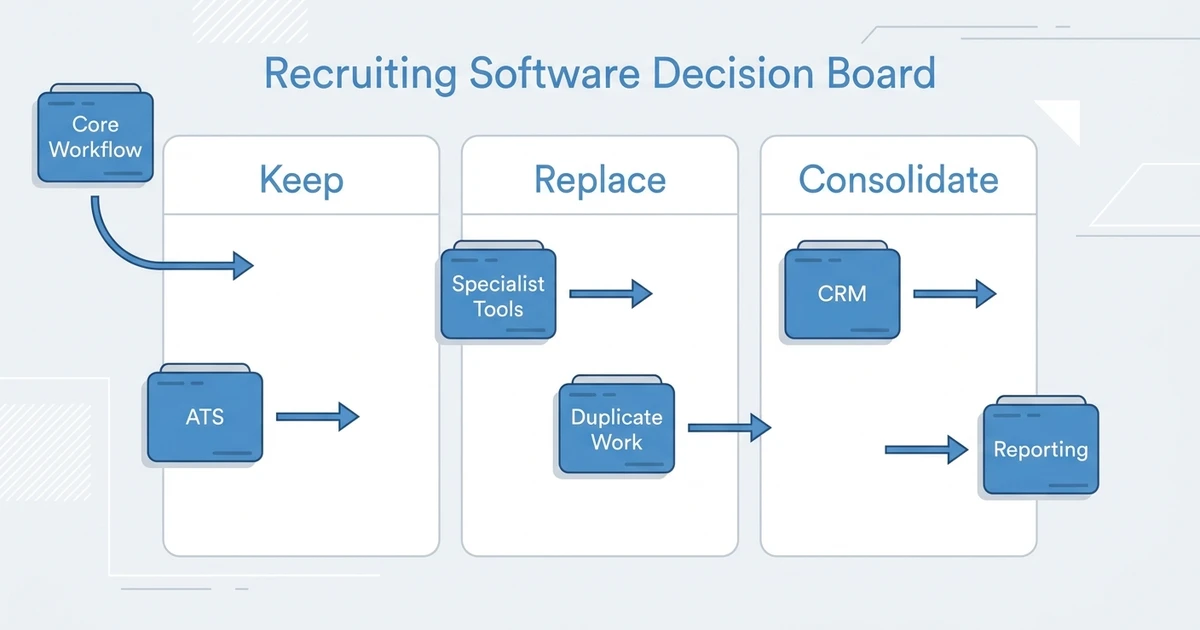
Start with the system of record. One platform should own candidates, clients, jobs, notes, communication history, pipeline status, and performance reporting.
Then add tools only when they solve a clear edge workflow. If a tool duplicates what your ATS + CRM already does, it may create more admin than value.
Use this rule: if a recruiter has to enter the same information twice, the stack design is wrong. LinkedIn found that companies whose recruiters use AI-Assisted Messaging most are 9% more likely to make a quality hire than those using it least according to LinkedIn data. That kind of efficiency depends on AI and automation being close to live recruiting data.
See how ATZ CRM connects ATS, CRM, automation, and reporting in one recruiter workflow before you add another tool to your stack.
When should ATZ CRM be the core of your stack?
ATZ CRM should be the core when your agency wants to consolidate candidate tracking, client management, sourcing, outreach, automation, and reporting. It is especially useful when recruiters already work around disconnected ATS, CRM, spreadsheets, and inboxes.
It may not replace every specialist tool. Background checks, document signatures, payroll, payroll funding, and advanced BI may still sit outside the core. That is fine. The point is to make ATZ CRM the place where recruiters start and finish the daily placement workflow.
Deloitte’s 2026 Global Human Capital Trends report says 7 in 10 business leaders see being fast and nimble as their primary competitive strategy over the next three years according to its global survey. For agencies, speed comes from fewer workflow gaps between client demand and candidate delivery.
Frequently Asked Questions
What are the top recruiting tech stack tools?
The top tools include ATZ CRM, LinkedIn Recruiter, Indeed, Zapier, Calendly, Google Workspace, Microsoft Teams, DocuSign, Checkr, and Looker Studio. The exact mix depends on your agency size, workflow, and how much you want to consolidate.
Should a recruitment agency use separate ATS and CRM tools?
Some agencies do, but separate systems often create duplicate work and reporting gaps. A unified ATS + CRM is usually better when candidate activity and client relationships need to stay connected.
Which tool should own candidate and client data?
Your ATS + CRM should own candidate and client data. Sourcing, scheduling, communication, and admin tools can support the workflow, but they should not become separate records of truth.
Is ATZ CRM enough for a small agency?
Yes, if the agency wants a core platform for candidate tracking, client CRM, automation, outreach, and reporting. Small teams benefit from a cleaner stack because they have less time for admin workarounds.
How do we reduce recruiting tool sprawl?
Audit every tool, identify overlapping functions, and decide which system owns each workflow. Keep specialist tools where they add value, but consolidate anything that duplicates candidate, client, pipeline, or reporting work.
Conclusion
The best agency recruiting software stack is a ranked system, not a random collection. ATZ CRM should be evaluated as the core layer, while sourcing, scheduling, communication, signing, screening, and analytics tools support the edges.
If your current stack creates duplicate data, missed follow-ups, and manual reporting, the next move is not another point tool. It is a cleaner operating system.
Book a demo with ATZ CRM to map your current recruiting stack against an ATS + CRM workflow built for agency speed.