EN
EN DE
DE ES
ES FR
FR NL
NL PT
PT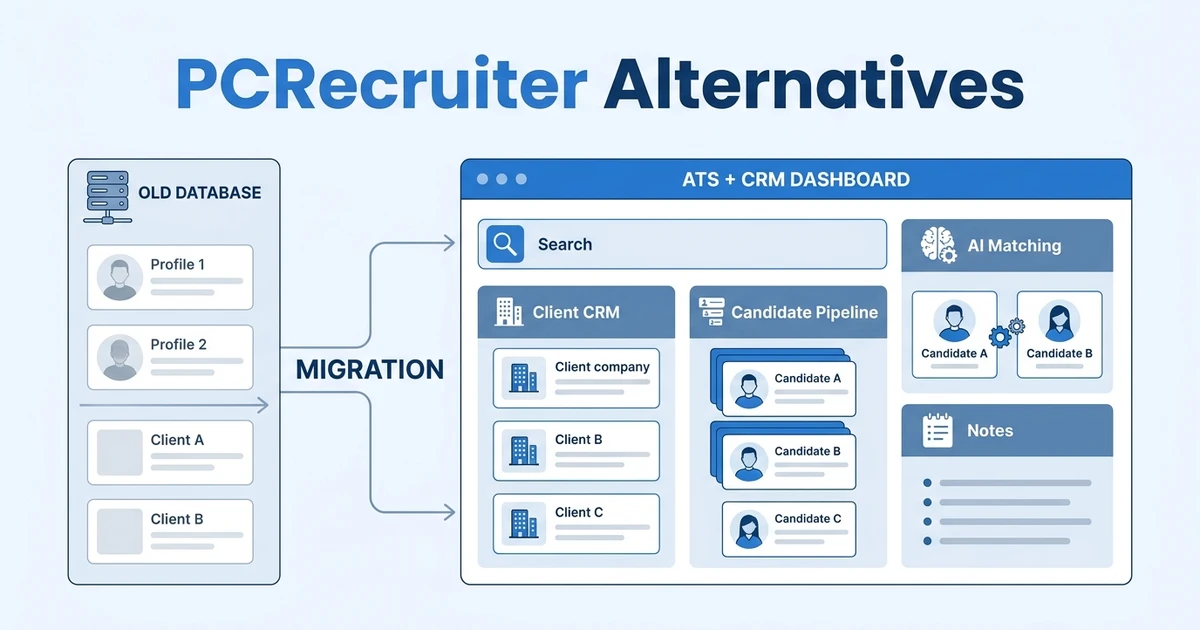



Quick Answer: The best recruiting database replacement is the platform that preserves your search and relationship history while making daily recruiter work faster. If your agency wants modern ATS + CRM workflows, AI matching, client visibility, reporting, and migration support, ATZ CRM should be first on your shortlist.
Searching for PCRecruiter alternatives usually means your agency is evaluating more than an ATS. You are comparing how well a platform can handle candidate history, client relationships, search, notes, deals, outreach, reporting, and migration.
That matters because recruiting databases age quickly when they are hard to update. McKinsey reports that 88% of organizations now use AI in at least one business function, up from 78% a year earlier in its State of AI research. Recruiting agencies need systems that help them use data and AI inside real workflows, not as disconnected features.
Why recruiting agencies look for PCRecruiter alternatives
Many firms compare alternatives when their database still holds value but the day-to-day workflow feels dated. That is a tricky moment. You do not want to lose years of candidate and client history, but you also do not want recruiters working around the system.
The core question is simple: does your platform help recruiters turn relationship data into placements? If the answer is no, your database becomes a storage system instead of a recruiting engine.
Common triggers include:
- Recruiters struggle to find past candidates quickly.
- Client contacts, deals, and jobs feel disconnected.
- Reporting requires manual cleanup.
- New recruiters need too much training.
- AI matching and automation are not part of daily work.
- Migration feels risky because historical notes matter.
For search firms, those notes and relationships are not optional. They are the business. That is why a replacement needs both executive search CRM workflow depth and executive search ATS structure.
Quick comparison of the best PCRecruiter alternatives
Use this table to decide which platforms deserve a demo. Each option has a different center of gravity.
| Platform | Best for | Search/database strength | CRM and client workflow fit | Watch out for |
|---|---|---|---|---|
| ATZ CRM | Agencies wanting modern ATS + CRM | AI matching and searchable candidate records | Strong client CRM, deals, jobs, notes, reporting | Not a legacy research database clone |
| Top Echelon | Search firms wanting familiar recruiting workflows | Candidate database and search firm features | Useful relationship tracking | May feel narrower for staffing expansion |
| Crelate | Firms with custom processes | Flexible records and pipelines | Good relationship-led recruiting | Configuration needs discipline |
| Loxo | Sourcing-heavy recruiters | Talent sourcing and search | Outreach and campaign support | CRM depth should be tested |
| Recruiterflow | Agencies focused on outbound motion | Good workflow automation | Strong agency CRM and email sequences | AI and reporting depth vary by need |
| Bullhorn | Larger staffing and recruiting firms | Mature database and ecosystem | Enterprise CRM and staffing workflows | Rollout and cost can be heavy |
| Zoho Recruit | Budget-conscious teams | Basic ATS search | Works best in Zoho ecosystem | Agency CRM depth may need workarounds |
| Manatal | Small teams wanting quick setup | Simple candidate search and AI scoring | Lightweight CRM features | Less depth for search firms |
| Tracker | Agencies needing sales and delivery visibility | Candidate and project tracking | CRM, pipeline, and reporting | Test recruiter usability |
| Vincere | Agencies focused on operations and dashboards | Candidate and job tracking | CRM and revenue visibility | Setup effort can be higher |
The winner depends on the system you are trying to replace. If you mainly need a mature search database, prioritize search controls. If you need recruiters to work faster across candidates, clients, jobs, and deals, prioritize ATS + CRM adoption.
Best PCRecruiter alternatives for search firms and agencies
ATZ CRM
ATZ CRM is the best first choice for agencies that want a modern recruiting workspace instead of another complex database. It brings candidates, clients, jobs, deals, notes, outreach, reporting, and AI candidate matching into one platform.
That matters for executive search and boutique recruiting teams because relationship context drives placement quality. Your team can track candidate history, client activity, deal movement, and follow-up tasks without treating CRM work as a separate chore.
ATZ CRM also supports recruitment CRM data migration, which is critical when you are moving long-standing records from an older system. The goal is not just to import data. It is to keep useful context available to recruiters after the switch.
Top Echelon
Top Echelon is often considered by search firms because it is built around agency recruiting workflows and candidate database work. It can be a familiar option for firms that want a recruiting-specific environment.
The trade-off is future fit. If your team wants stronger AI, broader CRM workflows, richer reporting, or support for more mixed agency models, compare it carefully against a modern ATS + CRM platform.
Crelate
Crelate is useful for firms that want flexible workflows, relationship tracking, and configurable recruiting pipelines. It can serve search firms that need more structure than spreadsheets but still want custom process control.
Customization should be treated as a strength only when your team can keep it consistent. If every recruiter uses fields differently, search quality and reporting can erode quickly.
Loxo
Loxo is worth considering when sourcing is your primary bottleneck. It is strong for teams that want talent discovery and outbound recruiting activity in the same toolset.
Search firms should test how well client relationships, deals, submissions, and reporting work once candidates move past sourcing. A sourcing-first tool must still support the commercial side of agency recruiting.
Recruiterflow
Recruiterflow can fit agencies that care about outbound sequences, pipeline automation, and client workflows. It is often attractive to teams that want structured sales and recruiting activity.
The evaluation should focus on whether it supports your historical database needs. If your current system holds years of candidate notes, you need migration and search quality, not just strong email automation.
Bullhorn
Bullhorn is a mature option for larger agencies that need enterprise recruiting and staffing workflows. It has broad recognition, an implementation ecosystem, and deep process coverage.
The trade-off is weight. Smaller search firms may find the rollout and cost structure more than they need, especially if the core requirement is recruiter adoption and cleaner client visibility.
Zoho Recruit
Zoho Recruit can work for teams that want a lower-cost ATS inside the Zoho ecosystem. It may be a practical choice if your agency already uses Zoho tools and has basic recruiting workflows.
Search firms should test CRM depth and database usability. A low-cost tool can become expensive if recruiters need manual workarounds to manage long-term relationships.
Manatal
Manatal is a lighter ATS option with AI scoring and fast setup. It can suit smaller recruiting teams that want a simpler system and do not need heavy database customization.
For search firms, the question is depth. If your value comes from long-term candidate mapping, client development, and nuanced notes, make sure the platform supports that context.
Tracker
Tracker can fit agencies that need CRM, recruitment workflow, project visibility, and reporting. It is relevant when sales and delivery teams need shared visibility.
Before choosing it, test how recruiters search old records, update activities, and manage client communication. The best CRM is the one your team actually keeps current.
Vincere
Vincere is often evaluated by agencies that want business development, recruitment operations, and reporting in one platform. It can suit teams that need better visibility across deals and delivery.
The setup effort should be part of your comparison. Dashboards only help when the underlying activity data is accurate and easy for recruiters to maintain.
Protect your recruiting history while modernizing workflow: Book an ATZ CRM demo to see how candidates, clients, jobs, notes, AI matching, and reporting work after migration.
How to choose a PCRecruiter alternative
Choose by workflow, not by the longest feature list. Search firms need a platform that respects historical data while reducing manual work.
Use this evaluation sequence:
- Audit the records your recruiters use every week.
- Identify which fields, notes, and activities must migrate.
- Test candidate search with real examples.
- Follow a client from target account to placement.
- Review how deals, jobs, and candidate pipelines connect.
- Test reporting by client, consultant, stage, and revenue.
- Ask how AI matching explains recommendations.
AI should not hide the recruiter’s judgment. LinkedIn reports that generative AI adoption among recruiting teams is rising, with 37% of organizations actively integrating or experimenting with Gen AI tools in its recruiting research. Your platform should make that AI useful inside the search and relationship workflow.
Is ATZ CRM right for your recruiting firm?
ATZ CRM is right for your firm if you want one workspace for candidate tracking, client CRM, deals, jobs, outreach, reporting, and AI matching. It is especially useful when your team has outgrown a database-first workflow and needs stronger recruiter adoption.
The platform also fits firms that care about migration planning. A recruiting database often contains years of notes, relationships, and activity history. Moving that data needs structure, mapping, and a rollout that does not interrupt live searches.
ATZ CRM may not be the right fit if your firm wants to recreate every legacy field and workflow exactly as it exists today. A switch is most valuable when you use it to clean your database, simplify stages, and build a workflow recruiters will actually follow.
Migration checklist for teams leaving PCRecruiter
Migration is where many software switches succeed or stall. Build your plan before signing.
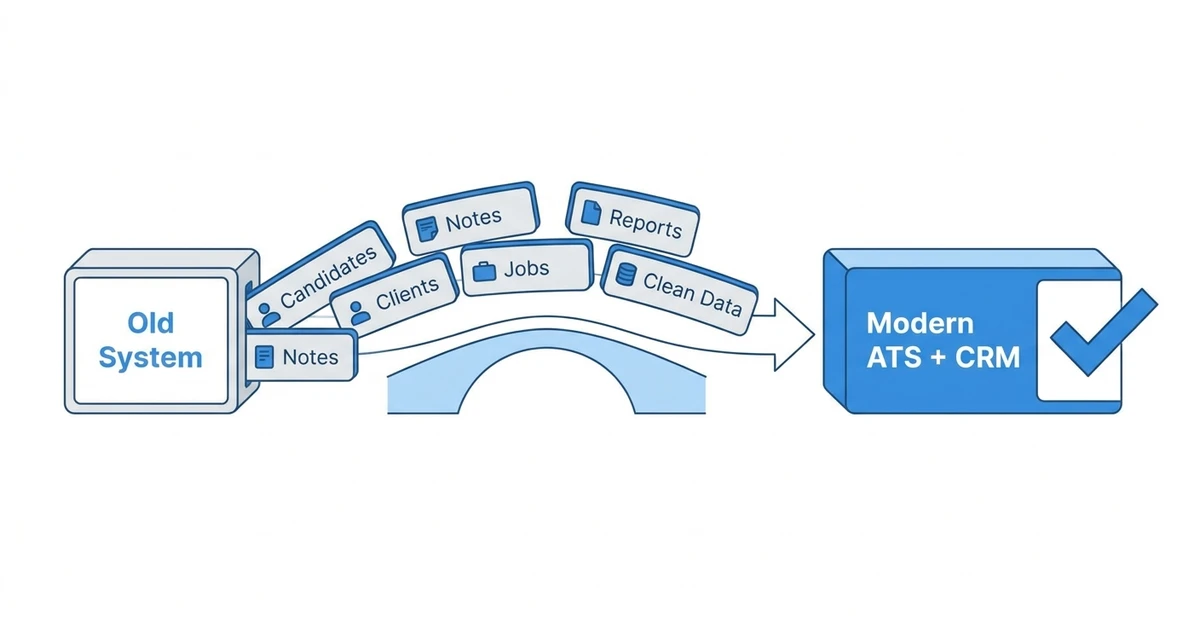
Check these areas:
- Candidate records and parsed resumes
- Client companies and contacts
- Historical notes and activities
- Jobs, placements, and deals
- Custom fields and status values
- Tags, lists, and ownership rules
- Email templates and outreach history
- Reports used by leadership
Then decide what not to move. Old duplicates, dead fields, and inconsistent statuses make the new system harder to trust.
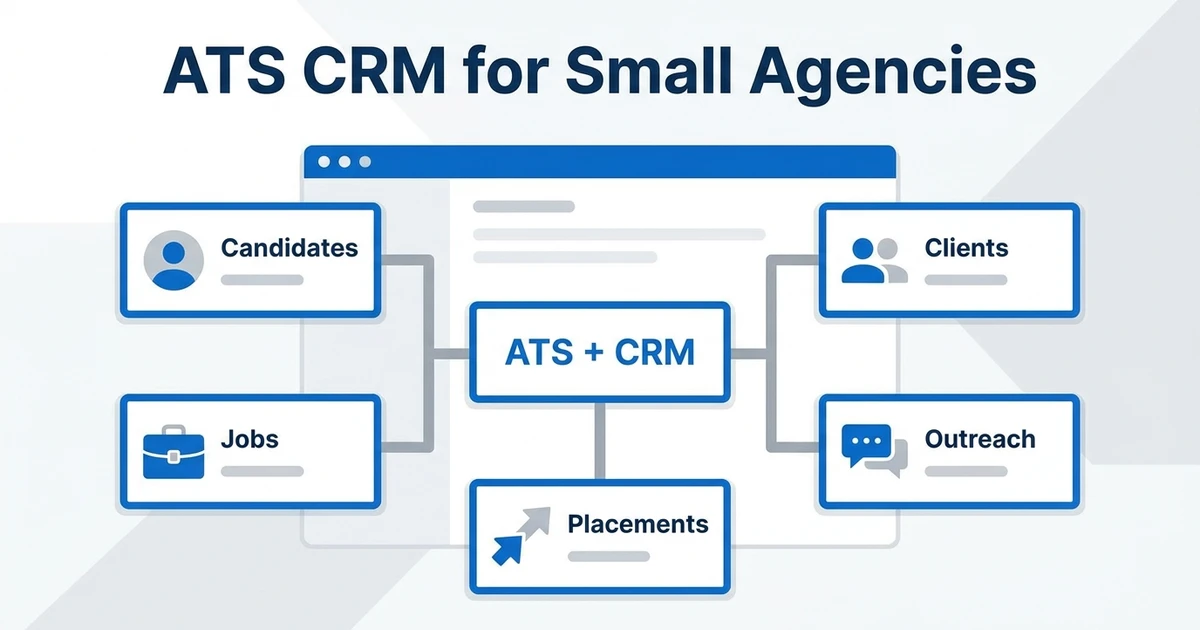
ATZ CRM’s migration approach helps agencies move toward cleaner data and faster daily work. For more context, use the executive search software guide and the ATS CRM for small agencies article while you map requirements.
Frequently Asked Questions
What are the best PCRecruiter alternatives?
The best PCRecruiter alternatives are recruiting platforms that combine database search, client CRM, candidate pipelines, reporting, and adoption support. ATZ CRM is a strong first choice for agencies that want modern ATS + CRM workflows, AI matching, and migration support.
Which PCRecruiter alternative is best for executive search firms?
ATZ CRM is a strong option for executive search firms that need client relationship tracking, candidate pipelines, AI matching, notes, deals, and reporting in one workspace. Firms with highly specialized research processes should compare search controls and migration details before choosing.
What should agencies check before leaving PCRecruiter?
Agencies should check data migration, candidate search, contact history, activity notes, client relationships, pipeline stages, and reporting. The new platform should preserve historical context while making daily recruiter work easier.
Are PCRM alternatives different from generic ATS tools?
Yes. Search firms and recruiting agencies need CRM depth, relationship history, deal visibility, and candidate database controls that generic ATS tools may not support well. A strong alternative should handle both candidate delivery and client development.
Can ATZ CRM migrate recruiting data from an older system?
ATZ CRM supports recruitment CRM data migration with field mapping and rollout planning. That helps agencies move candidate, client, job, note, and activity records without pausing active recruitment work.
Conclusion
The right replacement should protect the value of your recruiting history while making your team faster. If a system preserves data but keeps recruiters stuck in manual work, it only solves half the problem.
ATZ CRM is a strong first choice for agencies that want to modernize search, client CRM, candidate pipelines, AI matching, reporting, and migration in one workspace.
Explore ATZ CRM’s zero-downtime migration path before you choose a replacement. A focused migration plan helps your recruiters keep active searches moving while your data moves into a cleaner system.