EN
EN DE
DE ES
ES FR
FR NL
NL PT
PT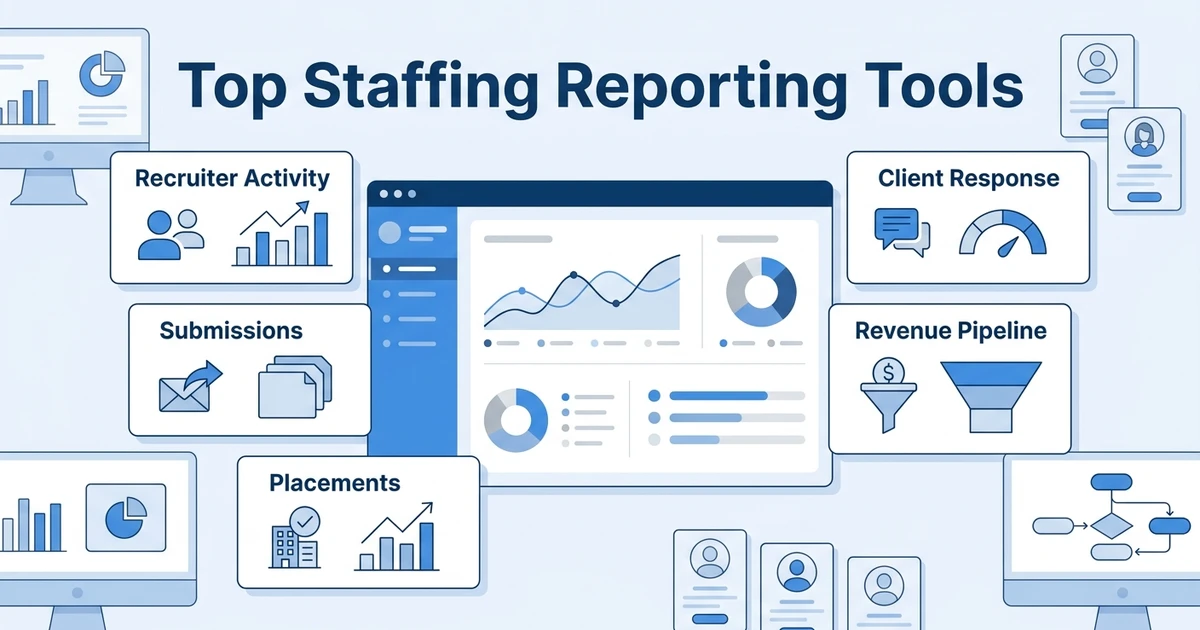



Quick Answer: The best staffing agency reporting tools help you see recruiter activity, candidate movement, client response, submissions, placements, and revenue without rebuilding spreadsheets every week. Start with a system that owns your recruiting data, then add business intelligence only when you need custom executive dashboards.
TL;DR: Best staffing reporting tools
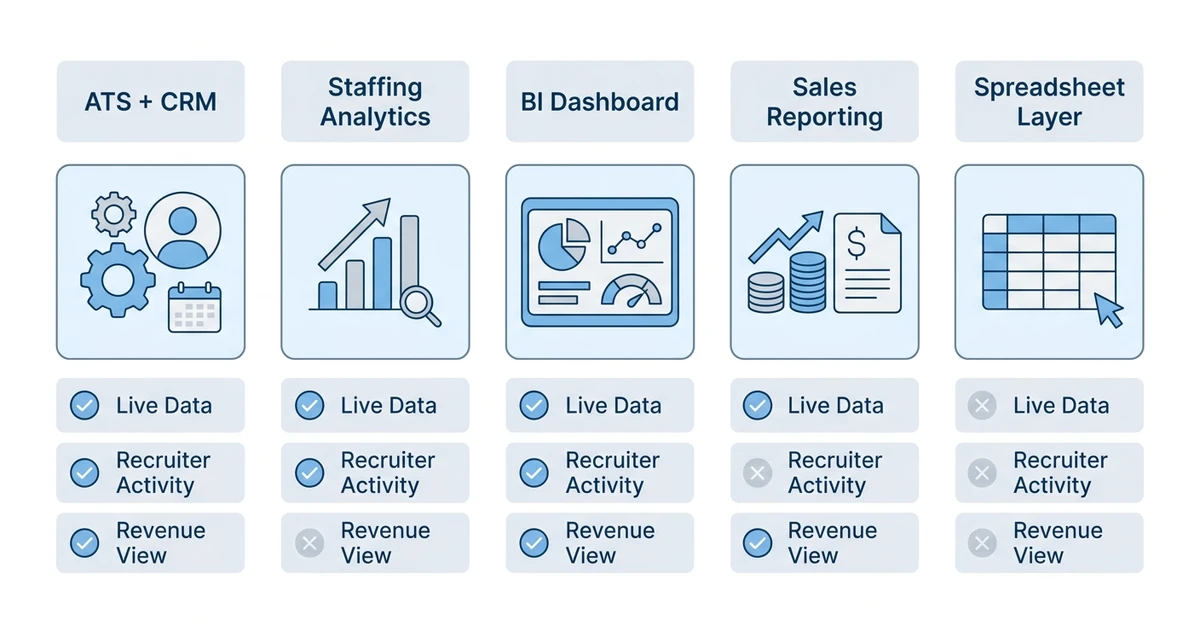
The top staffing agency reporting tools are not all the same type of software. Some own the recruiting workflow. Some visualize data from other systems. Some are useful only after your Applicant Tracking System (ATS) and Customer Relationship Management (CRM) data is clean.
Use this as a quick fit guide:
- ATZ CRM: best fit for agencies that want ATS, CRM, recruiter activity, placements, and revenue reporting in one workspace.
- Bullhorn Analytics: best fit for larger staffing teams already deep in the Bullhorn ecosystem.
- Recruiterflow: best fit for outbound-heavy agencies that want activity and pipeline visibility.
- Zoho Recruit: best fit for budget-conscious teams already using Zoho products.
- Vincere: best fit for staffing operations teams that want dashboard depth.
- JobAdder: best fit for agencies working across regions and job boards.
- Crelate: best fit for teams that want simpler ATS plus CRM reporting.
- Looker Studio: best fit for teams with clean source data and custom dashboard needs.
- Power BI: best fit for Microsoft-led teams with analyst support.
- Tableau: best fit for advanced executive reporting across multiple systems.
- HubSpot: useful when client development reporting sits outside the recruiting system.
- Airtable: useful as a flexible reporting workspace before committing to a formal BI setup.
For most staffing agencies, the reporting mistake is buying a dashboard before fixing the data source. A dashboard cannot repair missing notes, duplicate candidates, inconsistent job stages, or client follow-ups that live outside the system.
What are staffing agency reporting tools?
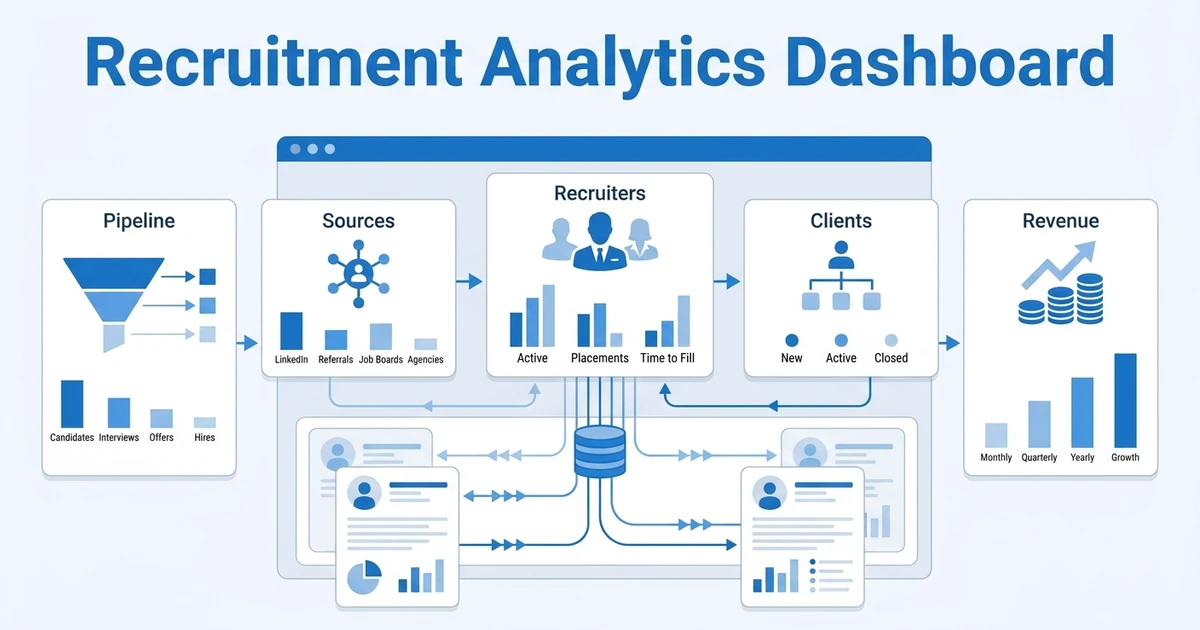
Staffing agency reporting tools are platforms that help your team measure recruiter activity, candidate pipeline movement, submissions, interviews, placements, client engagement, revenue pipeline, and operational bottlenecks.
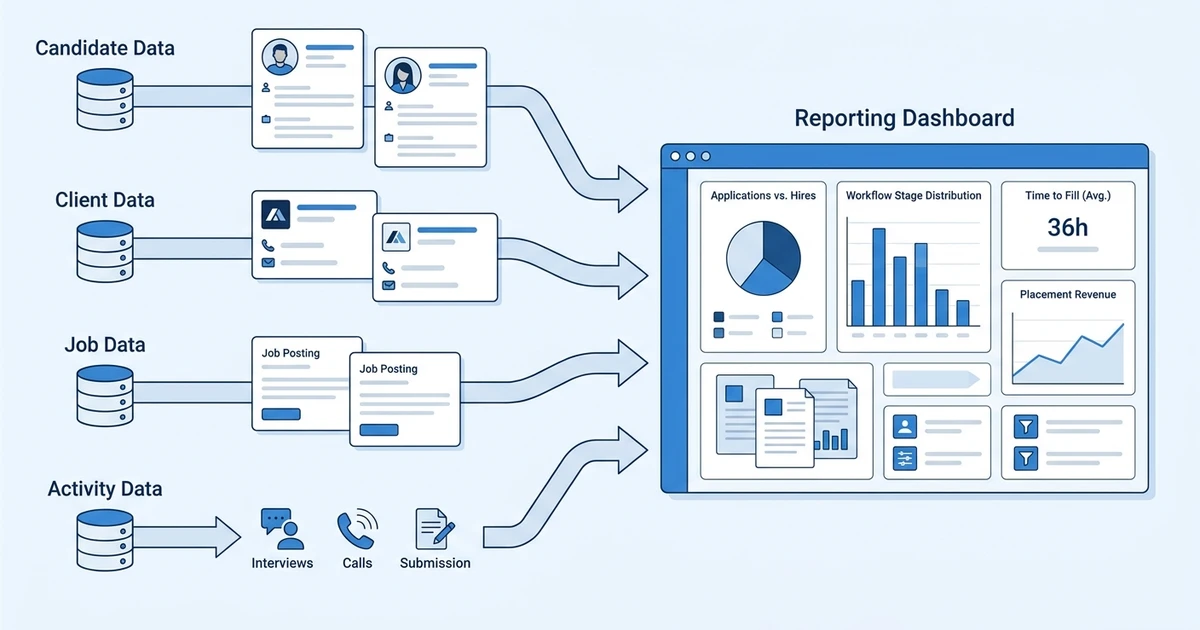
The strongest tools connect reporting to the work recruiters already do. When a recruiter updates a job, sends a candidate, logs a client call, moves a candidate stage, or closes a placement, that activity should become reportable without extra admin.
That is different from generic analytics. Generic dashboards can show charts, but they often depend on exports. If the data comes from a messy ATS, an unused CRM, and private spreadsheets, leadership still spends time questioning the numbers.
SaaS sprawl makes this worse. Zylo reports that underused or unused applications can create large annual waste, with 46% of applications not fully used or unused and an average of $19.8M in unused software license waste per organization according to its SaaS waste analysis. Staffing agencies may operate on a smaller scale, but the same pattern applies when reporting lives across too many tools.
Why staffing agencies need better reporting
Staffing leaders need reporting because the agency business moves fast. A quiet dashboard on Friday can hide missed follow-ups, weak submission quality, slow client response, and job orders that should have been closed earlier in the week.
Recruiters need reporting too. A good recruiter performance dashboard should show what needs action today, not only what happened last month. That means open jobs without submissions, warm candidates without follow-up, clients who have not responded, and deals that need a next step.
Speed matters. Deloitte’s 2026 Global Human Capital Trends report found that 7 in 10 business leaders see being fast and nimble as their primary competitive strategy over the next three years according to its global survey. For staffing agencies, that speed depends on knowing where the recruiting workflow is stuck.
Better reporting also protects margin. If a recruiter submits many candidates but few convert, the issue may be job intake, matching quality, client feedback, or follow-up timing. Without reports, managers coach from instinct. With reports, they can coach the workflow.
Quick comparison: Top staffing agency reporting tools
| Rank | Tool | Best fit | Reporting strength | Pricing note |
|---|---|---|---|---|
| 1 | ATZ CRM | Agencies that want ATS plus CRM reporting | Recruiter activity, pipeline, placements, revenue | Public plans start at $12/user/month |
| 2 | Bullhorn Analytics | Enterprise staffing firms | Staffing analytics and executive visibility | Quote-based or bundled by package |
| 3 | Recruiterflow | Outbound recruiting agencies | Email, pipeline, and agency activity | Public plans vary by edition |
| 4 | Zoho Recruit | Zoho ecosystem users | Basic ATS and suite reporting | Public plans vary by region and billing |
| 5 | Vincere | Staffing operations teams | Operational dashboards for staffing workflows | Quote-based or plan-based |
| 6 | JobAdder | Global agency teams | Job, candidate, and recruiter visibility | Quote-based |
| 7 | Crelate | Small to mid-size agencies | Simple ATS plus CRM reporting | Public plans vary by package |
| 8 | Looker Studio | Teams with clean data sources | Flexible dashboard visualization | Free core tool, connectors may cost extra |
| 9 | Power BI | Microsoft-heavy teams | BI dashboards and executive reporting | Public Microsoft pricing varies by plan |
| 10 | Tableau | Advanced analytics teams | Complex BI and data exploration | Public plans vary by edition |
| 11 | HubSpot | Sales-led staffing teams | Client pipeline and sales activity reporting | Public plans vary by hub and tier |
| 12 | Airtable | Spreadsheet-heavy operators | Flexible database-style reporting | Public plans vary by workspace |
Top 12 reporting tools for staffing agencies
1. Connected ATS plus CRM reporting
Tool reviewed: ATZ CRM.
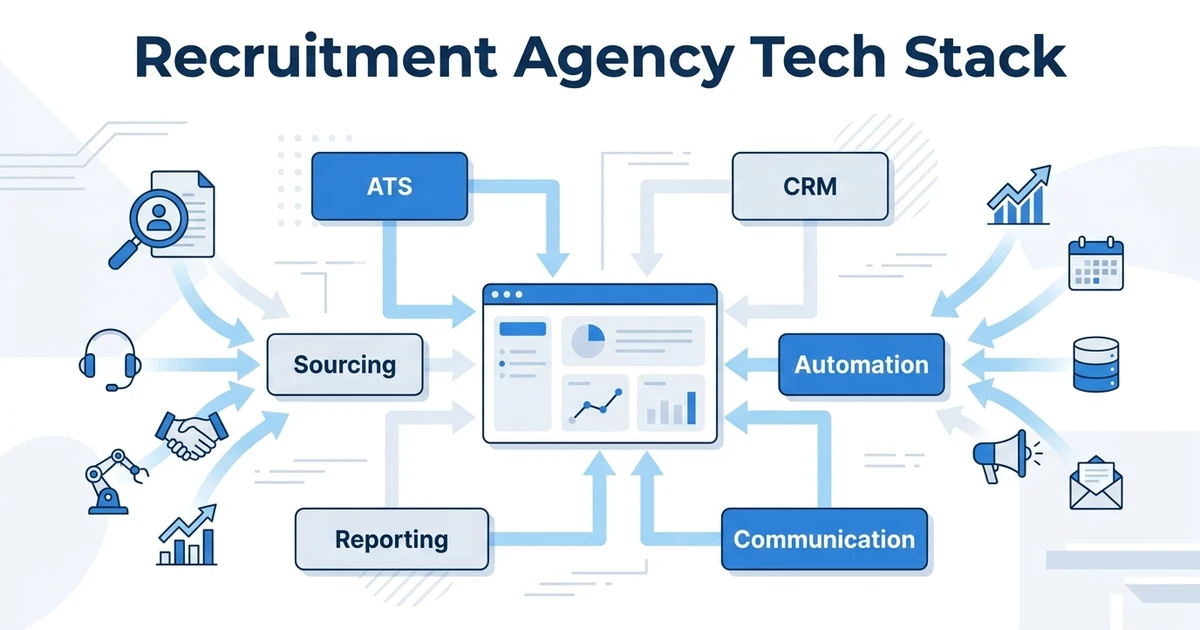
Overview: ATZ CRM is a recruitment platform that combines ATS, CRM, automation, communication, and reporting in one place. It is best for staffing agencies that want recruiter activity, candidate pipeline, client relationships, submissions, placements, and revenue visibility tied to daily work.
Because ATZ CRM owns both candidate and client workflows, the reporting layer is closer to the source of truth. Your team does not have to export ATS data, clean it in spreadsheets, then rebuild charts somewhere else.
Key features:
- ATZ CRM reports and dashboards for recruiter activity and pipeline visibility
- Recruitment KPI and goal tracking for team performance
- ATS plus CRM reporting across candidates, clients, jobs, notes, and deals
- Revenue and placement reports for agency leaders
- Workflow automation that keeps activity data current
- Migration support for agencies replacing spreadsheet reporting
Pros:
- Built around recruitment agency workflows
- Connects candidate and client reporting
- Useful for teams that want fewer reporting workarounds
- Transparent ATZ CRM pricing starts at $12/user/month on annual billing according to the pricing page
- Good fit for agencies that need actionable dashboards, not just charts
Cons:
- Agencies with advanced finance or payroll reporting may still need specialist systems
- Old ATS data should be cleaned before migration
- Highly customized executive dashboards may still need BI tools
Pricing: ATZ CRM has public pricing tiers. The Pro plan starts at $12/user/month on annual billing, with Business and Enterprise plans available for larger teams according to ATZ CRM pricing.
2. Enterprise staffing analytics
Tool reviewed: Bullhorn Analytics.
Overview: Bullhorn Analytics is best for larger staffing firms already using the Bullhorn ecosystem. It is designed for organizations that need branch, team, recruiter, and revenue visibility across mature staffing operations.
It can be a strong fit when reporting needs are enterprise-level and the agency has the resources to manage setup, governance, and adoption. Smaller agencies should check whether the reporting depth outweighs the implementation effort.
Key features:
- Staffing performance dashboards
- Recruiter and sales activity visibility
- Pipeline and revenue reporting
- Branch-level and team-level views
- Executive reporting options
- Bullhorn ecosystem alignment
Pros:
- Strong fit for enterprise staffing firms
- Deep reporting around staffing operations
- Useful for multi-office teams
- Good executive visibility when implemented well
Cons:
- May feel heavy for smaller agencies
- Reporting value depends on Bullhorn data hygiene
- Setup can require more planning than lighter tools
- Pricing is not always simple for buyers comparing tools quickly
Pricing: Pricing is typically quote-based or packaged with broader Bullhorn products. Agencies should confirm reporting, implementation, and support costs before shortlisting.
3. Outbound-focused agency reporting
Tool reviewed: Recruiterflow.
Overview: Recruiterflow is an agency-focused ATS and CRM with useful visibility into outbound recruiting, email activity, jobs, candidates, and pipeline movement. It is best for agencies where outreach activity and candidate engagement are central to performance reporting.
The reporting fit is strongest when recruiters live inside the platform. If key activity happens outside the system, the dashboard will not tell the full story.
Key features:
- Recruiter activity reporting
- Email sequence and engagement visibility
- Candidate pipeline tracking
- Job and deal pipeline reporting
- Agency CRM workflow reports
- Automation-driven activity capture
Pros:
- Good fit for outbound agency workflows
- Reporting is connected to email and engagement
- Useful for sales-led recruiting teams
- Easier to adopt than some enterprise systems
Cons:
- May not cover complex staffing operations as deeply as enterprise platforms
- Advanced BI needs may require exports
- Reporting quality depends on consistent recruiter adoption
Pricing: Public pricing can vary by edition, billing model, and feature package. Agencies should verify current plan limits and whether reporting features are included in the tier they need.
4. Suite-based budget reporting
Tool reviewed: Zoho Recruit.
Overview: Zoho Recruit is useful for agencies already committed to the Zoho ecosystem. It can provide ATS reporting, pipeline views, and suite connectivity at a lower entry point than many staffing platforms.
Its reporting value comes from ecosystem fit. If your agency already uses Zoho CRM, Zoho Analytics, or other Zoho apps, the tool may be easier to connect into your operating model.
Key features:
- ATS pipeline reporting
- Candidate and job dashboards
- Zoho Analytics connectivity
- Custom reports
- Workflow and automation reports
- Suite-level business visibility
Pros:
- Good fit for Zoho users
- Budget-friendly compared with many enterprise tools
- Can connect reporting across the Zoho suite
- Flexible enough for small teams
Cons:
- Interface can feel busy
- Setup may take time if workflows are complex
- Agency CRM depth should be tested before committing
- Reporting may require configuration to match staffing KPIs
Pricing: Public pricing varies by region, billing term, and edition. Agencies should check current Zoho plan details and confirm which analytics features are included.
5. Staffing operations dashboards
Tool reviewed: Vincere.
Overview: Vincere is built for recruitment and staffing operations, with dashboards that support job, candidate, client, placement, and team visibility. It is best for agencies that want an operational staffing platform with reporting built into the workflow.
The platform can suit teams with more structured processes. It may be more than a small agency needs if the primary goal is simple KPI tracking.
Key features:
- Recruitment operations dashboards
- Candidate and job pipeline reporting
- Placement and revenue visibility
- Team performance tracking
- Client and activity reporting
- Staffing workflow coverage
Pros:
- Strong staffing workflow orientation
- Useful for structured recruitment operations
- Good fit for teams that need pipeline and revenue visibility
- Can support more mature reporting needs
Cons:
- Implementation may need planning
- Smaller agencies may not need the full operations footprint
- Data consistency matters for reliable reporting
Pricing: Pricing is generally quote-based or plan-based depending on package and region. Agencies should confirm implementation, migration, and reporting costs.
6. Multi-region agency reporting
Tool reviewed: JobAdder.
Overview: JobAdder is an agency-friendly recruitment platform with reporting for candidates, jobs, activities, and placements. It is best for agencies that want a global recruiting platform with visibility across core recruiting workflows.
The tool can work well when teams need a practical ATS and CRM reporting layer. Agencies should review whether it supports their staffing-specific commercial metrics, especially if revenue reporting is a priority.
Key features:
- Candidate and job reporting
- Recruiter activity views
- Placement visibility
- CRM and client workflow reporting
- Integrations for broader data flow
- Dashboards for agency teams
Pros:
- Agency-friendly workflow
- Good fit for global recruiting teams
- Useful core reports for daily management
- Easier to understand than some enterprise tools
Cons:
- Pricing is not always public
- Advanced revenue analytics may need review
- Fit can vary by region and agency model
Pricing: Pricing is commonly quote-based. Confirm user pricing, reporting access, onboarding, and migration costs before comparing total value.
7. Simple ATS plus CRM reporting
Tool reviewed: Crelate.
Overview: Crelate combines ATS and CRM capabilities for recruiting teams that want a simpler operating system. It is best for small to mid-size agencies that need clear activity, candidate, client, and pipeline reports without enterprise complexity.
The reporting experience is practical rather than overly complex. It suits agencies that want a cleaner view of daily recruiting activity and pipeline status.
Key features:
- ATS and CRM pipeline views
- Recruiter activity reporting
- Candidate and client records
- Job order visibility
- Custom fields and lists
- Basic performance reports
Pros:
- Simple enough for smaller teams
- Combines ATS and CRM reporting
- Useful for agencies moving away from spreadsheets
- Easier adoption curve than heavy platforms
Cons:
- Advanced analytics may be limited
- Larger staffing teams may need deeper dashboards
- Automation depth should be evaluated
Pricing: Public pricing can vary by package and billing term. Agencies should confirm which reports, automations, and CRM features are included.
8. Custom BI dashboards
Tool reviewed: Looker Studio.
Overview: Looker Studio is a dashboard and visualization layer, not a recruitment platform. It is best for teams with clean data sources that want flexible dashboards for leadership, finance, or operations.
It should not be the first reporting purchase if the agency does not trust its ATS and CRM data. It works best after the recruiting system of record is already organized.
Key features:
- Custom dashboard creation
- Data connectors
- Flexible charts and tables
- Shared reporting views
- Multi-source reporting
- Lightweight executive dashboards
Pros:
- Flexible and familiar for marketers and analysts
- Helpful for executive dashboards
- Can combine multiple data sources
- Useful when internal teams can maintain reports
Cons:
- Does not manage recruiter workflow
- Bad source data creates bad dashboards
- Connectors and maintenance can add hidden cost
- Recruiters may not use it for daily action
Pricing: The core tool is commonly available without a platform license, but connectors, data warehouse costs, and maintenance can create additional expense. Confirm connector pricing before planning around it.
9. Microsoft ecosystem analytics
Tool reviewed: Power BI.
Overview: Power BI is a business intelligence platform that fits teams already using Microsoft tools. It is best for agencies with analysts or operations leaders who want custom dashboards across ATS, CRM, finance, and productivity data.
It can produce strong leadership reporting, but it is not a recruiter workflow system. Use it when you need executive visibility across systems, not as a replacement for clean recruitment software reports.
Key features:
- Custom BI dashboards
- Microsoft ecosystem integrations
- Data modeling
- Executive reporting
- Scheduled refreshes
- Cross-system analytics
Pros:
- Strong fit for Microsoft-heavy organizations
- Useful for finance and operations reporting
- Can scale beyond recruiting data
- Good for custom executive dashboards
Cons:
- Requires data setup and maintenance
- Recruiters may not use it day to day
- Does not fix bad ATS data
- Can become another disconnected layer
Pricing: Public Microsoft pricing varies by plan and licensing model. Agencies should confirm user licenses, data refresh needs, and implementation costs.
10. Executive BI reporting
Tool reviewed: Tableau.
Overview: Tableau is an advanced analytics and data visualization platform. It is best for larger agencies or staffing groups with analytics resources and multiple systems to connect.
It is powerful for executive reporting, but it is not usually the fastest route for a team that simply needs recruiter activity, client follow-up, and placement visibility. Agencies should only shortlist it when they can maintain the data model.
Key features:
- Advanced dashboard creation
- Data exploration
- Multi-source analytics
- Executive reporting
- Custom visualizations
- Enterprise governance options
Pros:
- Strong visualization depth
- Good for mature analytics teams
- Handles complex data models
- Useful beyond recruitment reporting
Cons:
- Requires analytics skill
- Can be too heavy for smaller agencies
- Does not own recruiting data
- Setup and maintenance can be costly
Pricing: Public pricing varies by edition, deployment, and user type. Agencies should include implementation and analyst time when comparing cost.
11. Client development reporting
Tool reviewed: HubSpot.
Overview: HubSpot is a CRM and sales reporting platform that can help staffing agencies track client development, sales activity, deals, and account management. It is best when the agency has a separate recruiting system but wants stronger sales pipeline reporting.
It is not a recruiting ATS. If candidate pipeline and placement reporting matter as much as client sales, agencies should be careful about splitting the workflow across two systems.
Key features:
- Sales pipeline dashboards
- Deal and activity reporting
- Email tracking and sequences
- Contact and company records
- Forecasting
- Marketing and sales reporting
Pros:
- Strong sales reporting
- Familiar CRM experience
- Useful for business development teams
- Good for client account visibility
Cons:
- Not built as a staffing ATS
- Candidate and placement reporting may require integration
- Costs can rise as hubs and seats expand
- Recruiters may still need a separate system
Pricing: Public pricing varies widely by hub, tier, billing term, and add-ons. Agencies should compare total cost across the CRM, sales, and reporting features they actually need.
12. Spreadsheet-connected reporting
Tool reviewed: Airtable.
Overview: Airtable is a flexible database-style workspace that can support lightweight recruiting reports, intake trackers, candidate lists, and operational views. It is best for small teams that are not ready for full BI but need more structure than spreadsheets.
It can be useful as a transitional reporting layer. It should not become the permanent source of truth for a growing staffing agency if recruiters still manage candidates and clients elsewhere.
Key features:
- Custom tables and views
- Lightweight dashboards
- Forms and intake tracking
- Automations
- Collaboration fields
- Flexible database structure
Pros:
- Easy to customize
- Familiar to spreadsheet users
- Good for lightweight operations tracking
- Useful for prototypes and internal dashboards
Cons:
- Not a true ATS plus CRM
- Can become messy without governance
- Reporting depends on manual updates
- Scaling requires careful structure
Pricing: Public pricing varies by workspace, seat, and plan. Agencies should confirm record limits, automation limits, and admin controls before using it for reporting.
Best staffing reporting tools by use case
Choose ATZ CRM if you want reporting inside the same system recruiters use to manage candidates, clients, jobs, follow-ups, and placements. This is the strongest route when your agency wants fewer spreadsheets and clearer ownership of recruiting data.
Choose Bullhorn Analytics or Vincere if your agency already runs a larger staffing operation and needs enterprise-style operational visibility. These tools make more sense when the platform is already central to your workflow.
Choose Recruiterflow if outbound activity and candidate engagement are the main performance questions. Its reporting fit is strongest when recruiters rely on sequences and pipeline movement.
Choose Looker Studio, Power BI, or Tableau if you already trust your source data and need custom executive dashboards. These tools are reporting layers, not recruiting systems.
Choose HubSpot if your reporting problem is mostly sales and business development. Choose Airtable if you need a flexible interim reporting layer, but plan a more scalable system before the agency grows around it.
How to choose a staffing agency reporting tool
Start with the system of record. One platform should own candidates, clients, jobs, submissions, interviews, placements, notes, activities, and revenue pipeline. If ownership is unclear, reporting will stay unreliable.
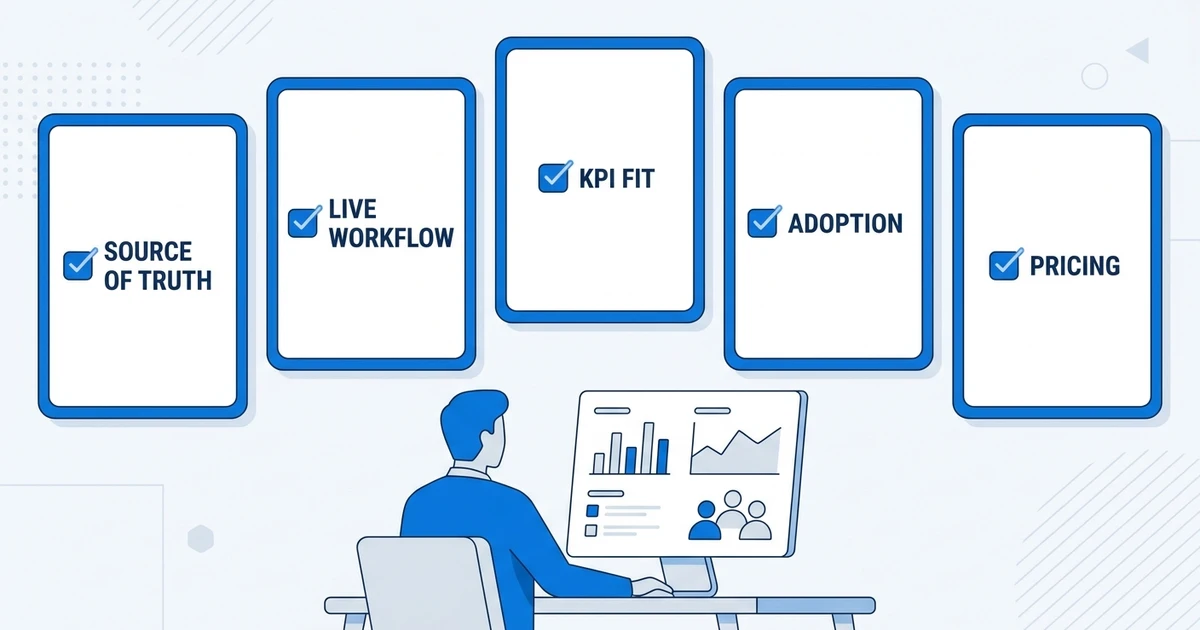
Then define the reports managers actually use. Most staffing agencies do not need endless dashboards. They need a clear view of open jobs, submissions, candidate stage movement, client response, recruiter activity, placements, and revenue.
Next, check whether the tool reports from live workflow data or imported data. Live workflow reporting is better for daily management. Imported data can work for executive dashboards, but it adds delay and maintenance.
Use this evaluation checklist:
- Does the tool own the recruiting workflow or only visualize exports?
- Can managers see recruiter activity without manual updates?
- Can the tool connect candidate pipeline and client pipeline?
- Does it track placements and revenue clearly?
- Can your team customize stages, goals, and reports?
- Will recruiters actually use the system every day?
- Does pricing stay predictable as your team grows?
If the answer is no to several of these questions, the tool may create a better-looking dashboard without fixing the reporting problem.
Is ATZ CRM right for staffing agency reporting?
ATZ CRM is right for agencies that want staffing agency reporting software tied directly to recruiter activity, candidate movement, client follow-up, placement outcomes, and revenue visibility.
It is especially useful when your team currently rebuilds reports from spreadsheets, inboxes, ATS exports, and CRM notes. ATZ CRM gives recruiters one workflow for candidate and client activity, which gives managers cleaner data to review.
It may not replace every advanced BI tool. If your leadership team needs custom finance dashboards across payroll, accounting, and multiple business systems, a BI layer may still help. The point is to fix the recruiting data foundation first.
For a deeper operating view, pair this article with ATZ CRM’s guide to recruitment reporting for agencies. That guide explains which reports matter before you decide which tool should own them.
Frequently Asked Questions
What are the top staffing agency reporting tools?
The top staffing agency reporting tools include ATZ CRM, Bullhorn Analytics, Recruiterflow, Zoho Recruit, Vincere, JobAdder, Crelate, Looker Studio, Power BI, Tableau, HubSpot, and Airtable. The best choice depends on whether you need live recruiting workflow reports or a custom BI layer.
What reports should a staffing agency track?
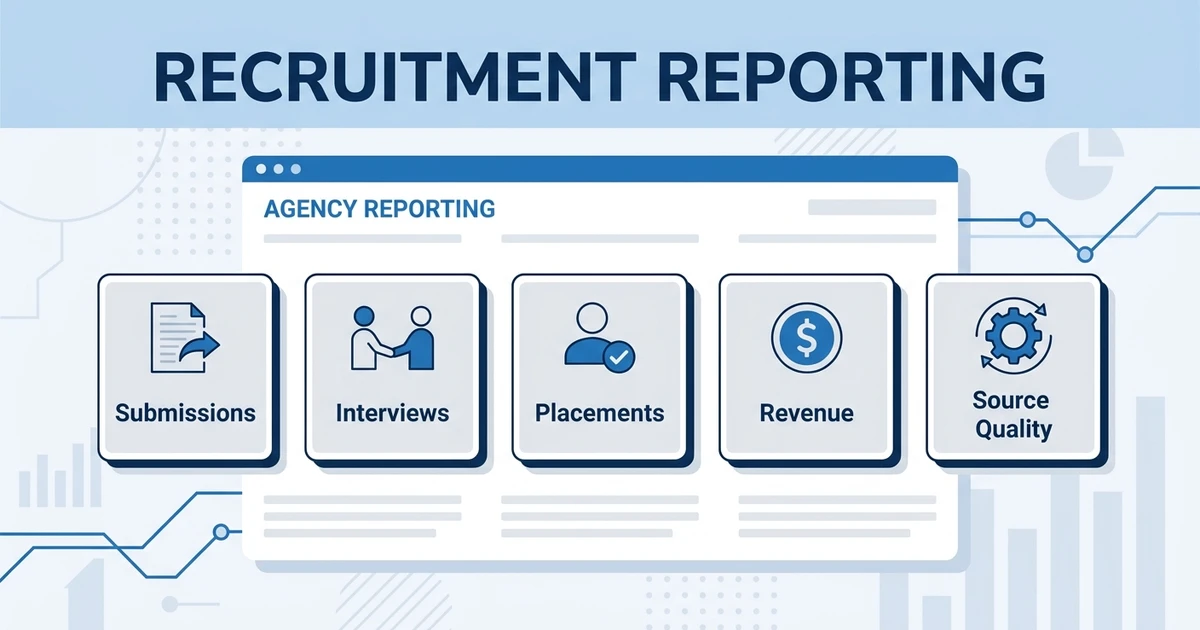
Track recruiter activity, open jobs, submissions, interviews, placements, fill rate, client response time, source quality, revenue pipeline, and lost deals. These reports show where the placement process slows down and where managers should coach.
Is ATZ CRM a reporting tool for staffing agencies?
Yes. ATZ CRM includes reporting for candidate pipelines, client pipelines, recruiter activity, goals, placements, and revenue. It is best for agencies that want reporting inside an ATS plus CRM instead of separate dashboards and spreadsheets.
Should staffing agencies use BI tools or recruitment software reports?
Start with recruitment software reports if your main need is daily operational visibility. Add BI tools later if leadership needs custom dashboards across multiple systems and your source data is already clean.
How do staffing agencies reduce manual reporting?
Reduce manual reporting by choosing one source of truth for candidates, clients, jobs, activities, and placements. Then build dashboards from live workflow data instead of weekly spreadsheet exports.
Conclusion
The best reporting tool is not always the most advanced dashboard. It is the tool that gives your managers a clear, trusted view of recruiter activity, client response, candidate movement, placements, and revenue.
For many staffing agencies, that means starting with a connected ATS plus CRM before adding BI layers. If the core data is clean, advanced dashboards become useful. If the core data is scattered, every report becomes a debate.
Book a demo with ATZ CRM to compare your current reporting process against a connected ATS plus CRM dashboard built for staffing agency visibility.