


Quick Answer
A temporary workforce CRM helps staffing agencies manage the full temporary recruitment cycle in one place: clients, job orders, candidate availability, screening, outreach, submissions, placements, assignment follow-up, and redeployment. It gives recruiters a live view of who is available, which clients need cover, which candidates have been vetted, and what needs to happen next.
Temporary workforce recruitment is different from permanent hiring because the agency must move faster and stay involved after the worker starts. A good process is not just “find a candidate and send a resume.” It is a repeatable operating system for building, activating, managing, and redeploying a flexible workforce.
This guide explains how to build that system, what workflows matter most, and how a platform like ATZ CRM can support temporary staffing agencies that need stronger visibility across candidates, clients, and placements.
What Is Temporary Workforce Recruitment?
Temporary workforce recruitment is the process of finding and placing workers into short-term roles for client companies. These roles may cover one shift, a few weeks, a seasonal peak, a project, or a longer assignment that still does not require a permanent hire.
The work usually includes:
- Taking temporary job orders from clients
- Searching existing candidate pools
- Checking candidate availability
- Screening for skills and reliability
- Verifying documents and compliance requirements
- Submitting suitable candidates to the client
- Confirming the placement and start details
- Tracking assignment dates, extensions, and feedback
- Redeploying good workers into future roles
For agencies, the important point is this: temporary workforce recruitment continues after the candidate starts. Recruiters still need to track attendance issues, replacement requests, worker satisfaction, timesheet follow-up, assignment end dates, and future availability. That is why temp staffing needs stronger operational discipline than a simple resume database.
Temporary Workforce CRM Meaning
A temporary workforce CRM is a customer and candidate management system built around the realities of temporary staffing. It connects client demand with candidate supply, so recruiters can see both sides of the desk without jumping between spreadsheets, inboxes, notes, and disconnected tools.
In a permanent recruitment workflow, a recruiter might work one role for several weeks and submit a smaller number of candidates. In temporary staffing, the same team may manage many short-term roles, fast start dates, changing availability, multiple hiring contacts, and workers who move from one assignment to another.
A temporary workforce CRM should help answer practical questions quickly:
- Which clients have open temporary roles right now?
- Which candidates are available this week?
- Who has the right skills, certifications, and location fit?
- Who was contacted, and how did they respond?
- Which candidates have already been submitted to the client?
- Which placements are active?
- Which assignments are ending soon?
- Which good workers should be redeployed?
- Which documents or compliance items need attention?
Without a CRM, these answers usually live across recruiter memory, Slack messages, email threads, and spreadsheet tabs. That works for a very small desk. It breaks as soon as volume increases.
Why Temporary Staffing Agencies Need a CRM
Temporary staffing is a speed business, but speed alone is not enough. Agencies also need accuracy, compliance, and client communication. A fast recruiter who cannot see current availability can still send the wrong person. A busy team that does not track documents can still create risk. A growing agency that has no shared view of assignments can lose revenue through missed redeployment.
A CRM helps agencies avoid common temp staffing problems:
- Candidates being contacted twice by different recruiters
- Old availability notes leading to wasted outreach
- Client requirements getting buried in email
- No clear record of who was submitted
- Compliance documents being checked too late
- Assignment end dates being missed
- Good temporary workers going cold after placement
- Recruiters spending too much time on admin
- Managers lacking visibility into fill rate and activity
The best temporary staffing teams treat their CRM as the operating hub for the desk. Recruiters still build relationships, make judgment calls, and solve messy human problems. The CRM keeps the system organized enough for those human decisions to happen quickly.
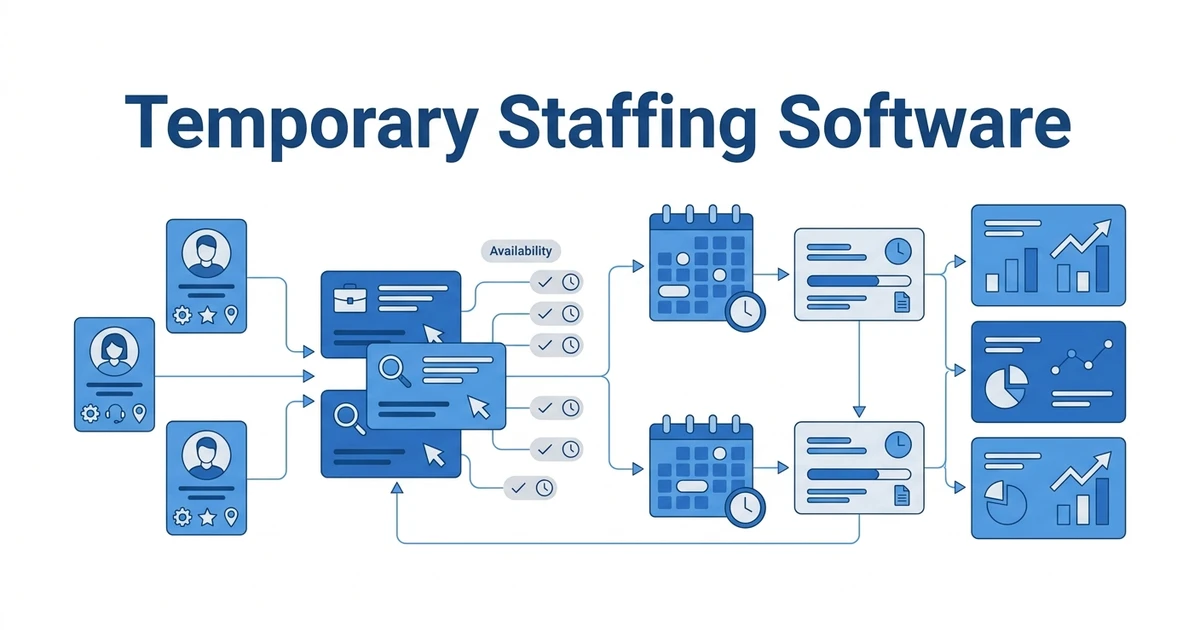
The Temporary Staffing Workflow a CRM Should Support
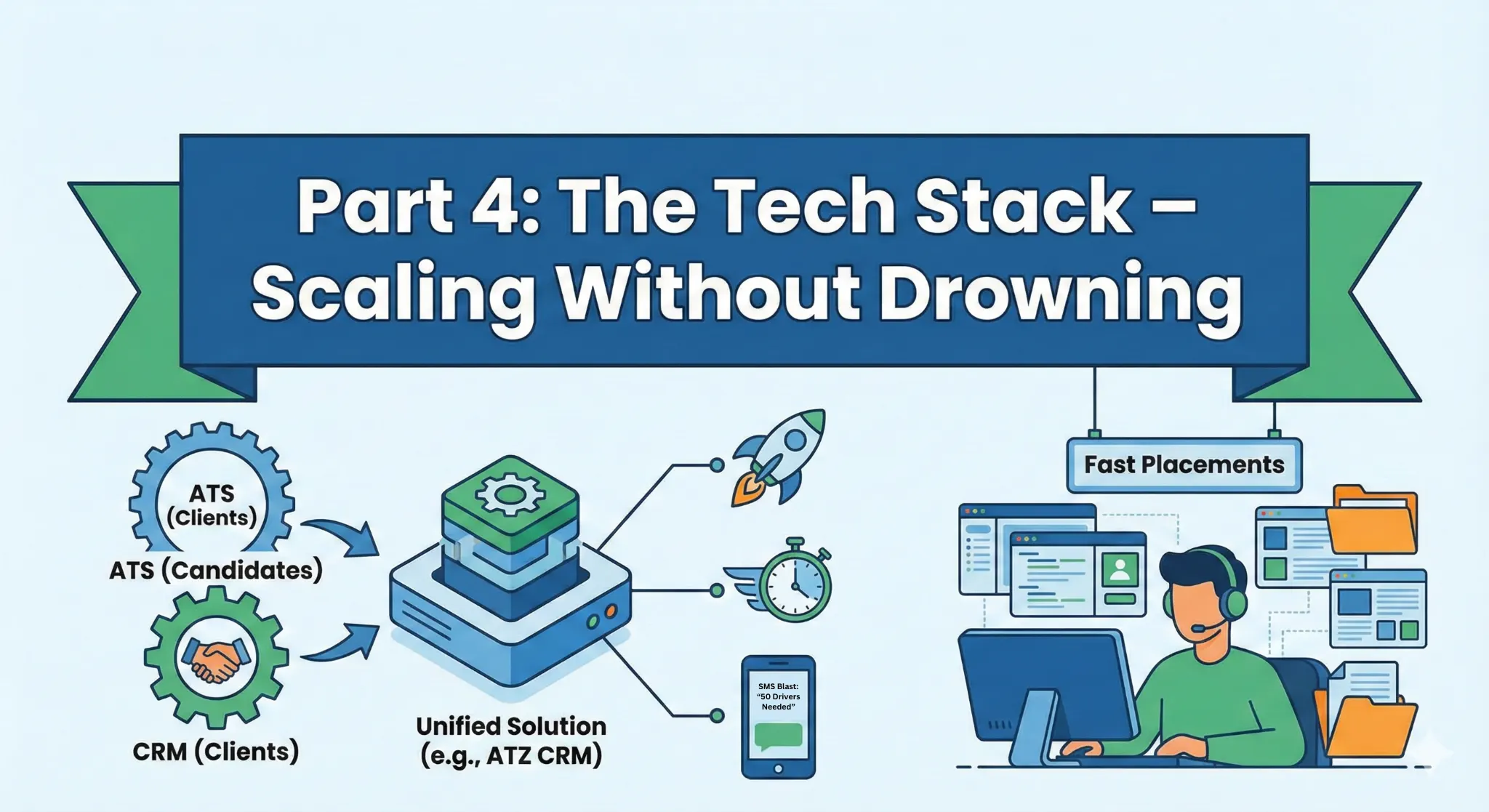
A temporary workforce CRM should not be a passive address book. It should support the actual sequence of work recruiters follow every day.
1. Client and Job Order Intake
Every successful temporary placement starts with a clear requirement. A CRM should help recruiters capture the client, hiring contact, job title, location, start date, shift pattern, assignment length, pay range, bill rate, must-have skills, documents, replacement rules, and communication preferences.
This intake record matters because temp roles move quickly. If the requirement is vague, recruiters waste time calling candidates who cannot work the shift, do not have the certification, or are outside the travel radius. A strong CRM turns the client request into searchable data.
2. Candidate Search and Segmentation
Temporary recruiters need to search by more than keywords. They need filters that reflect real staffing decisions, such as:
- Skill set
- Location
- Availability
- Preferred shift
- Pay expectation
- Previous client experience
- Certifications
- Source
- Work history
- Communication status
- Placement history
Segmentation is one of the biggest advantages of a temporary workforce CRM. Instead of starting from scratch every time a new order arrives, recruiters can pull a targeted list of suitable candidates and begin outreach immediately.
3. Outreach and Response Tracking
Speed often comes from coordinated outreach. Recruiters may need to email, call, or message a group of candidates quickly, then track who responded, who declined, who is interested, and who needs follow-up.
If this happens in separate inboxes, the team loses visibility. A CRM keeps outreach history attached to the candidate and the job order, making it easier for the next recruiter or manager to understand the current state of the search.
4. Screening and Vetting
Temporary workforce recruitment depends on trust. Before a candidate is submitted, the agency needs confidence that the worker can do the job, start when needed, and meet the client’s requirements.
Screening fields and notes should cover:
- Relevant experience
- Availability confirmation
- Reliability indicators
- Right-to-work or work authorization status
- Certifications and licenses
- Reference checks where needed
- Background check status where required
- Client-specific requirements
- Pay and commute fit
The goal is not to overcomplicate the process. The goal is to make the right checks visible before the client is waiting.
5. Submission and Placement Tracking
Once candidates are ready, the CRM should track who was submitted, when they were submitted, which client contact received the submission, and what decision was made. This protects recruiters from duplicate submissions and gives managers a clear view of pipeline movement.
After the client accepts a worker, the record should move into placement management. Start date, assignment end date, role, client, pay details, owner, and follow-up tasks should all be easy to find.
6. Assignment Follow-Up
Temporary staffing does not end on start date. The agency still needs first-day check-ins, attendance monitoring, client feedback, worker satisfaction checks, extension reminders, issue notes, and replacement workflows.
A CRM can trigger follow-up reminders so recruiters do not rely on memory. That matters when a desk has dozens or hundreds of active workers.
7. Redeployment
Redeployment is where a temporary staffing operation becomes more profitable. A worker who completed an assignment successfully should be easier to place again. The agency already knows their skills, reliability, preferences, and client feedback.
A temporary workforce CRM should help teams identify assignments ending soon, confirm future availability, and match proven workers to the next relevant job order. This reduces sourcing cost and keeps good candidates engaged with the agency.
Temporary Workforce CRM Features That Matter Most
Not every CRM is right for temporary staffing. A general sales CRM may be good for client follow-up but weak for candidate pipelines. A basic ATS may store resumes but fail to manage client relationships, assignment follow-up, and redeployment. Temporary staffing agencies usually need both ATS and CRM capabilities in one workflow.
Here are the features that matter most.
| Feature | Why it matters for temporary staffing |
|---|---|
| Candidate database | Stores worker profiles, skills, experience, documents, and history |
| Client CRM | Tracks companies, contacts, conversations, and open demand |
| Job order management | Keeps temporary requirements structured and searchable |
| Availability tracking | Helps recruiters find candidates who can actually start |
| Tags and segmentation | Builds reusable talent pools for recurring roles |
| Bulk outreach | Speeds up candidate activation for urgent orders |
| Submission tracking | Shows who was sent to which client and when |
| Placement management | Tracks starts, assignment dates, owners, and status |
| Compliance reminders | Reduces risk from missing or expired documents |
| Reporting | Shows fill rate, recruiter activity, source performance, and pipeline health |
| Automation | Reminds recruiters to follow up, re-engage, and redeploy |
ATZ CRM is designed for recruitment teams that need candidate management and client relationship management together. For temporary staffing agencies, that combination matters because client demand and candidate availability change constantly.
How to Build a Temporary Workforce Database
A strong temporary staffing desk is built before the urgent client request arrives. The database is not just a storage place for resumes. It is a live workforce asset.
Start by defining the candidate fields your recruiters actually use when filling temp roles. Common examples include:
- Primary skill or role type
- Secondary skills
- Location and travel radius
- Availability status
- Preferred shifts
- Expected pay
- Work authorization
- Certifications
- Languages
- Previous clients
- Last contacted date
- Last assignment date
- Reliability notes
- Redeployment status
Then create consistent tags or categories. For example, a healthcare staffing team may tag candidates by license, specialty, location, shift, and compliance status. An industrial staffing team may tag forklift certification, warehouse experience, safety training, and preferred shift. An office staffing team may tag admin, data entry, reception, bookkeeping, CRM experience, and software skills.
The goal is to make future searches fast. Recruiters should not have to read every note manually to know whether someone fits a common job order.
How CRM Improves Temporary Workforce Recruitment
A CRM improves temporary workforce recruitment by making the desk more visible and repeatable.
First, it reduces sourcing waste. Recruiters can start with known candidates and use filters to find people who match the role, location, shift, and availability. This is faster than posting every role from scratch.
Second, it improves candidate experience. When communication history is centralized, candidates do not have to repeat the same information to different recruiters. They get more relevant outreach and fewer mismatched calls.
Third, it improves client experience. Clients want quick answers: who is available, when can they start, what is the status, and what happens if someone cancels? A CRM gives recruiters cleaner information to answer those questions.
Fourth, it improves manager visibility. Leaders can see how many orders are open, which roles are at risk, which recruiters are active, and where bottlenecks appear.
Finally, it supports redeployment. The agency can turn completed assignments into future placements instead of constantly buying or sourcing new candidates.
Temporary Staffing Metrics to Track in Your CRM
If you want to scale temporary staffing, track the numbers that show whether the operation is healthy. The exact metrics will vary by market, but these are useful starting points:
- Open temporary job orders
- Fill rate
- Time to submit
- Time to fill
- Candidate response rate
- No-show rate
- Assignment completion rate
- Extension rate
- Redeployment rate
- Source of placed candidates
- Client order volume
- Gross margin by client or role
- Recruiter activity by calls, emails, submissions, and placements
The point is not to drown the team in dashboards. The point is to spot problems early. If no-show rate rises, improve confirmation and reminder workflows. If redeployment is low, add assignment end-date follow-ups. If time to submit is slow, improve database segmentation and candidate availability tracking.
Managing a Temporary Workforce After Placement
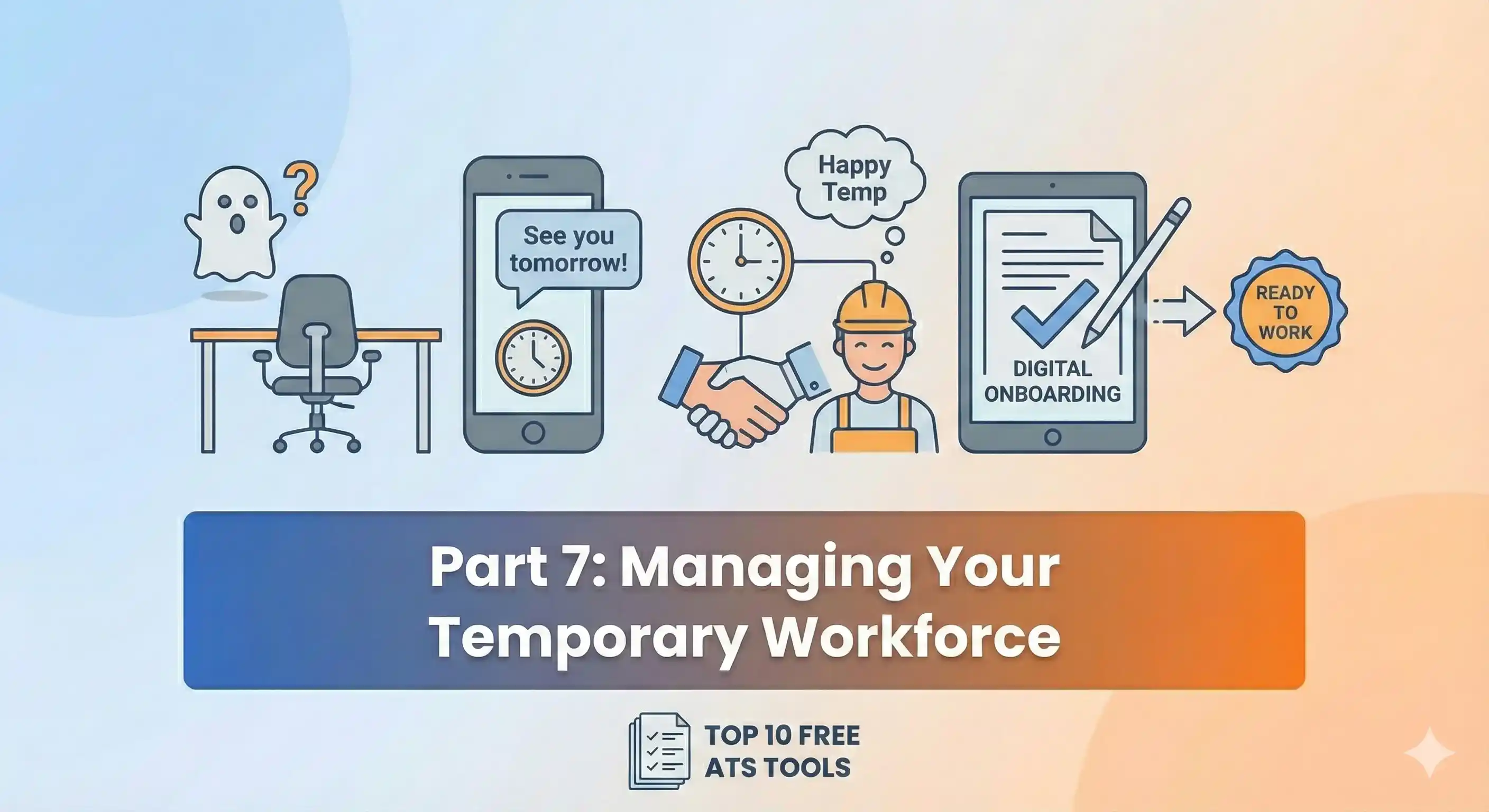
Many agencies focus heavily on filling the role, then underinvest in assignment management. That is a mistake. The placement is where revenue begins, but service quality is proven after the worker starts.
Good post-placement management includes:
- First-day check-in with the worker
- First-day or first-week feedback from the client
- Clear process for attendance issues
- Timesheet or hours follow-up
- Extension reminders before the assignment ends
- Notes on performance and reliability
- Replacement planning for high-risk assignments
- Worker re-engagement before completion
This is also where candidate loyalty is built. Temporary workers often choose agencies that communicate clearly, pay attention, and offer the next opportunity quickly. A CRM helps recruiters keep those relationships warm instead of only contacting workers when there is an emergency order.
Common Mistakes Agencies Make With Temporary Staffing CRM
Buying software does not automatically fix a broken process. The CRM only works if the team uses it consistently.
Avoid these mistakes:
- Treating the CRM as a resume archive instead of a live workforce system
- Letting every recruiter create different tags and fields
- Failing to update availability after candidate calls
- Tracking client requirements in email instead of job order records
- Forgetting to record submissions and placement outcomes
- Leaving compliance notes in private documents
- Not reviewing assignment end dates
- Measuring activity but not fill quality
- Automating outreach without segmenting candidates properly
The fix is usually process discipline. Decide what must be recorded, when it must be updated, and who owns each stage of the workflow. Then keep the CRM simple enough that recruiters actually use it.
Best Practices for Scaling Temporary Staffing
The agencies that scale temporary staffing well tend to build habits that support speed and control at the same time.
Keep Candidate Availability Current
Availability is one of the most important data points in temporary recruitment. A candidate who was available last month may not be available today. Build regular re-engagement workflows so candidates can confirm their status.
Build Role-Based Talent Pools
Do not wait for an urgent order to find qualified people. Create talent pools for recurring roles, locations, shift types, and compliance categories. This gives recruiters a head start.
Standardize Client Intake
Every temporary job order should capture the same core information. This improves search quality and reduces back-and-forth with clients.
Vet Before the Rush
Where possible, verify documents, skills, references, and work authorization before a client has an immediate start. Pre-vetted candidates are easier to place quickly.
Automate the Routine Follow-Ups
Use automation for reminders, check-ins, re-engagement, and assignment end-date tasks. Keep human ownership for judgment-heavy moments like client escalations and candidate issues.
Measure Redeployment
Redeployment is often the difference between a busy temp desk and a profitable one. If good workers finish assignments and then disappear, the agency loses future margin.
Where ATZ CRM Fits
ATZ CRM gives recruitment agencies a connected workspace for candidates, clients, jobs, outreach, pipelines, placements, and reporting. For temporary staffing, the value is in having candidate and client activity together, so recruiters can move from client demand to candidate activation without losing context.
Agencies can use ATZ CRM to organize candidate records, manage client conversations, track job pipelines, segment talent pools, coordinate outreach, and keep placement activity visible across the team. For teams building a dedicated temp desk, the related temporary staffing software and ATS for temporary staffing pages explain the workflow in more detail.
If your recruiters are relying on spreadsheets, old notes, and scattered inboxes, the next growth bottleneck is probably not sourcing. It is visibility. A temporary workforce CRM gives the team a shared system for knowing who is ready, who needs follow-up, and which client requirements are closest to being filled.
Temporary Workforce CRM Checklist
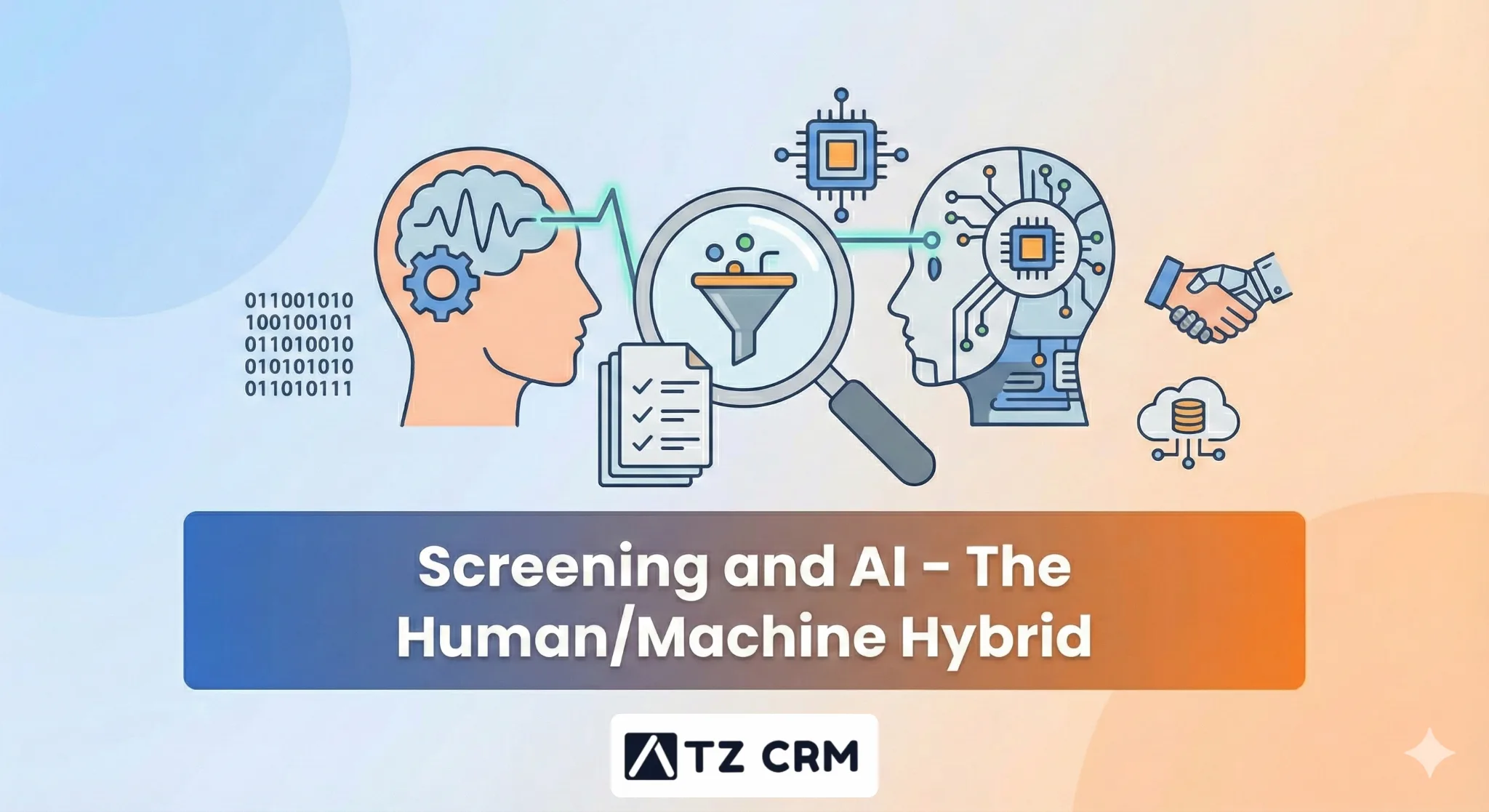
Use this checklist when reviewing your current process or choosing software for temporary staffing.
- Can recruiters search candidates by availability, location, skills, and tags?
- Can the team track client companies and contacts?
- Can every temporary job order store shift, duration, pay, and requirement details?
- Can recruiters see outreach history before contacting a candidate?
- Can submissions and client decisions be tracked clearly?
- Can placements show start date, end date, status, and owner?
- Can the system remind recruiters about follow-ups and assignment endings?
- Can compliance documents or checks be tracked?
- Can managers view open roles, activity, and placements?
- Can good workers be redeployed from completed assignments?
If the answer is no to several of these, the agency will eventually feel the pain through slower fills, lower visibility, or more manual admin.
Conclusion
Temporary staffing is not only about filling short-term roles. It is about building a flexible workforce that can be activated, placed, managed, and redeployed with speed and consistency.
That is why a temporary workforce CRM matters. It connects the people side of staffing with the operational side: candidates, clients, job orders, availability, outreach, compliance, submissions, placements, and follow-up. When those pieces live in one system, recruiters can move faster without relying on memory or scattered spreadsheets.
For agencies that want to grow temporary workforce recruitment, the best path is to build a cleaner operating model first. Standardize intake, maintain candidate availability, segment your workforce, track every submission and placement, measure redeployment, and use CRM automation to protect follow-up. Once that system is in place, scaling temporary staffing becomes less chaotic and much more repeatable.
If you are ready to move your temp desk into a more organized workflow, request a demo and see how ATZ CRM can help your team manage candidates, clients, and placements from one workspace.
FAQs
What is a temporary workforce CRM?
A temporary workforce CRM is software that helps staffing agencies manage client demand and temporary worker supply in one system. It tracks candidates, clients, job orders, availability, outreach, submissions, placements, assignment dates, compliance notes, and redeployment tasks.
What is temporary workforce recruitment?
Temporary workforce recruitment is the process of sourcing, screening, placing, and managing workers for short-term assignments. It focuses on speed, availability, compliance readiness, and assignment follow-up.
Why do temporary staffing agencies need CRM software?
Temporary staffing agencies need CRM software because they manage many candidates, clients, job orders, and active assignments at the same time. A CRM keeps the workflow visible and reduces errors caused by spreadsheets, inboxes, and disconnected notes.
What should a temporary staffing CRM track?
A temporary staffing CRM should track candidate skills, availability, location, work history, compliance items, client contacts, temporary job orders, submissions, placements, assignment dates, communication history, and redeployment opportunities.
Can ATZ CRM support temporary staffing agencies?
Yes. ATZ CRM supports recruitment agencies with candidate management, client CRM, job pipelines, outreach, placement tracking, and reporting. Temporary staffing teams can use it to organize candidate pools, client requirements, and active placement workflows.