
What Candidate Profile Templates Do
Candidate profile templates help recruiters standardize how candidate information is written and reviewed. They are useful when your team wants candidate summaries, profile descriptions, or submission notes to follow the same structure.
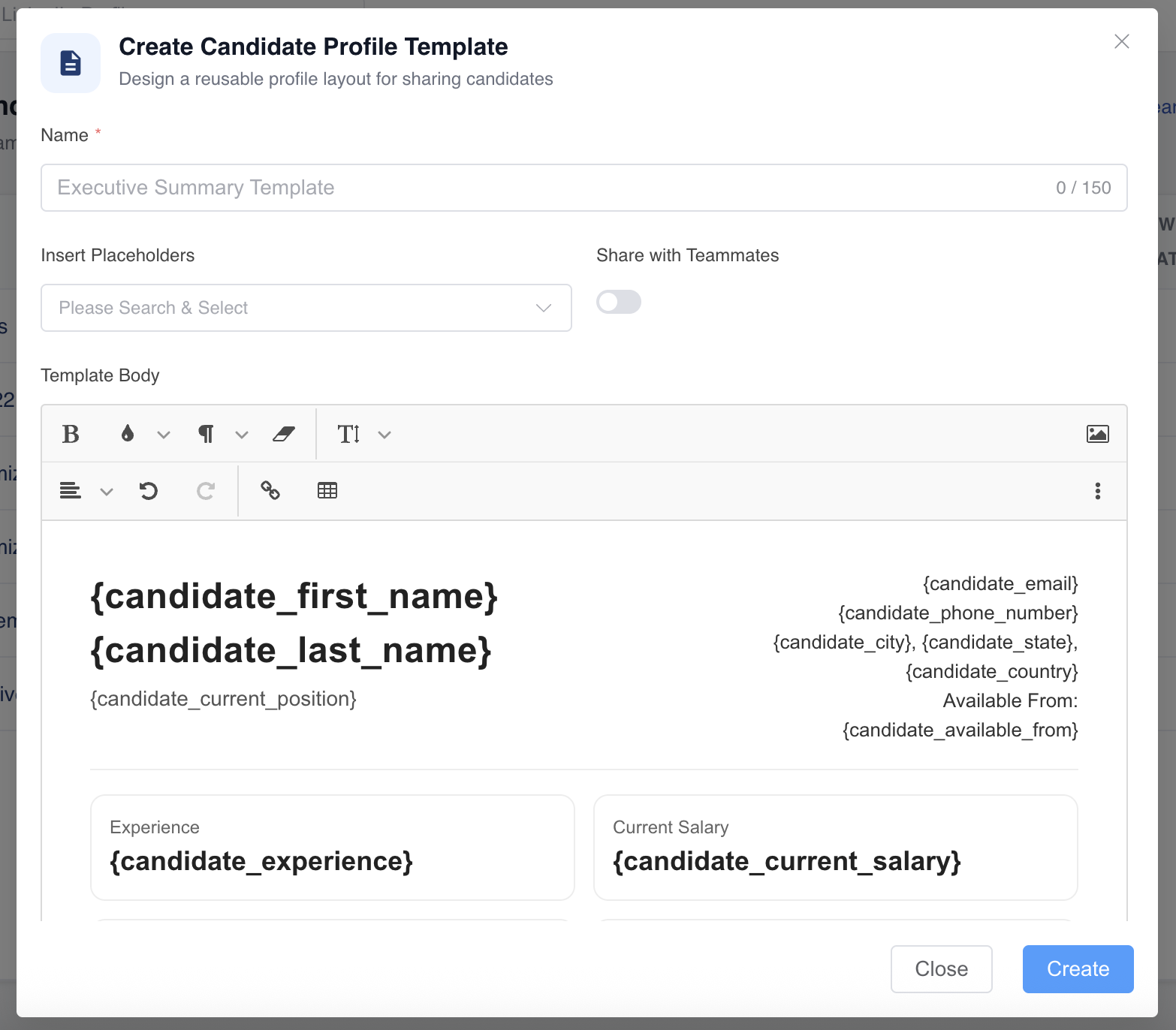
Templates can include:
- Static instructions or labels.
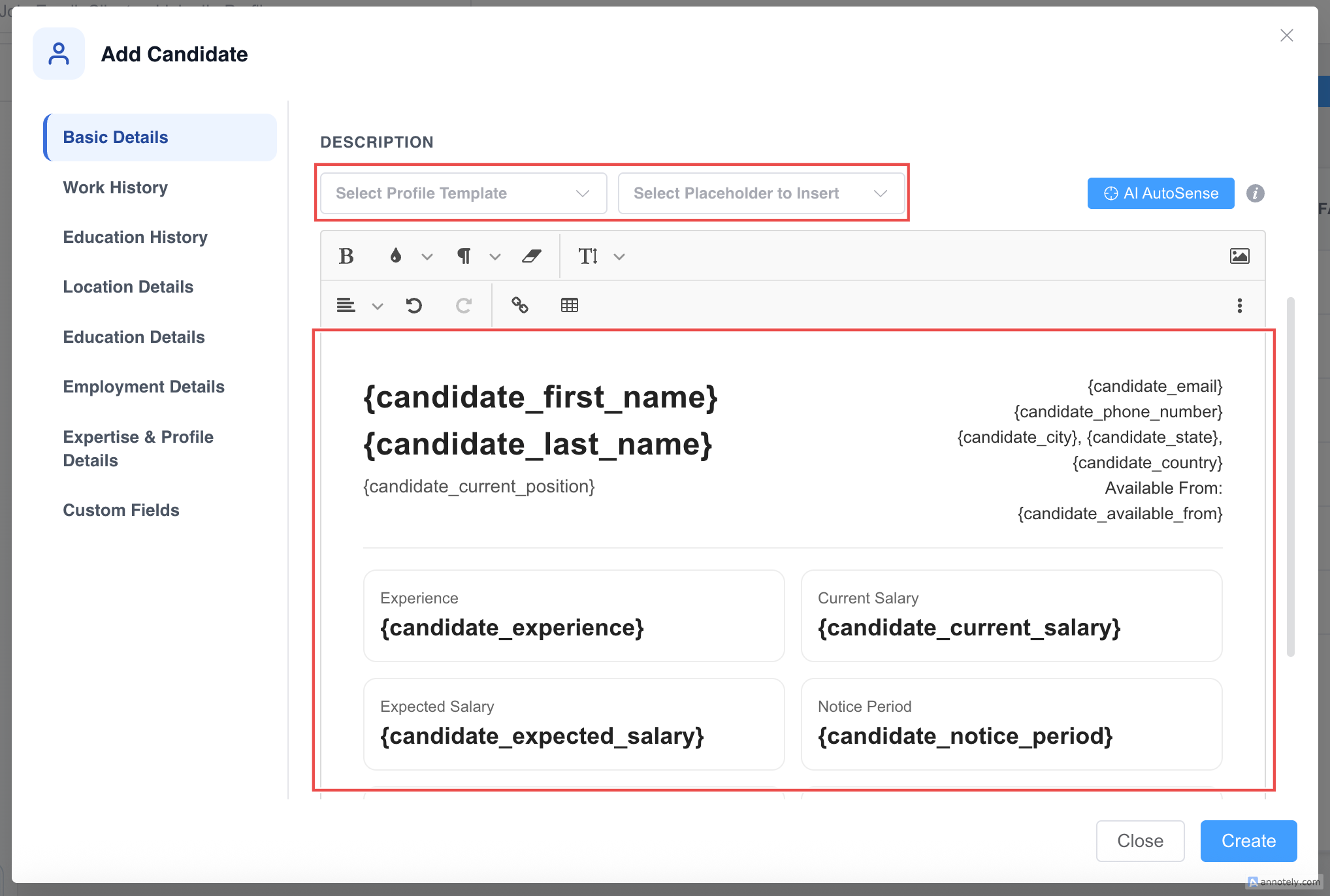
- Dynamic placeholders such as name, current position, or contact details.
- Sections for skills, experience, availability, and recruiter notes.
Create a Candidate Profile Template
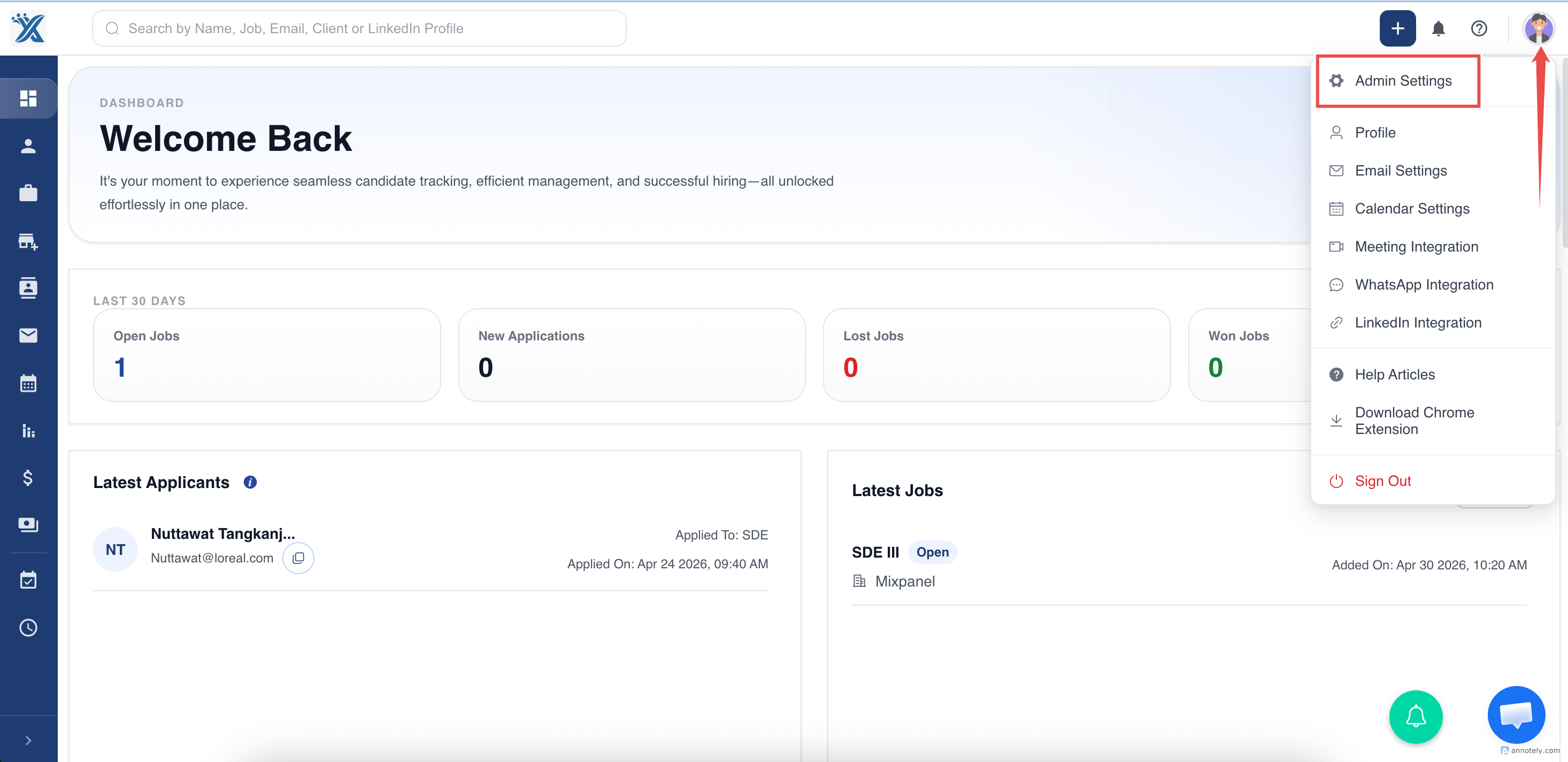
Go to Admin Settings and open Candidate Profile Templates.
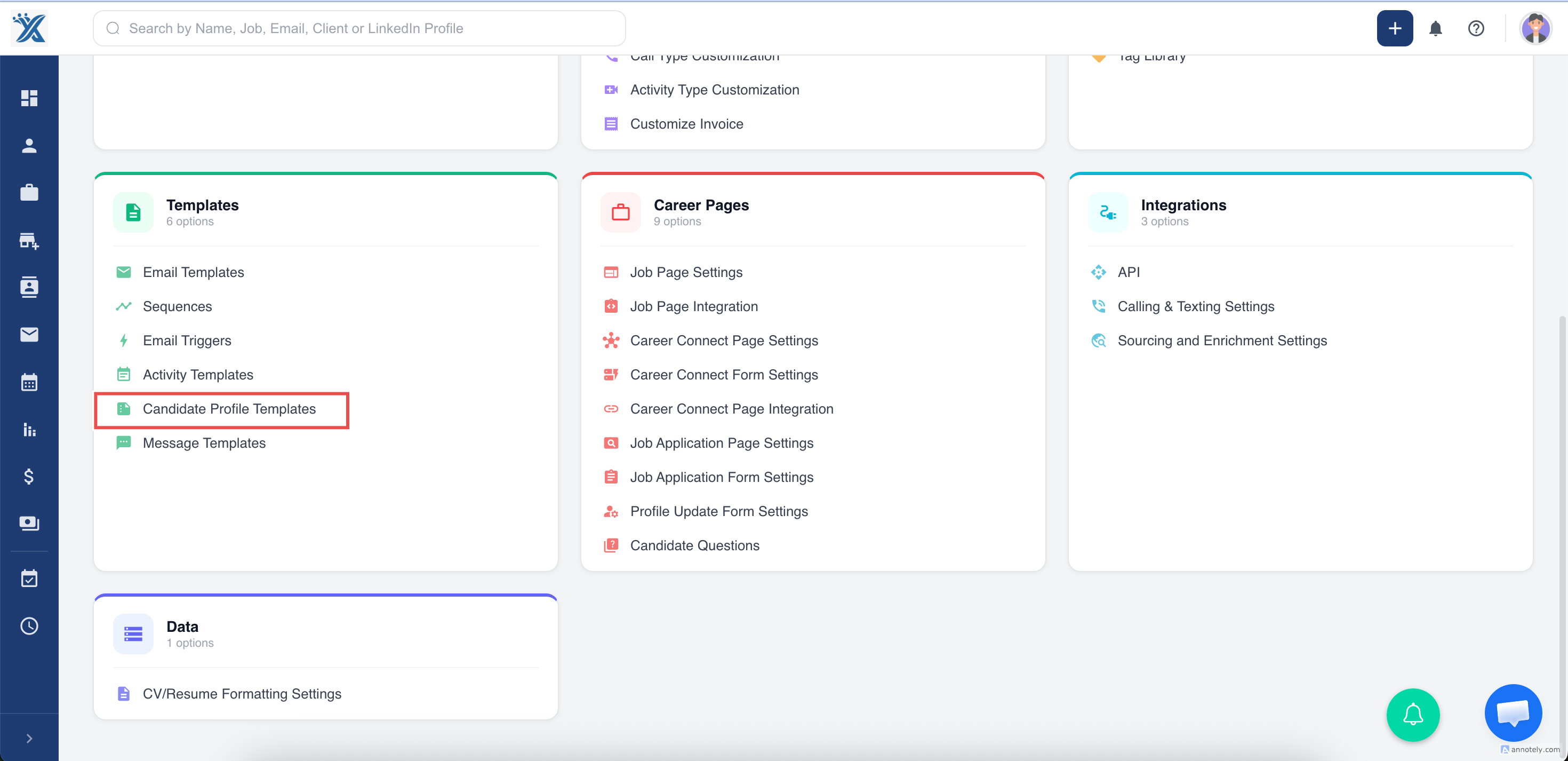
Select Candidate Profile Templates from the menu.
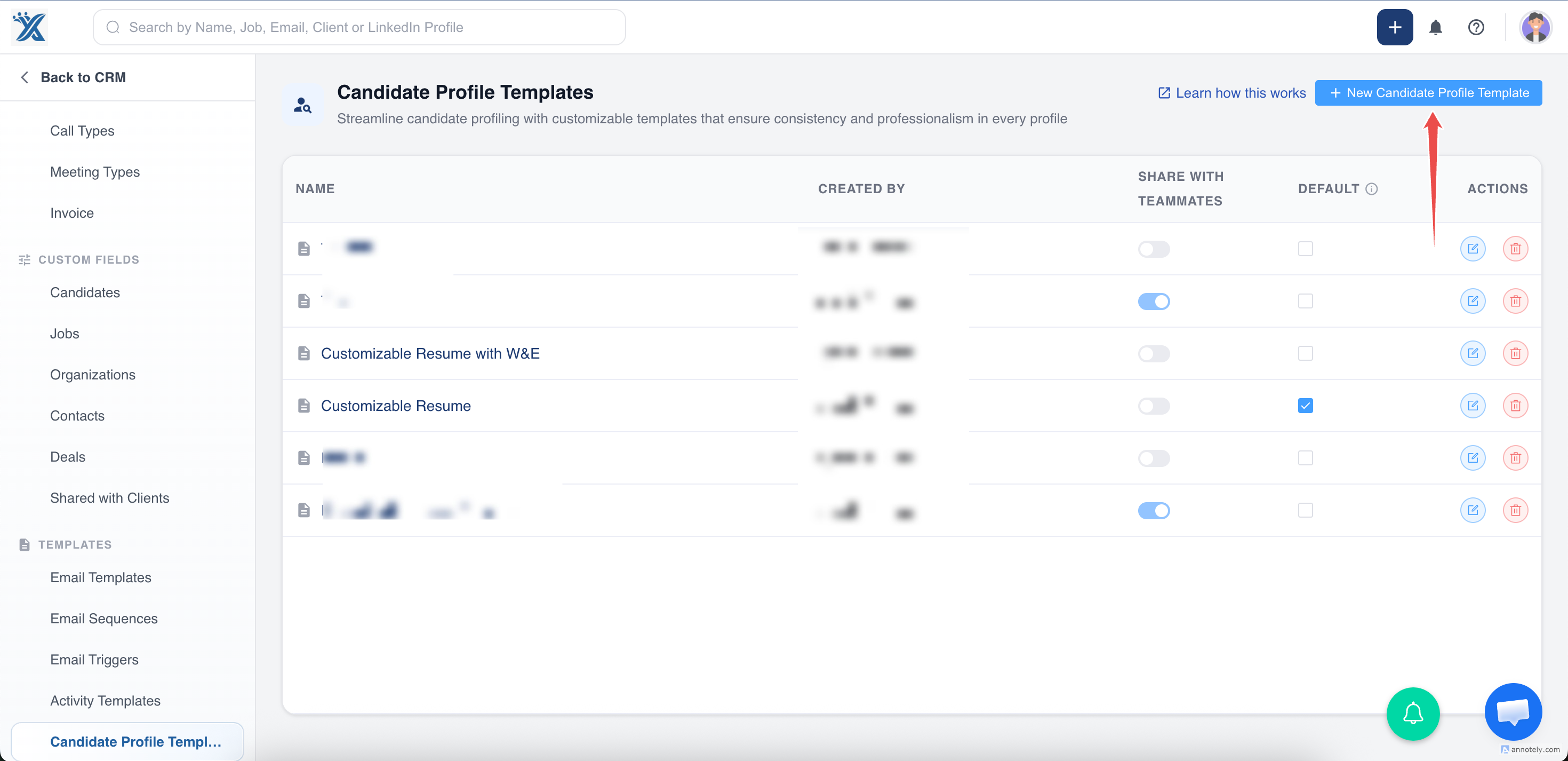
Click Create Template.
Design the template with placeholders and reusable text.
Apply Templates to Candidates
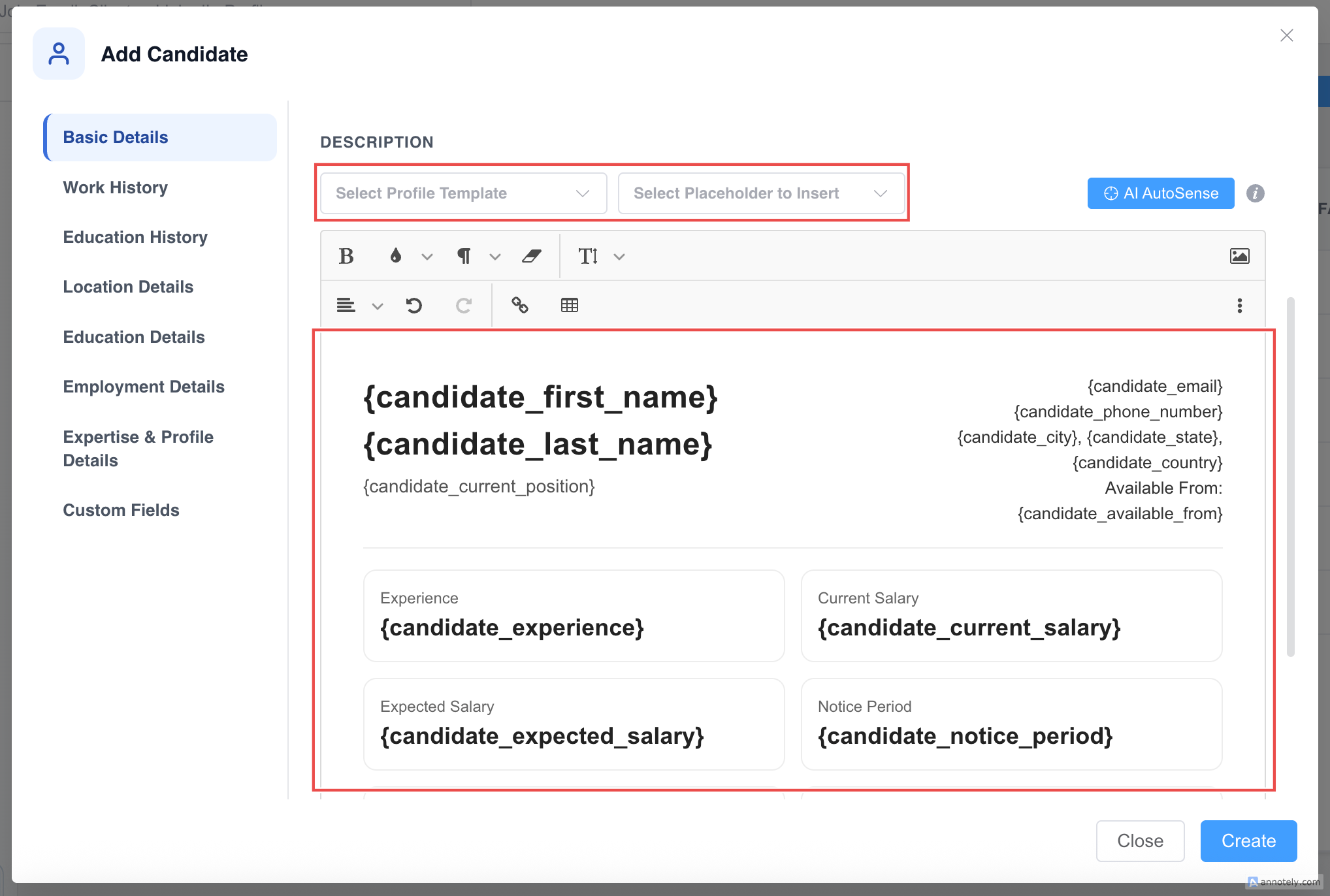
When a recruiter creates a new candidate, the default template can apply automatically. If no default is set, the recruiter can select a template manually.
Set a Template as Default
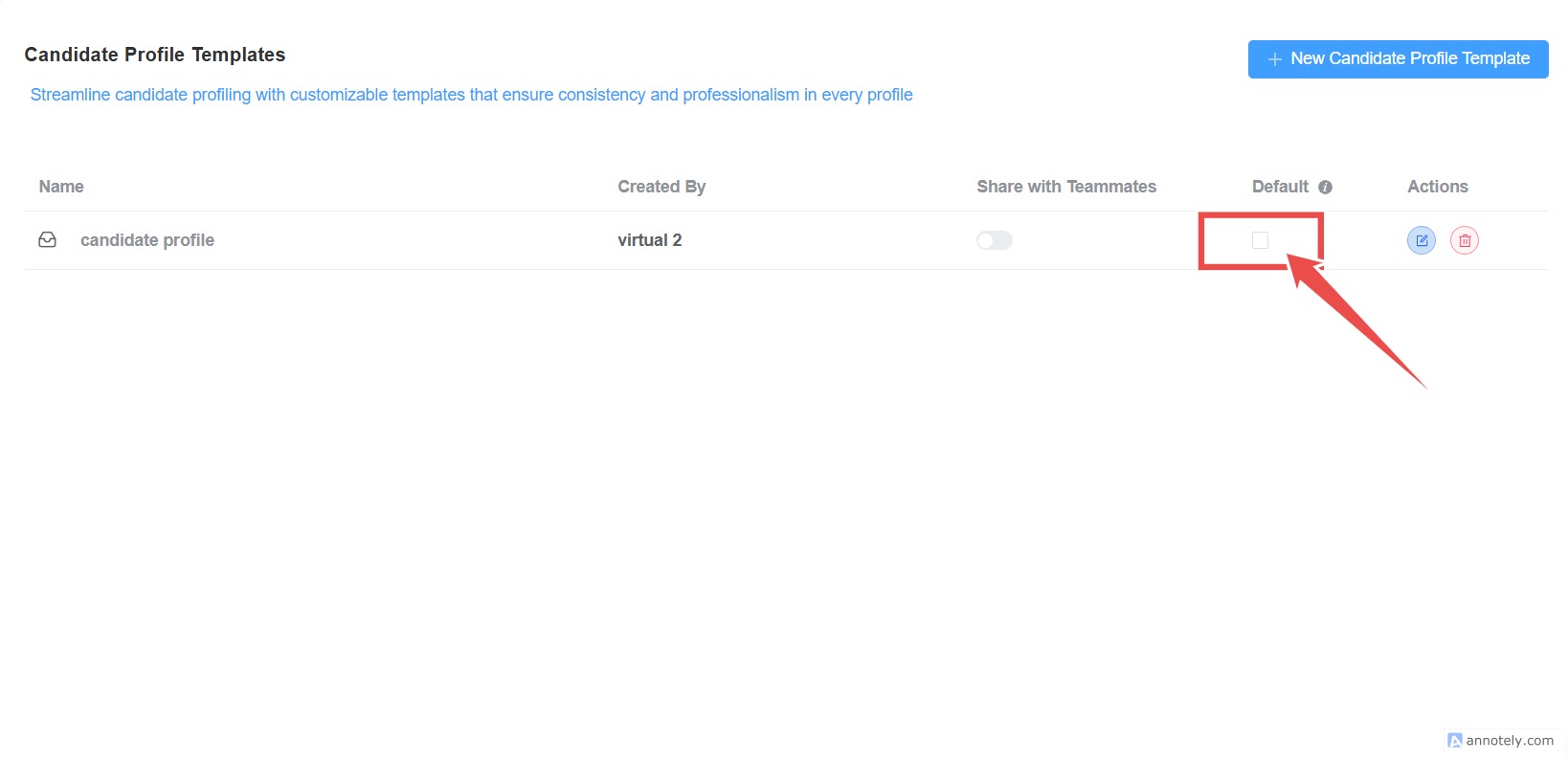
After creating a template, use the default checkbox or default action to apply it automatically to new candidate profiles.
Use Cases
Standard Candidate Summaries
Use templates to make candidate summaries easier for recruiters, account managers, and clients to compare.
Faster Submissions
Reusable descriptions reduce the time needed to prepare candidate information for review.
Team Consistency
Templates help every recruiter capture the same key data points.
Troubleshooting
Template Does Not Apply Automatically
Check whether the template is set as default.
Placeholder Values Are Blank
Confirm that the candidate profile has data in the fields used by the placeholders.
Recruiters Cannot See Templates
Check role permissions and whether the template exists in the correct settings area.
Frequently Asked Questions
Can templates include custom fields?
Templates can use supported placeholders. Confirm available placeholders from your template editor.
Can I have different templates for different workflows?
Yes. Create templates for sourcing, client submission, executive search, or temporary staffing workflows.
Are templates required?
No. They are optional, but useful when your team wants consistent candidate descriptions.