
Open tracking helps recruiters and client managers understand whether recipients engaged with emails sent through ATZ CRM.
Quick Answer
Open tracking appears in related emails, the Open email folder, and the Email Detail Page. It shows open status, open count, and last opened time when tracking data is available.
How Email Open Tracking Works
When an email is sent through ATZ CRM, a small invisible tracking image is embedded in the message. When the recipient opens the email and images load, ATZ CRM records the email as opened.
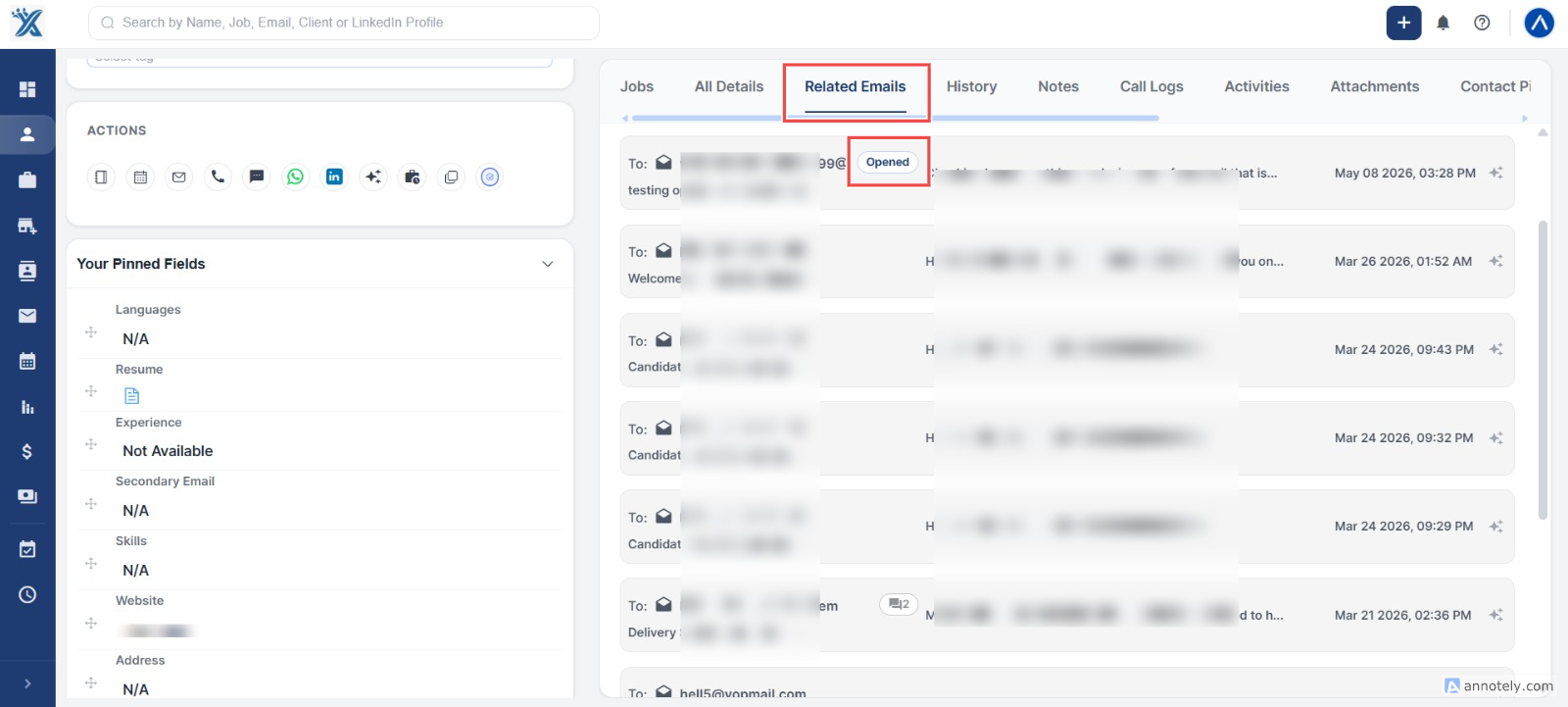
View Opens from Candidate or Contact Details
Open the candidate or contact detail page and check Related Emails. You can see open status, open count, and last opened timestamp.
View Opens from the Open Folder
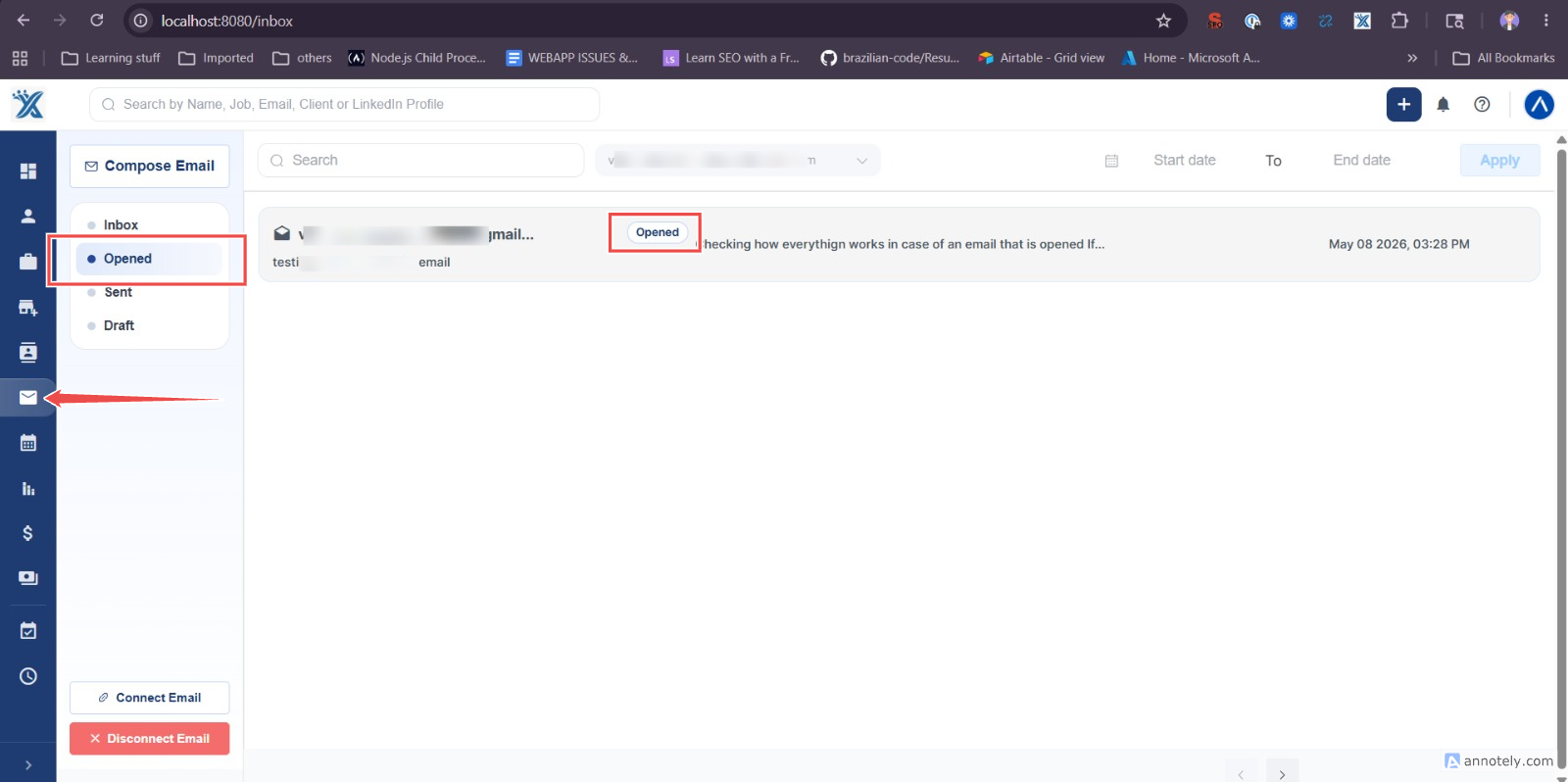
Open the email list view and go to the Open folder. This folder lists emails that have been opened.
View Opens from Email Detail Page
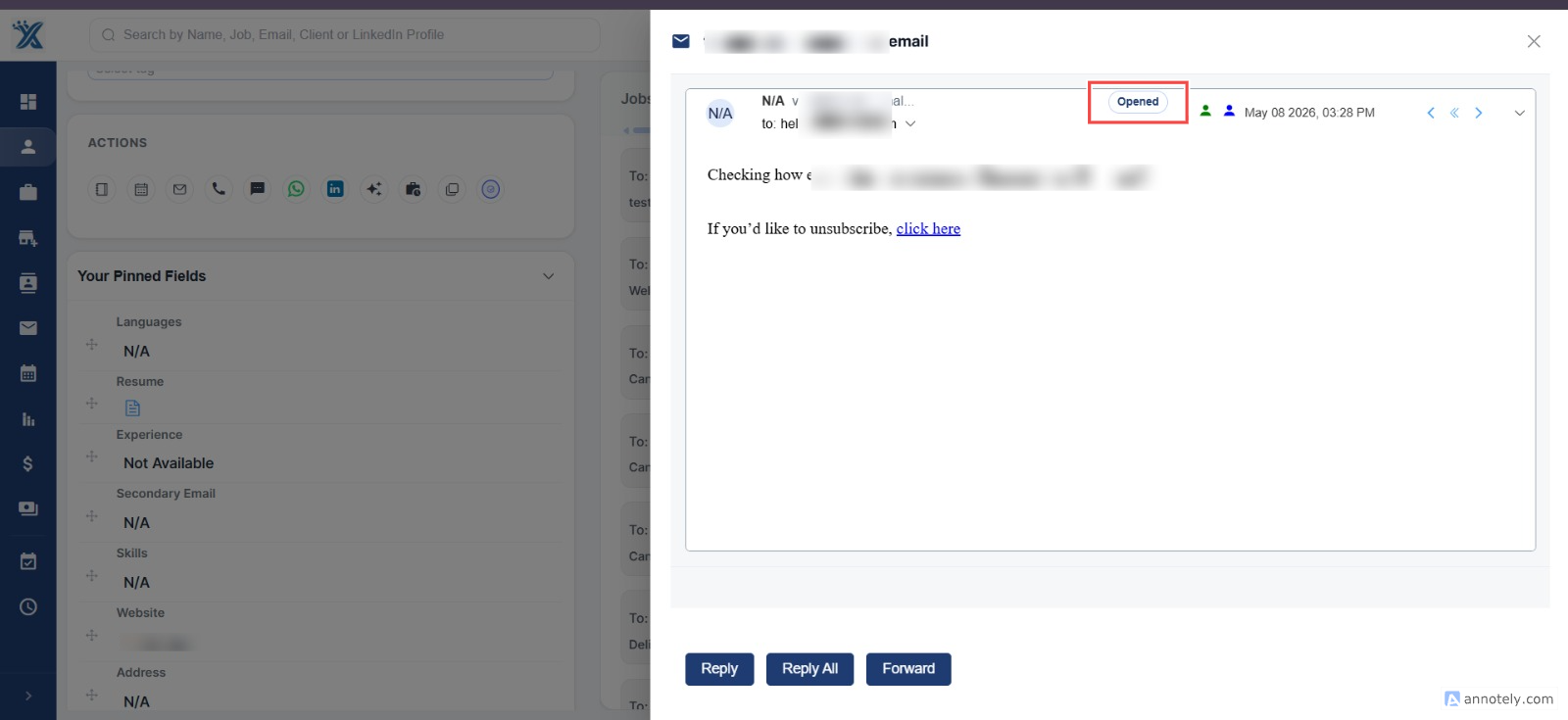
Open an individual email to see whether it was opened, how many times it was opened, and when it was last opened.
Important Limitations
Open tracking depends on recipient email clients loading images. If images are blocked, ATZ CRM may not record the open even if the email was read.
Use Cases
Follow-Up Timing
Prioritize follow-up when a candidate or contact has opened an important email.
Template Review
Compare open behavior across different email templates or subject lines.
Sequence Performance
Use open tracking alongside reply and unsubscribe rates to improve sequence performance.
Troubleshooting
Open Is Not Tracked
The recipient’s email client may block images or privacy settings may prevent tracking.
Open Count Looks High
Recipients may reopen the email multiple times, or some clients may load the tracking image more than once.
Tracking Should Be Disabled
Use profile email tracking settings if your team needs to turn the tracking pixel off.
FAQs
Is open tracking always accurate?
No. It is useful directional data but depends on image loading.
Can I see the last opened time?
Yes. ATZ CRM shows the last opened timestamp where tracking data exists.
Does open tracking prove the email was read?
No. It indicates the email was opened with images loaded, not that the content was fully read.