
Temporary operations helps staffing teams see where demand and confirmed coverage need attention. Review it before dispatching workers or following up on missed shifts.
Open the Report
- Open Reports > Temporary operations, or find the widget on Dashboard.
- Choose the dates covering the shifts you want to review.
- Apply the available team and shift-status filters.
- Review whether archived records should be included.
- Apply the filters and review the summary and rows.
The Dashboard widget initially focuses on the current month. Check the displayed filters if you are reviewing another period.
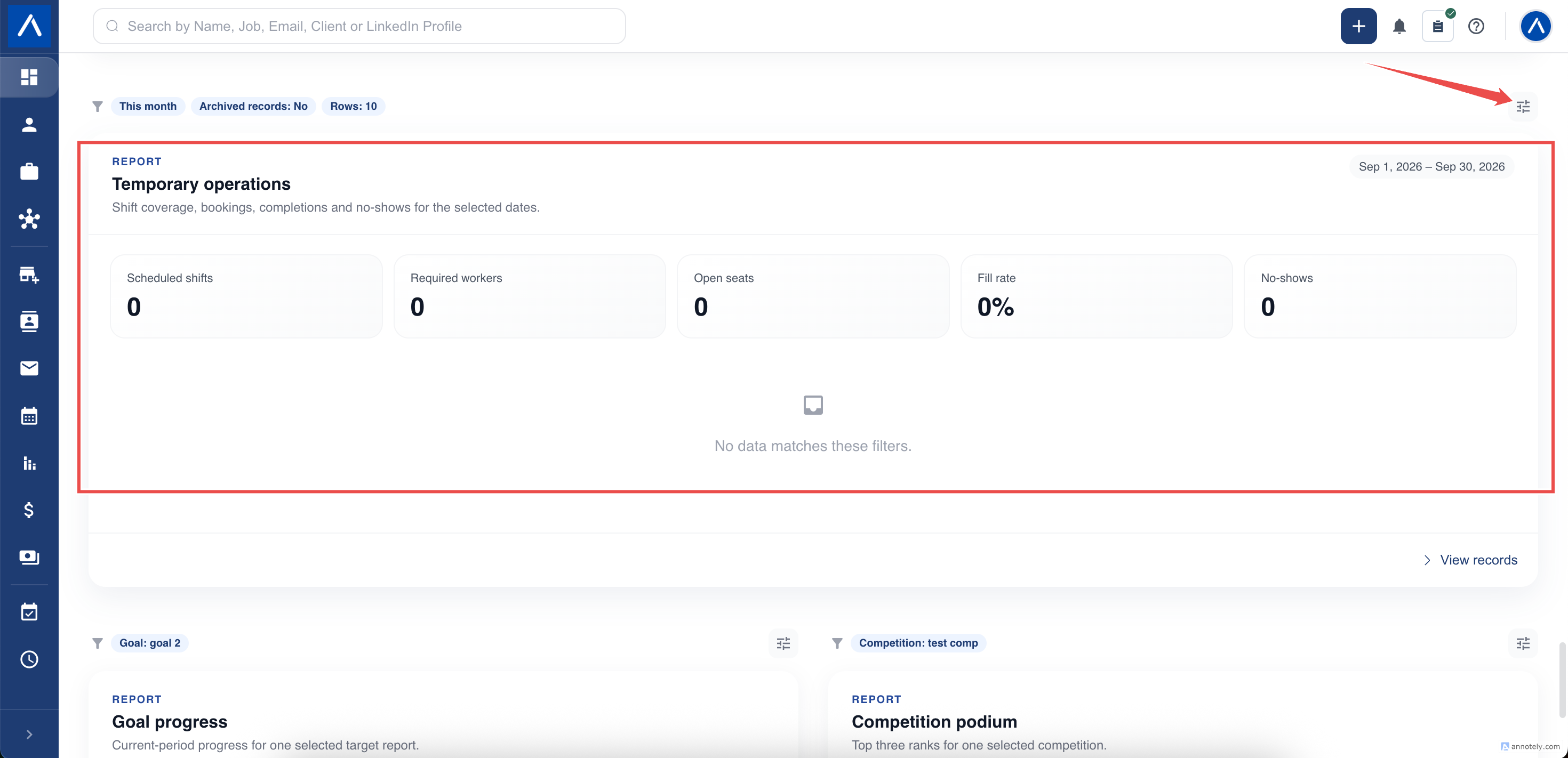
Read Demand and Coverage Together
Shift demand describes the staffing requirement. Bookings and coverage help you see how much of that requirement has been filled.
A single shift can require several people. Do not compare the number of shifts directly with the number of booked workers as though each shift required only one person.
Shortfalls are assessed for each shift. An overbooked shift cannot cancel out an uncovered position elsewhere.
Follow Up on Outcomes
Completed bookings help you understand delivered work. No-shows highlight bookings that may need recruiter follow-up.
These outcomes rely on the recorded shift and booking statuses. A shift whose time has passed is not automatically evidence that every booked worker completed it. Check the underlying permitted record when an outcome looks unexpected.
Use the report to prioritize operational follow-up, then make corrections in the relevant shift or booking workflow.
Keep Operational and Billing Reviews Separate
This report is not a replacement for timesheets, payroll checks, or invoice review. Staffing coverage, approved hours, and billed amounts answer different questions.
Likewise, the Dashboard Pending invoices and Outstanding revenue widgets concern placement billing, not all temporary staffing invoices.
See Manage Shifts and Timesheets for the operational workflow.
Troubleshooting
If a shift is missing, check the selected shift dates, status, archive choice, team filter, and your access to the linked job.
If the list looks shorter than expected, check the row limit. Compare summary figures with matching summaries rather than adding only the visible rows.
If the report cannot load, retain the chosen filters and report the issue to support; do not change booking statuses simply to make totals match.
FAQs
Can overbooking one shift fill a vacancy on another?
No. Coverage gaps are assessed per shift. Extra bookings on one shift do not remove another shift’s staffing shortfall.
Is this a payroll or invoice report?
No. It is an operational view of staffing and bookings. Use the shift, timesheet, and invoice workflows for their corresponding records.