
What Bulk Resume Parsing Does
Bulk resume parsing lets recruiters upload several resume files at once and convert them into structured candidate information in ATZ CRM. It is useful when your team needs to build or clean a candidate database quickly.
Single Resume Parsing vs Bulk Resume Parsing
Use single resume parsing when you are creating one candidate profile from the Add Candidate form.
Use bulk resume parsing when you have a batch of resumes and want ATZ CRM to process them together.
Step 1: Open Candidates
Log in to ATZ CRM and go to Candidates.
Step 2: Select Resume Parser
Click the Resume Parser button.
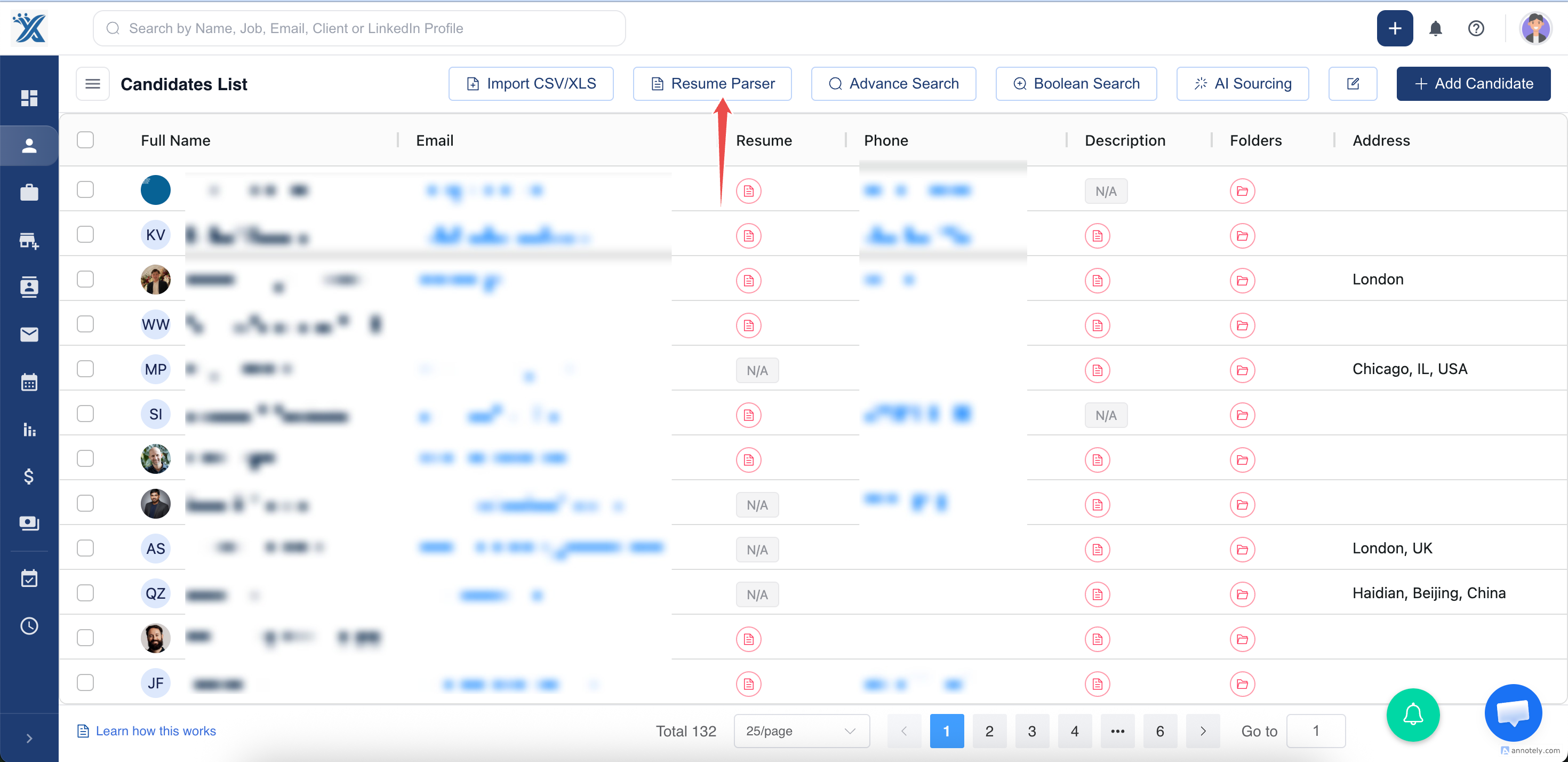
Step 3: Choose Resumes
Select the resume files you want to parse.
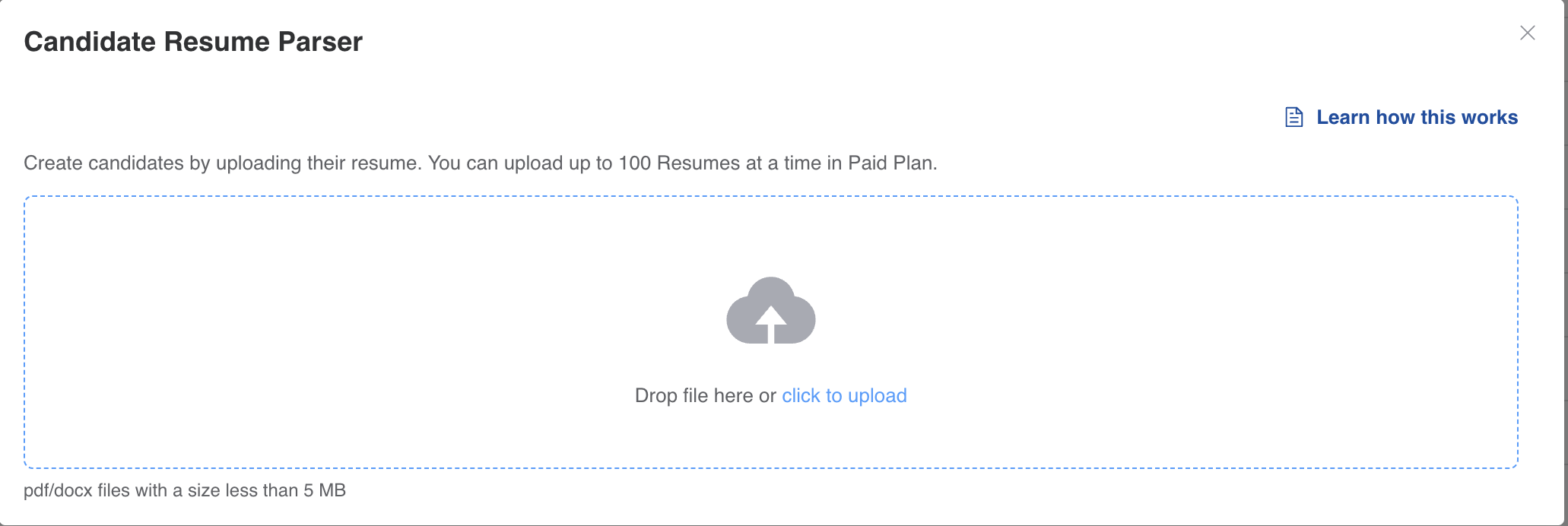
Step 4: Review Parsed Candidate Data
ATZ CRM parses the resumes automatically. After processing, review the resulting candidate records and update missing details where needed.
Use Cases
Job Fair Resume Uploads
After collecting resumes at an event, bulk parsing helps you move candidates into ATZ CRM quickly.
Legacy Database Cleanup
If your team has stored resumes outside the CRM, bulk parsing can help convert those files into searchable records.
High-Volume Sourcing Campaigns
When recruiters receive many resumes from a campaign, bulk parsing reduces the time needed to create candidate profiles.
Troubleshooting
Some Resumes Do Not Parse Well
Check file quality and format. Scanned images, unusual layouts, or incomplete resumes may require manual correction.
Duplicate Candidates Are Created
Review duplicate detection and existing candidate records before using parsed candidates in active workflows.
I Cannot See the Resume Parser Button
Your role may not have permission, or the feature may not be enabled for your account. Contact your ATZ CRM admin or support team.
Frequently Asked Questions
Can I upload different resume formats?
Common resume formats are supported, but the best parsing results usually come from readable PDF or DOCX files.
Does bulk parsing assign candidates to jobs?
No. Bulk parsing creates or updates candidate information. Assign candidates to jobs after review.
Can I edit parsed profiles later?
Yes. Parsed profiles can be edited like any other candidate profile in ATZ CRM.