
AI-powered candidate matching helps recruiters identify the most relevant candidates for a job, find similar candidates, and prioritize large pipelines without relying only on exact keyword searches.
Quick Answer
Use Find Matching Candidates from a candidate or job profile. Add detailed resumes and job descriptions for better results. For a large job pipeline, turn on Match from existing pipeline to rank only candidates already assigned to that job.
How AI Matching Works
ATZ CRM uses context-aware matching. Instead of only checking exact words, it interprets skills, job descriptions, resume text, and related context.
For example, if a candidate has experience as an engineering manager in an SEO group, ATZ CRM can consider both engineering leadership and SEO-related context.
Find Similar Candidates from a Candidate Profile
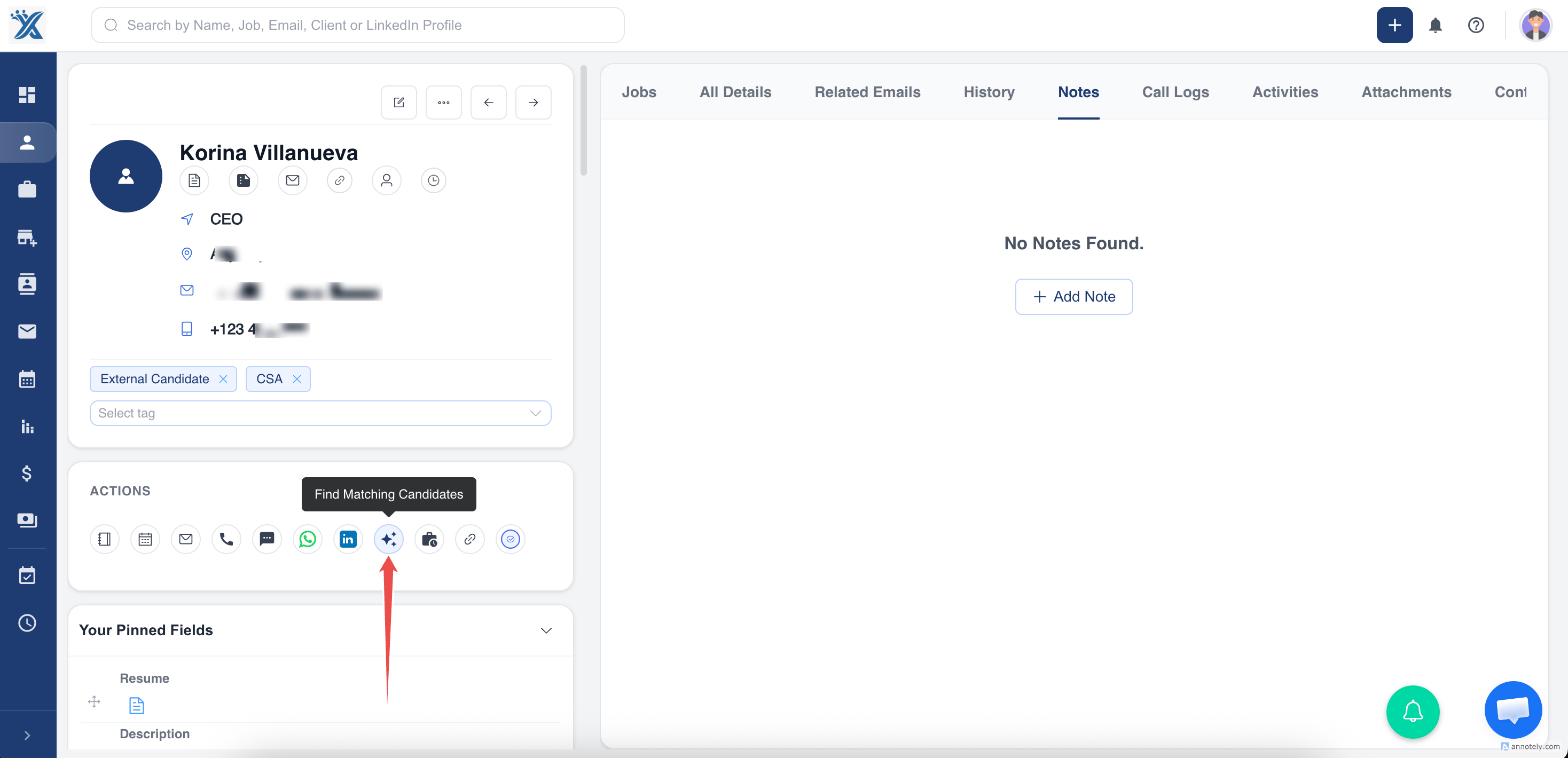
- Open a candidate profile.
- Click Find Matching Candidates.
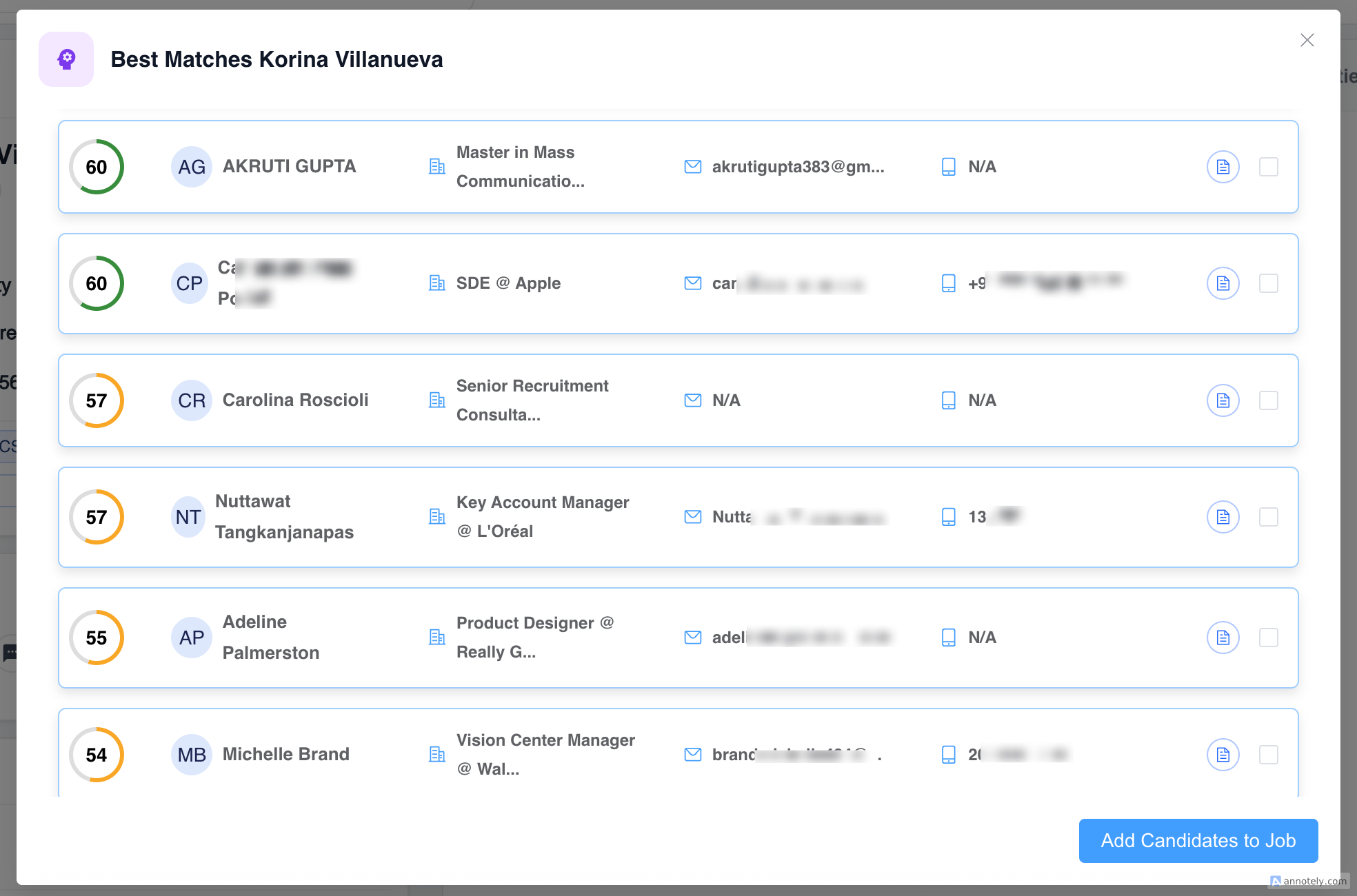
- Make sure the candidate has a resume uploaded for stronger matching.
- Review the top 50 similar candidates.
Find Matching Candidates from a Job
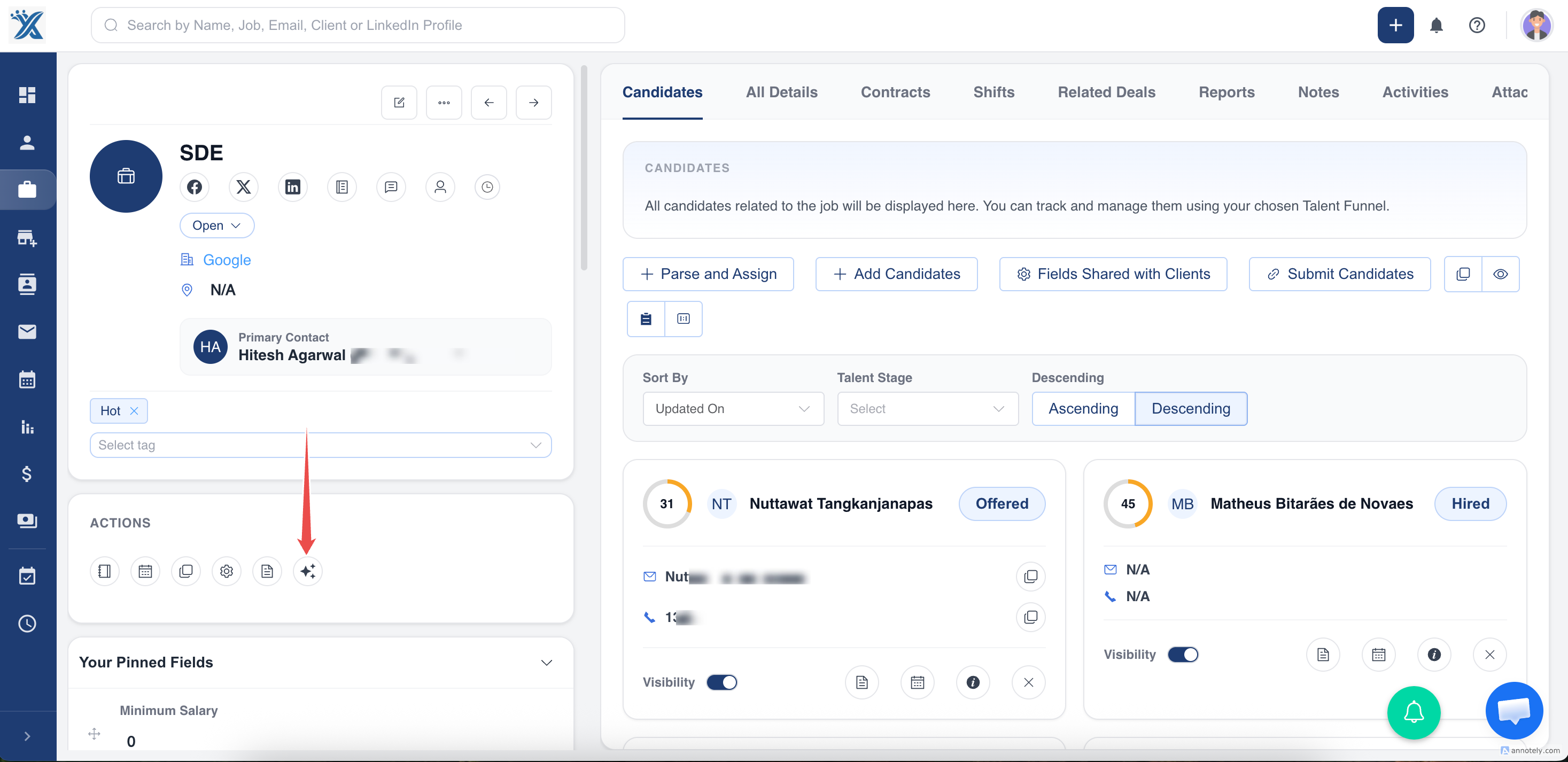
- Open the job profile.
- Add a detailed job description.
- Click Find Matching Candidates.
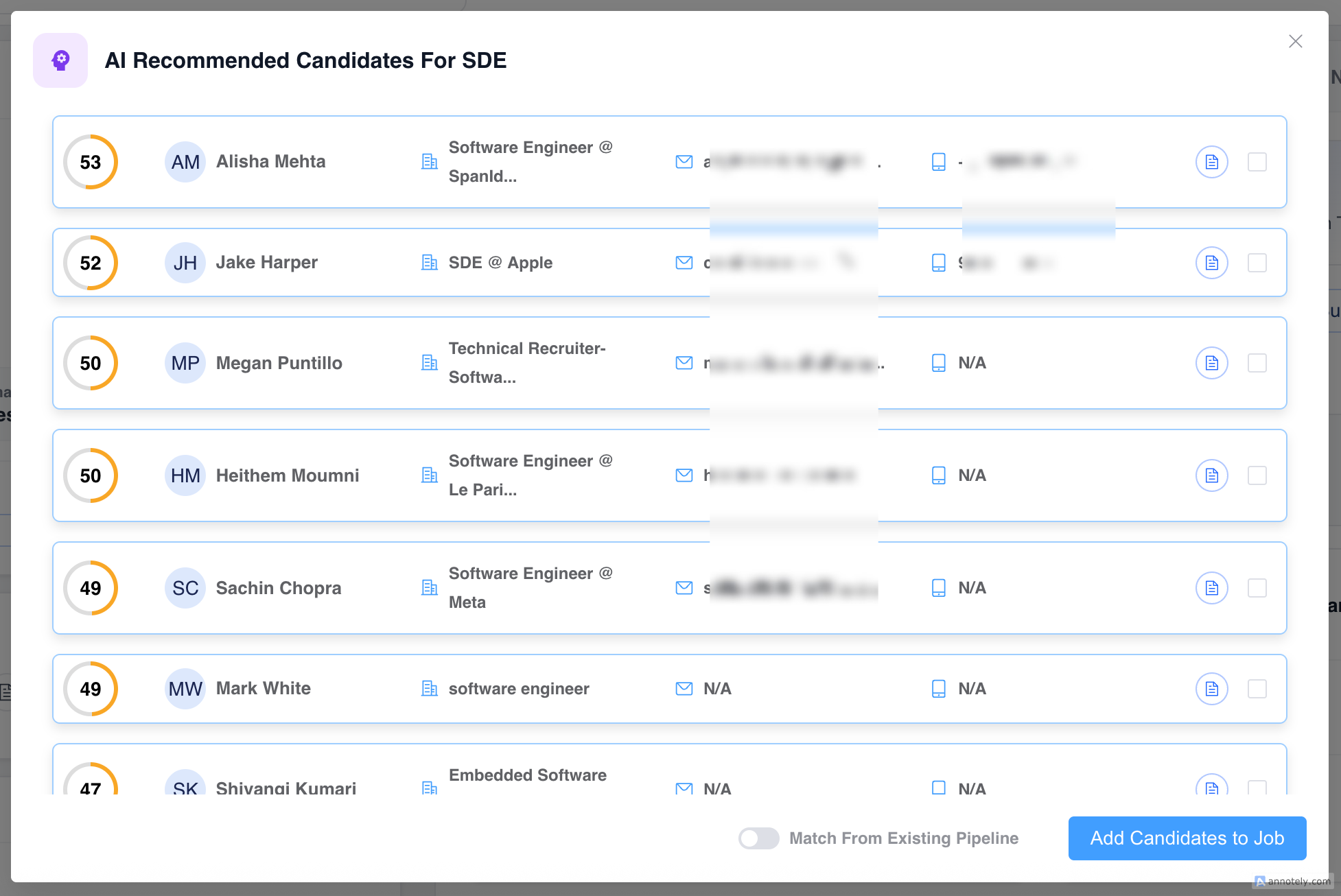
- Review the top 50 matched candidates from your database.
Rank Candidates from the Existing Pipeline
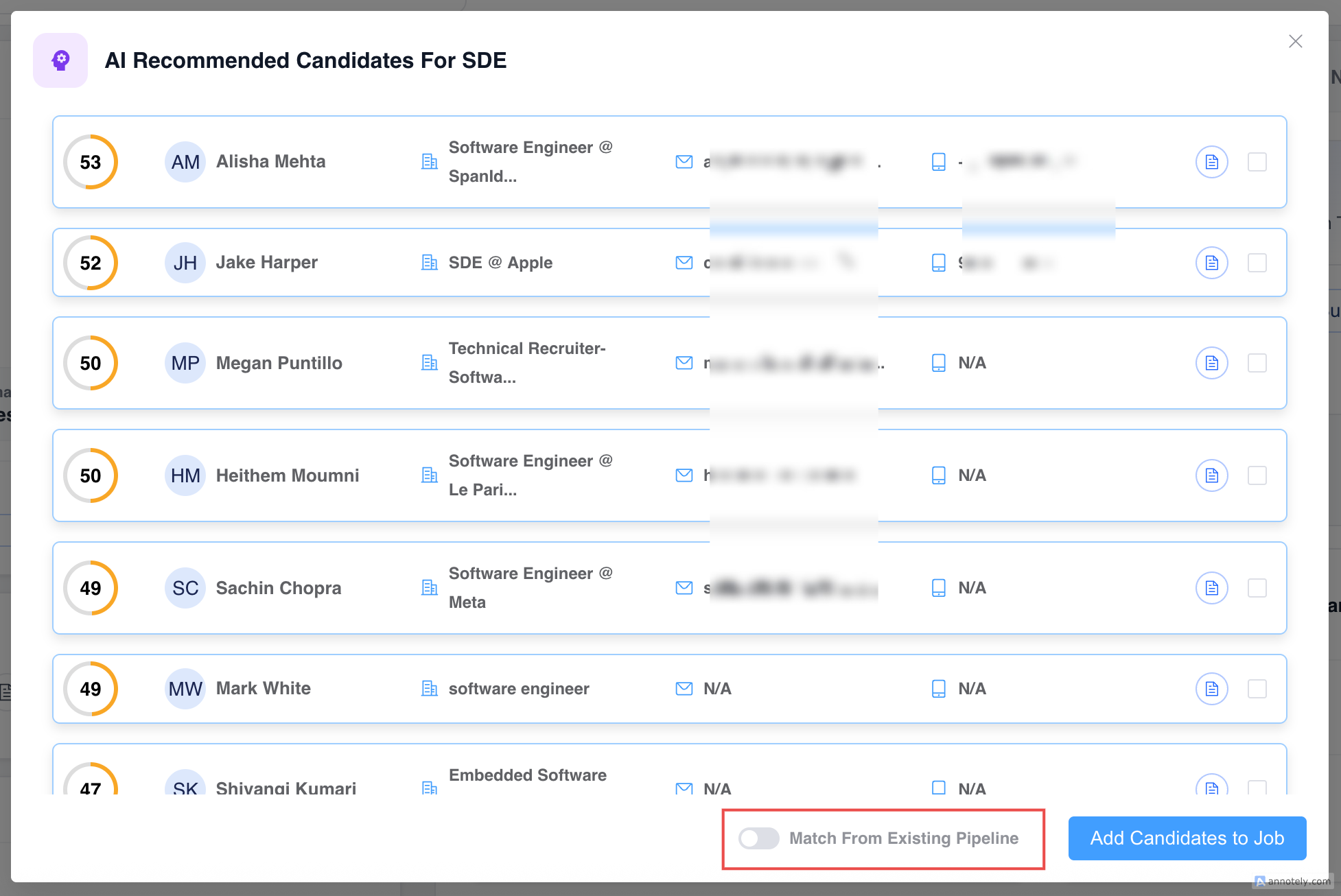
Use Match from existing pipeline when you want to rank only candidates already assigned to a job.
This is useful when a job has hundreds of assigned candidates and you need to prioritize the strongest fits.
Find Best Jobs for a Candidate
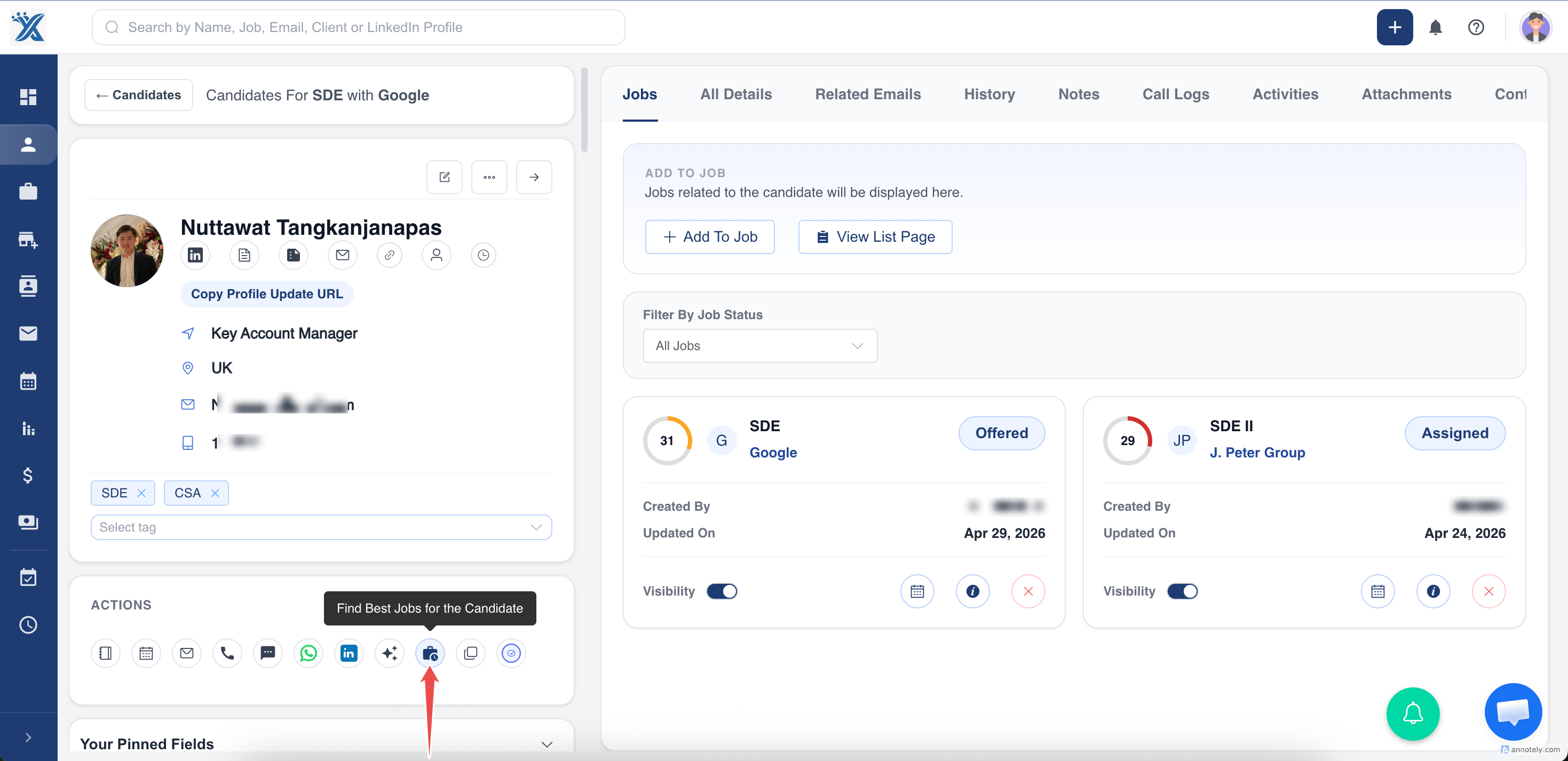
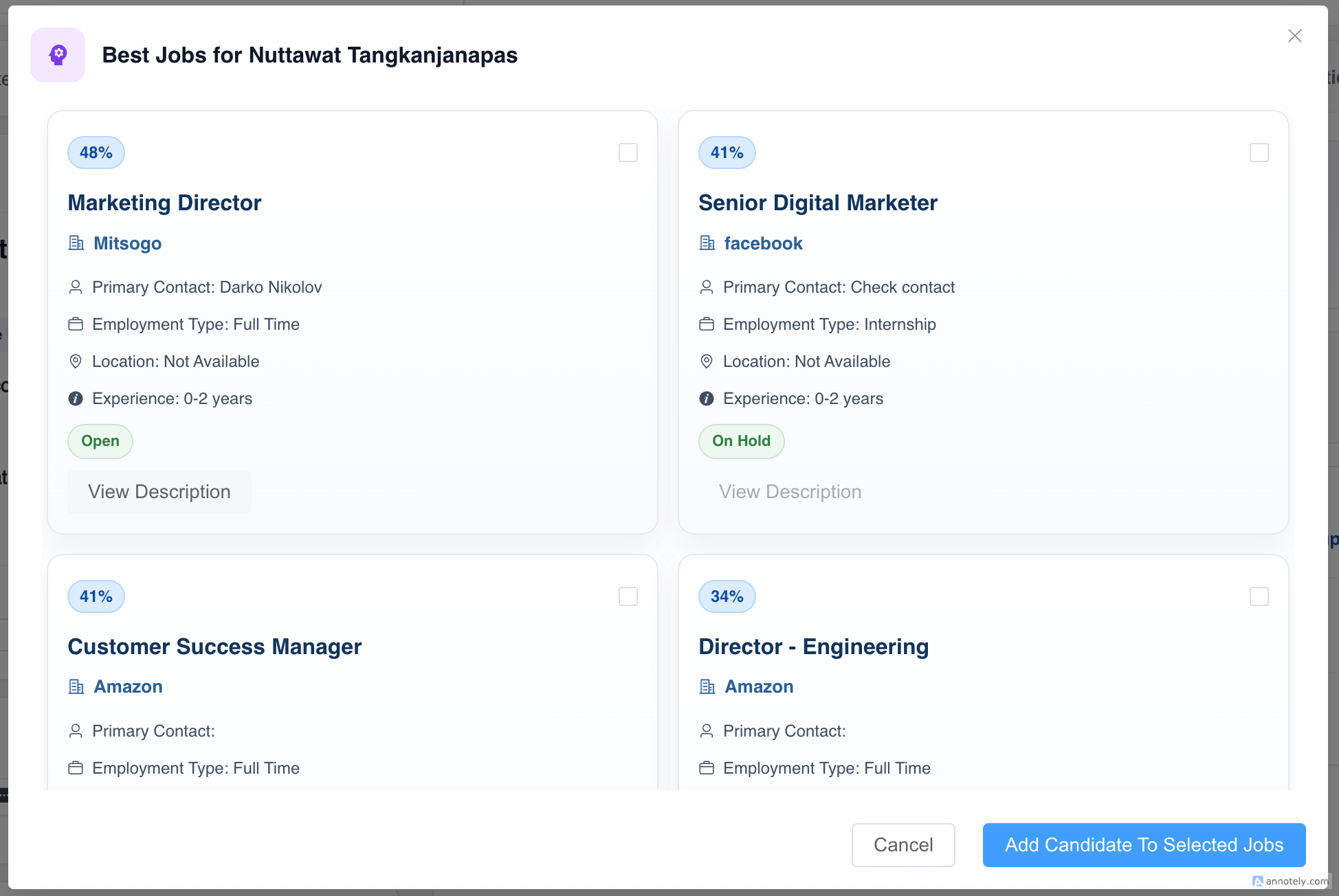
Open a candidate profile and use matching to find the 10 best jobs for that candidate.
Best Practices
- Upload resumes for candidate matching accuracy.
- Write detailed job descriptions before running job-based matching.
- Use existing-pipeline matching for large assigned candidate lists.
- Review AI suggestions before contacting candidates or clients.
Troubleshooting
Matching Results Look Weak
Add more candidate resume/profile detail or improve the job description.
A Strong Candidate Is Missing
Check whether the candidate profile has searchable skills, resume text, and current role data.
Results Are Too Broad
Use existing-pipeline matching or improve the job criteria.
FAQs
Is AI Matching the same as AI Sourcing?
No. AI Matching compares existing ATZ CRM candidates and jobs. AI Sourcing finds new public candidate leads from the web.
Does matching assign candidates automatically?
No. Recruiters review results and decide next actions.
Can matching help with candidate rediscovery?
Yes. It can surface relevant candidates already in your database.