
Why Create Custom Fields
Custom fields let you adapt ATZ CRM to your agency’s workflows. Use them to track information that is not covered by default fields, such as compliance details, priority notes, client-specific requirements, source categories, salary ranges, or internal scoring.
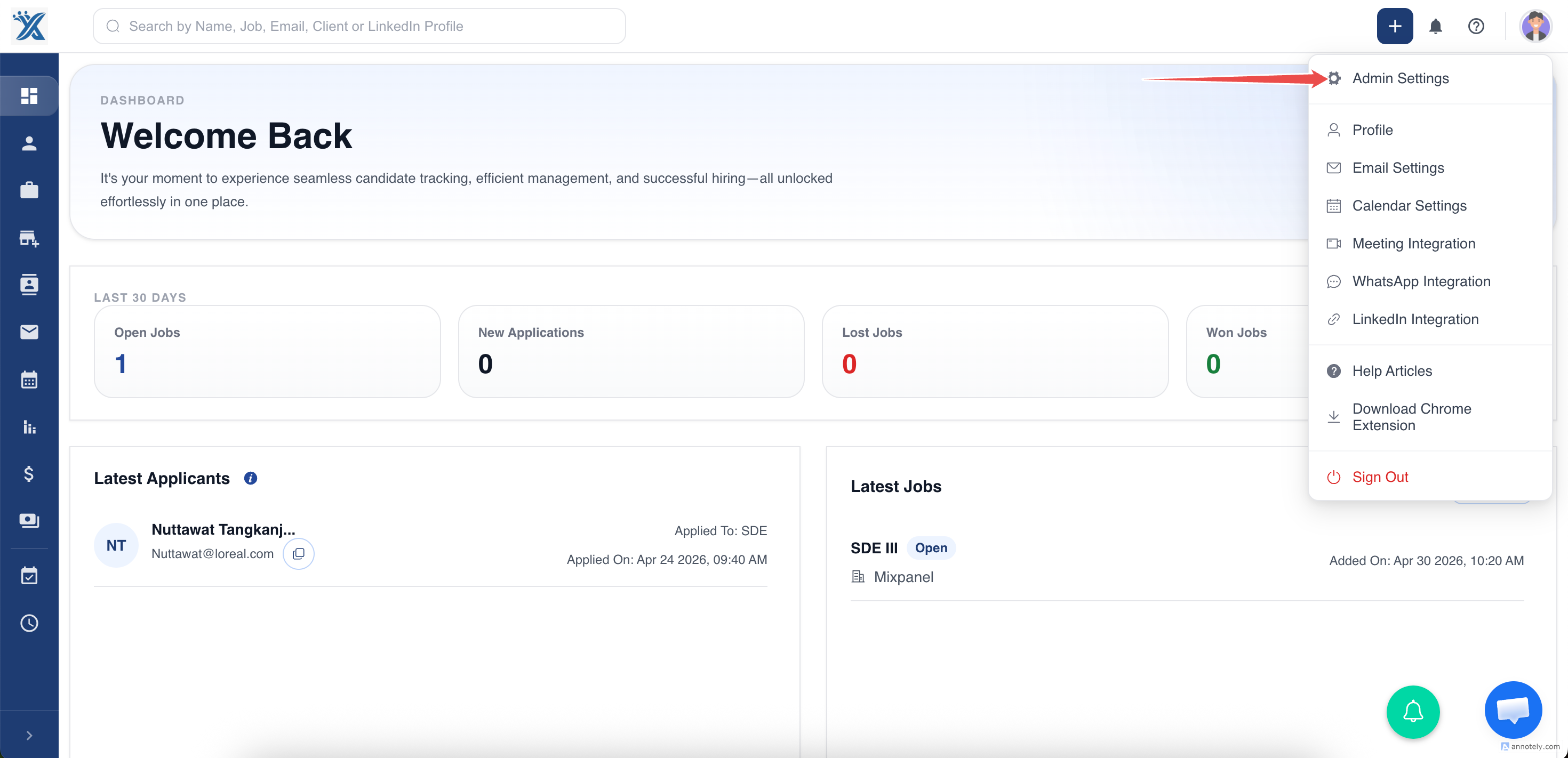
Step 1: Open Settings
Go to Settings in ATZ CRM.
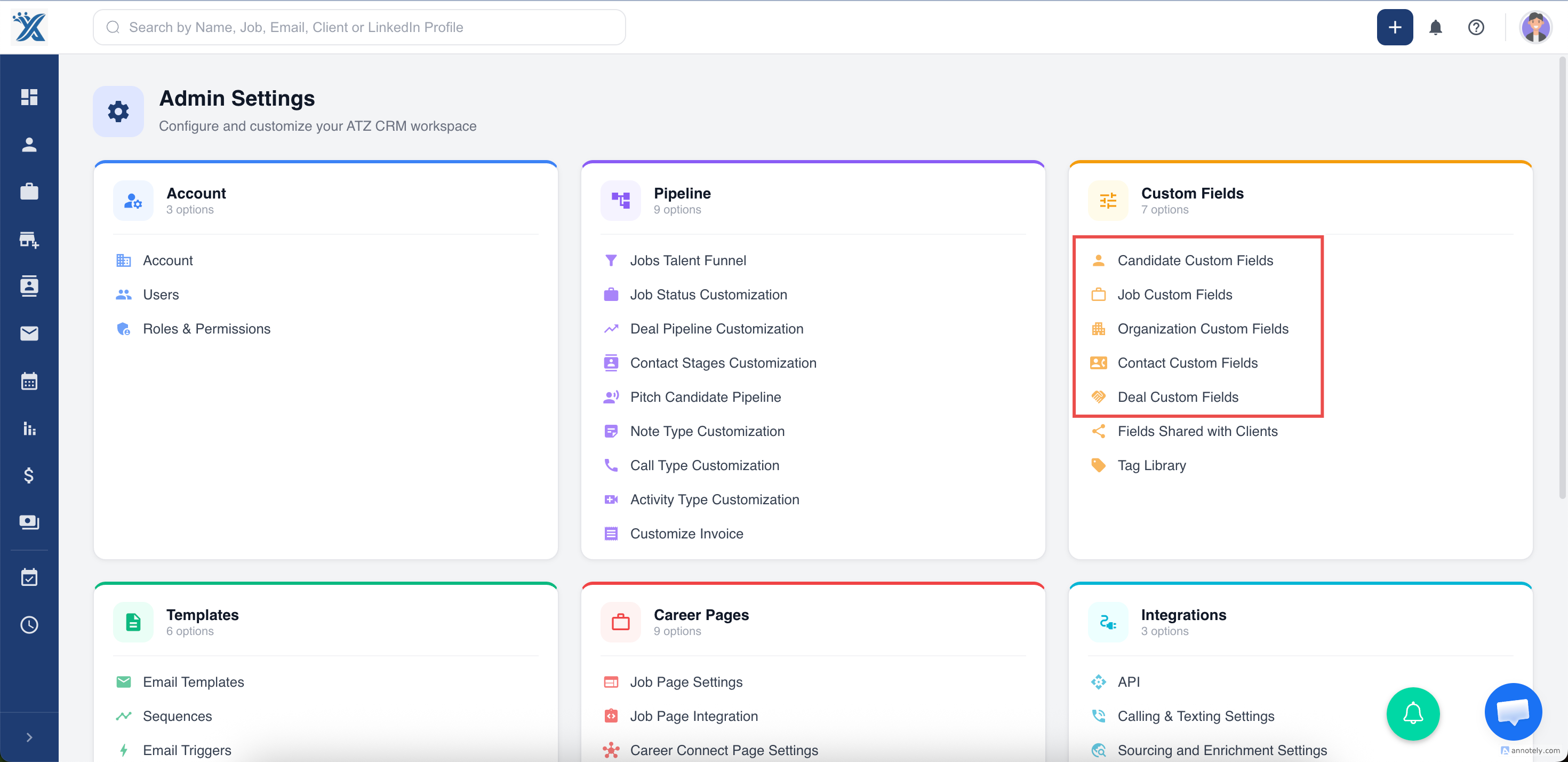
Step 2: Choose the Entity
In Custom Fields, choose the entity where the field should exist, such as Contacts, Candidates, or Jobs.
Step 3: Open Custom Field Management
Open the section for managing custom fields.
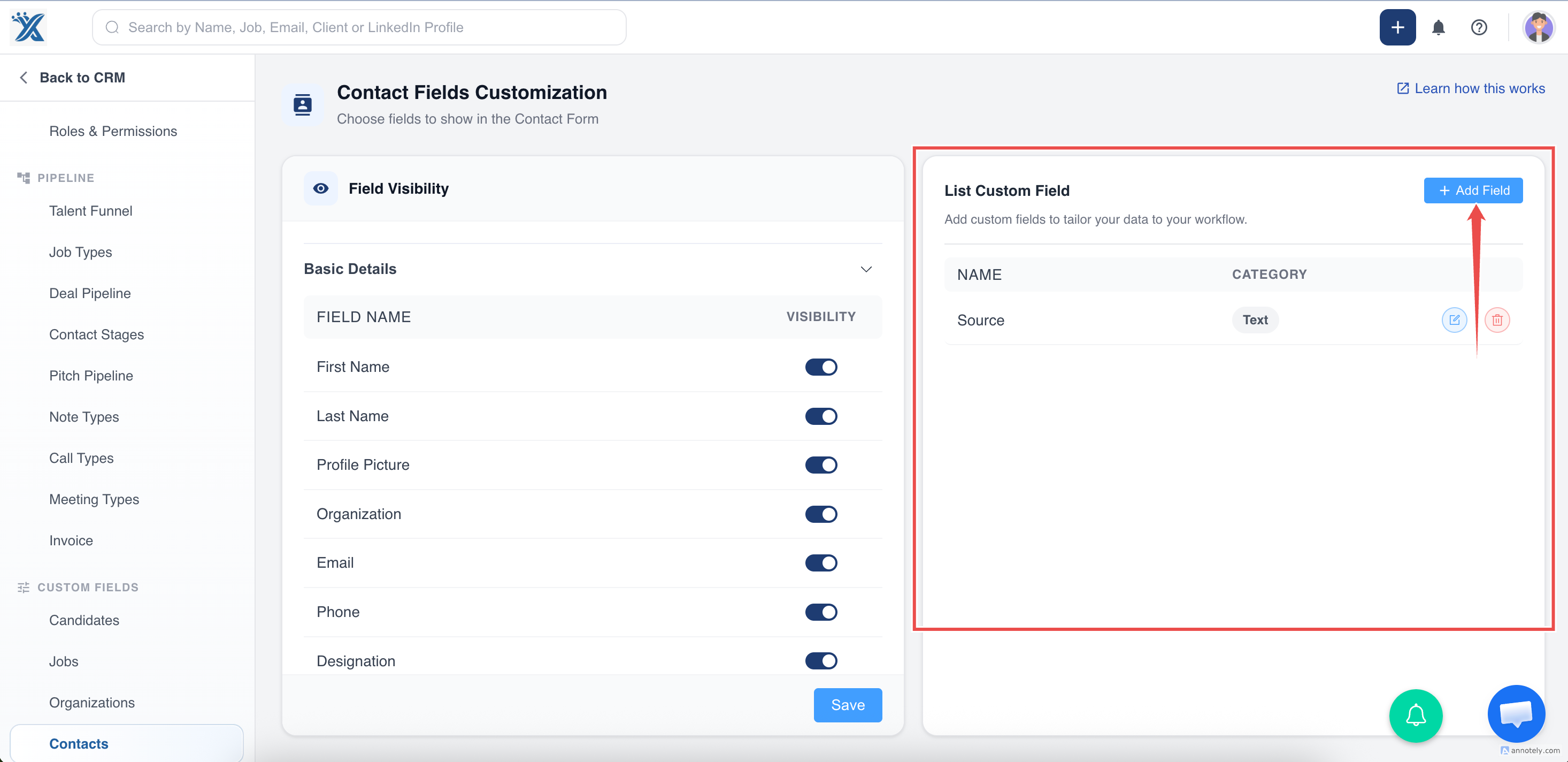
Step 4: Add a New Field
Select Add Field, then complete the required details:
- Field name
- Field type
- Category
- Description
Select Add to create the field.
Supported Field Types
| Field Type | Best Used For |
|---|---|
| Text | Single-line values such as IDs or short labels |
| Long Text | Notes, summaries, or longer descriptions |
| Number | Numeric values |
| Date | Dates and deadlines |
| Dropdown | One value from a predefined list |
| Phone Number | Phone values |
| Multi-Select | Multiple values from a list |
| Email addresses | |
| File | Uploaded files |
| Percentage | Percent-based values |
Use Cases
Candidate Compliance
Track work authorization, credential expiry, background check status, or document status.
Client-Specific Data
Add fields for client codes, preferred contact methods, or account segmentation.
Reporting and Segmentation
Create fields that make filtering, exports, and reporting easier.
Troubleshooting
Field Does Not Appear on Forms
Check field visibility settings for the entity.
Field Does Not Appear in Lists
Use Edit Columns to show the field in the list view.
Field Type Was Chosen Incorrectly
If field type cannot be changed safely, create a new field with the correct type and migrate values carefully.
Frequently Asked Questions
Should I create a custom field for every new data point?
No. Create fields only when the data needs to be searched, filtered, reported, or used consistently.
Can custom fields be exported?
Yes. Choose all entity columns during export to include custom fields.
Can custom fields be required?
Requirement behavior depends on your account settings and form configuration.