
ATZ CRM lets you communicate with candidates and contacts through SMS for interview scheduling, job updates, follow-ups, appointment reminders, and other business communication.
Quick Answer
Confirm SMS is enabled, the recipient has a valid mobile number, and SMS consent is recorded. Then open the candidate or contact record, click Send Text Message, compose your message or use a template, and click Send Message.
Before You Send an SMS
Verify these requirements before composing a message.
SMS Is Enabled
Your account must have SMS functionality activated and configured with a valid SMS provider.
Recipient Has a Mobile Number
The candidate or contact record must include a valid mobile phone number.
SMS Consent Has Been Provided
Recipients must have active SMS consent before messages can be sent. If consent has not been recorded, ATZ CRM prevents SMS delivery until consent is obtained.
Review consent setup here: SMS Consent Requirements.
Send an SMS to One Candidate or Contact
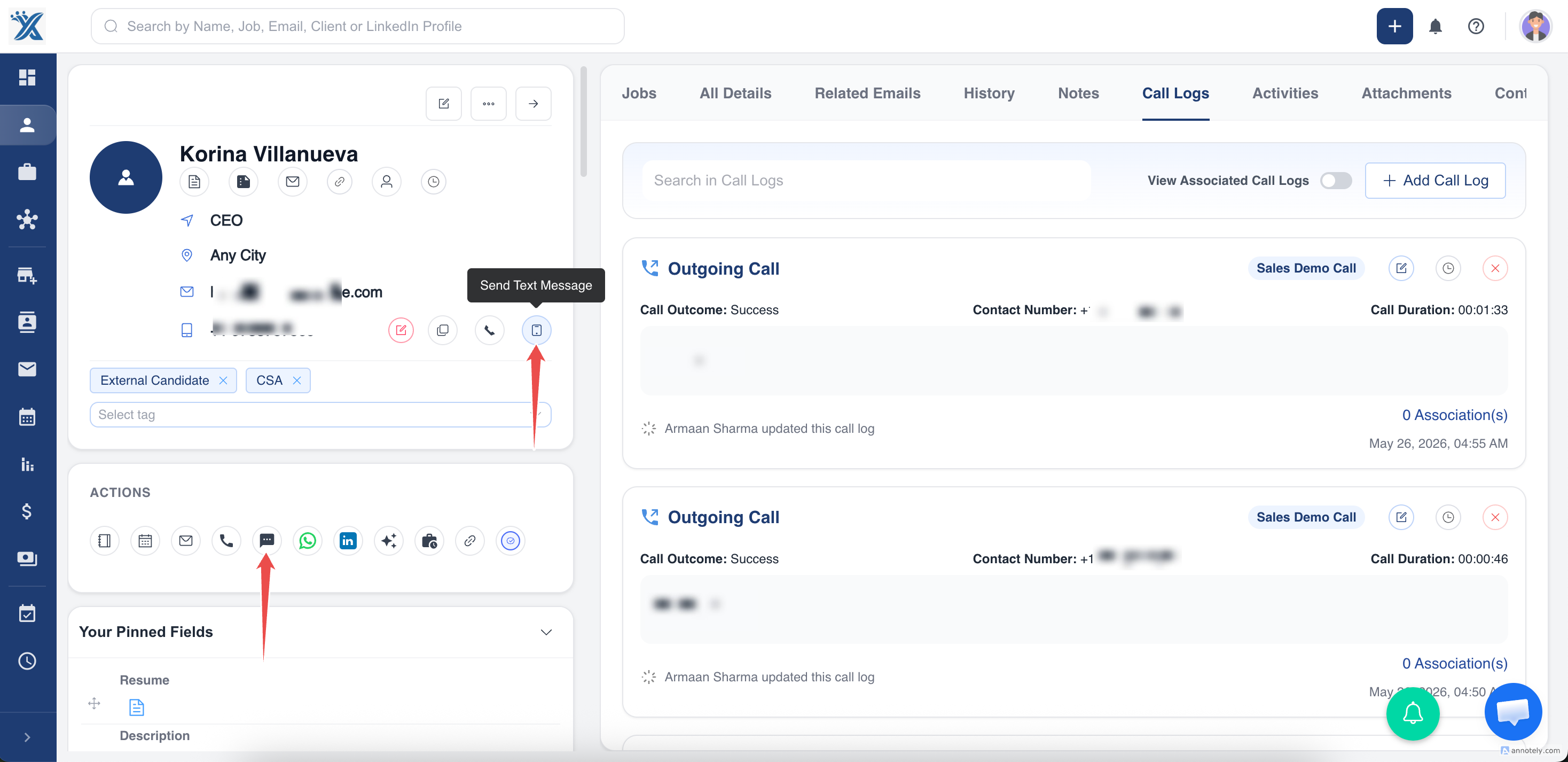
Open the candidate or contact detail page and click Send Text Message. The message window displays chat history for that record.
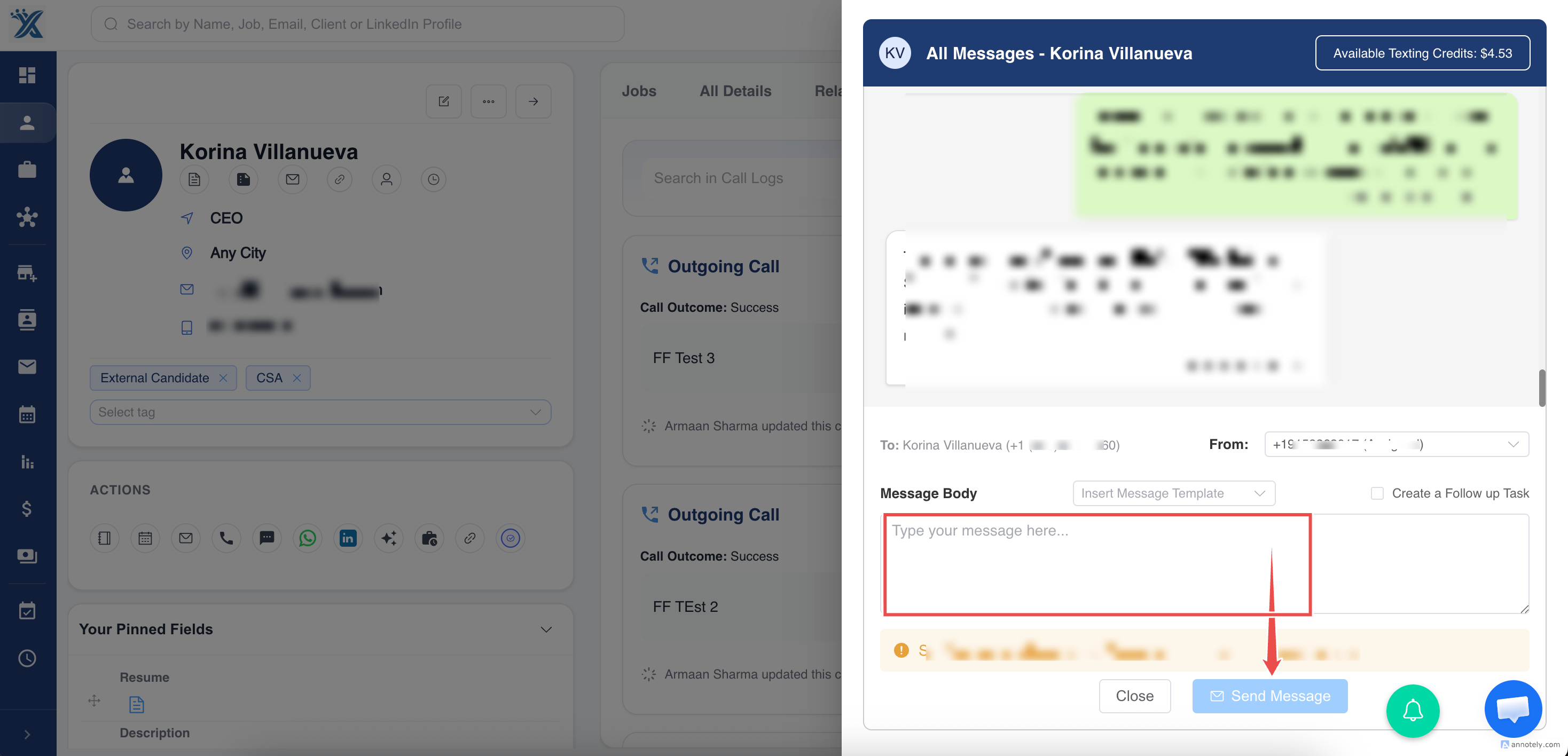
Compose your message or choose an existing message template if your organization has configured templates.
Review the message and click Send Message. The message is sent to the candidate or contact’s registered mobile number.
Send Bulk SMS
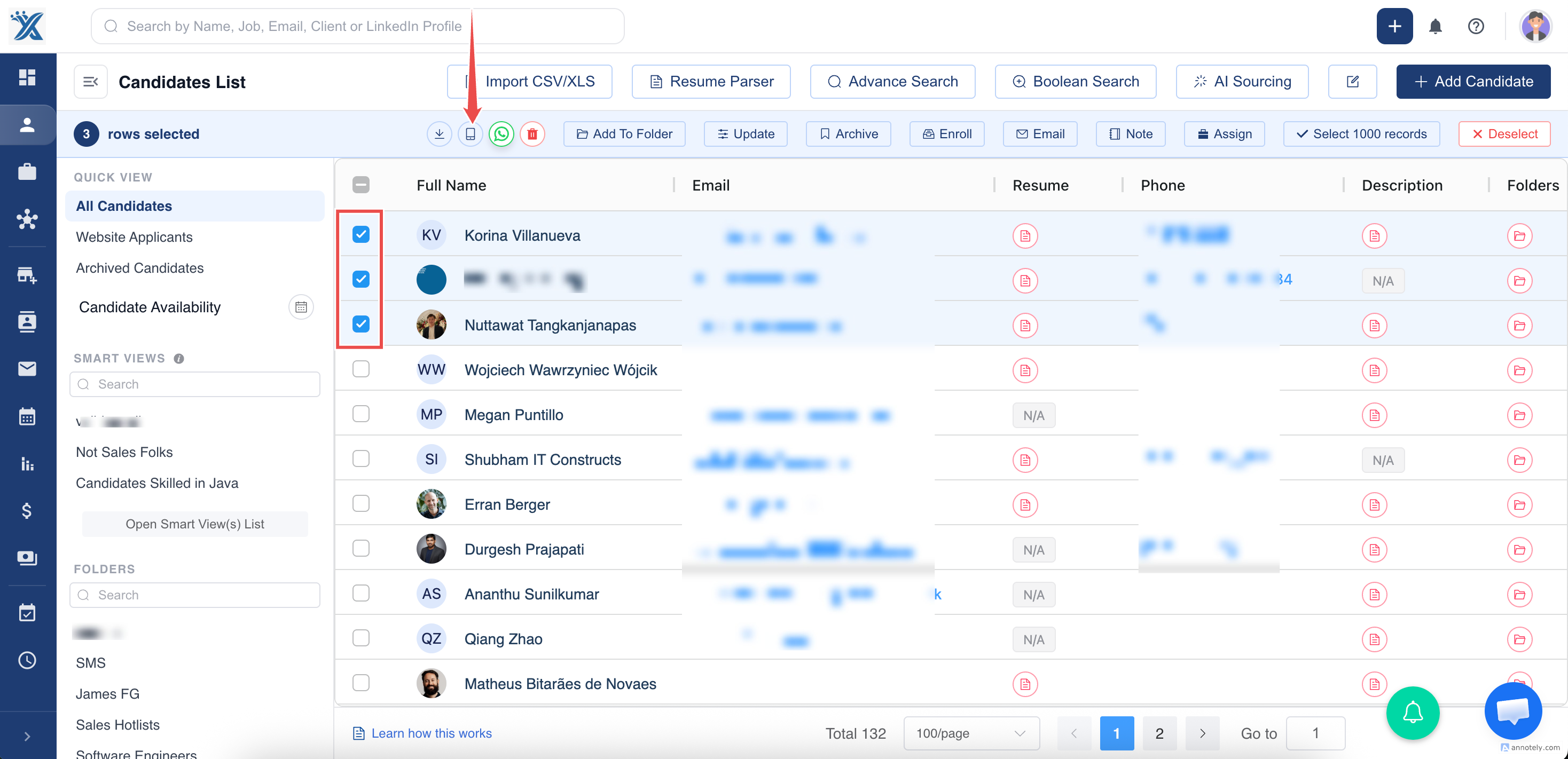
Go to the candidates or contacts list page, select the records, and click Send SMS.
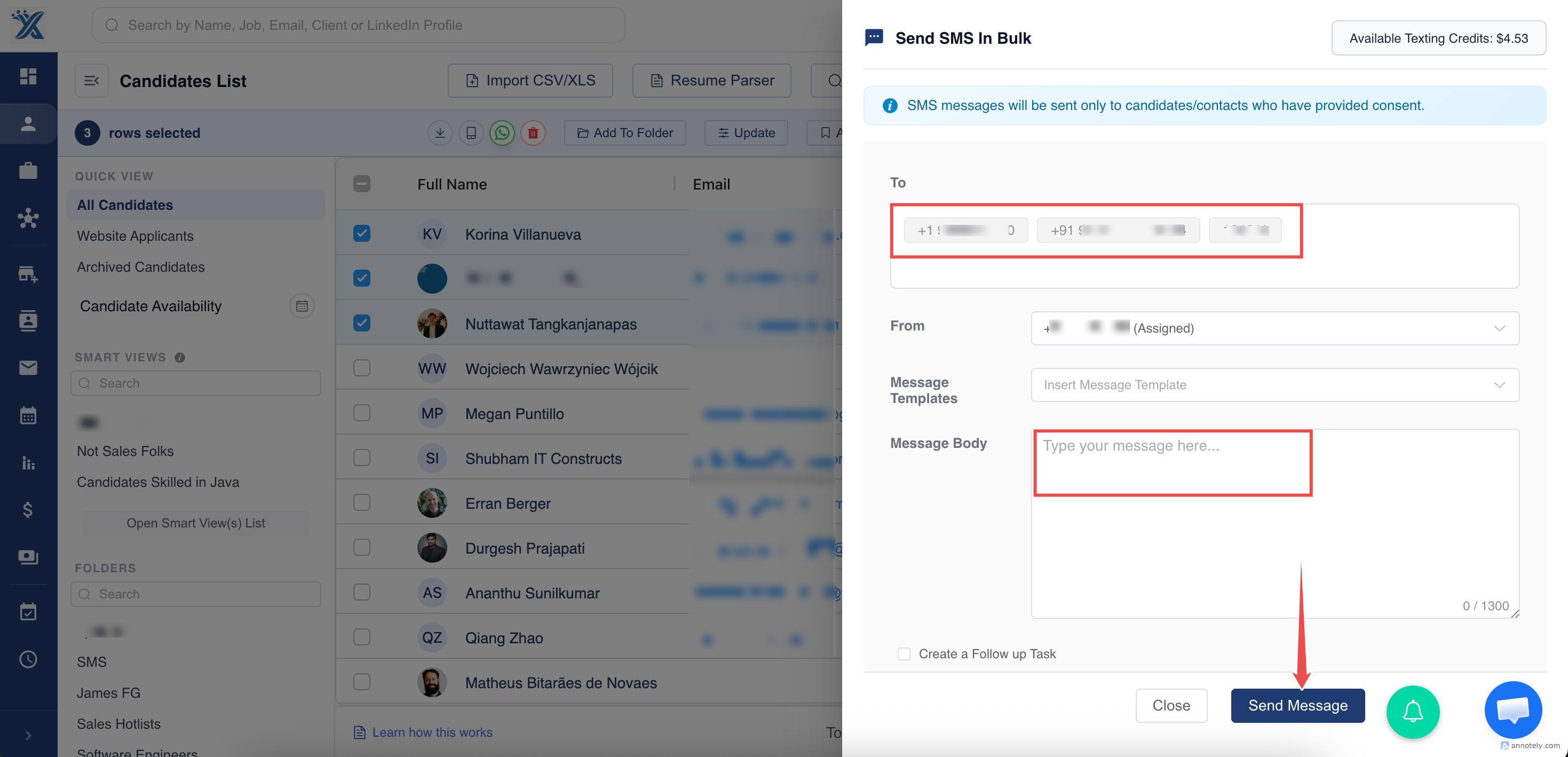
In the SMS window, type the message or use a message template.
Manage Incoming Replies
When a candidate or contact replies to an SMS:
- The response is recorded in ATZ CRM.
- Conversation history updates in real time.
- Team members can view previous interactions.
- Communication stays associated with the correct record.
This creates a two-way communication trail inside the platform.
Use Cases
Interview Scheduling
Use SMS for quick interview reminders, time confirmations, or rescheduling updates.
Job Updates
Send candidate updates about application status, next steps, or role details.
Client or Contact Follow-Up
Use SMS for appointment reminders, meeting confirmations, or time-sensitive updates when consent is recorded.
Common Reasons SMS Cannot Be Sent
If SMS cannot be delivered, check whether:
- SMS is enabled for your account.
- The recipient has a valid mobile number.
- SMS consent has been provided.
- SMS registration is pending or incomplete.
- Messaging limits have been reached.
- Carrier restrictions prevent delivery.
Troubleshooting
Send Message Is Blocked
Check the recipient’s SMS consent status and mobile number. ATZ CRM blocks SMS when required consent is missing.
Bulk SMS Skips Some Recipients
Review skipped records for missing mobile numbers, missing consent, or opt-out status.
Replies Are Not Showing
Confirm SMS provider setup, recipient number validity, and whether the reply was sent to the same SMS number used by ATZ CRM.
FAQs
Can I use templates for SMS?
Yes. If your organization has message templates configured, you can select them when composing SMS.
Does ATZ CRM show SMS conversation history?
Yes. The SMS window shows previous chat history for the candidate or contact.
Can I send SMS to recipients without consent?
No. ATZ CRM allows SMS only when valid SMS consent is recorded.