
What Job Application Form Customization Does
Job application forms collect candidate information from job pages, your website, social posts, or job boards. Customizing the form helps you capture the right fields, terms, policy notices, and screening questions before applicants enter your pipeline.
Open Job Application Page Settings
Go to Admin Settings and select Job Application Page Settings.
Configure Page Options
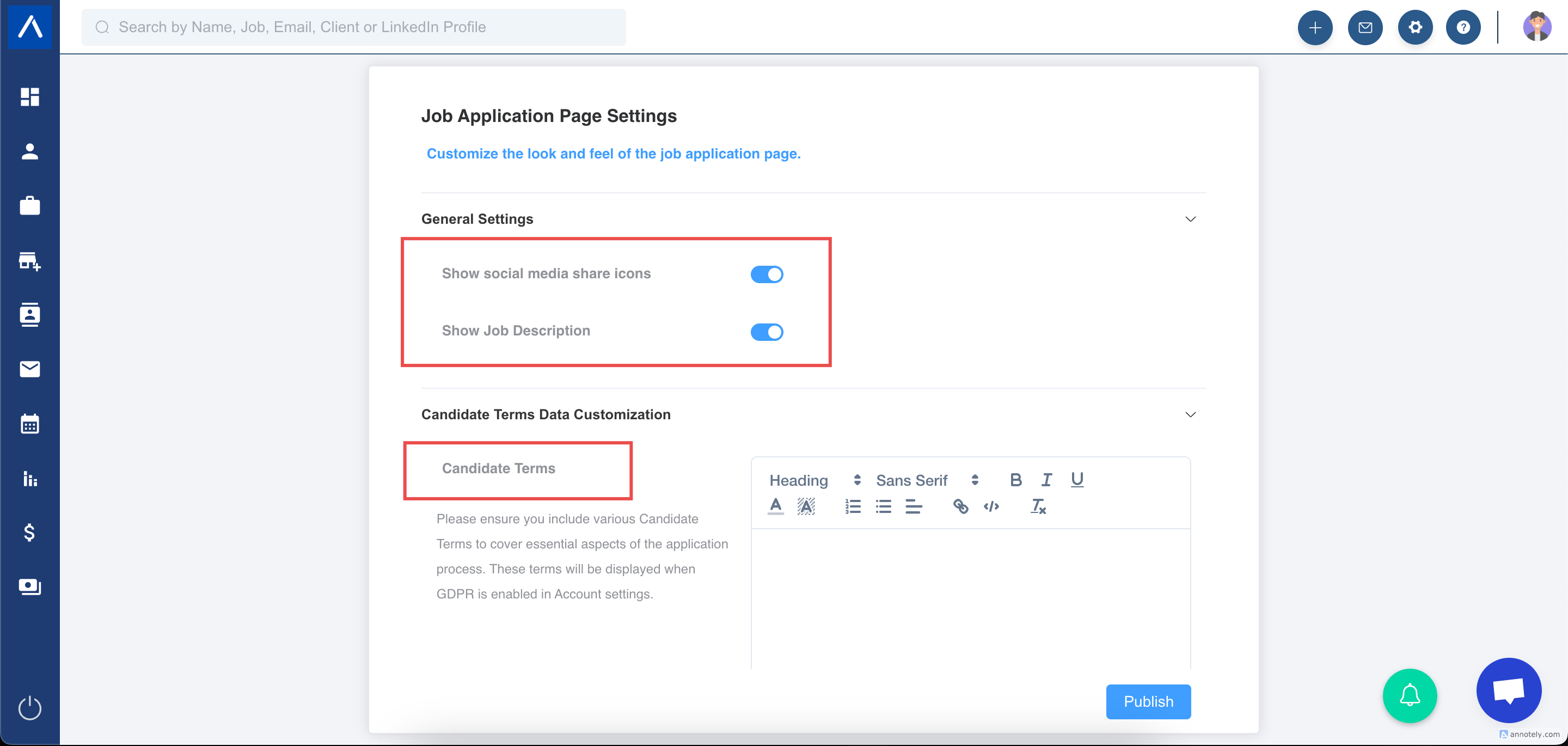
Show Job Description
Toggle the job description on or off for the application form.
Social Media Icons
Toggle social media share icons on or off.
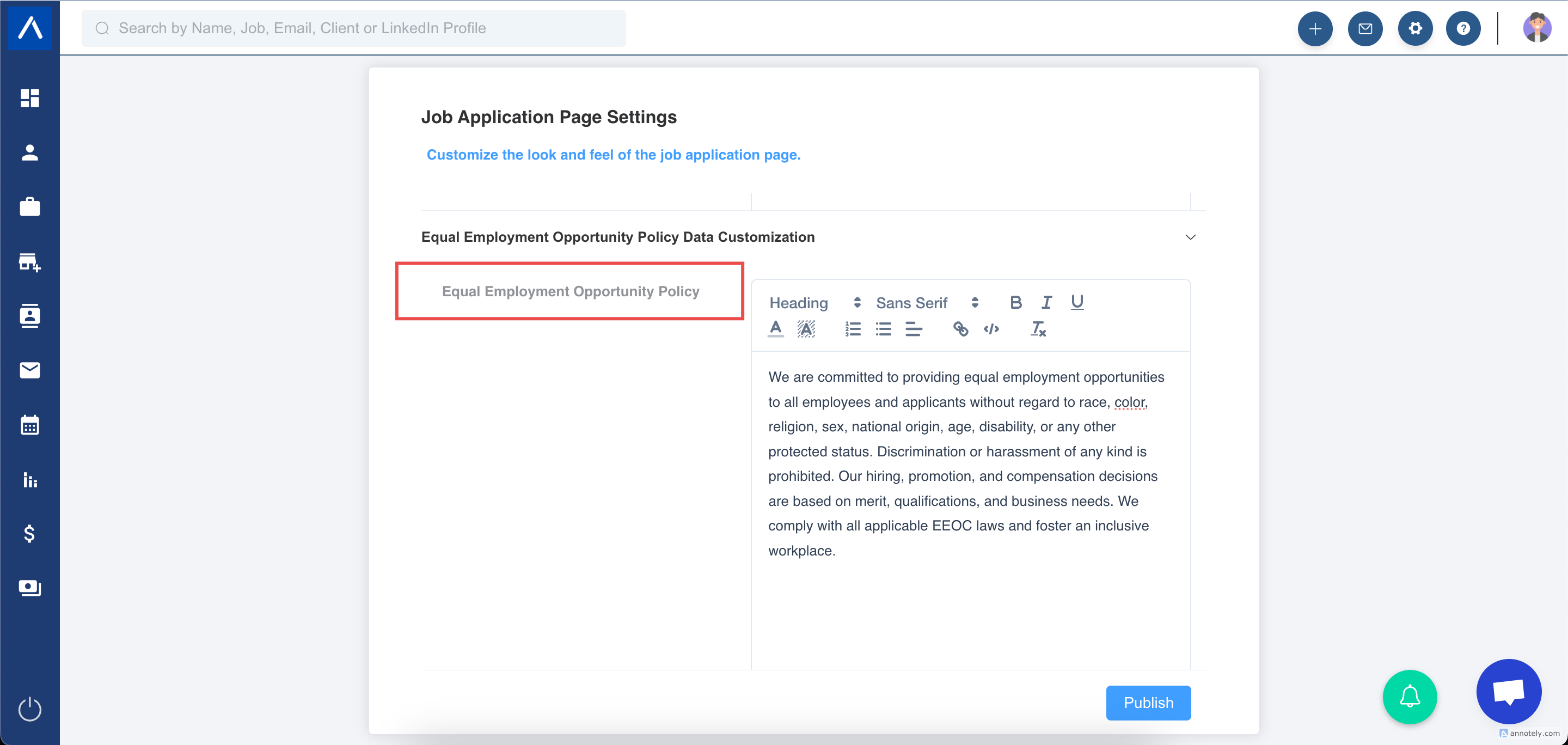
Equal Employment Opportunity Policy
Set the EEOP content that applicants can read on the application form.
Note: EEOP must be enabled in Account Settings for this option to appear.
Candidate Terms
Set candidate terms that applicants must agree to before submitting the form.
Note: GDPR must be enabled in Account Settings for this option to appear.
Configure Field Settings
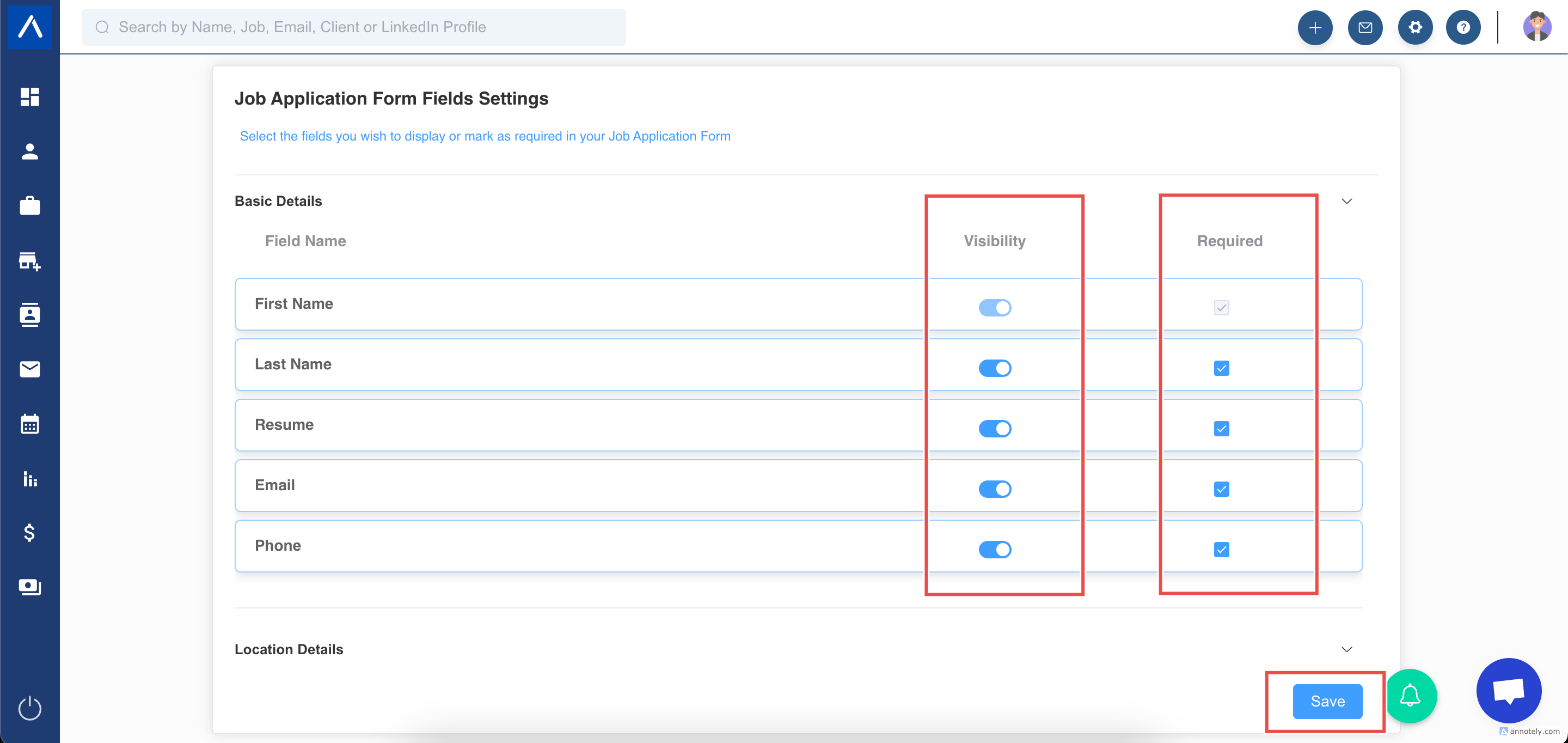
- Open Job Application Page Settings.
- Review the application form fields.
- Mark fields as mandatory when candidates must complete them.
- Toggle visibility off for fields you do not want to show.
- Save changes.
Add Candidate Questions
Use candidate screening questions to collect role-specific information on job application forms.
Related guides:
Important Notes
- Job application forms can remain active even if users are inactive but the account itself is not fully deactivated.
- To disable forms, log in and deactivate job application URLs manually.
- Full account deactivation can disable forms and remove settings.
Use Cases
Better Applicant Intake
Collect structured candidate information before recruiters review applications.
Compliance and Consent
Show candidate terms, GDPR-related notices, or EEOP content when required.
Job Board Routing
Use application forms as the destination for LinkedIn, Indeed, and other job board applicants.
Troubleshooting
A Field Does Not Appear
Check field visibility in Job Application Page Settings.
Candidates Can Submit Without Required Data
Mark the field as mandatory and save the settings.
EEOP or Candidate Terms Are Missing
Enable the relevant setting in Account Settings first.
Frequently Asked Questions
Can each job have different questions?
Job-specific application form behavior can depend on your setup. Use candidate question settings and job form settings together.
Can I hide social sharing?
Yes. Toggle social media icons off.
Does this affect job boards?
Yes. Job boards often use the job application page link, so application form quality affects applicant intake.