
What the Client Portal Link Does
The Client Portal Link lets recruiters share a controlled online list of submitted candidates with a client. It reduces email attachments, improves feedback flow, and lets you control what candidate data the client can see.
Generate the Link
- Open the job you want to submit candidates for.
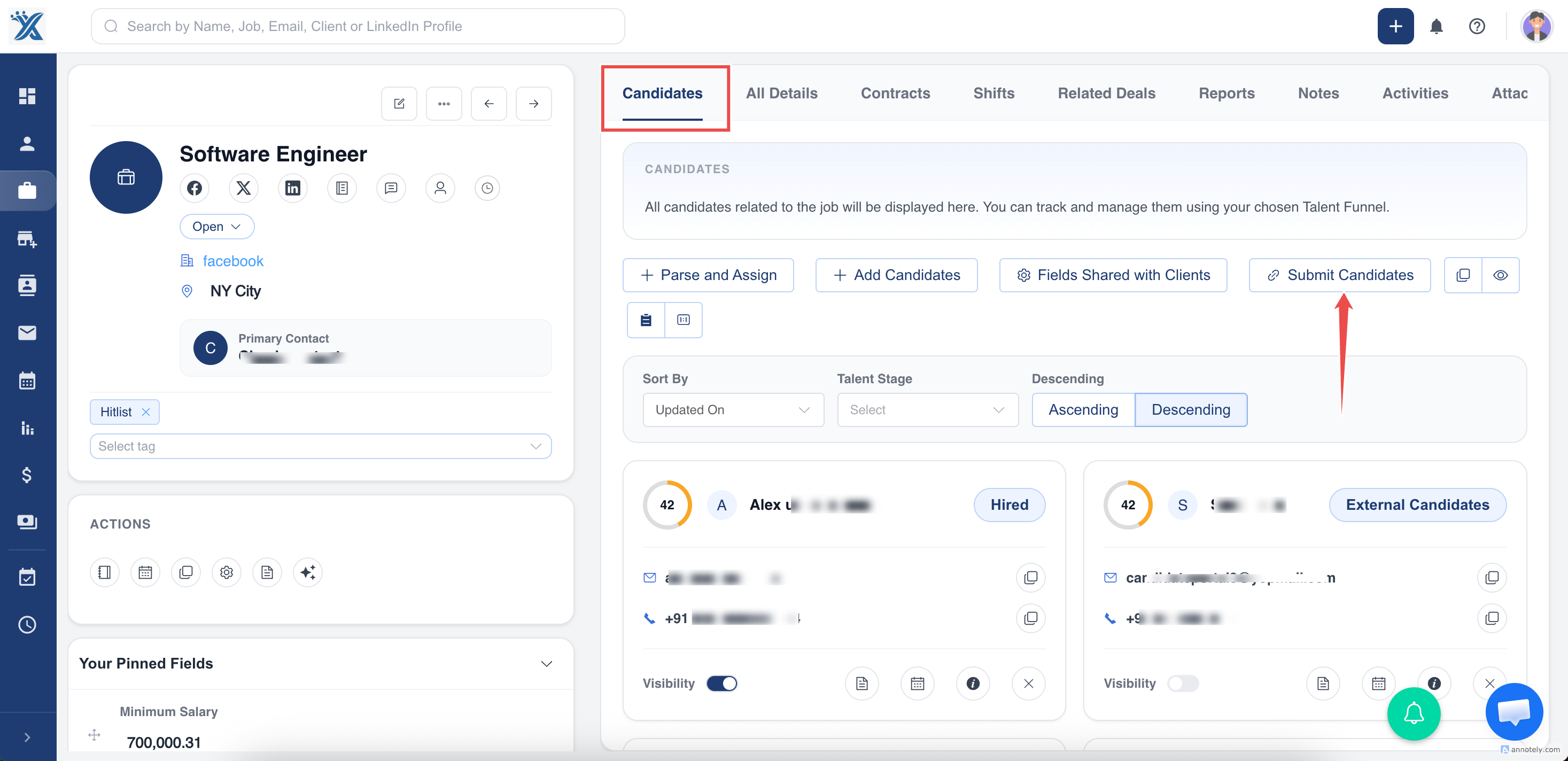
- Select Submit Candidates.
- Choose Online Candidate List.
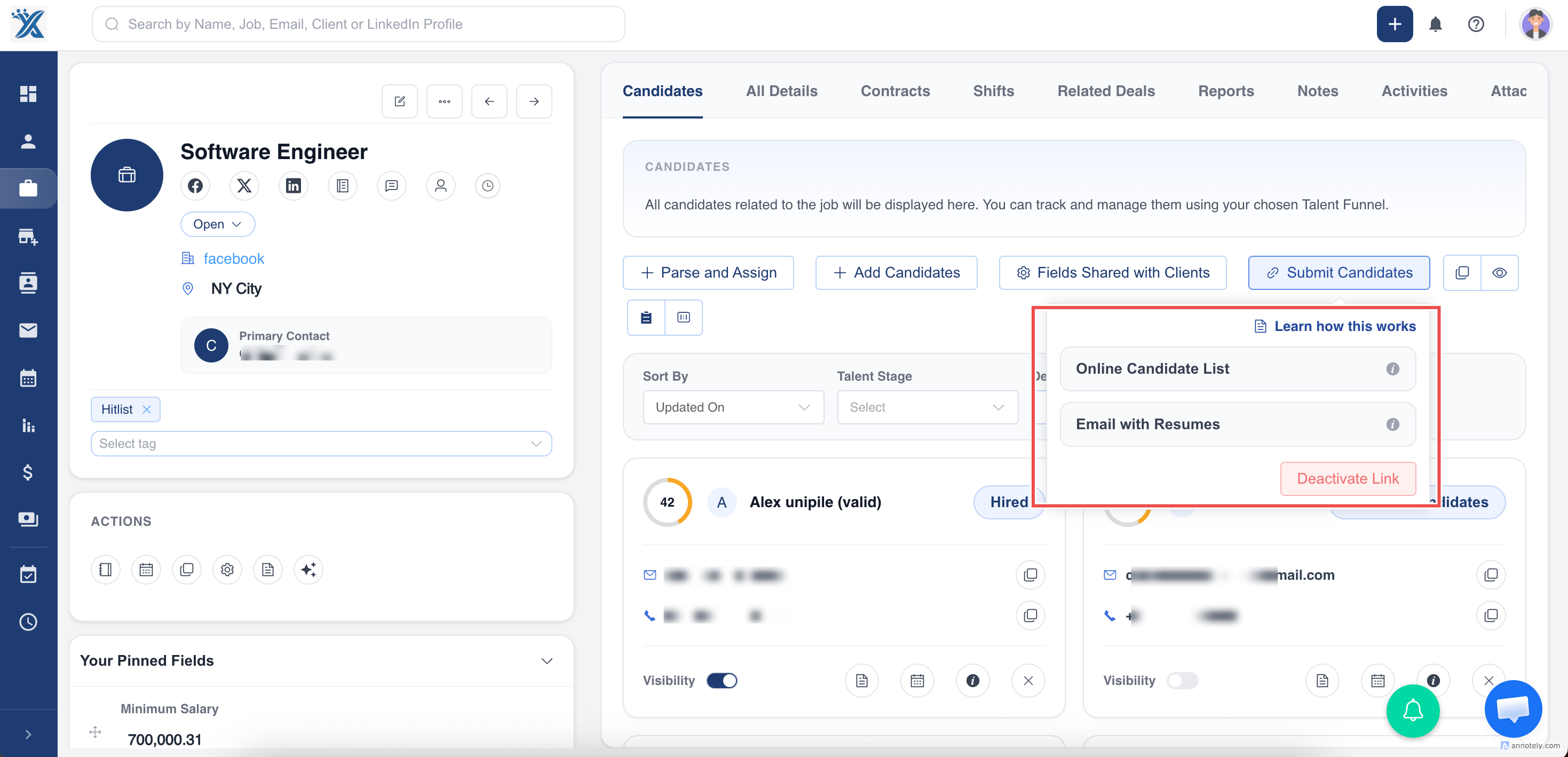
- Copy the generated URL and share it with the client.
Control Candidate Visibility
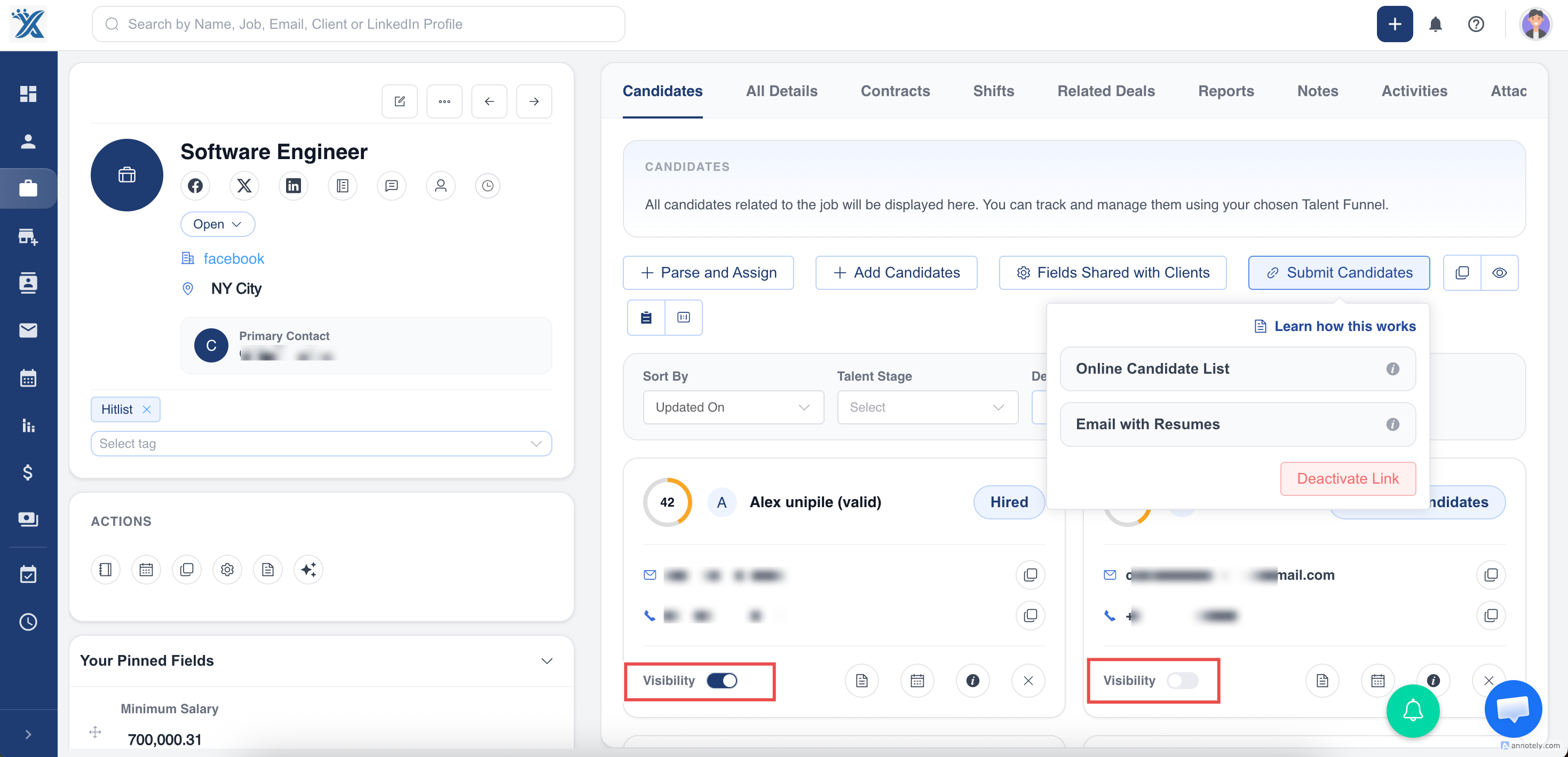
After generating the list, toggle candidate visibility on or off for the client.
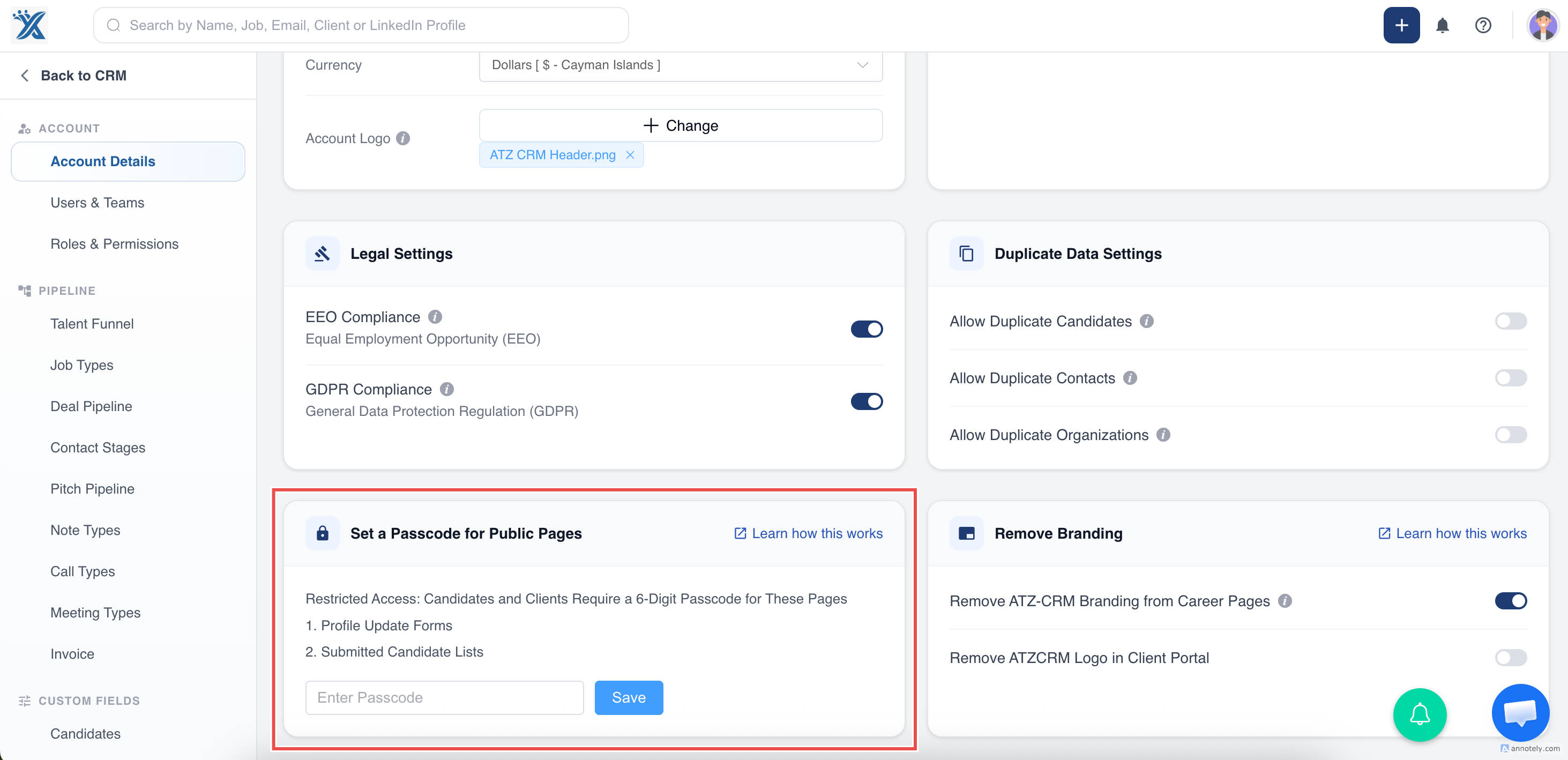
Add Passcode Protection
- Go to Admin Settings.
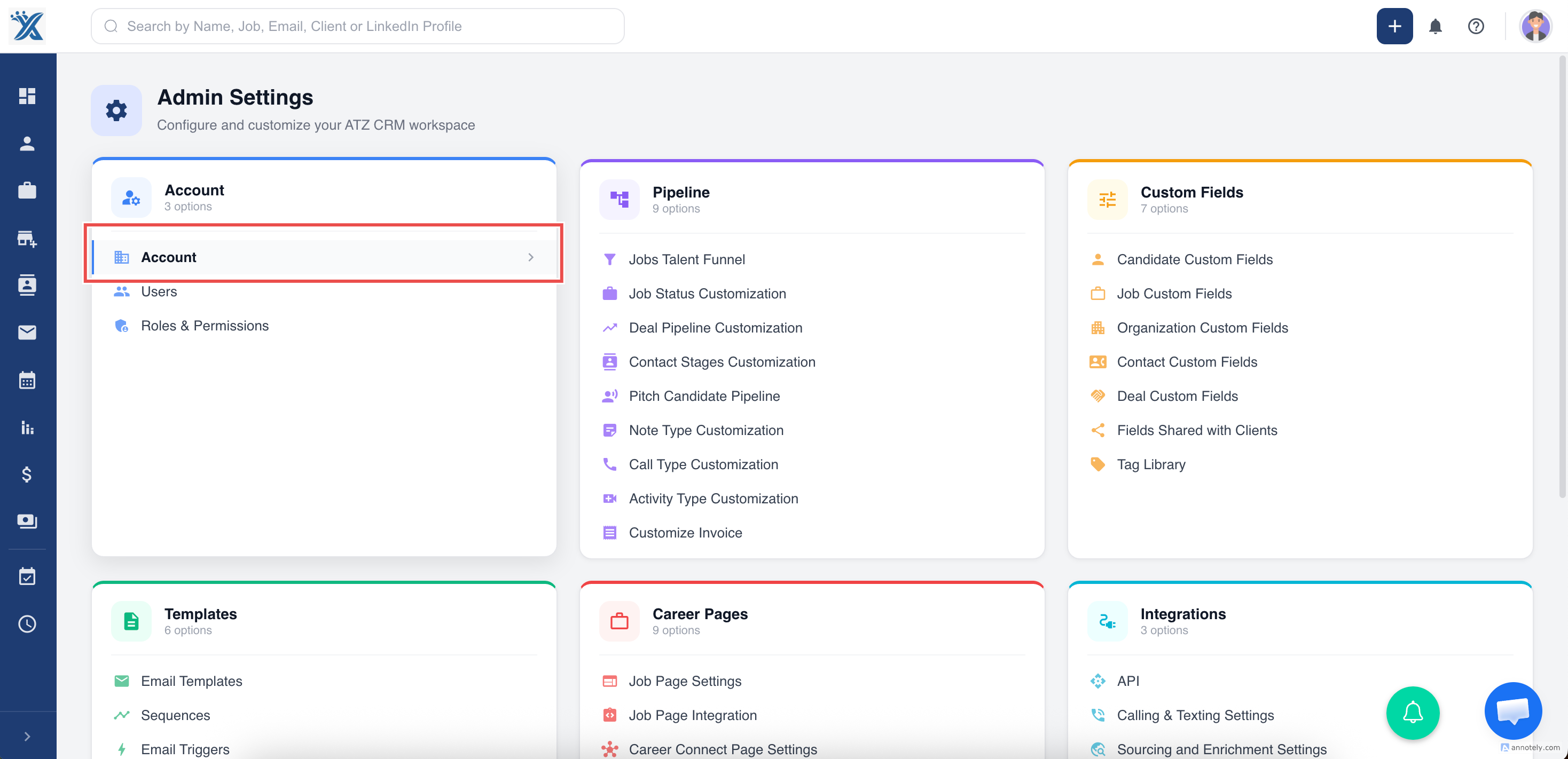
- Select Set Passcode for Public Pages.
- Enter a six-digit passcode.
- Save and share the passcode with the client.
Use Cases
- Share shortlisted candidates securely.
- Avoid sending many resume attachments.
- Collect structured client feedback on submitted candidates.
Troubleshooting
Submit Candidate Cannot Proceed
Confirm the job has a primary contact with a valid email address.
Client Cannot Open the Link
Check whether passcode protection is enabled and share the correct passcode.
Client Sees the Wrong Candidates
Review candidate visibility toggles for the online list.
Frequently Asked Questions
Can I email resumes instead?
Yes. The source article notes that you can email up to 15 resumes.
Is the URL unique?
Yes. The online candidate list URL is unique to the job submission context.
Can I change visible fields?
Yes. Use Fields Shared with Client settings.