
When to Apply a Candidate Profile Template
Apply a candidate profile template when you want candidate descriptions to follow a consistent structure. This is useful for internal reviews, client submissions, and candidate shortlists.
Step 1: Open Candidates
Go to Candidates and select Add Candidate.
Step 2: Enter Candidate Details
Fill in important candidate fields such as name, current position, location, skills, and contact details. Template placeholders use these fields to populate the description.
Step 3: Select or Confirm the Template
If a default template exists, ATZ CRM can apply it automatically. If no default exists, select the appropriate template from the profile template dropdown.
Step 4: Save and Review
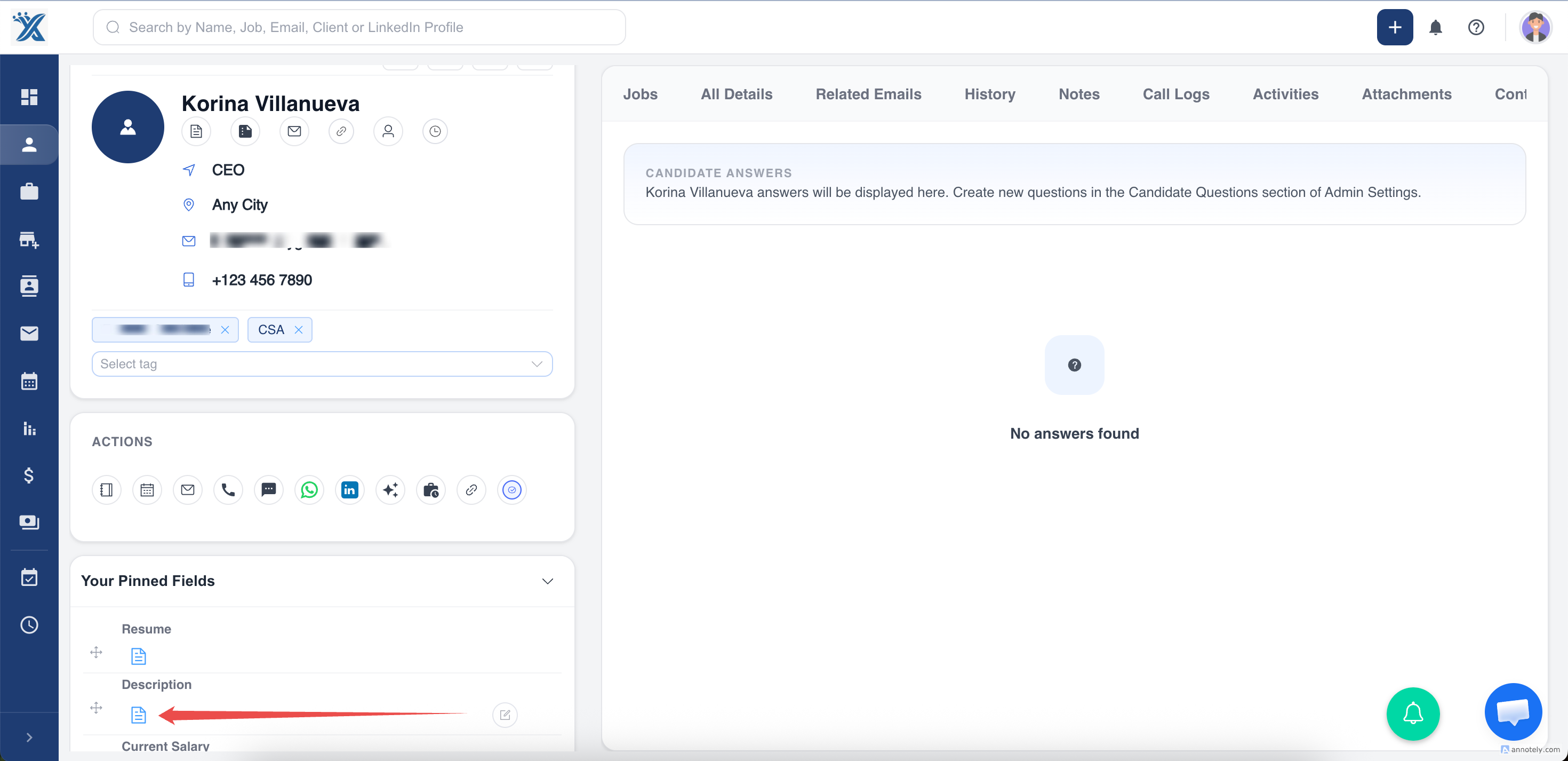
Save the candidate profile and review the candidate description on the detail page to confirm placeholders were replaced correctly.
Use Cases
Faster Candidate Writeups
Templates reduce the time recruiters spend writing the same profile structure repeatedly.
Consistent Candidate Presentation
Use templates to make candidate summaries easier to compare across roles and recruiters.
Client-Ready Profiles
Structured descriptions help account managers prepare cleaner candidate submissions.
Troubleshooting
The Template Dropdown Is Empty
Ask an admin to create candidate profile templates in Admin Settings.
The Wrong Template Applied
Check which template is set as default, or manually select the correct template before saving.
Description Needs Manual Edits
Edit the generated description before sharing it externally. Templates provide structure, but recruiter judgment still matters.
Frequently Asked Questions
Can I apply a template after creating a candidate?
Depending on your account setup, you may be able to edit the candidate profile and apply or update the description.
Do templates update existing candidate descriptions automatically?
No. Template changes generally affect future use; review existing descriptions separately.
Are templates required for candidates?
No. They are optional, but useful for teams that want consistent candidate summaries.