
Why Link Candidate and Contact Records
Some people can appear in ATZ CRM in more than one context. A candidate may later become a client contact, or a client contact may apply for a role. Linking records keeps both contexts accessible without merging separate entity data.
Link or Create Records
- Open a candidate or contact profile.
- Select Link to Contact/Candidate.
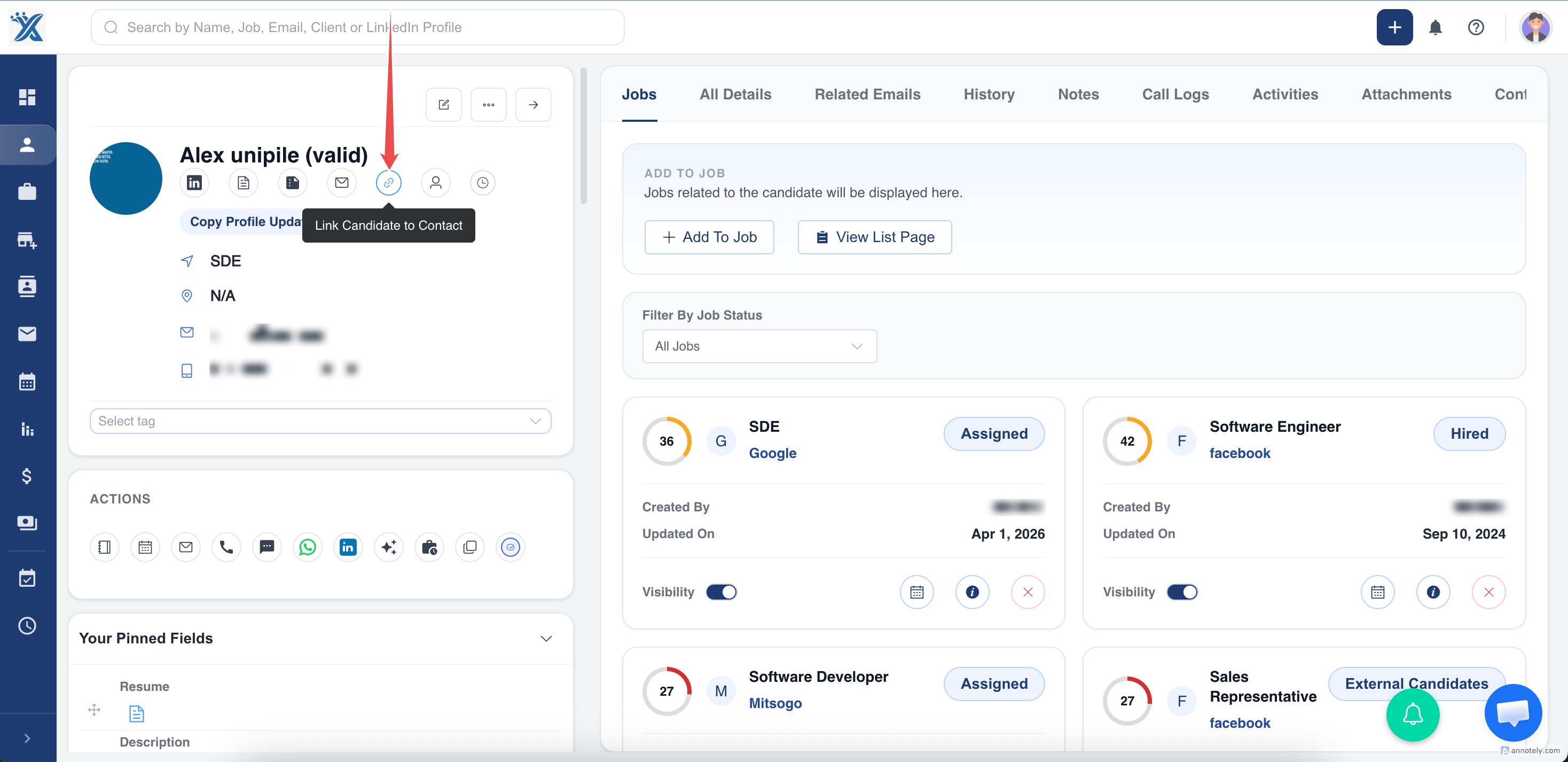
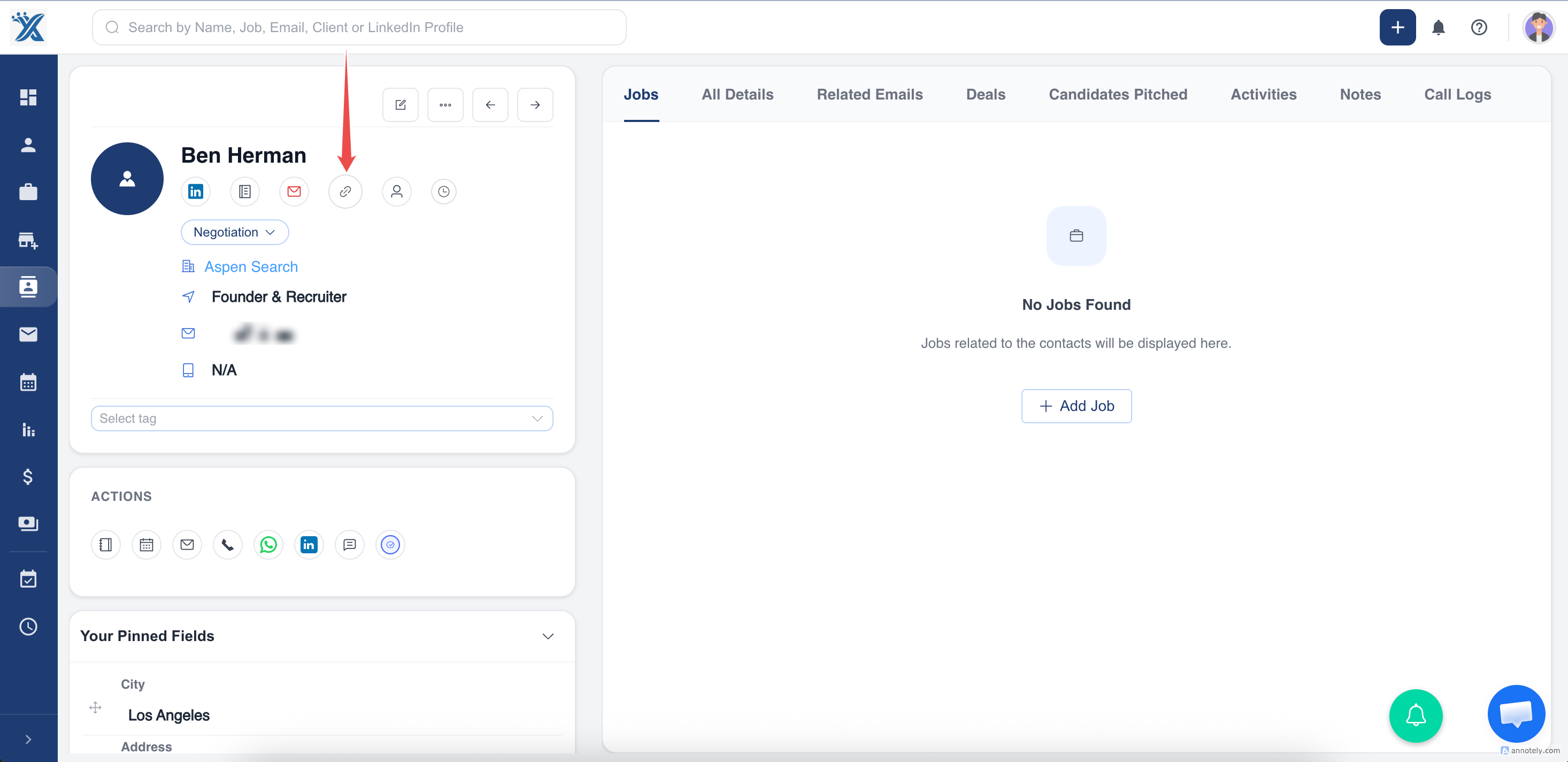
- Search for the existing candidate or contact, or create a new one.
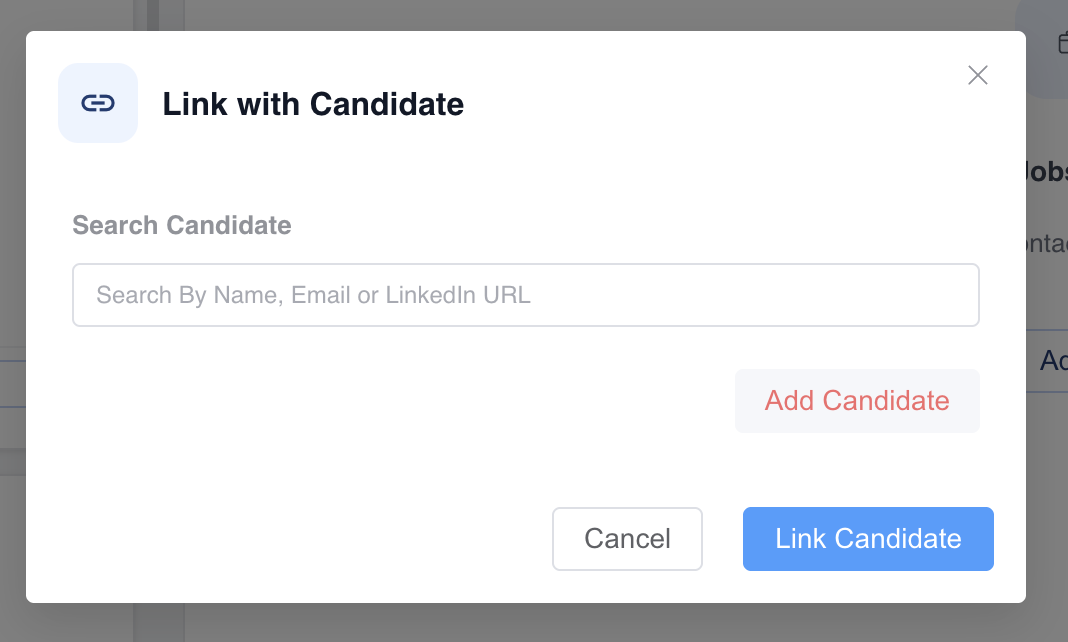
- Confirm the link.
Linked records appear in both profiles.
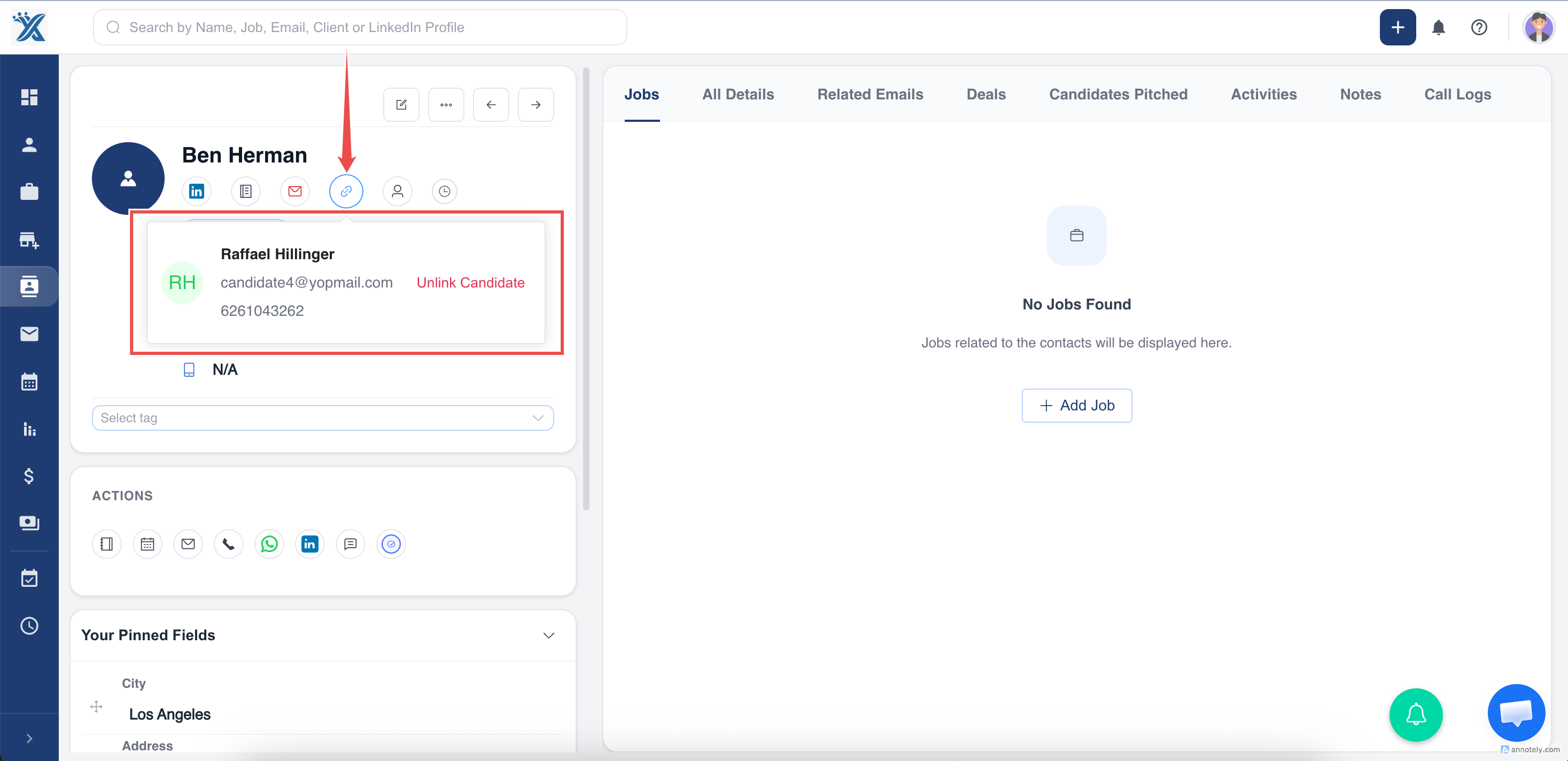
Unlink Records
Click Contact Linked or Candidate Linked, then choose Unlink. This disconnects the records without deleting either one.
Use Cases
- Candidate becomes a client hiring manager.
- Client contact applies for a role.
- Recruiters need both recruiting and client relationship history for the same person.
Troubleshooting
Wrong Person Was Linked
Unlink the records and link the correct person.
Duplicate Records Exist
Use merge only when records are true duplicates of the same entity type.
Compliance Concern
Confirm that linking records follows your data protection policy.
Frequently Asked Questions
Is linking the same as merging?
No. Linking connects separate candidate/contact profiles. Merging combines duplicate records of the same entity type.
Can I create a contact from a candidate?
Yes. Use the linking dialog to create the corresponding record when it does not exist.
Does linking change ownership?
No. Review owner fields separately if ownership needs to change.