
Email and calendar integration helps recruiters manage communication and scheduled activities directly from ATZ CRM.
Quick Answer
Use Inbox to connect your email provider, then use Activities > Integrate Calendar to connect your calendar. After authorization, your mailbox and scheduled activities can sync with ATZ CRM.
Integrate Your Email
Step 1: Open Inbox
Click Inbox from the ATZ CRM dashboard.
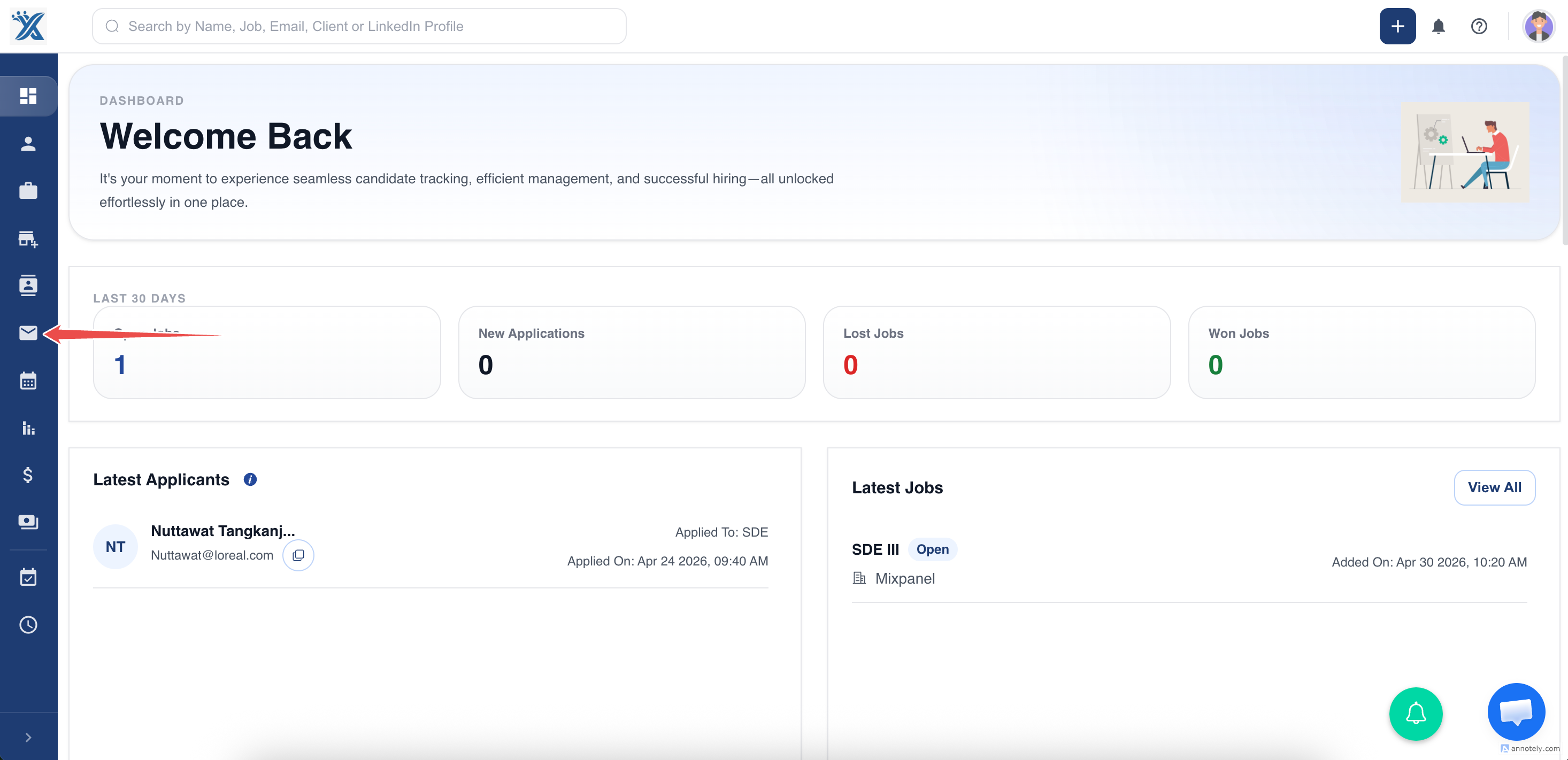
Step 2: Click Integrate Your Email
Choose the email integration option. ATZ CRM opens a new provider authorization window.
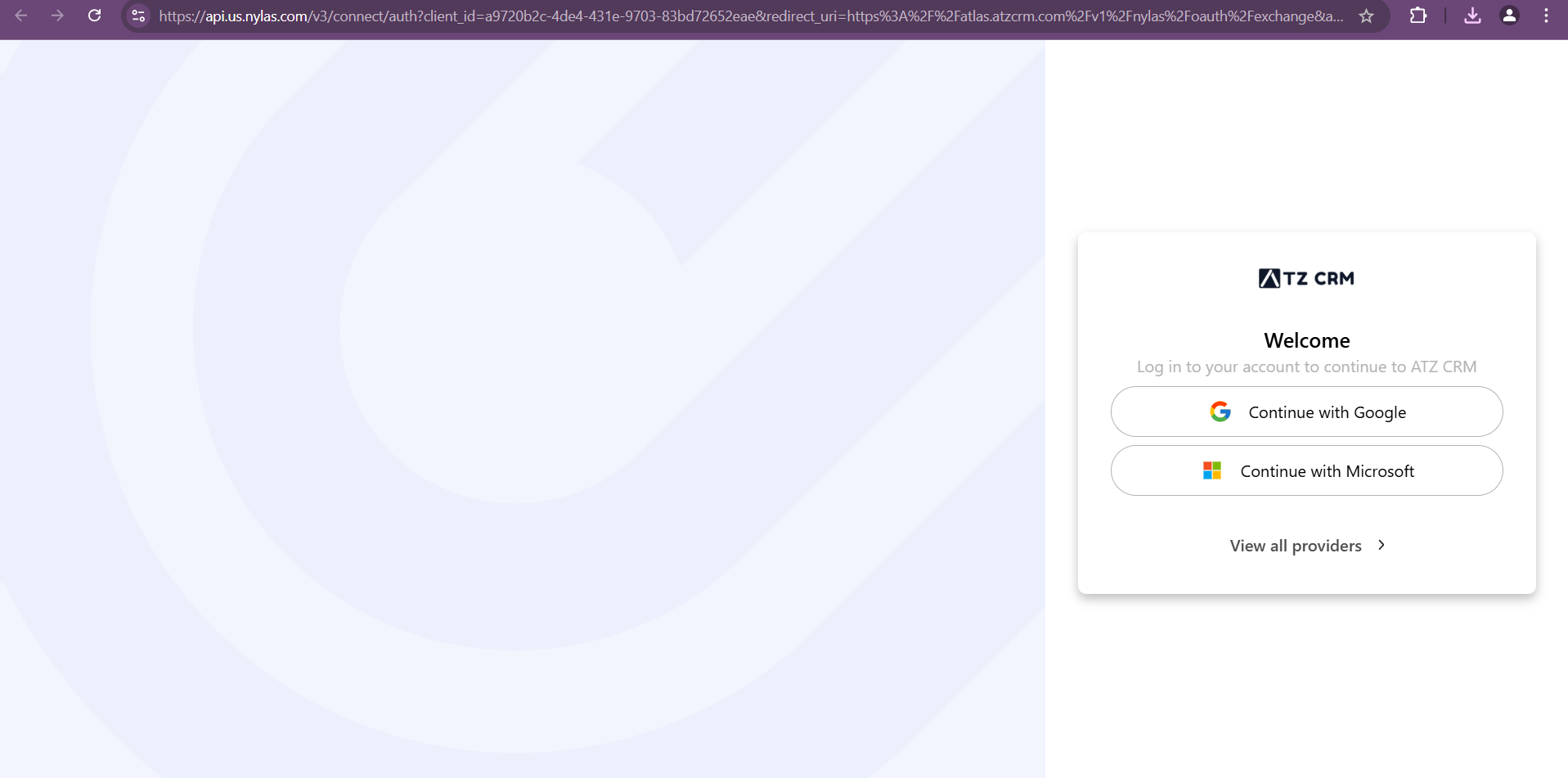
Step 3: Authorize Your Provider
Log in through your email provider, such as Gmail, Yahoo, Outlook, or another supported service.
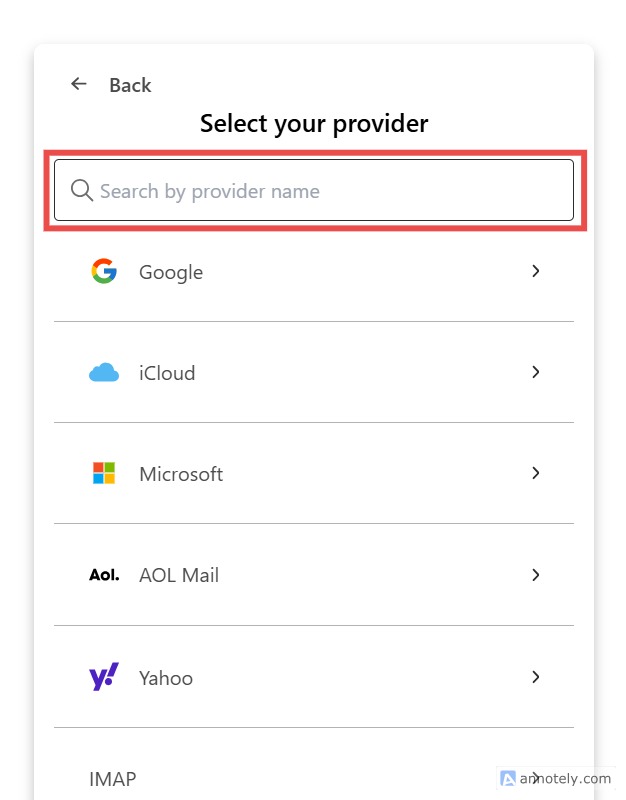
After authorization, your inbox appears inside ATZ CRM. You can view received emails, sent emails, and drafts.
For provider-specific setup, see: Connect Gmail with Nylas or Connect Outlook or Office 365.
Integrate Your Calendar
Step 1: Open Activities
Navigate to Activities from the dashboard.
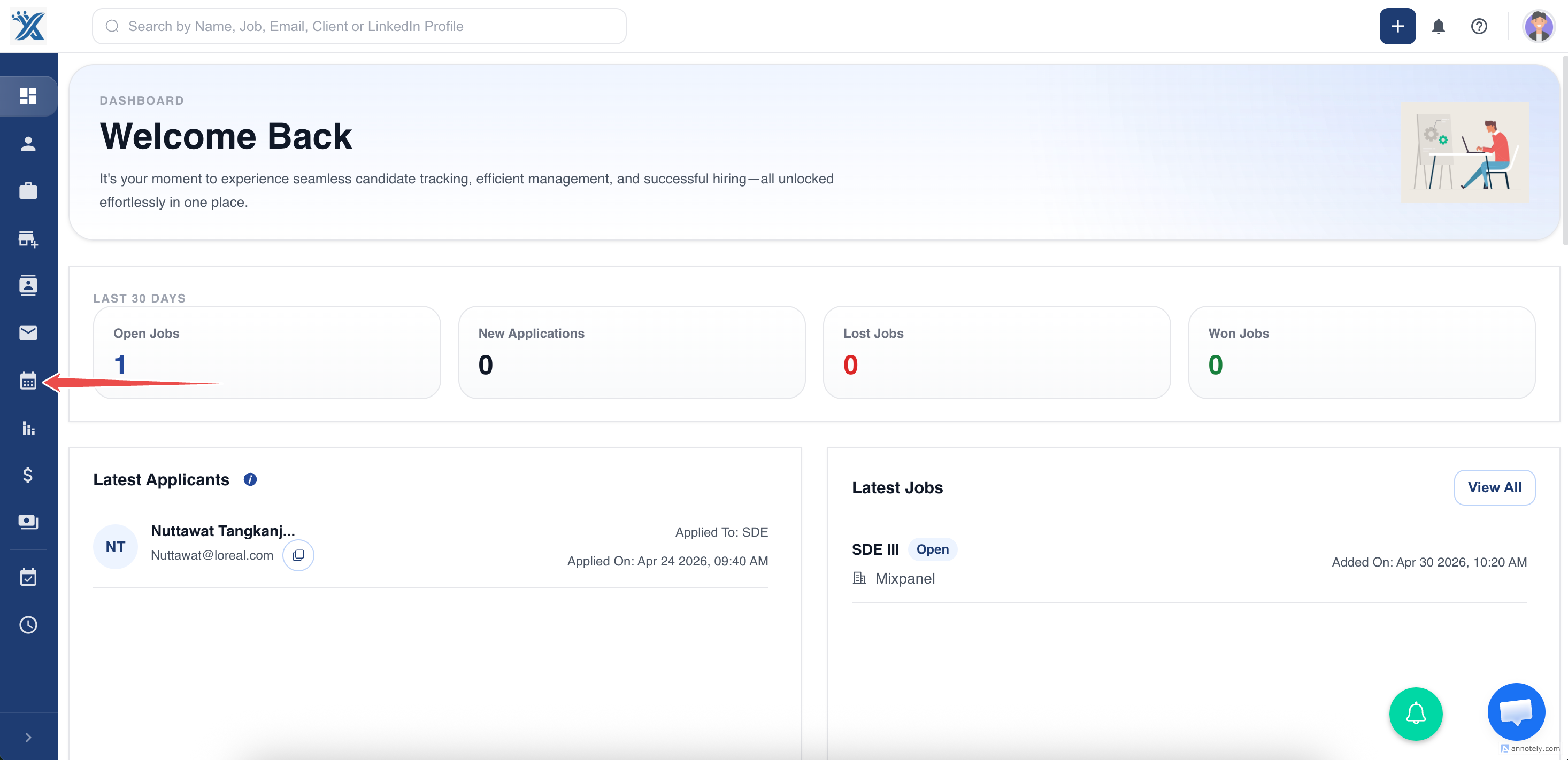
Step 2: Integrate Calendar
Click Integrate Calendar and authorize third-party calendar access, such as Google Calendar.
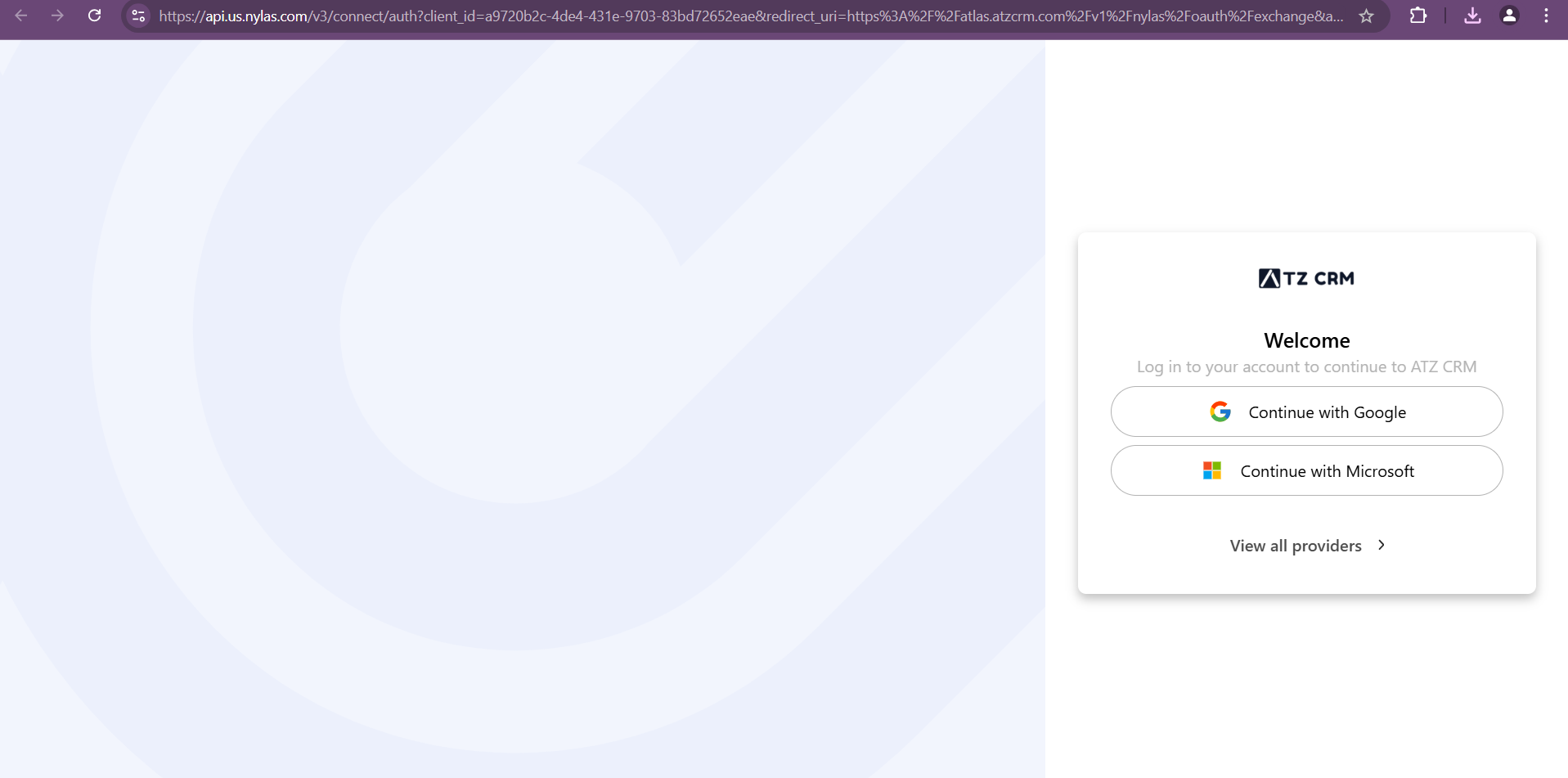
Scheduled activities can now sync with your calendar.
Use Cases
Centralize Communication
Send and manage email from ATZ CRM without switching tools.
Sync Recruiting Activities
Keep meetings, calls, and tasks aligned with your calendar.
Improve Follow-Up Visibility
Connect email and activities so candidate and contact communication is easier to track.
Troubleshooting
Email Authorization Fails
Check provider credentials, admin permissions, and whether third-party app access is allowed.
Calendar Does Not Sync
Reconnect the calendar and confirm the provider authorization was completed.
Activities Are Missing from Calendar
Check activity date/time, assigned users, and whether calendar integration is active.
FAQs
Can I use Google Meet after calendar integration?
Yes. You can add Google Meet links to activities after connecting the relevant Google account.
Can I connect different email providers?
Yes. ATZ CRM supports provider flows such as Gmail, Outlook/Office 365, and IMAP through Nylas.
Do I need email integration for email triggers and sequences?
Yes. Automated emails and sequence enrollment require a connected sender email.