
Custom note types help teams organize notes such as candidate feedback, interview notes, client context, or internal follow-ups.
Quick Answer
Open Settings > Note Type Customization, click Add New Note Type, enter a name, and save.
Create a Custom Note Type
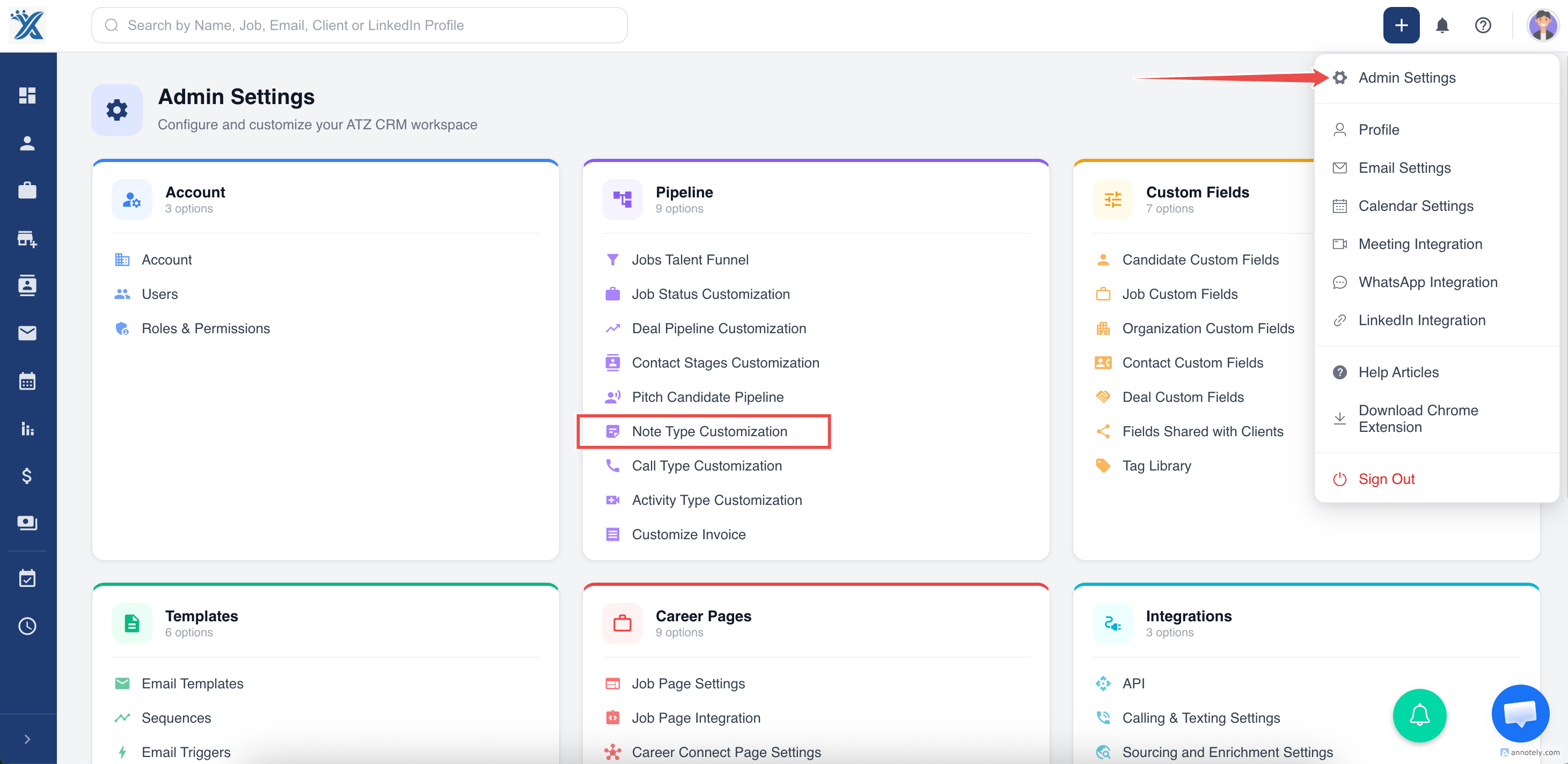
Open Note Type Customization from settings.
Click Add New Note Type.
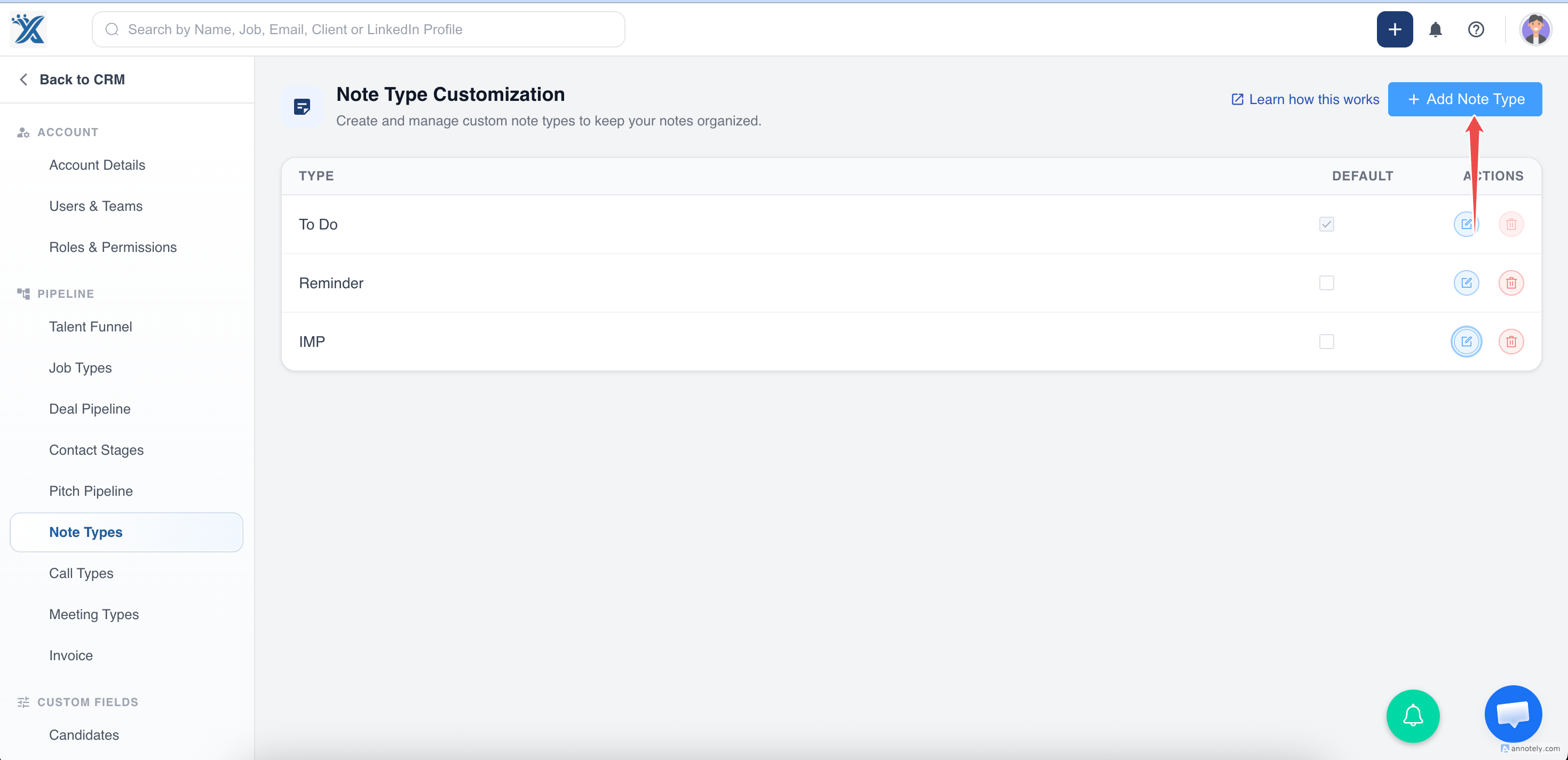
Enter a name, such as Candidate Feedback or Interview Notes, then save.
Update a Custom Note Type
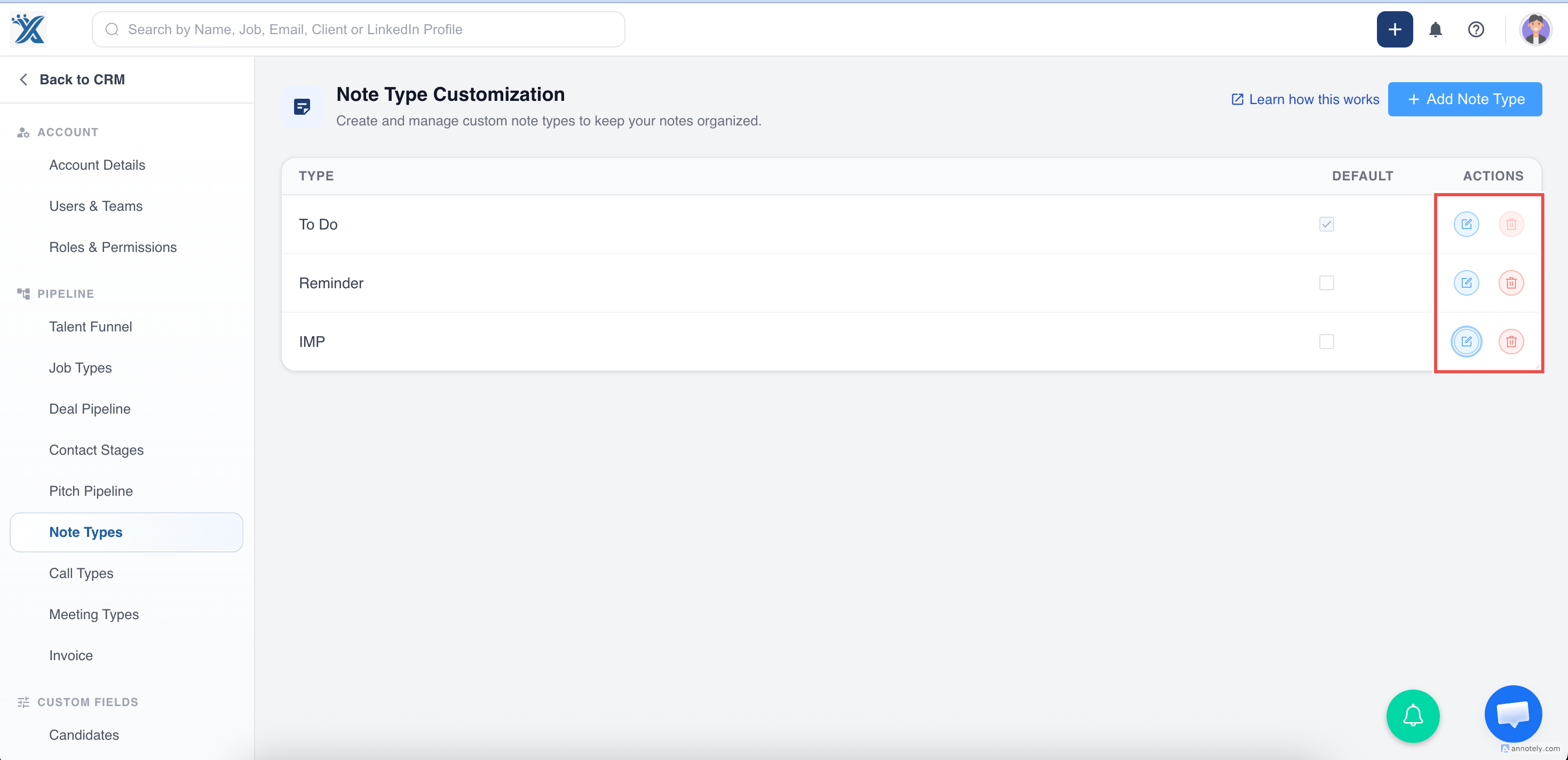
Find the note type in Note Type Customization, click Edit, update the name, and save changes.
Delete a Custom Note Type
Find the note type, click Delete, and confirm.
The default selected note type cannot be deleted.
Use Custom Note Types
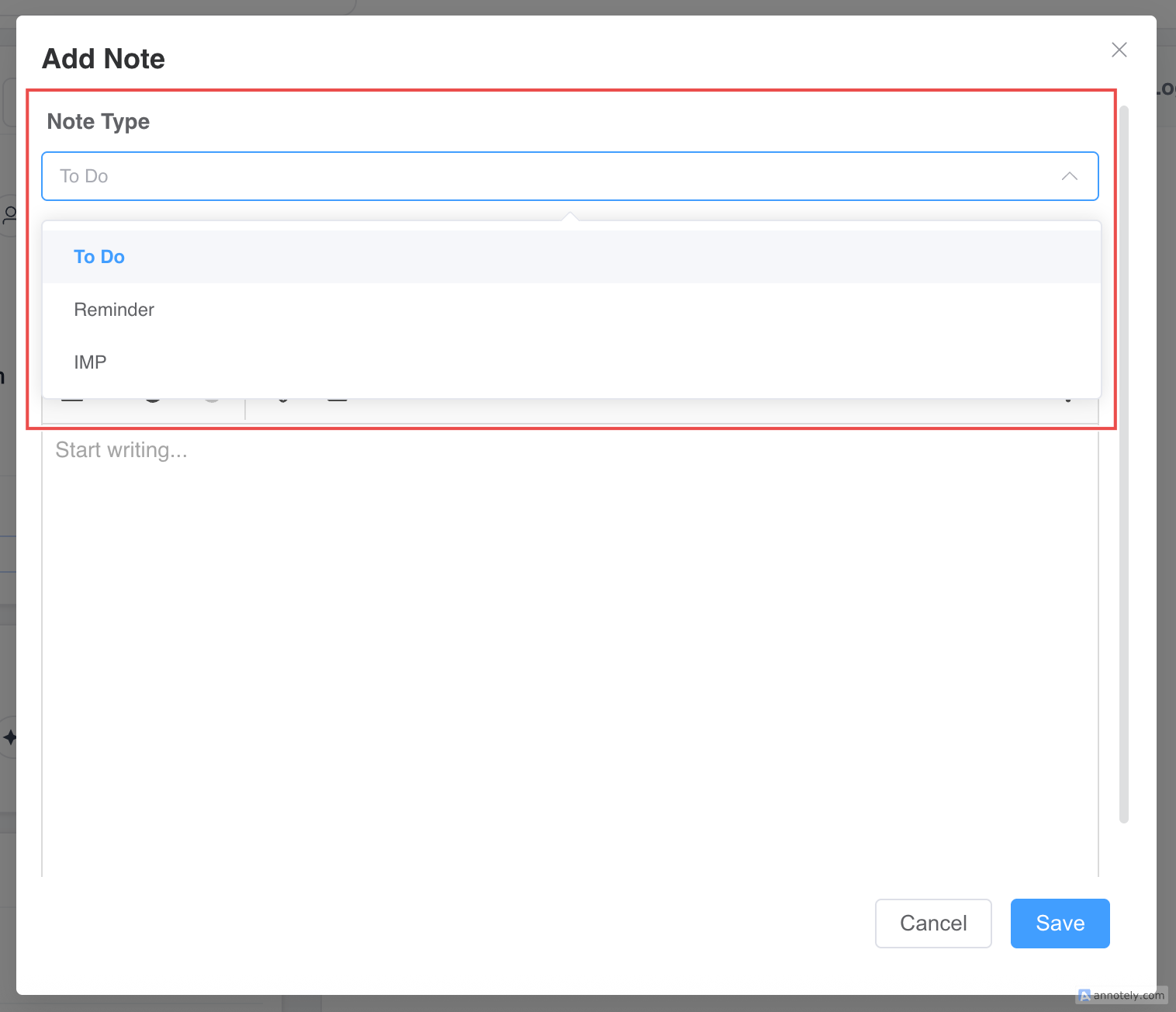
When adding a note to a candidate, job, or another entity, select the custom note type from the Note Type dropdown.
Enter the note content and save.
Use Cases
Candidate Feedback
Separate interview feedback from general notes.
Client Notes
Track client preferences, intake details, or account context.
Internal Reviews
Create note types for manager reviews or recruiter handoffs.
Troubleshooting
Note Type Cannot Be Deleted
The selected type may be the default note type.
Note Type Is Missing
Confirm the note type was saved and refresh the note form.
Notes Are Hard to Filter
Standardize note type names so users select consistent categories.
FAQs
Can note types be used across entities?
Yes. Custom note types can be used when adding notes to supported entities.
Can I rename a note type?
Yes. Use the Edit action in Note Type Customization.
Are custom note types useful for reporting?
They help categorize information consistently, which improves review and filtering.