
What Profile Update Requests Do
The Request Updated Profile feature helps recruiters refresh candidate data without manually chasing every field. Candidates receive a unique update link, complete the form, and submitted details sync into ATZ CRM.
Send a Profile Update Request
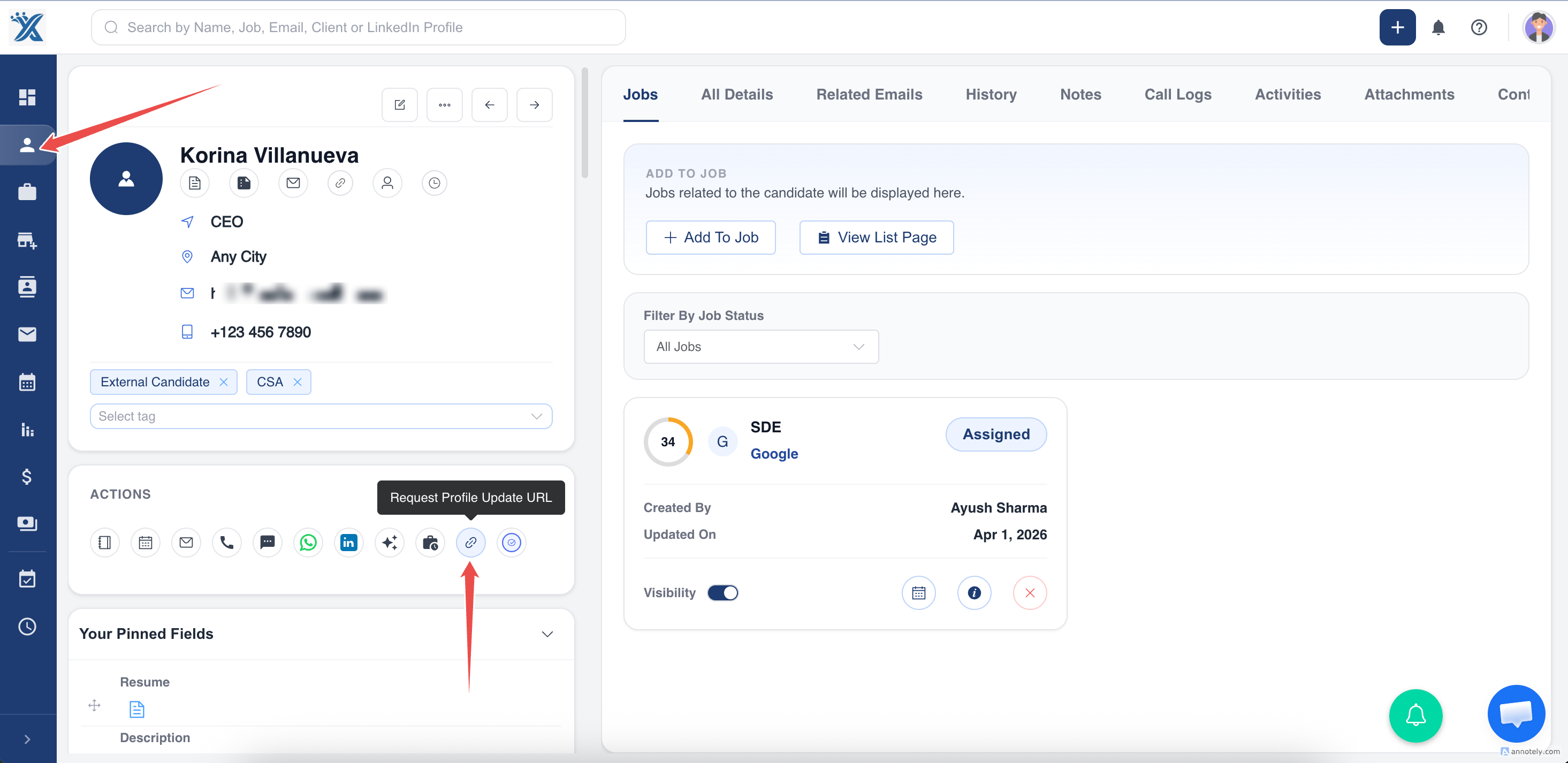
- Open the candidate detail page.
- Select Request Updated Profile.
- ATZ CRM sends the candidate an email with a unique update form link.
- The candidate submits updated details.
- ATZ CRM syncs the updated profile data.
Customize the Profile Update Form
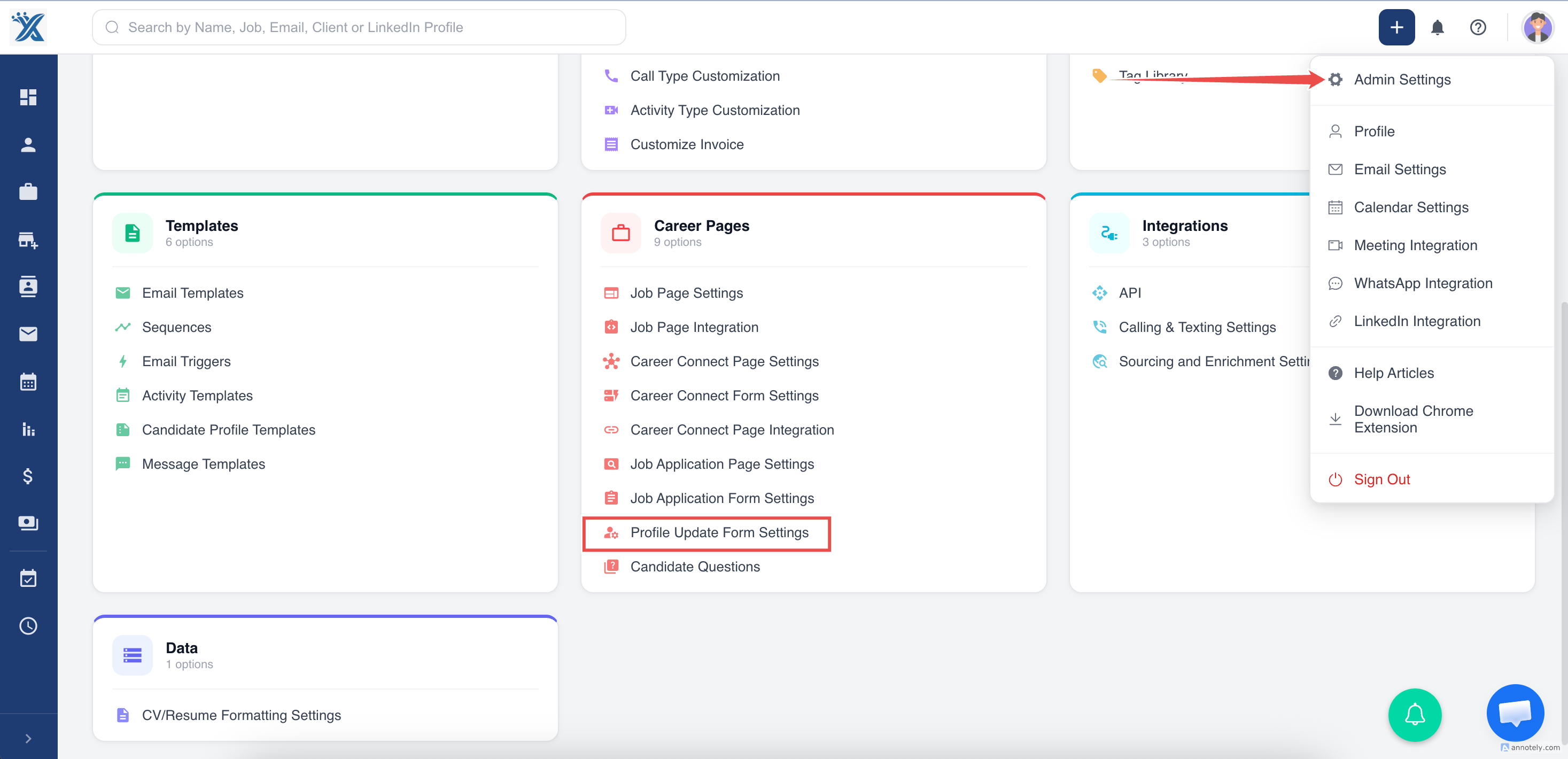
Go to Admin Settings > Profile Update Form Settings.
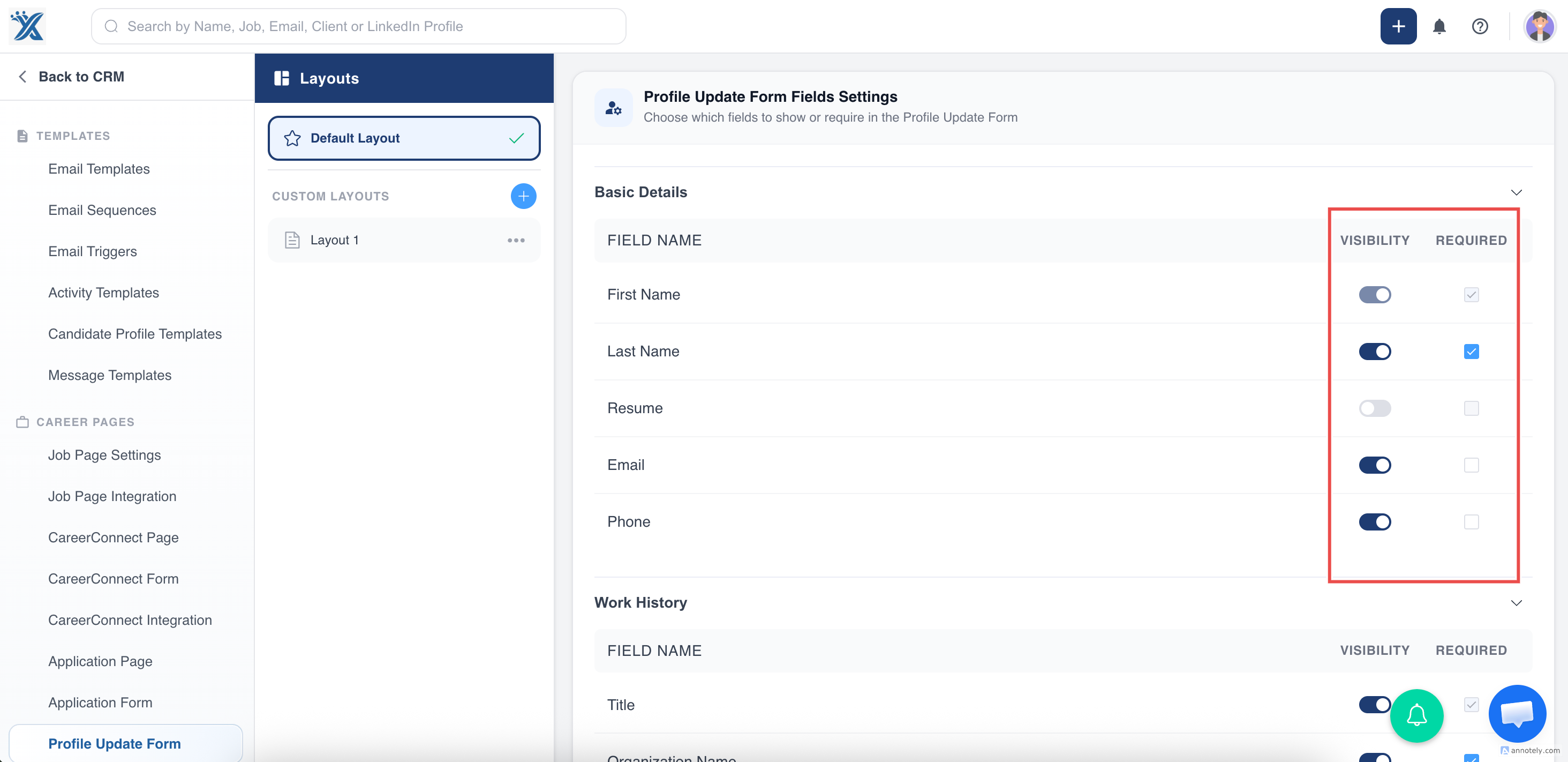
Use field settings to control:
- Field visibility
- Required fields
- Candidate-facing form structure
Save changes after updating the form.
Use Cases
Refresh Old Candidate Records
Ask candidates to update resumes, contact details, locations, or availability before re-engaging them.
Improve Candidate Matching
Updated skills, experience, and preferences help recruiters match candidates to better-fit jobs.
Reduce Recruiter Admin
Let candidates provide updated information directly instead of collecting it manually over email.
Troubleshooting
Candidate Did Not Receive the Email
Ask the candidate to check spam folders and confirm their email address is correct in ATZ CRM.
Required Fields Are Missing
Review Profile Update Form Settings and mark important fields as required.
Candidate Submitted Incorrect Information
Open the candidate profile and correct the fields manually if needed.
Frequently Asked Questions
Can profile update forms include screening questions?
Yes. Candidate questions can be configured for profile update forms.
Can I disable fields from the update form?
Yes. Use visibility toggles in Profile Update Form Settings.
Who should configure the update form?
Admins or operations owners should configure it so candidate-facing forms match your data standards.