
The Hiring Velocity Report helps you understand how long recruitment takes across jobs and stages.
Quick Answer
Select jobs, choose a hiring stage, and click Generate Report. Use the output to compare hiring timelines and average stage duration.
What the Report Measures
The Hiring Velocity Report calculates:
- Time from job creation to the first candidate reaching a selected stage.
- Average time for all candidates to reach that stage.
- Average time spent in each hiring stage for selected jobs.
These insights help you compare hiring duration across roles and identify stages where candidates spend too much time.
Generate the Report
- Open Hiring Velocity Report.
- Select the jobs you want to analyze.
- Use search to filter and choose relevant jobs.
- Pick the hiring stage you want to evaluate.
- Click Generate Report.
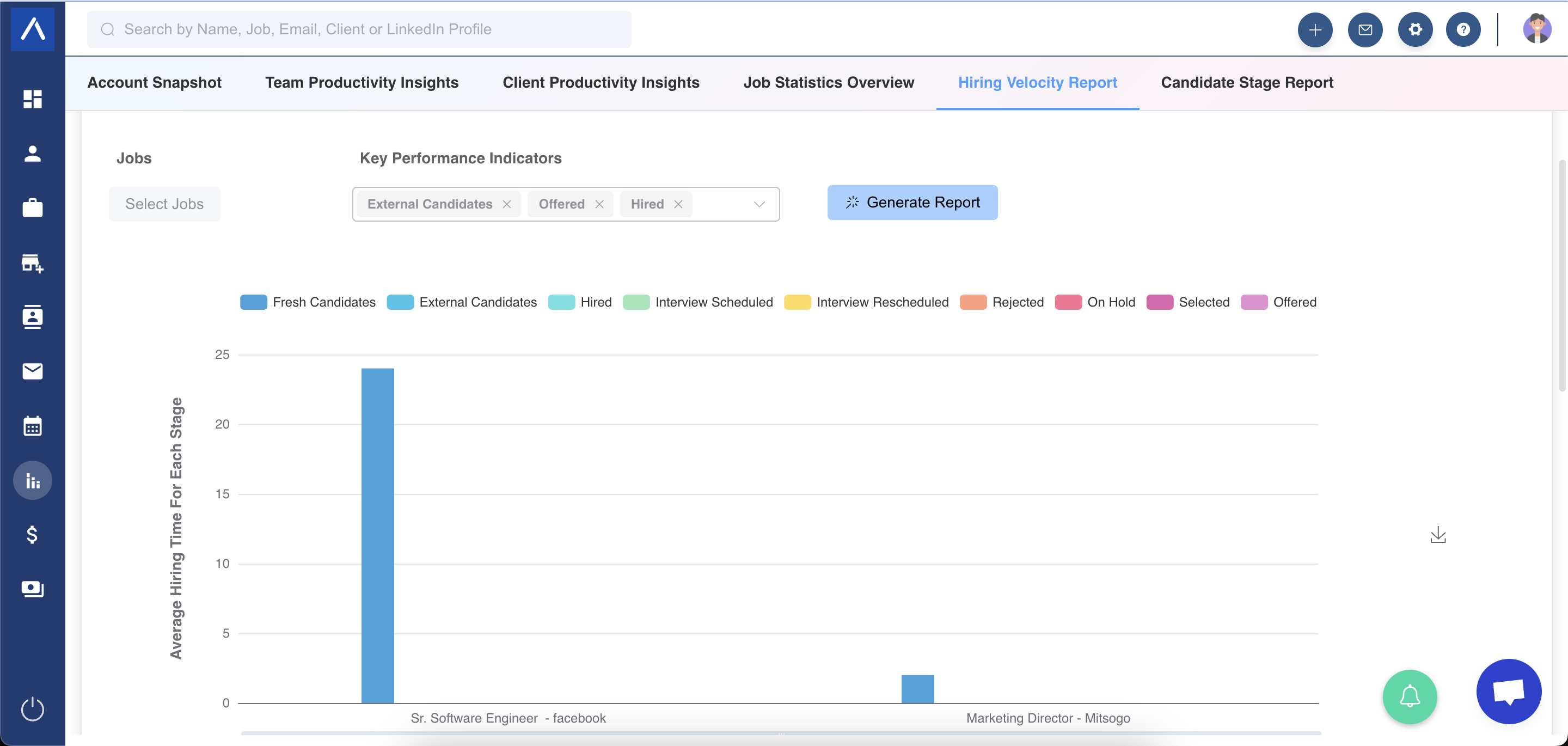
Report Details
The generated report displays the average time spent in each hiring stage for selected jobs. You can export the graph for further use.
How Metrics Are Calculated
Time for First Candidate to Reach a Stage
Formula: Stage Date - Job Creation Date
This shows how long it took from job creation until the first candidate reached the selected stage.
Average Time for All Candidates to Reach a Stage
Formula: Total Time / Number of Candidates in the Hiring Stage
Total time is the sum of each candidate’s stage date minus the job creation date.
Use Cases
Identify Bottlenecks
Find stages where candidates spend more time than expected.
Compare Role Difficulty
Compare time to hire across jobs to understand which openings are harder to fill.
Improve Process SLAs
Use velocity data to set realistic recruiter, hiring manager, and client expectations.
Troubleshooting
Hiring Velocity Looks Too High
Review job creation dates, selected stage, and candidates included in the stage.
Report Has No Data
Check whether selected jobs have candidates who reached the chosen stage.
Results Differ Across Jobs
Different roles, pipelines, candidate volume, and stage movement can create legitimate variance.
FAQs
Does this report show time to hire?
Yes. It helps measure time from job creation to candidate stage milestones and placements.
Can I compare multiple jobs?
Yes. Select multiple jobs to compare hiring velocity across roles.
Can I export the chart?
Yes. The accompanying graph can be exported.