
What the Candidate Board View Shows
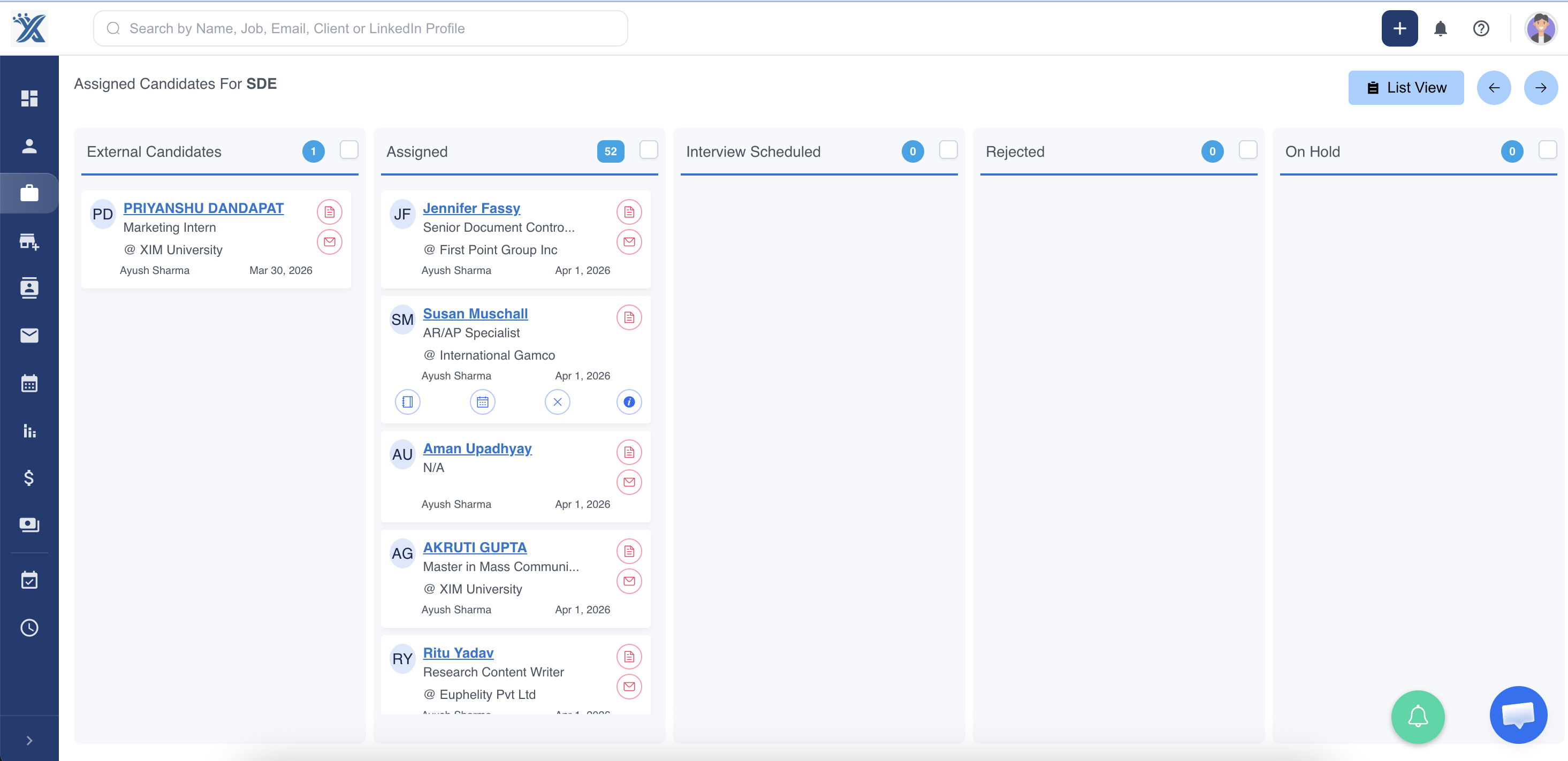
The candidate board view gives recruiters a visual pipeline for a specific job. Instead of reviewing candidates only in a table, you can see them grouped by hiring stage, such as screening, submitted, interview, offered, or hired.
Step 1: Open Jobs
Go to Jobs from the ATZ CRM dashboard.
Step 2: Select a Job
Open the job whose candidate pipeline you want to review.
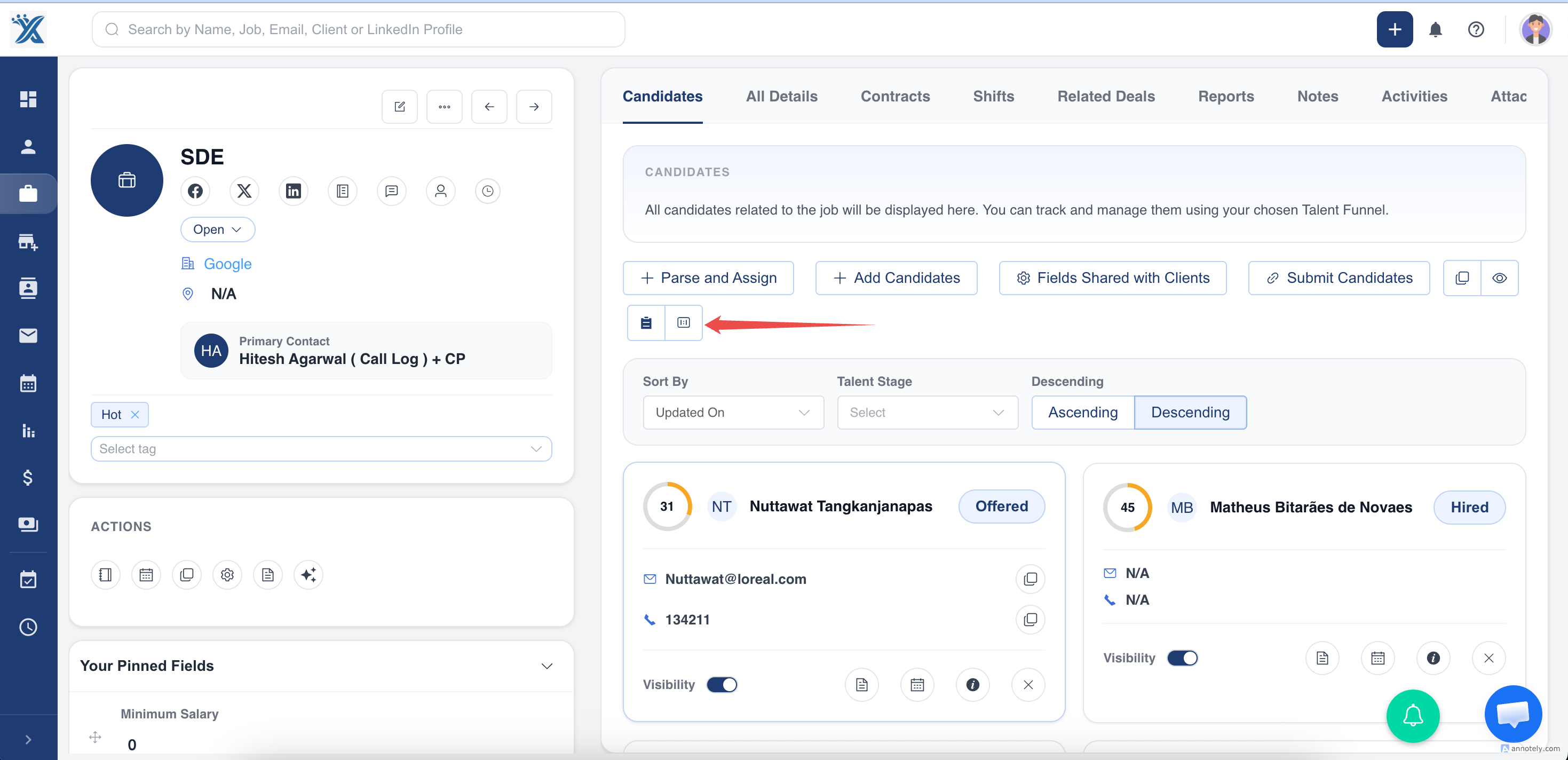
Step 3: Switch to Board View
Select Board View to see candidates organized by stage.
Step 4: Review the Pipeline
The board displays assigned candidates in stage columns, making it easier to understand pipeline health at a glance.
Use Cases
Daily Pipeline Review
Use board view during standups or recruiter check-ins to see which candidates need action.
Stage-Based Follow Up
Filter attention by stage, such as candidates waiting for interview feedback or offer approval.
Recruiter Coaching
Managers can review pipeline shape and identify where candidates are slowing down.
Troubleshooting
Board View Is Empty
Make sure candidates have been assigned to the job. If the job has no assigned candidates, the board will have nothing to show.
Candidate Is in the Wrong Column
Update the candidate’s talent stage from the board, job candidate list, or candidate profile.
I Cannot Access Board View
Check your role permissions for Jobs and Candidates.
Frequently Asked Questions
Is board view available for every job?
Board view is used for job candidate pipelines. Availability may depend on your account setup and permissions.
Does board view replace the candidate list?
No. It complements the list view. Use board view for visual stage tracking and list view for detailed tabular review.
Can I use board view with the Matches module?
The board is job-specific. The Matches module gives you a cross-job view of candidate-job assignments.