
Import Overview
ATZ CRM can import organizations and contacts from CSV or Excel files. For the cleanest data structure, import organizations first, then import contacts linked to those organizations.
Import Organization Data
Required Organization Field
Organization Name is mandatory.
Organization Import Steps
- Navigate to Import > CSV/XLS.
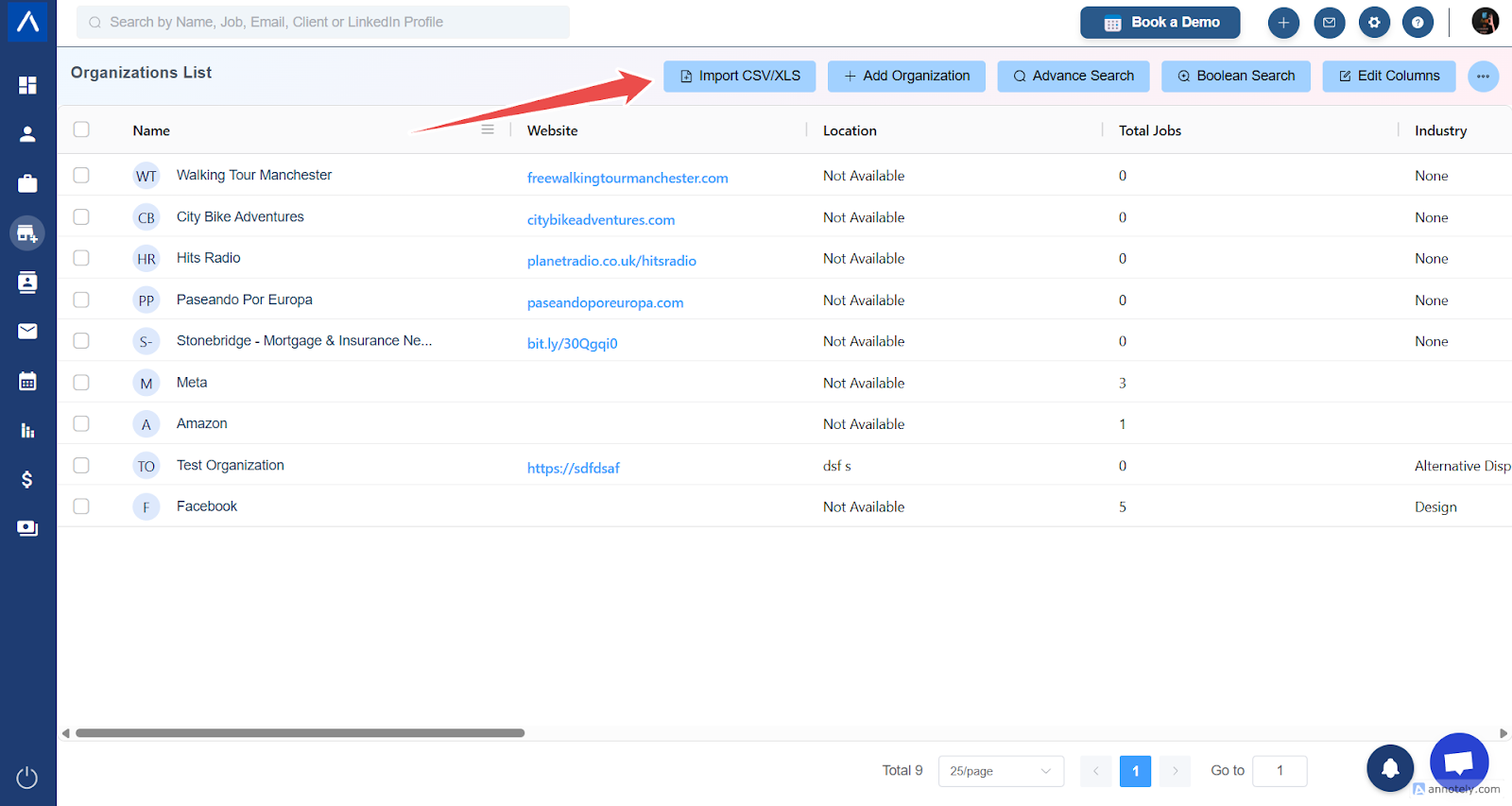
- Upload your organization file.
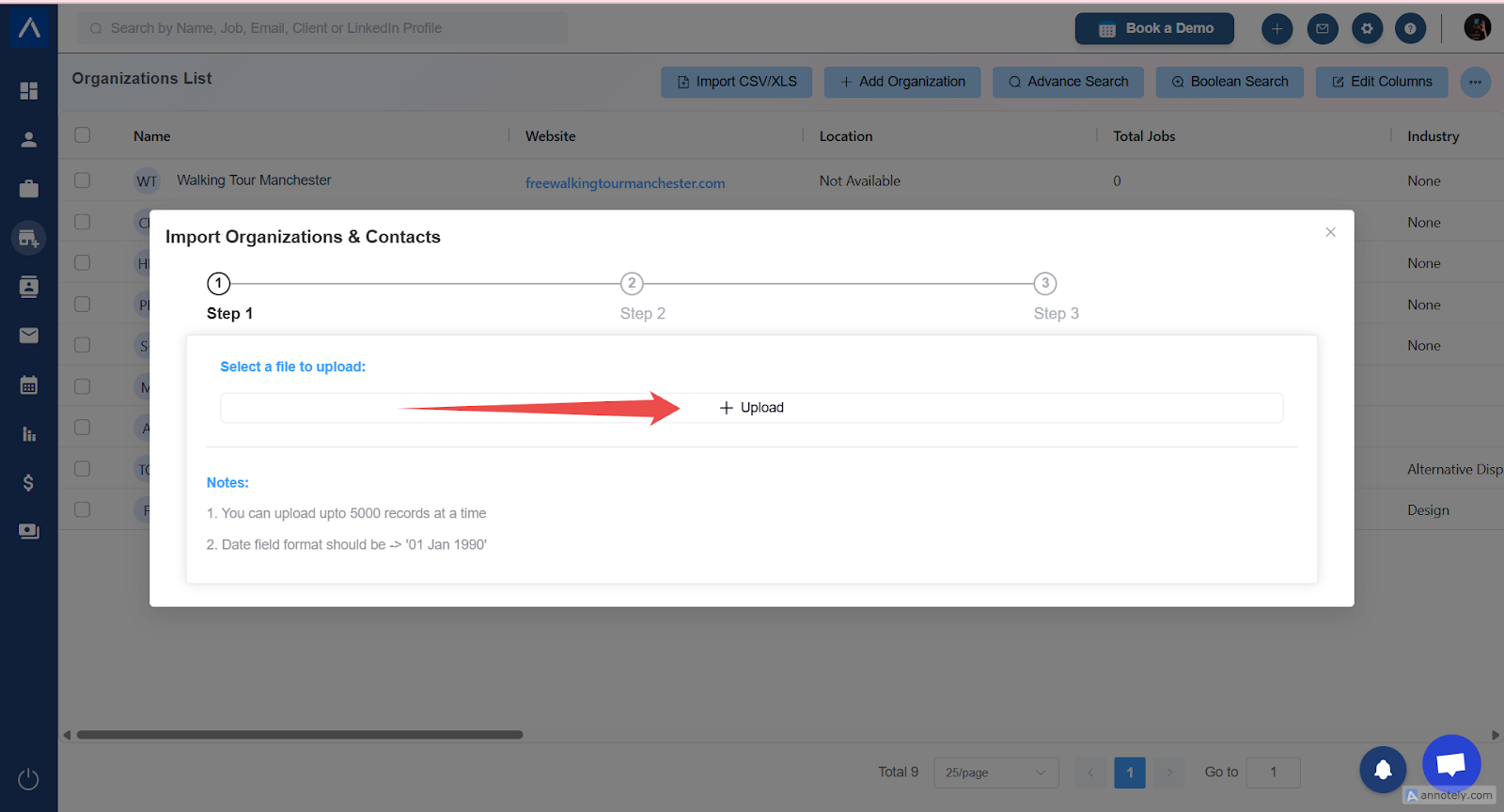
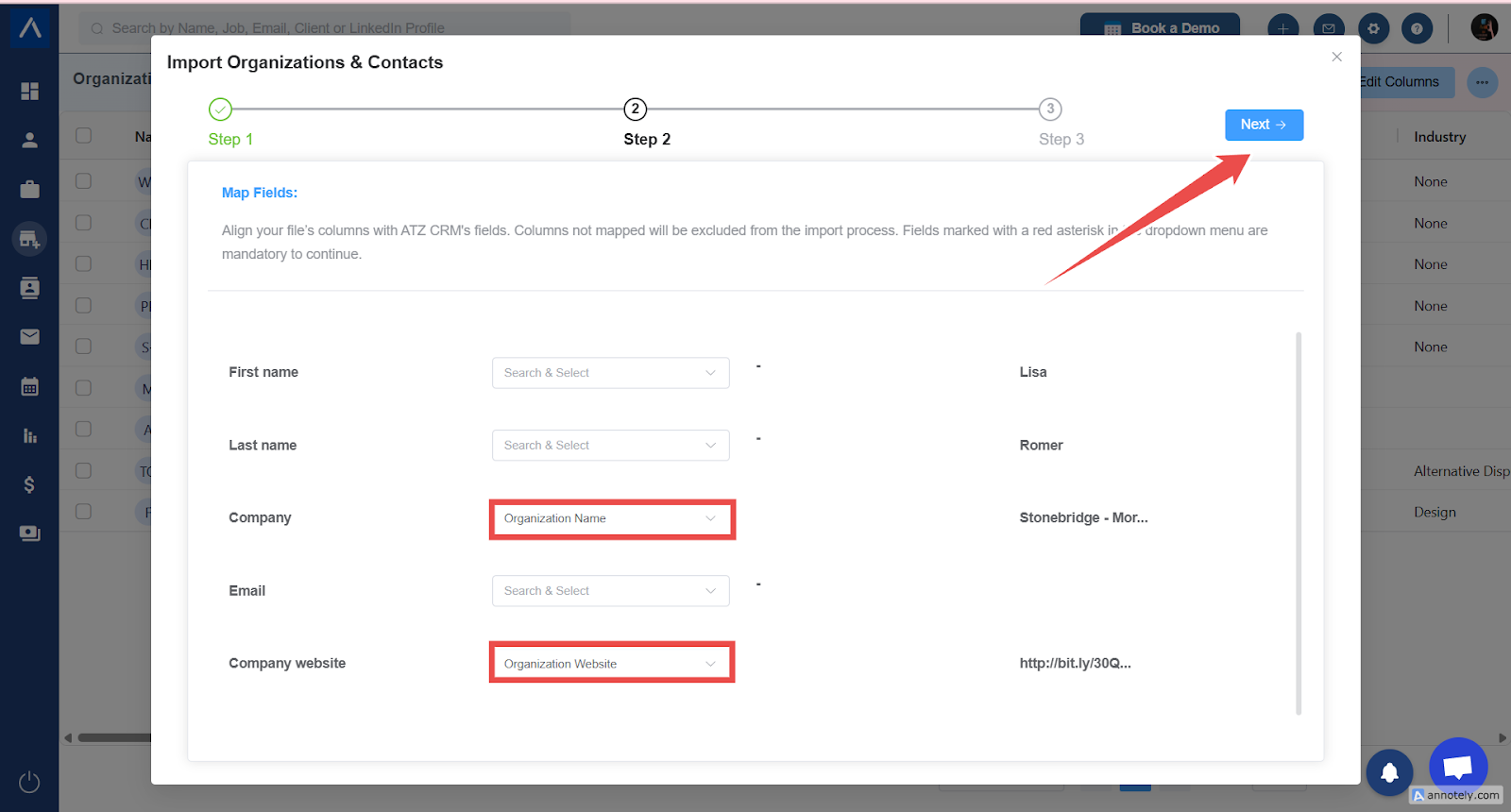
- Map spreadsheet columns to ATZ CRM fields.
Examples:
- Company Name maps to Organization Name.
- Website maps to Organization Website.
- Choose duplicate merge and overwrite options.
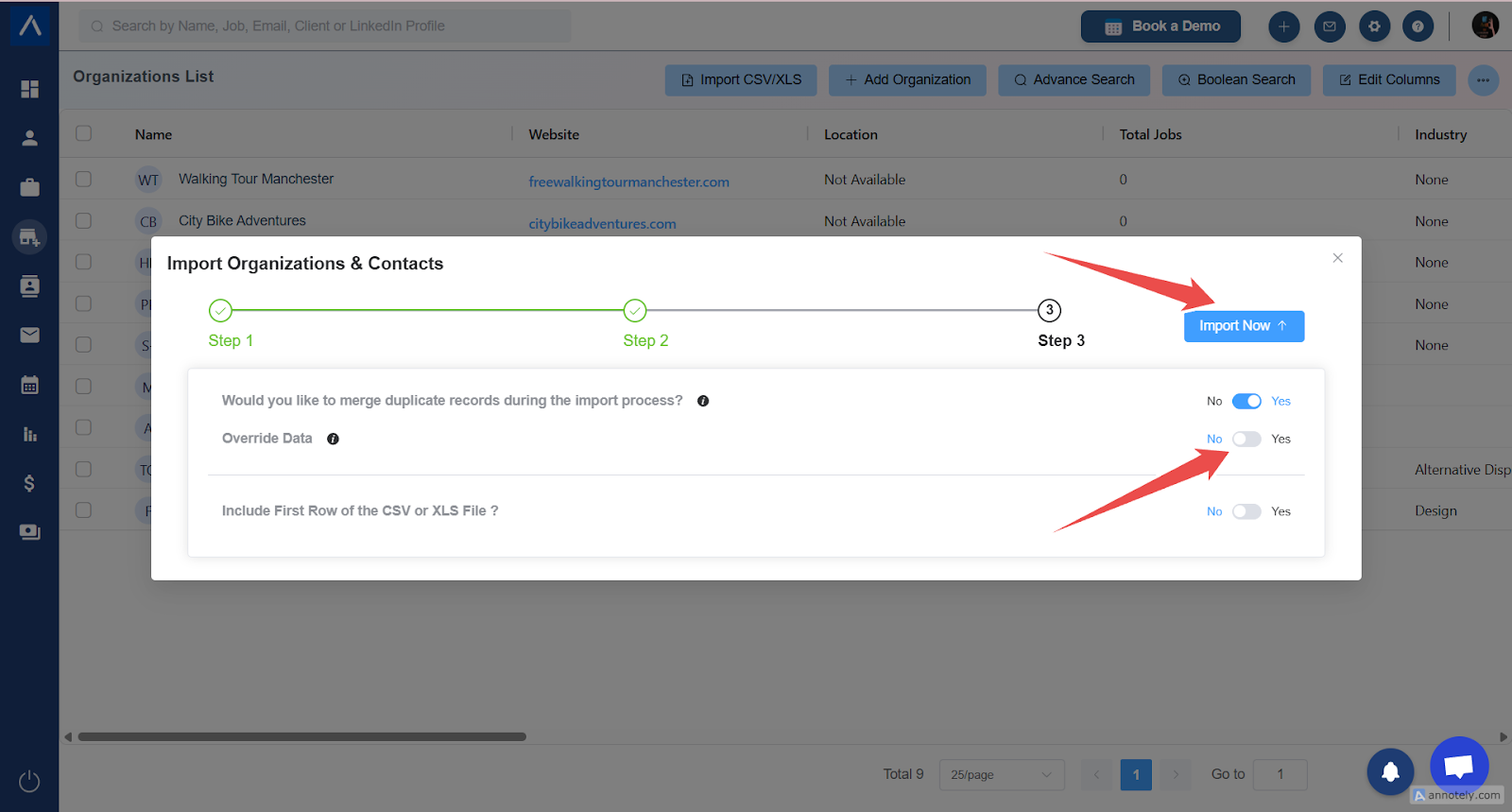
- Confirm whether the first row contains headers.
- Select Import.
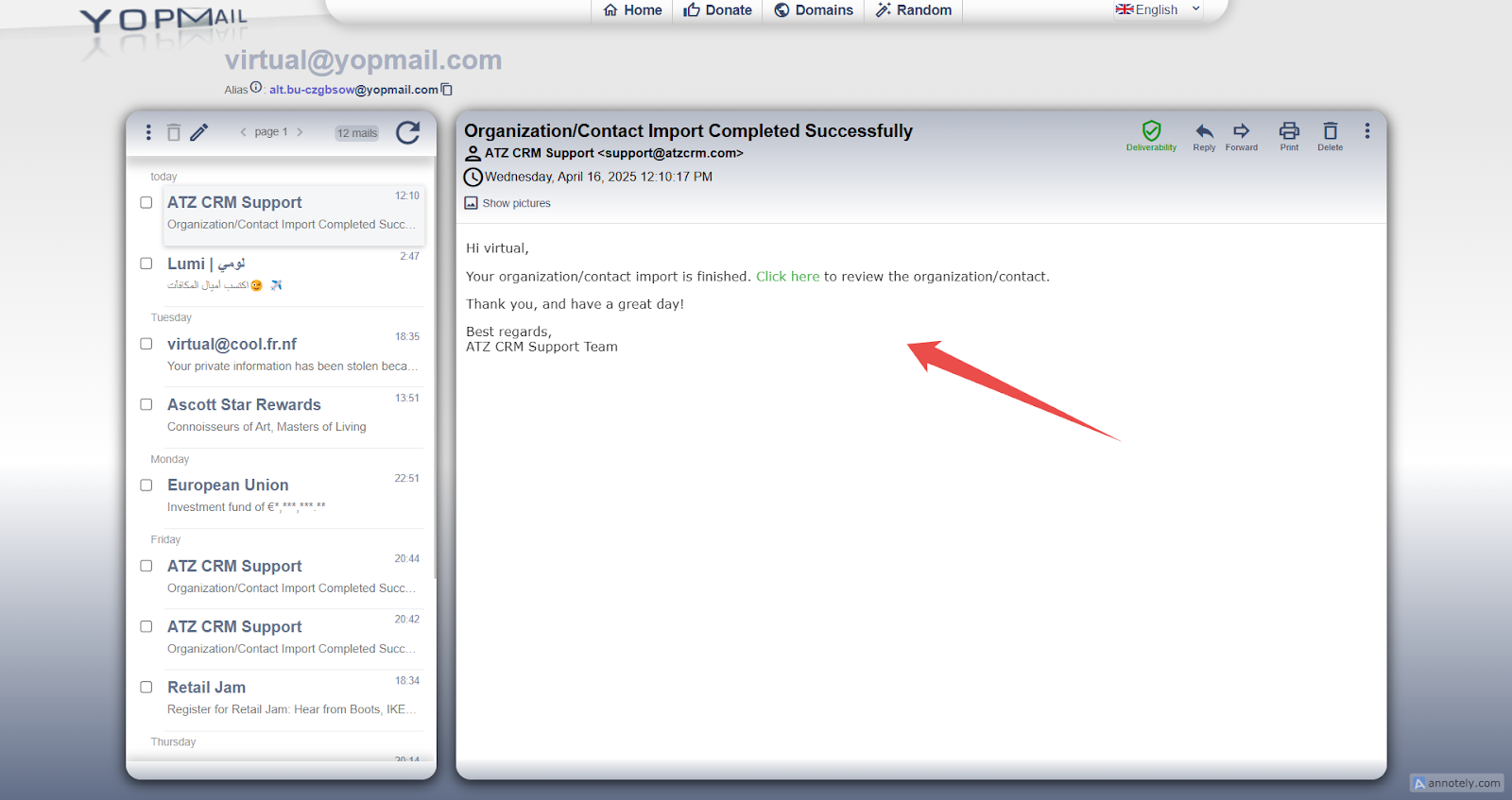
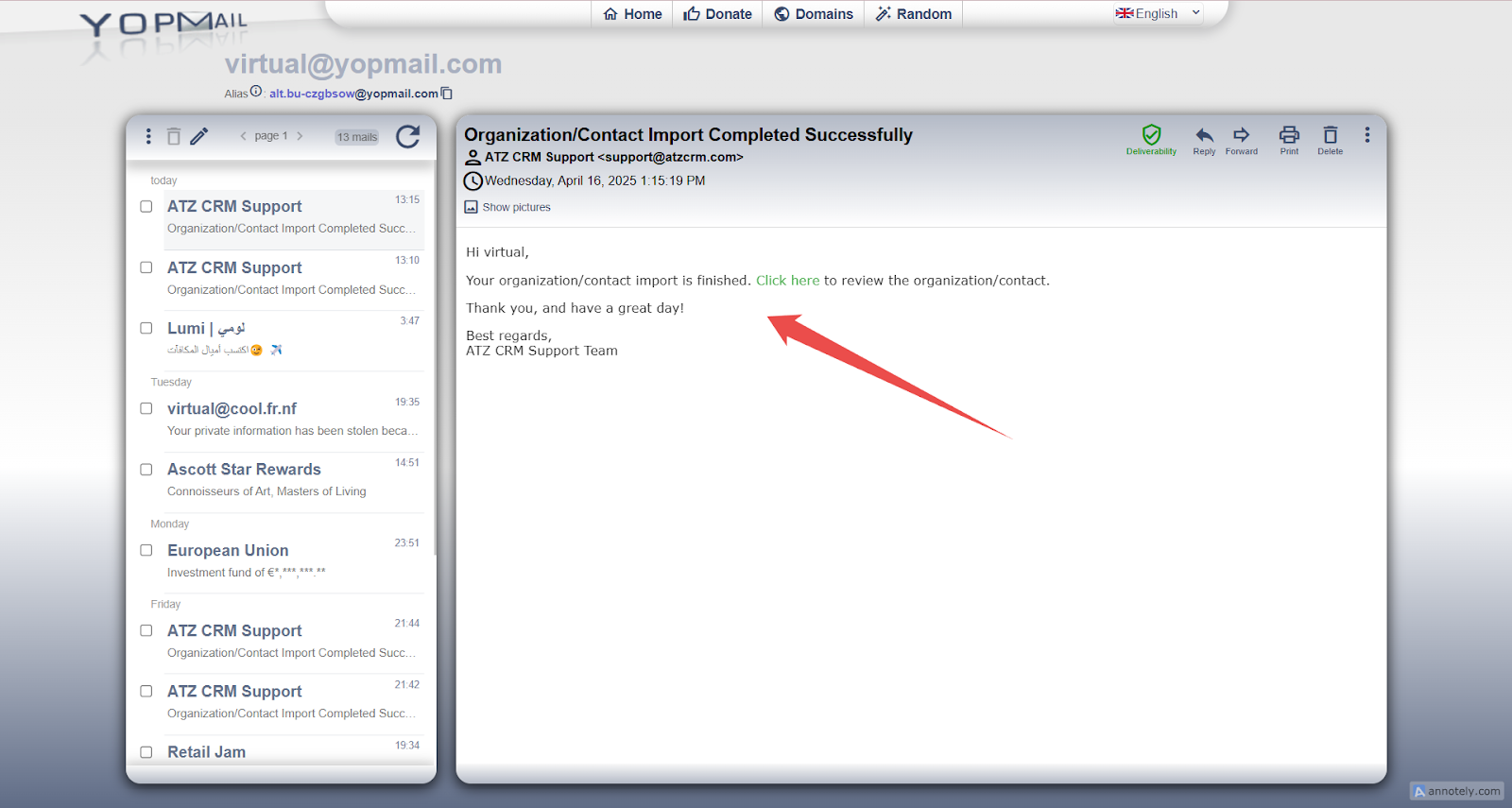
After import, ATZ CRM sends an email confirmation with a link to review imported organizations.
Import Contact Data
Required Contact Fields
- First Name
- Organization Name
Contact Import Steps
- Go to Import > CSV/XLS.
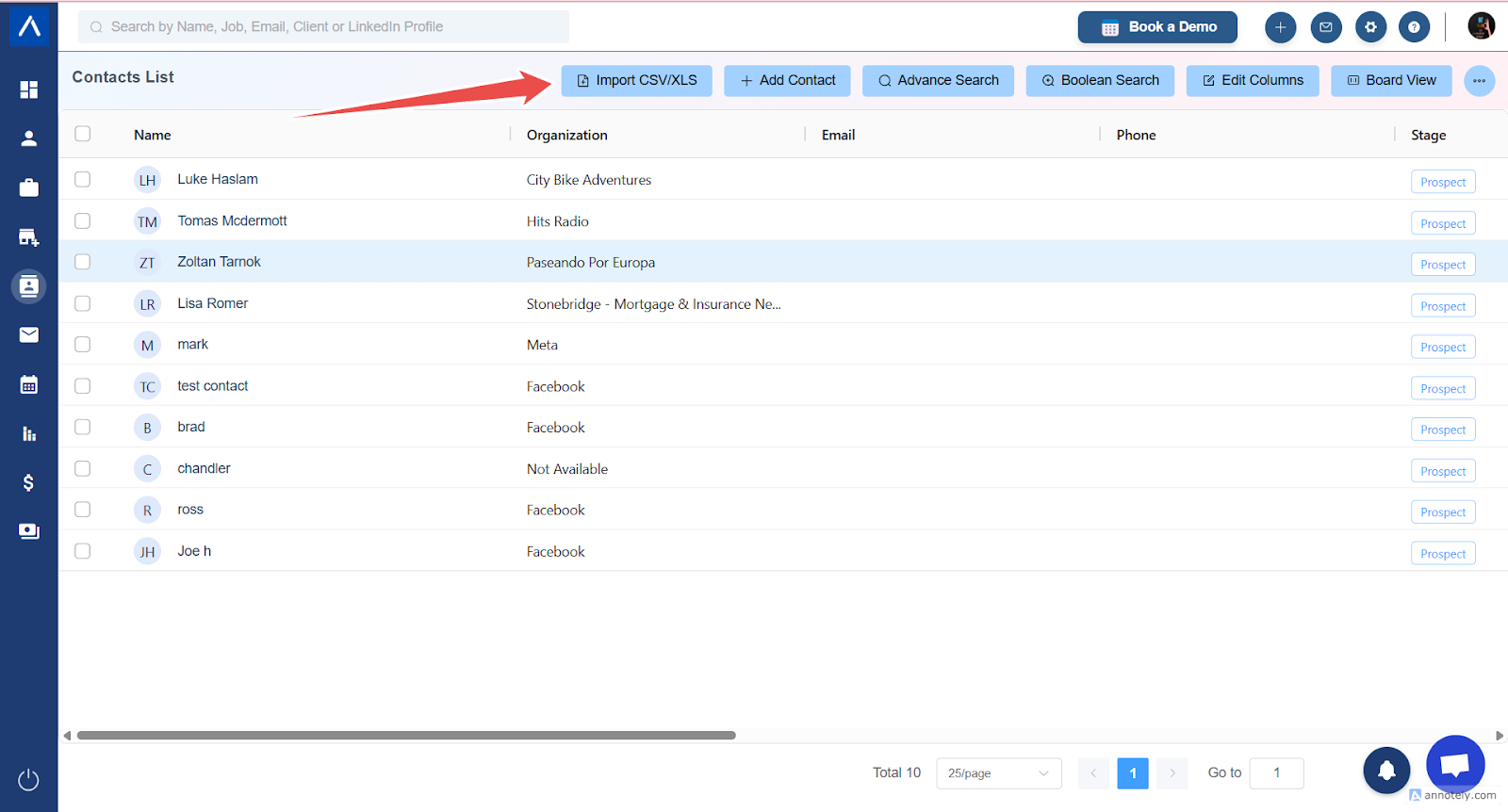
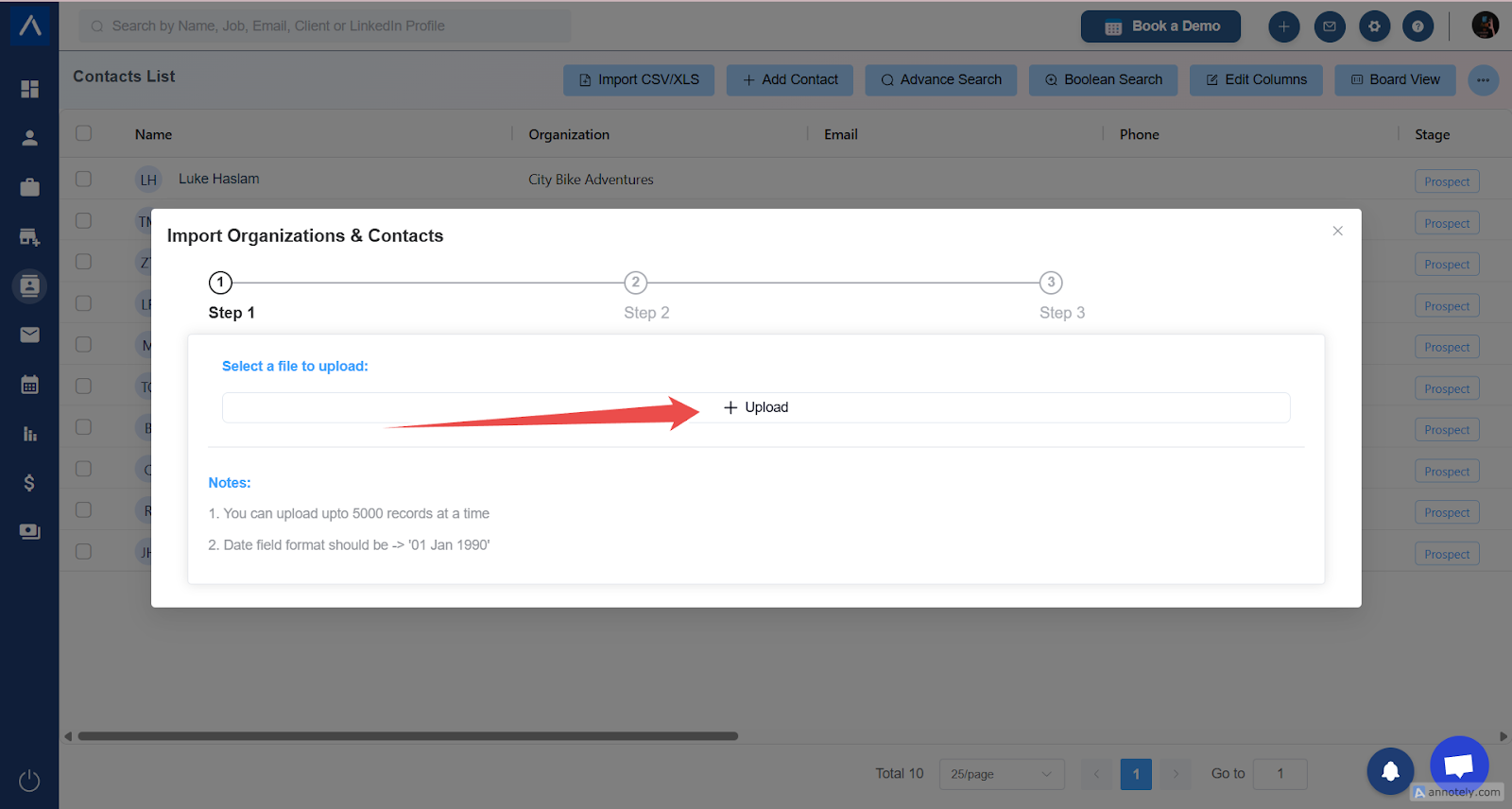
- Upload your contact sheet.
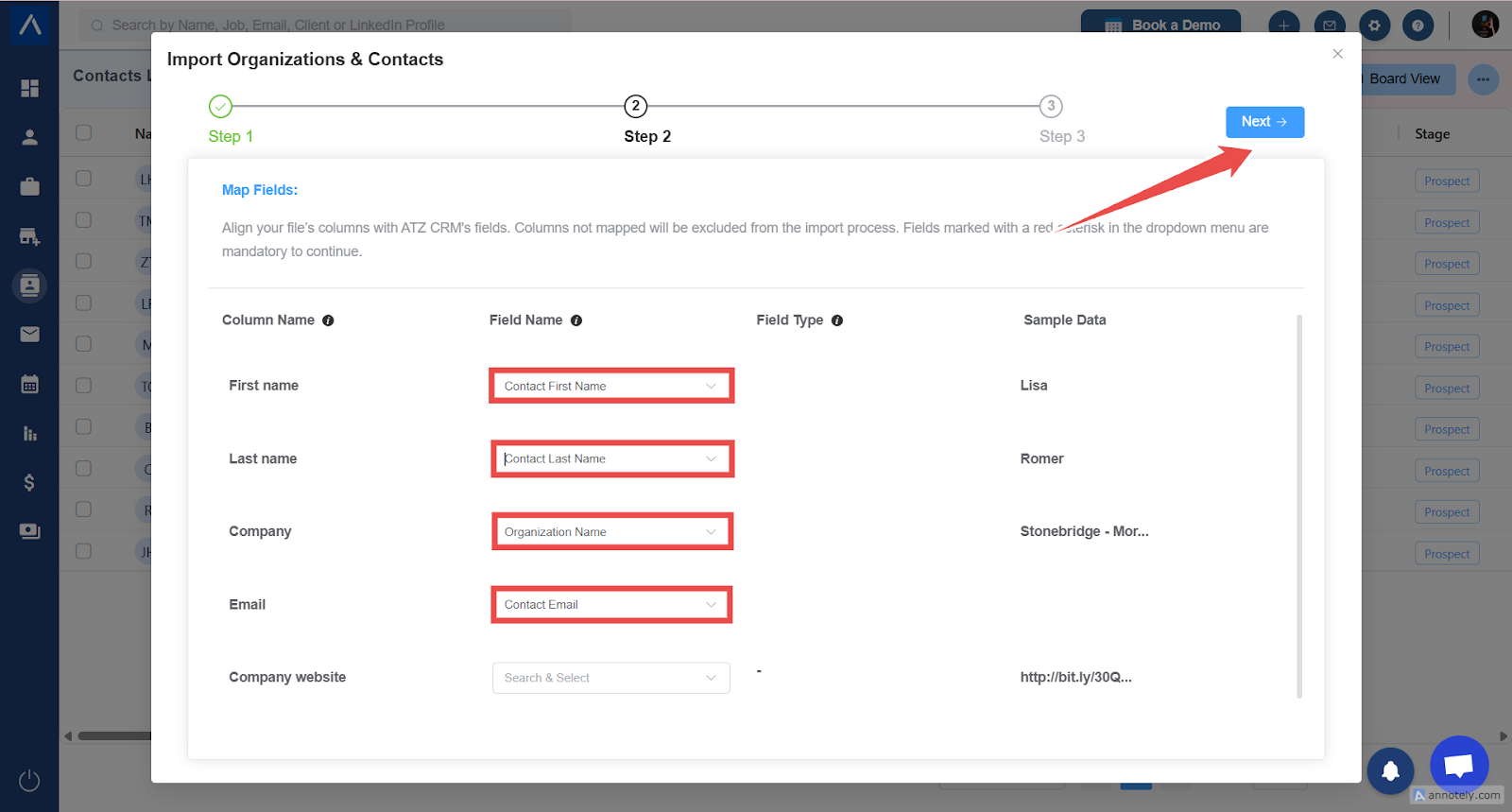
- Map contact fields.
Examples:
- First Name maps to Contact First Name.
- Last Name maps to Contact Last Name.
- Email maps to Contact Email.
- Organization Name maps to Organization Name.
- Choose merge and overwrite settings.
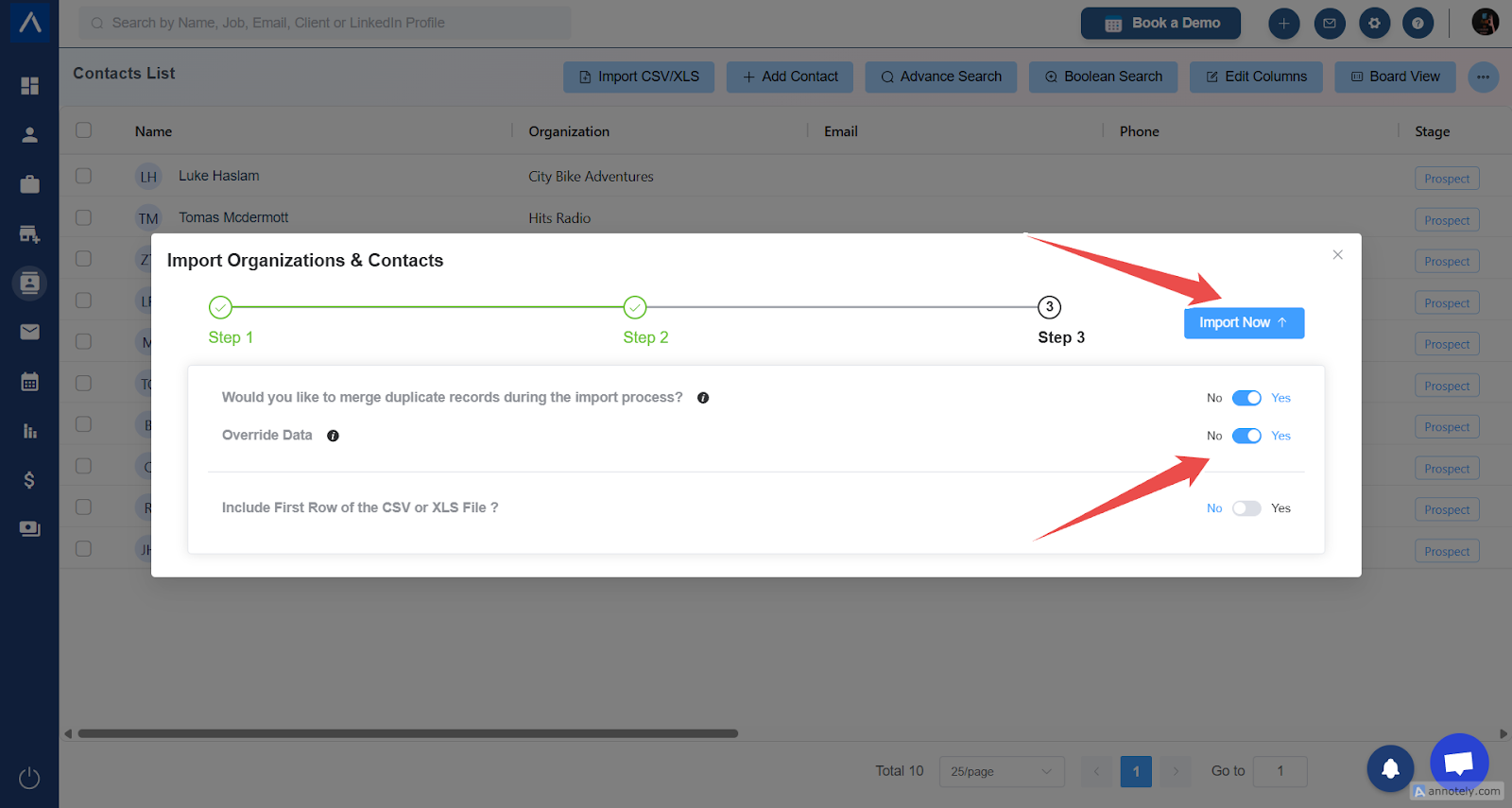
- Confirm first-row behavior and select Import.
After import, ATZ CRM sends a confirmation email. Contacts are linked to their respective organizations.
Use Cases
New CRM Setup
Import companies first, then contacts, when moving from spreadsheets or another CRM.
Client Database Cleanup
Refresh organization and contact records with mapped fields and duplicate merge settings.
Sales and Account Management
Create structured client and contact records for business development workflows.
Troubleshooting
Contacts Are Not Linked to Organizations
Confirm Organization Name values match between organization and contact files.
Required Field Error Appears
Map Organization Name for organizations and both First Name and Organization Name for contacts.
Duplicate Organizations Appear
Review exact matches, website, and LinkedIn URL duplicate settings before import.
Frequently Asked Questions
Can I import contacts without organizations?
The source guide states Organization Name is mandatory for contact import.
Can I overwrite existing organization data?
Yes. Choose overwrite during duplicate merge settings when that is your intended update.
Should I test with a small file first?
Yes. For large imports, test with a small sample to confirm mapping and duplicate behavior.