
What the Chrome Extension Does for Contacts and Organizations
The ATZ CRM Chrome Extension helps recruiters and sales teams capture contact and organization details from LinkedIn and save them directly into ATZ CRM.
Use it when you want to:
- Save a LinkedIn person as a contact.
- Capture organization details from a person’s profile.
- Link contacts to existing organizations.
- Reduce duplicate contact and company records.
Step 1: Open the Chrome Extension
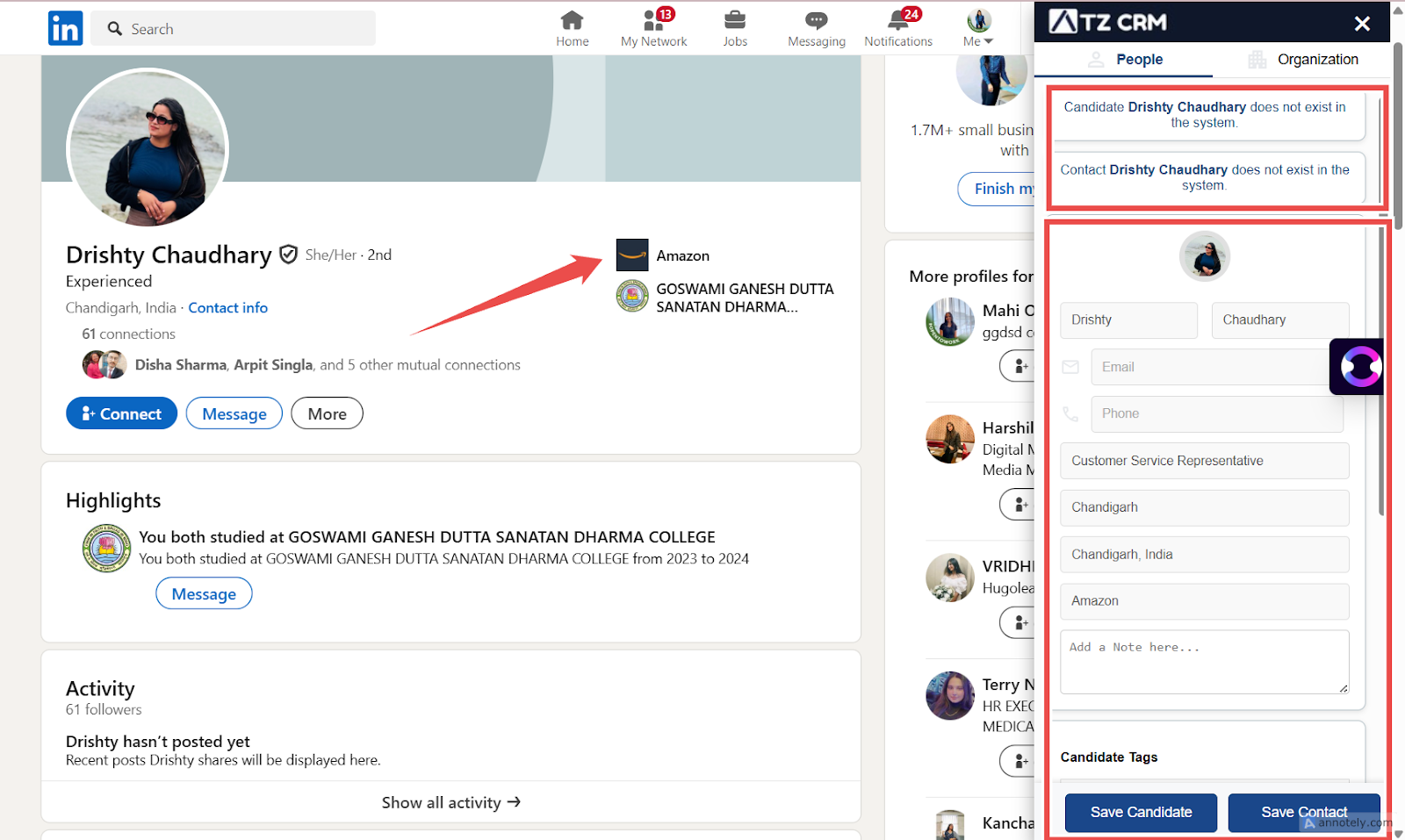
Install the ATZ CRM Chrome Extension, open a LinkedIn profile, and click the extension icon.
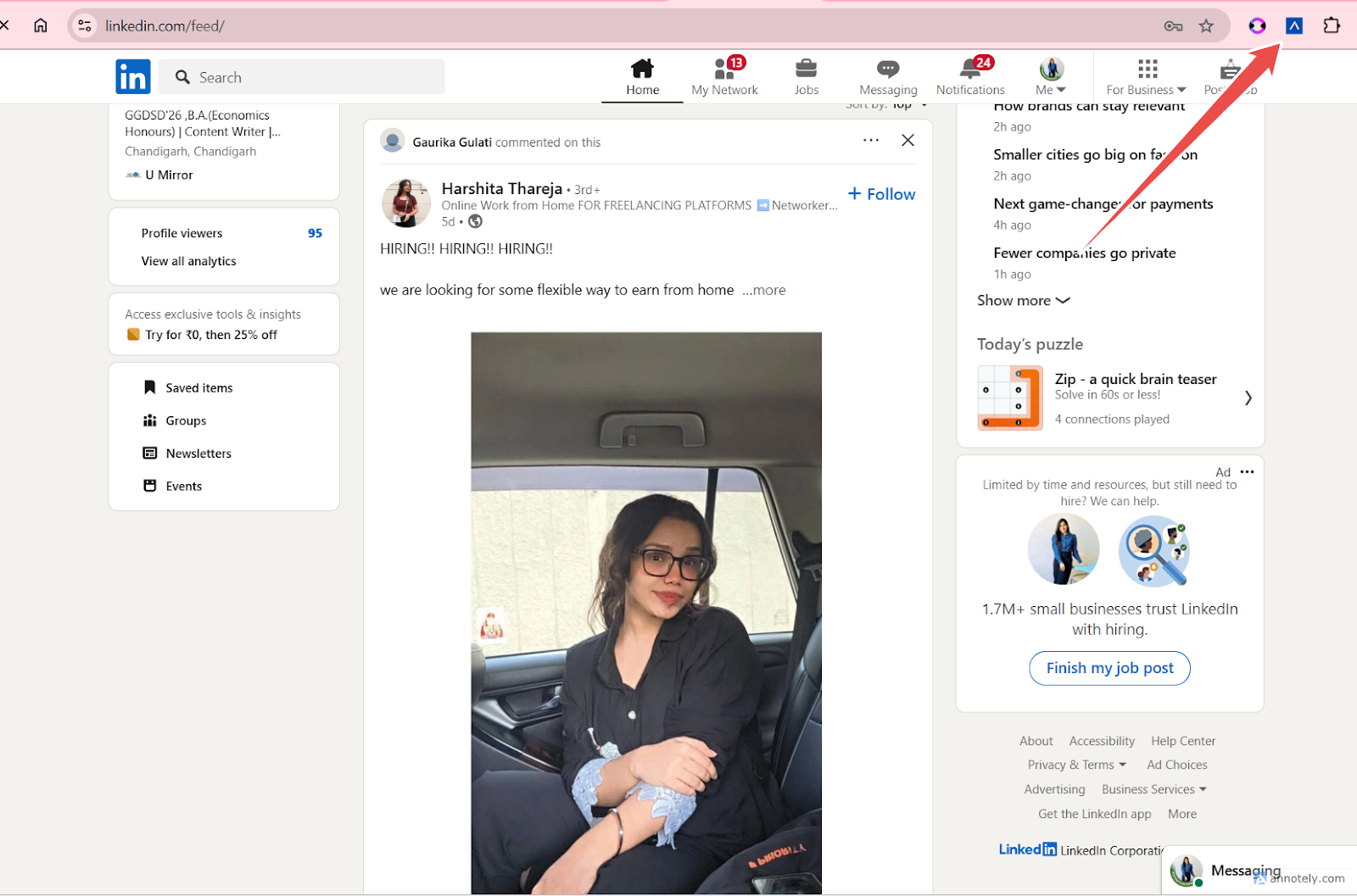
The extension fetches available profile data from the current page.
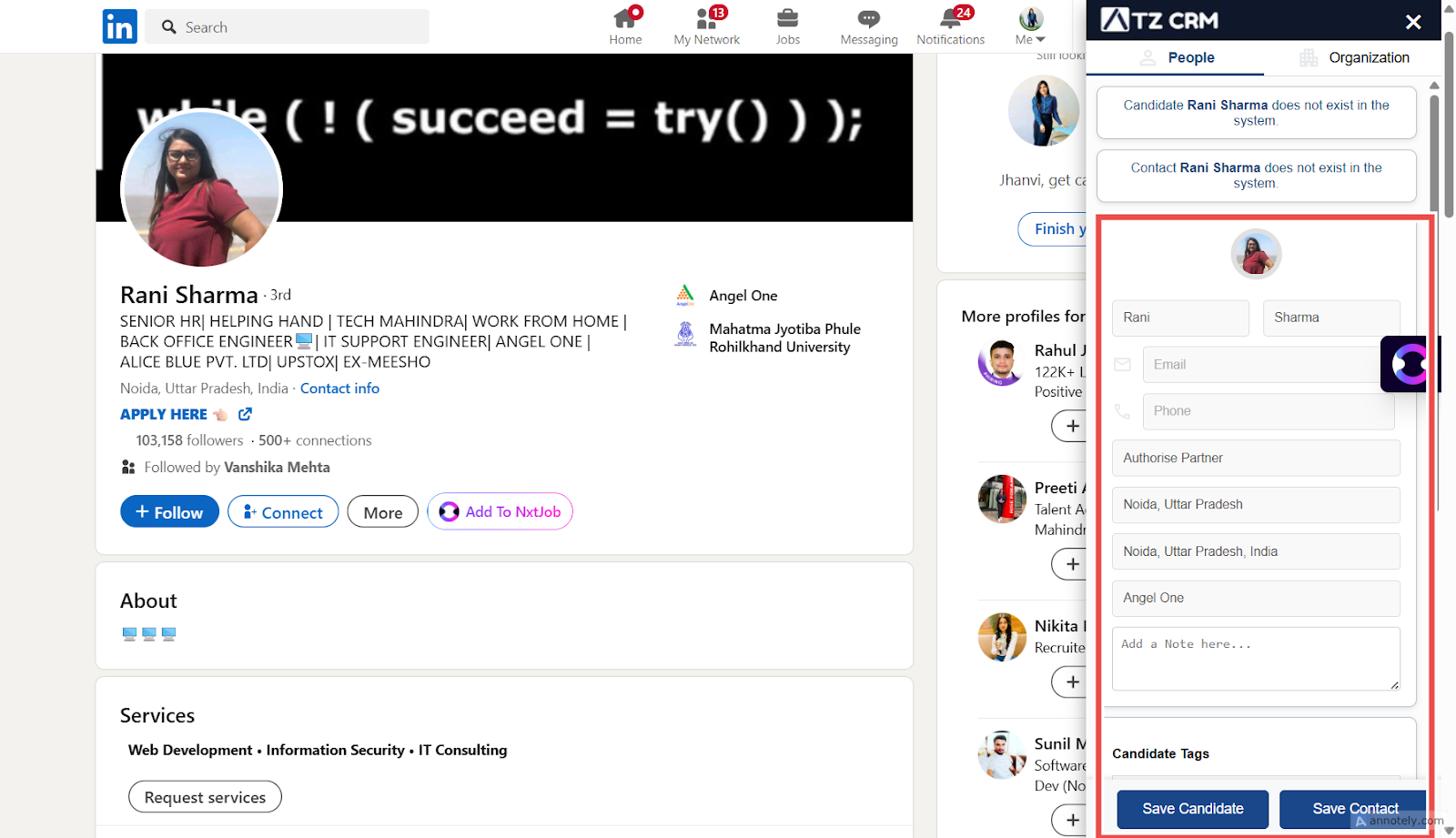
Step 2: Save as Contact
Review the fetched details and select Save as Contact.
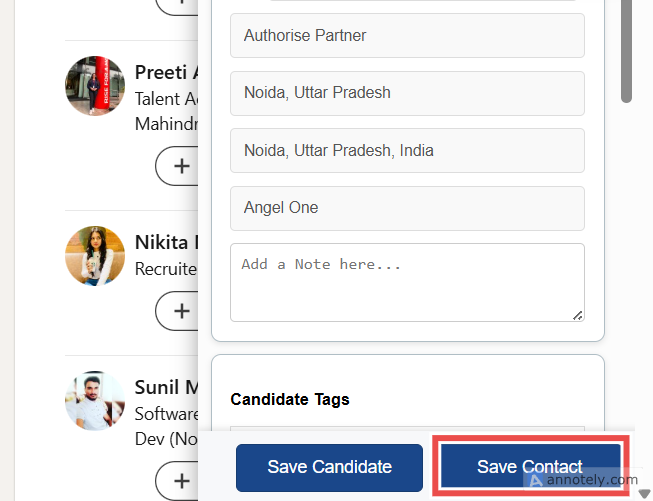
The contact is saved and displayed inside ATZ CRM.
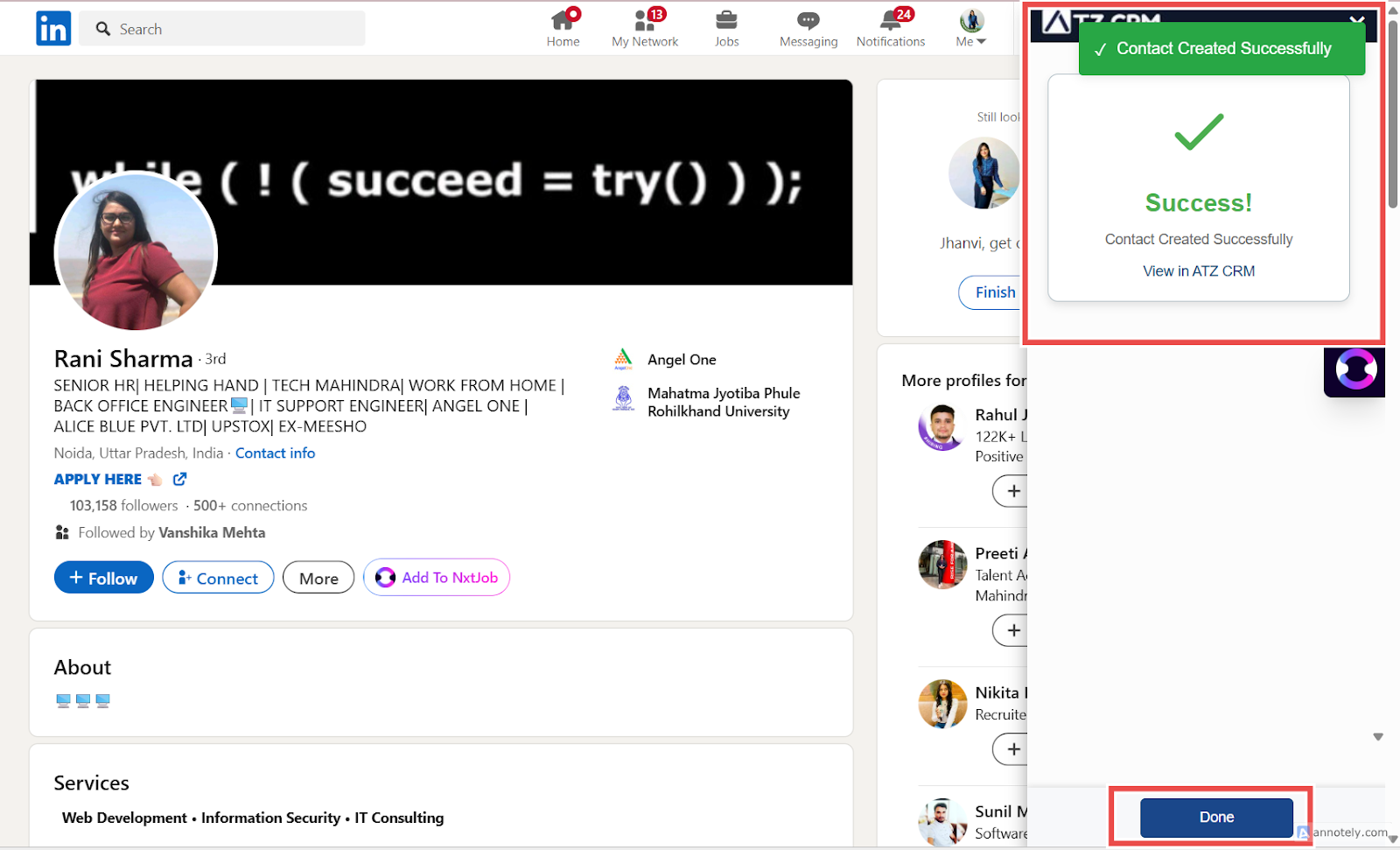
Step 3: Link with an Organization
Open the Organization tab in the extension.
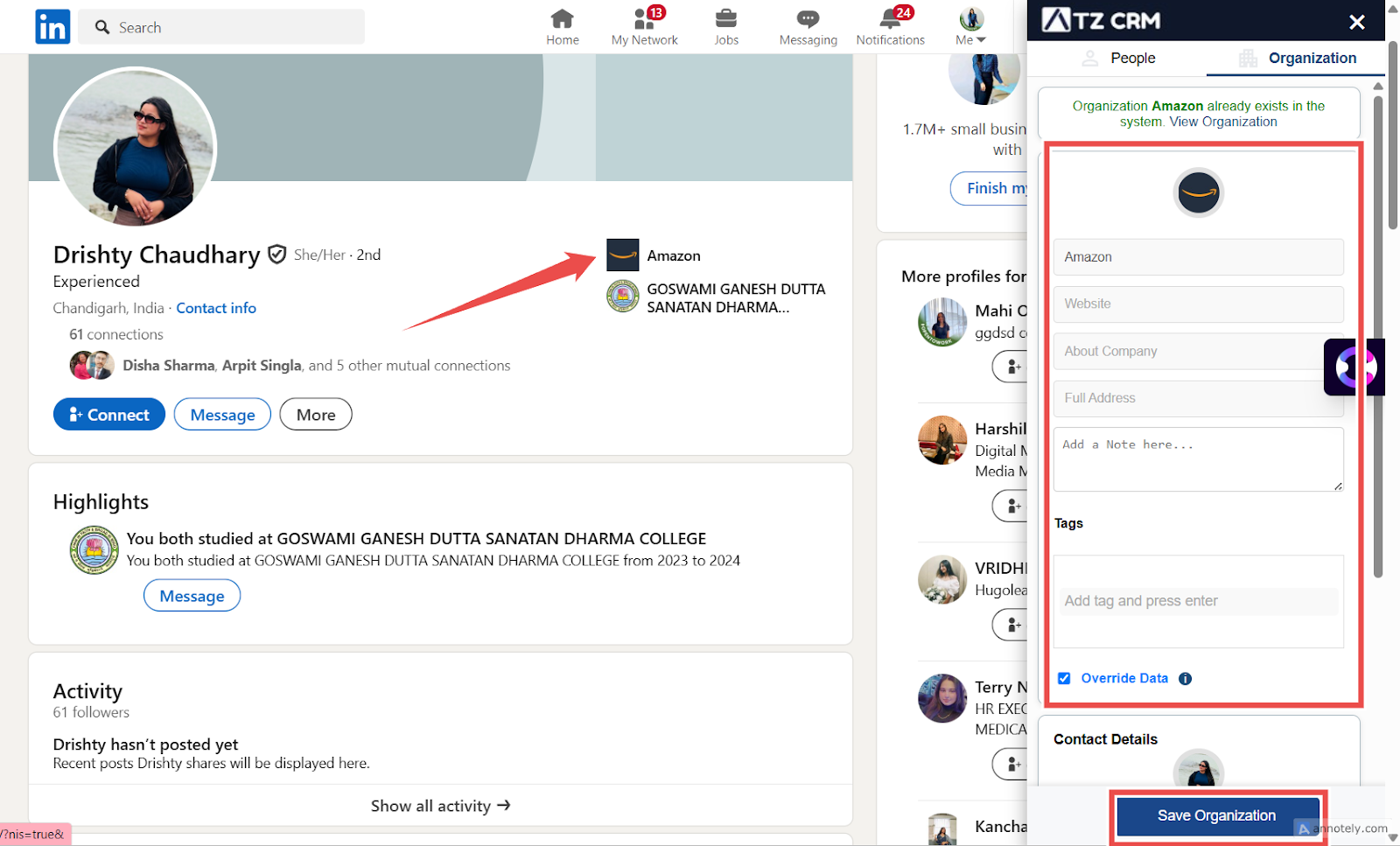
Review available organization details such as:
- Organization name
- Website
- Location
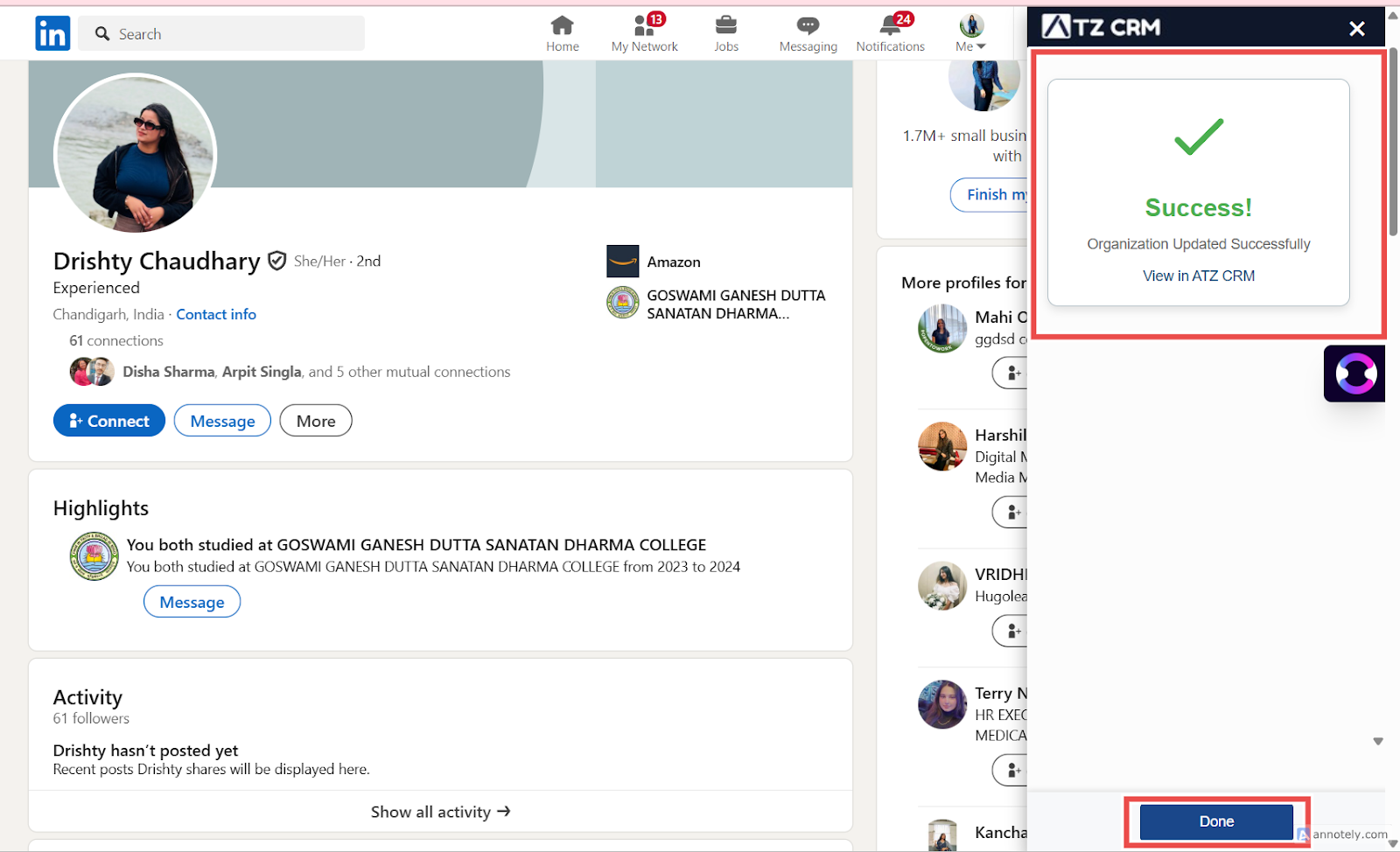
Then select Save Organization and Contact.
Duplicate Detection
ATZ CRM checks existing records before saving from the extension.
- Existing contacts can be detected using parameters such as LinkedIn URL, phone number, or email.
- If the organization already exists, the new contact can be linked to the existing organization.
Company Page Behavior
If you are on a company LinkedIn page, the extension fetches organization data only. To save contact details, open an individual person’s profile.
Use Cases
Business Development
Save hiring managers, HR contacts, and companies directly from LinkedIn into ATZ CRM.
Client Mapping
Build organization-contact relationships as you research target accounts.
Duplicate Prevention
Use extension matching to reduce duplicate contacts and organizations.
Troubleshooting
Contact Details Are Missing
LinkedIn or the source page may not expose every field. Add missing details manually after saving.
Organization Does Not Link Correctly
Review the existing organization record and merge or update data if needed.
Extension Does Not Fetch Data
Confirm you are signed in, the page is fully loaded, and the browser supports the extension.
Frequently Asked Questions
Can I save an organization without a contact?
Yes, when viewing a company page, the extension can save organization data only.
Can the extension save candidates too?
Yes. Use the related guide for sourcing candidates with the Chrome Extension.
Should I review data before saving?
Yes. Always review fetched contact and organization details before creating records.