
What the Candidate Portal Does
The ATZ CRM Candidate Portal gives candidates a self-service experience connected to your recruiting workflows. Candidates can browse open jobs, register, complete onboarding, apply to roles, manage profile details, and track application progress.
Note: Candidate Portal is an add-on feature available separately from the standard ATZ CRM subscription. Contact the ATZ CRM team for access and pricing details.
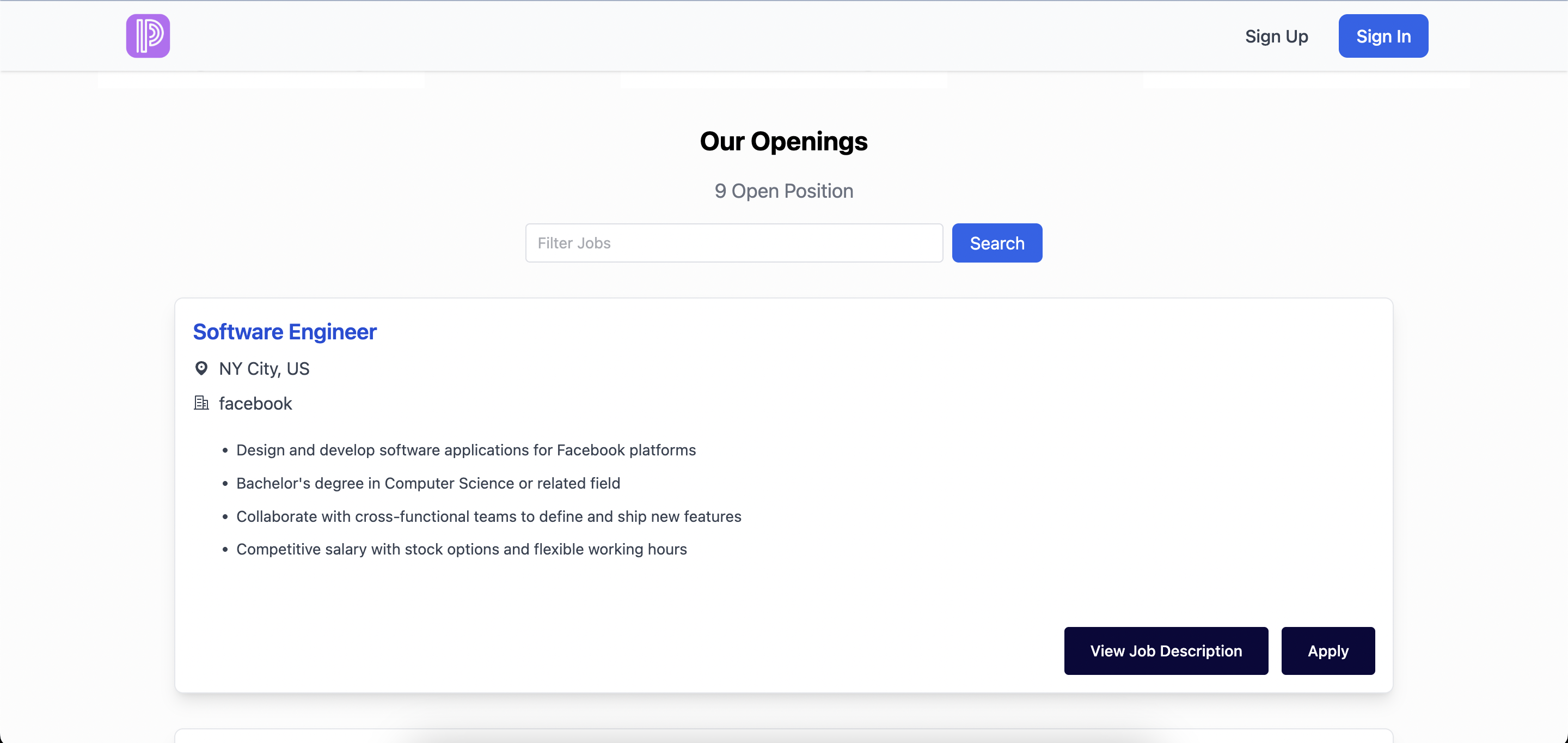
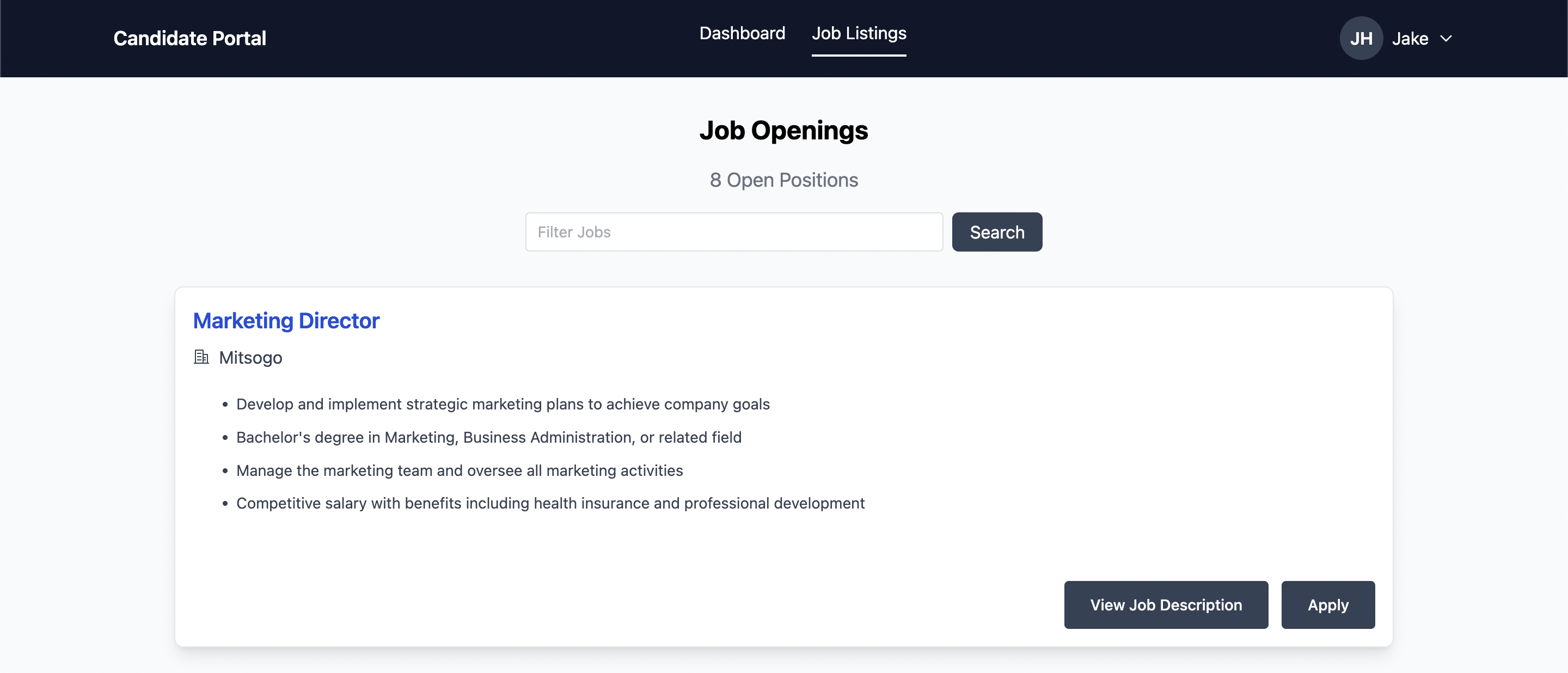
Job Discovery and Registration
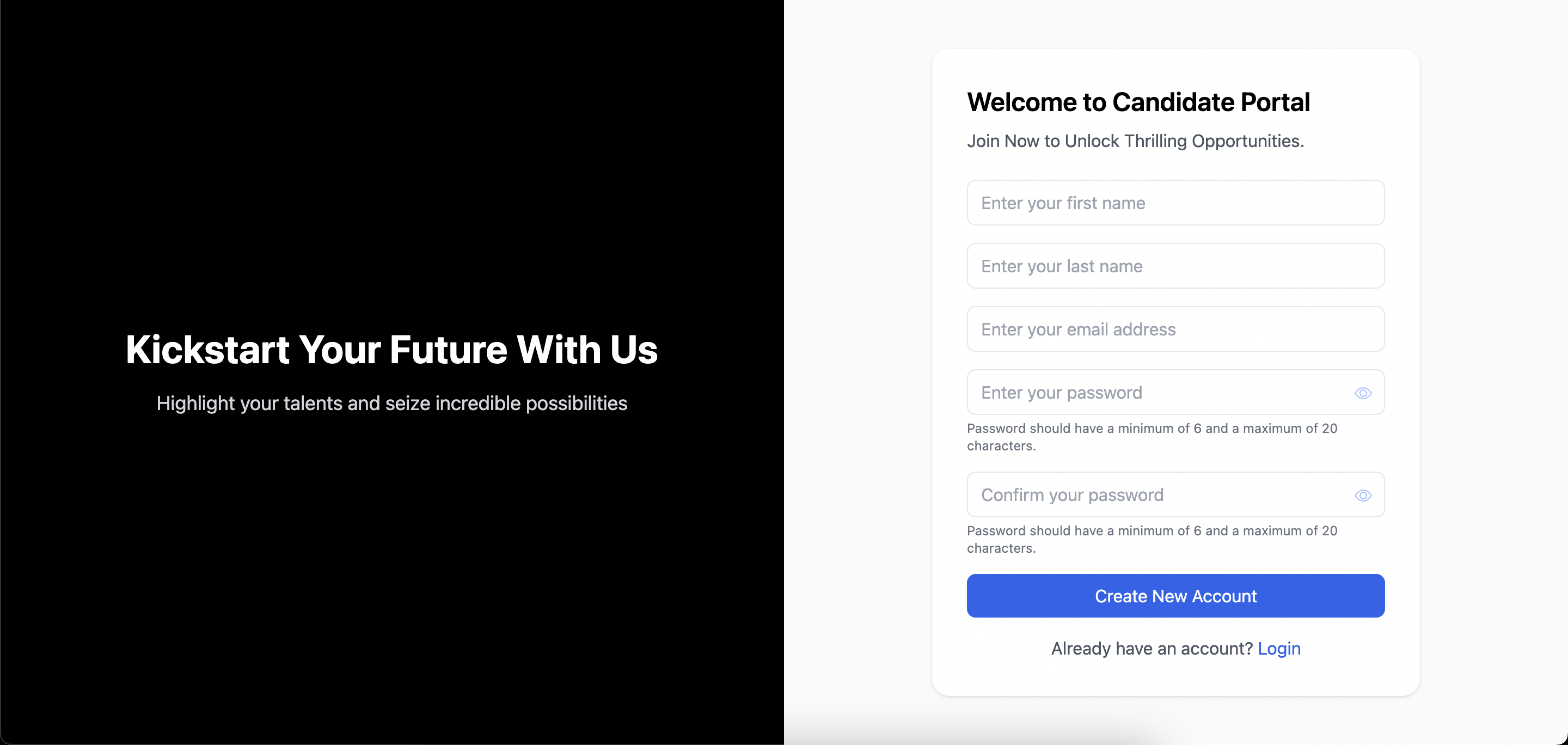
Candidates can view open job listings before creating an account. To apply, they register or log in, verify their email, and complete onboarding.
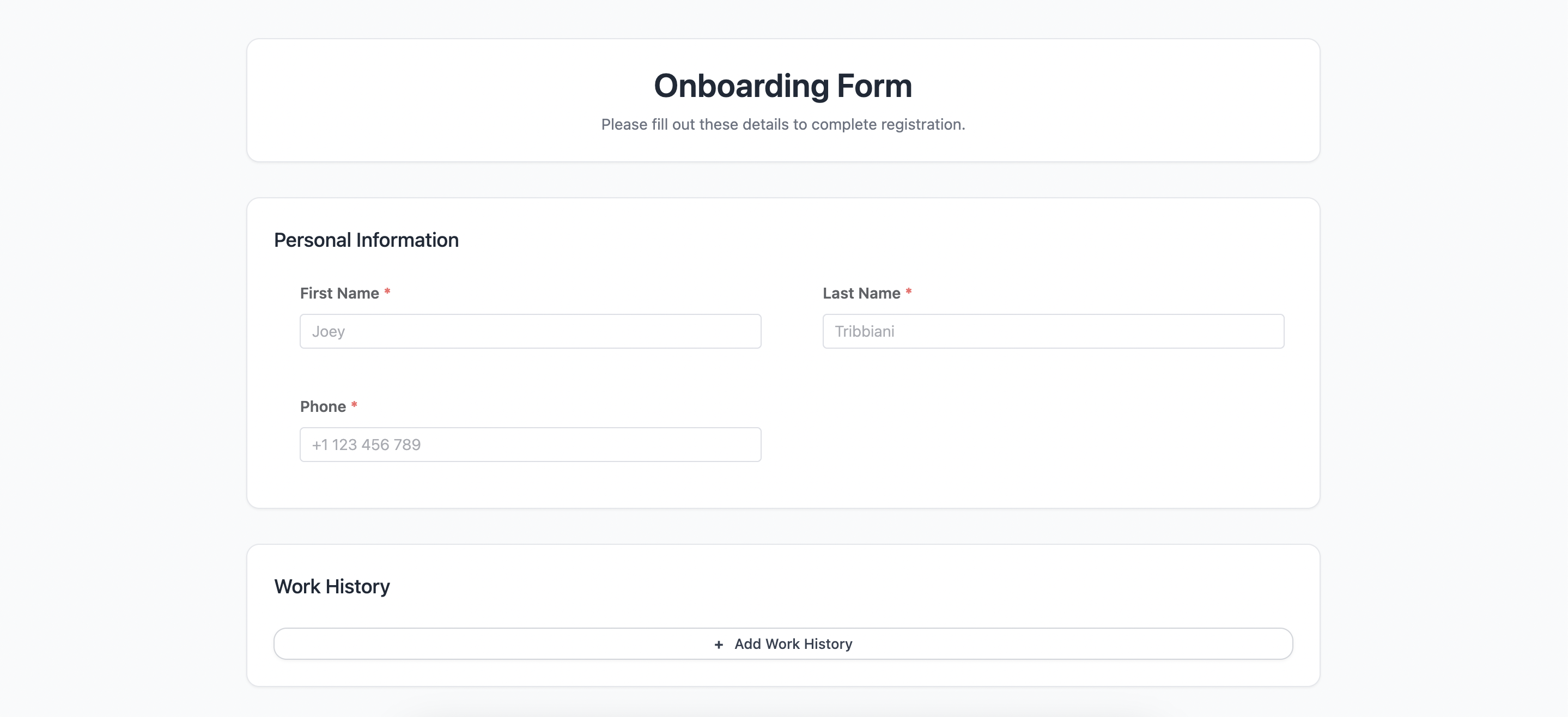
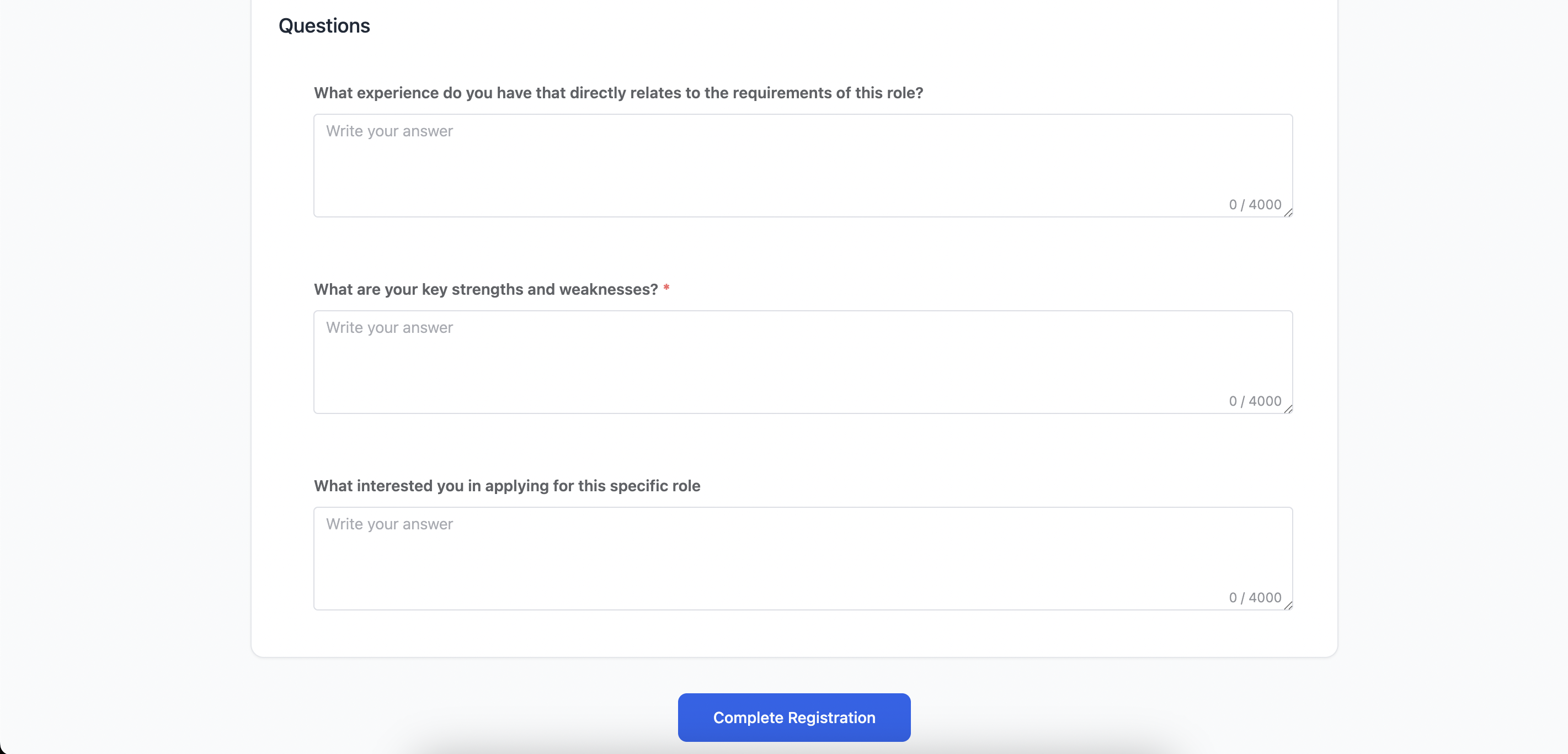
Onboarding Form
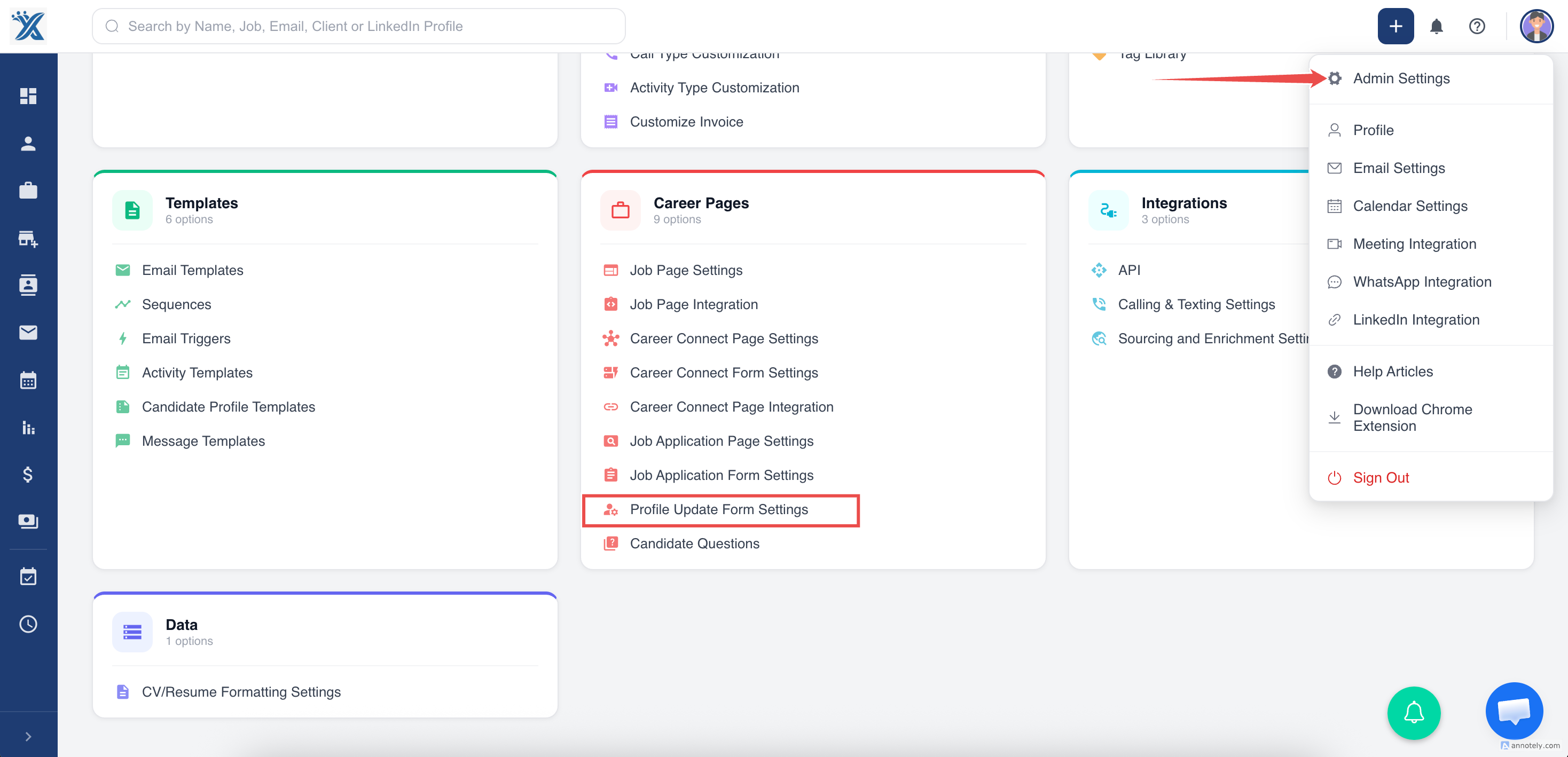
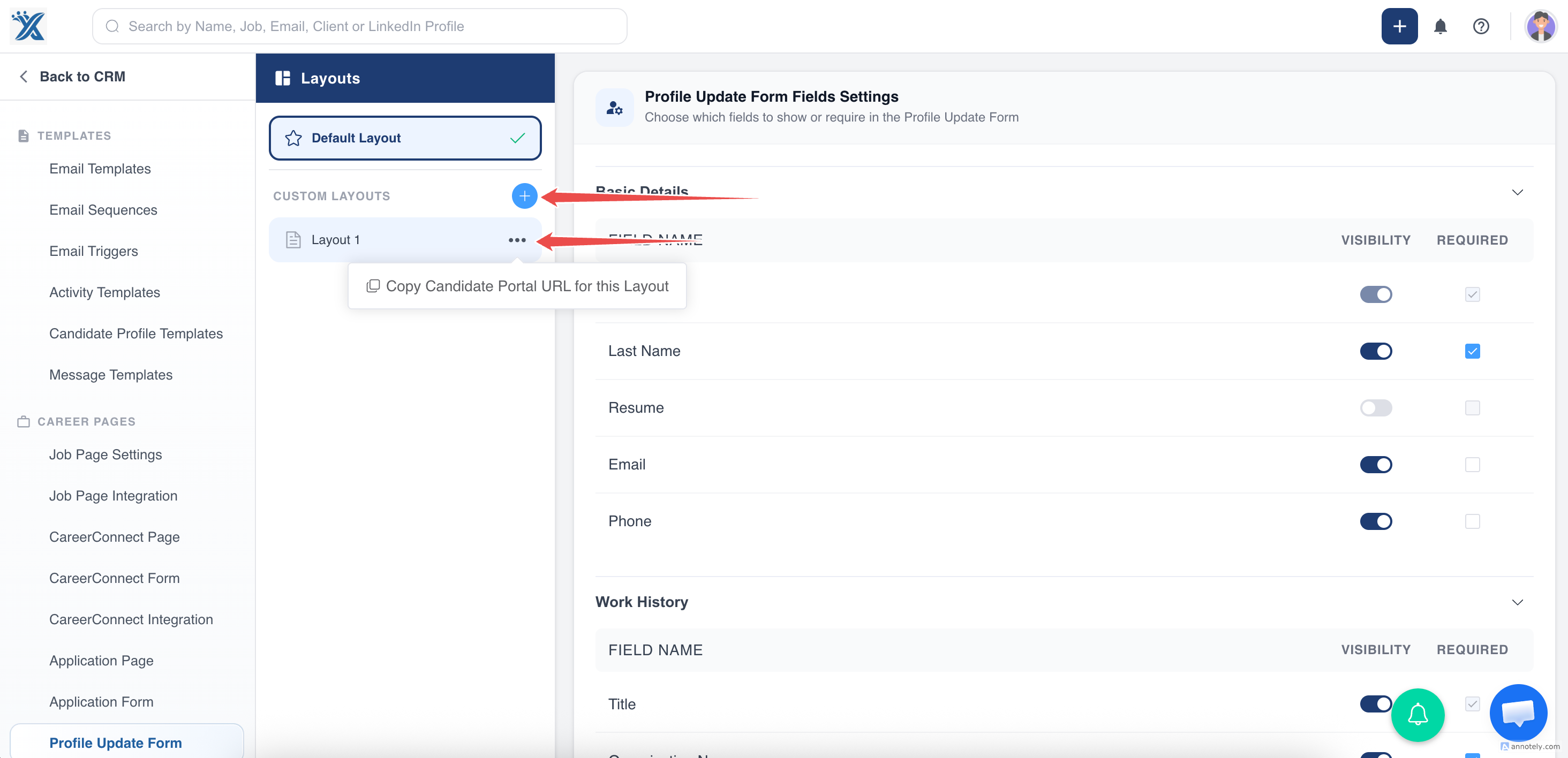
After registration, candidates complete an onboarding form. Recruiters can customize onboarding fields through profile update form settings and custom layouts.
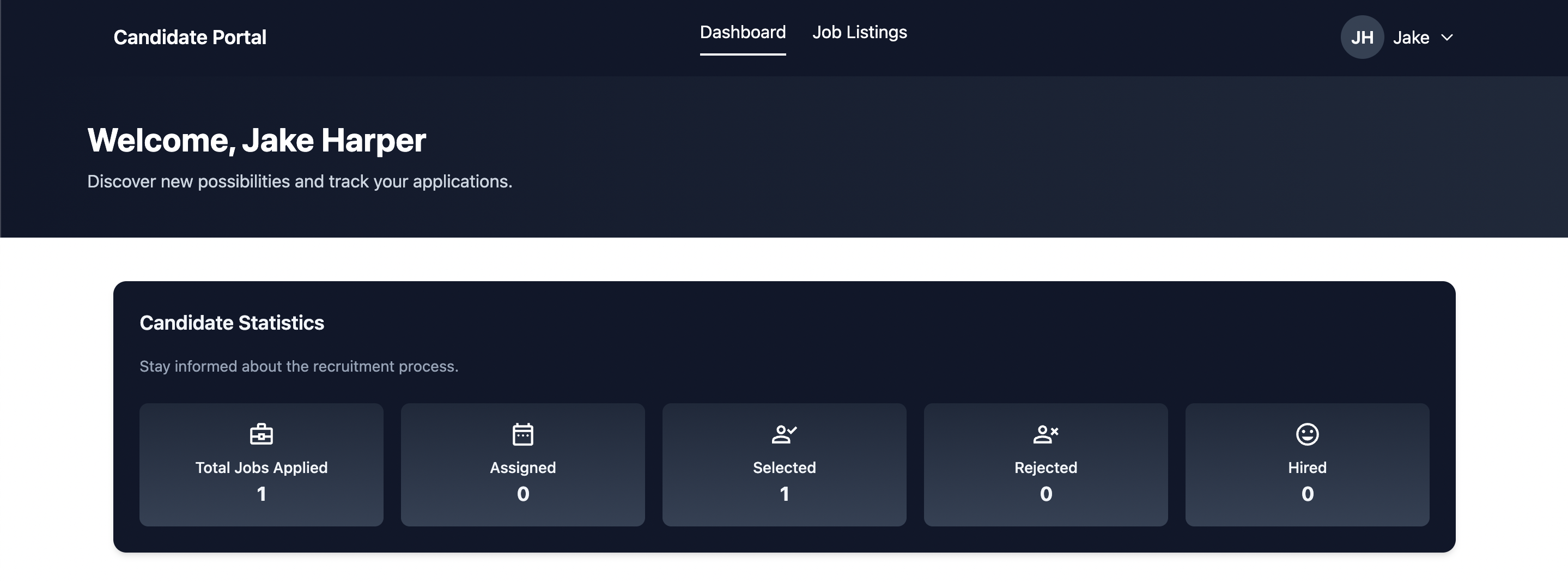
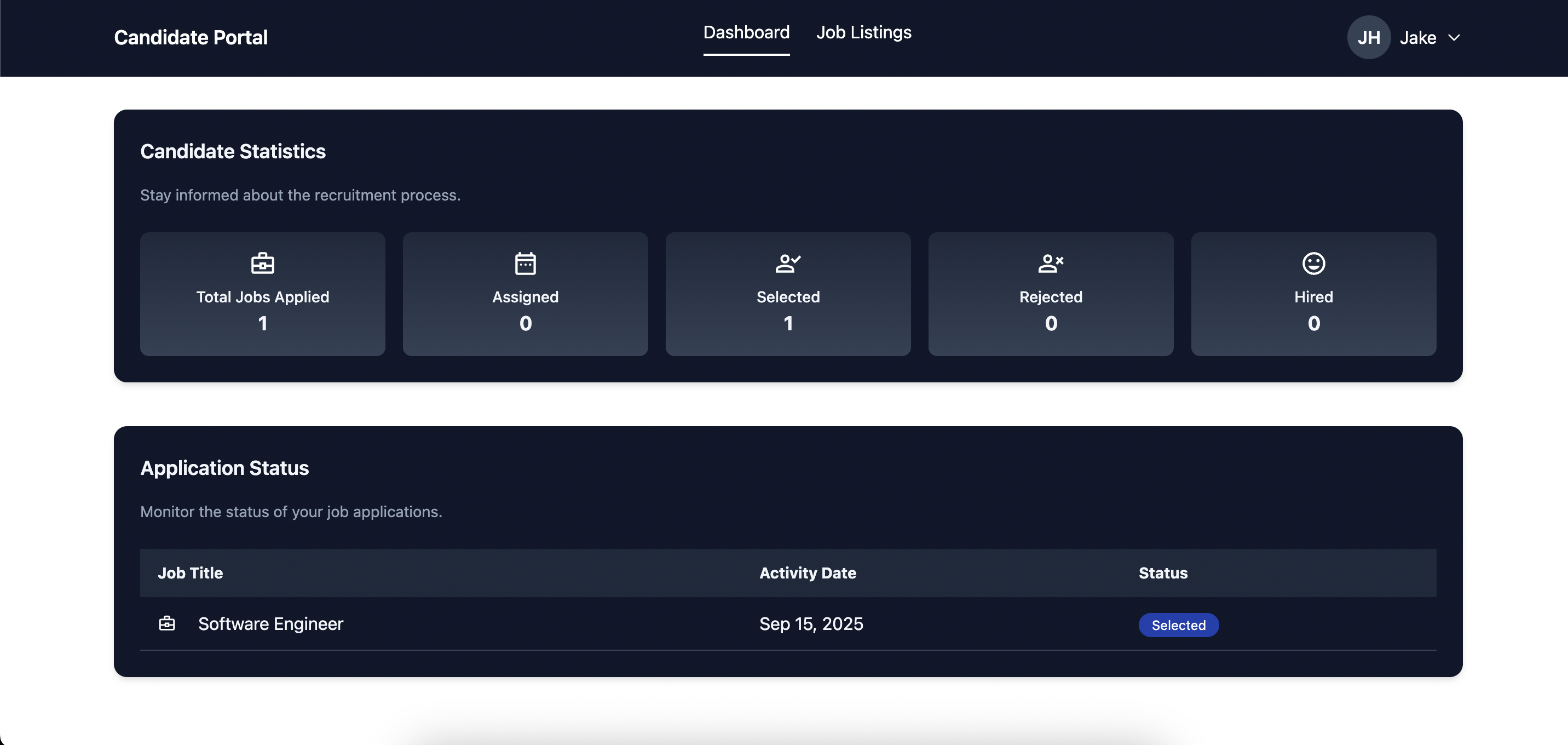
Candidate Dashboard
The dashboard shows application activity, current stages, job history, and available jobs.
Job Application Flow
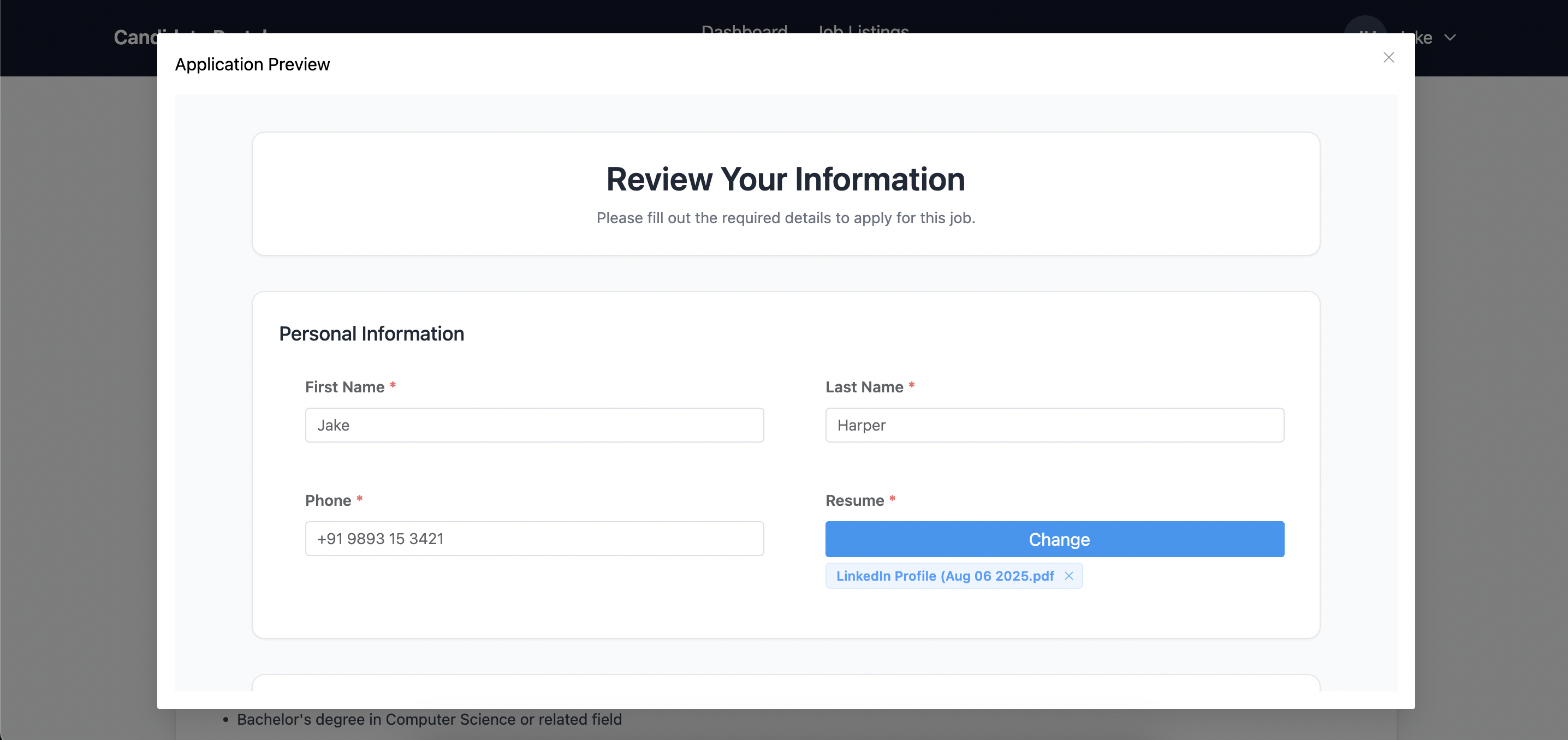
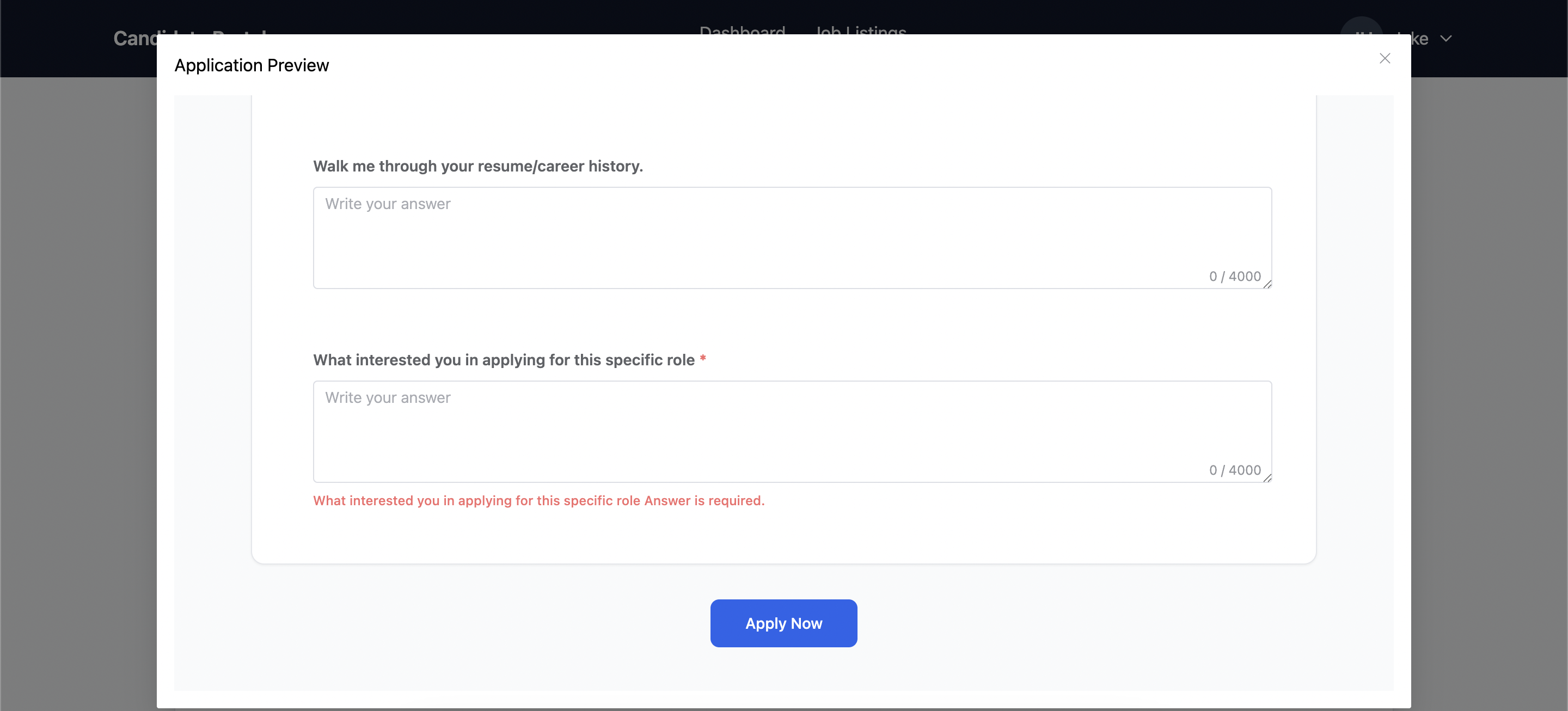
Candidates can apply directly from the portal. The application flow can include missing job-specific fields, pre-filled profile data, and a final review before submission.
Profile Management
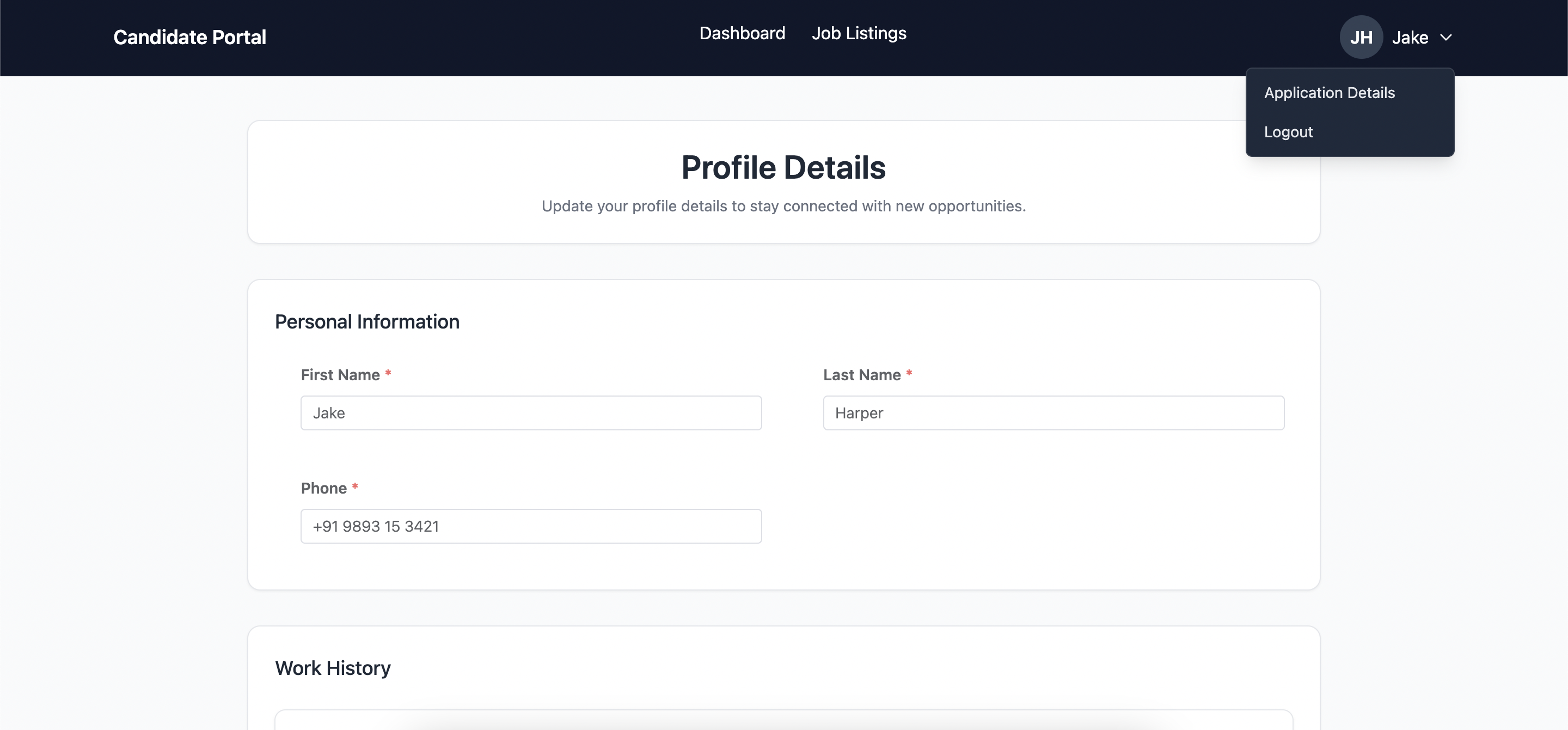
Candidates can update personal and professional details through the portal. Updates sync back to ATZ CRM.
Shift and Timesheet Workflows
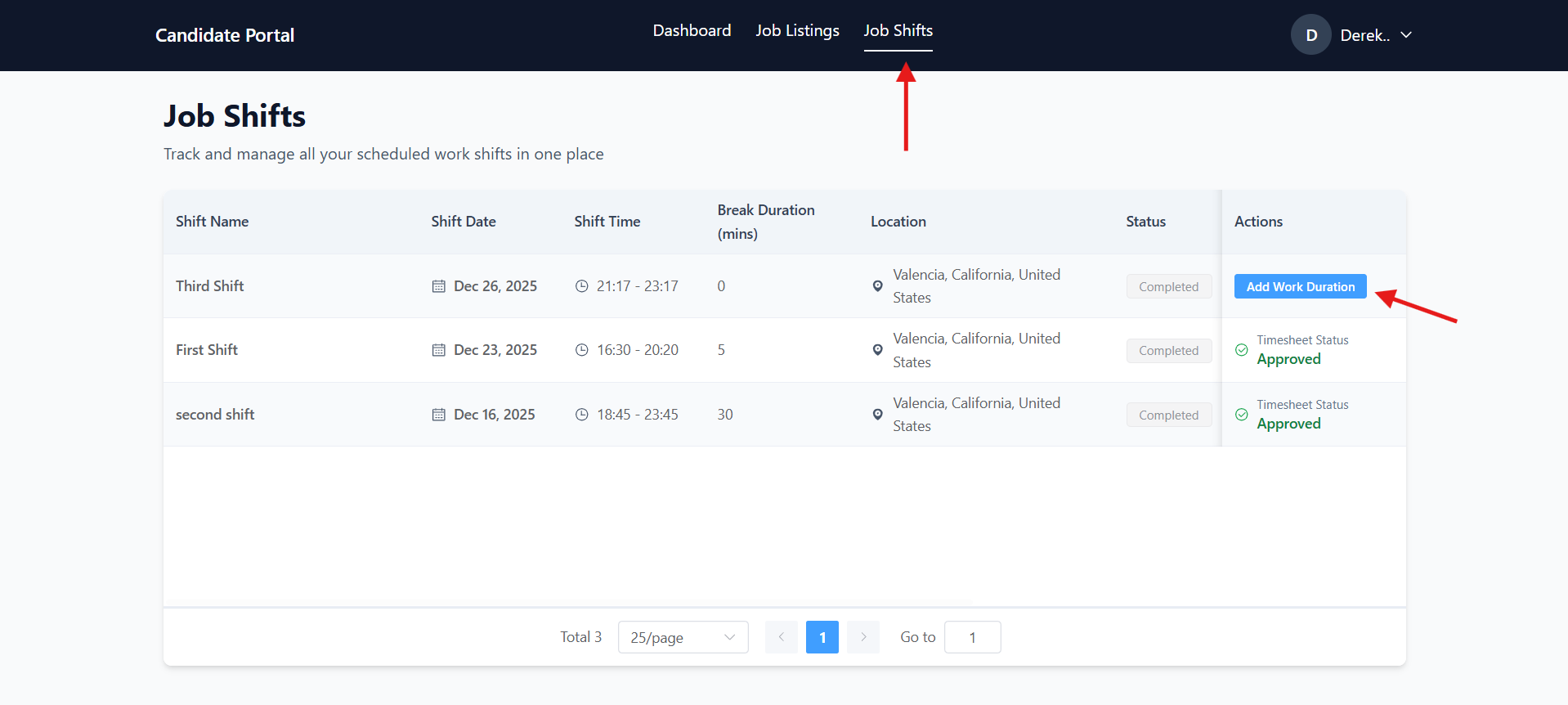
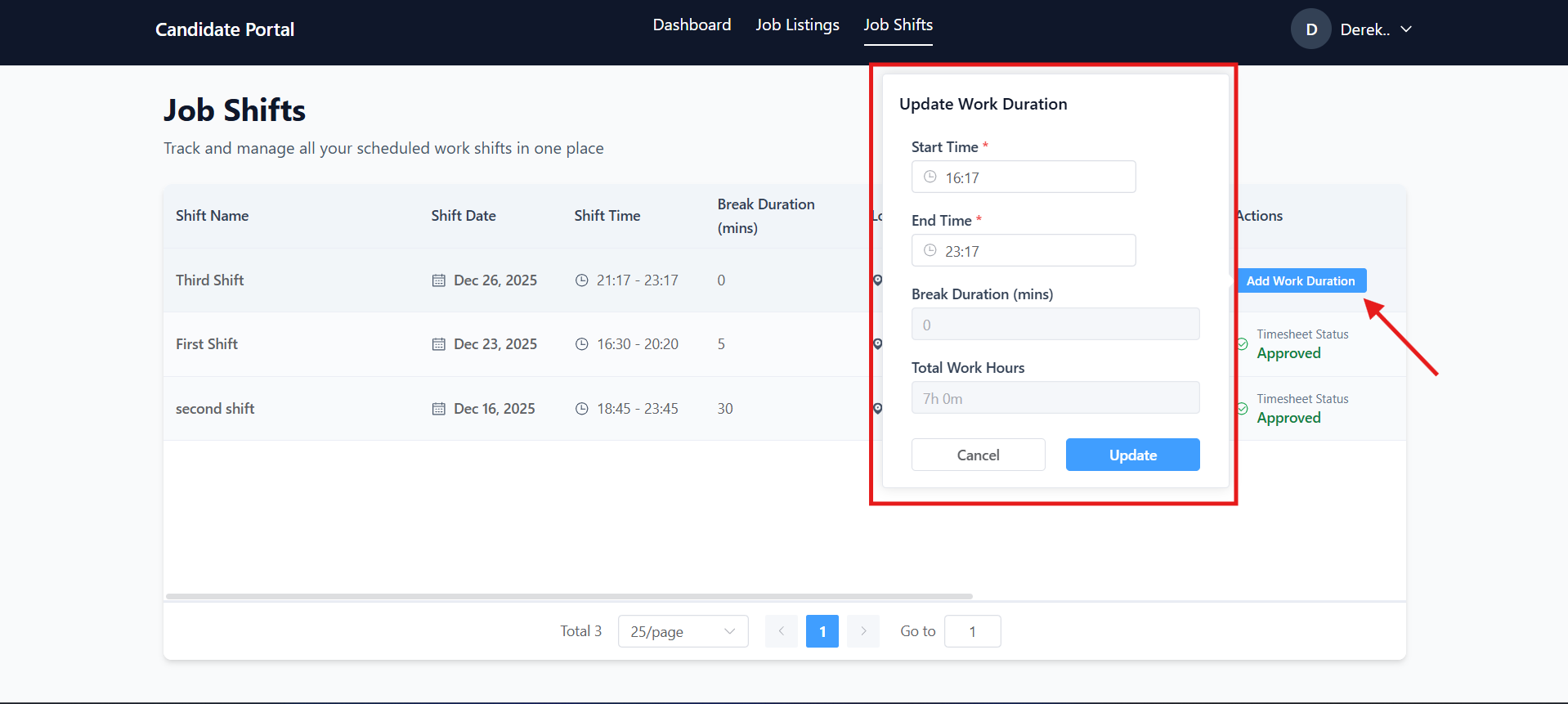
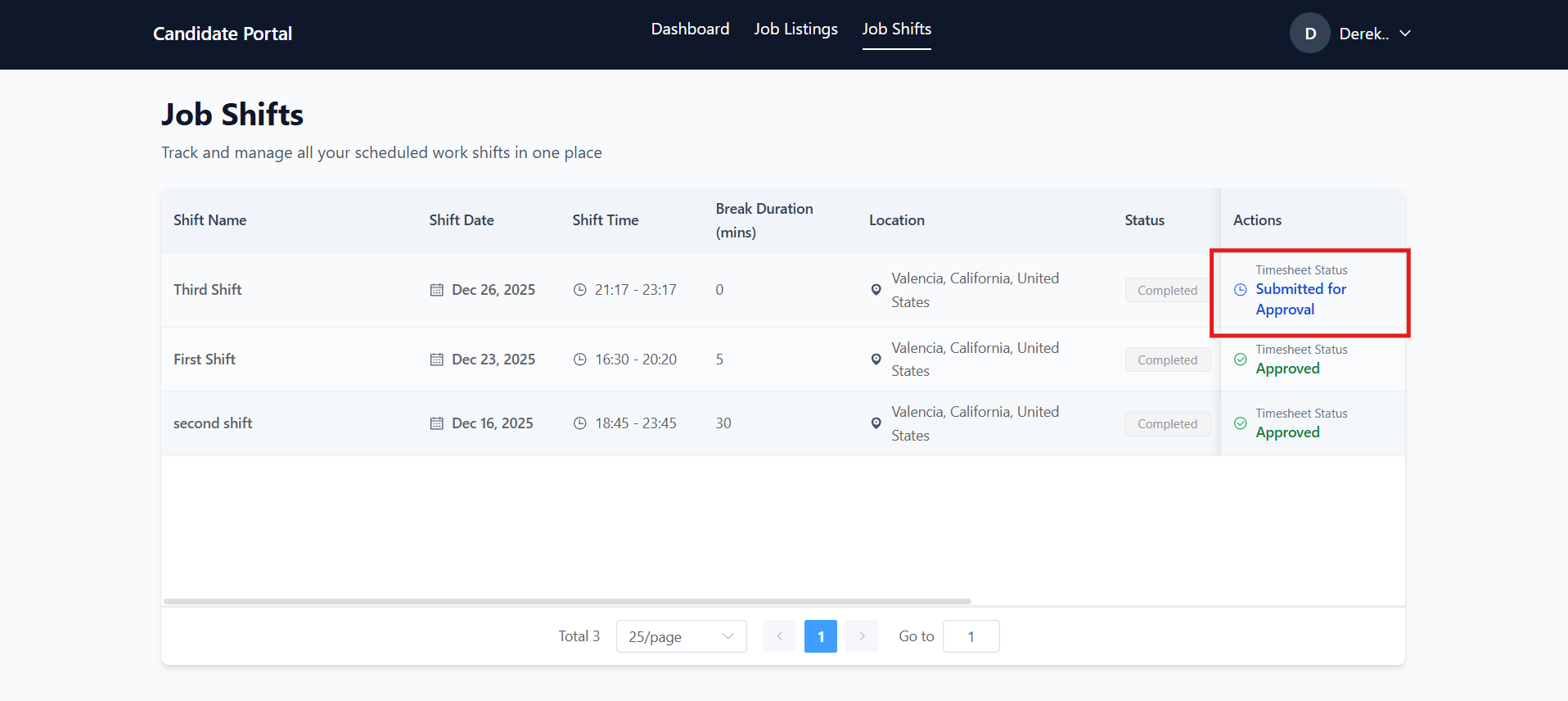
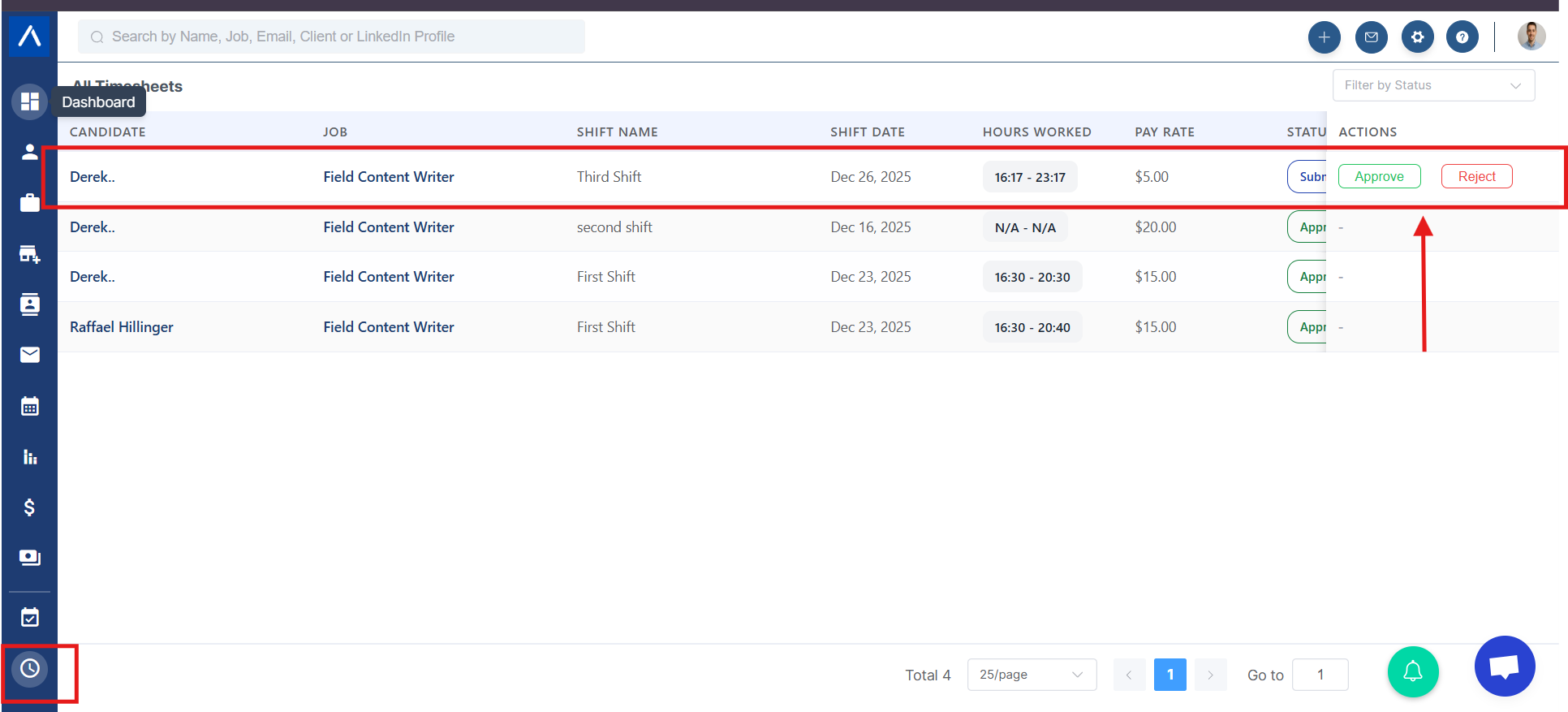
Where configured, candidates can manage shifts and submit worked time through the portal. Recruiters can then review and approve or reject submitted time.
Invite Candidates to the Portal
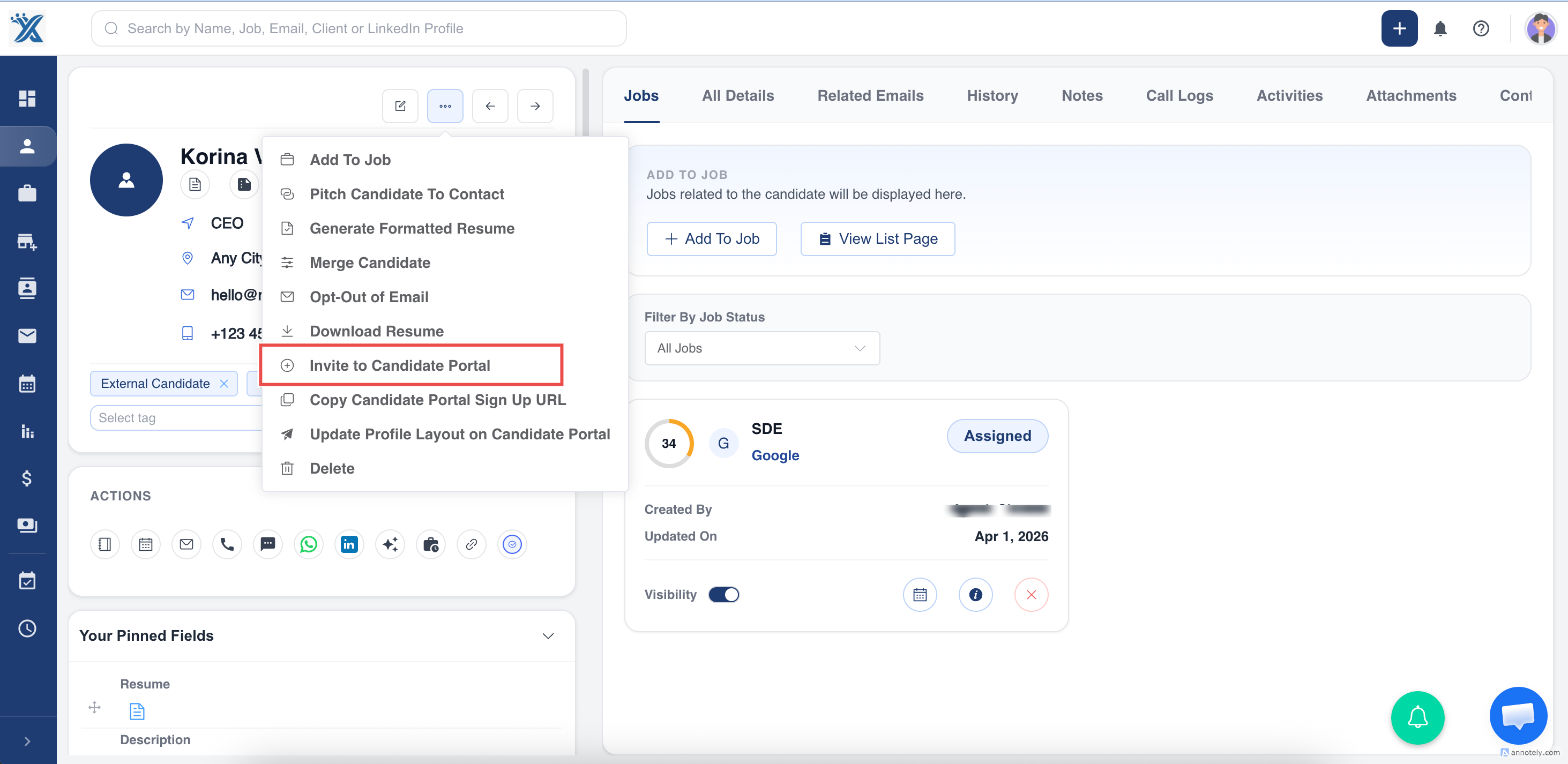
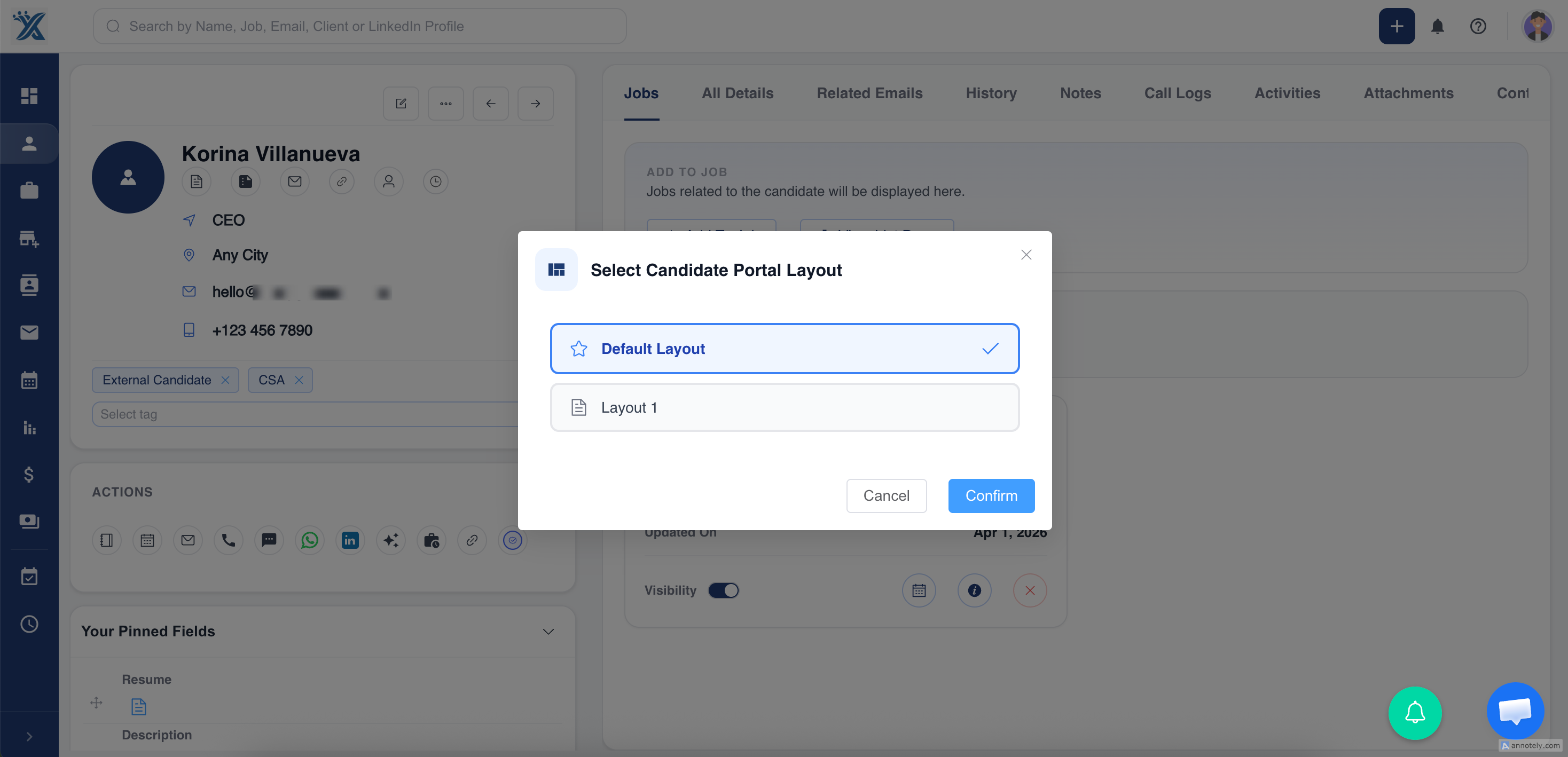
Recruiters can invite candidates from the candidate detail page, select a custom Candidate Portal layout, and send a personalized invite link.
Use Cases
Candidate Self-Service
Let candidates manage applications and profile details without recruiter back-and-forth.
Better Data Quality
Use onboarding and profile forms to collect structured candidate information.
Temporary Staffing Workflows
Use shift and timesheet flows when candidates need to submit worked time for review.
Troubleshooting
Candidate Cannot Register
Confirm the candidate is using the correct portal link and can access their email verification message.
Profile Fields Are Missing
Review the selected custom layout and profile update form settings.
Application Cannot Be Submitted
Check required fields. The portal can block submission until mandatory information is completed.
Frequently Asked Questions
Can candidates browse jobs before registering?
Yes. Candidates can browse open positions, then register or log in to apply.
Can recruiters choose different portal layouts?
Yes. Recruiters can choose custom layouts when inviting candidates.
Does Candidate Portal replace job application forms?
No. Job application forms are useful for direct application links. Candidate Portal is broader self-service for candidates.