
What Form Field Visibility Controls
Form field visibility controls whether a field appears on forms and views for a selected entity. This helps teams simplify forms, avoid clutter, and capture the right data for each workflow.
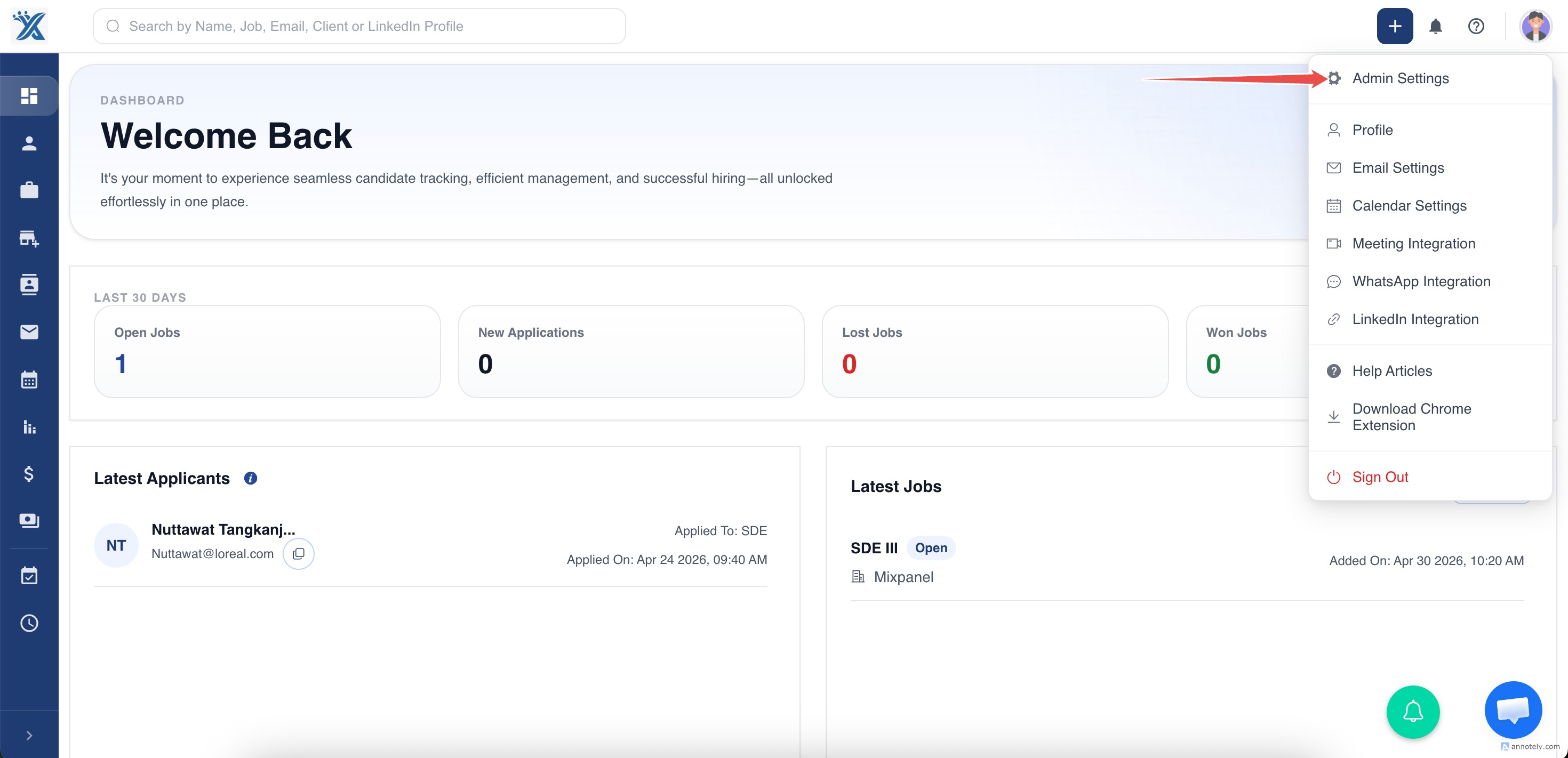
Step 1: Open Admin Settings
Go to Admin Settings.
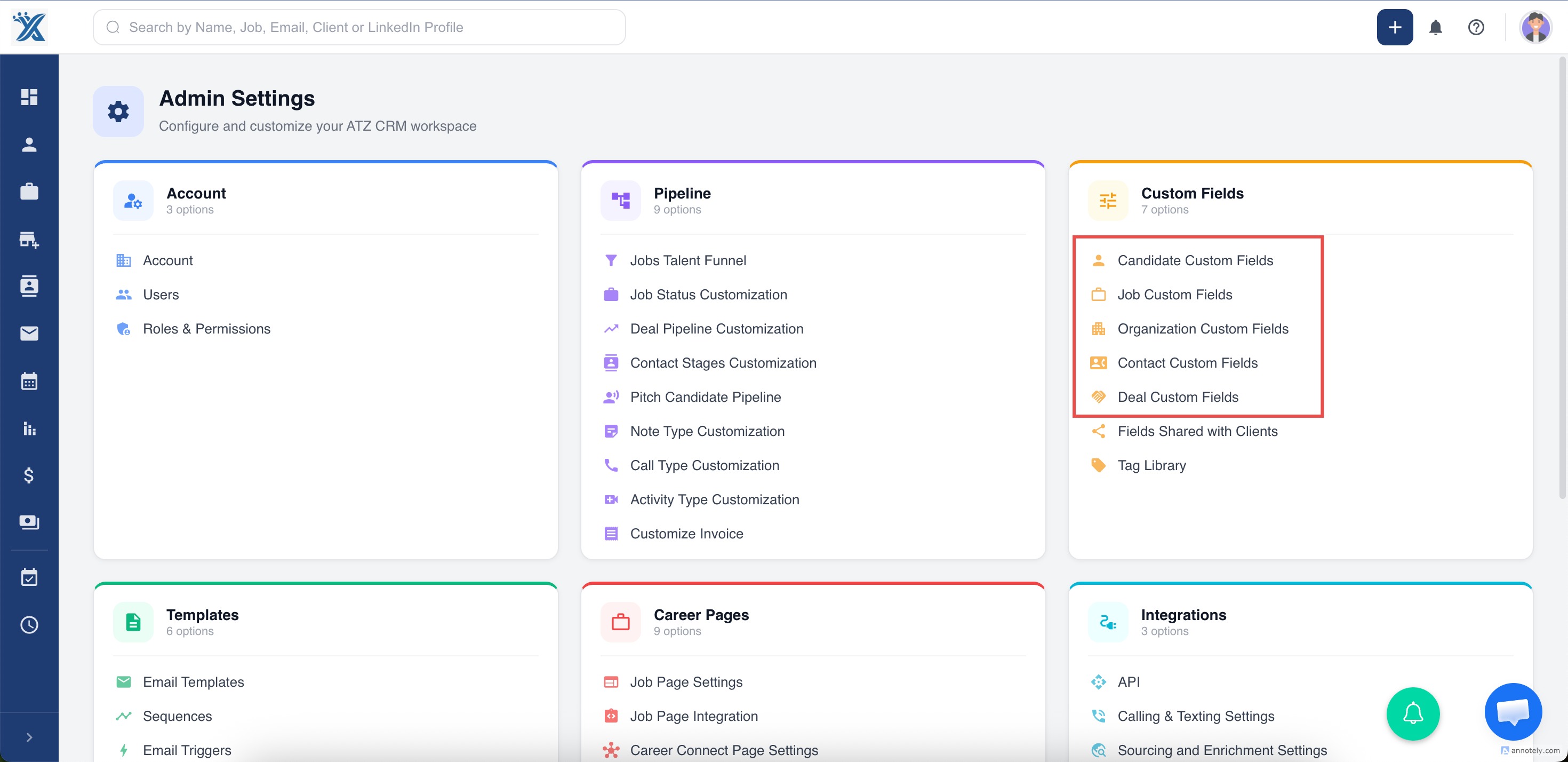
Step 2: Choose the Entity
Under data customization, choose the entity whose fields you want to manage.
Step 3: Toggle Field Visibility
Review the list of fields and toggle visibility ON or OFF.
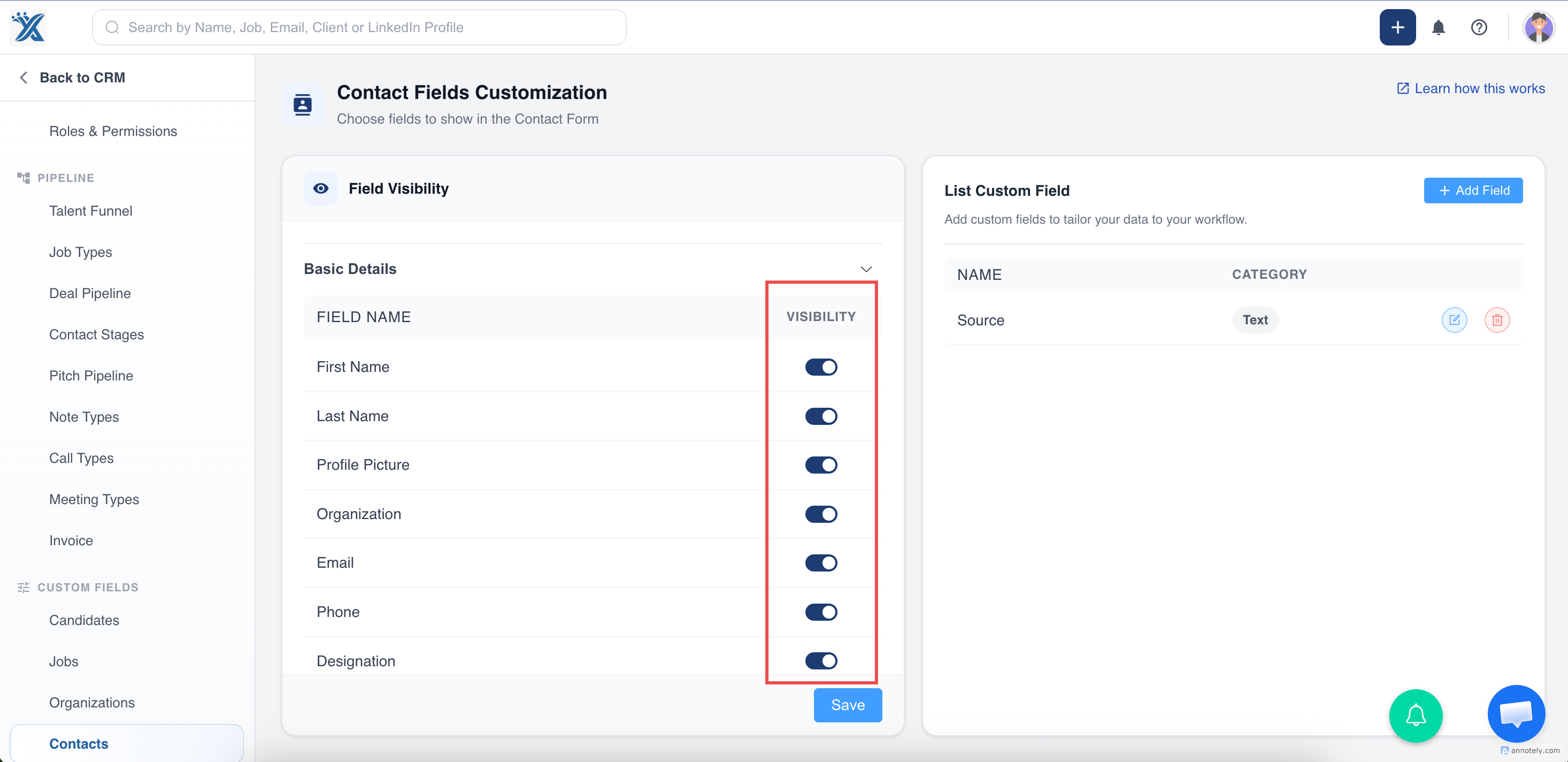
Step 4: Save Changes
Save your changes before leaving the settings page.
Apply the Same Process to Other Entities
You can use the same process for:
- Contacts
- Jobs
- Organizations
- Deals
- Candidates
Important Notes
- Hidden fields do not appear in the selected forms or views.
- Some fixed fields cannot be hidden.
- Avoid hiding fields your team needs for compliance, reporting, automation, or matching.
Use Cases
Cleaner Candidate Forms
Hide low-value fields so recruiters can focus on required candidate details.
Role-Specific Data Capture
Show only the fields needed for a specific entity workflow.
Operational Governance
Keep important fields visible while reducing accidental misuse of irrelevant fields.
Troubleshooting
Field Still Appears After Saving
Refresh the page and confirm you changed the correct entity settings.
Team Cannot Find an Important Field
Return to visibility settings and toggle the field back on.
Fixed Field Cannot Be Hidden
Some fields are required by the system and remain visible.
Frequently Asked Questions
Is this the same as Edit Columns?
No. Form field visibility controls fields on forms and views. Edit Columns controls list/table columns.
Can hiding fields affect imports?
Imports depend on entity fields and mapping. Review your import workflow if fields are hidden from normal forms.
Who should change field visibility?
Admins or operations owners should manage field visibility to keep workflows consistent.