
When to Edit or Delete Screening Questions
Update screening questions when job requirements, compliance needs, or candidate intake workflows change. Delete questions only when they are outdated, duplicated, or no longer useful.
Edit a Candidate Screening Question
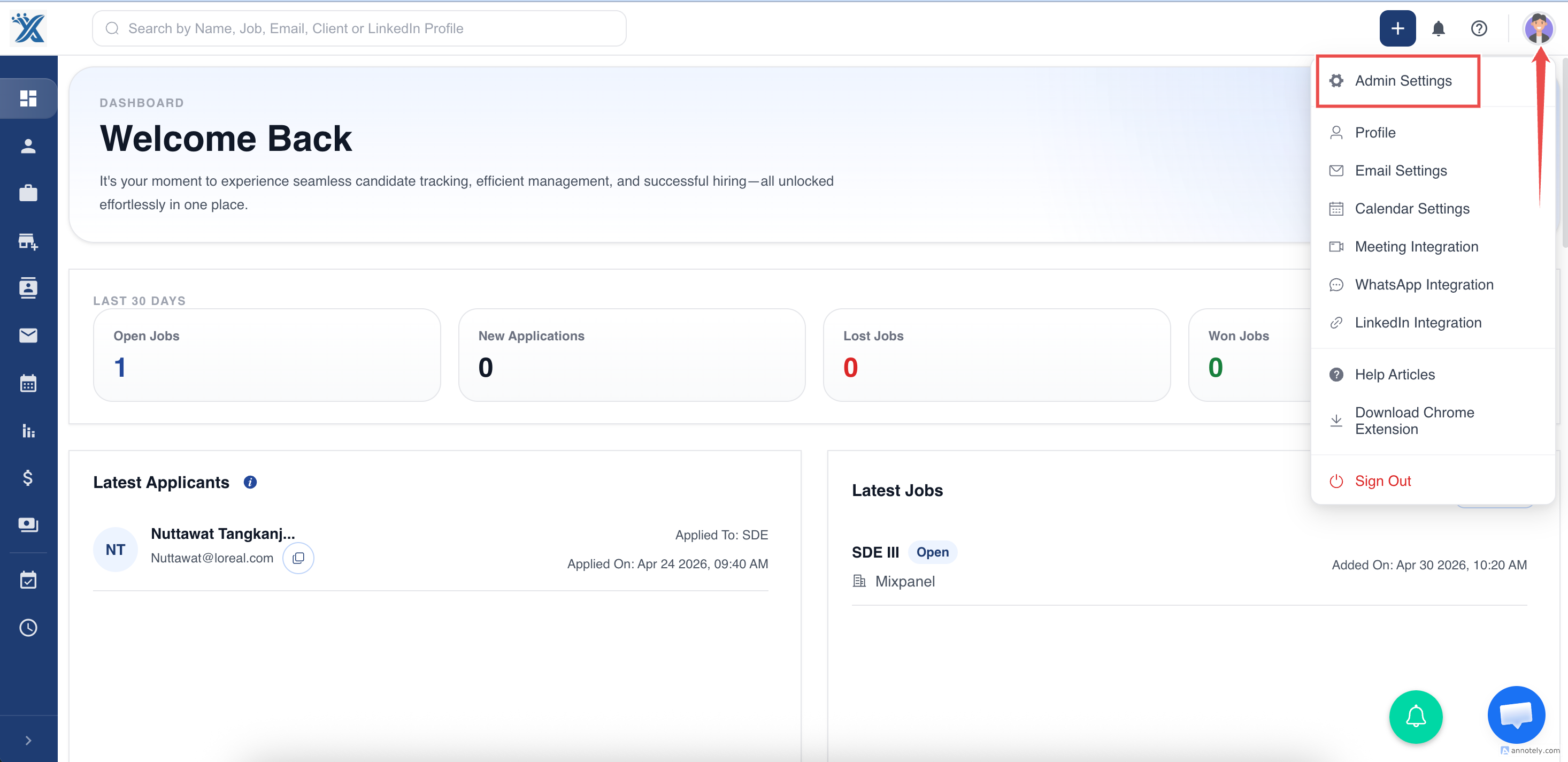
- Log in to ATZ CRM.
- Go to Settings.
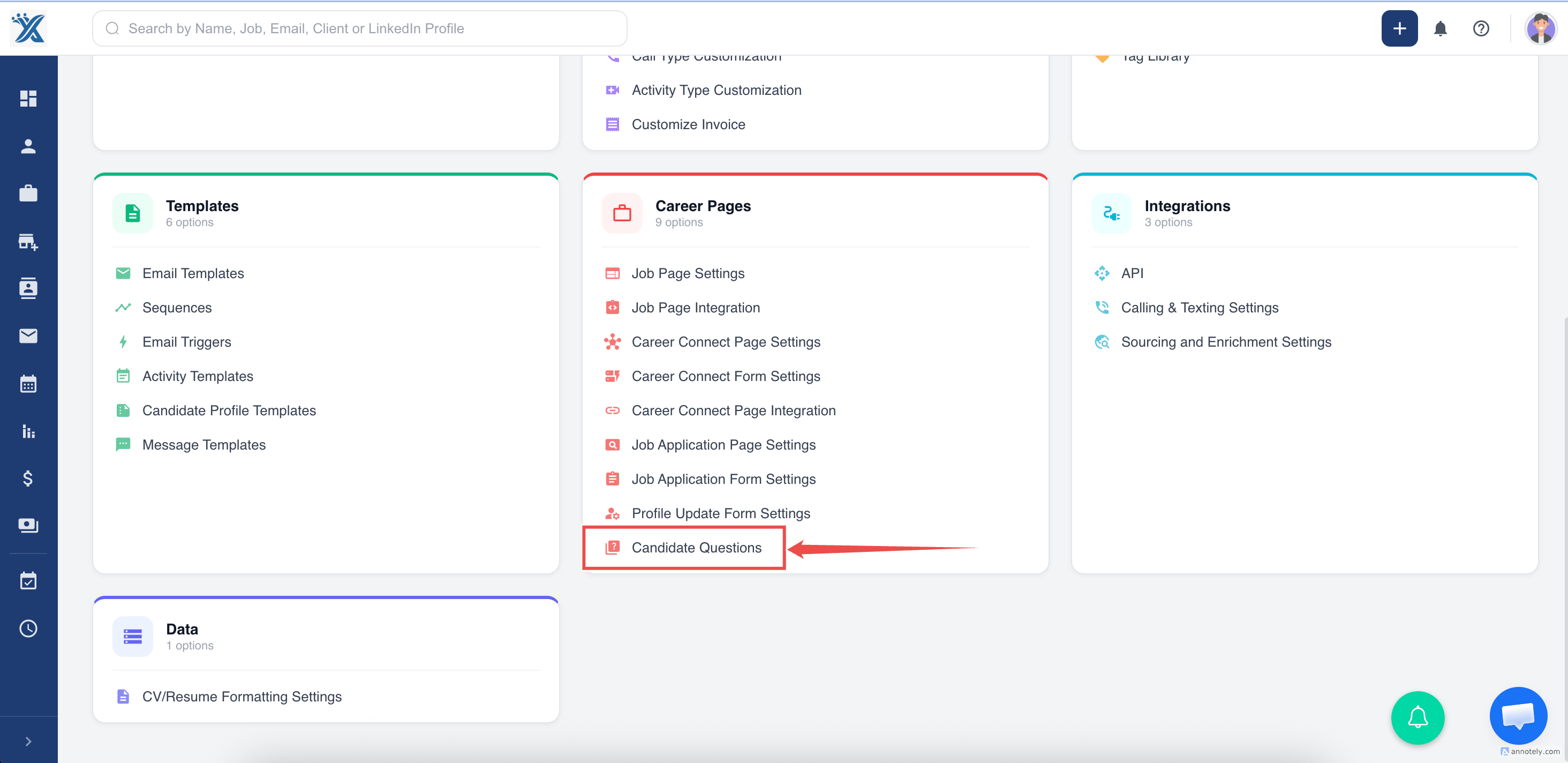
- Open Candidate Questions.
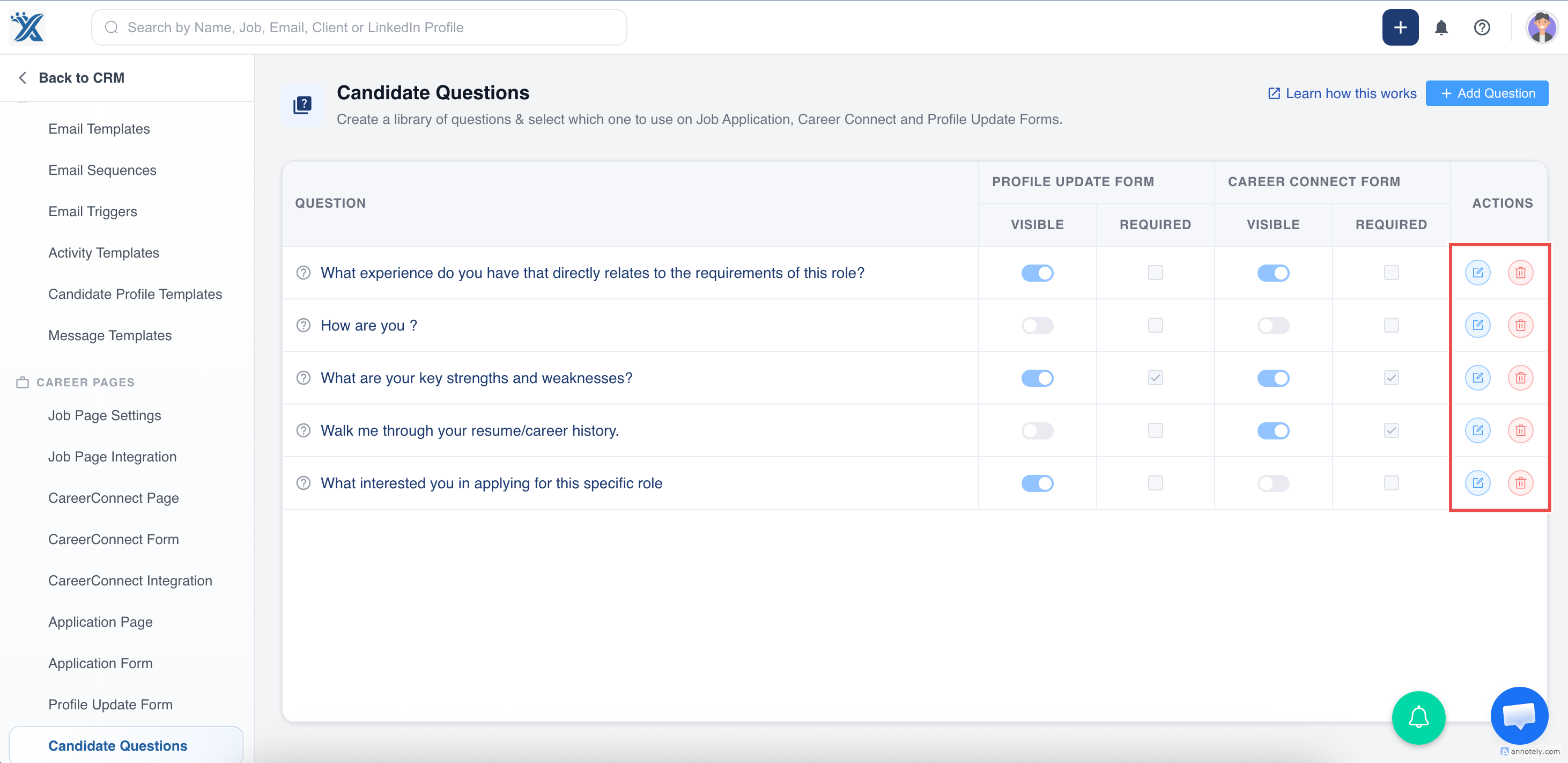
- Find the question and select Edit.
- Make the required changes and save.
Delete a Candidate Screening Question
- Go to Settings.
- Open Candidate Questions.
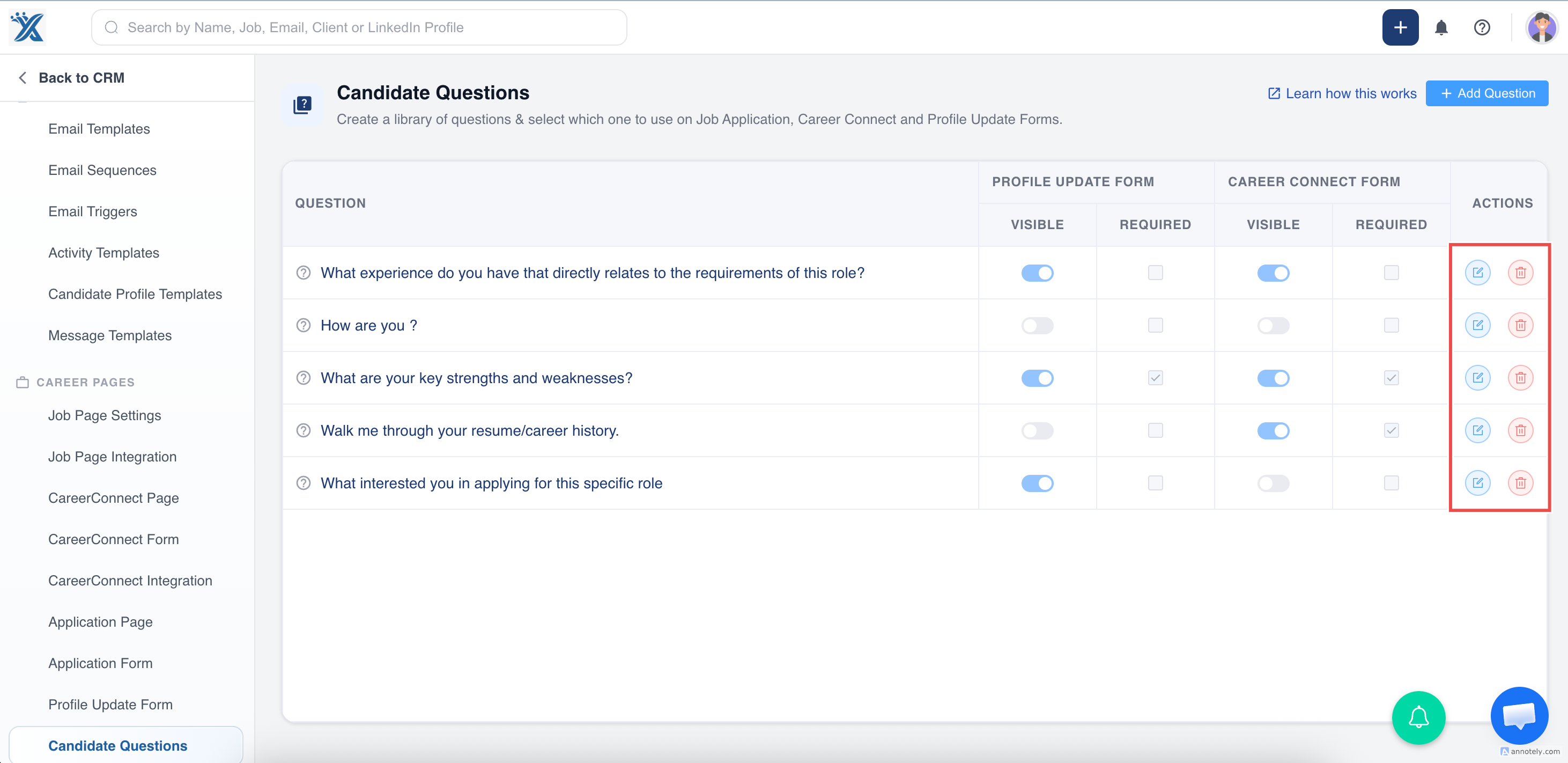
- Find the question you want to remove.
- Select Delete.
- Confirm the deletion.
Things to Check Before Deleting
- Is the question used on active job application forms?
- Is it required for compliance or client screening?
- Do recruiters still need previous answers for reporting or review?
- Would editing the question be safer than deleting it?
Use Cases
Updating Role Requirements
Edit questions when a job requires a new certification, availability window, or skill.
Removing Duplicate Questions
Delete duplicate questions to make forms easier for candidates to complete.
Improving Candidate Experience
Shorten forms by removing low-value questions that do not help screening decisions.
Troubleshooting
I Edited the Wrong Question
Return to Candidate Questions and correct the question as soon as possible.
The Deleted Question Still Appears
Refresh the form and verify whether a job-specific form or another question is being displayed.
Recruiters Still Need the Answer
Check candidate records or reports before deleting questions that support active workflows.
Frequently Asked Questions
Should I delete or disable a question?
If your account supports hiding or visibility controls, hiding can be safer than deleting when historical context matters.
Can I change where a question appears?
Yes. Edit the question visibility settings for job application forms, profile update forms, or Career Connect forms.
Who should manage screening questions?
Usually admins or operations owners should manage screening questions so forms stay consistent.