
What Folders Do
Folders help you organize groups of candidates without changing the candidate record itself. Use them for shortlists, campaign lists, client review groups, source lists, or priority segments.
Create a Folder
- Open the job list.
- Select the top-left menu icon.
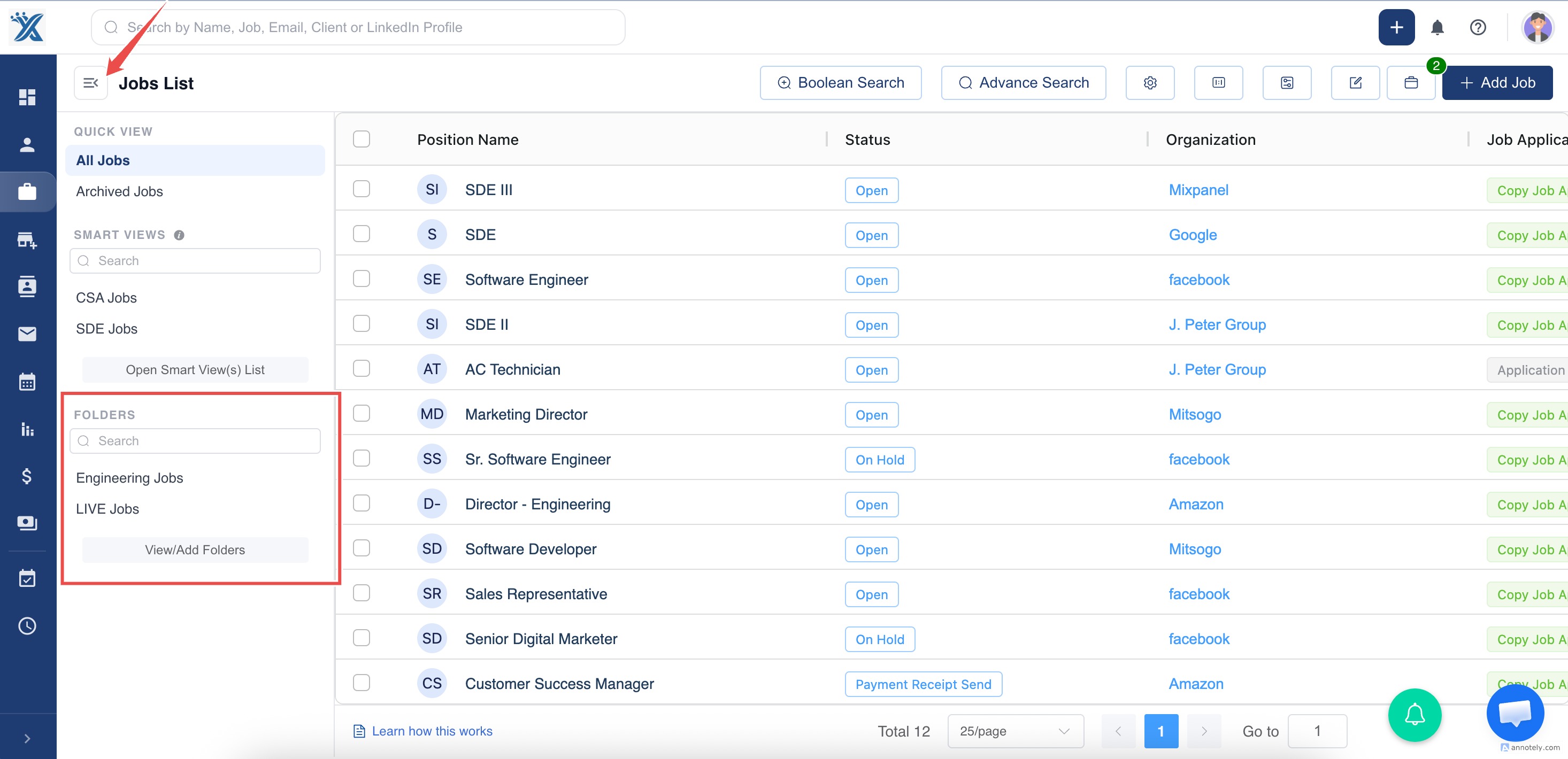
- Select Add New Folder.
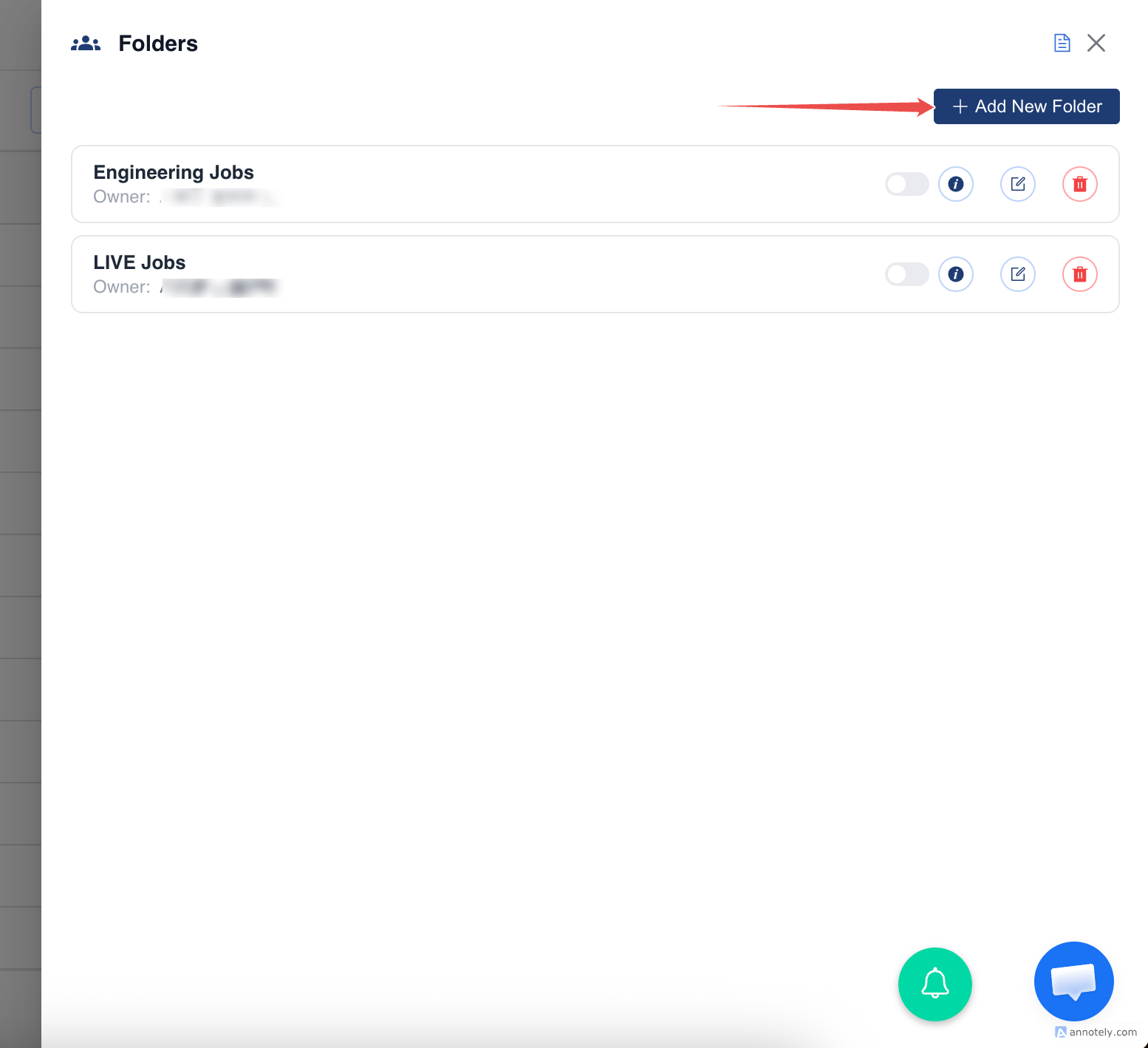
- Enter the folder name and optional description.
- Choose whether to share it with teammates, if available.
- Save the folder.
Assign Candidates to a Folder
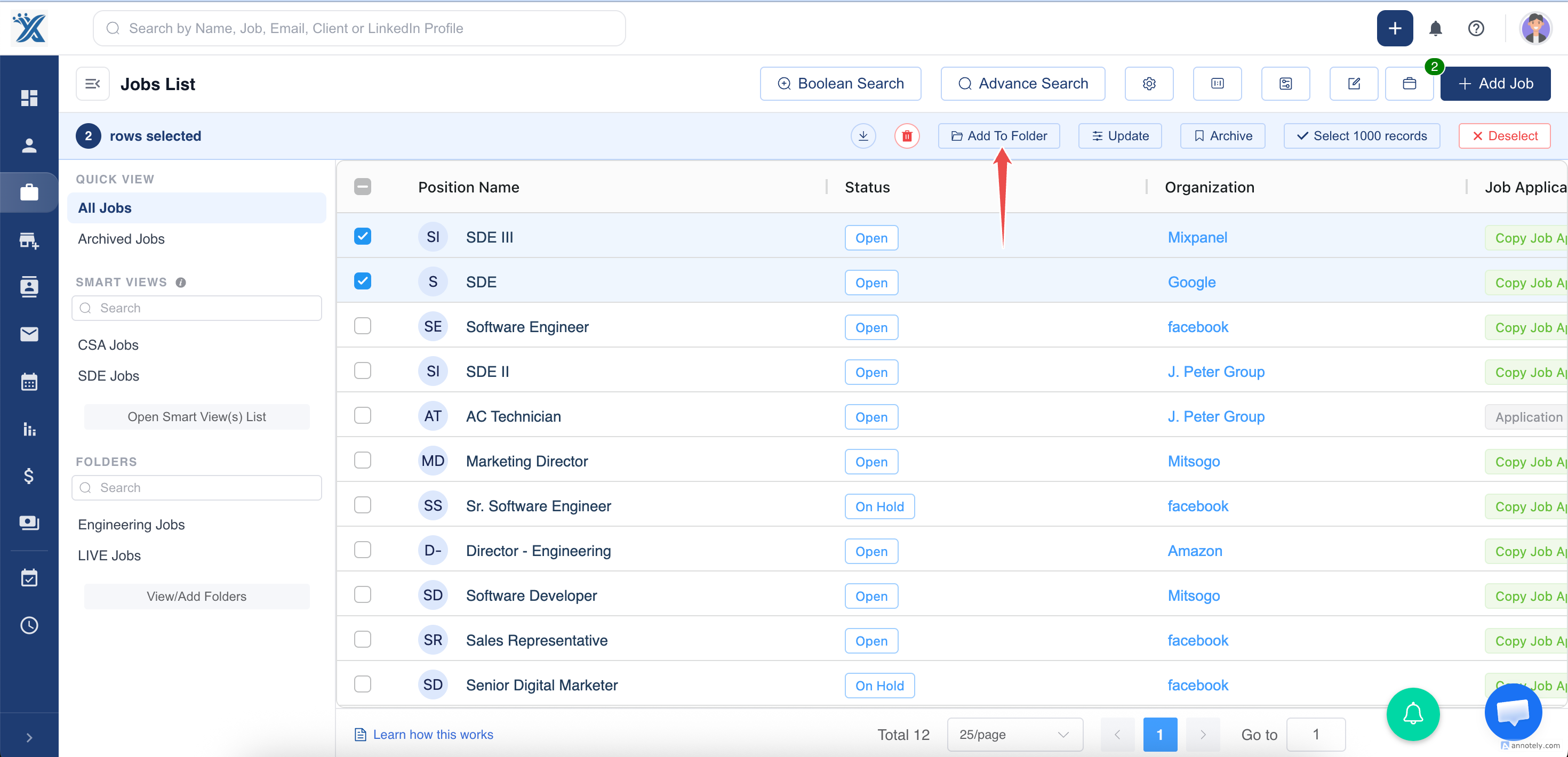
Option 1: Bulk Selection
Select multiple records from the list page, choose Add to Folder, and select the folder.
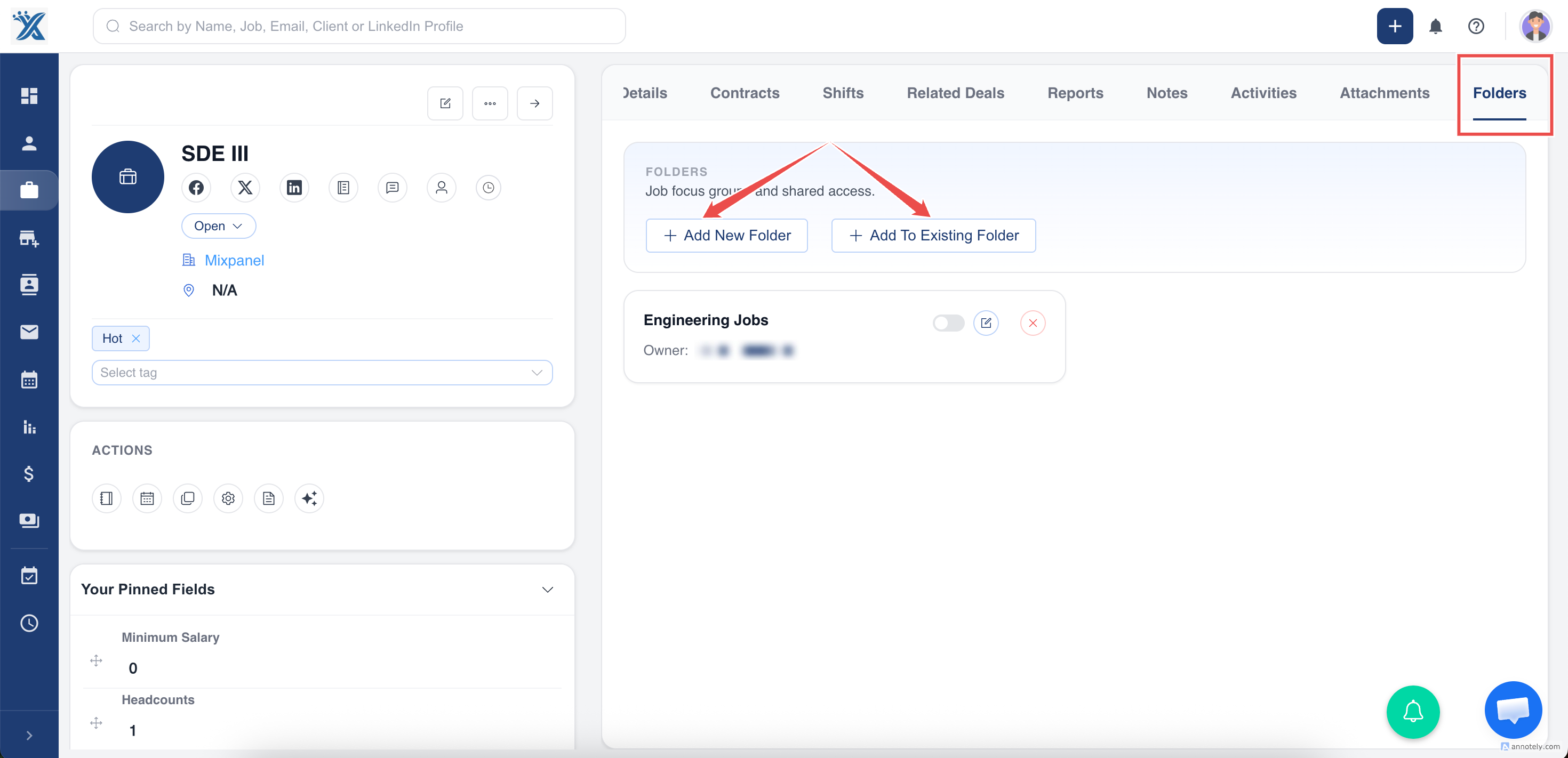
Option 2: Candidate Detail Page
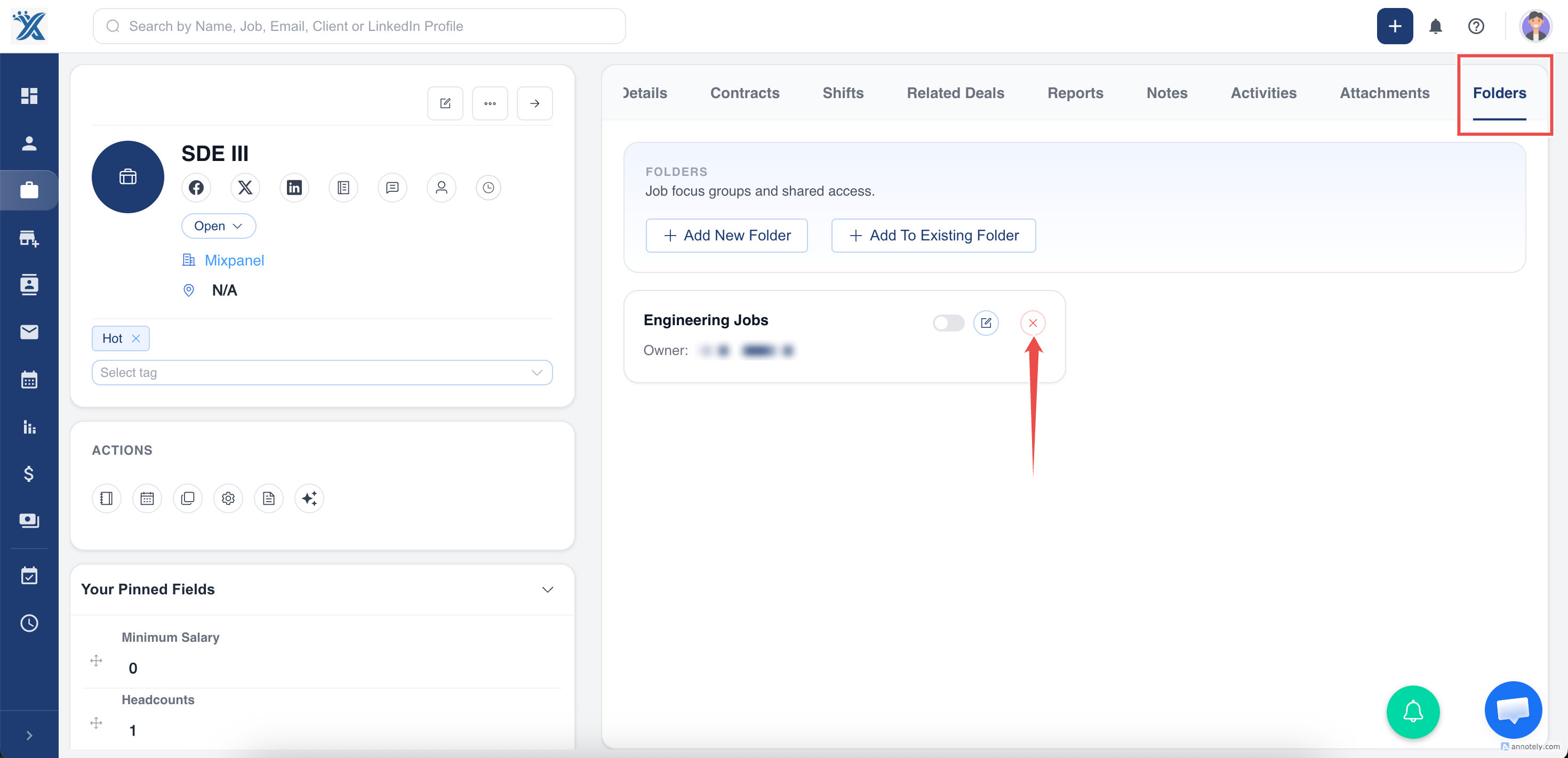
Open a candidate profile and use the Folder section to add the candidate to an existing folder or create a new one.
Edit or Delete Folders
You can edit folder name, description, and members from the list view or detail page. Folders can be deleted from the list view.
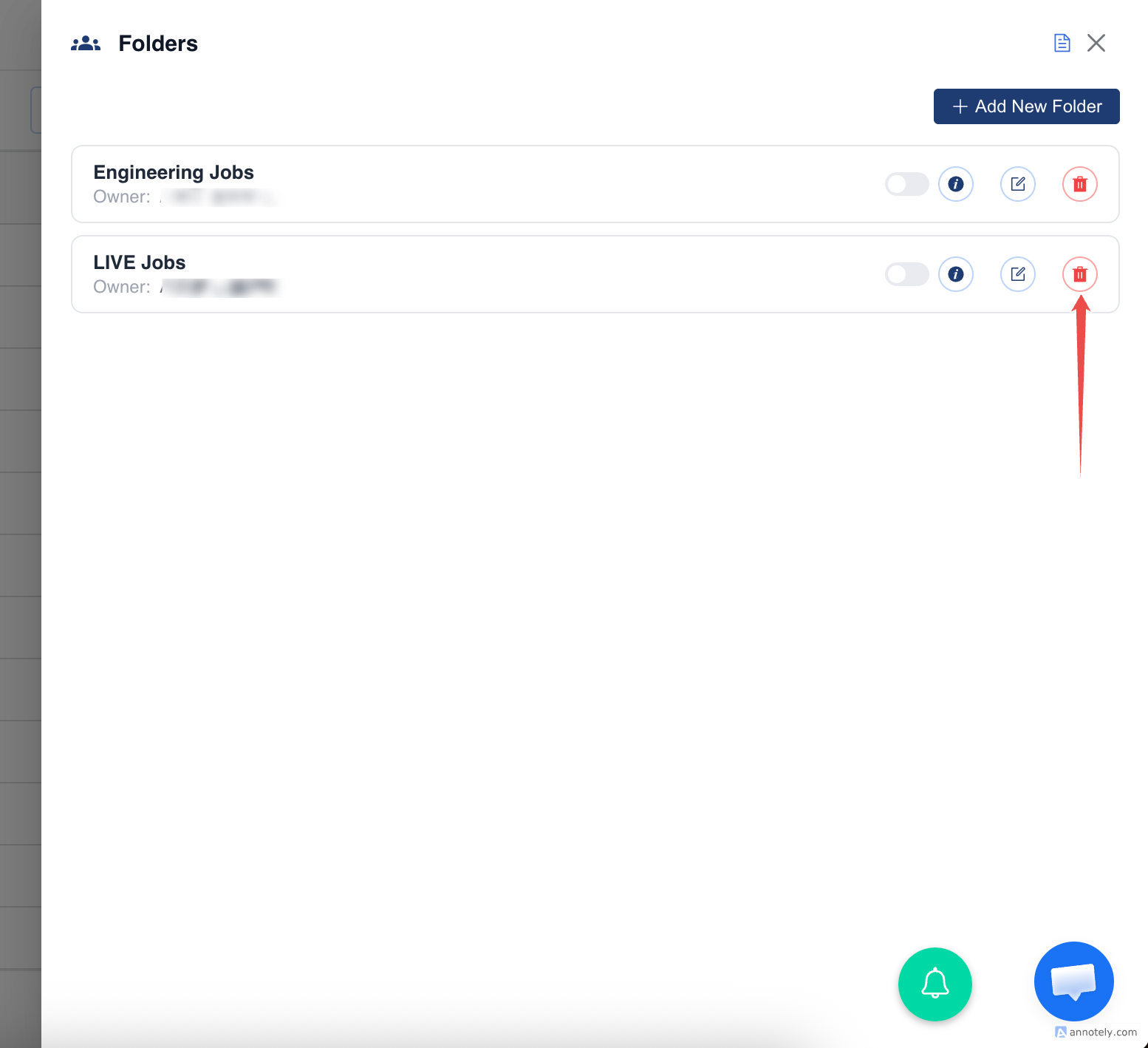
Important: Deleting a folder does not delete candidates. It only removes the grouping.
Remove a Candidate from a Folder
From the candidate detail page, click Remove next to the folder name in the Folder tab.
Use Cases
Candidate Shortlists
Group candidates for a client, role, or hiring manager review.
Sourcing Campaigns
Organize candidates collected from LinkedIn, job boards, events, or referrals.
Team Collaboration
Share folders so teammates can work from the same candidate group.
Troubleshooting
Candidate Is Not in the Folder
Check whether the candidate was added from bulk selection or the detail page and refresh the folder view.
Folder Delete Option Is Missing
Folders may need to be deleted from the list view or by a user with permission.
Candidate Was Removed by Mistake
Add the candidate back to the folder. The candidate record itself remains unchanged.
Frequently Asked Questions
Are folders the same as focus groups?
The source article references folders as groupings used to manage candidates. Some UI labels may refer to similar grouping concepts.
Can one candidate be in multiple folders?
Folder behavior can support grouping needs, but confirm your account behavior if you use multiple lists heavily.
Should folders replace job assignment?
No. Assign candidates to jobs for pipeline tracking. Use folders for organization and grouping.