
The AI Agent for Email Sequences helps recruiters create multi-step candidate or contact outreach sequences from a prompt.
Quick Answer
Open the sequence builder, enter a clear prompt, generate sequence steps, review and edit every email and task, then save.
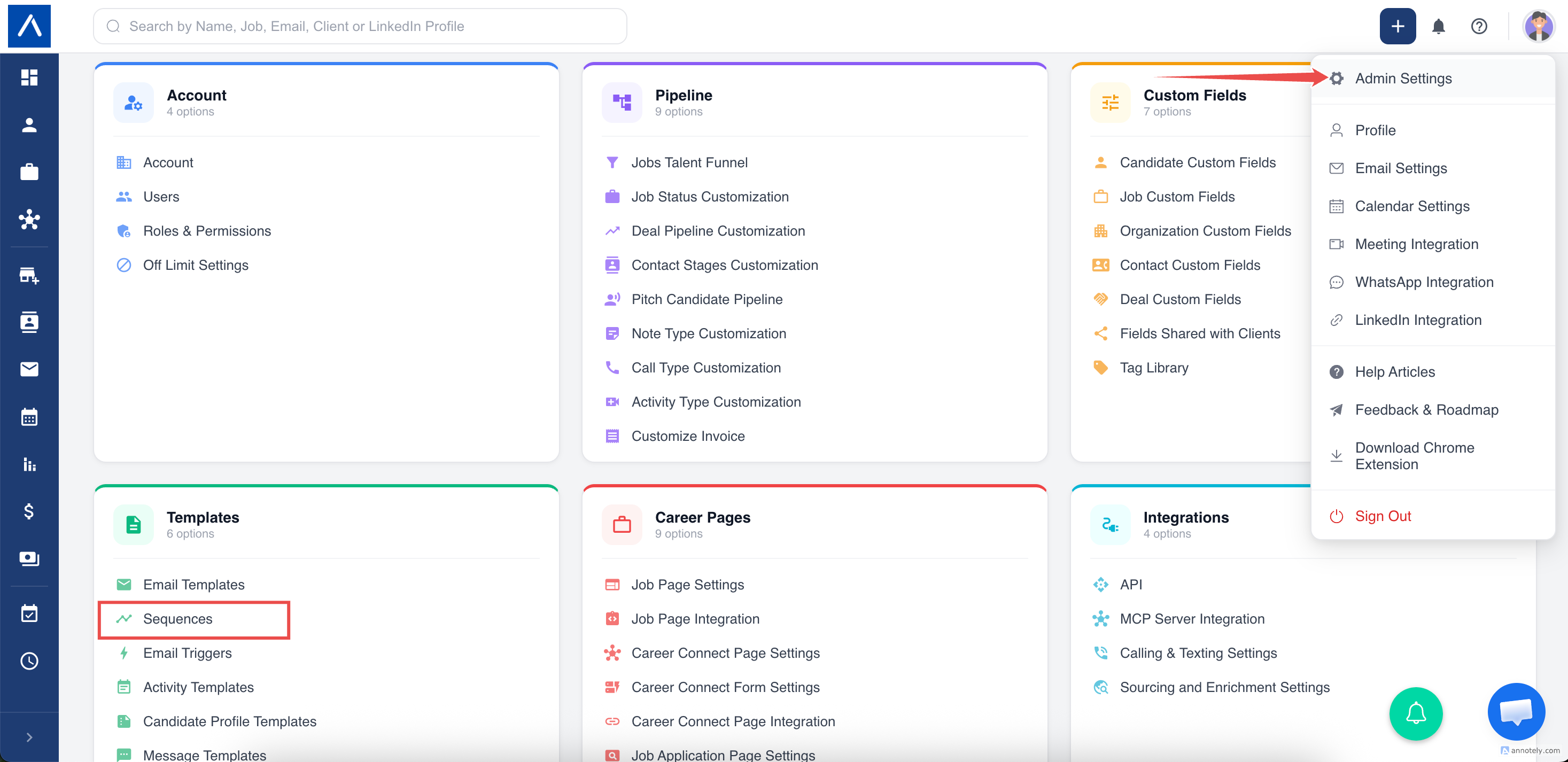
Where to Find It
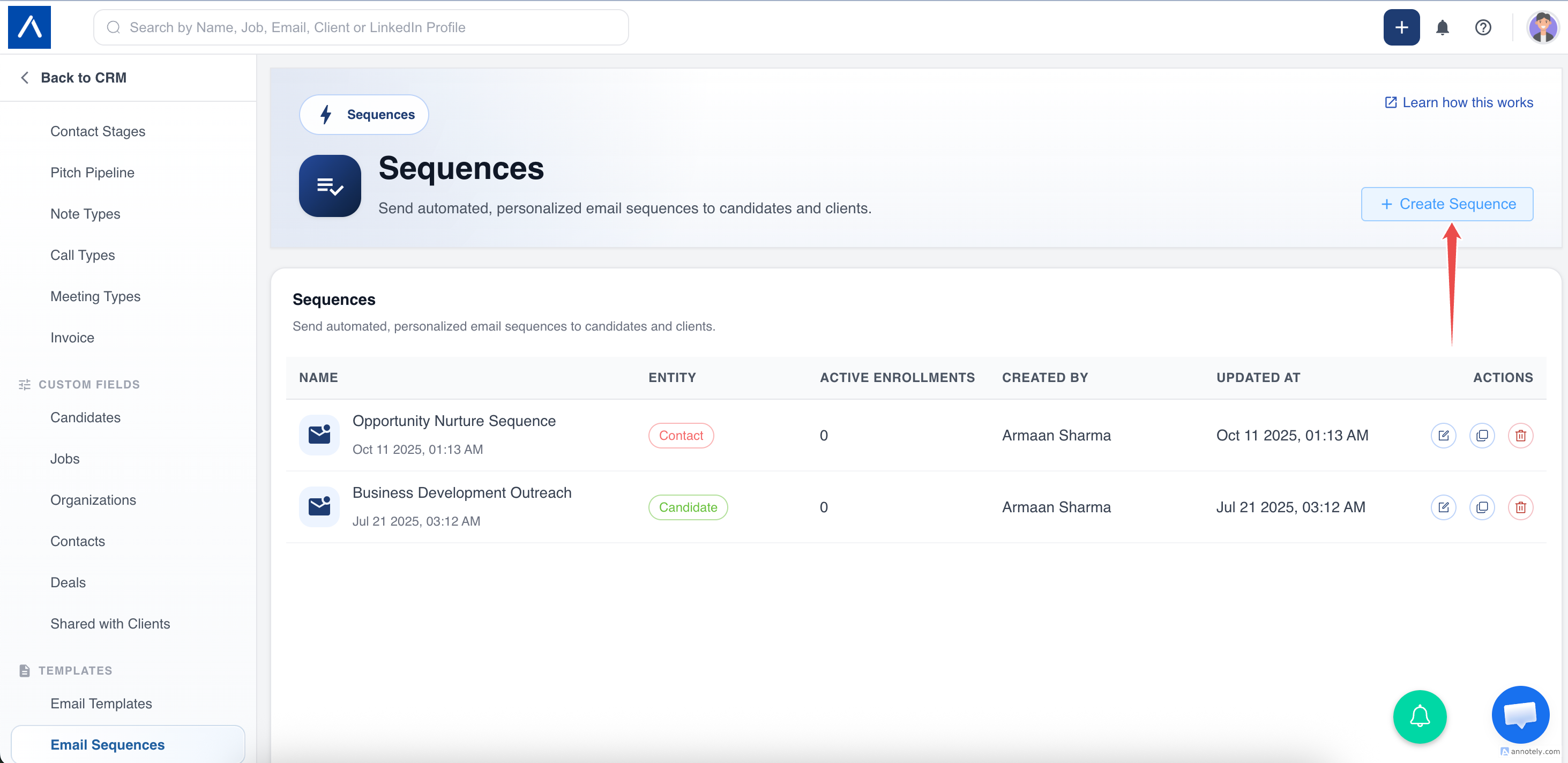
- Go to Sequences.
- Create or edit a sequence.
- Choose candidates or contacts.
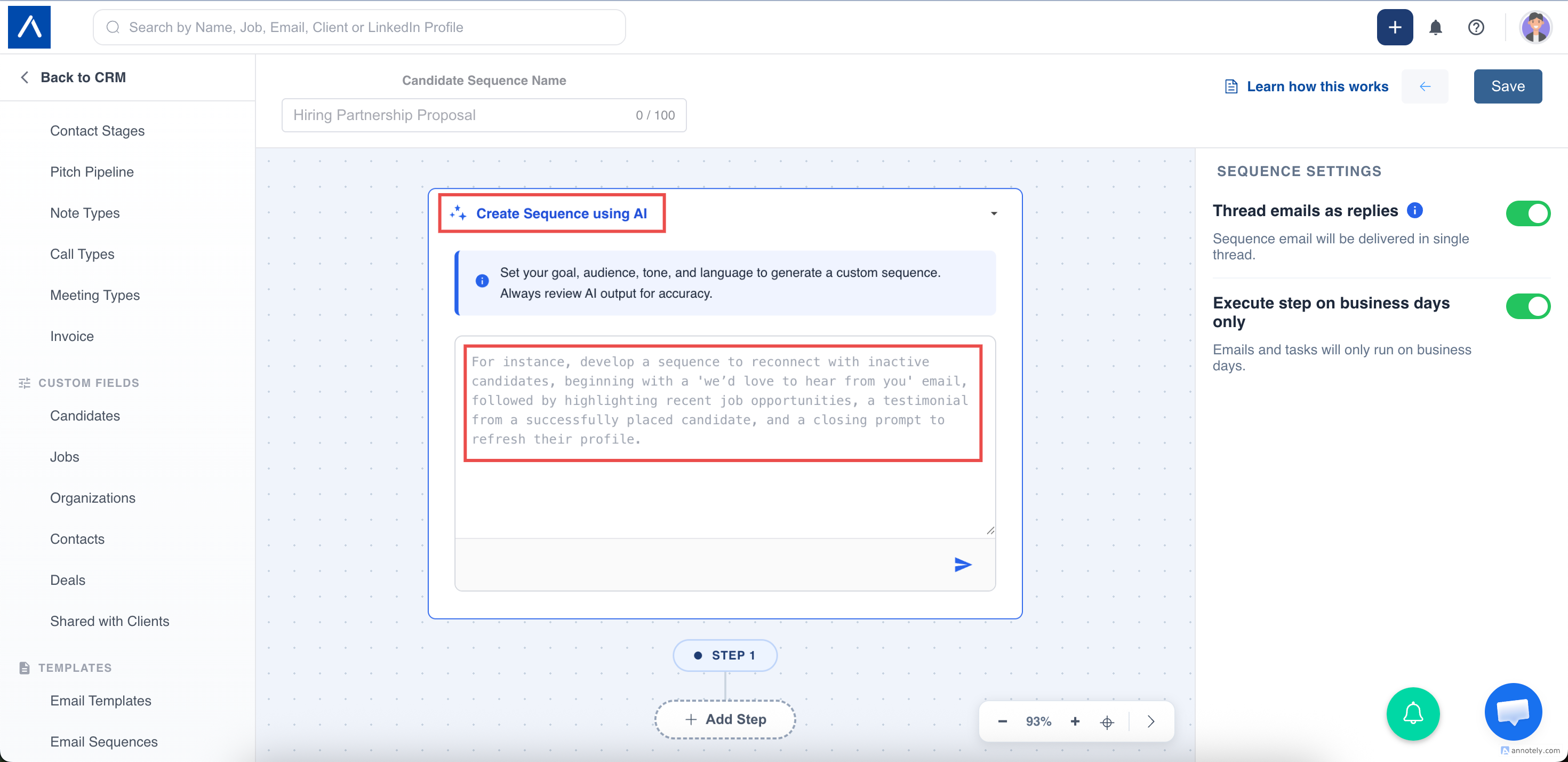
- Open the AI creation section.
- Enter your prompt.
- Click Generate.
What to Include in the Prompt
Include:
- Target audience.
- Campaign goal.
- Tone.
- Number of touchpoints.
- Timing preference.
- Call to action.
- Role or industry context.
- Whether task reminders should be included.
How Generation Works
ATZ CRM streams generated steps into the sequence builder. The output may include email steps, task steps, titles, bodies, task descriptions, and suggested spacing.
The content is a starting point. Edit, remove, reorder, or add steps before saving.
Regenerate Steps
You can regenerate:
- The full sequence.
- One email step.
- One task step.
Troubleshooting
Sequence Does Not Match the Goal
Use a more specific prompt with audience, purpose, tone, and number of steps.
Too Many or Too Few Steps
Edit manually or include the preferred count in your prompt.
Compliance Is Unclear
Check unsubscribe links, tone, timing, and email policy requirements before enrollment.
FAQs
Can I edit AI-generated steps?
Yes. Every generated step is editable.
Can AI create candidate and contact sequences?
Yes. Choose the correct audience first.
Does this replace sequence setup rules?
No. Plan limits, email connection, enrollment rules, and opt-outs still apply.