
AI Sourcing helps recruiters discover fresh public candidate profiles from the web and add enriched records to ATZ CRM.
Quick Answer
Open Candidates > AI Sourcing, search with natural language or structured filters, review results, and click Add Candidate to import an enriched profile.
Access AI Sourcing
- Go to the Candidates module.
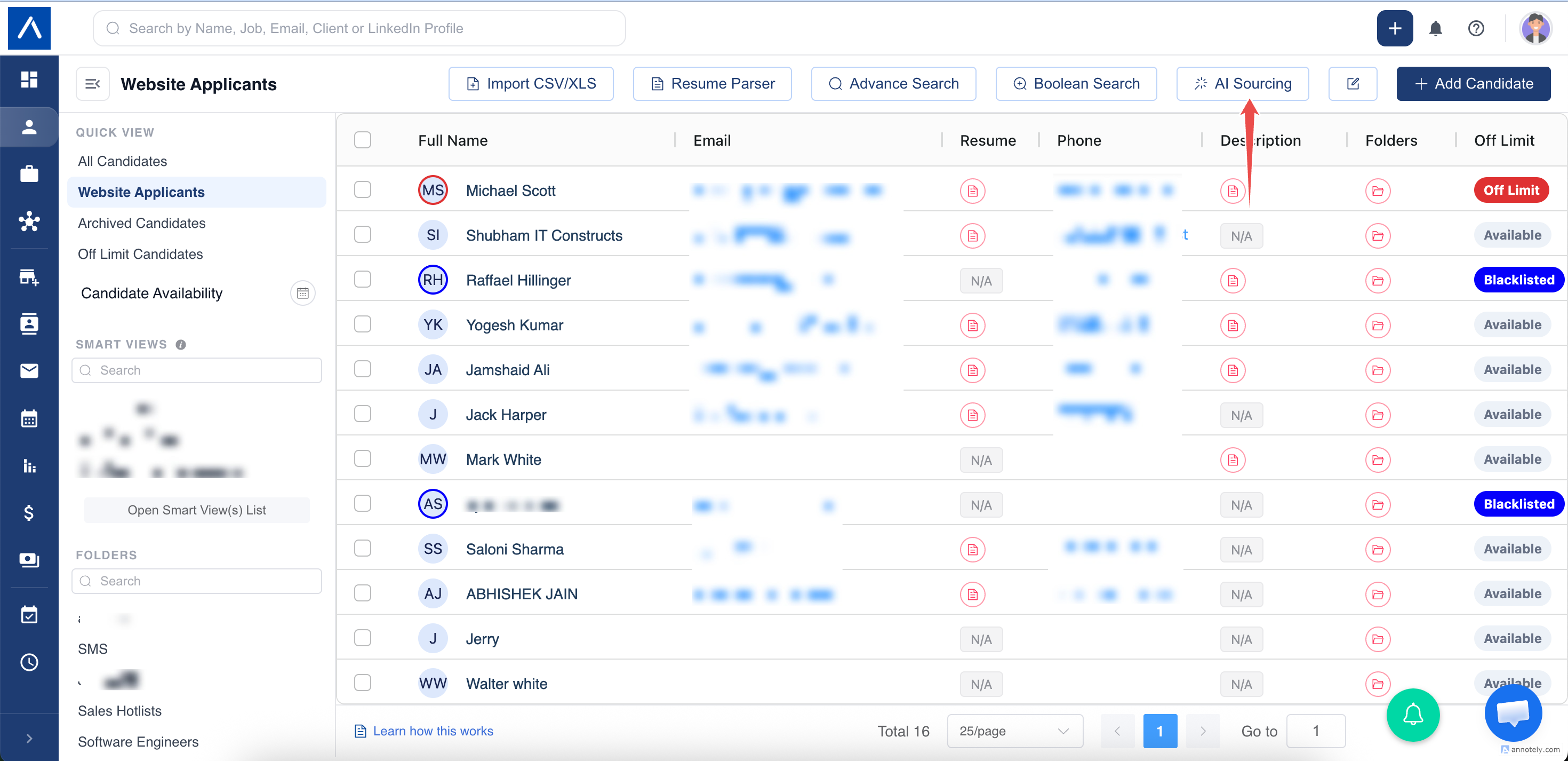
- Click AI Sourcing.
- Use AI Search or Keyword Search.
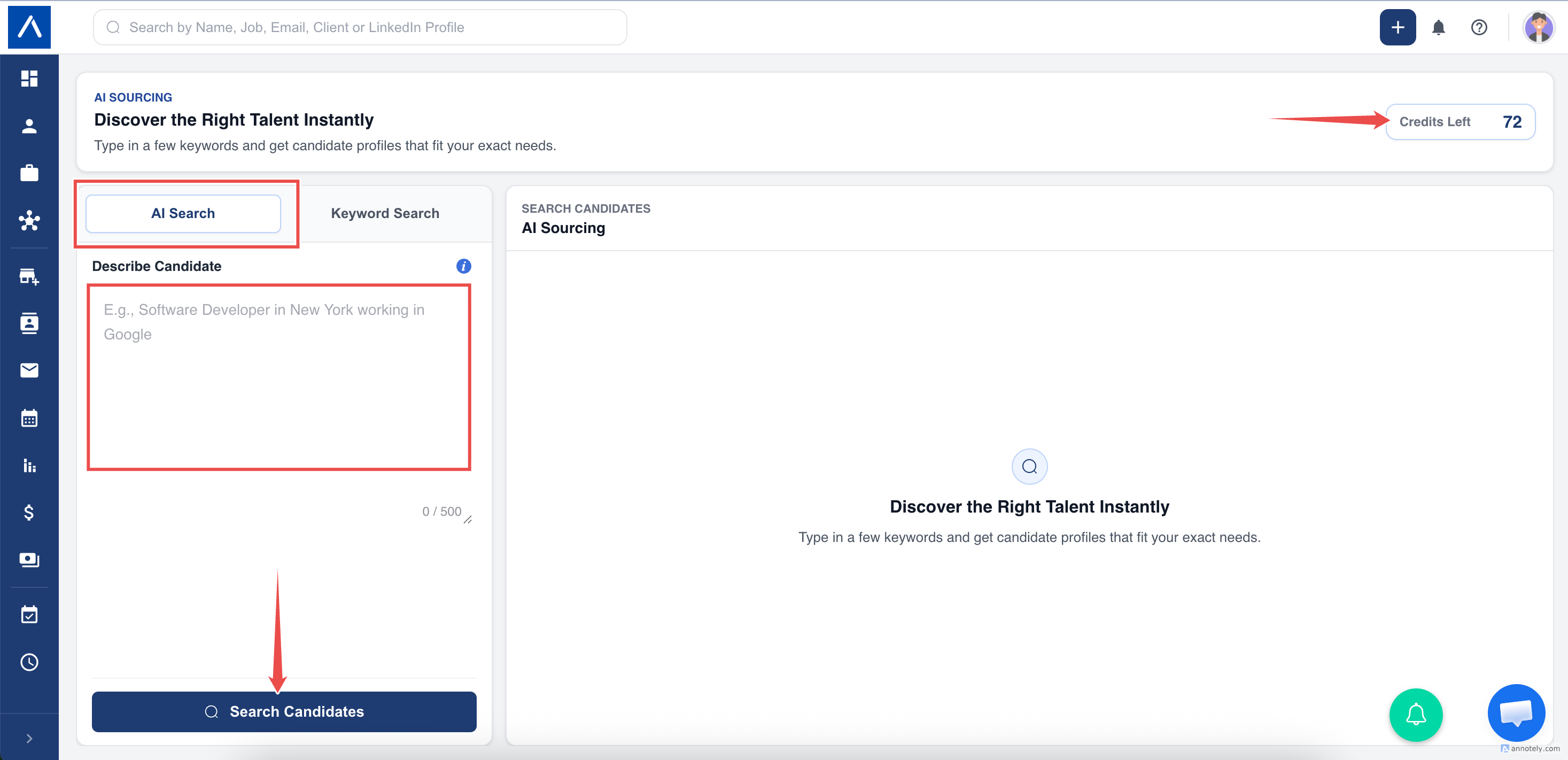
AI Search
Use plain English or voice input. ATZ CRM turns the request into supported sourcing filters and shows the filters with the results.
Examples:
- Sales managers in Dubai with SaaS experience.
- Frontend engineers who worked at Google.
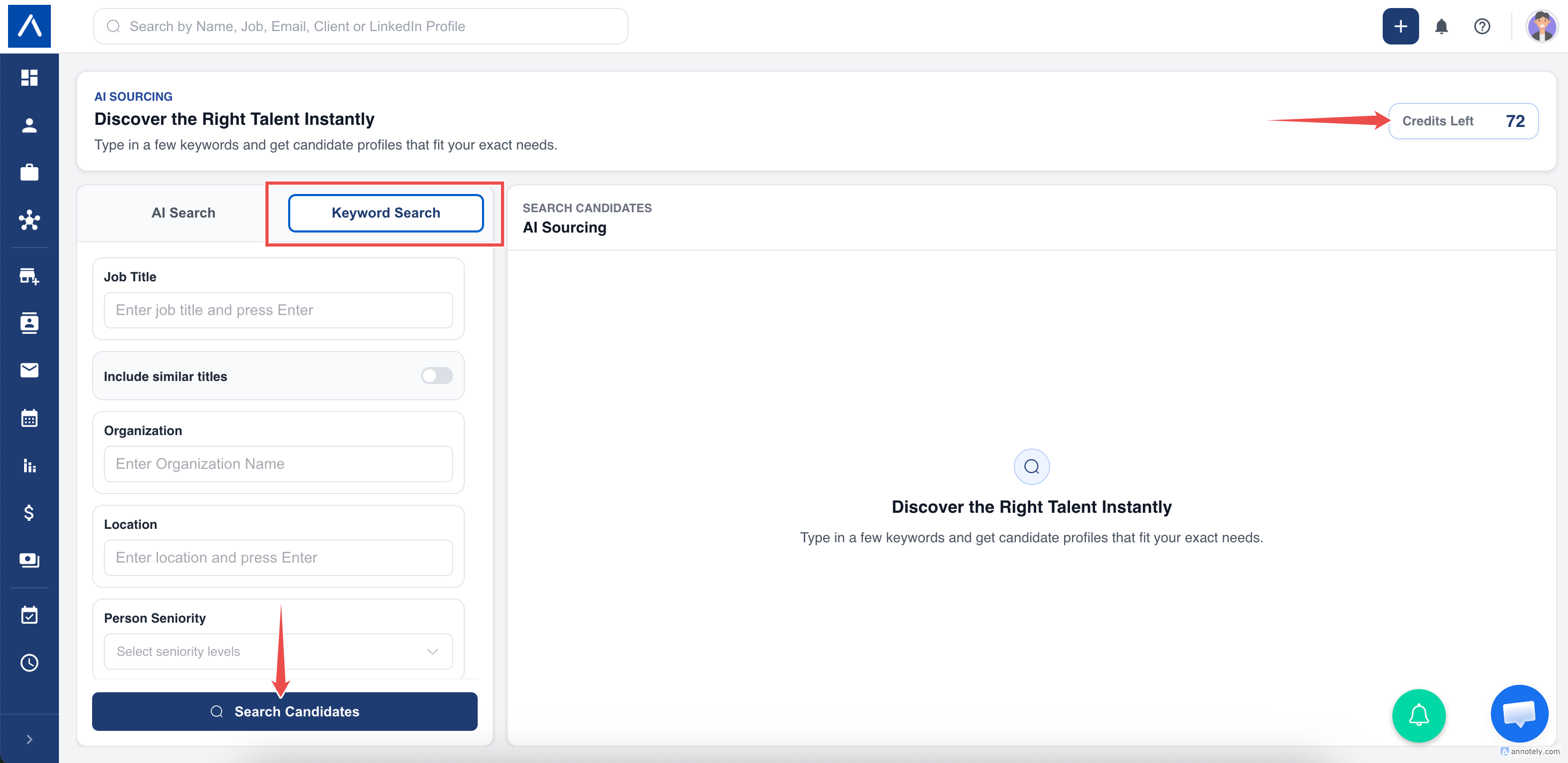
Keyword Search
Use one or more structured filters:
- Job title and Include similar titles.
- Person name.
- Keywords.
- Candidate location.
- Seniority.
- Email status.
- Company name.
- Company domains.
- Company headquarters.
- Company employee count.
- Company revenue.
- Technologies used by the Company.
Enter job titles, domains, and locations as chips. For Company domains, enter a bare domain such as example.com without www, @, or a full web address.
How Keywords Work
Keywords accept free text, but several words can make the search increasingly restrictive. Start with one concise skill, product, or industry phrase. If java python returns no results, try the single term that matters most and use the other structured filters separately.
Saved Filters
ATZ CRM saves your most recent AI Sourcing filters in the current browser. When you return to the page, those filters are restored so you can continue or adjust the search.
Find Candidates from a Job
Open a job and select Find External Candidates from the Actions panel or Candidates tab. ATZ CRM suggests focused titles, locations, and seniority from the job and opens AI Sourcing with those filters.
For job-based sourcing, Include similar titles stays off to prevent unnecessarily broad results. Adding a person creates or updates the candidate and assigns them to the source job.
See Find External Candidates for a Job for the complete workflow.
AI Sourcing Credits
The account must have available AI Sourcing credits before a search can run.
- Searching for an exact Company name can use 1 credit to identify that Company.
- Adding a person uses the applicable credits for the profile data returned.
- A bulk add checks the available balance before adding the selected people.
The current balance appears on the AI Sourcing page. If no credits remain, the external search does not run. Use Chat Support to ask about trial or additional credits.
Add Candidates from Results
Click Add Candidate to create a candidate record and enrich it with public data. If the profile already exists by LinkedIn URL or email, ATZ CRM updates only missing fields.
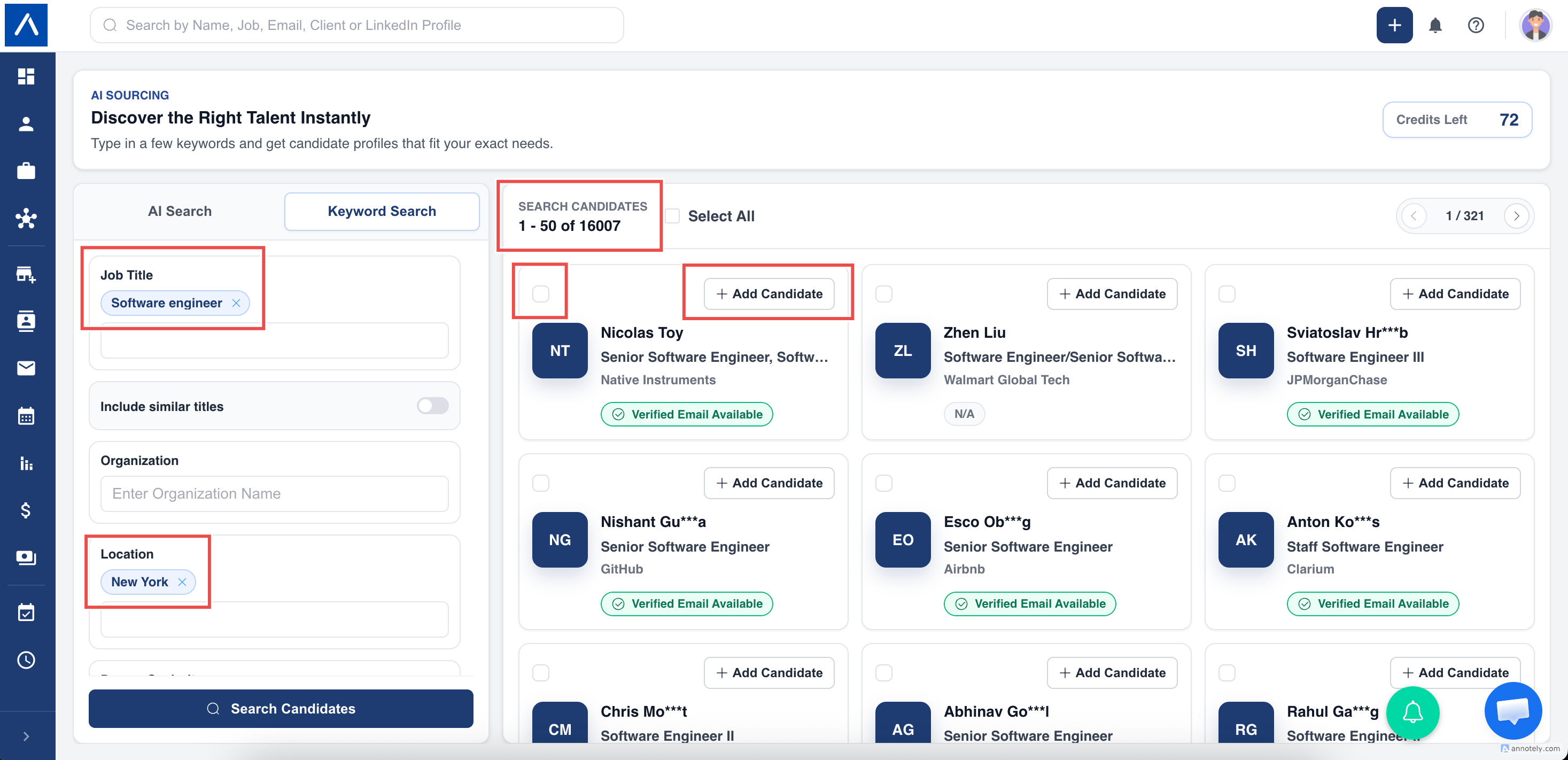
Candidates added through this feature are tagged with source AI Sourcing. If the search was opened from a job, the candidate is also assigned to that job.
Enriched Fields
ATZ CRM can add available professional fields such as work history, email, city, state, country, current Title, current Company, experience, description, location, and LinkedIn URL.
Because sourced profiles do not always include a ready-made skills list, ATZ CRM can use the person’s work history and relevant professional details to identify skills for the candidate profile.
Best Practices
- Specify target Companies or preferred backgrounds.
- Use clear job titles.
- Add location and seniority when relevant.
- Use one focused Keywords phrase rather than a long list.
- Add Company size, revenue, or technology only when it is a genuine requirement.
- Start narrow, then remove one filter at a time if no results appear.
Troubleshooting
Results Are Too Broad
Turn off Include similar titles, then add a job title, location, seniority, or target Company detail.
No Results Are Found
Remove unnecessary filters one at a time. If Keywords contains several terms, keep only the most important phrase.
My Previous Filters Reappeared
This is expected. AI Sourcing restores the most recent filters saved in your browser. Clear or edit them before starting a different search.
Credits Are Exhausted
Use Chat Support to request trial or additional credits.
FAQs
Can I bulk import results?
Yes. Select multiple profiles on a page and import them together.
How is AI Sourcing different from AI Matching?
AI Sourcing finds new public leads. AI Matching compares existing candidates and jobs inside ATZ CRM.