
Email templates help teams send consistent, personalized communication to candidates, contacts, and automated workflows.
Quick Answer
Open Settings > Email Templates, click Create email Template, complete the template details, add placeholders and body content, then click Create.
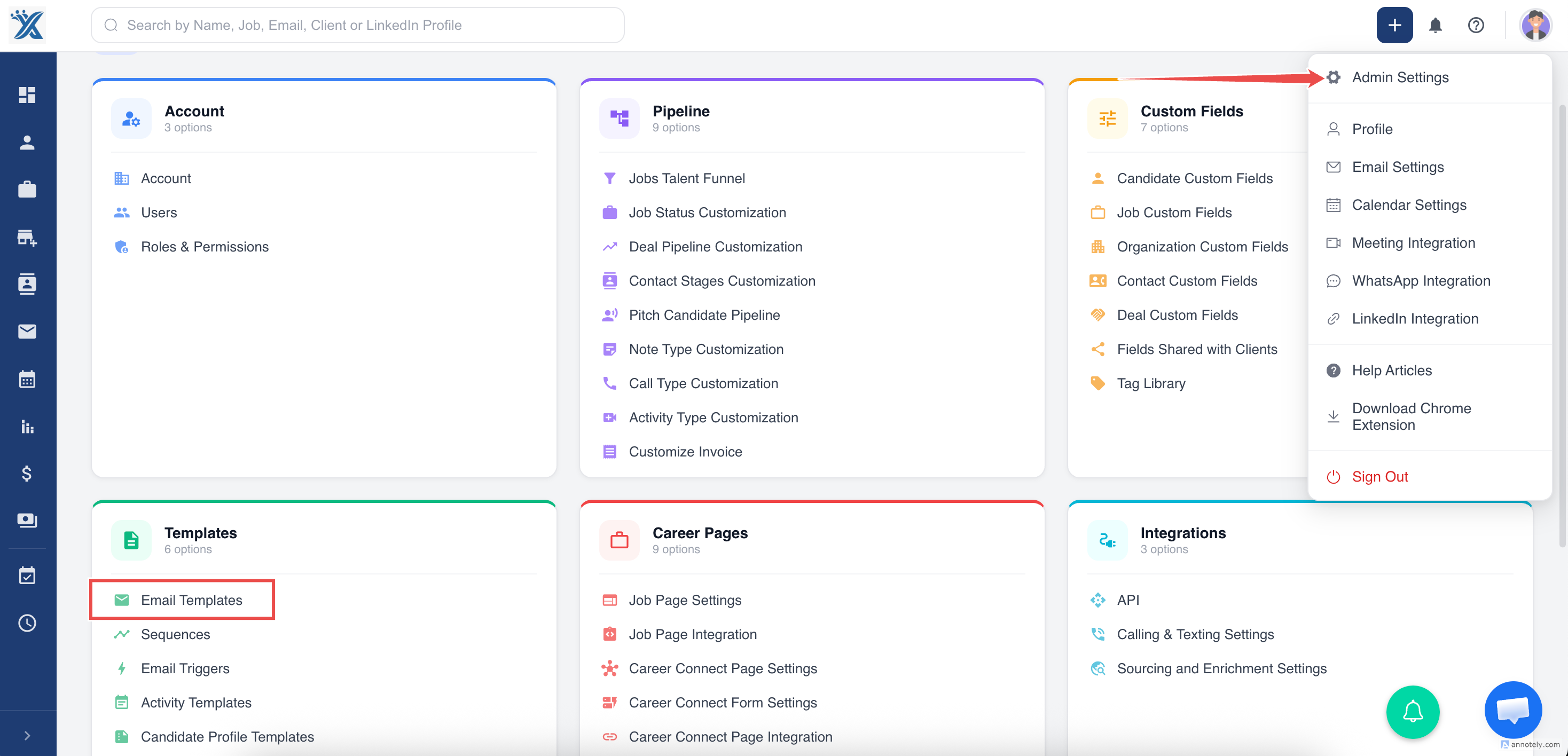
Step 1: Open Email Templates
From the dashboard, open Settings and select Email Templates.
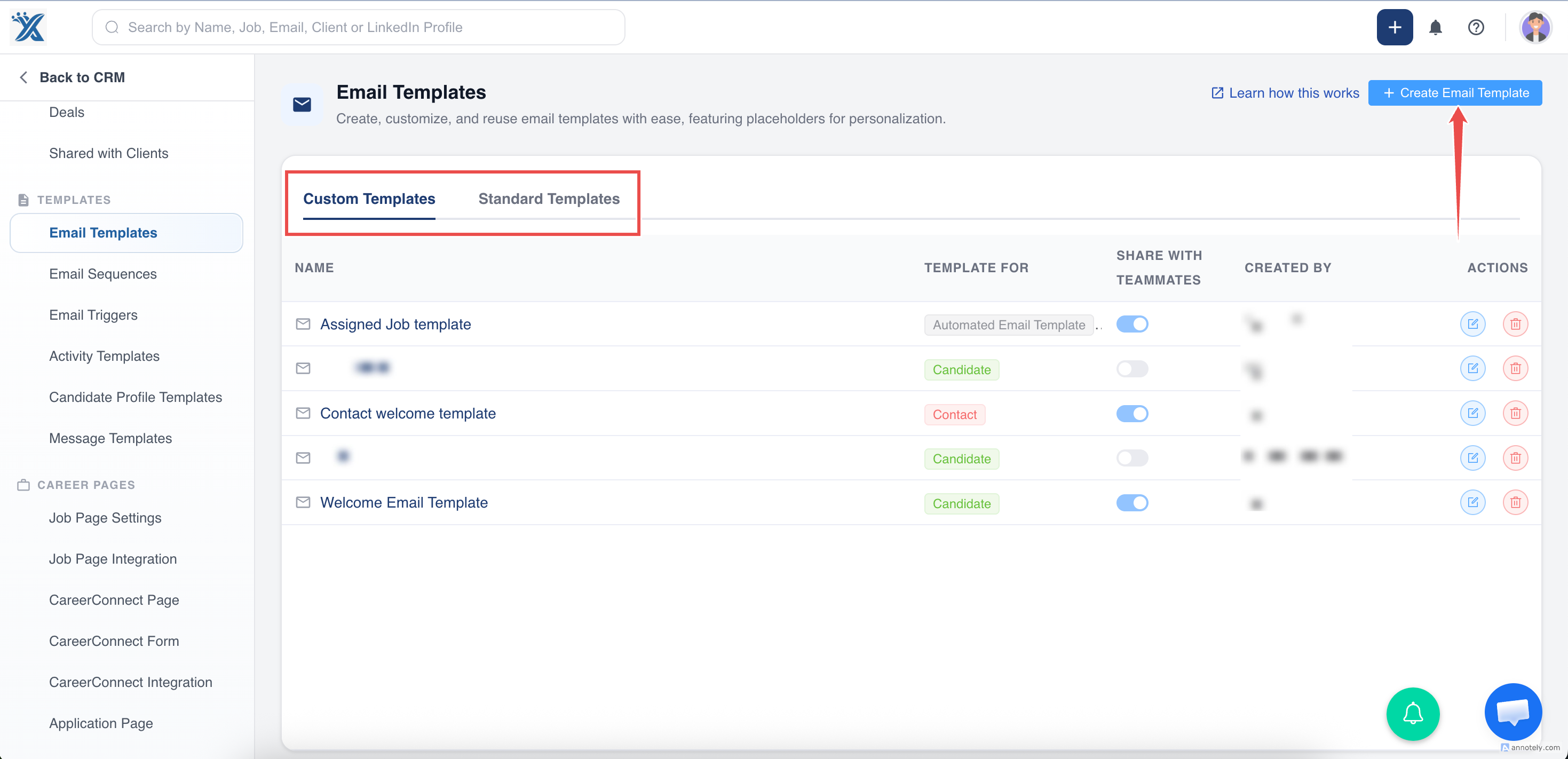
Step 2: Create a New Template
Click Create email Template.
Step 3: Complete Template Details
Fill in the template form:
- Template name.
- Module, such as automated email, contacts, or candidate.
- Email subject.
- Placeholders, such as first name, for personalization.
- Email body content.
- Formatting, such as bold, italic, bullets, and links.
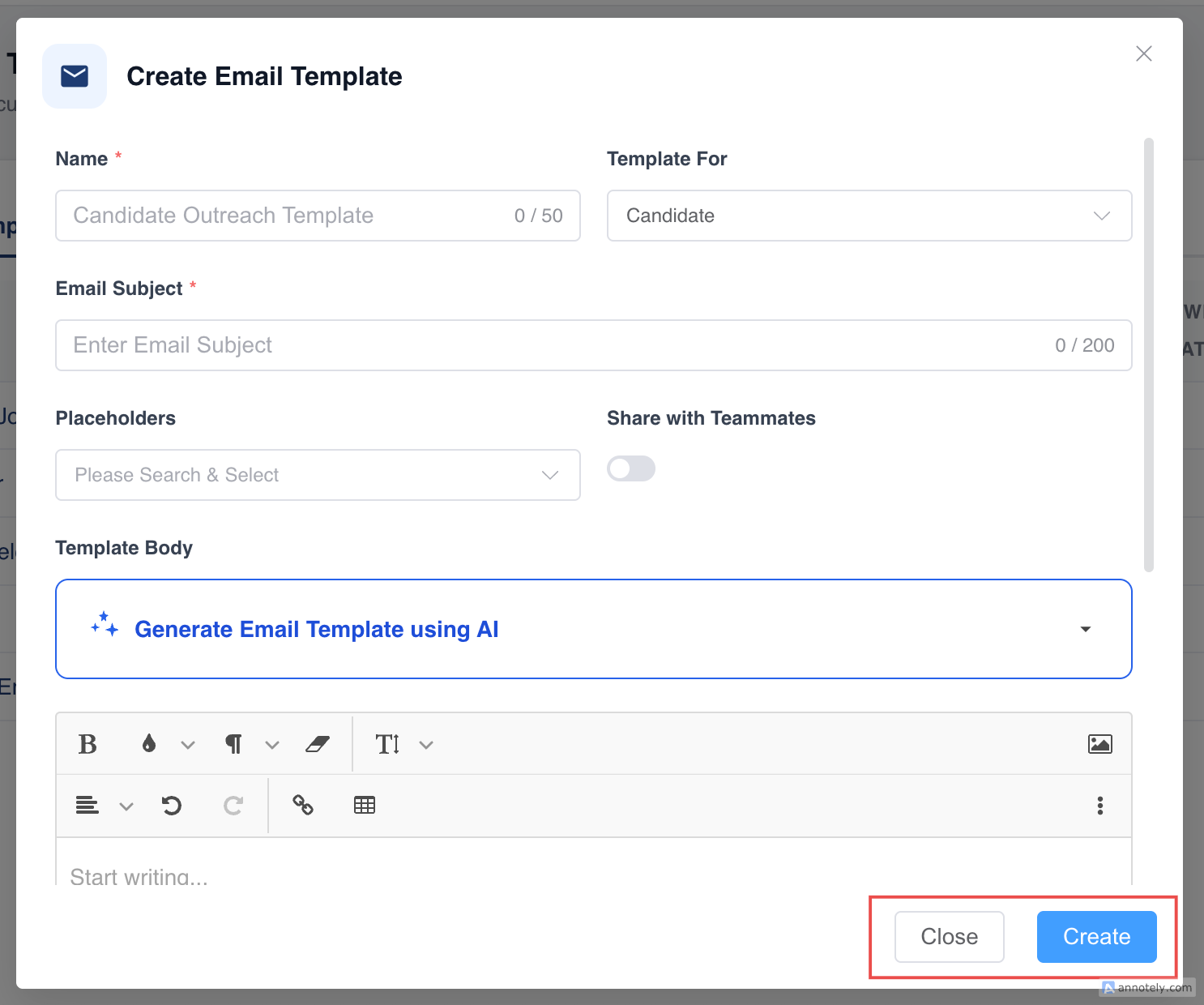
Step 4: Create the Template
After reviewing the content, click Create.
Use Cases
Candidate Outreach
Use templates for sourcing, interview scheduling, profile updates, or offer follow-ups.
Client Communication
Create templates for candidate pitches, requisition follow-ups, and status updates.
Automation
Use automated templates in email triggers and sequence steps.
Troubleshooting
Placeholder Data Is Missing
Check whether the related CRM record has the field value needed by the placeholder.
Template Is Not Available in a Workflow
Confirm the template module matches the workflow, such as candidate, contact, or automated email.
Teammates Cannot Find the Template
Review sharing and visibility settings for the template.
FAQs
Can I format template text?
Yes. Use the editor to format text, add lists, and structure the message.
Should template names be descriptive?
Yes. Clear names make templates easier for teammates to find and reuse.
Can I update a template later?
Yes. Edit the template from Email Templates settings.