
Custom activity types let your team categorize tasks, meetings, events, calls, interviews, and follow-ups in a way that matches your workflow.
Quick Answer
Open Settings > Activity Type Customization, click Add New Activity Type, name the type, optionally set it as default, and save.
Create a Custom Activity Type
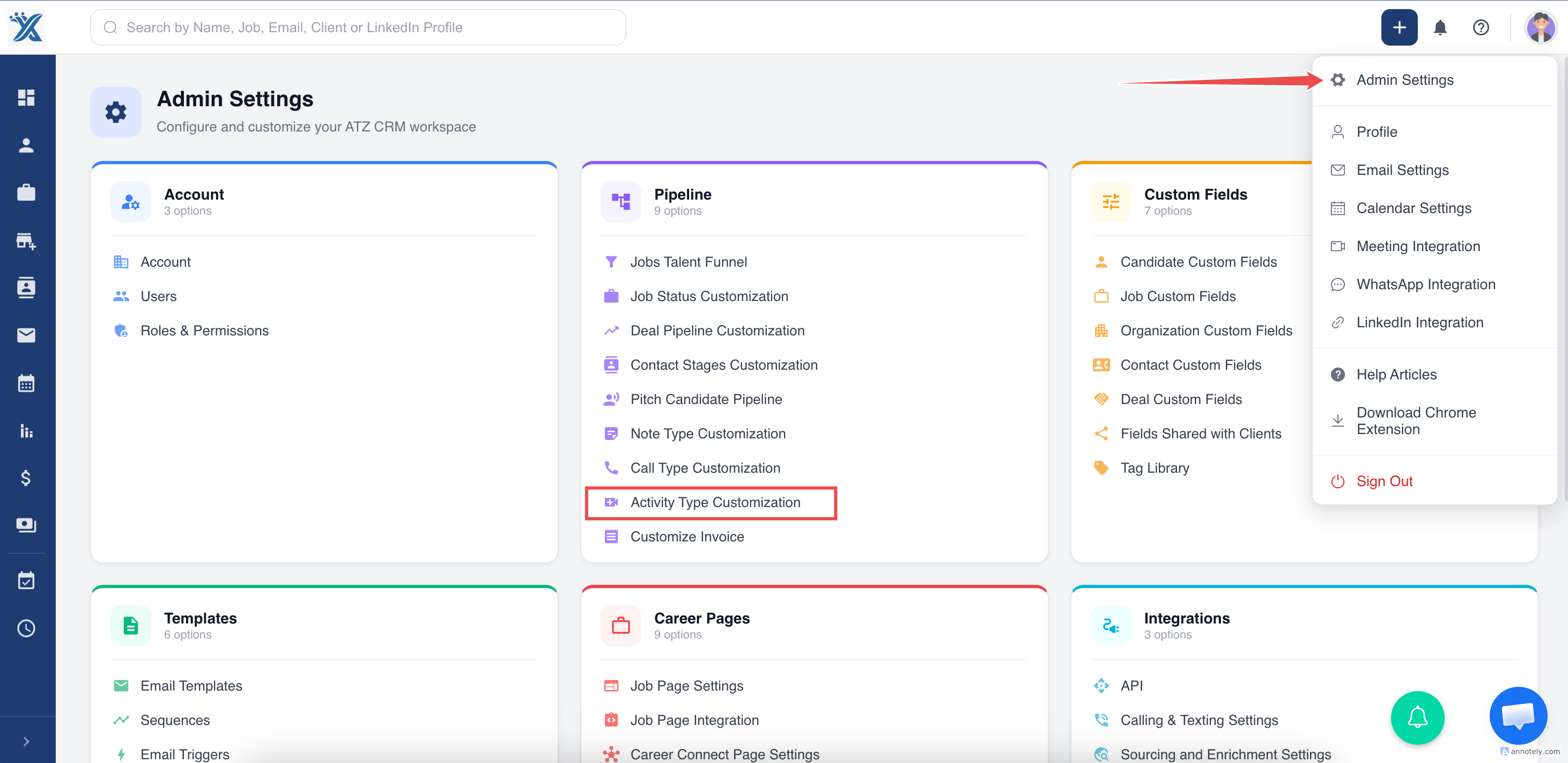
Open Activity Type Customization from settings.
Click Add New Activity Type.
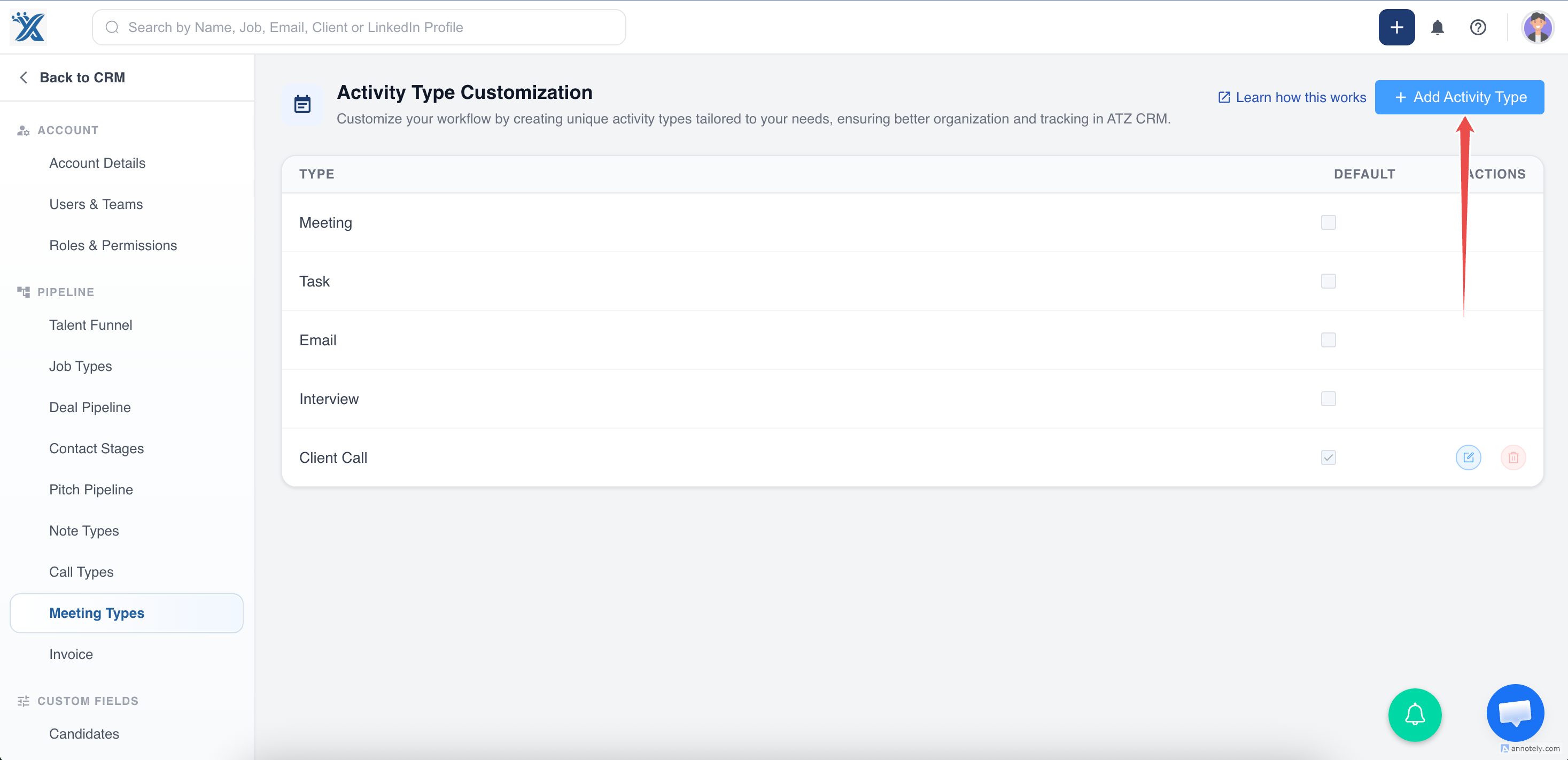
Enter a name, such as Custom Interview or Follow-up Call, then save.
You can also set the activity type as default.
Update a Custom Activity Type
Return to Activity Type Customization, locate the type, click Edit, update the name, and save changes.
Delete a Custom Activity Type
Find the activity type in the list and click Delete.
The default selected activity type cannot be deleted.
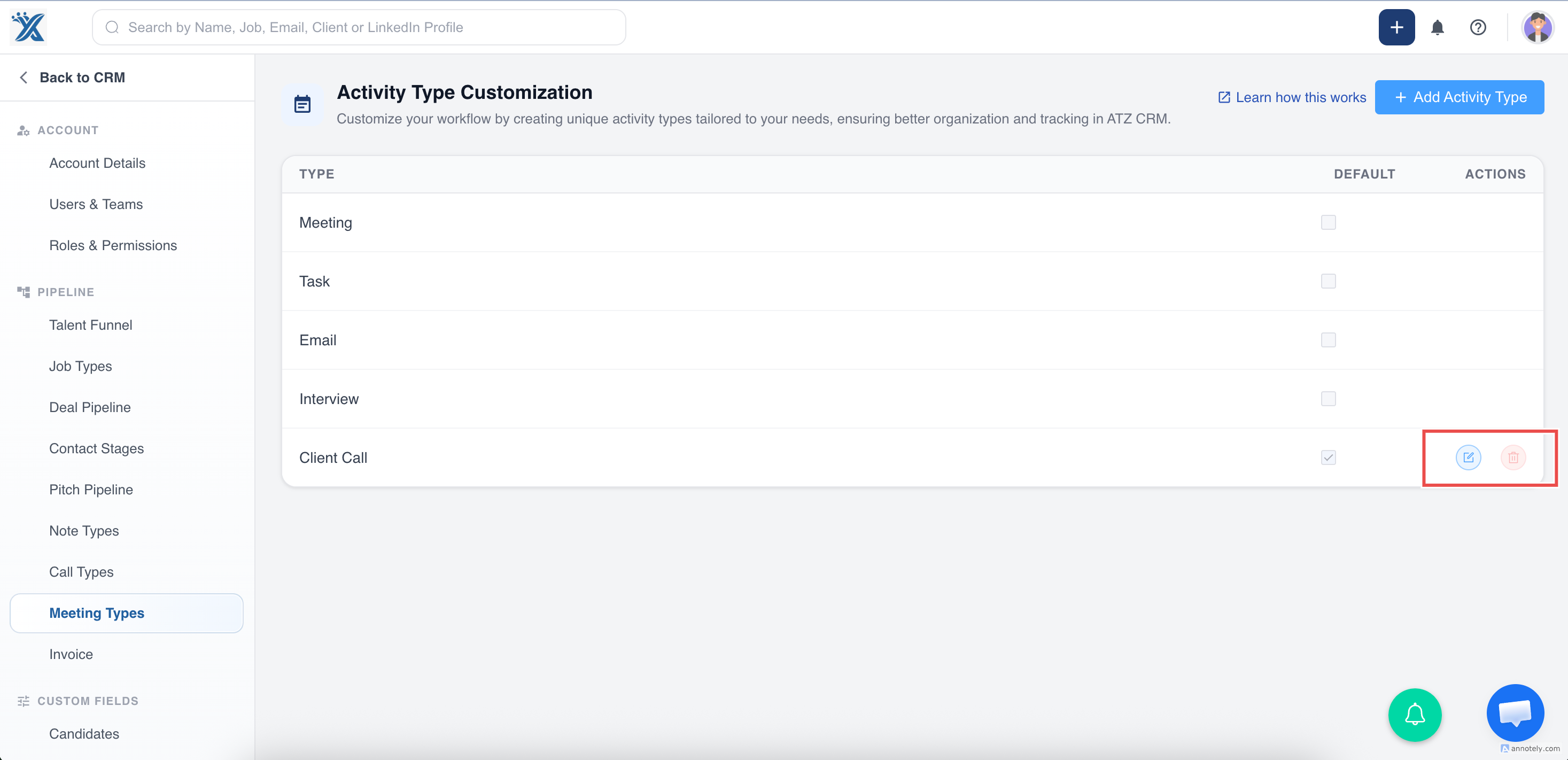
Deleting a custom activity type removes it from the list and prevents future assignment to activities.
Use Custom Activity Types
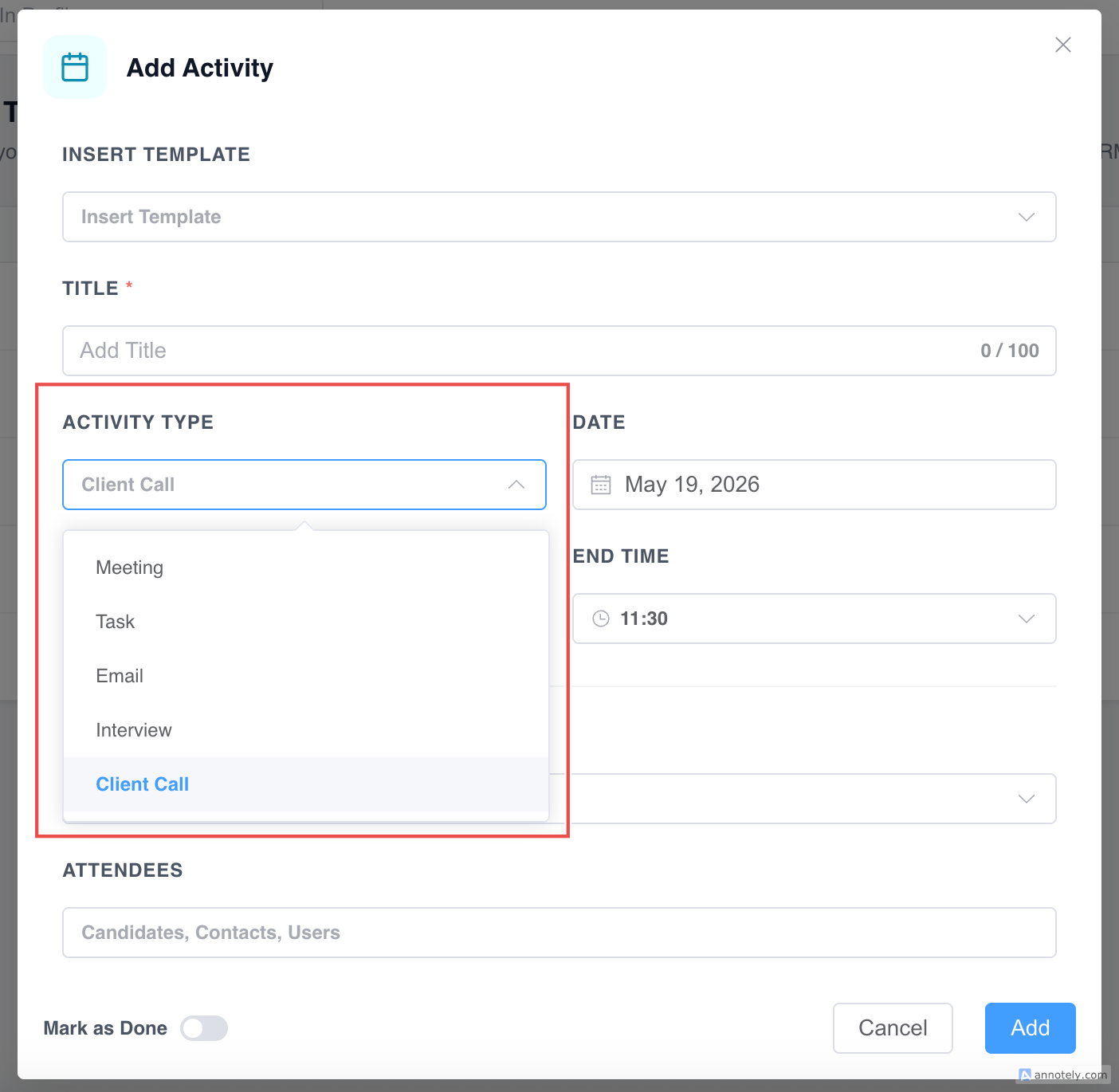
When creating an activity, open the Activity Type dropdown and select your custom type.
Fill in the activity details and save.
Troubleshooting
Delete Is Not Available
The activity type may be the default type. Set another type as default first if supported.
Type Does Not Appear
Confirm the type was saved and refresh the activity creation form.
Too Many Activity Types Exist
Review unused types and remove non-default types that no longer support your workflow.
FAQs
Can custom activity types improve reporting?
Yes. Consistent types make activities easier to filter and interpret.
Can I rename a custom type?
Yes. Use the Edit action from Activity Type Customization.
Can every user create activity types?
Access depends on role permissions and settings access.