
Competitions give recruiters a shared, time-limited focus with a leaderboard. Choose a measure that encourages useful recruitment work, not just activity for its own sake.
Competitions are available on Free, Business, and Enterprise plans, subject to role permissions. Pro accounts see a locked preview.
Set Up a Competition
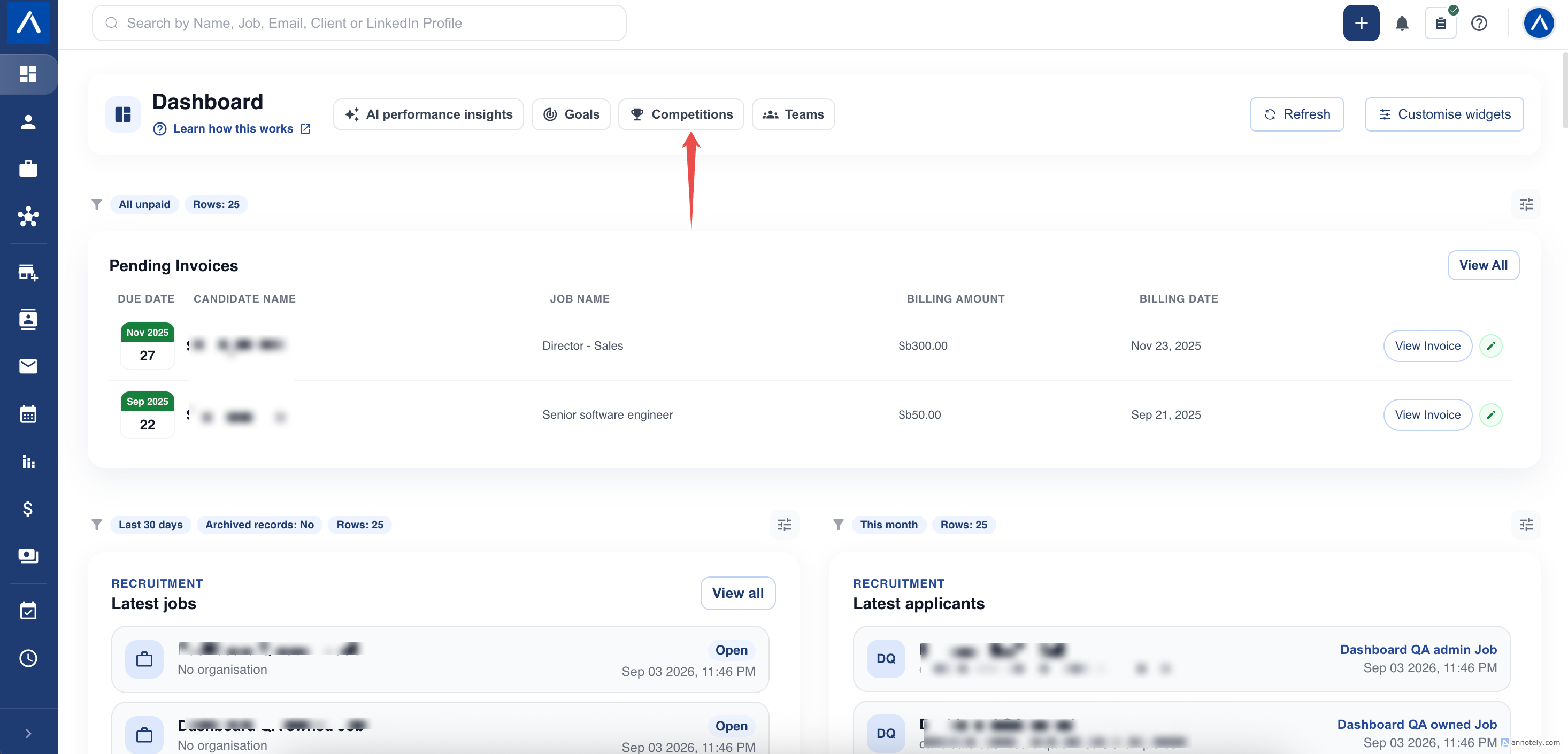
- Open Competitions from Dashboard .
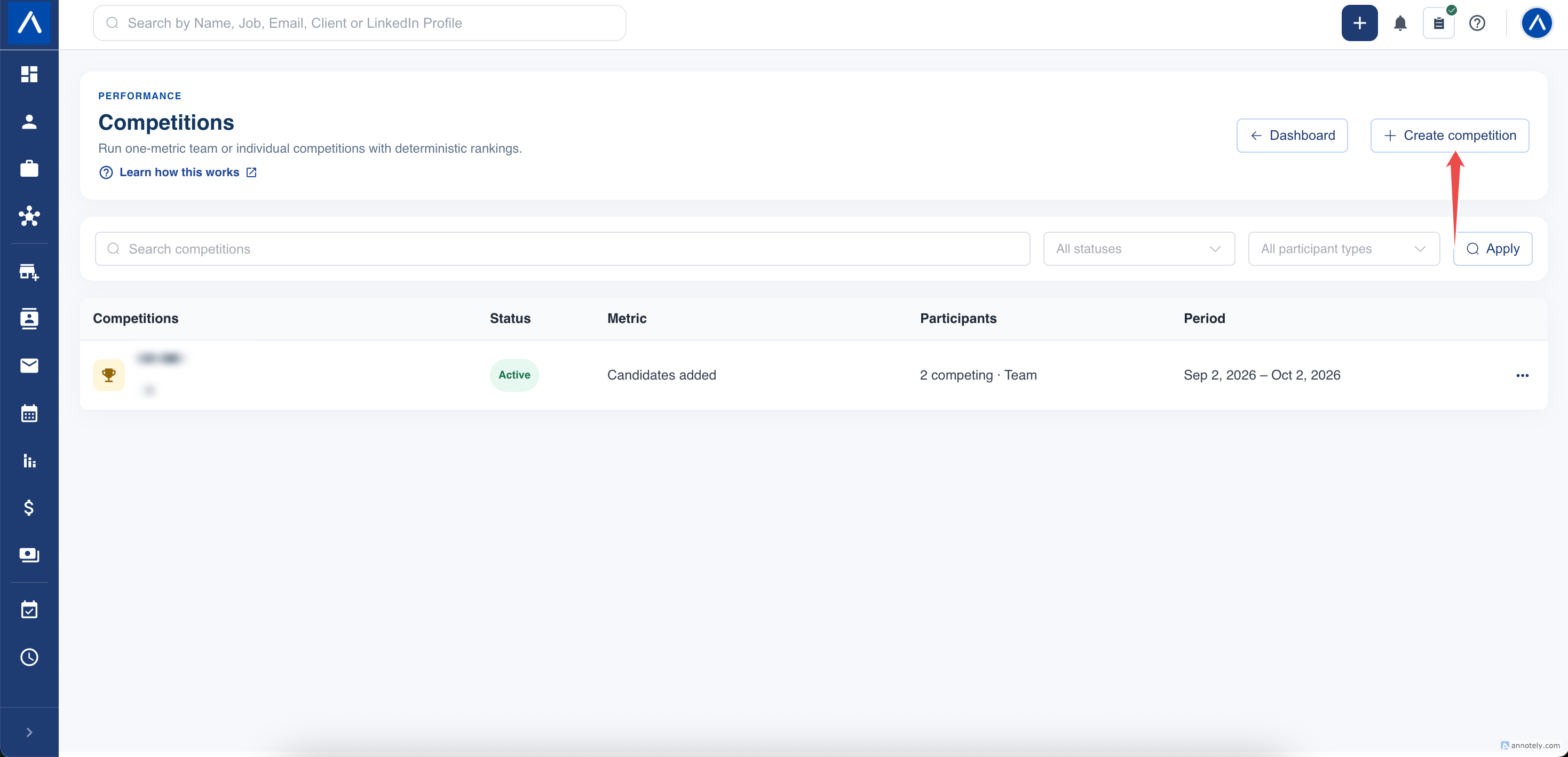
- Select Create competition.
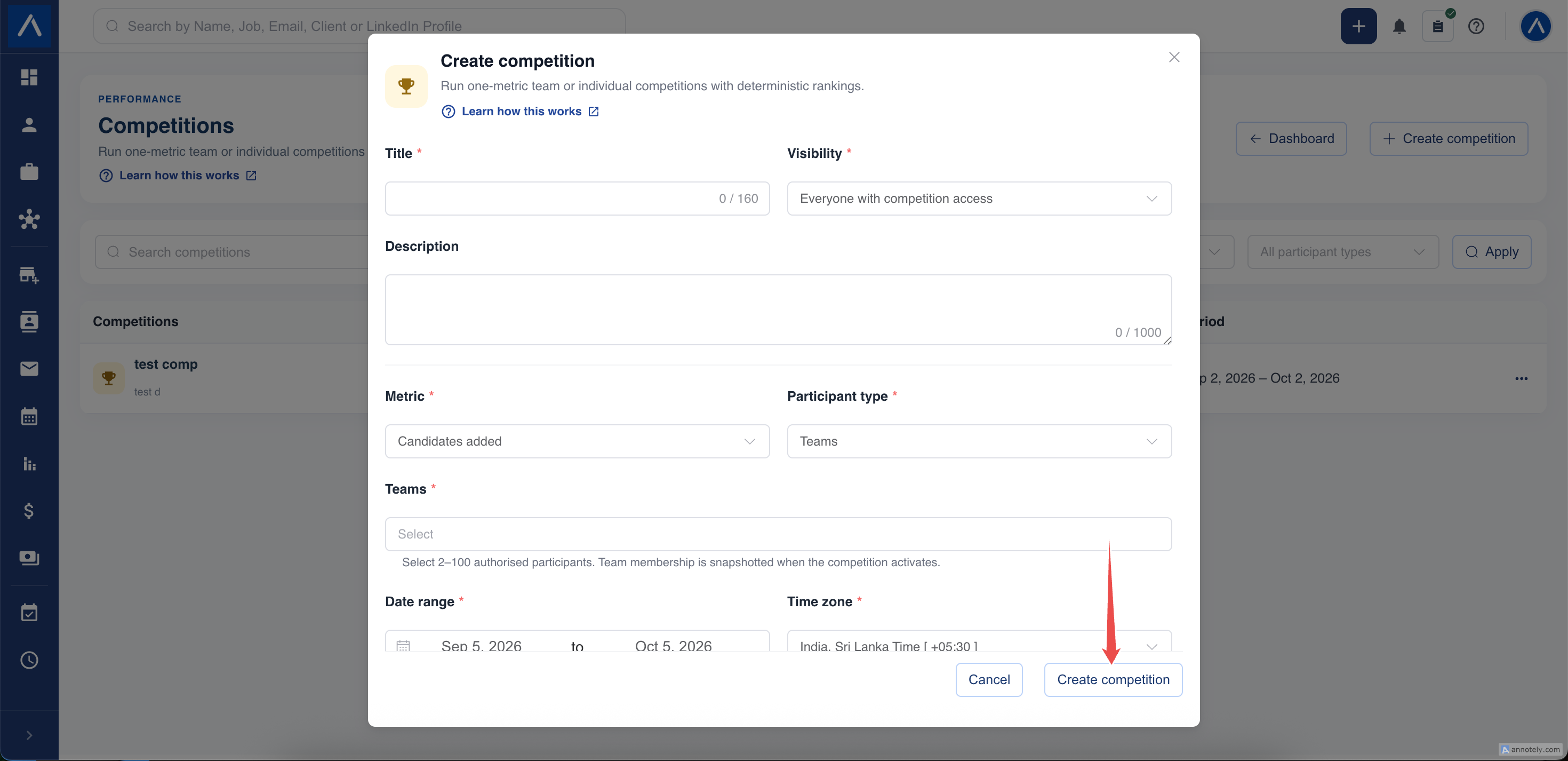
- Enter a title and optional description.
- Choose one KPI.
- Select the participant type and participants.
- Choose dates, time zone, visibility, and whether to include archived records.
- Save a draft or activate the competition.
Choose Participants Fairly
Choose between Teams and Individuals. A competition needs between two and 100 participants.
For individuals, select eligible active users. Individual performance access is required for this option.
For teams, select saved active teams with eligible members. The same user cannot be on two competing teams in one competition. Review overlapping membership before activation.
Consider desk size, assignment mix, and working schedules when choosing participants. A ranking based on total activity is not adjusted automatically for team size.
Select One KPI
Use the KPI definition to agree on what counts. For example, Candidate applications counts job assignments, while Candidates added counts new profiles.
All participants compete on the same metric. Current competitions rank higher eligible totals ahead of lower totals.
See Choose KPIs for Goals and Competitions before announcing the rules.
Set Dates and Visibility
The competition must start today or later in its selected time zone. The date range can cover up to 366 days.
Choose the visibility option appropriate for the audience:
- Everyone with competition access allows the permitted account audience to view it.
- Participants and managers only limits it to the participant audience and users with competition-management access.
Here, “managers” refers to management permission, not a manager assigned to a team. Visibility never grants access outside your ATZ account.
Review and Activate
Keep a draft while checking the rules. After activation, the dates, KPI, and roster are locked for consistent results. A future-dated competition waits until its start.
For team competitions, activation fixes the team roster used for scoring. Later team membership edits do not rewrite the competition’s lineup. Current access permissions still apply when someone opens the competition.
There is no public competition link or TV presentation mode. View the leaderboard within your authorized ATZ CRM session.
If Activation Is Blocked
Check for a past start date, too few participants, inactive users, empty or archived teams, overlapping team members, or missing KPI access. Correct the draft and review the rules again before activating.
FAQs
Can a competition use several KPIs?
No. Each competition uses one metric. Use a goal when you need several different targets.
Can I mix teams and individual users?
No. Choose either teams or individuals for one competition.
Can competing teams share a member?
No. Overlapping team rosters are rejected so the same person does not contribute to both sides of the same competition.