
Why Merge Duplicates
Duplicate records can confuse recruiters, split communication history, and weaken reporting. Merge records only when you are sure they represent the same person or company.
Merge Duplicate Records
- Open the primary record you want to keep.
- Select the three-dot menu.
- Choose Merge.
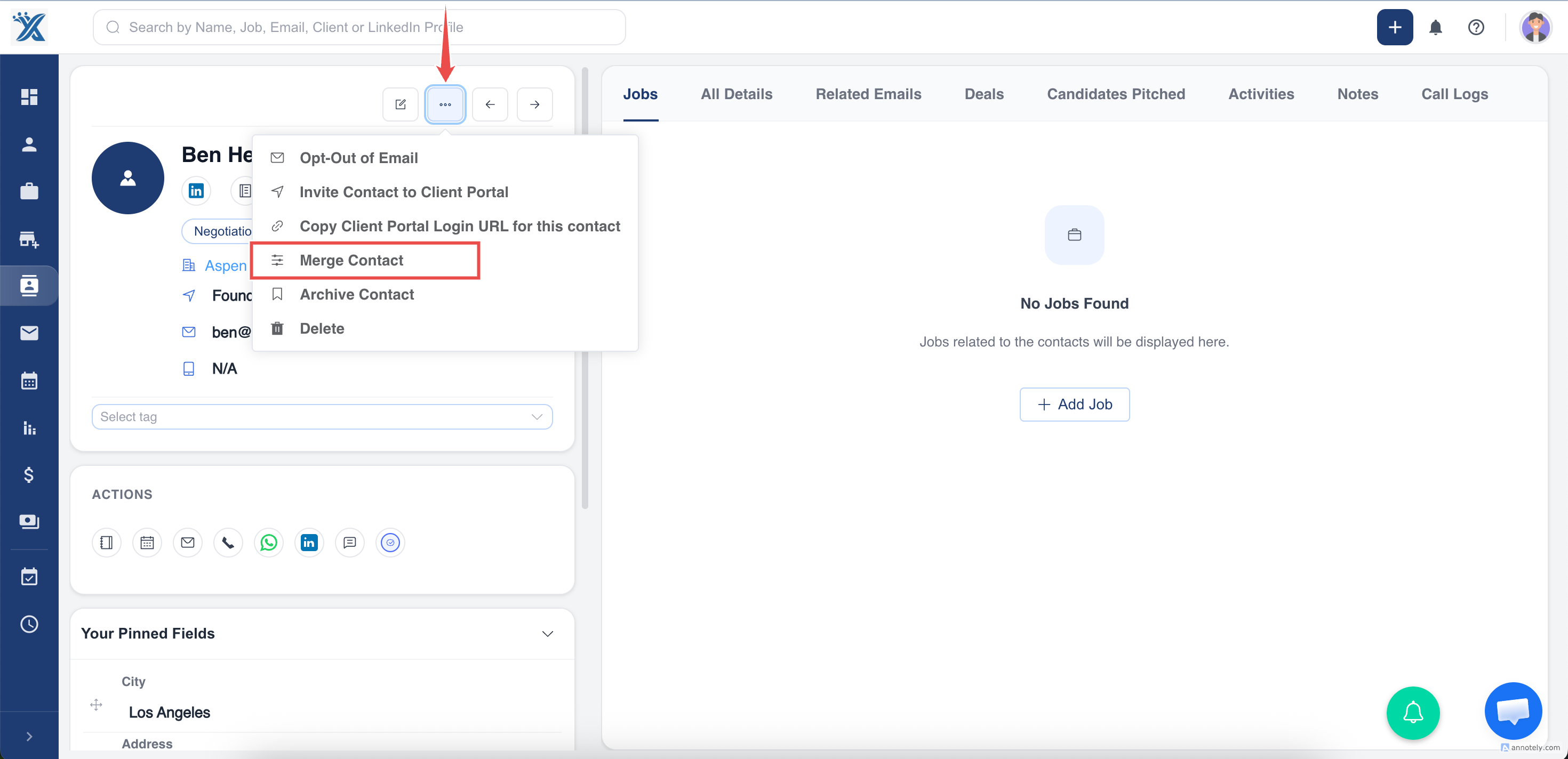
- Search for and select the duplicate record.
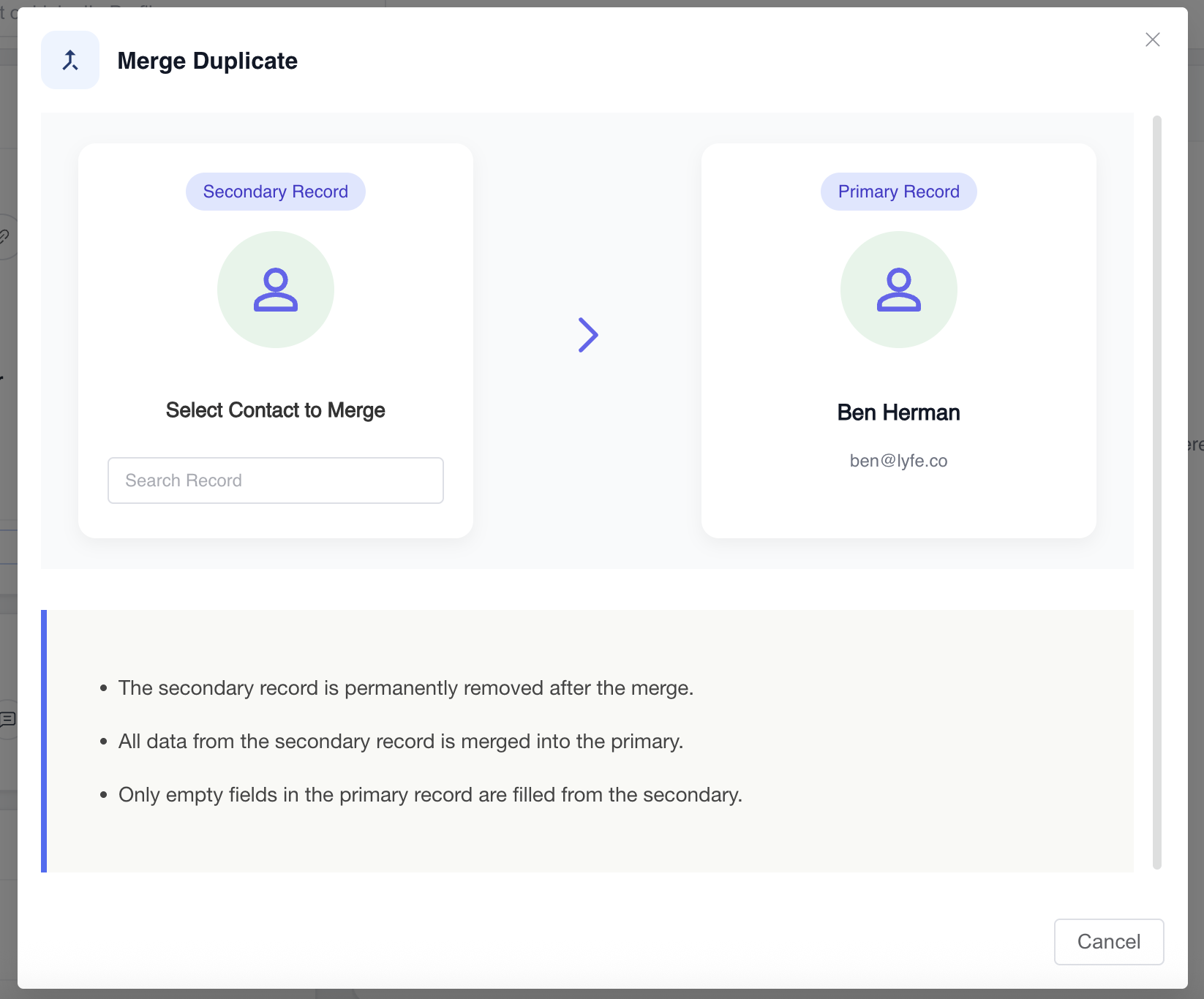
- Confirm the merge.
Important Merge Rules
- Only empty fields in the primary record are updated from the duplicate.
- Existing primary data is not overwritten.
- The duplicate record is permanently deleted.
- Two records with the same name are not always the same person.
Use Cases
- Clean duplicate contacts after spreadsheet imports.
- Merge company name variations.
- Clean candidate or contact records before reporting.
Troubleshooting
Wrong Record Was Selected
Stop before confirming. Merge is irreversible after completion.
Duplicate Keeps Reappearing
Turn Allow Duplicate off in Account Settings if appropriate and review import matching.
Similar Names Are Not True Duplicates
Do not merge unless identifiers confirm they are the same record.
Frequently Asked Questions
Can I merge jobs too?
The source article notes that duplicate jobs can also be merged through a separate job merge guide.
Should I export before a major cleanup?
Yes. Exporting important lists before large cleanup work is prudent.
Is this different from linking candidate and contact records?
Yes. Linking connects separate entity records; merging deletes a duplicate record.