
Why Clone a Job
Cloning helps you create similar jobs quickly while keeping descriptions, client context, and workflow settings consistent. It is especially useful for repeat roles, recurring client requirements, or jobs with similar fields.
Clone a Job
- Open Jobs.
- Search for and open the job you want to duplicate.
- Select the three-dot menu.
- Choose Clone Job.
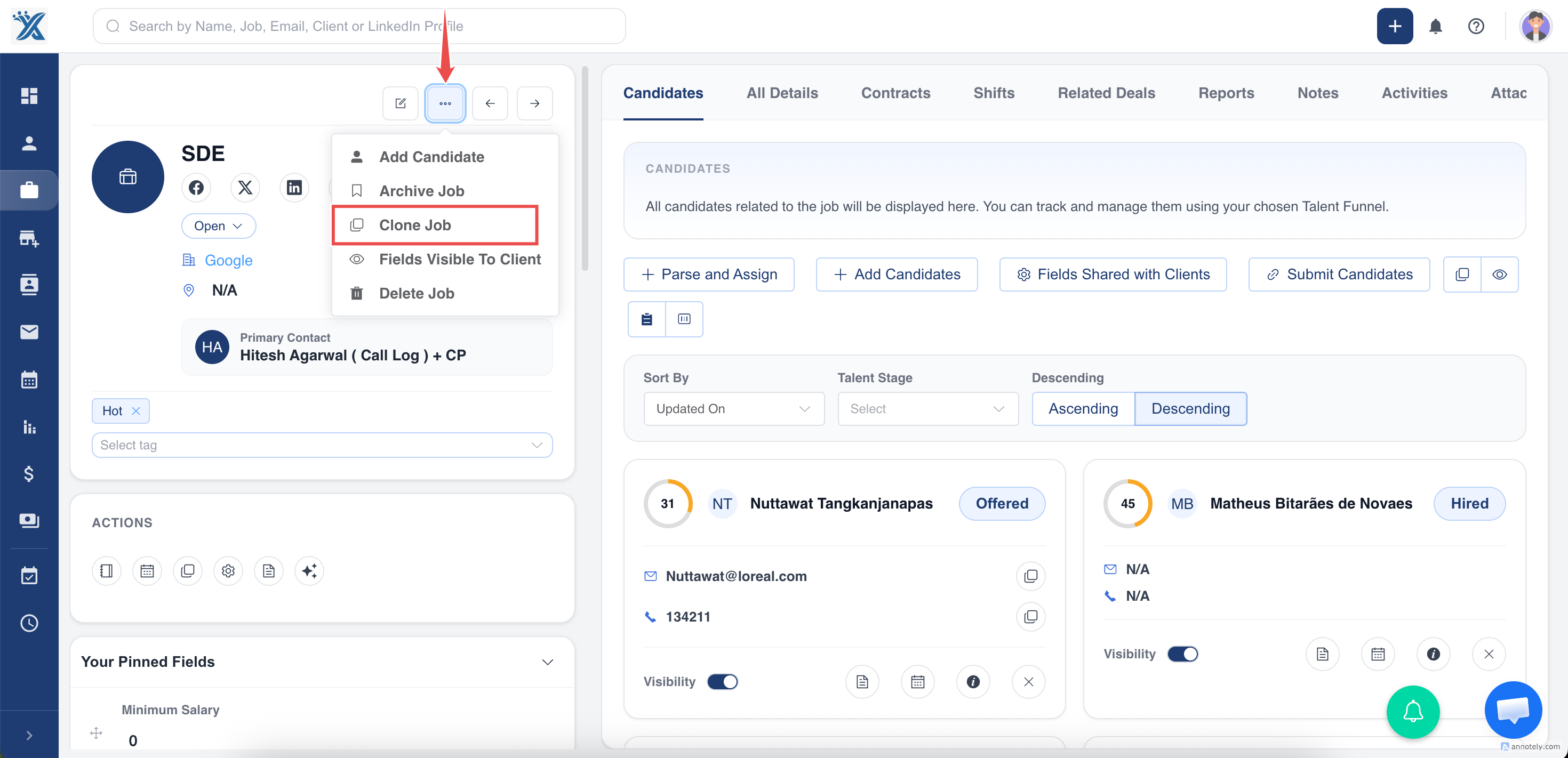
Review the Pre-Filled Form
ATZ CRM opens a new job form with copied details. Review every field before saving, especially:
- Job title
- Organization and contacts
- Description
- Location
- Salary and experience
- Job status
- Application form visibility
- Job board fields
Create the Cloned Job
After review, select Clone or the available create action to save the new job.
Use Cases
Repeat Client Roles
Clone previous jobs when the same client opens a similar role again.
Multi-Location Hiring
Clone a job and change location-specific details.
Faster Job Setup
Use cloning when the new role shares most fields with an existing job.
Troubleshooting
Duplicate Details Were Saved
Open the cloned job and update incorrect fields immediately.
Clone Option Is Missing
Check your permissions or whether the job can be cloned from that page.
Job Board Data Is Outdated
Review title, description, location, and application form fields before publishing.
Frequently Asked Questions
Does cloning create candidate assignments?
Review your account behavior carefully. In general, cloning should be used for job setup, not candidate duplication.
Can I clone archived jobs?
Availability may depend on account behavior and permissions.
Should I clone or create manually?
Clone when most fields are shared. Create manually when the job is substantially different.