
ATZ CRM uses Nylas for Gmail integration so your ATZ CRM mailbox can mirror your Gmail account.
Quick Answer
Open Email Settings, choose to connect email accounts, click Sign in with Google, authenticate, grant permissions, and wait for your Gmail mailbox to sync.
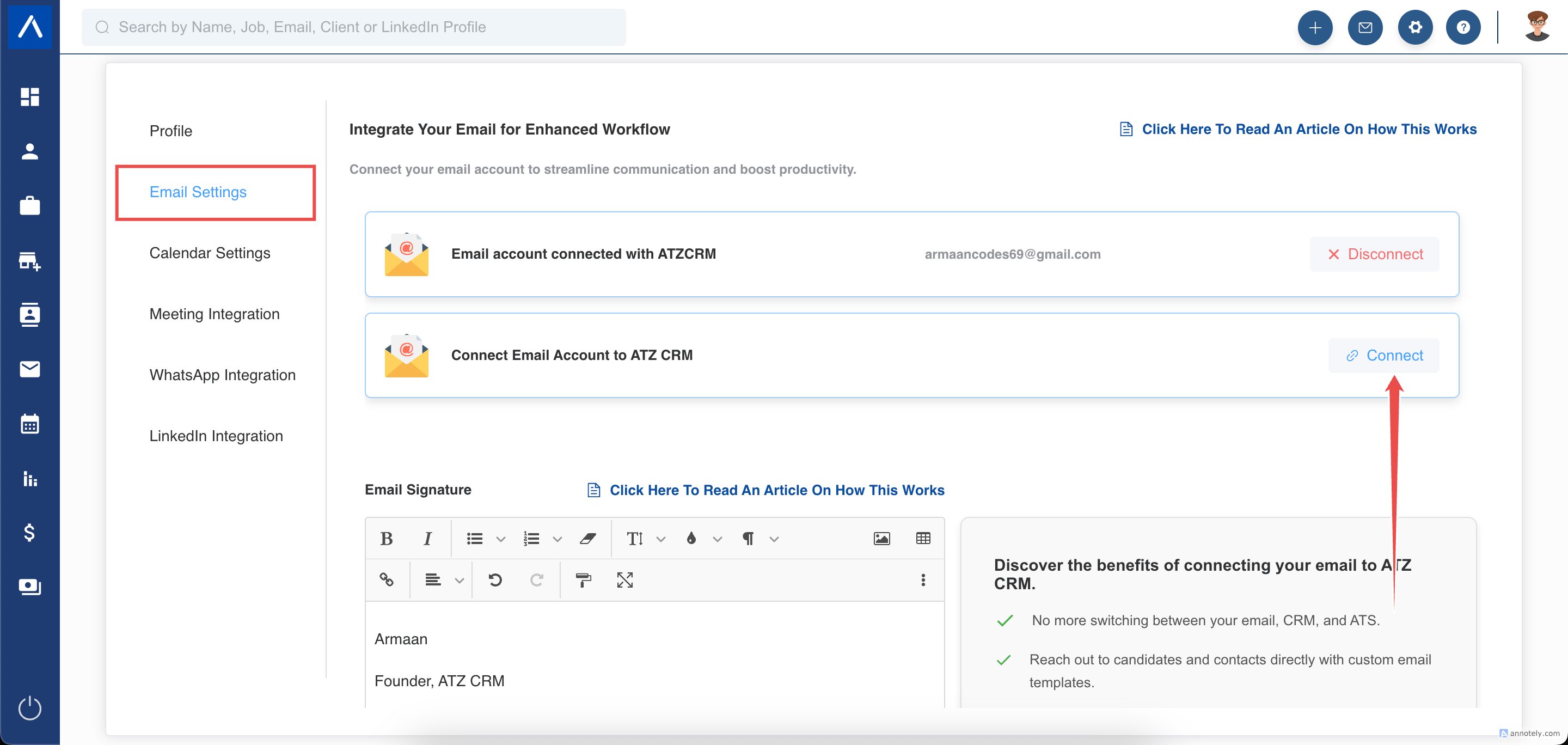
Step 1: Open Email Settings
Go to your ATZ CRM Email Settings and choose the option to connect email accounts.
You can connect up to two email accounts, but this is an add-on. If one email is connected, it becomes the default sender automatically.
Step 2: Sign In With Google
Select Sign in with Google.
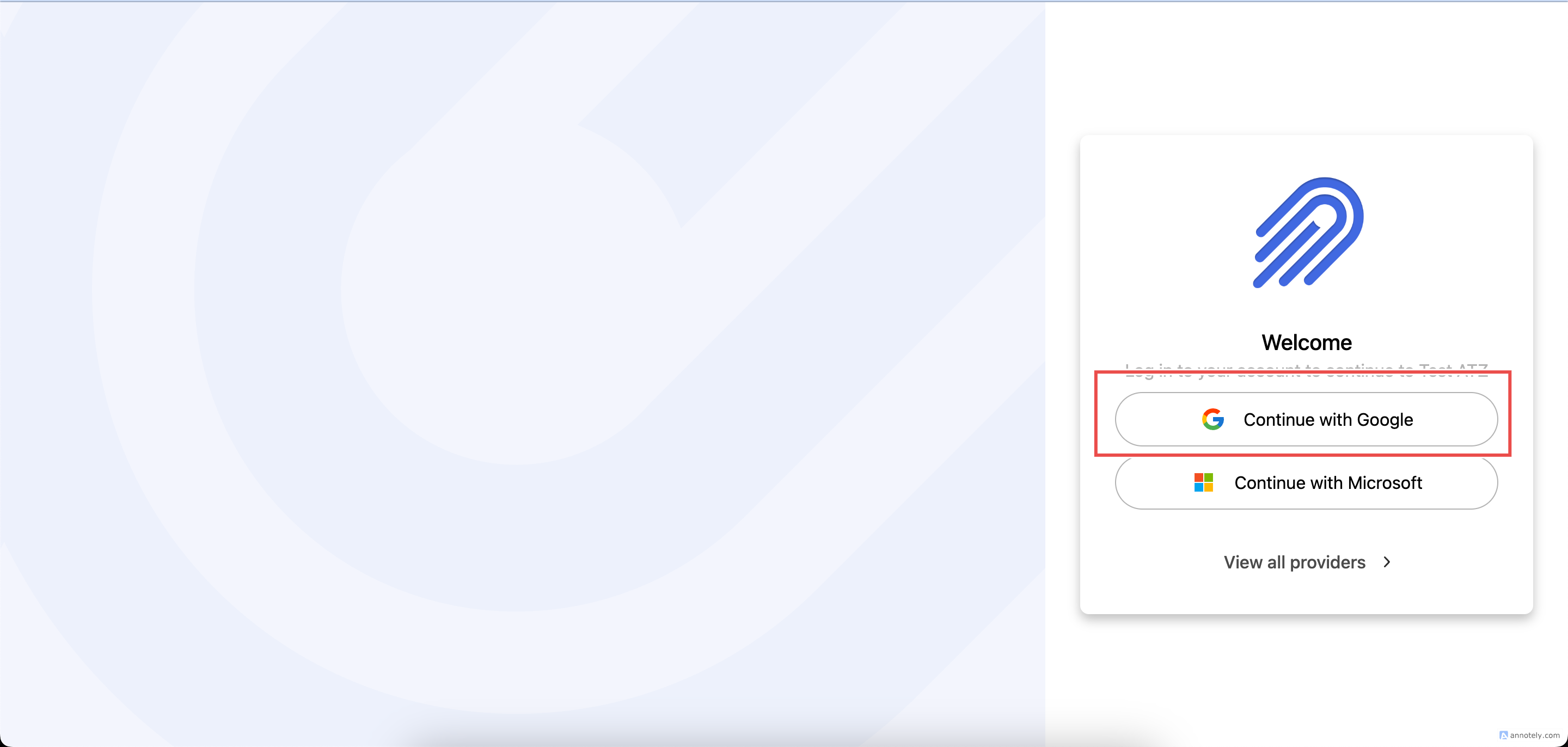
Step 3: Authenticate and Grant Permissions
Sign in to your Google account, allow the requested permissions, and click Continue.
After verification, Gmail connects to ATZ CRM.
Step 4: Access Your Mailbox
Open your mailbox from the left menu in ATZ CRM. It mirrors Gmail, including email folders and messages.
Initial folder sync may take up to 10 minutes. Older emails may take 2 to 3 hours to fully sync. This is a one-time process.
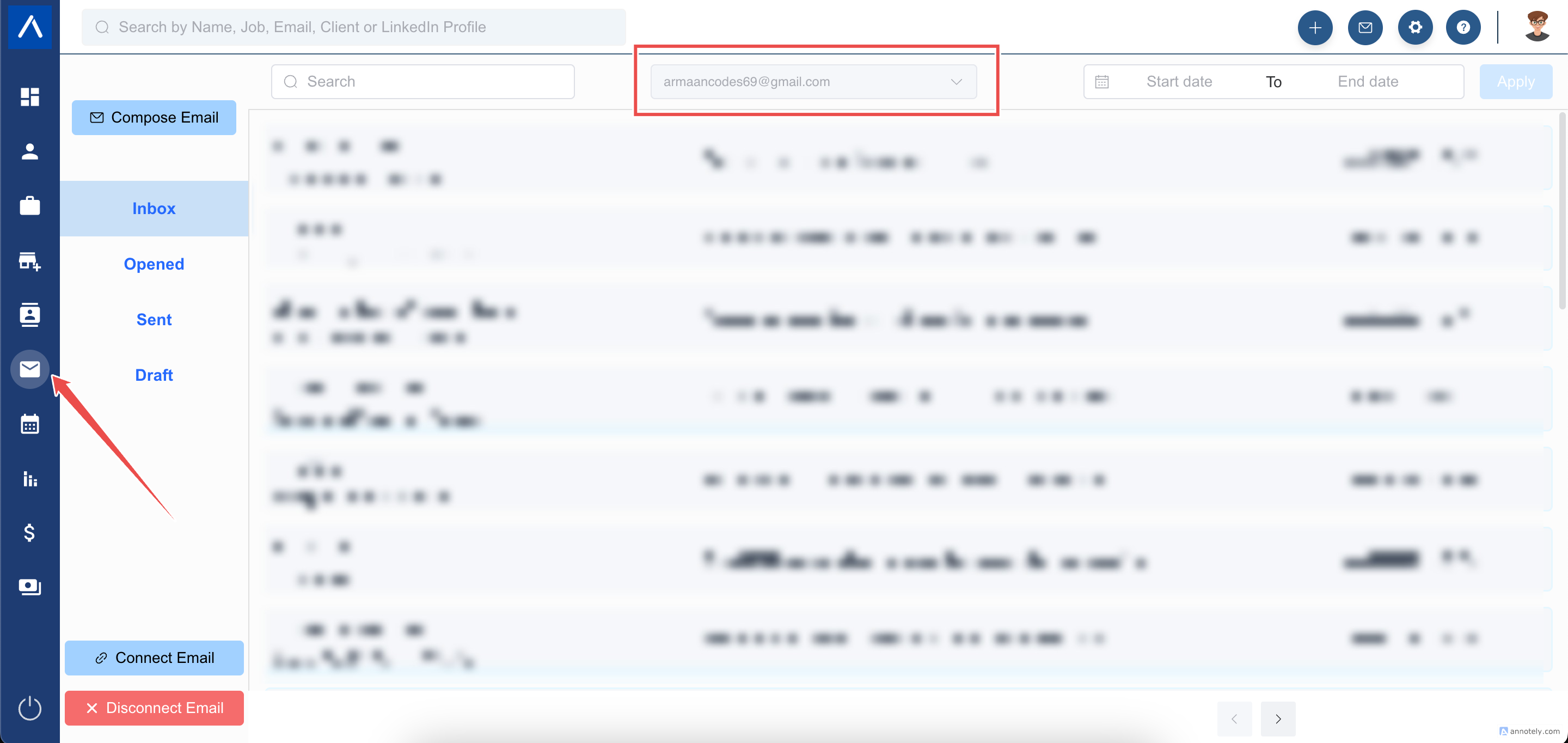
Switch Between Mailboxes
If multiple email accounts are connected, switch between them inside ATZ CRM.
Email Policy Requirements
To maintain delivery, configure SPF, DKIM, DMARC, unsubscribe handling, and spam-rate controls: Email policy compliance.
Retain Emails from Deactivated Users
To preserve emails from departing or deactivated users:
- Transfer emails into an active user’s Gmail mailbox through Google Workspace.
- Create a shared email account, connect it as a second account, and move archived email there before deleting the old mailbox.
Troubleshooting
Gmail Does Not Connect
Check Google login, permission approval, admin restrictions, and browser pop-up settings.
Older Emails Are Missing
Wait for full sync. Older emails can take 2 to 3 hours to appear.
Wrong Sender Is Used
Review default sender settings if multiple mailboxes are connected.
FAQs
Does ATZ CRM store Gmail data through Nylas?
ATZ CRM uses Nylas for mailbox integration. Nylas securely processes mailbox data for sync.
Is multiple mailbox connection included by default?
No. Connecting up to two email accounts is an add-on.
Can connected Gmail be used for sequences?
Yes. Connected email is required for sequence enrollment and sending.