
Use revenue reports to decide which billed placements need follow-up. Keep those figures separate from potential deal value and operational staffing totals.
Choose the Right View
- Revenue forecast & collections in Reports provides the detailed collections view.
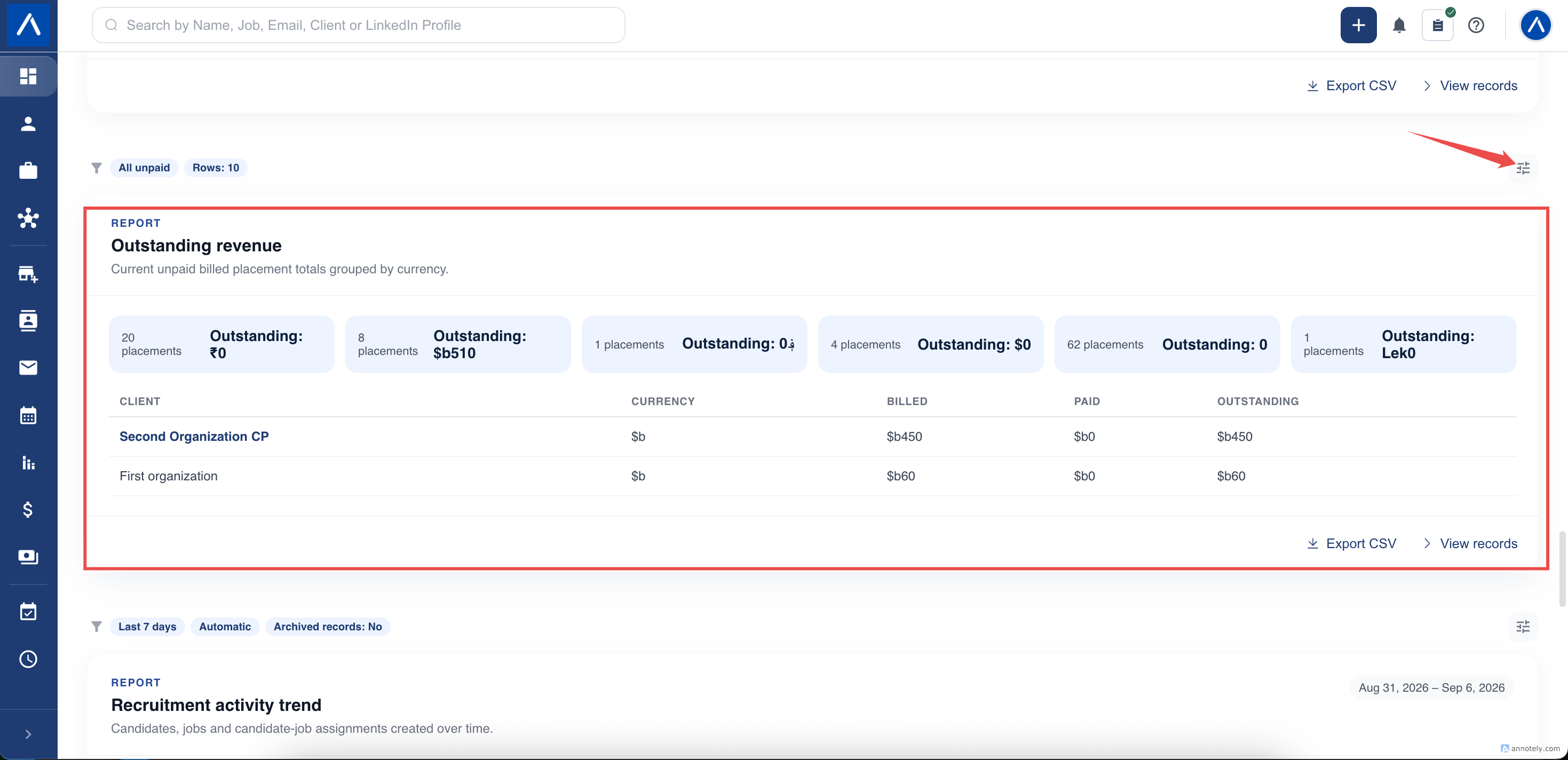
- Outstanding revenue on Dashboard summarizes unpaid billed placements by currency.
- Pending invoices on Dashboard lists billed placements that remain unpaid.
- Deal pipeline value summarizes current deals and weighted value by sales stage.
A forecast or weighted pipeline amount is not a confirmed invoice payment.
Apply Collection Filters
- Open the report or widget settings.
- Choose a permitted team if needed.
- Select the due-date filter: all items, overdue, due within the next 7 days, due within the next 30 days, or items with no due date.
- Set the row limit where available.
- Apply the settings and review the filter labels.
These collections views describe current unpaid billing. They do not behave like a report counting new records within a historical creation-date range.
Review the Underlying Placement
When following up, check the placement’s billing status, amount, currency, due date, and payment information.
A missing due date is different from an overdue invoice. Use the no-due-date filter to find records whose billing details need review.
A limited list may show fewer items than the full matching summary. Match the filters and compare summary totals before concluding that an amount is missing.
Understand the Boundaries
These reports concern placement billing. They do not combine every shift invoice, deal, or payment source into one financial statement.
Different currencies remain separate. For example, a dollar amount and a euro amount should not be added as though they were one currency.
Goals such as Placements billed and Billing value also differ: one counts billed placements and the other measures eligible billing amounts. Neither is a count of new jobs.
If Totals Look Wrong
Check the due-date filter, team selection, your placement-and-billing access, and the currency group. Then review whether the placement is still recorded as unpaid.
If you are comparing against a goal, also compare the goal’s period, billing metric, and currency rules. If you are comparing against a deal chart, use its pipeline definition rather than treating it as a collections total.
FAQs
Are shift invoices included in the dashboard’s pending placement invoices?
No. Pending invoices and Outstanding revenue use placement billing. Review shift invoices in the shift invoicing workflow.
Can I add all currency totals together?
No. Currency groups are shown separately. They are not automatically converted into one reporting currency.