
What Resume Parsing Does
The ATZ CRM resume parser helps recruiters turn resume files into structured candidate profiles. Instead of manually typing every detail, you upload a resume and review the fields that ATZ CRM extracts.
Resume parsing is best used when you want to:
- Create candidate records faster.
- Reduce manual data entry.
- Standardize candidate profile information.
- Keep resumes attached to candidate records.
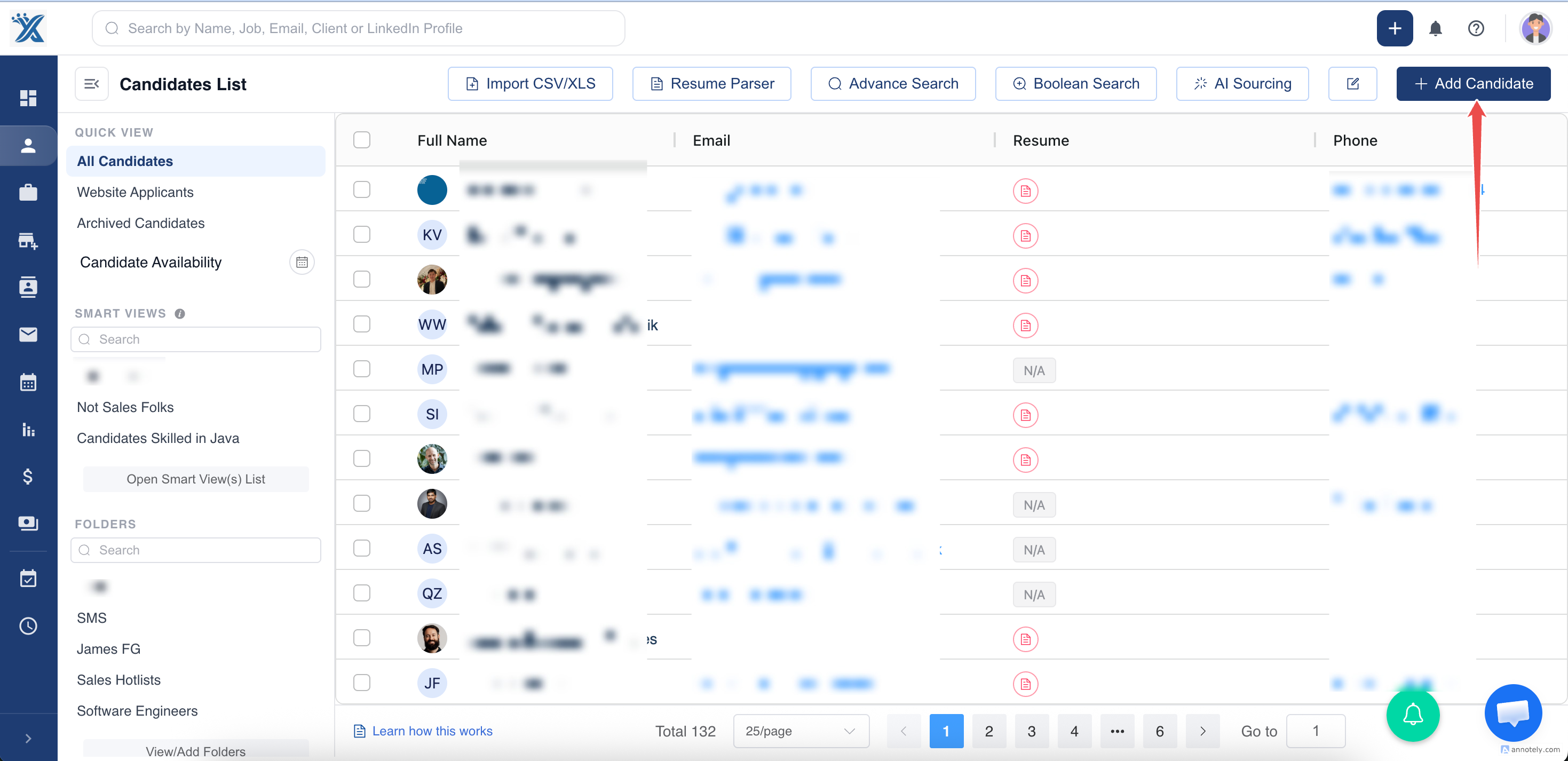
Step 1: Open Add Candidate
Go to the Candidates section and select Add Candidate.
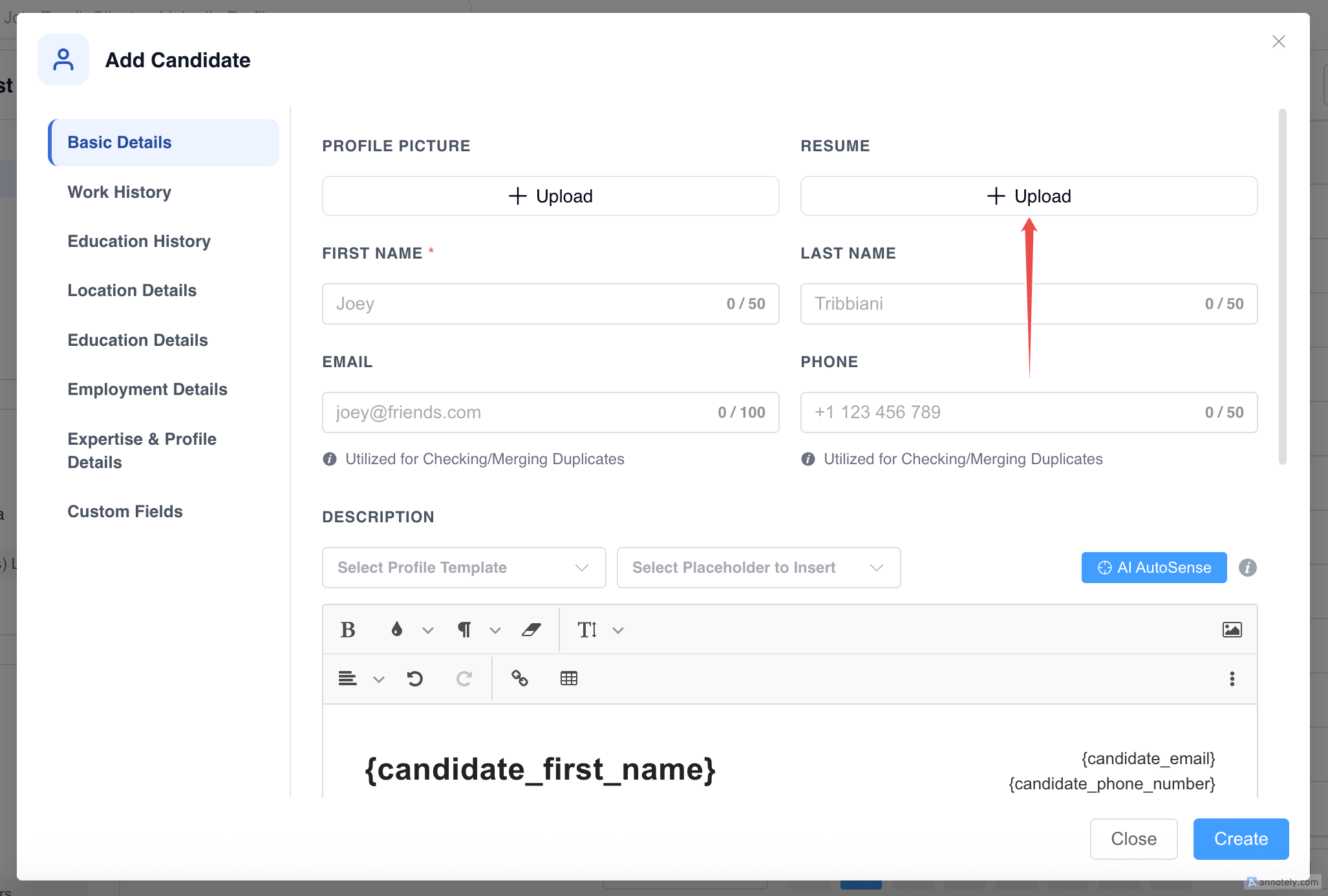
Step 2: Upload the Resume
Use the Resume upload field to attach the candidate’s resume.
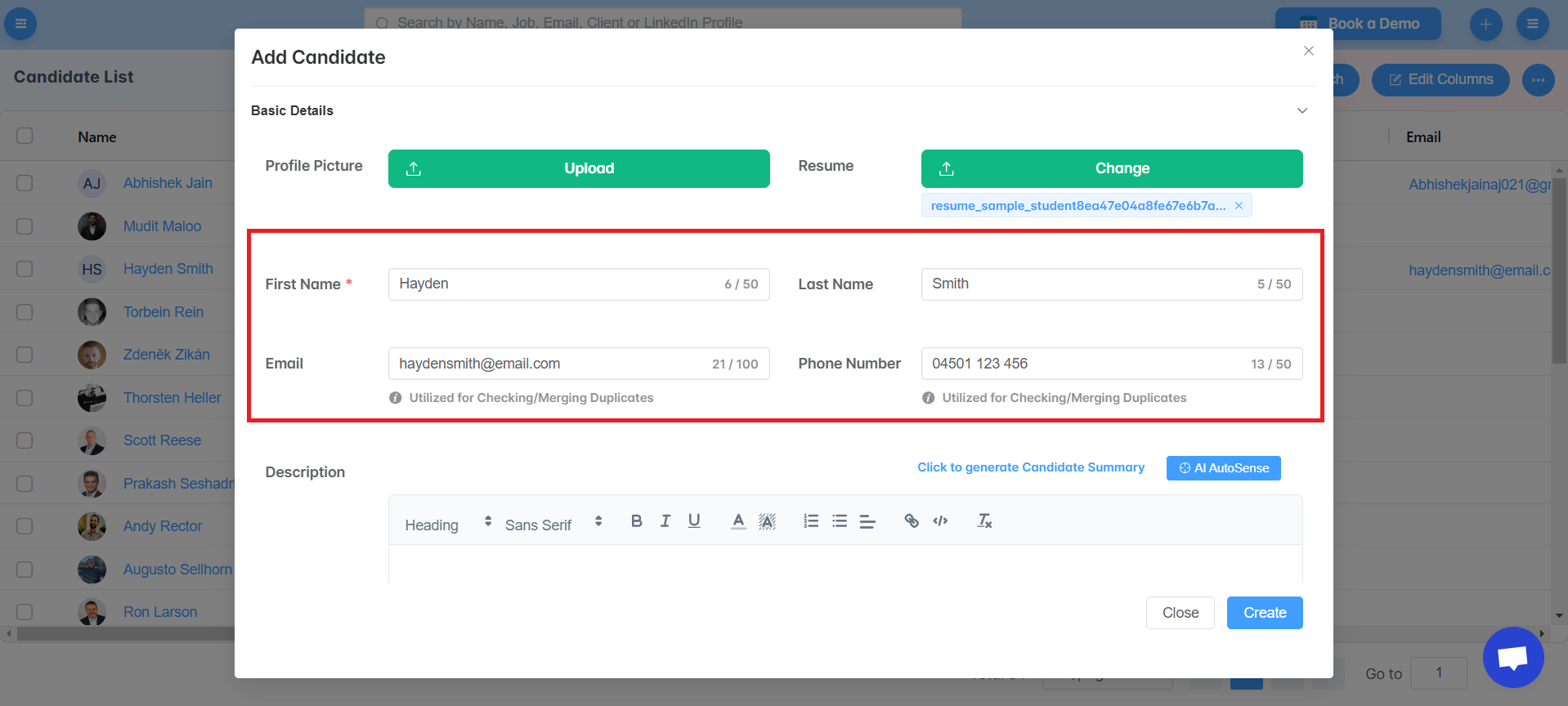
Step 3: Review Parsed Details
After upload, ATZ CRM parses the resume and fills available candidate fields automatically. Review the extracted details before saving.
Step 4: Save the Candidate Profile
Correct any missing or inaccurate fields, then save the candidate profile.
Use Cases
Fast Candidate Intake
Use resume parsing when candidates send resumes by email, referral, job board, or direct application.
Cleaner Candidate Data
Parsing helps keep important fields searchable, which improves filtering, matching, and reporting later.
Resume-Based Sourcing
If your team receives resume files before complete candidate details, parsing gives recruiters a structured starting point.
Troubleshooting
Some Fields Are Missing
The resume may not include that information, or the file formatting may make it difficult to extract. Add missing fields manually.
The Resume File Does Not Upload
Check the file type, file size, and internet connection. If the issue continues, try exporting the resume to a standard PDF or DOCX format.
Parsed Data Looks Incorrect
Review and correct the fields before saving. Unusual resume layouts can sometimes affect extraction quality.
Frequently Asked Questions
Does resume parsing create the candidate automatically?
No. You should review the parsed details and then save the profile.
Can I edit parsed fields?
Yes. Parsed fields can be edited before you create or update the candidate record.
Should I use single or bulk resume parsing?
Use single parsing when creating one candidate. Use bulk resume parsing when uploading multiple resumes at once.