
What Talent Funnels Do
Talent funnels define the hiring pipeline stages candidates move through for a job. A well-designed funnel keeps recruiters aligned on screening, submission, interview, offer, rejection, and hire steps.
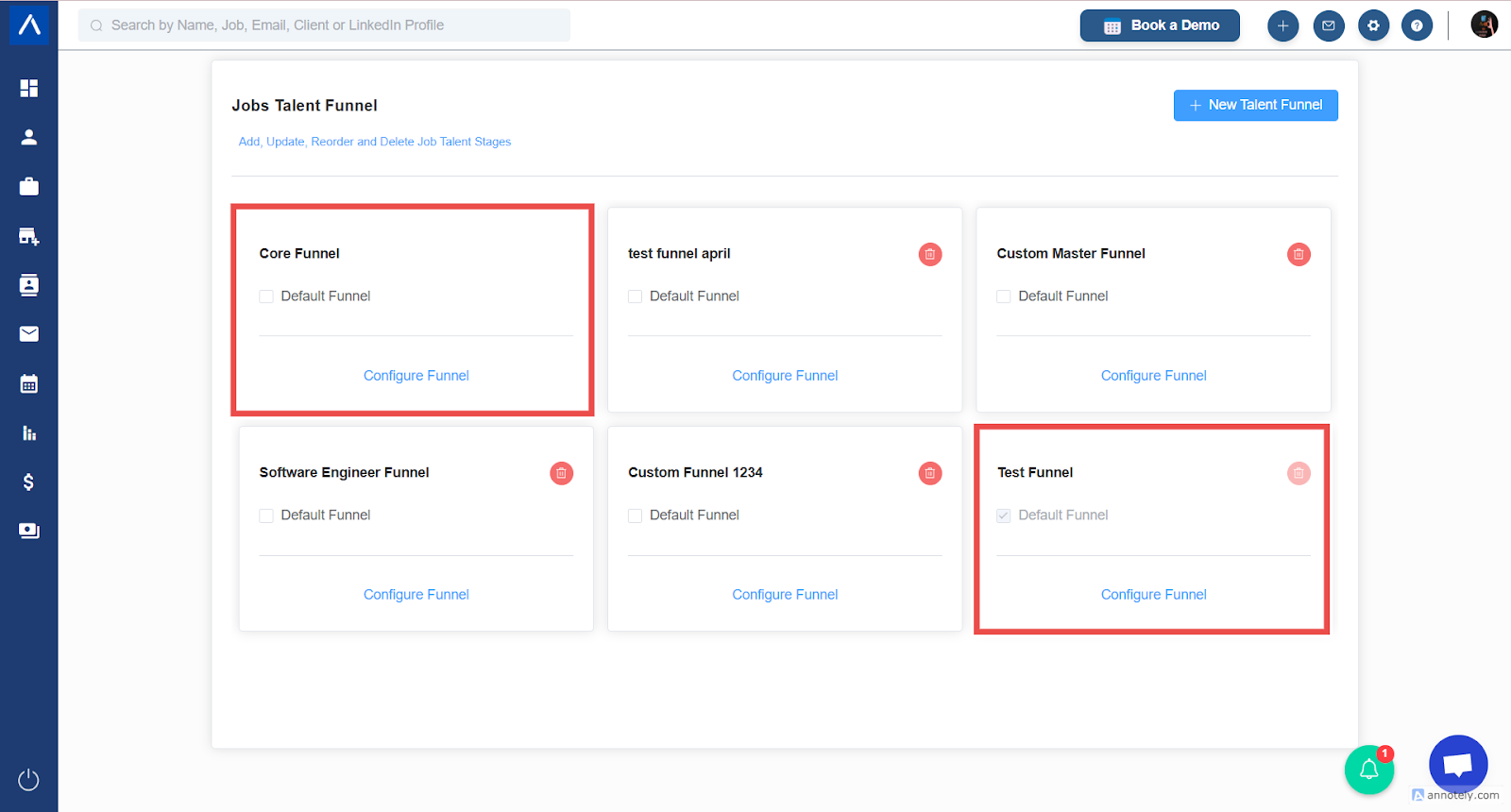
Understand Core and Default Funnels
Before making changes, note two protected funnel concepts:
- Default Funnel: Applied automatically to new jobs.
- Core Funnel: Parent funnel or master structure used by custom funnels.
In most cases, the Core Funnel is also the default funnel. Changes to the Core Funnel can affect funnels derived from it.
Add a New Stage
- Open the Core Funnel editor.
- Select Add Stage.
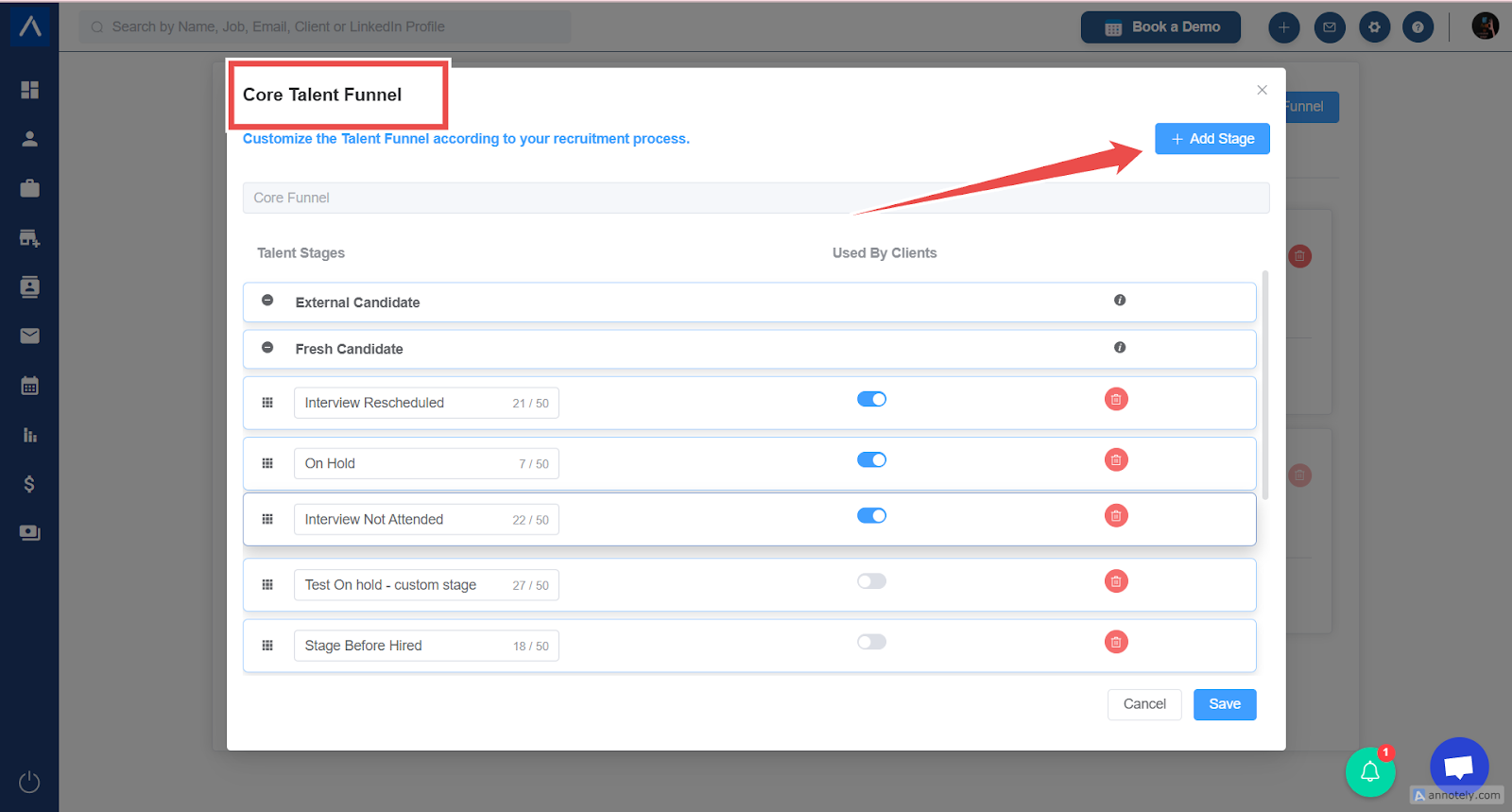
- Enter the stage name.
- Place the stage in the desired sequence.
- Save changes.
Modify an Existing Stage
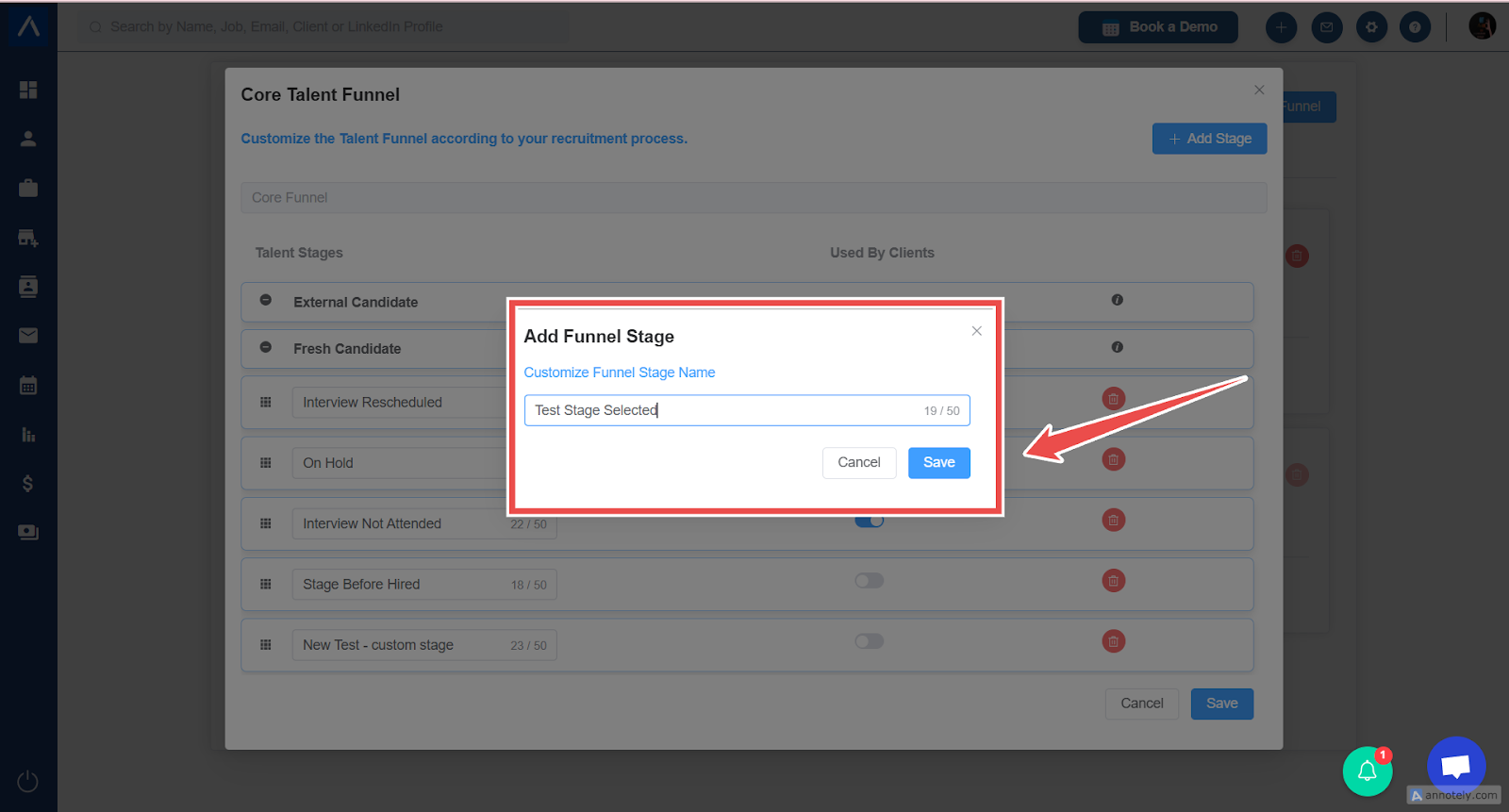
- Open the funnel editor.
- Locate the stage.
- Update the stage name or order.
- Save changes.
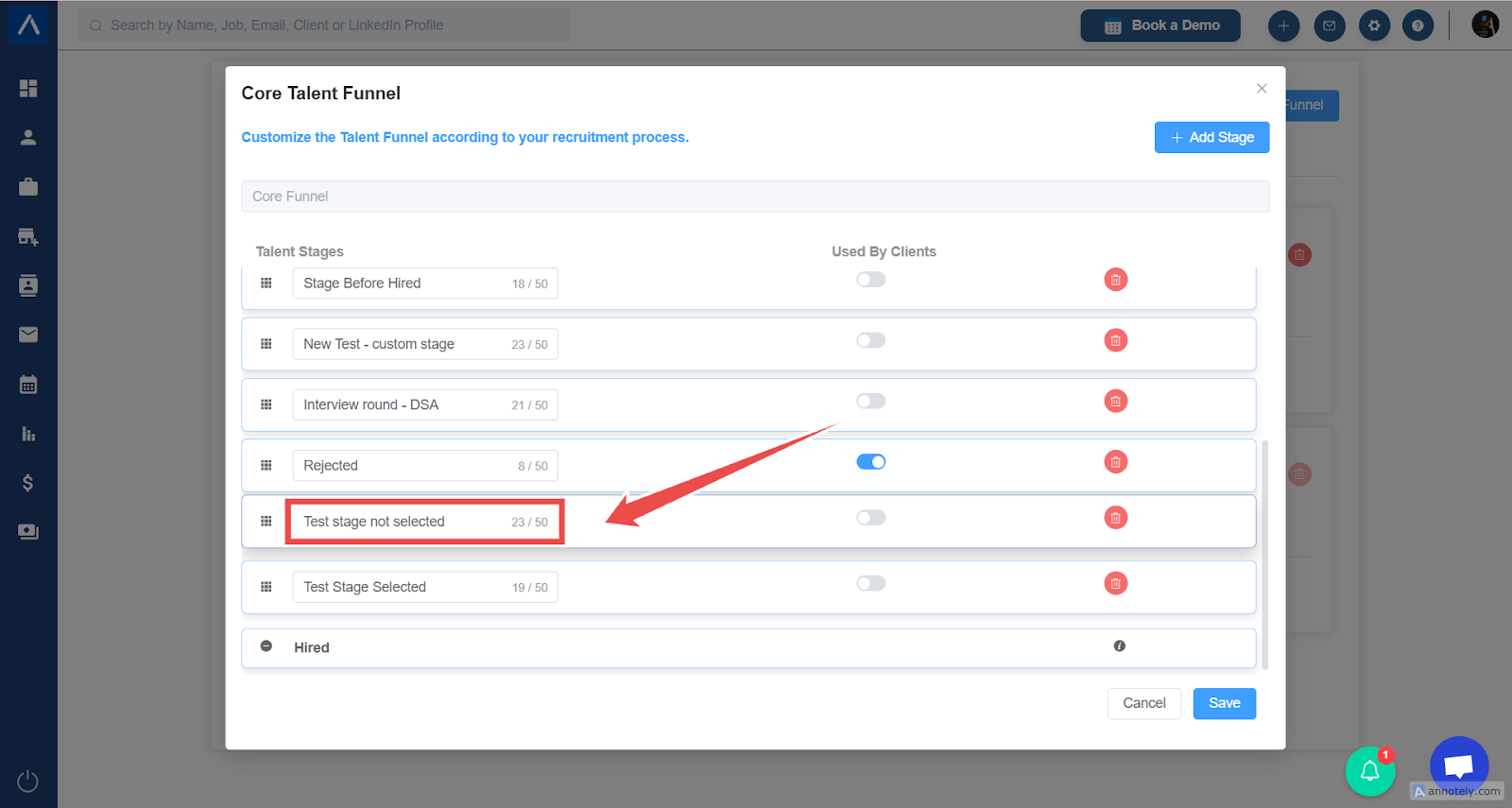
Delete a Stage
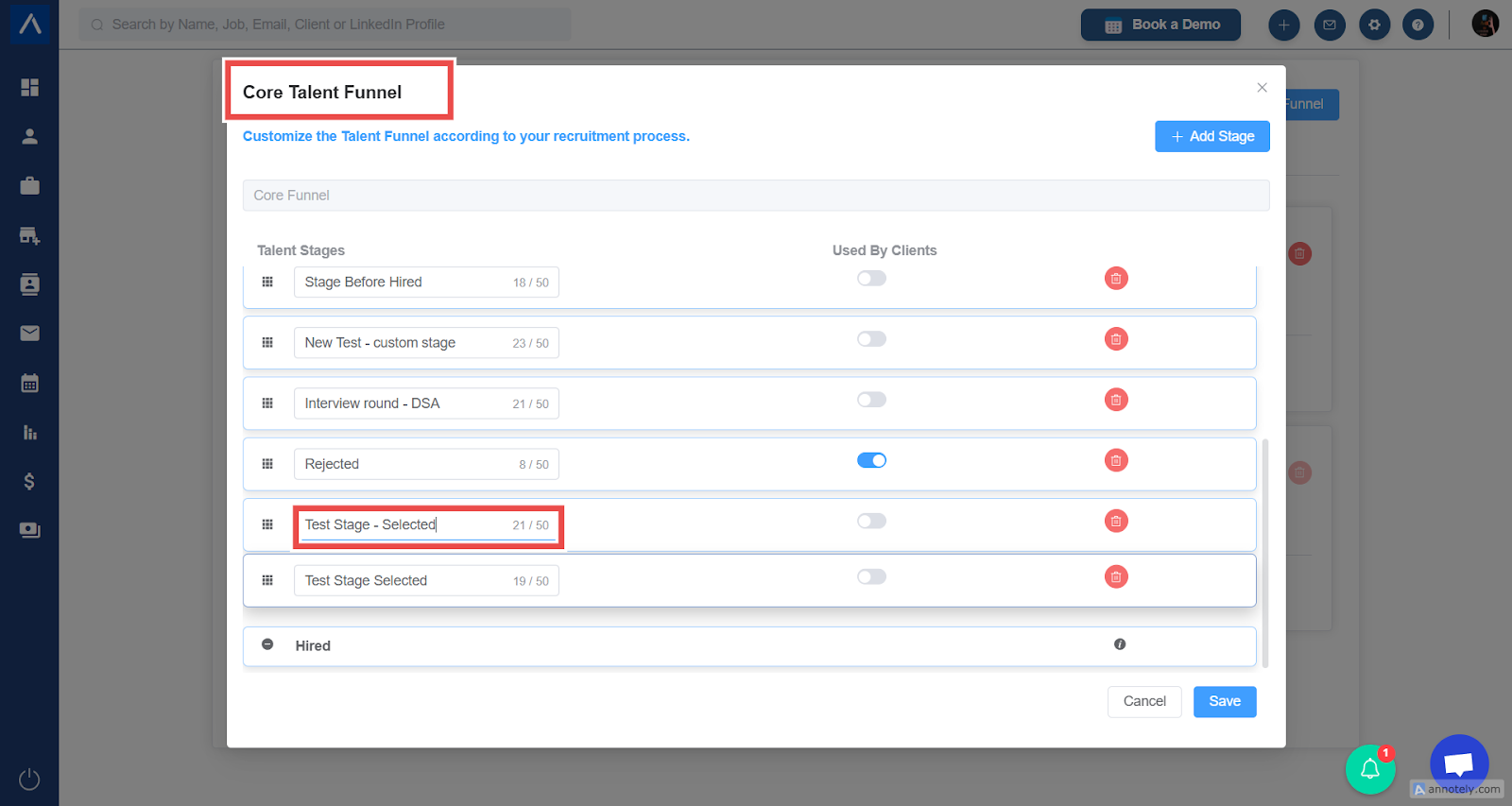
- Open the funnel editor.
- Locate the stage to remove.
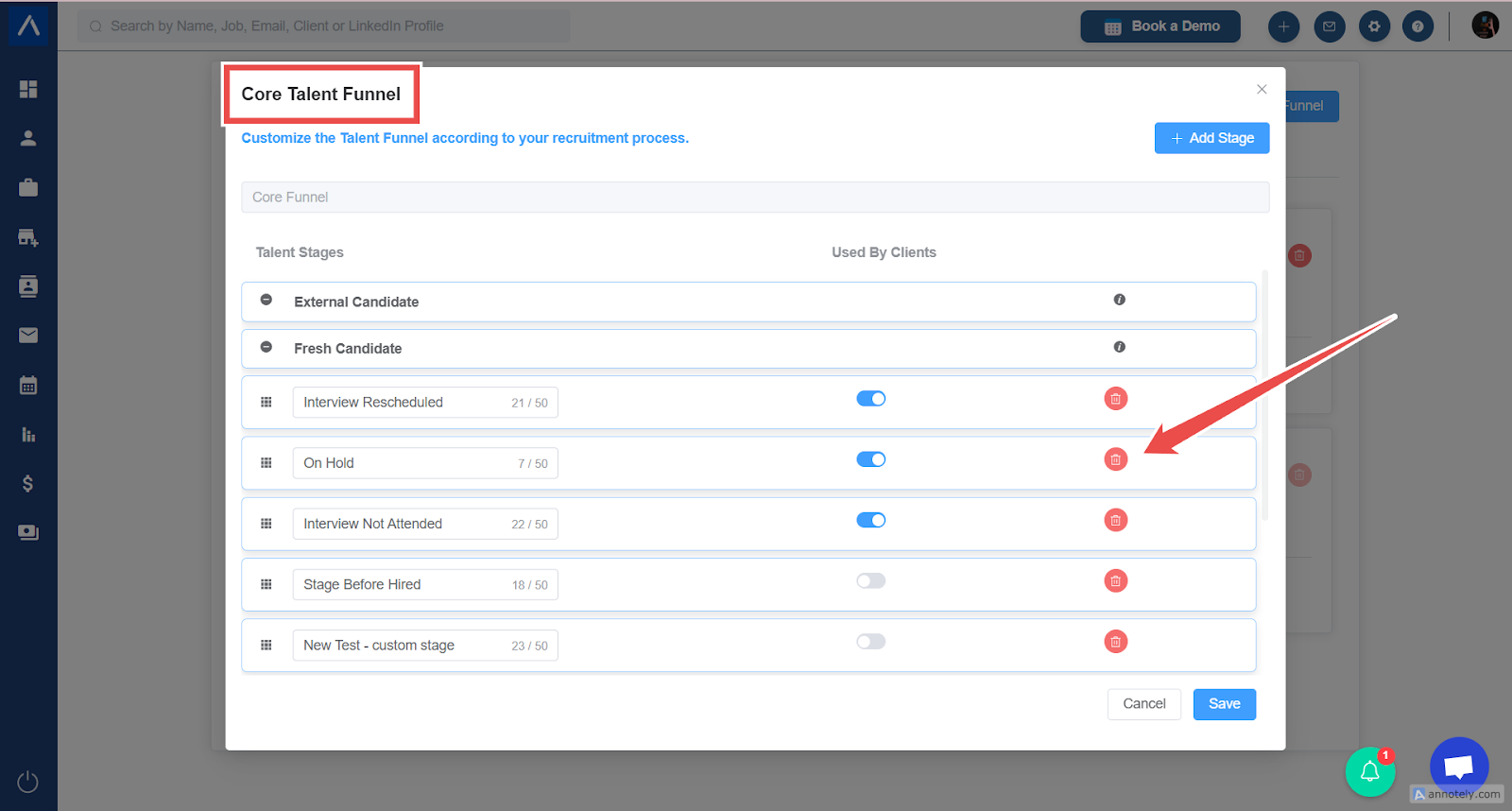
- Select the delete icon.
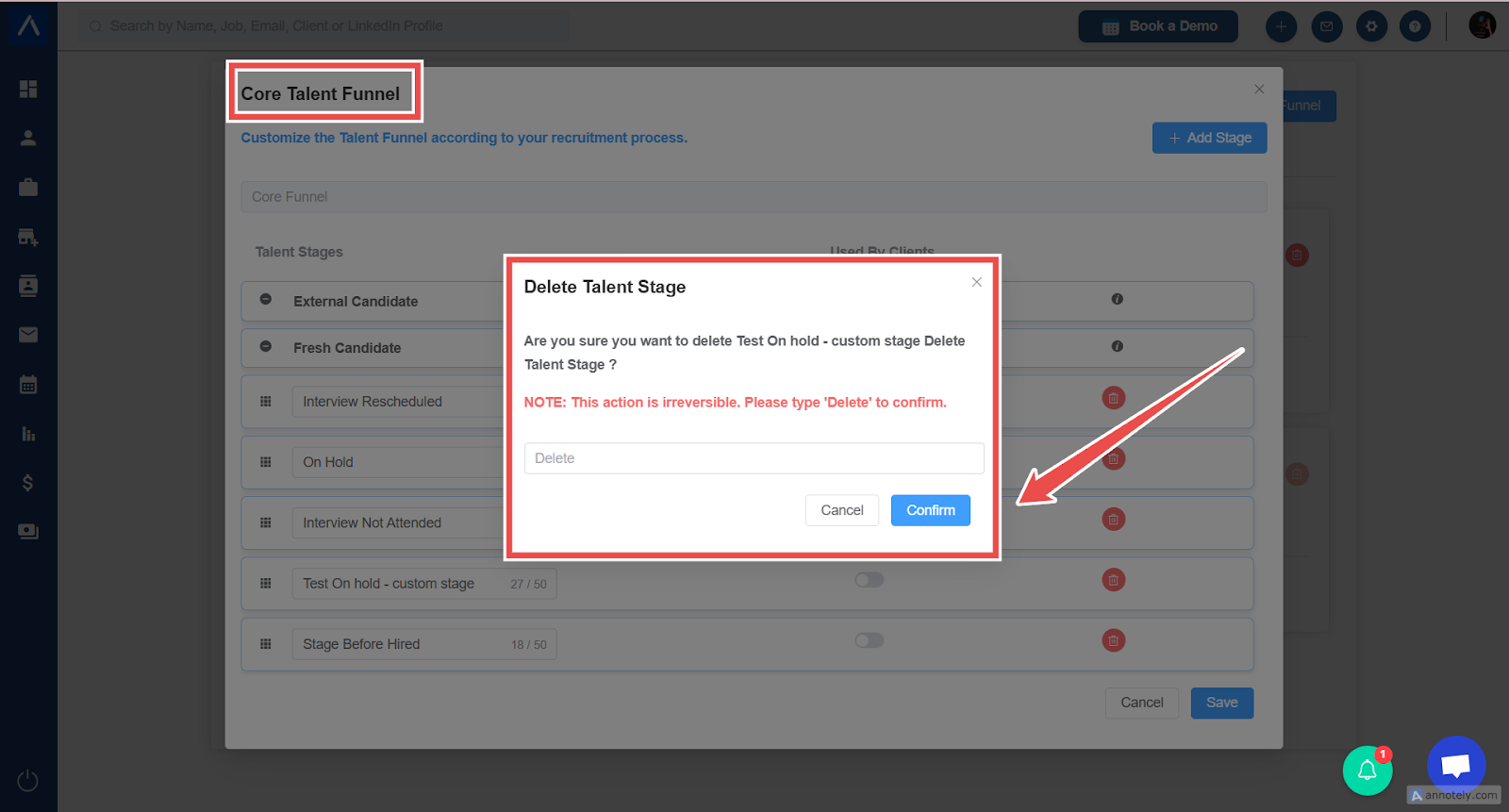
- If candidates exist in that stage, select another stage for transfer.
- Confirm deletion.
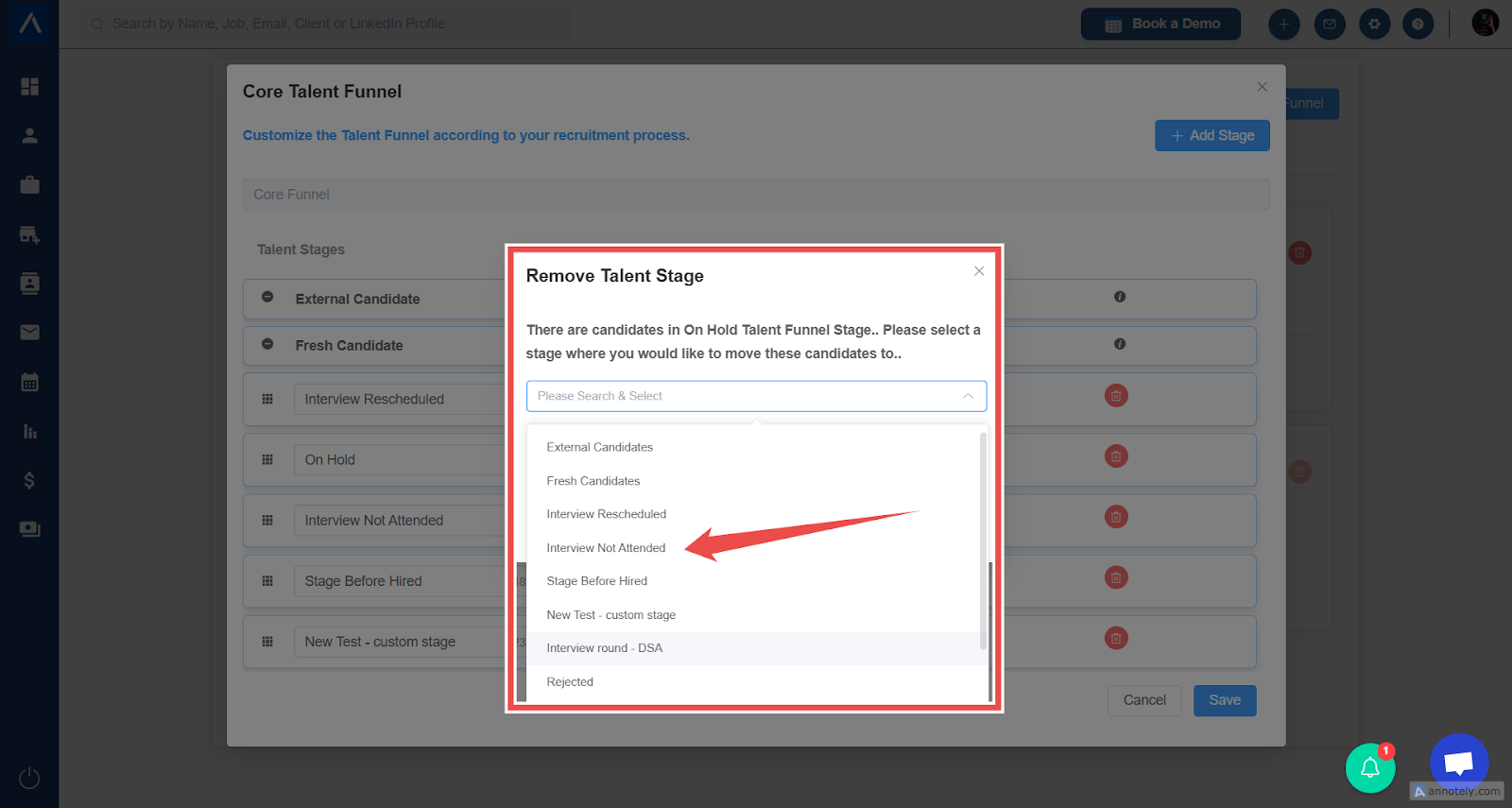
Note: Deleting a stage from the Core Funnel can also delete it from custom funnel stages.
Create a Custom Funnel
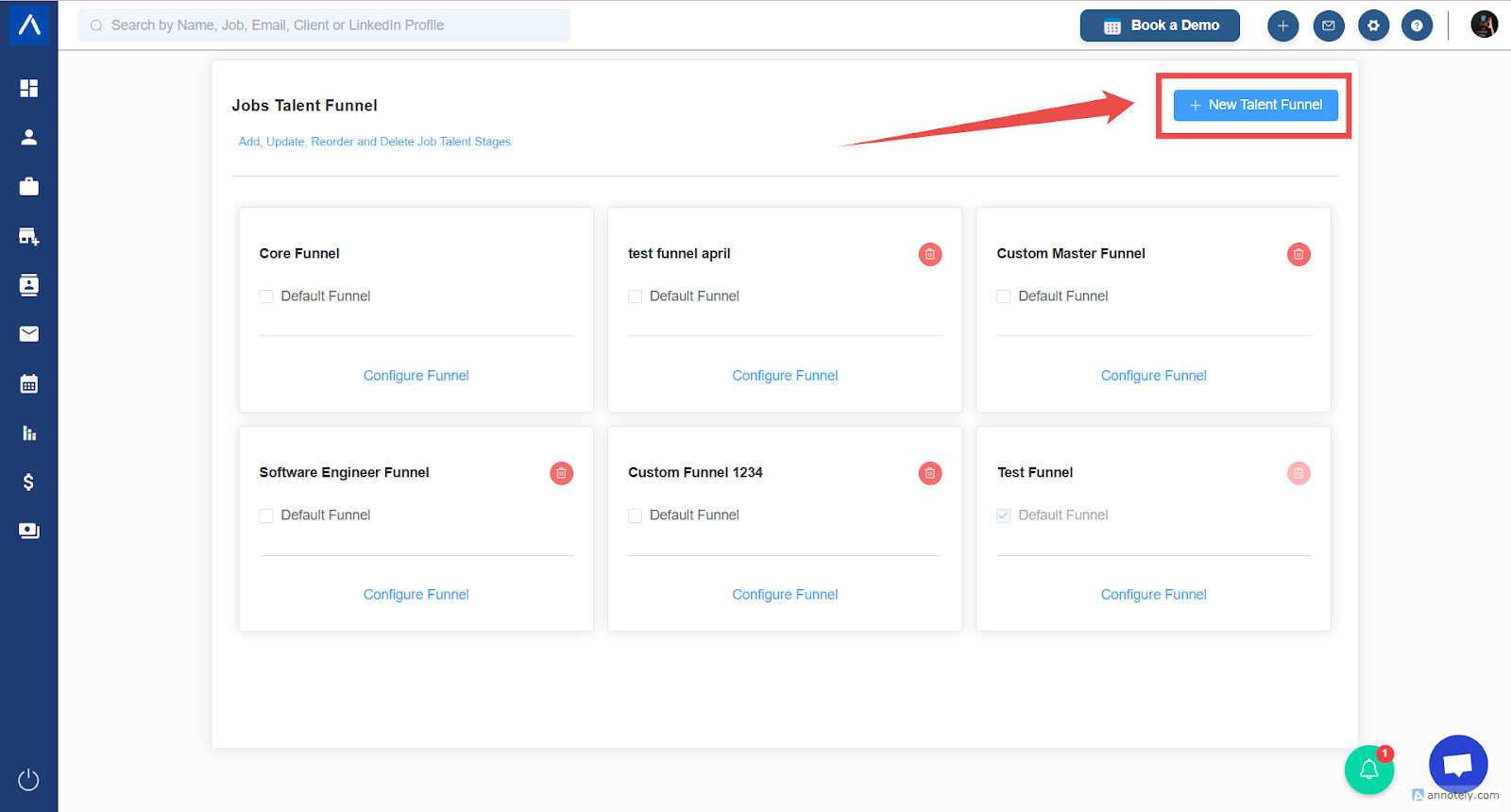
- Select New Funnel.
- Name the funnel.
- Select the stages to include.
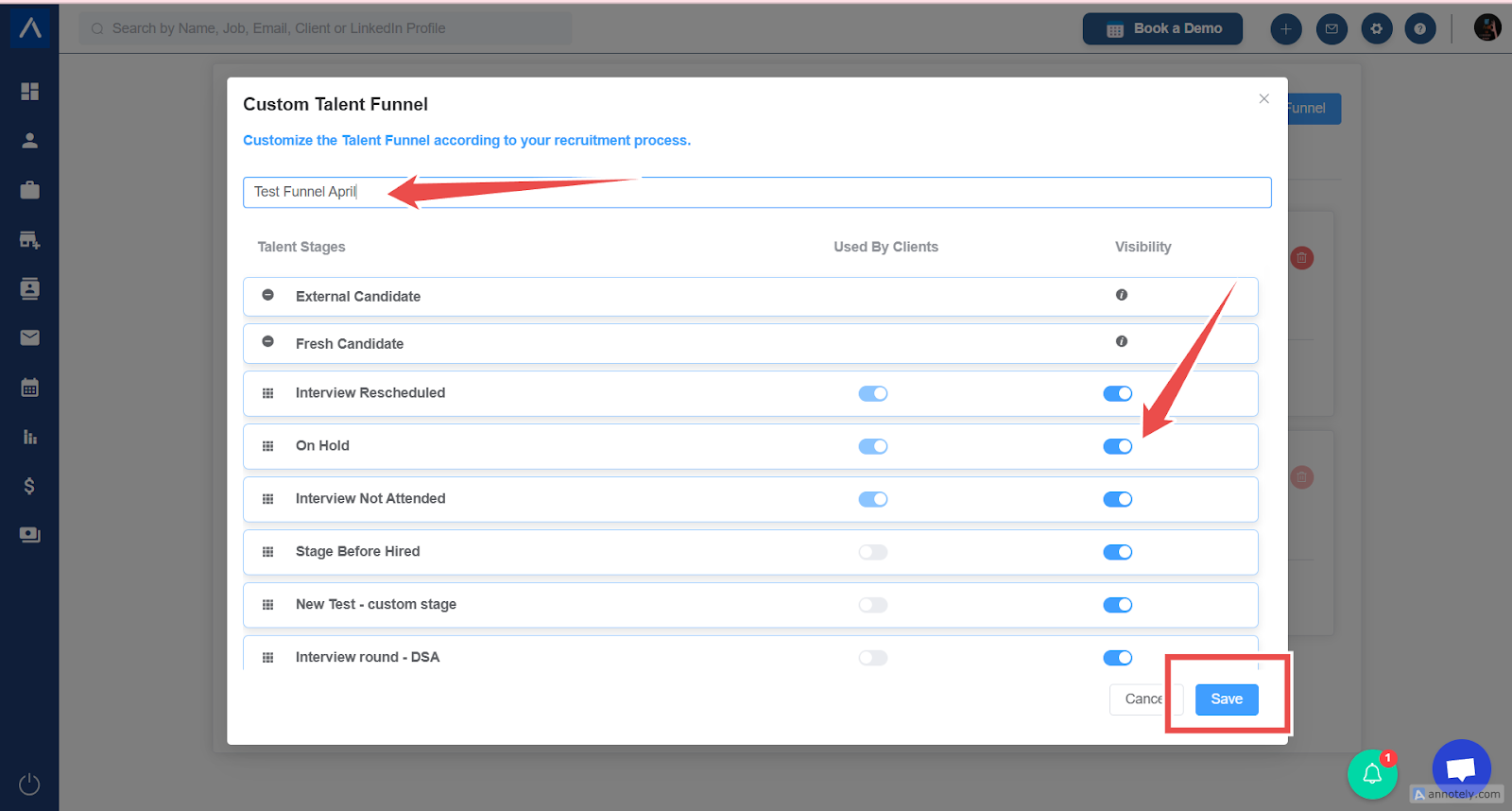
- Arrange stages in the preferred order.
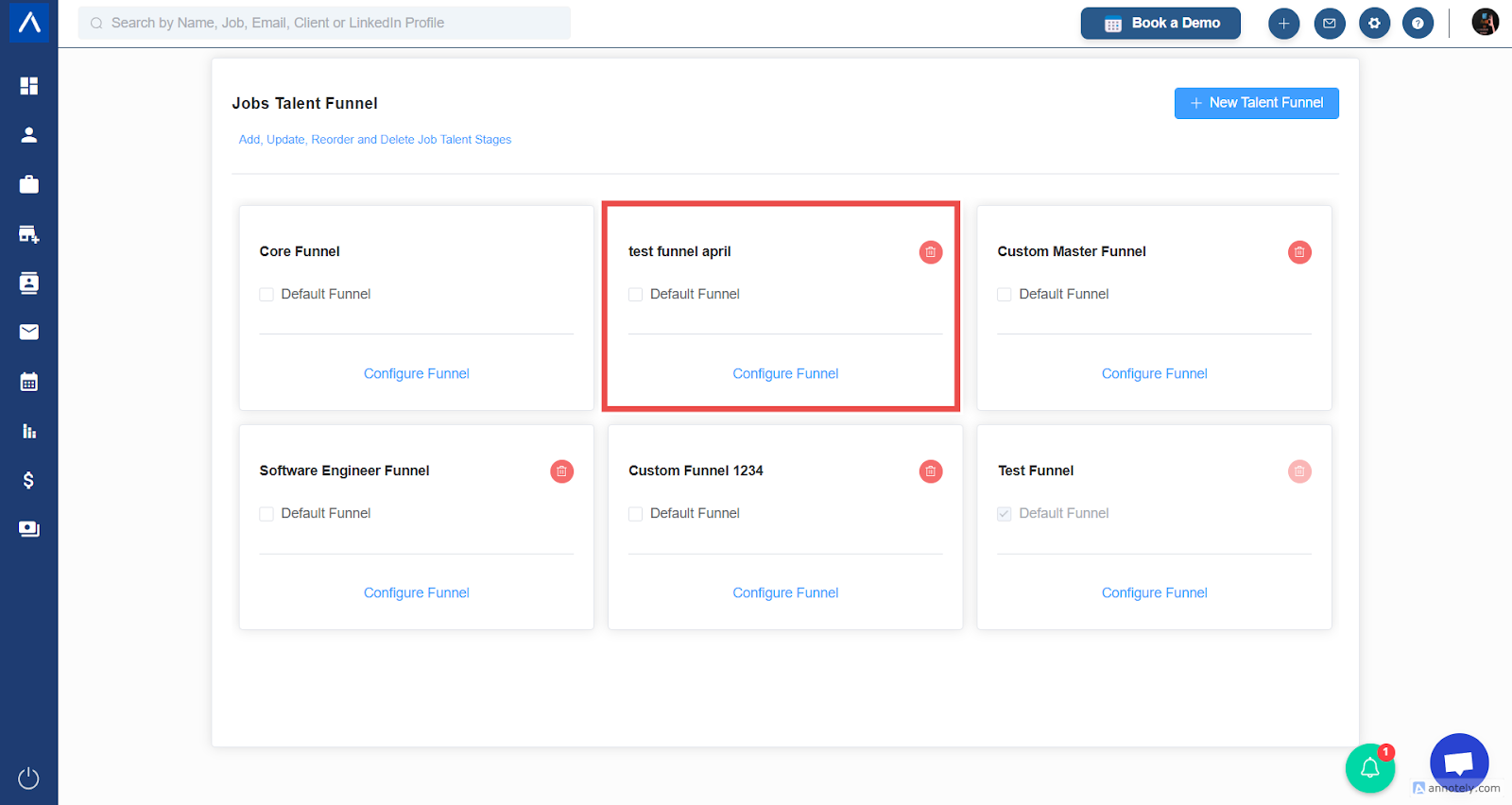
- Save the funnel.
Default Funnel Behavior
When you create a new job, ATZ CRM applies the default funnel. Confirm the correct funnel before creating the job because the source article notes that you cannot change the funnel after the job is created.
Use Cases
Agency-Specific Pipelines
Create custom funnels for permanent hiring, contract staffing, executive search, or client-specific workflows.
Better Stage Reporting
Use clear, consistent stages so managers can see pipeline movement.
Cleaner Recruiter Workflow
Remove unused stages and order the funnel in the way recruiters actually work.
Troubleshooting
Cannot Delete a Funnel
The funnel may be protected as the Default Funnel or Core Funnel.
Candidates Block Stage Deletion
Transfer candidates to another stage before deleting.
Wrong Funnel Applied to a Job
Review the funnel before job creation. If the job is already created, follow your internal process for recreating or adjusting the job workflow.
Frequently Asked Questions
Should every job type have a custom funnel?
No. Create custom funnels only when the workflow genuinely differs.
Can changing Core Funnel affect other funnels?
Yes. Changes to Core Funnel can affect derived custom funnels.
Are candidate stages and job statuses the same?
No. Candidate stages track candidates inside a job pipeline, while job statuses track the job itself.