
Assign a Contact
Assigning contacts to organizations keeps your client database structured and makes Client Portal workflows easier to manage.
Steps
- Go to Contacts.
- Open the contact profile.
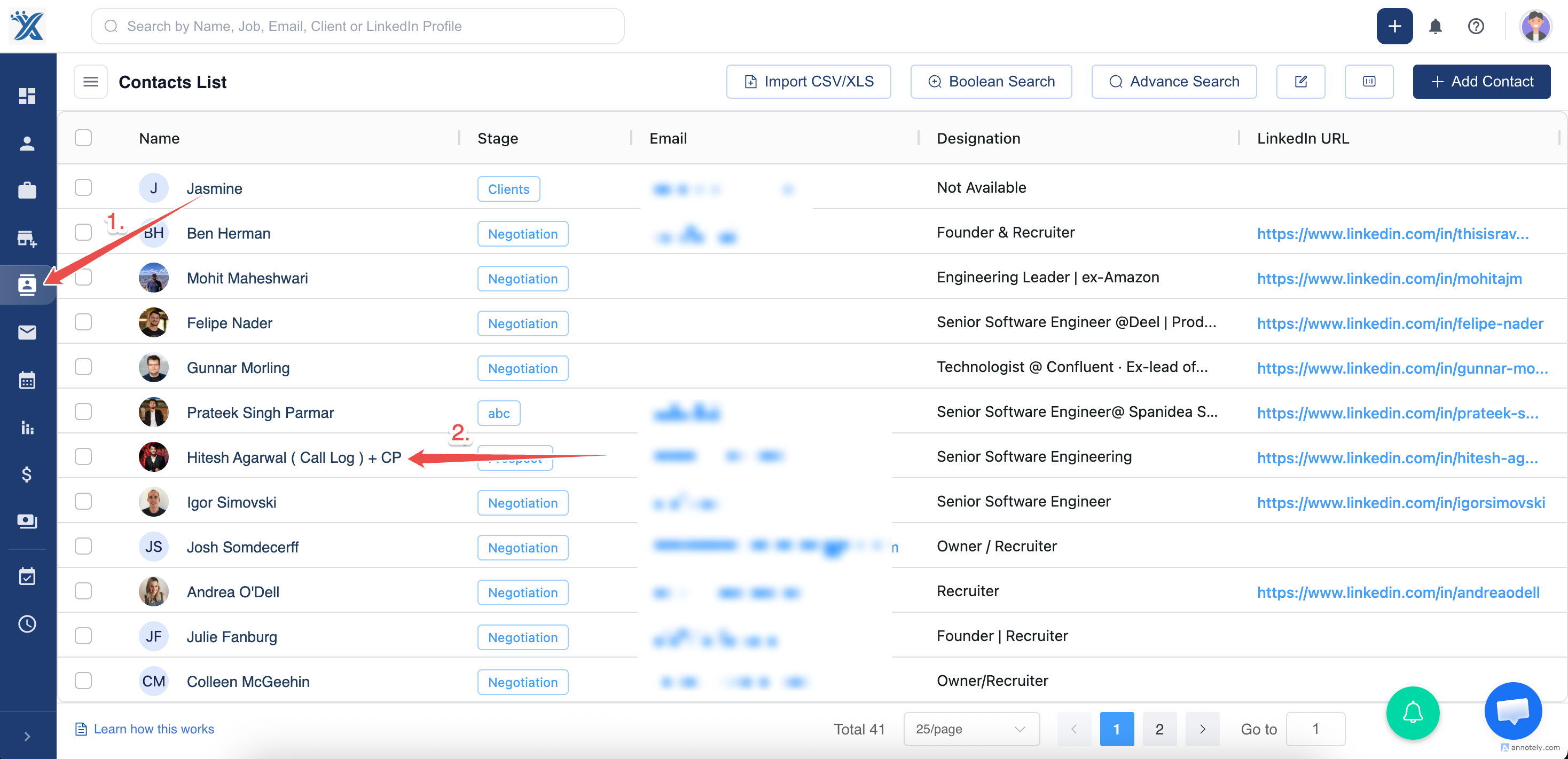
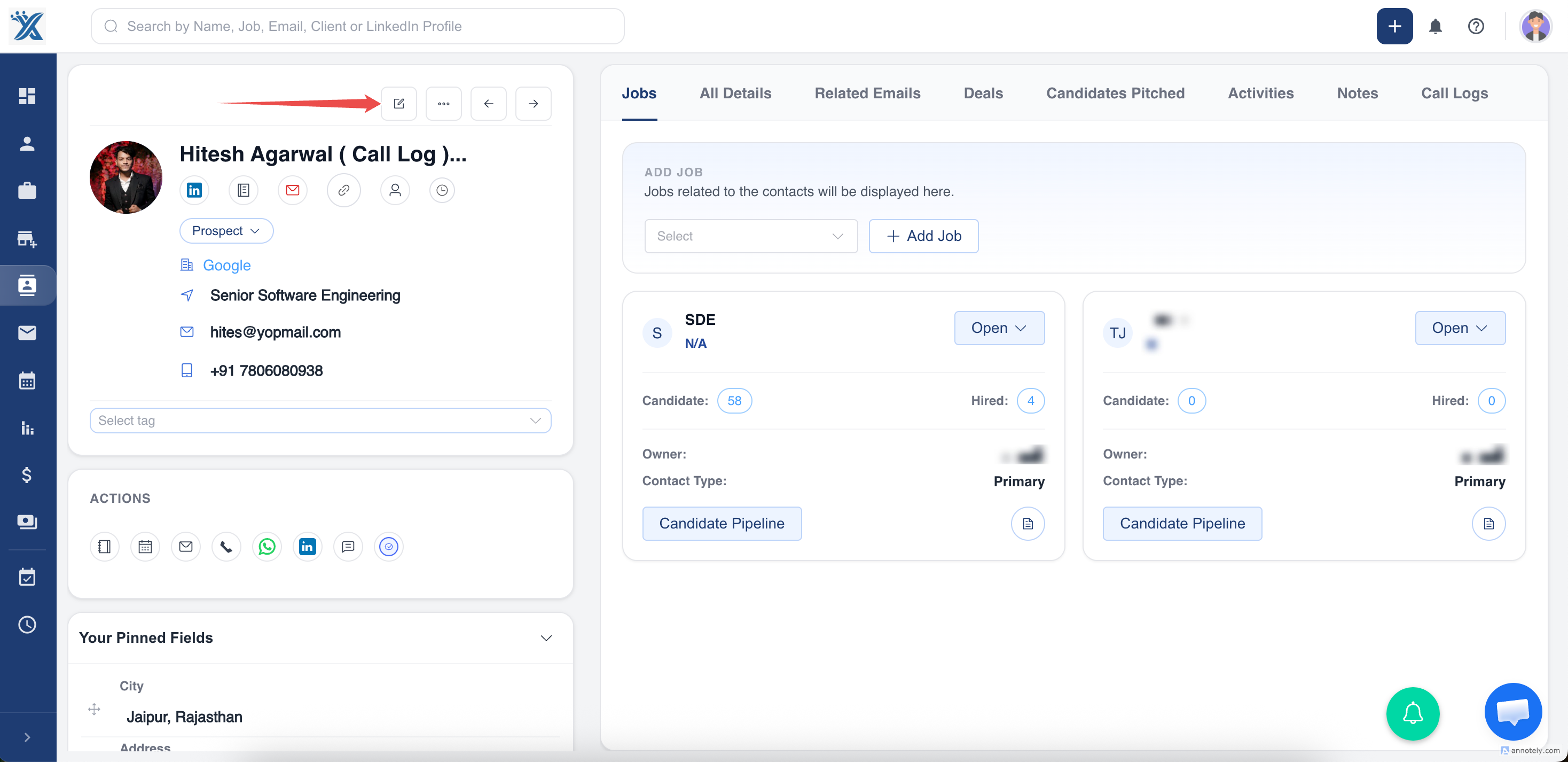
- Select Edit.
- Locate the Organization field.
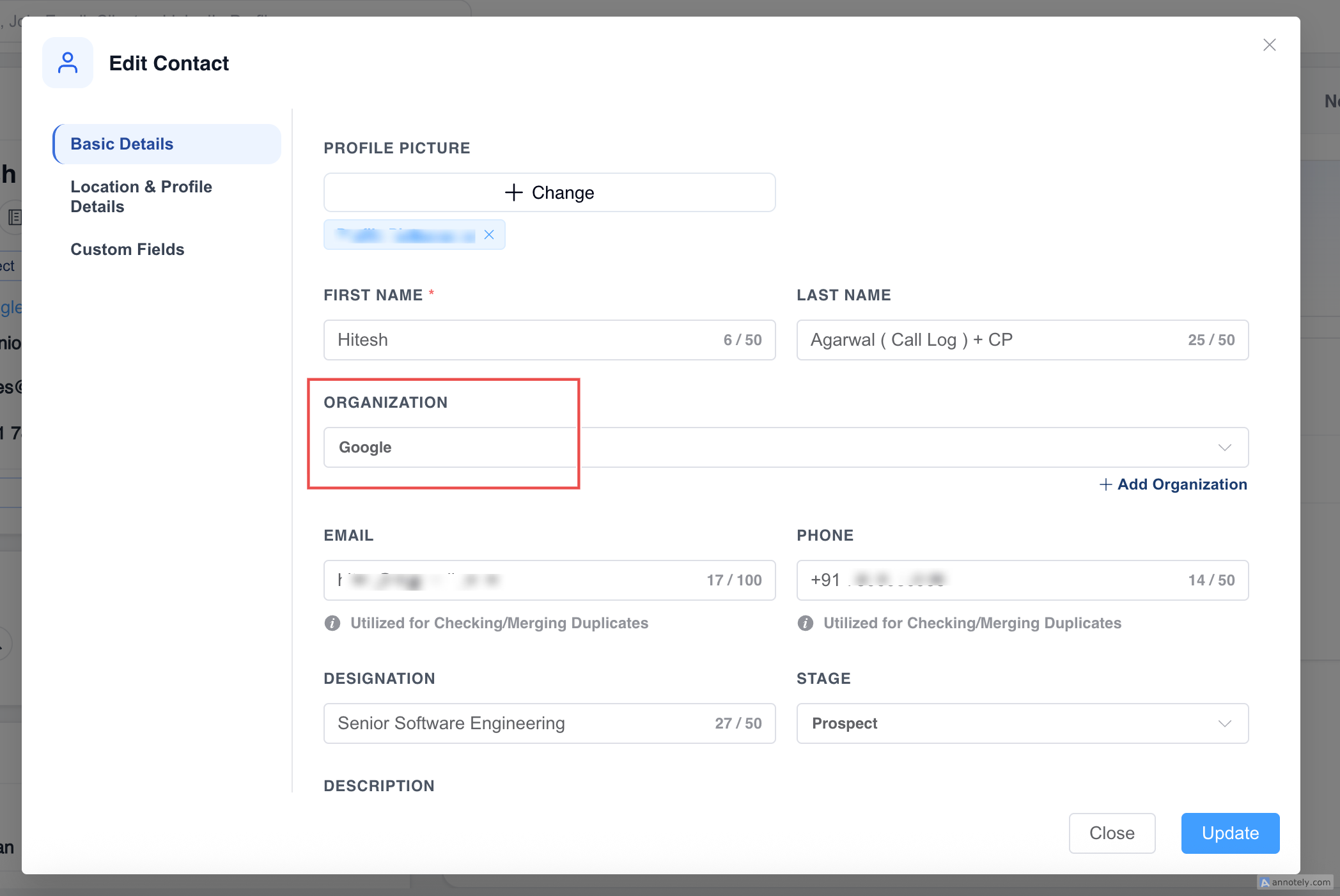
- Search for and select the organization.
- Select Update.
Use Cases
- Connect hiring managers to client organizations.
- Prepare contacts for Client Portal invitations.
- Keep jobs, requisitions, and communication tied to the right account.
Troubleshooting
Organization Does Not Appear
Create the organization first or check spelling in the search field.
Contact Portal Access Changes
Changing organization can affect portal access. Review access before changing client-facing contacts.
Duplicate Organizations Exist
Merge or clean duplicate organizations before linking important contacts.
Frequently Asked Questions
Can one contact be assigned to multiple organizations?
Use your account’s supported relationship model. If one primary organization is available, choose the best current organization.
Does assigning organization notify the contact?
No. It updates the CRM relationship.
Can this be updated in bulk?
Use bulk update or import workflows where supported.